Mobile Augmented Reality for Spatial NavigationSharon Brosnan0651869Bachelor of Science in Digital Media Design
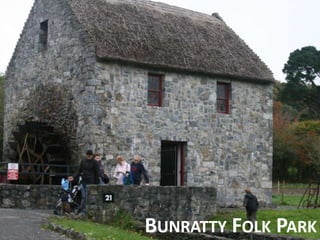
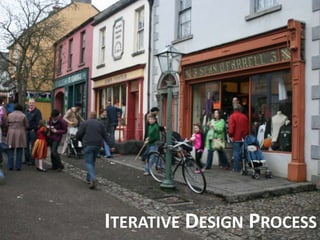
Bunratty Folk Park
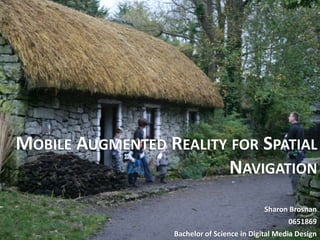
Bunratty Folk ParkIrish visitor attraction run by Shannon Heritage19th century life is recreatedBuildings from the mid-west have been relocated to the 26-land surrounding Bunratty Castle30 buildings are set in a rural or village setting there.
Bunratty Folk ParkThe buildings are outfitted, as they would have appeared in their eraOld tools and artifacts are displayed around the Folk Park Bunratty Folk Park attracts many visitors from Ireland and around the world annually
Visitor Attraction Mobile AidsDraw attention to the museums unique role as three-dimensional, geographically located placeMobile guides are designed for assisting people on the move
Augmented RealityWhat is Augmented Reality?Layers digital information to a real world environment through a camera, creating a mixed realityAllows for the navigation of a physical area and connected digital space at the same timeEnhance the visitors experience while allowing them to interact in the real world in natural ways and give a better context of information
Augmented RealityIn Bunratty Folk Park:Allows the visitor to point a camera at an exhibit, the device recognises its by it’s location and layers digital information on to the display3- dimensional virtual objects can be positioned with real ones on displayLeads to dynamic combination of a live camera view and information
Bunratty Folk Park Navigational AidSmartphone PlatformMost people carry mobile phones and are comfortable with themIdeal Augmented Reality TechnologyGlobal tracking toolsWireless communication capabilities Location based computingLarge display for interaction
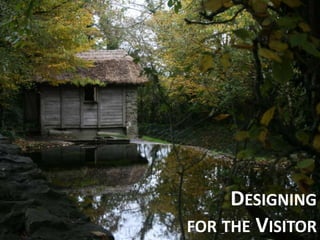
Designingfor the Visitor
Human Centred DesignGoal of the Navigational AidEasy to use, clear and understandableUseful to visitorsCreating interaction between the visitor and the aid through the user interfaceEngage the visitorTo ensure this… It is necessary to understand the visitor of a navigational aid in Bunratty Folk ParkIdentify visitor motives and goals while going through the Folk Park.
Human Centred DesignUnderstanding the technology and Related WorksLiteratureSimilar TechnologiesElectronic Tours in Museum SettingsInteractions design in Outdoor MuseumsUnderstanding the User over timeObservationsInterviews
Human Centred DesignFindingsMost visitors do not use the mapMost visitors have mobile phonesVisitors want more informationView the Folk Park at their own paceInformation should be straight to the pointLarge social interaction within groups
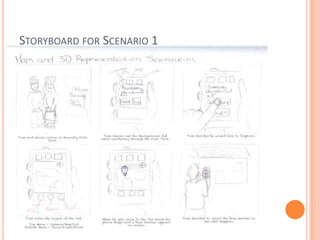
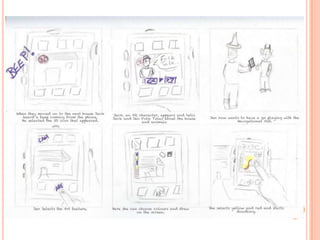
Next Steps from ResearchDefine Visitors GoalsDefine Functionalities of the AidDevelop Personas – visitors who use the AidDevelop Scenarios – how the persona uses the navigational aid in the Folk ParkDraw up Storyboards on scenarios
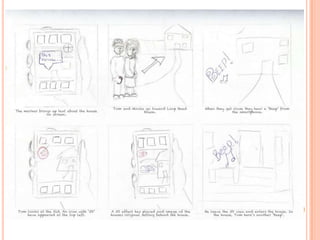
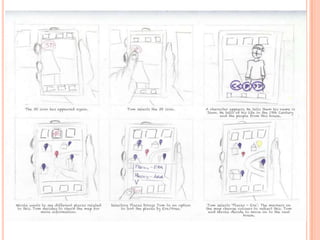
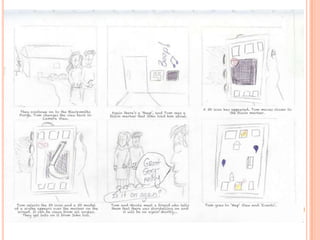
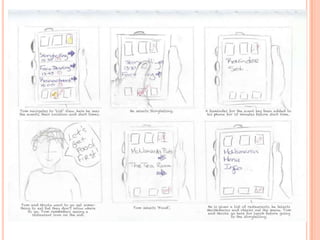
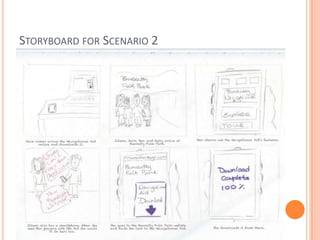
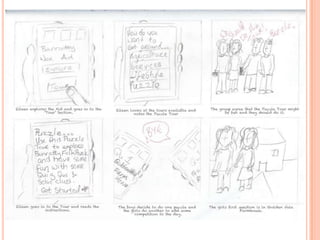
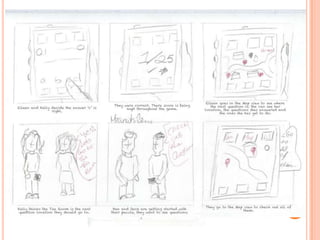
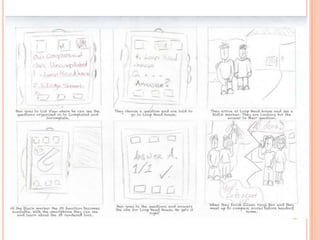
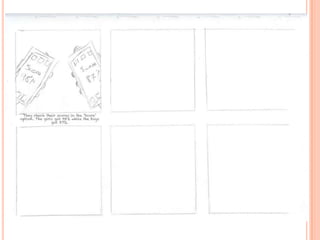
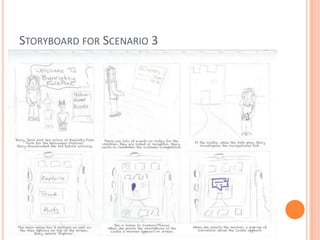
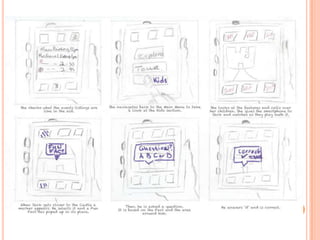
Human Centred DesignPersona and Scenarios	3 Scenarios deal with different issues		1. Navigation and Information		2. Collaboration and Information		3. Children and Information
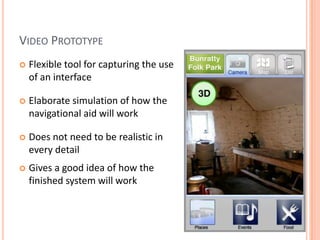
FunctionalityView OptionsCamera ViewMap ViewList ViewSub-OptionsPlacesEventsRestaurantsAugmented Reality Features for navigationText Information3D Objects3D Tour Guide3D Placement of Buildings
Themed AspectsToursThemed ToursPuzzle TourKids FeatureFun QuestArt
Storyboard for Scenario 1
Storyboard for Scenario 2
Storyboard for Scenario 3
Iterative Design Process
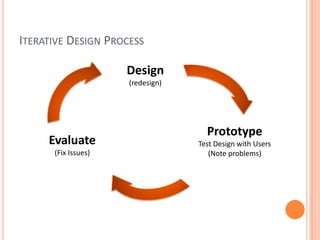
Iterative Design ProcessDesign(redesign)PrototypeTest Design with Users (Note problems)Evaluate(Fix Issues)
DesignWhat’s important when designing an interface?Mental ModelsVisibilityConsistencyFeedbackUser Control
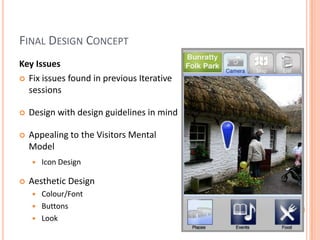
Iterative Design ProcessPrototyping and User TestingLow Fidelity PrototypingSketchesPaper PrototypingPost-It PrototypingPowerPoint PrototypingHigh Fidelity PrototypingWikitude
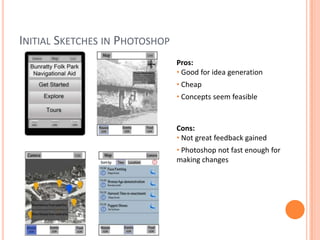
Initial Sketches in PhotoshopPros: Good for idea generation
 Cheap
 Concepts seem feasibleCons: Not great feedback gained
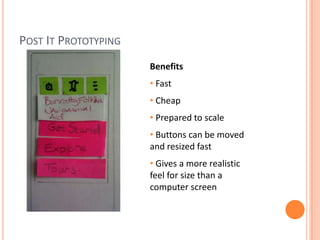
 Photoshop not fast enough for making changesPost It PrototypingBenefits  Fast
 Cheap
 Prepared to scale
 Buttons can be moved and resized fast
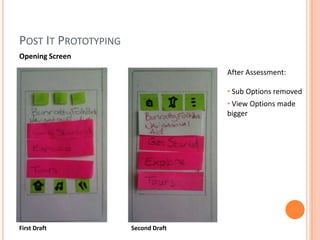
 Gives a more realistic feel for size than a computer screenPost It PrototypingOpening ScreenAfter Assessment: Sub Options removed
 View Options made biggerFirst DraftSecond Draft
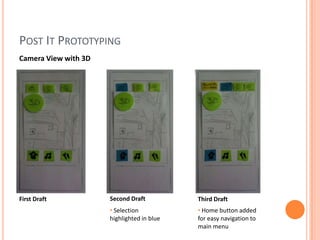
Post It PrototypingCamera View with 3DSecond DraftFirst DraftThird Draft Selection highlighted in blue
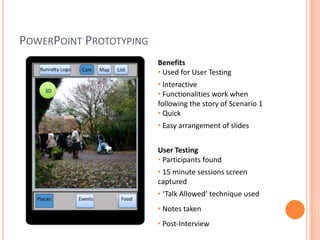
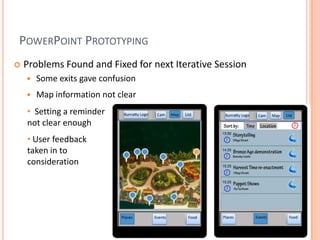
 Home button added for easy navigation to main menuPowerPoint PrototypingBenefits  Used for User Testing
 Interactive
 Functionalities work when following the story of Scenario 1

Final Presentation: Mobile Augmented Reality for Spatial Navigation

  • 1.
    Mobile Augmented Realityfor Spatial NavigationSharon Brosnan0651869Bachelor of Science in Digital Media Design
  • 2.
  • 3.
    Bunratty Folk ParkIrishvisitor attraction run by Shannon Heritage19th century life is recreatedBuildings from the mid-west have been relocated to the 26-land surrounding Bunratty Castle30 buildings are set in a rural or village setting there.
  • 4.
    Bunratty Folk ParkThebuildings are outfitted, as they would have appeared in their eraOld tools and artifacts are displayed around the Folk Park Bunratty Folk Park attracts many visitors from Ireland and around the world annually
  • 5.
    Visitor Attraction MobileAidsDraw attention to the museums unique role as three-dimensional, geographically located placeMobile guides are designed for assisting people on the move
  • 6.
    Augmented RealityWhat isAugmented Reality?Layers digital information to a real world environment through a camera, creating a mixed realityAllows for the navigation of a physical area and connected digital space at the same timeEnhance the visitors experience while allowing them to interact in the real world in natural ways and give a better context of information
  • 7.
    Augmented RealityIn BunrattyFolk Park:Allows the visitor to point a camera at an exhibit, the device recognises its by it’s location and layers digital information on to the display3- dimensional virtual objects can be positioned with real ones on displayLeads to dynamic combination of a live camera view and information
  • 8.
    Bunratty Folk ParkNavigational AidSmartphone PlatformMost people carry mobile phones and are comfortable with themIdeal Augmented Reality TechnologyGlobal tracking toolsWireless communication capabilities Location based computingLarge display for interaction
  • 9.
  • 10.
    Human Centred DesignGoalof the Navigational AidEasy to use, clear and understandableUseful to visitorsCreating interaction between the visitor and the aid through the user interfaceEngage the visitorTo ensure this… It is necessary to understand the visitor of a navigational aid in Bunratty Folk ParkIdentify visitor motives and goals while going through the Folk Park.
  • 11.
    Human Centred DesignUnderstandingthe technology and Related WorksLiteratureSimilar TechnologiesElectronic Tours in Museum SettingsInteractions design in Outdoor MuseumsUnderstanding the User over timeObservationsInterviews
  • 12.
    Human Centred DesignFindingsMostvisitors do not use the mapMost visitors have mobile phonesVisitors want more informationView the Folk Park at their own paceInformation should be straight to the pointLarge social interaction within groups
  • 13.
    Next Steps fromResearchDefine Visitors GoalsDefine Functionalities of the AidDevelop Personas – visitors who use the AidDevelop Scenarios – how the persona uses the navigational aid in the Folk ParkDraw up Storyboards on scenarios
  • 14.
    Human Centred DesignPersonaand Scenarios 3 Scenarios deal with different issues 1. Navigation and Information 2. Collaboration and Information 3. Children and Information
  • 15.
    FunctionalityView OptionsCamera ViewMapViewList ViewSub-OptionsPlacesEventsRestaurantsAugmented Reality Features for navigationText Information3D Objects3D Tour Guide3D Placement of Buildings
  • 16.
    Themed AspectsToursThemed ToursPuzzleTourKids FeatureFun QuestArt
  • 17.
  • 22.
  • 27.
  • 30.
  • 31.
    Iterative Design ProcessDesign(redesign)PrototypeTestDesign with Users (Note problems)Evaluate(Fix Issues)
  • 32.
    DesignWhat’s important whendesigning an interface?Mental ModelsVisibilityConsistencyFeedbackUser Control
  • 33.
    Iterative Design ProcessPrototypingand User TestingLow Fidelity PrototypingSketchesPaper PrototypingPost-It PrototypingPowerPoint PrototypingHigh Fidelity PrototypingWikitude
  • 34.
    Initial Sketches inPhotoshopPros: Good for idea generation
  • 35.
  • 36.
    Concepts seemfeasibleCons: Not great feedback gained
  • 37.
    Photoshop notfast enough for making changesPost It PrototypingBenefits Fast
  • 38.
  • 39.
  • 40.
    Buttons canbe moved and resized fast
  • 41.
    Gives amore realistic feel for size than a computer screenPost It PrototypingOpening ScreenAfter Assessment: Sub Options removed
  • 42.
    View Optionsmade biggerFirst DraftSecond Draft
  • 43.
    Post It PrototypingCameraView with 3DSecond DraftFirst DraftThird Draft Selection highlighted in blue
  • 44.
    Home buttonadded for easy navigation to main menuPowerPoint PrototypingBenefits Used for User Testing
  • 45.
  • 46.
    Functionalities workwhen following the story of Scenario 1