MM9 TEACHING ONLINE
The basics of Online Teaching
by Nives Torresi and Tom Hodgers
Teaching Online
• What does Teaching Online mean?
• Different approaches to Teaching Online
• Finding a suitable platform
• How to prepare materials (formats, video, audio)
• Sharing materials with your Online Course Participants
• Creating Aims and Objectives
• Selling your Course (free or monetary)
Introduction
The last decade has shown an abundance of Online Courses appear
in many forms and sizes.
MOOC - Massive Open Online Course
One on One video lessons or Group Lessons via video
-via such platforms as Skype, HangOut, Zoom, EZTalks, WizIQ
Totally self paced such as MOODLE
Blending of self paced and virtual online live webcasting
Finding a Niche
Once you have decided to become an Online Teacher, Educator,
Facilitator of Learning, Trainer, or even just a Moderator.
The first step is to find the ‘niche’ or more appropriately the area of
learning that you would like or even the area that is your expertise.
How to do just that?
Define your own goals and aims … create your own Course outline
and guidelines for completion. Review it and ask a colleague for help!
Learn online via Teacher Training Moocs or Moodle courses, to name
a few!
Online Platforms
Some...
Making your Own digital materials
Digital material is easier to create directly online in cloud platforms
such as Google Drive, OneDrive etc.
Creating video tutorials using a good microphone is just as important
as using a good image quality webcam.
Sharing privately use VIMEO with password or YOUTUBE unlisted.
Preparation is KEY.
Understanding the NEEDS of your Participants is highly important.
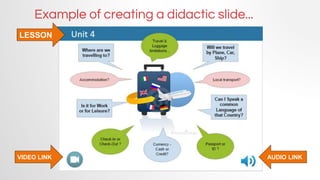
VIDEO LINK AUDIO LINK
LESSON
Example of creating a didactic slide...
To Record or not to Record … ?
• Participant can replay the recording of the lesson over and over
• Reinforces the main points of the lesson
• Can be made available to the participant to ‘refresh’ the lesson at a
later date
• Shared privately via Password protected video sharing
• No added cost
• Allows YOU the Teacher/Trainer to use video editing tools to ‘edit
out’ the not so important parts or ‘edit in’ other interesting activities
etc.
• Provides added support to the Teacher and Participant by avoiding
repeating the same points in another lesson.
Setting up your Online Business
• Create or use a suitable company name and logo that will
represent your professionality
• Present viable companies with a proposal of your work
• Use Google forms to gauge Needs Analysis
• Use the Needs Analysis to set up the Road Map
• Introduce the course set up, materials and study
• Make use of Video tutorials or slides whenever possible
• Share the Video tutorials publicly or privately
• Understand the requirements of the Stakeholders
• Prepare final report and analysis of course
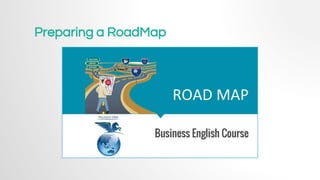
Preparing a RoadMap
Blogs and Social Networks
Setting up a Blog to use with your participants or share your
experiences with your colleagues.
Reflecting is an important tool that helps us to grow as Teachers and
learners - so create a guideline for your learners too!.
Social networks like Twitter for Teaching or Teacher PLN.
Facebook groups (private for participants) can create the online
camaraderie that supplants the face to face socializing.
Meeting live or virtually at an annual conference with other online
Teachers or Participants.
Setting up a Moodle course
Where to set up your course?
Course Layout.
Course Contents.
Course Layout
Eye Catching.
Easy to Navigate.
Easy Access to all content.
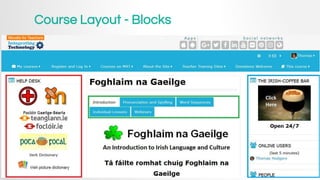
Course Layout - Blocks
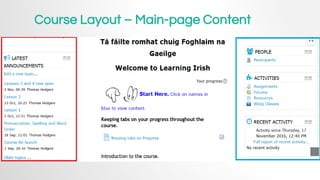
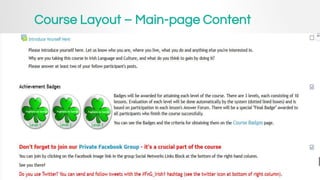
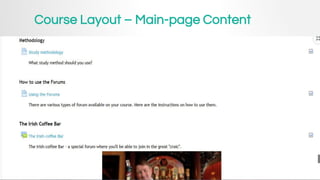
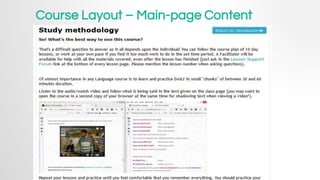
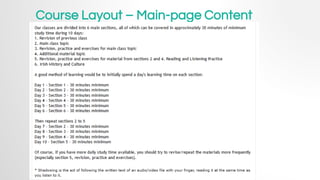
Course Layout – Main-page Content
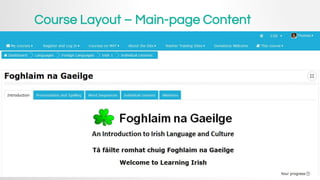
Course Layout –Main-page Content
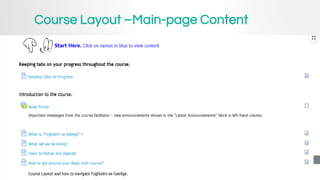
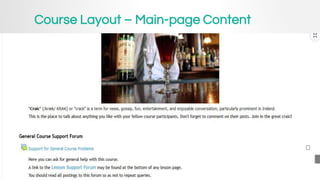
Course Layout – Main-page Content
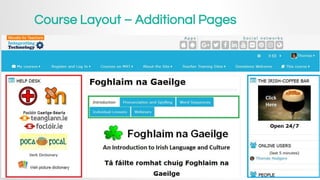
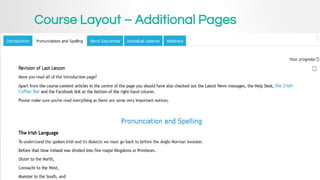
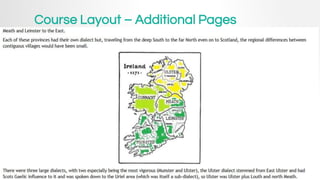
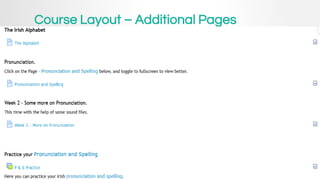
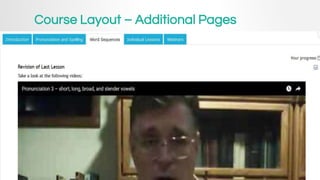
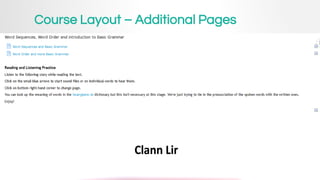
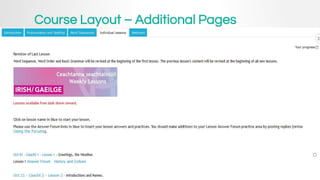
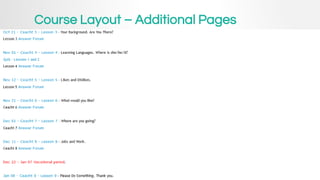
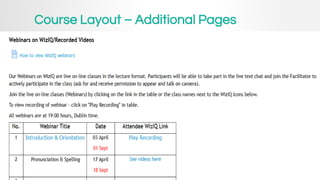
Course Layout – Additional Pages
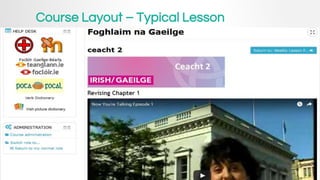
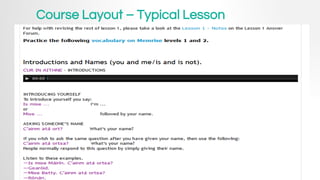
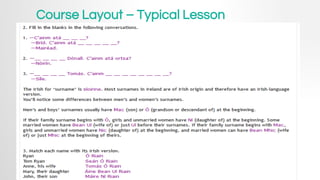
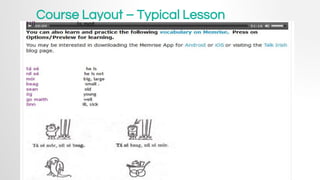
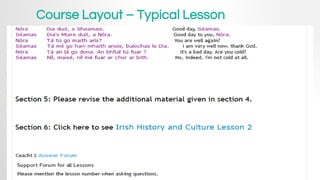
Course Layout – Typical Lesson
Reference Links
Teaching Online – Pro & Con - S.
Guinan
Understanding MooCs
Teaching ESL online
Integrating Technology for Online
Teaching
IRISH Language Course
Moodle4Teachers
Dr Nellie YouTubeChannel
NivesYouTubeChannel
Coursera Course
Strategies for Online Teaching
Shelly Sanchez Terrell
These are just some links to get you started
Thank you
for watching our
online presentation
MM9 - November 21, 2016
Nives Torresi
Tom Hodgers

#MM9 Teaching Online with Moodle

  • 1.
    MM9 TEACHING ONLINE Thebasics of Online Teaching by Nives Torresi and Tom Hodgers
  • 2.
    Teaching Online • Whatdoes Teaching Online mean? • Different approaches to Teaching Online • Finding a suitable platform • How to prepare materials (formats, video, audio) • Sharing materials with your Online Course Participants • Creating Aims and Objectives • Selling your Course (free or monetary)
  • 3.
    Introduction The last decadehas shown an abundance of Online Courses appear in many forms and sizes. MOOC - Massive Open Online Course One on One video lessons or Group Lessons via video -via such platforms as Skype, HangOut, Zoom, EZTalks, WizIQ Totally self paced such as MOODLE Blending of self paced and virtual online live webcasting
  • 4.
    Finding a Niche Onceyou have decided to become an Online Teacher, Educator, Facilitator of Learning, Trainer, or even just a Moderator. The first step is to find the ‘niche’ or more appropriately the area of learning that you would like or even the area that is your expertise. How to do just that? Define your own goals and aims … create your own Course outline and guidelines for completion. Review it and ask a colleague for help! Learn online via Teacher Training Moocs or Moodle courses, to name a few!
  • 5.
  • 6.
    Making your Owndigital materials Digital material is easier to create directly online in cloud platforms such as Google Drive, OneDrive etc. Creating video tutorials using a good microphone is just as important as using a good image quality webcam. Sharing privately use VIMEO with password or YOUTUBE unlisted. Preparation is KEY. Understanding the NEEDS of your Participants is highly important.
  • 7.
    VIDEO LINK AUDIOLINK LESSON Example of creating a didactic slide...
  • 8.
    To Record ornot to Record … ? • Participant can replay the recording of the lesson over and over • Reinforces the main points of the lesson • Can be made available to the participant to ‘refresh’ the lesson at a later date • Shared privately via Password protected video sharing • No added cost • Allows YOU the Teacher/Trainer to use video editing tools to ‘edit out’ the not so important parts or ‘edit in’ other interesting activities etc. • Provides added support to the Teacher and Participant by avoiding repeating the same points in another lesson.
  • 9.
    Setting up yourOnline Business • Create or use a suitable company name and logo that will represent your professionality • Present viable companies with a proposal of your work • Use Google forms to gauge Needs Analysis • Use the Needs Analysis to set up the Road Map • Introduce the course set up, materials and study • Make use of Video tutorials or slides whenever possible • Share the Video tutorials publicly or privately • Understand the requirements of the Stakeholders • Prepare final report and analysis of course
  • 10.
  • 11.
    Blogs and SocialNetworks Setting up a Blog to use with your participants or share your experiences with your colleagues. Reflecting is an important tool that helps us to grow as Teachers and learners - so create a guideline for your learners too!. Social networks like Twitter for Teaching or Teacher PLN. Facebook groups (private for participants) can create the online camaraderie that supplants the face to face socializing. Meeting live or virtually at an annual conference with other online Teachers or Participants.
  • 12.
    Setting up aMoodle course Where to set up your course? Course Layout. Course Contents.
  • 13.
    Course Layout Eye Catching. Easyto Navigate. Easy Access to all content.
  • 14.
  • 15.
    Course Layout –Main-page Content
  • 16.
    Course Layout –Main-page Content
  • 17.
  • 18.
    Course Layout –Main-page Content
  • 19.
    Course Layout –Main-page Content
  • 20.
    Course Layout –Main-page Content
  • 21.
    Course Layout –Main-page Content
  • 22.
    Course Layout –Main-page Content
  • 23.
    Course Layout –Additional Pages
  • 24.
    Course Layout –Additional Pages
  • 25.
    Course Layout –Additional Pages
  • 26.
    Course Layout –Additional Pages
  • 27.
    Course Layout –Additional Pages
  • 28.
    Course Layout –Additional Pages
  • 29.
    Course Layout –Additional Pages
  • 30.
    Course Layout –Additional Pages
  • 31.
    Course Layout –Additional Pages
  • 32.
    Course Layout –Typical Lesson
  • 33.
    Course Layout –Typical Lesson
  • 34.
    Course Layout –Typical Lesson
  • 35.
    Course Layout –Typical Lesson
  • 36.
    Course Layout –Typical Lesson
  • 37.
    Reference Links Teaching Online– Pro & Con - S. Guinan Understanding MooCs Teaching ESL online Integrating Technology for Online Teaching IRISH Language Course Moodle4Teachers Dr Nellie YouTubeChannel NivesYouTubeChannel Coursera Course Strategies for Online Teaching Shelly Sanchez Terrell These are just some links to get you started
  • 38.
    Thank you for watchingour online presentation MM9 - November 21, 2016 Nives Torresi Tom Hodgers