Home Classes with Abhi
Made by:- Mr. Abhijeet Mishra
Computer
Memory
 What is Computer Memory?
 Why is memory important or needed for a
computer?
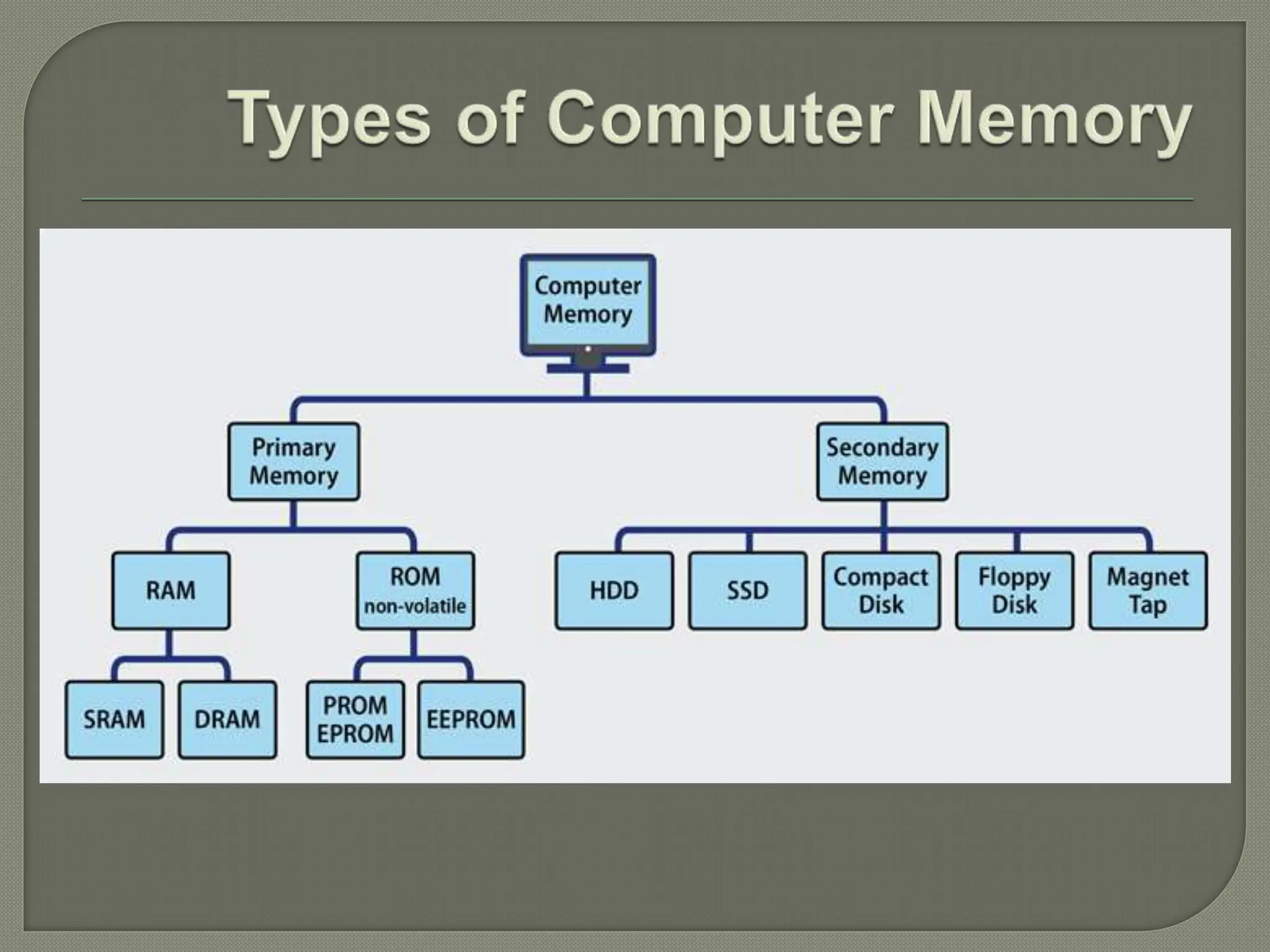
 Types of Computer Memory
 Primary Memory
 Secondary Memory
 Primary Vs Secondary Memory
 Memory Units
 References
 Computer memory is any physical device
capable of storing information temporarily, like
RAM (random access memory), or
permanently, like ROM (read-only memory).
 Memory devices utilize integrated circuits and
are used by operating systems, software, and
hardware.
 Each device in a computer operates at different
speeds and computer memory gives your
computer a place to quickly access data.
 If the CPU had to wait for a secondary storage
device, like a hard disk drive, a computer would
be much slower.
 Cache Memory
 Primary Memory/Main Memory
 Secondary Memory
 This is the main memory of the computer. CPU
can directly read or write on this memory. It is
fixed on the motherboard of the computer.
 Primary memory is further divided in two types:
1.RAM(Random Access Memory)
2.ROM(Read Only Memory)
 RAM is a temporary memory. The information
stored in this memory is lost as the power supply
to the computer is turned off. That’s why it is also
called Volatile Memory.
 It stores the data and instruction given by the
user and also the results produced by the
computer temporarily
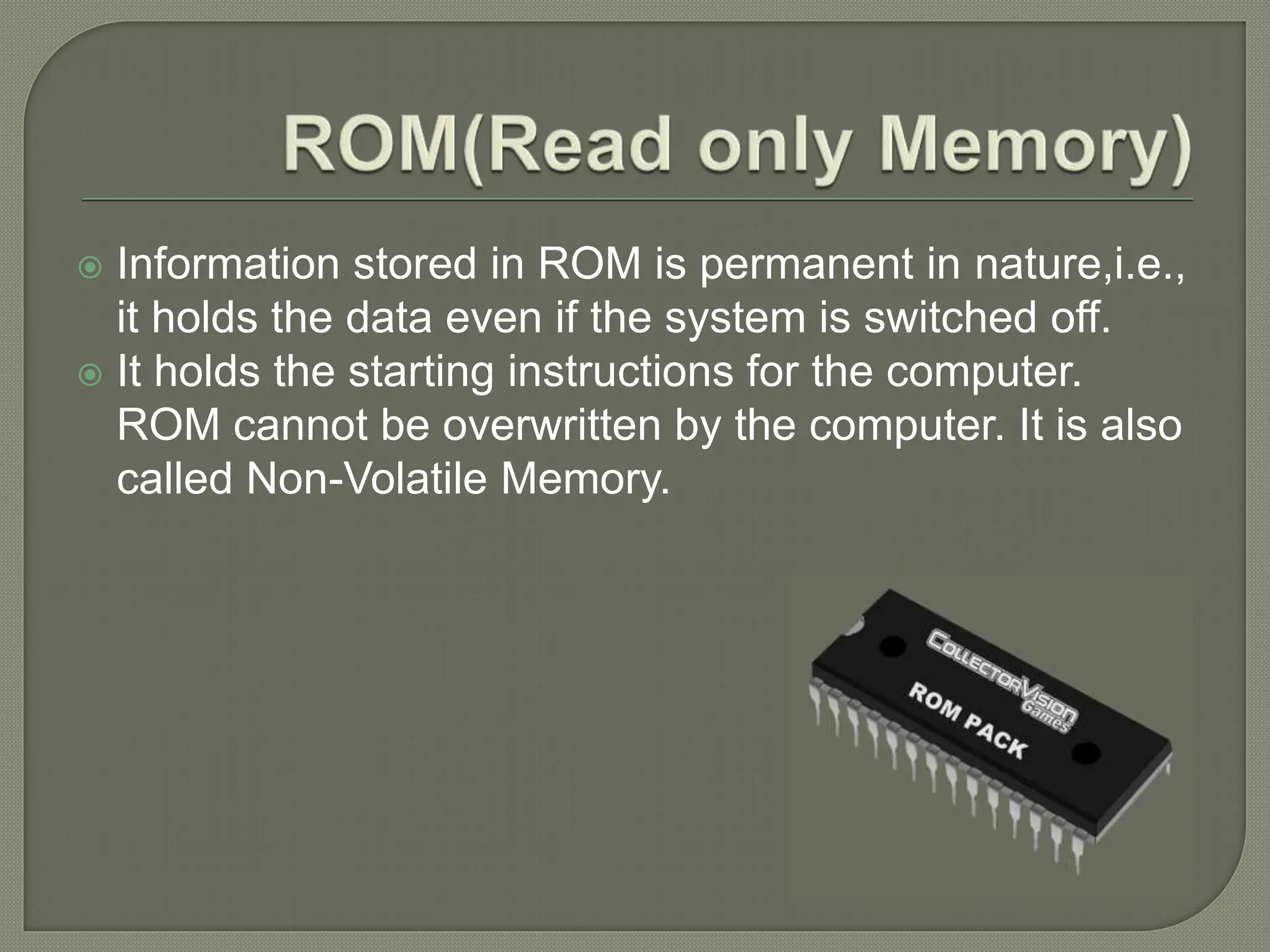
 Information stored in ROM is permanent in nature,i.e.,
it holds the data even if the system is switched off.
 It holds the starting instructions for the computer.
ROM cannot be overwritten by the computer. It is also
called Non-Volatile Memory.
 This memory is permanent in nature. It is used to
store the different programs and the information
permanently (which were temporarily stored in
RAM). It holds the information till we erase it.
 Different types of secondary storage devices
are:
1. Hard Disc, Compact Disc,
2. DVD, Pen Drive,
3. Flash Drive, etc.
 Hard disk drive is made up of a series of circular
disks called platters arranged one over the other
almost ½ inches apart around a spindle.
 Disks are made of non-magnetic material like
aluminum alloy and coated with 10-20 nm of
magnetic material.
 CD stands for Compact Disk. CDs are circular
disks that use optical rays, usually lasers, to read
and write data.
 They are very cheap as you can get 700 MB of
storage space for less than a dollar. CDs are
inserted in CD drives built into CPU cabinet.
 They are portable as you can eject the drive,
remove the CD and carry it with you.
 DVD stands for Digital Video Display. DVD are
optical devices that can store 15 times the data
held by CDs.
 They are usually used to store rich multimedia
files that need high storage capacity. DVDs also
come in three varieties – read only, recordable
and rewritable.
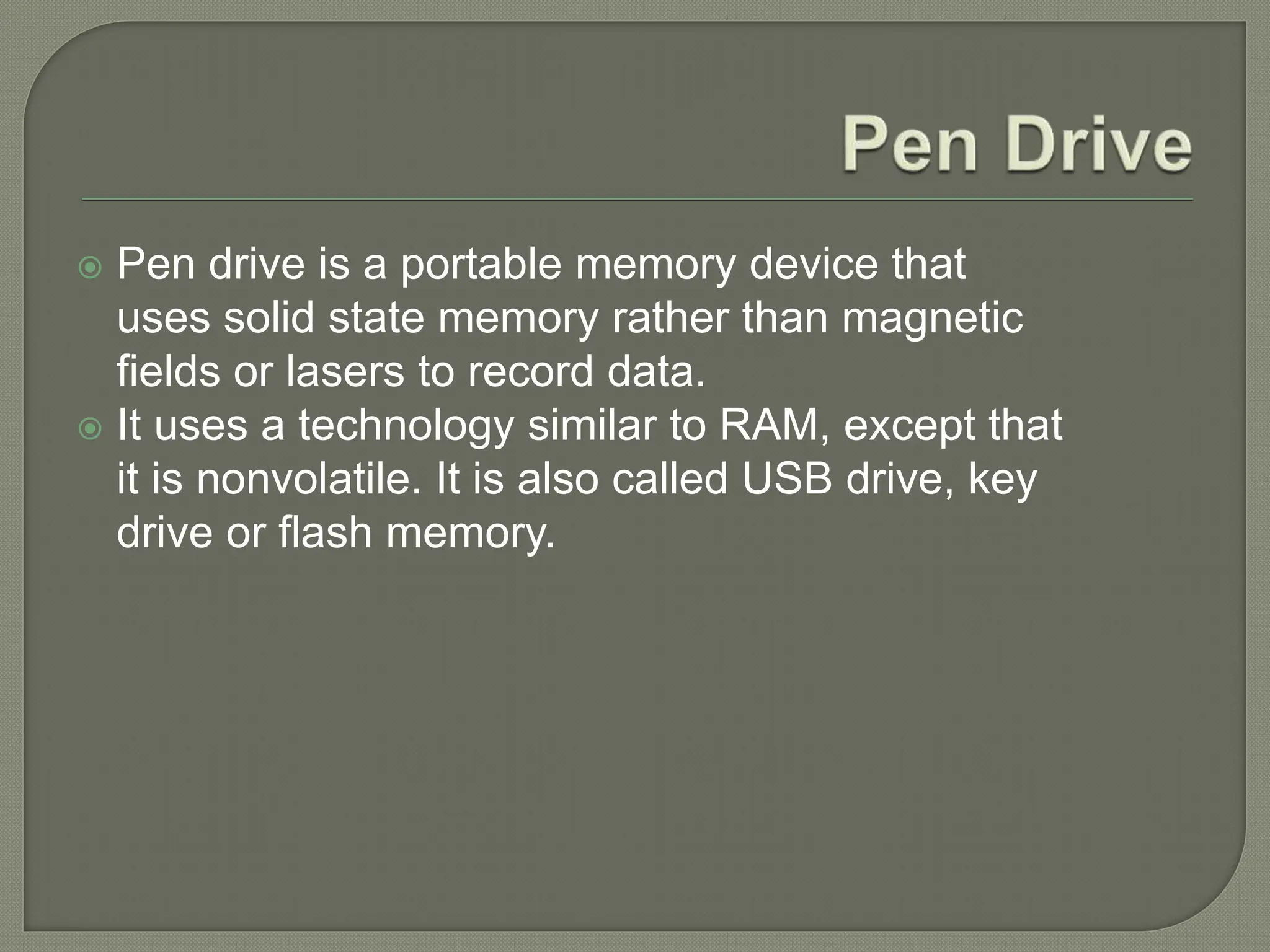
 Pen drive is a portable memory device that
uses solid state memory rather than magnetic
fields or lasers to record data.
 It uses a technology similar to RAM, except that
it is nonvolatile. It is also called USB drive, key
drive or flash memory.
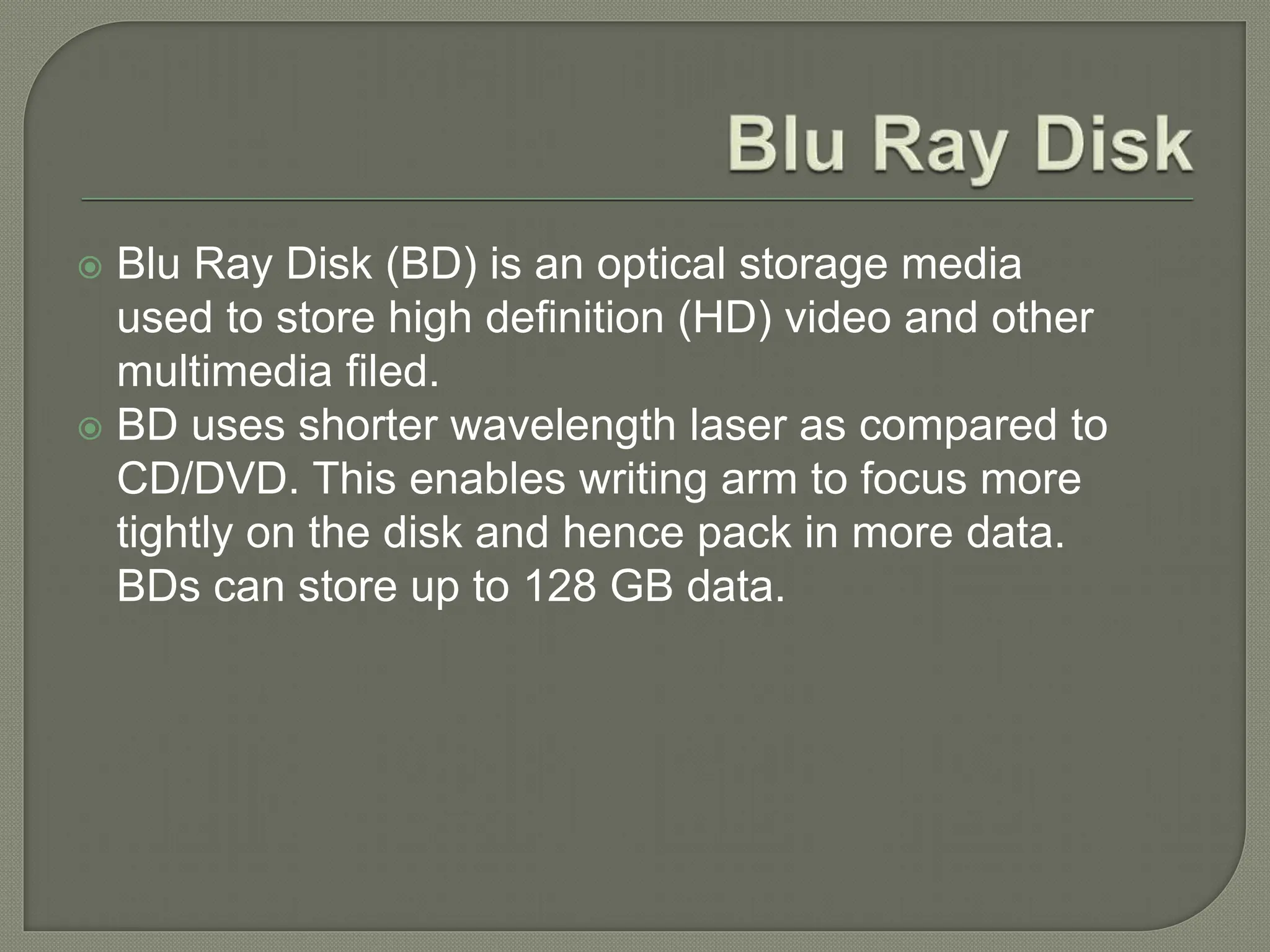
 Blu Ray Disk (BD) is an optical storage media
used to store high definition (HD) video and other
multimedia filed.
 BD uses shorter wavelength laser as compared to
CD/DVD. This enables writing arm to focus more
tightly on the disk and hence pack in more data.
BDs can store up to 128 GB data.
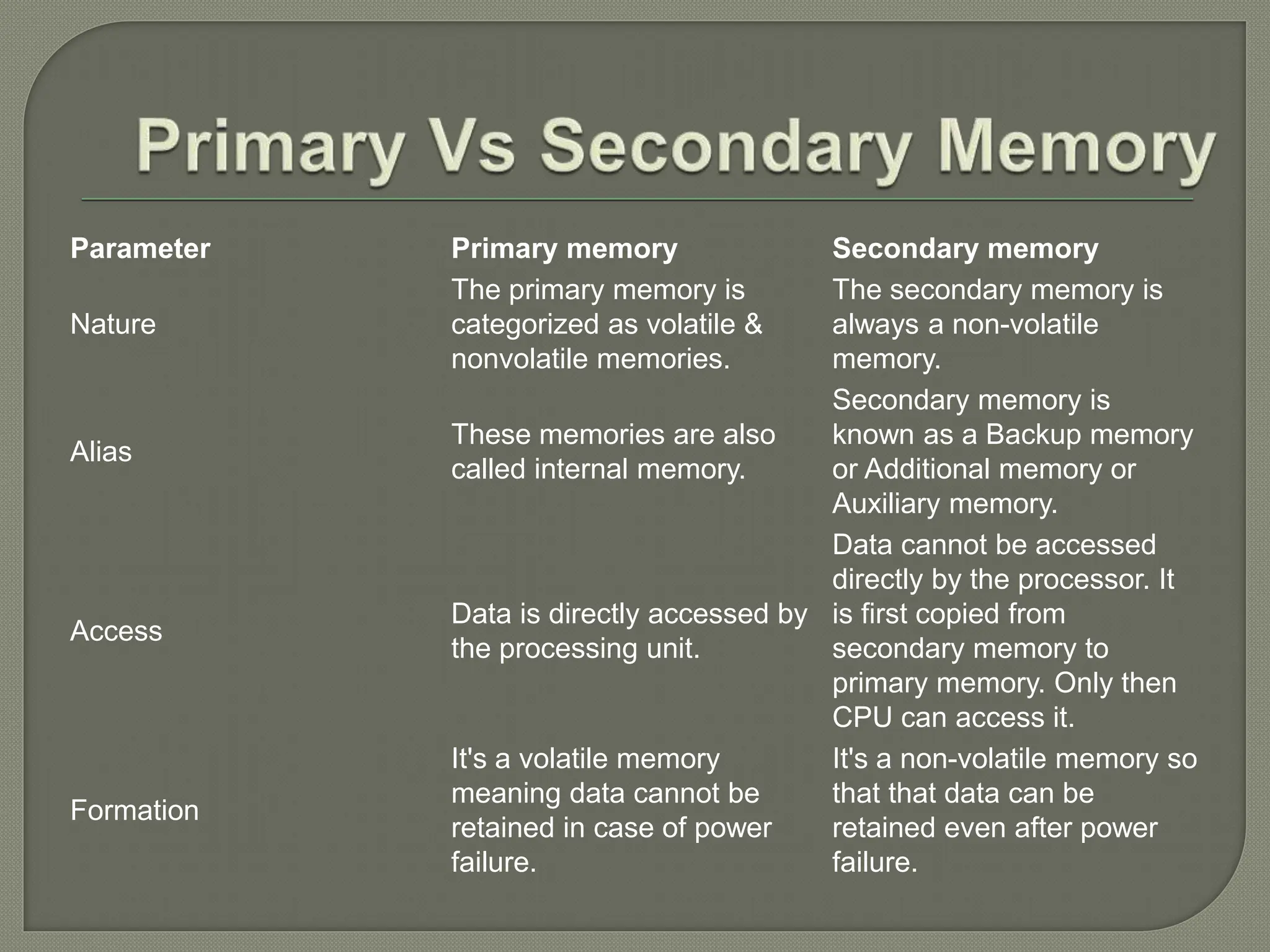
Parameter Primary memory Secondary memory
Nature
The primary memory is
categorized as volatile &
nonvolatile memories.
The secondary memory is
always a non-volatile
memory.
Alias
These memories are also
called internal memory.
Secondary memory is
known as a Backup memory
or Additional memory or
Auxiliary memory.
Access
Data is directly accessed by
the processing unit.
Data cannot be accessed
directly by the processor. It
is first copied from
secondary memory to
primary memory. Only then
CPU can access it.
Formation
It's a volatile memory
meaning data cannot be
retained in case of power
failure.
It's a non-volatile memory so
that that data can be
retained even after power
failure.
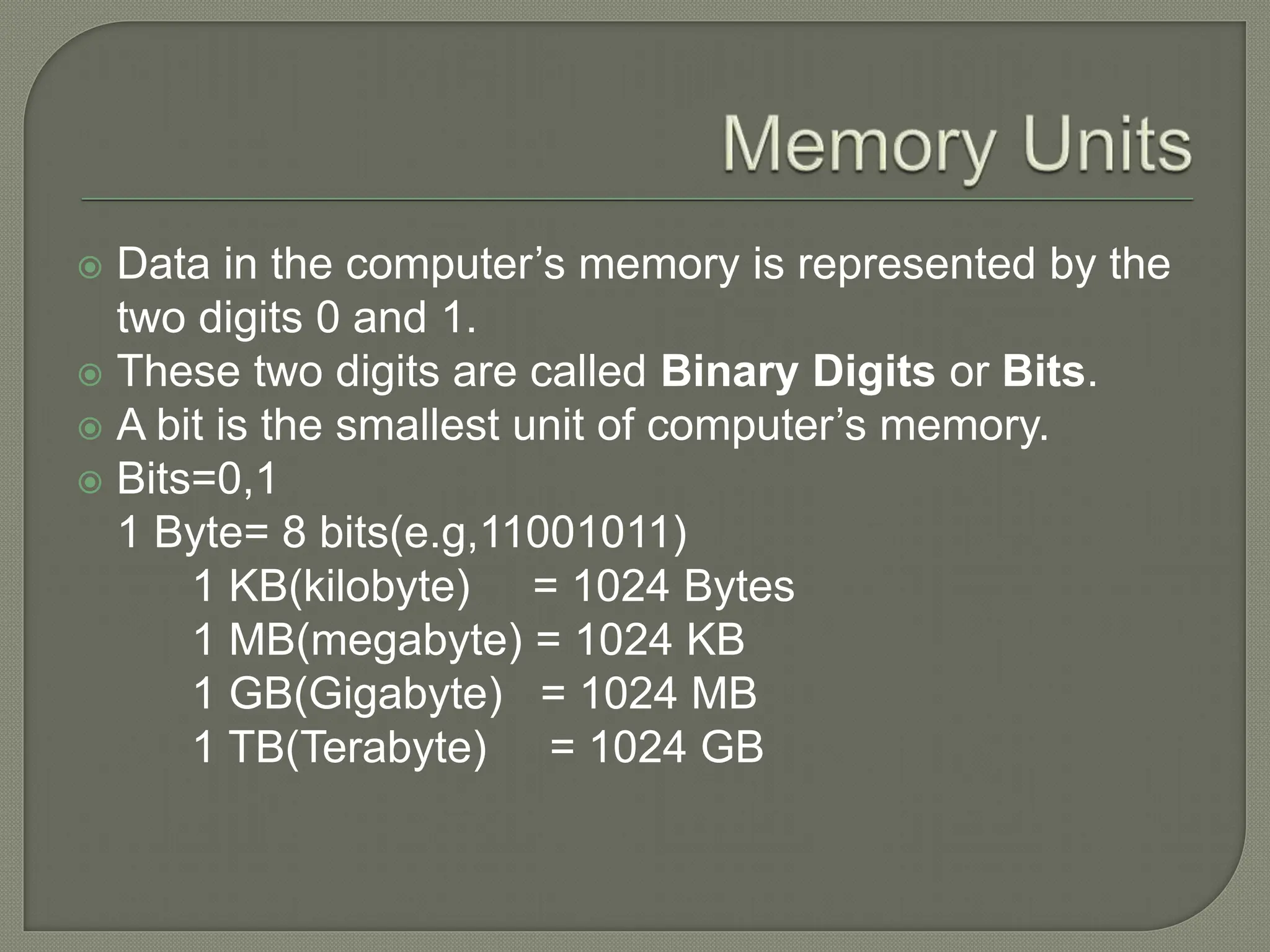
 Data in the computer’s memory is represented by the
two digits 0 and 1.
 These two digits are called Binary Digits or Bits.
 A bit is the smallest unit of computer’s memory.
 Bits=0,1
1 Byte= 8 bits(e.g,11001011)
1 KB(kilobyte) = 1024 Bytes
1 MB(megabyte) = 1024 KB
1 GB(Gigabyte) = 1024 MB
1 TB(Terabyte) = 1024 GB
Complete book exercise + flowchart
related to the chapter
Memory devices presentation  class 6 ppt.pptx

Memory devices presentation class 6 ppt.pptx

  • 1.
    Home Classes withAbhi Made by:- Mr. Abhijeet Mishra Computer Memory
  • 2.
     What isComputer Memory?  Why is memory important or needed for a computer?  Types of Computer Memory  Primary Memory  Secondary Memory  Primary Vs Secondary Memory  Memory Units  References
  • 3.
     Computer memoryis any physical device capable of storing information temporarily, like RAM (random access memory), or permanently, like ROM (read-only memory).  Memory devices utilize integrated circuits and are used by operating systems, software, and hardware.
  • 4.
     Each devicein a computer operates at different speeds and computer memory gives your computer a place to quickly access data.  If the CPU had to wait for a secondary storage device, like a hard disk drive, a computer would be much slower.
  • 5.
     Cache Memory Primary Memory/Main Memory  Secondary Memory
  • 6.
     This isthe main memory of the computer. CPU can directly read or write on this memory. It is fixed on the motherboard of the computer.  Primary memory is further divided in two types: 1.RAM(Random Access Memory) 2.ROM(Read Only Memory)
  • 7.
     RAM isa temporary memory. The information stored in this memory is lost as the power supply to the computer is turned off. That’s why it is also called Volatile Memory.  It stores the data and instruction given by the user and also the results produced by the computer temporarily
  • 8.
     Information storedin ROM is permanent in nature,i.e., it holds the data even if the system is switched off.  It holds the starting instructions for the computer. ROM cannot be overwritten by the computer. It is also called Non-Volatile Memory.
  • 9.
     This memoryis permanent in nature. It is used to store the different programs and the information permanently (which were temporarily stored in RAM). It holds the information till we erase it.  Different types of secondary storage devices are: 1. Hard Disc, Compact Disc, 2. DVD, Pen Drive, 3. Flash Drive, etc.
  • 10.
     Hard diskdrive is made up of a series of circular disks called platters arranged one over the other almost ½ inches apart around a spindle.  Disks are made of non-magnetic material like aluminum alloy and coated with 10-20 nm of magnetic material.
  • 11.
     CD standsfor Compact Disk. CDs are circular disks that use optical rays, usually lasers, to read and write data.  They are very cheap as you can get 700 MB of storage space for less than a dollar. CDs are inserted in CD drives built into CPU cabinet.  They are portable as you can eject the drive, remove the CD and carry it with you.
  • 12.
     DVD standsfor Digital Video Display. DVD are optical devices that can store 15 times the data held by CDs.  They are usually used to store rich multimedia files that need high storage capacity. DVDs also come in three varieties – read only, recordable and rewritable.
  • 13.
     Pen driveis a portable memory device that uses solid state memory rather than magnetic fields or lasers to record data.  It uses a technology similar to RAM, except that it is nonvolatile. It is also called USB drive, key drive or flash memory.
  • 14.
     Blu RayDisk (BD) is an optical storage media used to store high definition (HD) video and other multimedia filed.  BD uses shorter wavelength laser as compared to CD/DVD. This enables writing arm to focus more tightly on the disk and hence pack in more data. BDs can store up to 128 GB data.
  • 15.
    Parameter Primary memorySecondary memory Nature The primary memory is categorized as volatile & nonvolatile memories. The secondary memory is always a non-volatile memory. Alias These memories are also called internal memory. Secondary memory is known as a Backup memory or Additional memory or Auxiliary memory. Access Data is directly accessed by the processing unit. Data cannot be accessed directly by the processor. It is first copied from secondary memory to primary memory. Only then CPU can access it. Formation It's a volatile memory meaning data cannot be retained in case of power failure. It's a non-volatile memory so that that data can be retained even after power failure.
  • 16.
     Data inthe computer’s memory is represented by the two digits 0 and 1.  These two digits are called Binary Digits or Bits.  A bit is the smallest unit of computer’s memory.  Bits=0,1 1 Byte= 8 bits(e.g,11001011) 1 KB(kilobyte) = 1024 Bytes 1 MB(megabyte) = 1024 KB 1 GB(Gigabyte) = 1024 MB 1 TB(Terabyte) = 1024 GB
  • 17.
    Complete book exercise+ flowchart related to the chapter