
 Held in every organization, as per requirements
 Include board meetings, training sessions, goal-oriented
meetings, etc
 Have become increasingly complex over the years!
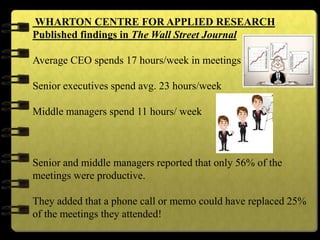
WHARTON CENTRE FOR APPLIED RESEARCH
Published findings in The Wall Street Journal
Average CEO spends 17 hours/week in meetings
Senior executives spend avg. 23 hours/week
Middle managers spend 11 hours/ week
Senior and middle managers reported that only 56% of the
meetings were productive.
They added that a phone call or memo could have replaced 25%
of the meetings they attended!
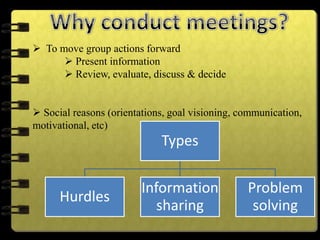
 To move group actions forward
 Present information
 Review, evaluate, discuss & decide
 Social reasons (orientations, goal visioning, communication,
motivational, etc)
Types
Hurdles
Information
sharing
Problem
solving
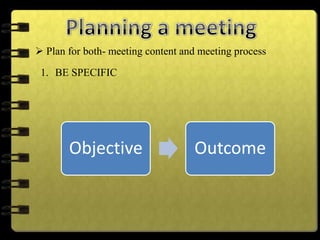
 Plan for both- meeting content and meeting process
1. BE SPECIFIC
Objective Outcome
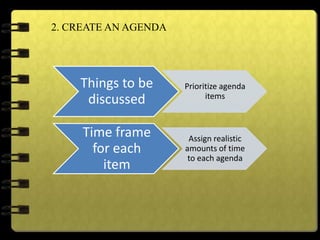
2. CREATE AN AGENDA
Things to be
discussed
Prioritize agenda
items
Time frame
for each
item
Assign realistic
amounts of time
to each agenda
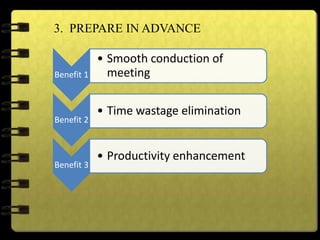
3. PREPARE IN ADVANCE
Benefit 1
• Smooth conduction of
meeting
Benefit 2
• Time wastage elimination
Benefit 3
• Productivity enhancement
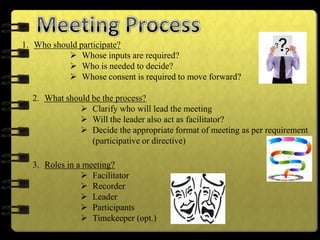
1. Who should participate?
 Whose inputs are required?
 Who is needed to decide?
 Whose consent is required to move forward?
2. What should be the process?
 Clarify who will lead the meeting
 Will the leader also act as facilitator?
 Decide the appropriate format of meeting as per requirement
(participative or directive)
3. Roles in a meeting?
 Facilitator
 Recorder
 Leader
 Participants
 Timekeeper (opt.)
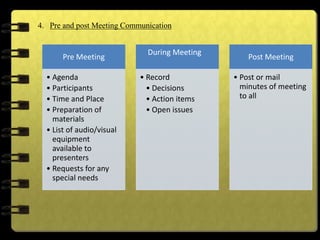
4. Pre and post Meeting Communication
Pre Meeting
• Agenda
• Participants
• Time and Place
• Preparation of
materials
• List of audio/visual
equipment
available to
presenters
• Requests for any
special needs
During Meeting
• Record
• Decisions
• Action items
• Open issues
Post Meeting
• Post or mail
minutes of meeting
to all
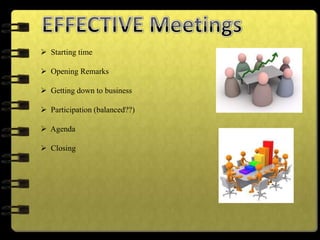
 Starting time
 Opening Remarks
 Getting down to business
 Participation (balanced??)
 Agenda
 Closing
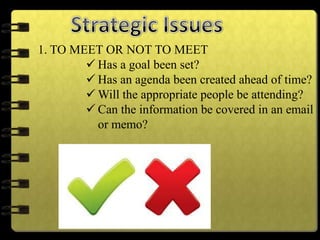
1. TO MEET OR NOT TO MEET
 Has a goal been set?
 Has an agenda been created ahead of time?
 Will the appropriate people be attending?
 Can the information be covered in an email
or memo?
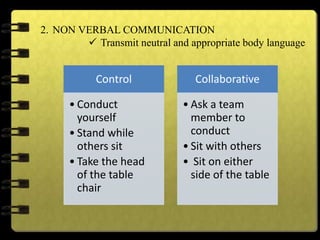
Control
• Conduct
yourself
• Stand while
others sit
• Take the head
of the table
chair
Collaborative
• Ask a team
member to
conduct
• Sit with others
• Sit on either
side of the table
2. NON VERBAL COMMUNICATION
 Transmit neutral and appropriate body language
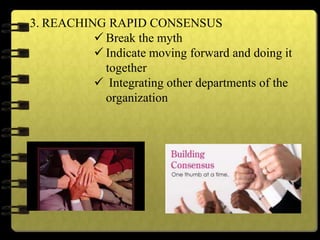
3. REACHING RAPID CONSENSUS
 Break the myth
 Indicate moving forward and doing it
together
 Integrating other departments of the
organization
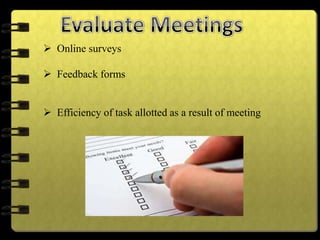
 Online surveys
 Feedback forms
 Efficiency of task allotted as a result of meeting
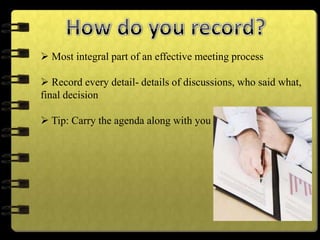
 Most integral part of an effective meeting process
 Record every detail- details of discussions, who said what,
final decision
 Tip: Carry the agenda along with you
 Understand the type of information you need to record at the meeting.
 Meeting minutes usually include the following:
Date and time of the meeting
Names of the meeting participants and those unable to attend (e.g.,
“regrets”)
Acceptance or corrections/amendments to previous meeting minutes
Decisions made about each agenda item, for example:
Actions taken or agreed to be taken
Next steps
Voting outcomes – e.g., (if necessary, details regarding who made
motions; who seconded and approved or via show of hands, etc.)
Motions taken or rejected
Items to be held over
New business
Next meeting date and time
Create an outline
Check-off attendees as they enter the room
Record decisions or notes on action items in your outline as soon as they
occur to be sure they are recorded accurately
Ask for clarification if necessary – for example, if the group moves on
without making a decision or an obvious conclusion, ask for clarification of the
decision and/or next steps involved.
Don’t try to capture it all
Record it – literally, if you are concerned about being able to keep up with
note taking, consider recording the meeting (e.g., on your smart phone, iPad,
recording device, etc.)
Minutes need headings so that readers can skim for the information
they need. Your template may include these:
1. Topics_________________
2. Decisions______________
a.
b.
c.
3. Actions Agreed Upon
a. Person responsible
b. Deadline
4. Next Meeting
-Date and Time________________
-Location______________
-Agenda items_____________
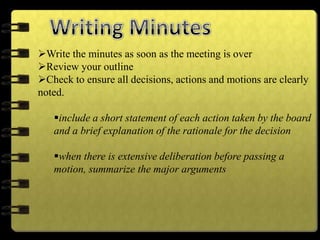
Write the minutes as soon as the meeting is over
Review your outline
Check to ensure all decisions, actions and motions are clearly
noted.
include a short statement of each action taken by the board
and a brief explanation of the rationale for the decision
when there is extensive deliberation before passing a
motion, summarize the major arguments
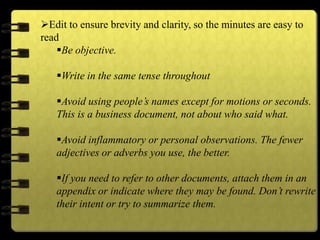
Edit to ensure brevity and clarity, so the minutes are easy to
read
Be objective.
Write in the same tense throughout
Avoid using people’s names except for motions or seconds.
This is a business document, not about who said what.
Avoid inflammatory or personal observations. The fewer
adjectives or adverbs you use, the better.
If you need to refer to other documents, attach them in an
appendix or indicate where they may be found. Don’t rewrite
their intent or try to summarize them.
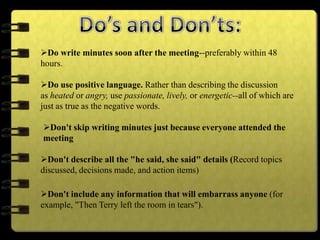
Do write minutes soon after the meeting--preferably within 48
hours.
Do use positive language. Rather than describing the discussion
as heated or angry, use passionate, lively, or energetic--all of which are
just as true as the negative words.
Don't skip writing minutes just because everyone attended the
meeting
Don't describe all the "he said, she said" details (Record topics
discussed, decisions made, and action items)
Don't include any information that will embarrass anyone (for
example, "Then Terry left the room in tears").
Meetings   uwsb

Meetings uwsb

  • 2.
     Held inevery organization, as per requirements  Include board meetings, training sessions, goal-oriented meetings, etc  Have become increasingly complex over the years!
  • 3.
    WHARTON CENTRE FORAPPLIED RESEARCH Published findings in The Wall Street Journal Average CEO spends 17 hours/week in meetings Senior executives spend avg. 23 hours/week Middle managers spend 11 hours/ week Senior and middle managers reported that only 56% of the meetings were productive. They added that a phone call or memo could have replaced 25% of the meetings they attended!
  • 4.
     To movegroup actions forward  Present information  Review, evaluate, discuss & decide  Social reasons (orientations, goal visioning, communication, motivational, etc) Types Hurdles Information sharing Problem solving
  • 5.
     Plan forboth- meeting content and meeting process 1. BE SPECIFIC Objective Outcome
  • 6.
    2. CREATE ANAGENDA Things to be discussed Prioritize agenda items Time frame for each item Assign realistic amounts of time to each agenda
  • 7.
    3. PREPARE INADVANCE Benefit 1 • Smooth conduction of meeting Benefit 2 • Time wastage elimination Benefit 3 • Productivity enhancement
  • 8.
    1. Who shouldparticipate?  Whose inputs are required?  Who is needed to decide?  Whose consent is required to move forward? 2. What should be the process?  Clarify who will lead the meeting  Will the leader also act as facilitator?  Decide the appropriate format of meeting as per requirement (participative or directive) 3. Roles in a meeting?  Facilitator  Recorder  Leader  Participants  Timekeeper (opt.)
  • 9.
    4. Pre andpost Meeting Communication Pre Meeting • Agenda • Participants • Time and Place • Preparation of materials • List of audio/visual equipment available to presenters • Requests for any special needs During Meeting • Record • Decisions • Action items • Open issues Post Meeting • Post or mail minutes of meeting to all
  • 10.
     Starting time Opening Remarks  Getting down to business  Participation (balanced??)  Agenda  Closing
  • 11.
    1. TO MEETOR NOT TO MEET  Has a goal been set?  Has an agenda been created ahead of time?  Will the appropriate people be attending?  Can the information be covered in an email or memo?
  • 12.
    Control • Conduct yourself • Standwhile others sit • Take the head of the table chair Collaborative • Ask a team member to conduct • Sit with others • Sit on either side of the table 2. NON VERBAL COMMUNICATION  Transmit neutral and appropriate body language
  • 13.
    3. REACHING RAPIDCONSENSUS  Break the myth  Indicate moving forward and doing it together  Integrating other departments of the organization
  • 14.
     Online surveys Feedback forms  Efficiency of task allotted as a result of meeting
  • 16.
     Most integralpart of an effective meeting process  Record every detail- details of discussions, who said what, final decision  Tip: Carry the agenda along with you
  • 17.
     Understand thetype of information you need to record at the meeting.  Meeting minutes usually include the following: Date and time of the meeting Names of the meeting participants and those unable to attend (e.g., “regrets”) Acceptance or corrections/amendments to previous meeting minutes Decisions made about each agenda item, for example: Actions taken or agreed to be taken Next steps Voting outcomes – e.g., (if necessary, details regarding who made motions; who seconded and approved or via show of hands, etc.) Motions taken or rejected Items to be held over New business Next meeting date and time
  • 18.
    Create an outline Check-offattendees as they enter the room Record decisions or notes on action items in your outline as soon as they occur to be sure they are recorded accurately Ask for clarification if necessary – for example, if the group moves on without making a decision or an obvious conclusion, ask for clarification of the decision and/or next steps involved. Don’t try to capture it all Record it – literally, if you are concerned about being able to keep up with note taking, consider recording the meeting (e.g., on your smart phone, iPad, recording device, etc.)
  • 19.
    Minutes need headingsso that readers can skim for the information they need. Your template may include these: 1. Topics_________________ 2. Decisions______________ a. b. c. 3. Actions Agreed Upon a. Person responsible b. Deadline 4. Next Meeting -Date and Time________________ -Location______________ -Agenda items_____________
  • 20.
    Write the minutesas soon as the meeting is over Review your outline Check to ensure all decisions, actions and motions are clearly noted. include a short statement of each action taken by the board and a brief explanation of the rationale for the decision when there is extensive deliberation before passing a motion, summarize the major arguments
  • 21.
    Edit to ensurebrevity and clarity, so the minutes are easy to read Be objective. Write in the same tense throughout Avoid using people’s names except for motions or seconds. This is a business document, not about who said what. Avoid inflammatory or personal observations. The fewer adjectives or adverbs you use, the better. If you need to refer to other documents, attach them in an appendix or indicate where they may be found. Don’t rewrite their intent or try to summarize them.
  • 22.
    Do write minutessoon after the meeting--preferably within 48 hours. Do use positive language. Rather than describing the discussion as heated or angry, use passionate, lively, or energetic--all of which are just as true as the negative words. Don't skip writing minutes just because everyone attended the meeting Don't describe all the "he said, she said" details (Record topics discussed, decisions made, and action items) Don't include any information that will embarrass anyone (for example, "Then Terry left the room in tears").