MapR Learning Guide
Selvaraaju Murugesan
May 6, 2017
Selvaraaju Murugesan MapR Learning Guide
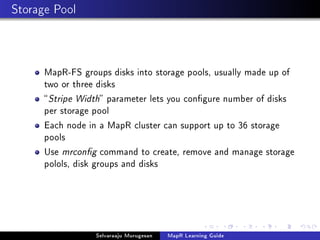
Storage Pool
MapR-FS groups disks into storage pools, usually made up of
two or three disks
Stripe Width parameter lets you congure number of disks
per storage pool
Each node in a MapR cluster can support up to 36 storage
pools
Use mrcong command to create, remove and manage storage
polols, disk groups and disks
Selvaraaju Murugesan MapR Learning Guide
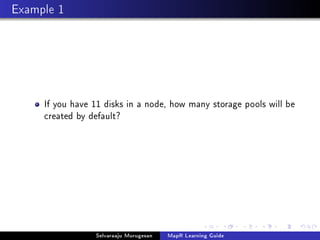
Example 1
If you have 11 disks in a node, how many storage pools will be
created by default?
Selvaraaju Murugesan MapR Learning Guide
Example 1 Solution
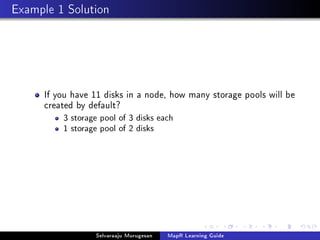
If you have 11 disks in a node, how many storage pools will be
created by default?
3 storage pool of 3 disks each
1 storage pool of 2 disks
Selvaraaju Murugesan MapR Learning Guide
Example 2
If you have 9 disks in a node, how many storage pools will be
created by default?
Selvaraaju Murugesan MapR Learning Guide
Example 2 Solution
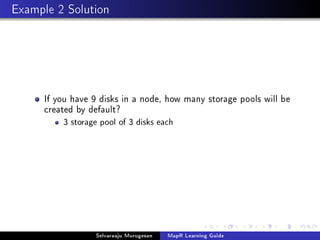
If you have 9 disks in a node, how many storage pools will be
created by default?
3 storage pool of 3 disks each
Selvaraaju Murugesan MapR Learning Guide
Tradeos
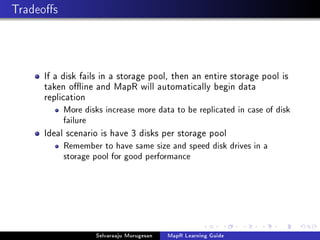
If a disk fails in a storage pool, then an entire storage pool is
taken oine and MapR will automatically begin data
replication
More disks increase more data to be replicated in case of disk
failure
Ideal scenario is have 3 disks per storage pool
Remember to have same size and speed disk drives in a
storage pool for good performance
Selvaraaju Murugesan MapR Learning Guide
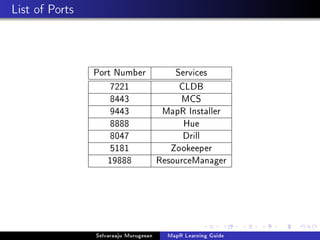
List of Ports
Port Number Services
7221 CLDB
8443 MCS
9443 MapR Installer
8888 Hue
8047 Drill
5181 Zookeeper
19888 ResourceManager
Selvaraaju Murugesan MapR Learning Guide
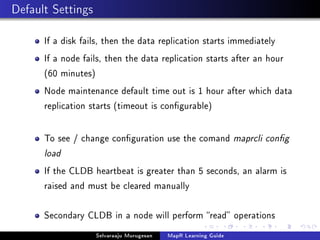
Default Settings
If a disk fails, then the data replication starts immediately
If a node fails, then the data replication starts after an hour
(60 minutes)
Node maintenance default time out is 1 hour after which data
replication starts (timeout is congurable)
To see / change conguration use the comand maprcli cong
load
If the CLDB heartbeat is greater than 5 seconds, an alarm is
raised and must be cleared manually
Secondary CLDB in a node will perform read operations
Selvaraaju Murugesan MapR Learning Guide
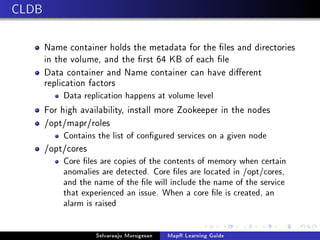
CLDB
Name container holds the metadata for the les and directories
in the volume, and the rst 64 KB of each le
Data container and Name container can have dierent
replication factors
Data replication happens at volume level
For high availability, install more Zookeeper in the nodes
/opt/mapr/roles
Contains the list of congured services on a given node
/opt/cores
Core les are copies of the contents of memory when certain
anomalies are detected. Core les are located in /opt/cores,
and the name of the le will include the name of the service
that experienced an issue. When a core le is created, an
alarm is raised
Selvaraaju Murugesan MapR Learning Guide
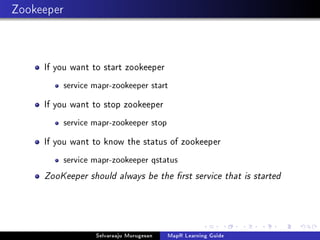
Zookeeper
If you want to start zookeeper
service mapr-zookeeper start
If you want to stop zookeeper
service mapr-zookeeper stop
If you want to know the status of zookeeper
service mapr-zookeeper qstatus
ZooKeeper should always be the rst service that is started
Selvaraaju Murugesan MapR Learning Guide
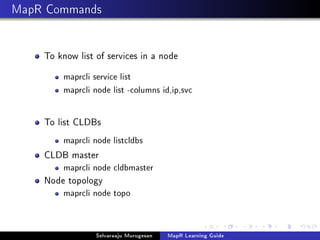
MapR Commands
To know list of services in a node
maprcli service list
maprcli node list -columns id,ip,svc
To list CLDBs
maprcli node listcldbs
CLDB master
maprcli node cldbmaster
Node topology
maprcli node topo
Selvaraaju Murugesan MapR Learning Guide
Cluster Permissions
Log into the MCS (login)
This level also includes permissions to use the API and
command-line interface, and grants read access on the cluster
and its volumes
Start and stop services (SS)
Create volumes (CV)
Edit and view Access Control Lists, or permissions (A)
Full control gives user the ability to do everything except edit
permissions (FC)
Selvaraaju Murugesan MapR Learning Guide
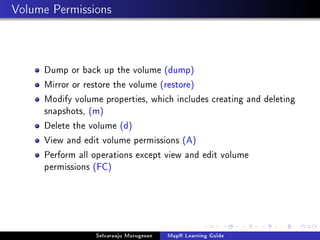
Volume Permissions
Dump or back up the volume (dump)
Mirror or restore the volume (restore)
Modify volume properties, which includes creating and deleting
snapshots, (m)
Delete the volume (d)
View and edit volume permissions (A)
Perform all operations except view and edit volume
permissions (FC)
Selvaraaju Murugesan MapR Learning Guide
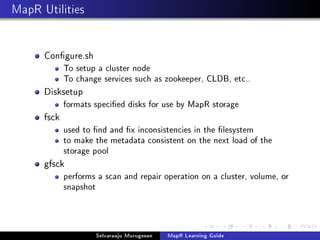
MapR Utilities
Congure.sh
To setup a cluster node
To change services such as zookeeper, CLDB, etc..
Disksetup
formats specied disks for use by MapR storage
fsck
used to nd and x inconsistencies in the lesystem
to make the metadata consistent on the next load of the
storage pool
gfsck
performs a scan and repair operation on a cluster, volume, or
snapshot
Selvaraaju Murugesan MapR Learning Guide
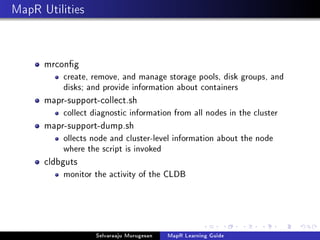
MapR Utilities
mrcong
create, remove, and manage storage pools, disk groups, and
disks; and provide information about containers
mapr-support-collect.sh
collect diagnostic information from all nodes in the cluster
mapr-support-dump.sh
ollects node and cluster-level information about the node
where the script is invoked
cldbguts
monitor the activity of the CLDB
Selvaraaju Murugesan MapR Learning Guide
NTP Server
All nodes should synchronize to one internal NTP server
systemctl command
ntpq command
Selvaraaju Murugesan MapR Learning Guide
Logs
Centralised logging
Logs kept for 30 days by default
symbolic links to the logs
Local logging
logs kept for 3 hours by default
YARN logs expire after 3 hours
time starts after the job begins
Logs stord in /opt/mapr/logs deleted after 10 days by default
Change the settings in yarn-site.xml le
Retention time are given in seconds
Selvaraaju Murugesan MapR Learning Guide
Space Requirements
/opt - 128GB
/tmp - 10GB
/opt/mapr/zkdata  500MB
Swap space
110% physical memory
Minimum of 24GB and maximum of 128GB
Use LVM for boot drives
Selvaraaju Murugesan MapR Learning Guide
Volume Quota
Once the Advisory Quota is reached
alarm raised
Once Hard Quota is reached
no futher data is written
Only compressed data size is counted against the volume quota
Selvaraaju Murugesan MapR Learning Guide
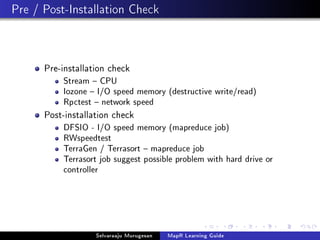
Pre / Post-Installation Check
Pre-installation check
Stream  CPU
Iozone  I/O speed memory (destructive write/read)
Rpctest  network speed
Post-installation check
DFSIO - I/O speed memory (mapreduce job)
RWspeedtest
TerraGen / Terrasort  mapreduce job
Terrasort job suggest possible problem with hard drive or
controller
Selvaraaju Murugesan MapR Learning Guide
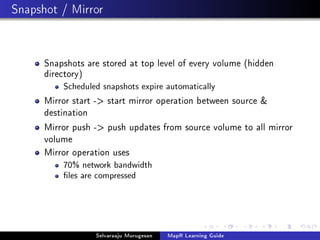
Snapshot / Mirror
Snapshots are stored at top level of every volume (hidden
directory)
Scheduled snapshots expire automatically
Mirror start - start mirror operation between source 
destination
Mirror push - push updates from source volume to all mirror
volume
Mirror operation uses
70% network bandwidth
les are compressed
Selvaraaju Murugesan MapR Learning Guide
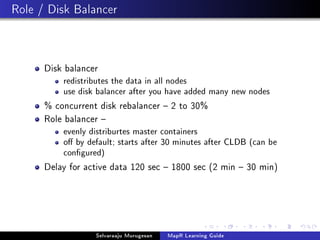
Role / Disk Balancer
Disk balancer
redistributes the data in all nodes
use disk balancer after you have added many new nodes
% concurrent disk rebalancer  2 to 30%
Role balancer 
evenly distriburtes master containers
o by default; starts after 30 minutes after CLDB (can be
congured)
Delay for active data 120 sec  1800 sec (2 min  30 min)
Selvaraaju Murugesan MapR Learning Guide
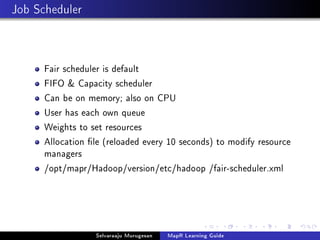
Job Scheduler
Fair scheduler is default
FIFO  Capacity scheduler
Can be on memory; also on CPU
User has each own queue
Weights to set resources
Allocation le (reloaded every 10 seconds) to modify resource
managers
/opt/mapr/Hadoop/version/etc/hadoop /fair-scheduler.xml
Selvaraaju Murugesan MapR Learning Guide

MapR Tutorial Series

  • 1.
    MapR Learning Guide SelvaraajuMurugesan May 6, 2017 Selvaraaju Murugesan MapR Learning Guide
  • 2.
    Storage Pool MapR-FS groupsdisks into storage pools, usually made up of two or three disks Stripe Width parameter lets you congure number of disks per storage pool Each node in a MapR cluster can support up to 36 storage pools Use mrcong command to create, remove and manage storage polols, disk groups and disks Selvaraaju Murugesan MapR Learning Guide
  • 3.
    Example 1 If youhave 11 disks in a node, how many storage pools will be created by default? Selvaraaju Murugesan MapR Learning Guide
  • 4.
    Example 1 Solution Ifyou have 11 disks in a node, how many storage pools will be created by default? 3 storage pool of 3 disks each 1 storage pool of 2 disks Selvaraaju Murugesan MapR Learning Guide
  • 5.
    Example 2 If youhave 9 disks in a node, how many storage pools will be created by default? Selvaraaju Murugesan MapR Learning Guide
  • 6.
    Example 2 Solution Ifyou have 9 disks in a node, how many storage pools will be created by default? 3 storage pool of 3 disks each Selvaraaju Murugesan MapR Learning Guide
  • 7.
    Tradeos If a diskfails in a storage pool, then an entire storage pool is taken oine and MapR will automatically begin data replication More disks increase more data to be replicated in case of disk failure Ideal scenario is have 3 disks per storage pool Remember to have same size and speed disk drives in a storage pool for good performance Selvaraaju Murugesan MapR Learning Guide
  • 8.
    List of Ports PortNumber Services 7221 CLDB 8443 MCS 9443 MapR Installer 8888 Hue 8047 Drill 5181 Zookeeper 19888 ResourceManager Selvaraaju Murugesan MapR Learning Guide
  • 9.
    Default Settings If adisk fails, then the data replication starts immediately If a node fails, then the data replication starts after an hour (60 minutes) Node maintenance default time out is 1 hour after which data replication starts (timeout is congurable) To see / change conguration use the comand maprcli cong load If the CLDB heartbeat is greater than 5 seconds, an alarm is raised and must be cleared manually Secondary CLDB in a node will perform read operations Selvaraaju Murugesan MapR Learning Guide
  • 10.
    CLDB Name container holdsthe metadata for the les and directories in the volume, and the rst 64 KB of each le Data container and Name container can have dierent replication factors Data replication happens at volume level For high availability, install more Zookeeper in the nodes /opt/mapr/roles Contains the list of congured services on a given node /opt/cores Core les are copies of the contents of memory when certain anomalies are detected. Core les are located in /opt/cores, and the name of the le will include the name of the service that experienced an issue. When a core le is created, an alarm is raised Selvaraaju Murugesan MapR Learning Guide
  • 11.
    Zookeeper If you wantto start zookeeper service mapr-zookeeper start If you want to stop zookeeper service mapr-zookeeper stop If you want to know the status of zookeeper service mapr-zookeeper qstatus ZooKeeper should always be the rst service that is started Selvaraaju Murugesan MapR Learning Guide
  • 12.
    MapR Commands To knowlist of services in a node maprcli service list maprcli node list -columns id,ip,svc To list CLDBs maprcli node listcldbs CLDB master maprcli node cldbmaster Node topology maprcli node topo Selvaraaju Murugesan MapR Learning Guide
  • 13.
    Cluster Permissions Log intothe MCS (login) This level also includes permissions to use the API and command-line interface, and grants read access on the cluster and its volumes Start and stop services (SS) Create volumes (CV) Edit and view Access Control Lists, or permissions (A) Full control gives user the ability to do everything except edit permissions (FC) Selvaraaju Murugesan MapR Learning Guide
  • 14.
    Volume Permissions Dump orback up the volume (dump) Mirror or restore the volume (restore) Modify volume properties, which includes creating and deleting snapshots, (m) Delete the volume (d) View and edit volume permissions (A) Perform all operations except view and edit volume permissions (FC) Selvaraaju Murugesan MapR Learning Guide
  • 15.
    MapR Utilities Congure.sh To setupa cluster node To change services such as zookeeper, CLDB, etc.. Disksetup formats specied disks for use by MapR storage fsck used to nd and x inconsistencies in the lesystem to make the metadata consistent on the next load of the storage pool gfsck performs a scan and repair operation on a cluster, volume, or snapshot Selvaraaju Murugesan MapR Learning Guide
  • 16.
    MapR Utilities mrcong create, remove,and manage storage pools, disk groups, and disks; and provide information about containers mapr-support-collect.sh collect diagnostic information from all nodes in the cluster mapr-support-dump.sh ollects node and cluster-level information about the node where the script is invoked cldbguts monitor the activity of the CLDB Selvaraaju Murugesan MapR Learning Guide
  • 17.
    NTP Server All nodesshould synchronize to one internal NTP server systemctl command ntpq command Selvaraaju Murugesan MapR Learning Guide
  • 18.
    Logs Centralised logging Logs keptfor 30 days by default symbolic links to the logs Local logging logs kept for 3 hours by default YARN logs expire after 3 hours time starts after the job begins Logs stord in /opt/mapr/logs deleted after 10 days by default Change the settings in yarn-site.xml le Retention time are given in seconds Selvaraaju Murugesan MapR Learning Guide
  • 19.
    Space Requirements /opt -128GB /tmp - 10GB /opt/mapr/zkdata 500MB Swap space 110% physical memory Minimum of 24GB and maximum of 128GB Use LVM for boot drives Selvaraaju Murugesan MapR Learning Guide
  • 20.
    Volume Quota Once theAdvisory Quota is reached alarm raised Once Hard Quota is reached no futher data is written Only compressed data size is counted against the volume quota Selvaraaju Murugesan MapR Learning Guide
  • 21.
    Pre / Post-InstallationCheck Pre-installation check Stream CPU Iozone I/O speed memory (destructive write/read) Rpctest network speed Post-installation check DFSIO - I/O speed memory (mapreduce job) RWspeedtest TerraGen / Terrasort mapreduce job Terrasort job suggest possible problem with hard drive or controller Selvaraaju Murugesan MapR Learning Guide
  • 22.
    Snapshot / Mirror Snapshotsare stored at top level of every volume (hidden directory) Scheduled snapshots expire automatically Mirror start - start mirror operation between source destination Mirror push - push updates from source volume to all mirror volume Mirror operation uses 70% network bandwidth les are compressed Selvaraaju Murugesan MapR Learning Guide
  • 23.
    Role / DiskBalancer Disk balancer redistributes the data in all nodes use disk balancer after you have added many new nodes % concurrent disk rebalancer 2 to 30% Role balancer evenly distriburtes master containers o by default; starts after 30 minutes after CLDB (can be congured) Delay for active data 120 sec 1800 sec (2 min 30 min) Selvaraaju Murugesan MapR Learning Guide
  • 24.
    Job Scheduler Fair scheduleris default FIFO Capacity scheduler Can be on memory; also on CPU User has each own queue Weights to set resources Allocation le (reloaded every 10 seconds) to modify resource managers /opt/mapr/Hadoop/version/etc/hadoop /fair-scheduler.xml Selvaraaju Murugesan MapR Learning Guide