Manage What You Measure:  Lessons from Dashboard Pros Chris Hoffmann ,  Triple Tree Lynne Zaledonis, salesforce.com Todd Janzen, salesforce.com  Scott Jorgensen, salesforce.com Advanced PE System Administrators
Safe Harbor Statement “ Safe harbor” statement under the Private Securities Litigation Reform Act of 1995: This presentation may contain forward-looking statements the achievement of which involves risks, uncertainties and assumptions. If any such risks or uncertainties materialize or if any of the assumptions proves incorrect, our results could differ materially from the results expressed or implied by the forward-looking statements we make.  All statements other than statements of historical fact could be deemed forward-looking, including any projections of subscriber growth, earnings, revenues, or other financial items and any statements regarding strategies or plans of management for future operations, statements of belief, any statements concerning new, planned, or upgraded services or technology developments and customer contracts or use of our services. The risks and uncertainties referred to above include - but are not limited to - risks associated with the integration of Sendia Corporation’s technology, operations, infrastructure and personnel with ours; unexpected costs or delays incurred in integrating Sendia with salesforce.com, which could adversely affect our operating results and rate of growth; any unknown errors or limitations in the Sendia technology; any third party intellectual property claims arising from the Sendia technology; customer and partner acceptance and deployment of the AppExchange and AppExchange Mobile platforms; interruptions or delays in our service or our Web hosting; our new business model; breach of our security measures; possible fluctuations in our operating results and rate of growth; the emerging market in which we operate; our relatively limited operating history; our ability to hire, retain and motivate our employees and manage our growth; competition; our ability to continue to release and gain customer acceptance of new and improved versions of our CRM service; unanticipated changes in our effective tax rate; fluctuations in the number of shares outstanding; the price of such shares; foreign currency exchange rates and interest rates. Further information on these and other factors that could affect our financial results is included in the reports on Forms 10-K, 10-Q and 8-K and in other filings we make with the Securities and Exchange Commission from time to time, including our Form 10-K for the fiscal year ended January 31, 2006. These documents are available on the SEC Filings section of the Investor Information section of our website at  www.salesforce.com/investor . Any unreleased services or features referenced in this or other press releases or public statements are not currently available and may not be delivered on time or at all.  Customers who purchase our services should make purchase decisions based upon features that are currently available.  Salesforce.com, inc. assumes no obligation and does not intend to update these forward-looking statements, except as required by law.
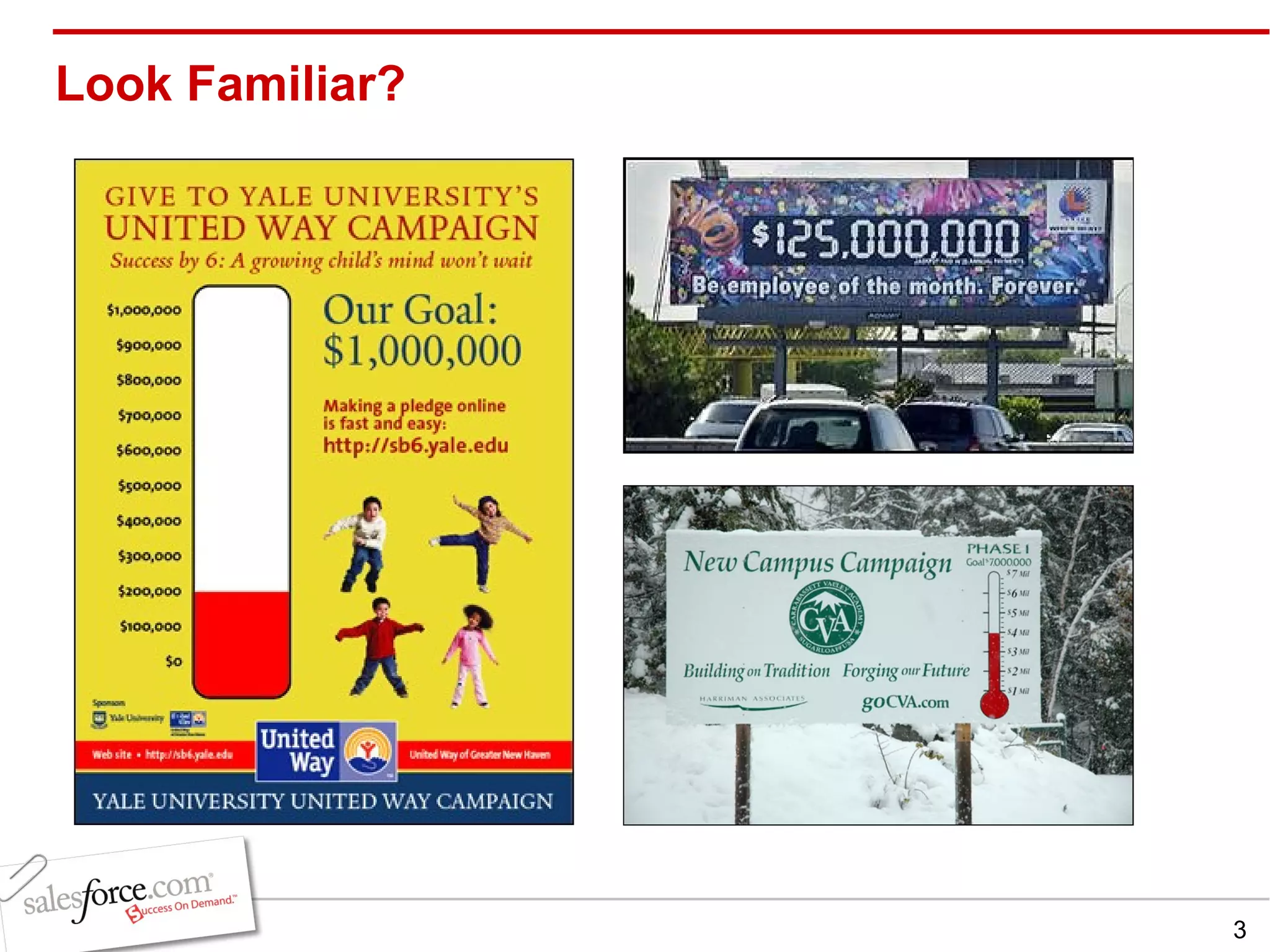
Look Familiar?
Agenda Why and when you want a dashboard   5 steps to dashboard success Case study: Motivating Reps (Triple Tree) Tips and tricks for success Takeaways Q & A
Why and When You Want a Dashboard Drive specific behavior Provide a tool to manage a process Communicate what needs to be tuned/fixed/broken Celebrate achievements Drive executive support for salesforce.com Note TDWI  recently summarized in their recent  dashboard and scorecard survey , they help organizations communicate strategy, monitor and adjust the execution of strategy, and deliver insights to all. Judith Hurwitz also did a survey on  marketing dashboards  that not surprisingly rated improved decision making as the number one ben efit
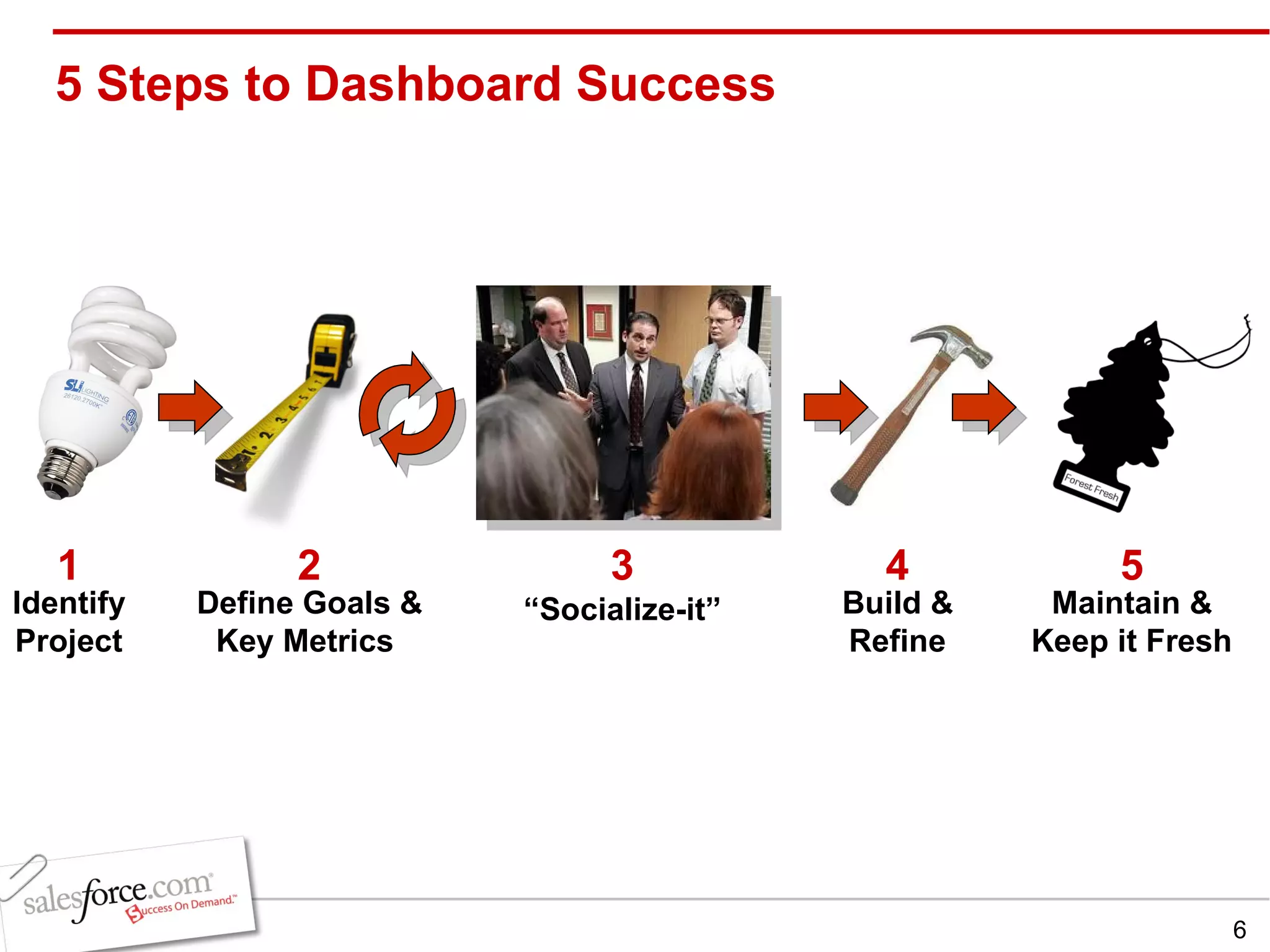
5 Steps to Dashboard Success 2 Define Goals   &   Key Metrics  4 3 “ Socialize-it” Build & Refine 5 Maintain & Keep it Fresh 1 Identify Project
5 Steps to Dashboard Success: Step 1 Identify Project What is management trying to accomplish? Types of Projects: Short-lived (Finite End Date) Long Term (Continuous Process with possible small milestones) Examples of Projects: Penetrating new markets New product release Marketing initiative Improving customer support Data quality
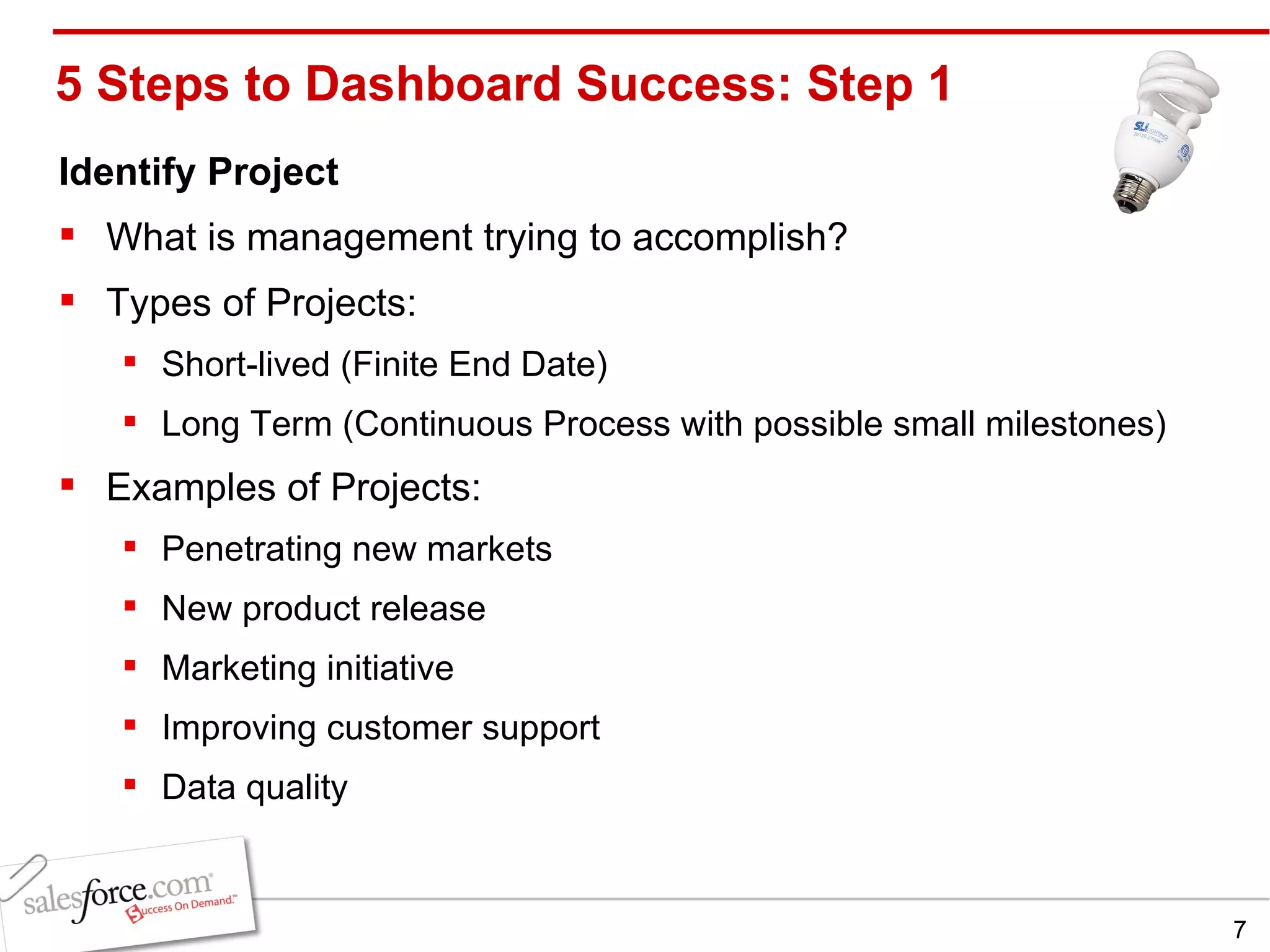
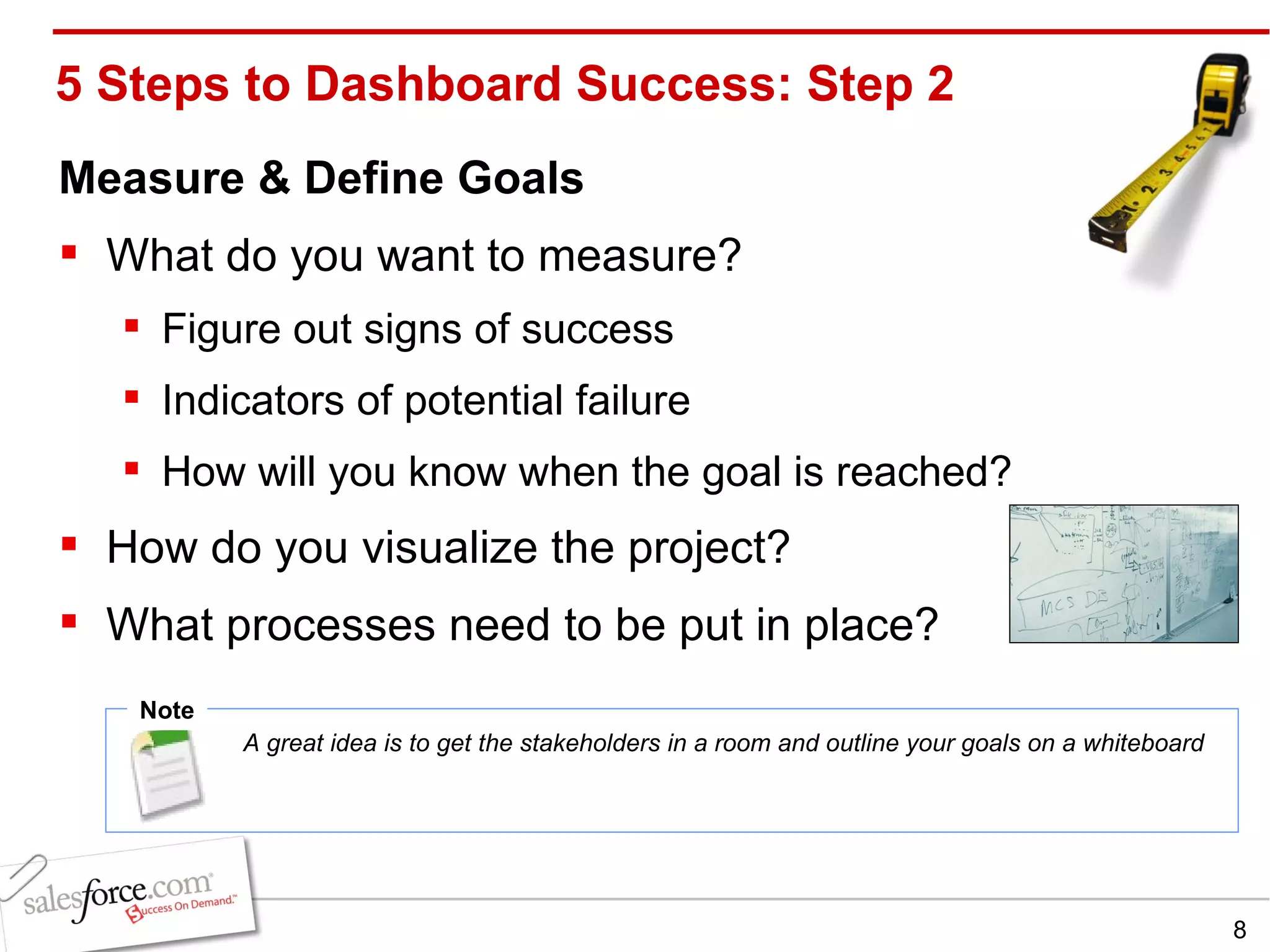
5 Steps to Dashboard Success: Step 2 Measure & Define Goals What do you want to measure?  Figure out signs of success Indicators of potential failure  How will you know when the goal is reached?  How do you visualize the project?  What processes need to be put in place? Note A great idea is to get the stakeholders in a room and outline your goals on a whiteboard
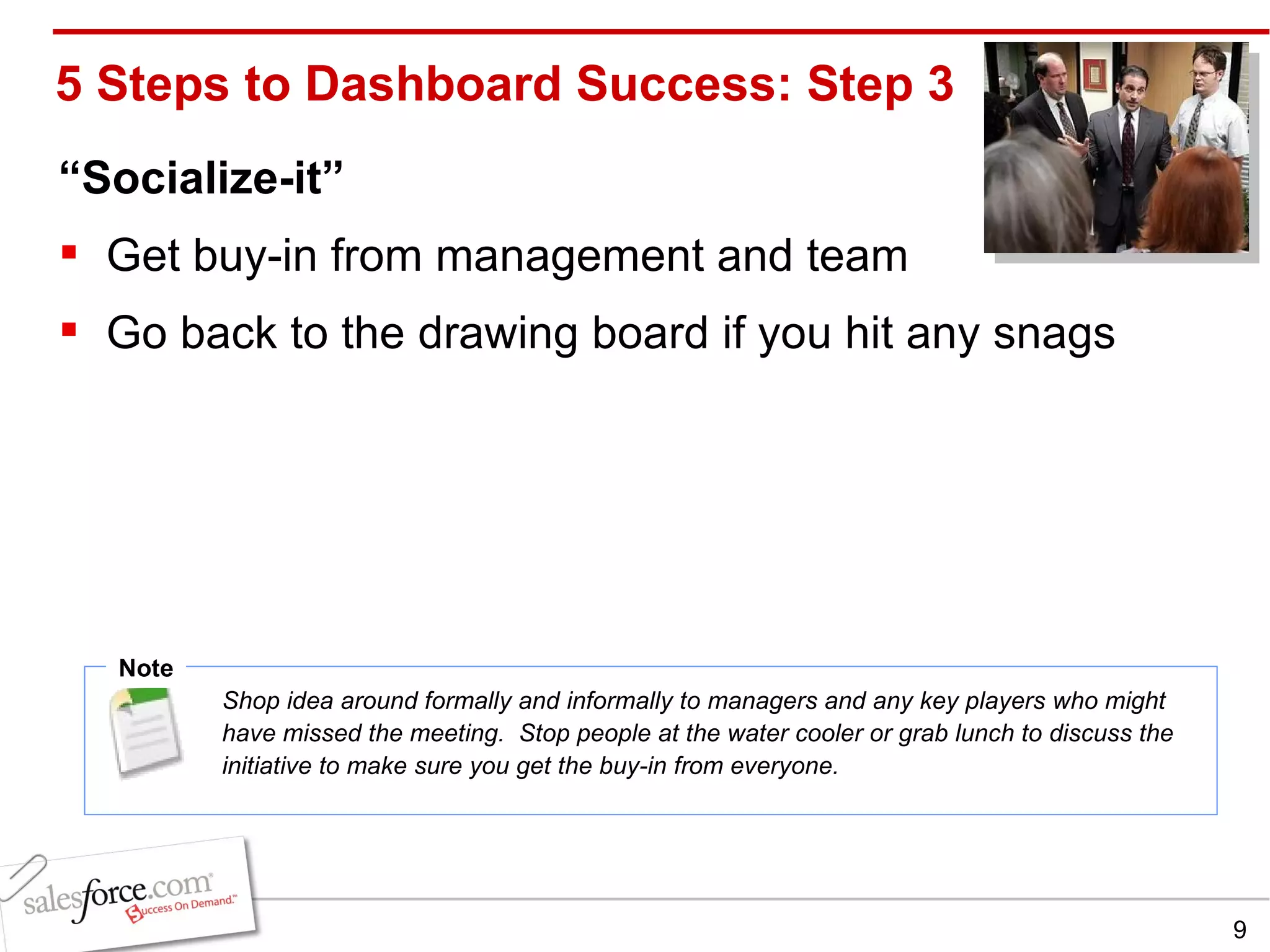
5 Steps to Dashboard Success: Step 3 “ Socialize-it” Get buy-in from management and team Go back to the drawing board if you hit any snags Note Shop idea around formally and informally to managers and any key players who might have missed the meeting.  Stop people at the water cooler or grab lunch to discuss the initiative to make sure you get the buy-in from everyone.
5 Steps to Dashboard Success: Step 4 Build & Refine   Create reports that represent your goals Create folder to contain all of your reports for this dashboard Create new dashboard with new project reports Preview and adjust reports and dashboard layout Note Browse for success first…www.appexchange Ex: Original dashboard displayed full names of reps which crowded the graph, making it hard to read.  Refine dashboard to show aliases for a more legible graph.  Also, make sure data is available
5 Steps to Dashboard Success: Step 5 Maintain & Keep it Fresh Report Maintenance As data grows, make sure dashboard and reports still make sense. Continue to manage to your dashboard Bring up in team meetings, quarterly reviews etc. Reward and recognize milestones from dashboard Note If no one has refreshed a dashboard in 90 days, get rid of it! Keep checking your dashboards for usability.  Ex: If the sales team grows from 10 to 40, adjust the dashboard to only capture the top 10 reps.
Chris Hoffmann Senior Principal & Research Director  [email_address]
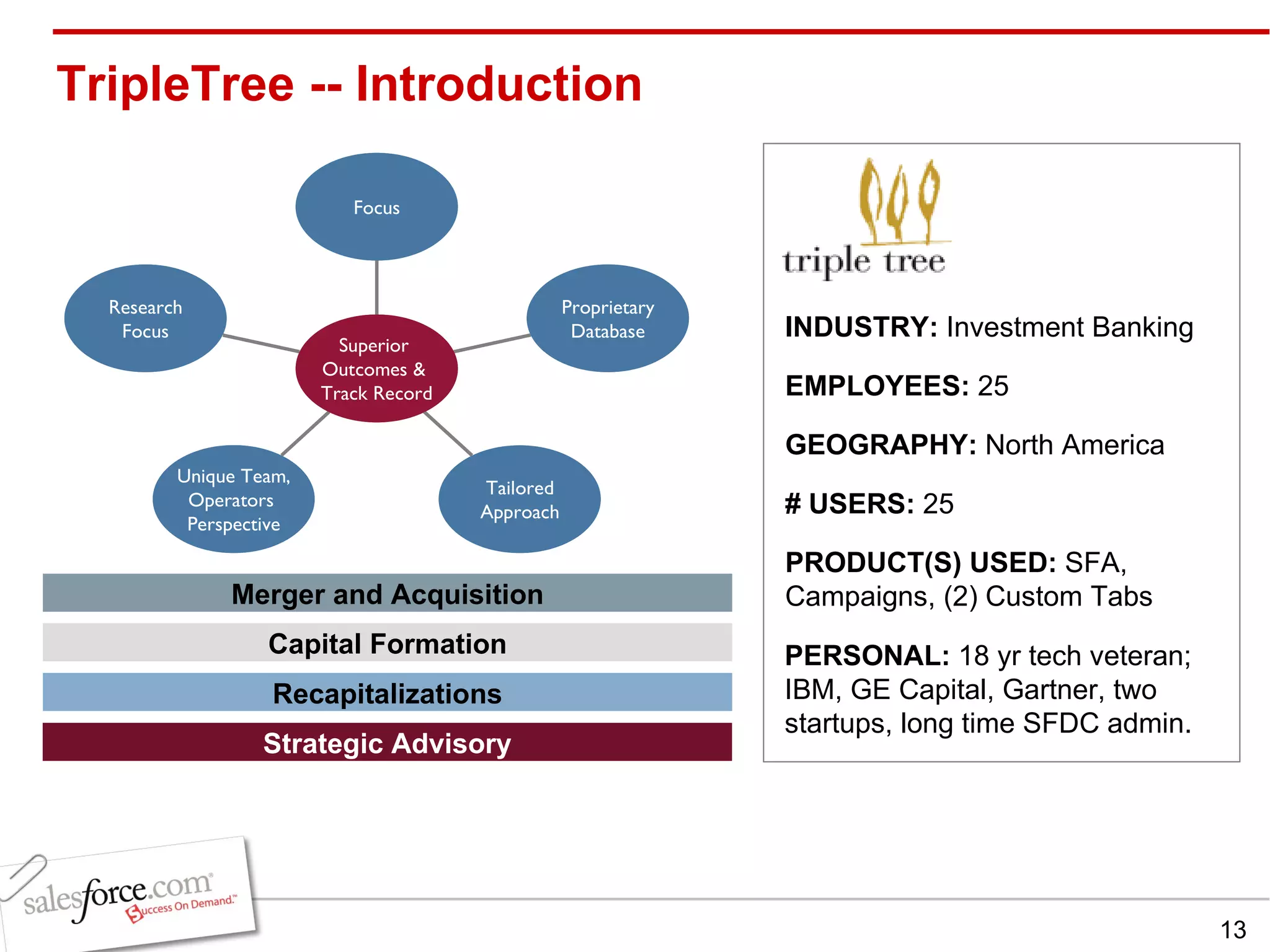
TripleTree -- Introduction INDUSTRY:  Investment Banking  EMPLOYEES:  25 GEOGRAPHY:  North America PRODUCT(S) USED:  SFA, Campaigns, (2) Custom Tabs # USERS:  25 Merger and Acquisition Capital Formation Recapitalizations Strategic Advisory PERSONAL:  18 yr tech veteran; IBM, GE Capital, Gartner, two startups, long time SFDC admin.
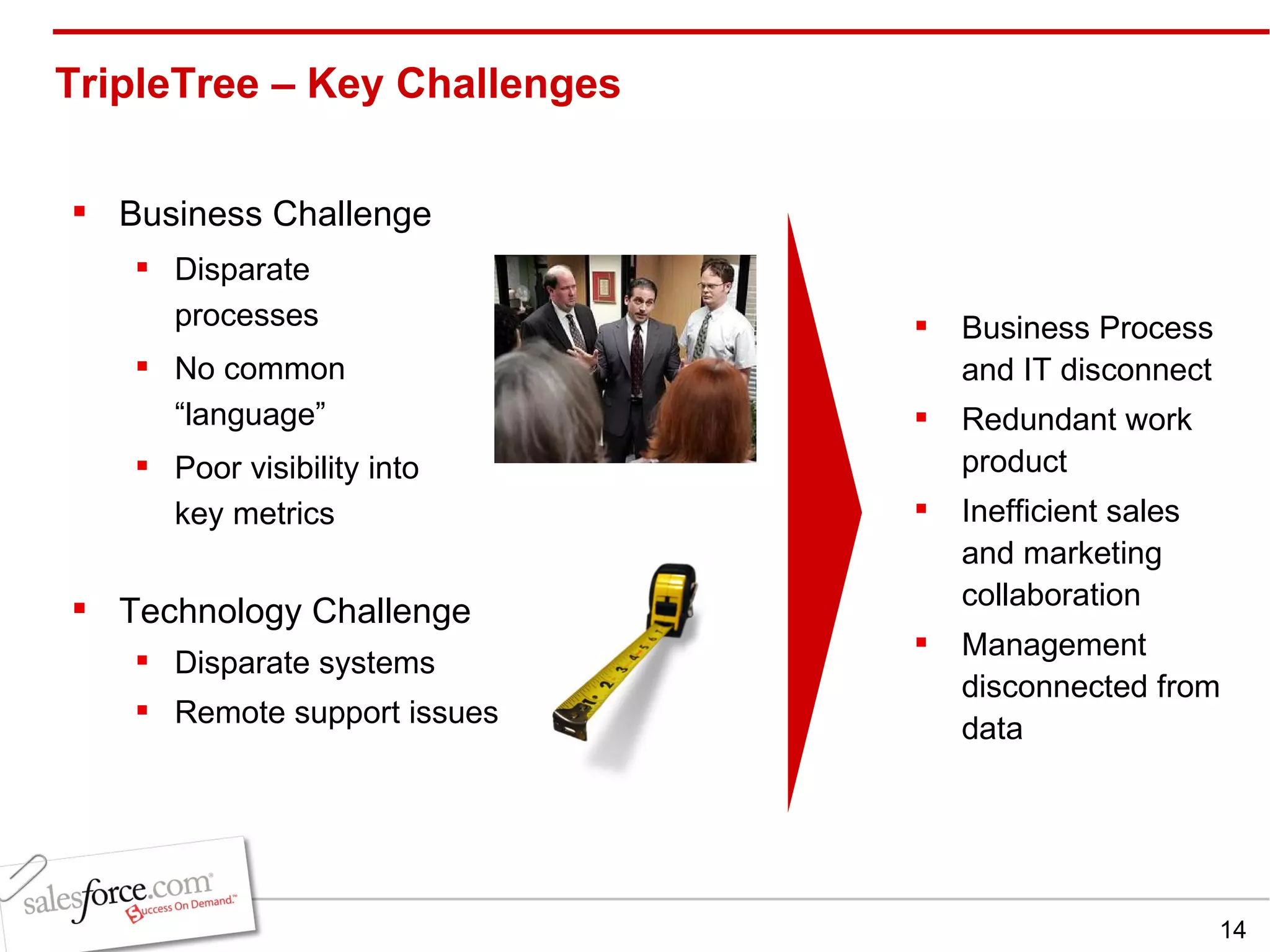
TripleTree – Key Challenges  Technology Challenge Disparate systems Remote support issues Business Process and IT disconnect Redundant work product Inefficient sales and marketing collaboration Management disconnected from data Business Challenge Disparate processes No common “language” Poor visibility into key metrics
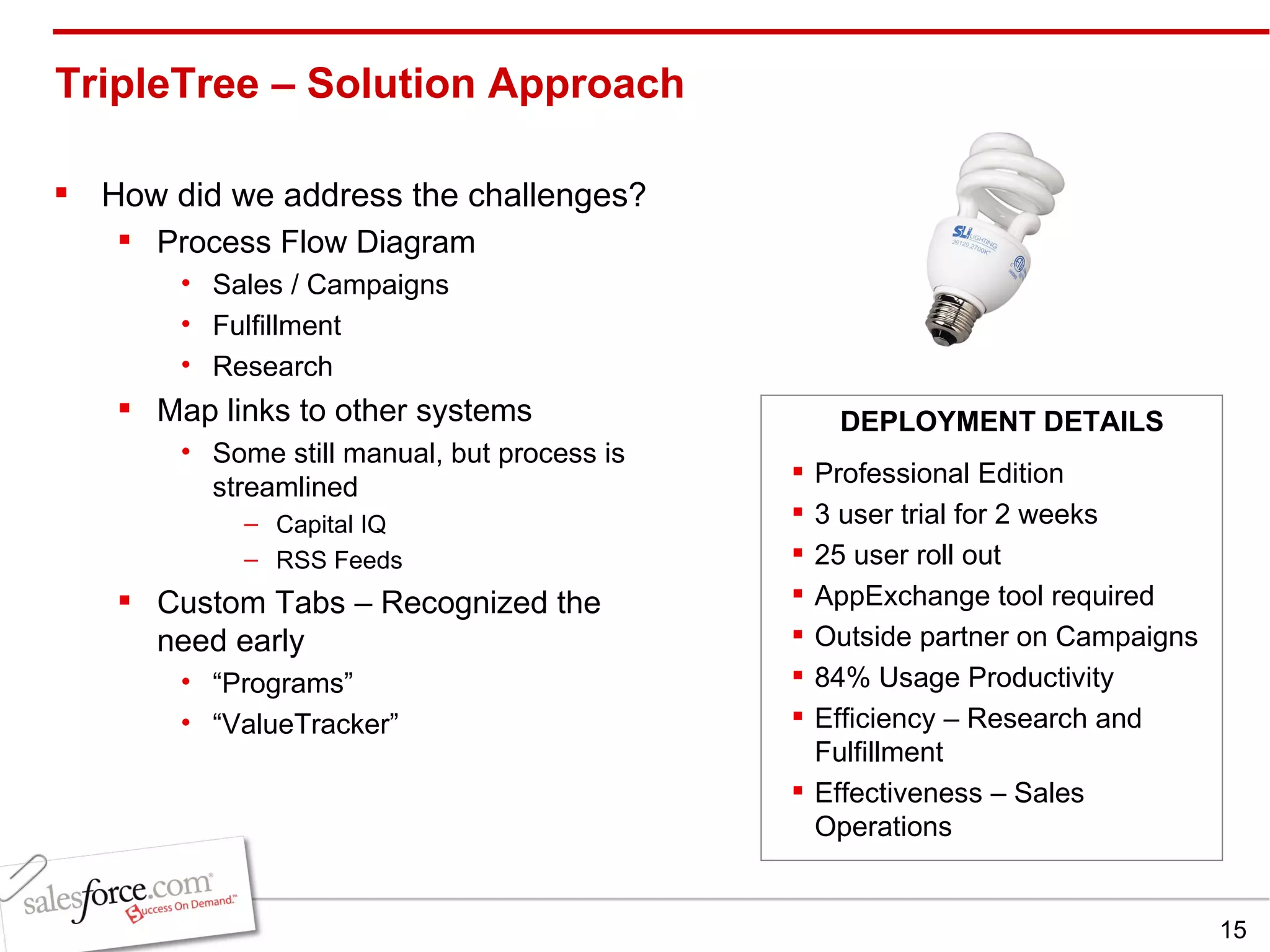
TripleTree – Solution Approach How did we address the challenges? Process Flow Diagram Sales / Campaigns Fulfillment Research Map links to other systems Some still manual, but process is streamlined Capital IQ RSS Feeds Custom Tabs – Recognized the need early “ Programs” “ ValueTracker” Professional Edition 3 user trial for 2 weeks 25 user roll out AppExchange tool required  Outside partner on Campaigns  84% Usage Productivity Efficiency – Research and Fulfillment Effectiveness – Sales Operations DEPLOYMENT DETAILS
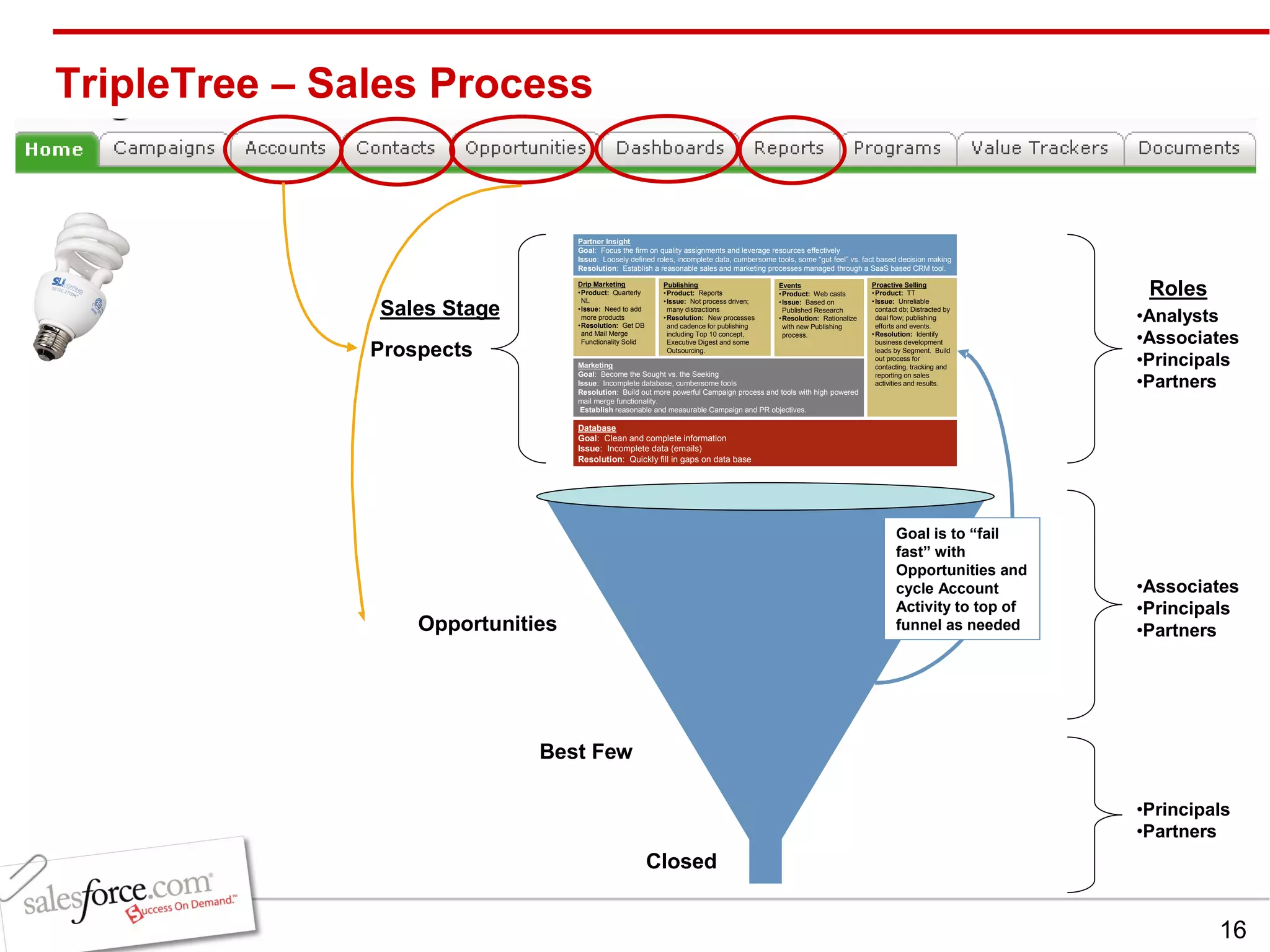
TripleTree – Sales Process  Prospects
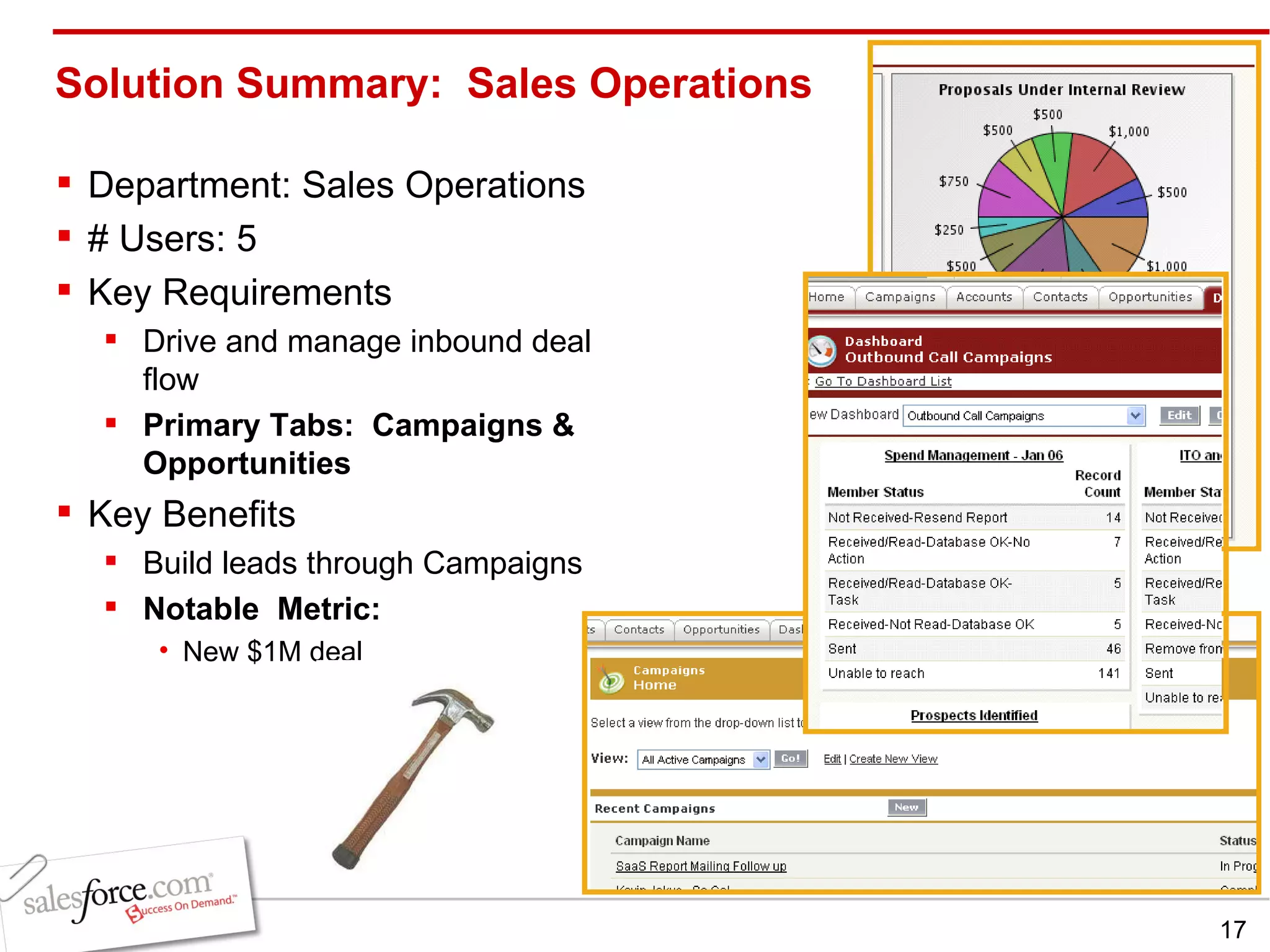
Solution Summary:  Sales Operations Department: Sales Operations # Users: 5 Key Requirements Drive and manage inbound deal flow Primary Tabs:  Campaigns & Opportunities Key Benefits Build leads through Campaigns Notable  Metric: New $1M deal
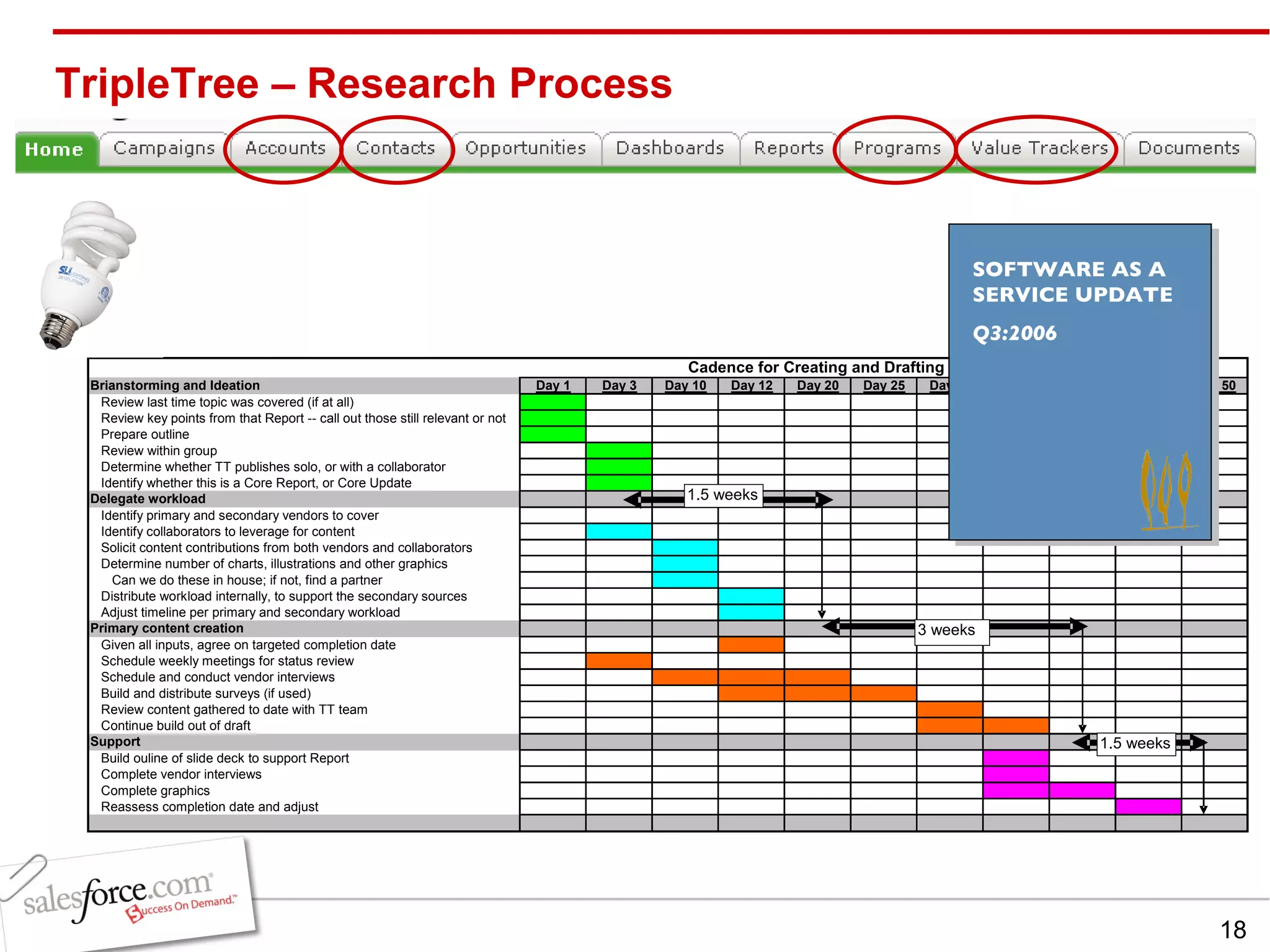
TripleTree – Research Process SOFTWARE AS A SERVICE UPDATE Q3:2006
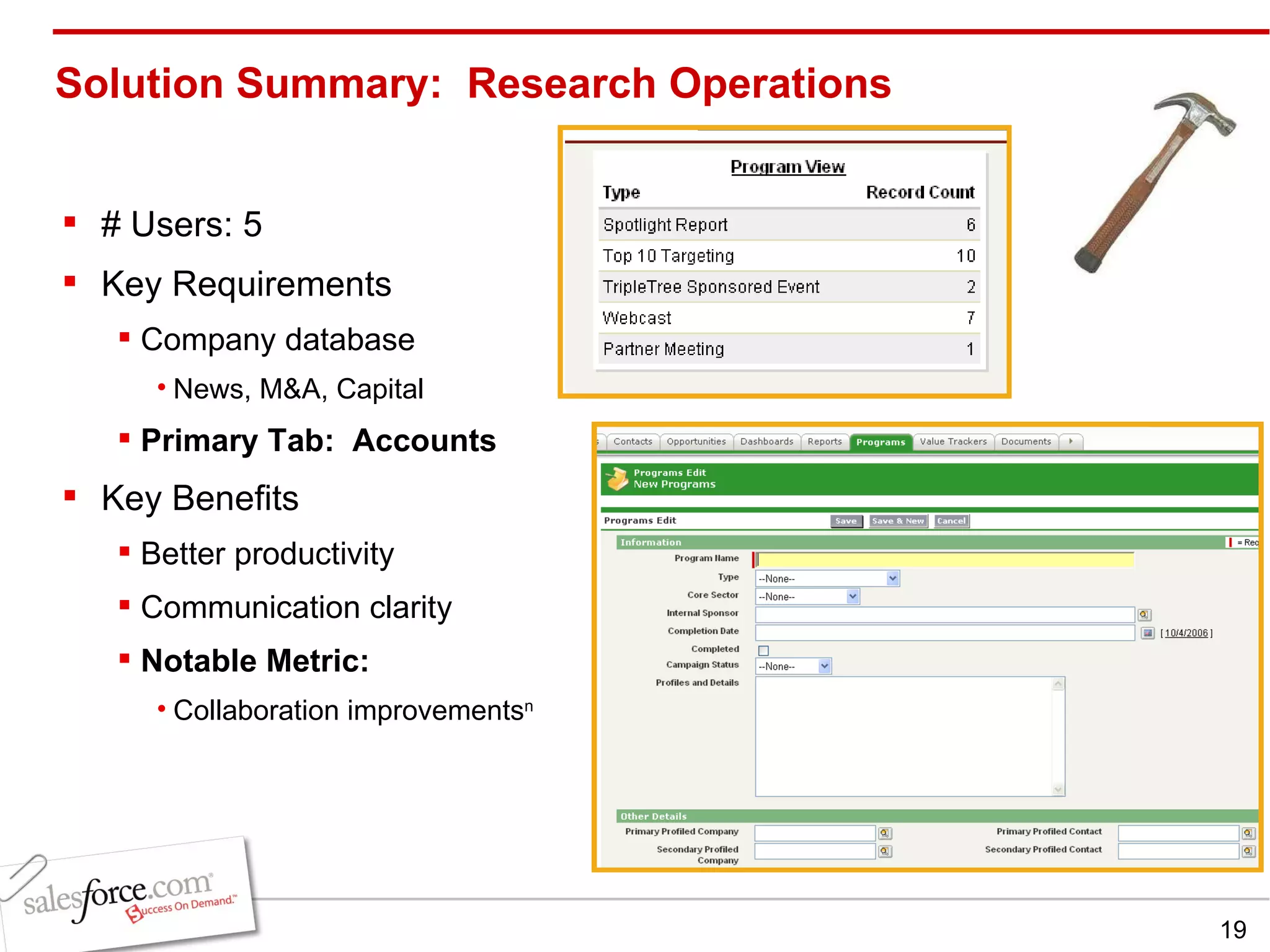
Solution Summary:  Research Operations # Users: 5 Key Requirements Company database News, M&A, Capital Primary Tab:  Accounts Key Benefits Better productivity  Communication clarity Notable Metric:  Collaboration improvements n
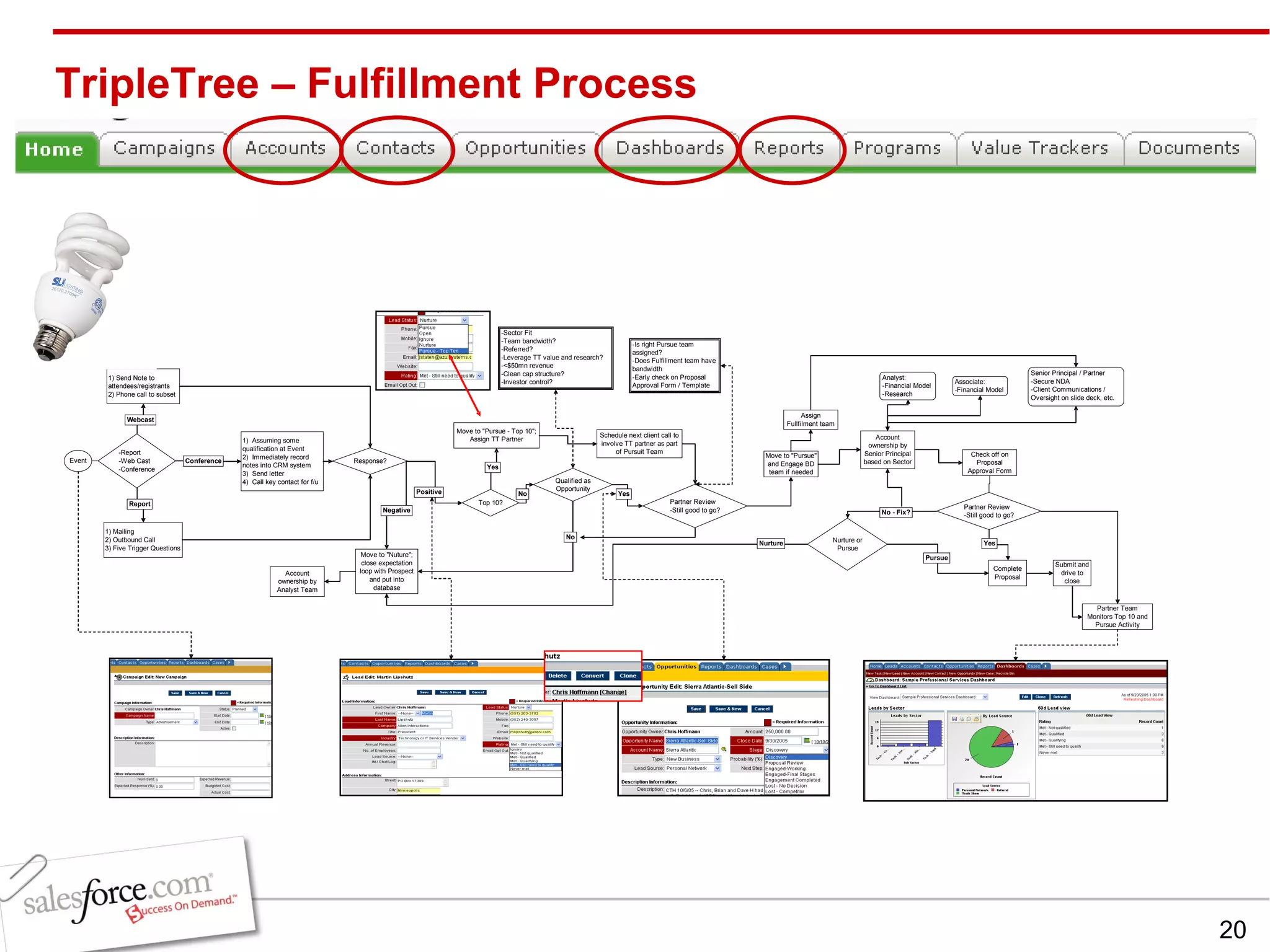
TripleTree – Fulfillment Process
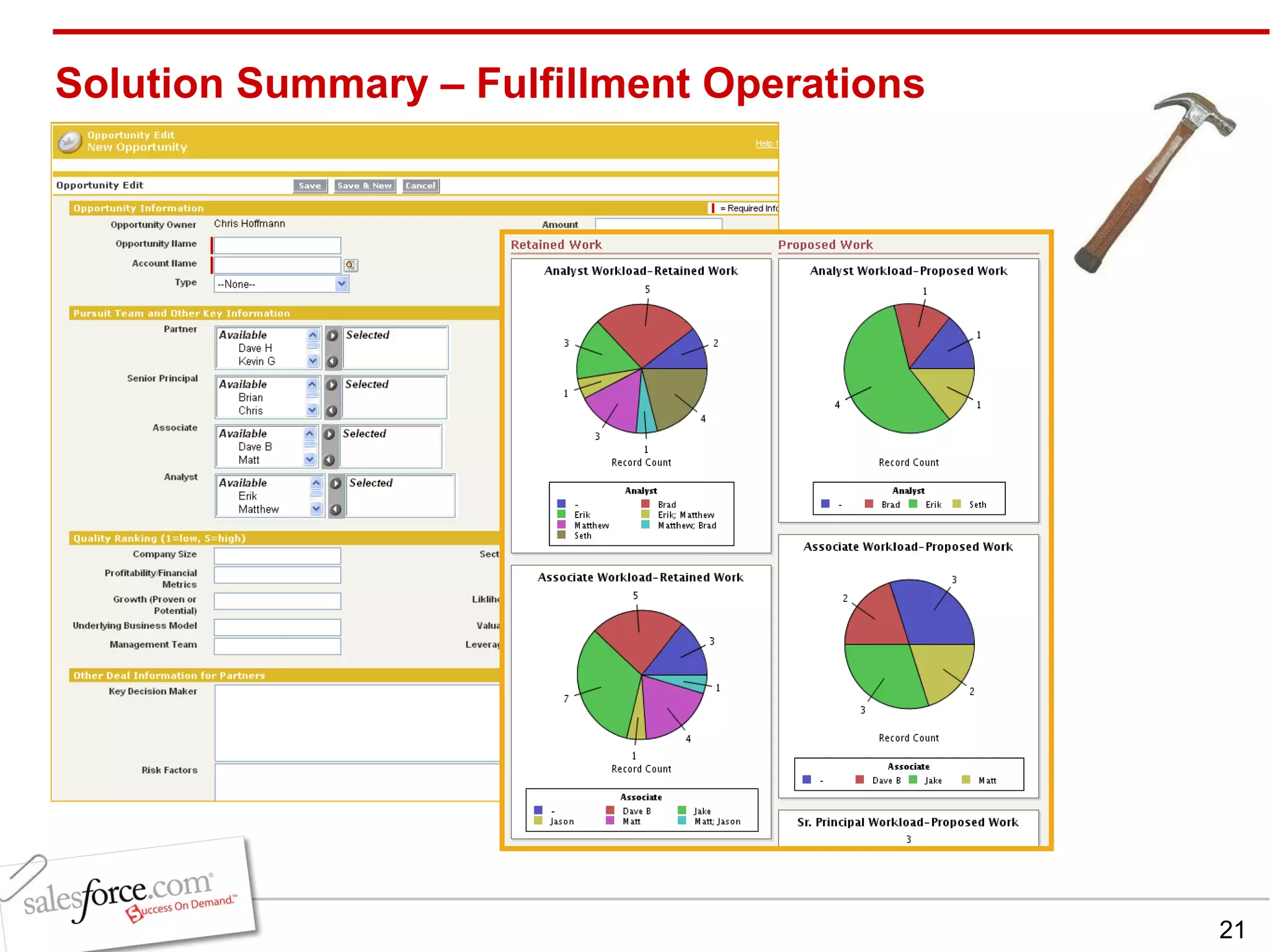
Solution Summary – Fulfillment Operations
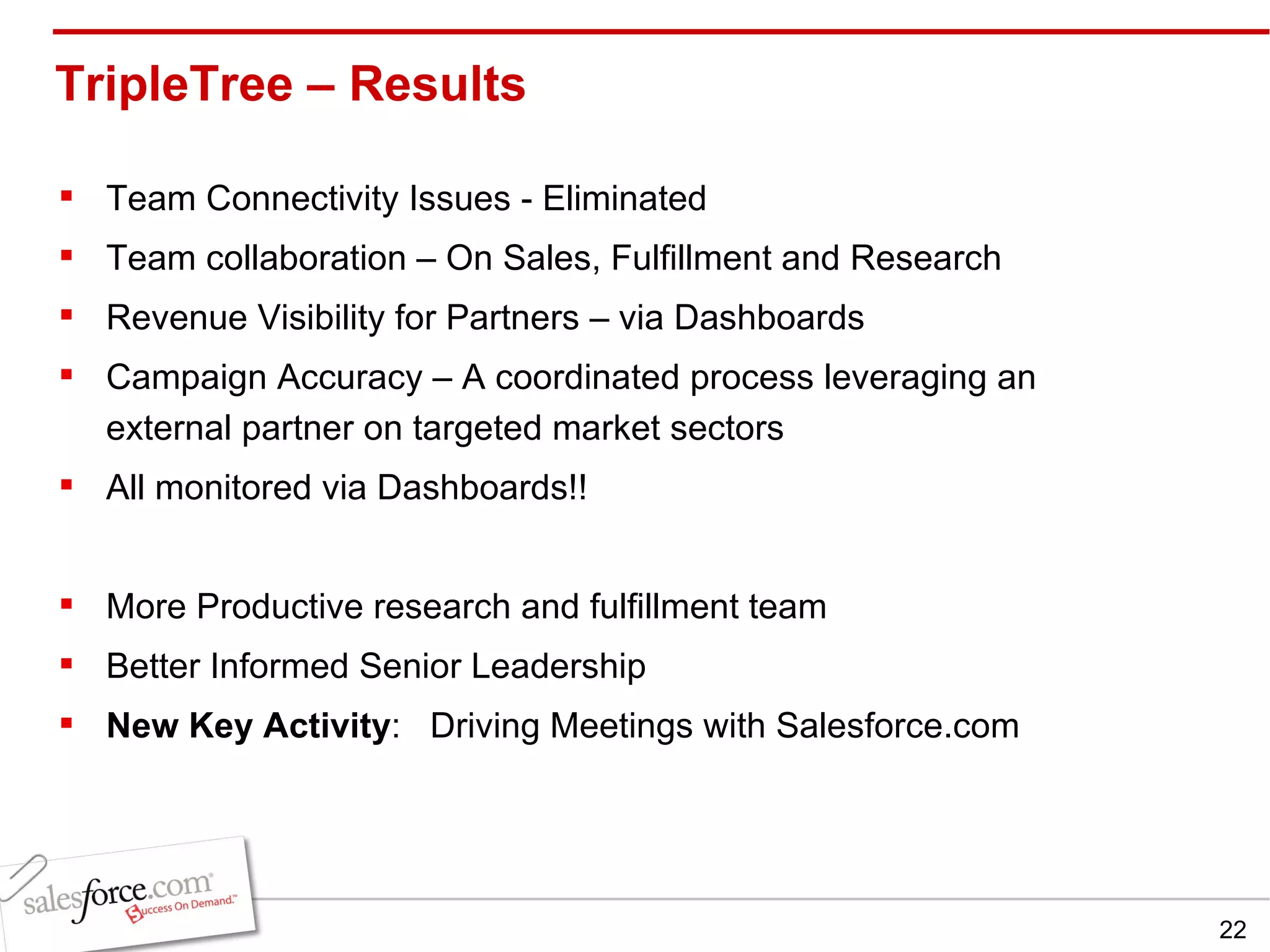
TripleTree – Results  Team Connectivity Issues - Eliminated Team collaboration – On Sales, Fulfillment and Research Revenue Visibility for Partners – via Dashboards Campaign Accuracy – A coordinated process leveraging an external partner on targeted market sectors All monitored via Dashboards!! More Productive research and fulfillment team Better Informed Senior Leadership New Key Activity :  Driving Meetings with Salesforce.com
Summary Map your processes Design training to be “Sesame Street Simple” to drive adoption Drive meetings with Salesforce.com Be ready early-on to make modifications to fit processes and tasks missed during planning.
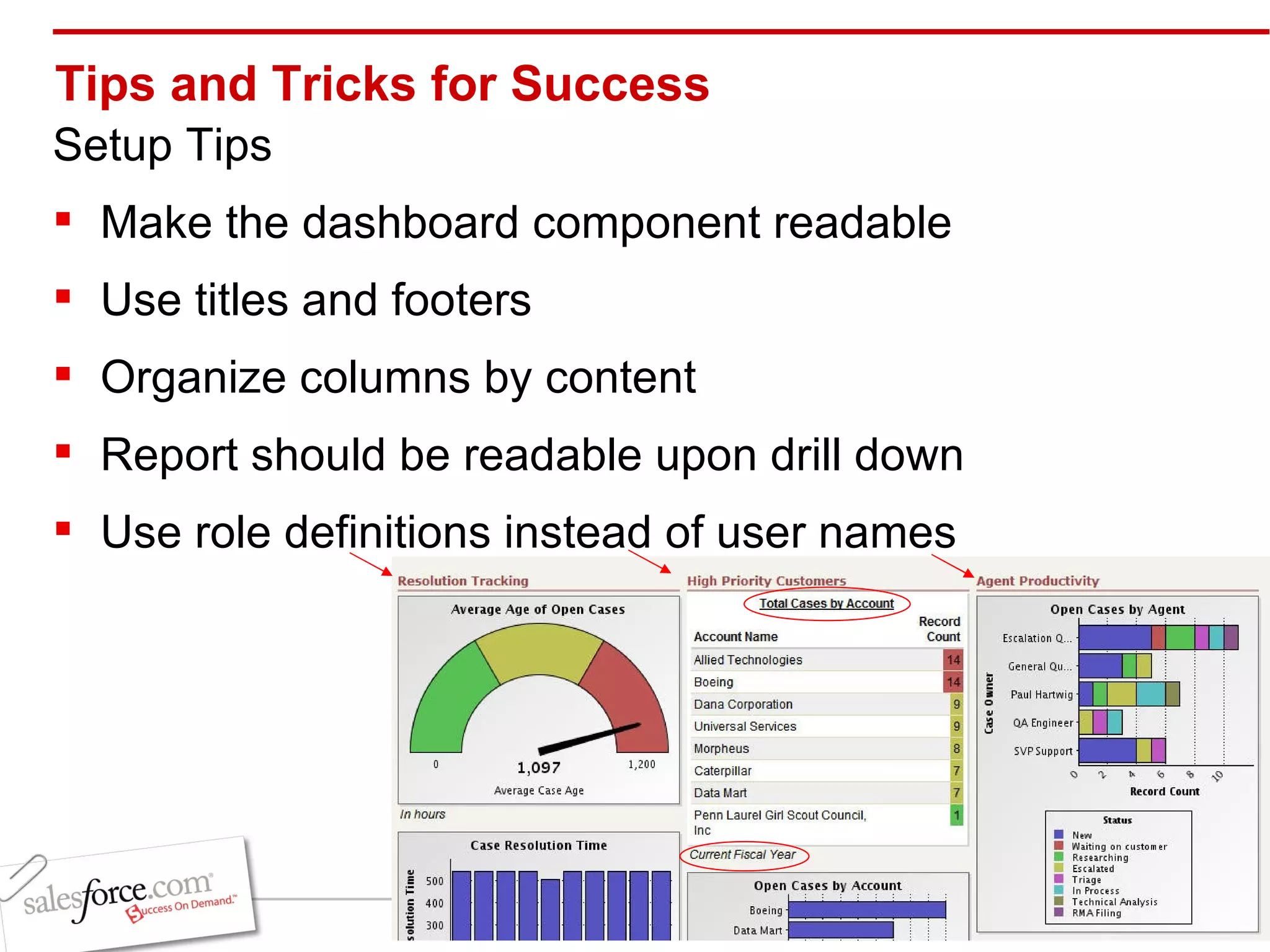
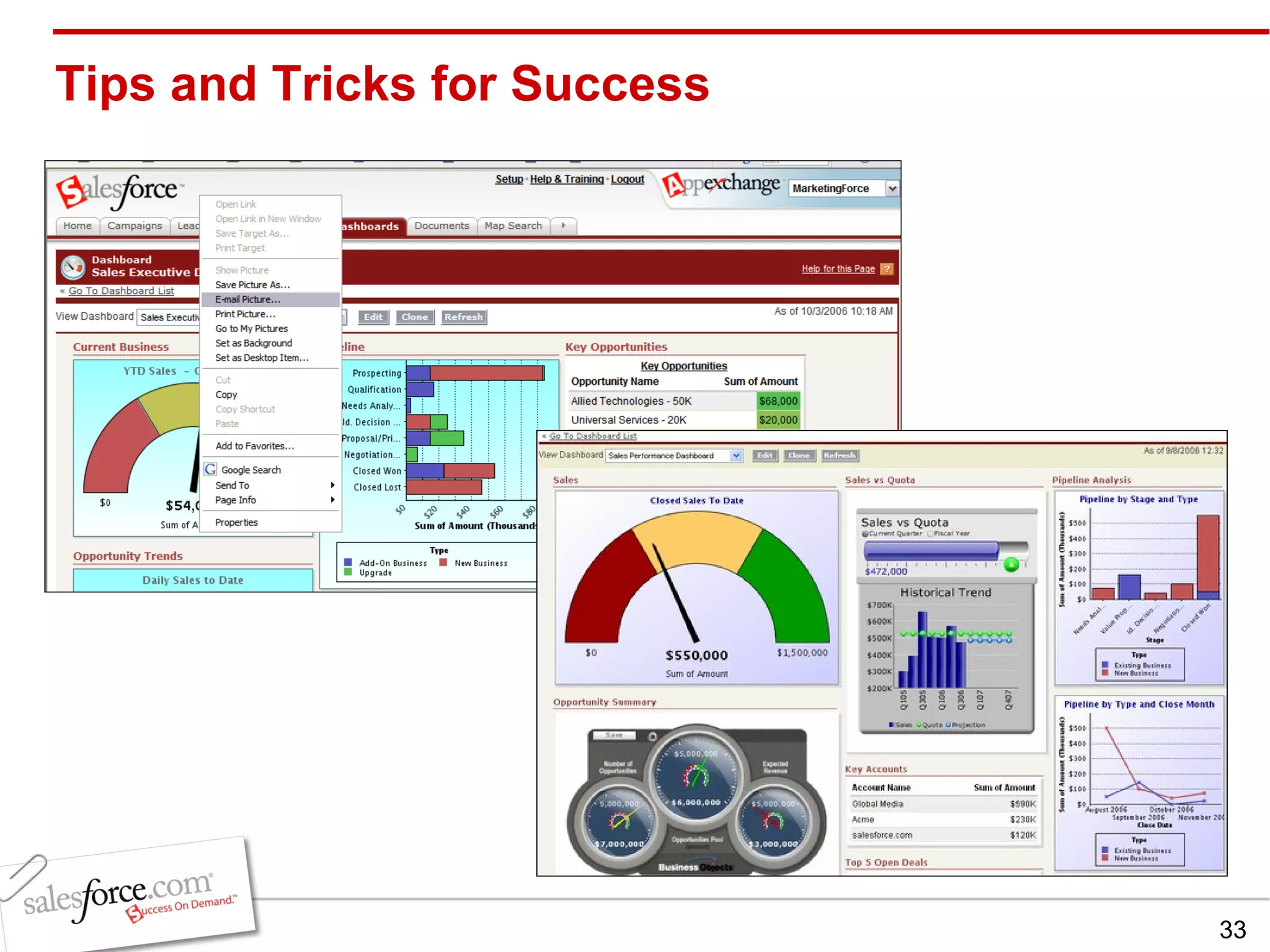
Tips and Tricks for Success Setup Tips Make the dashboard component readable  Use titles and footers  Organize columns by content Report should be readable upon drill down  Use role definitions instead of user names
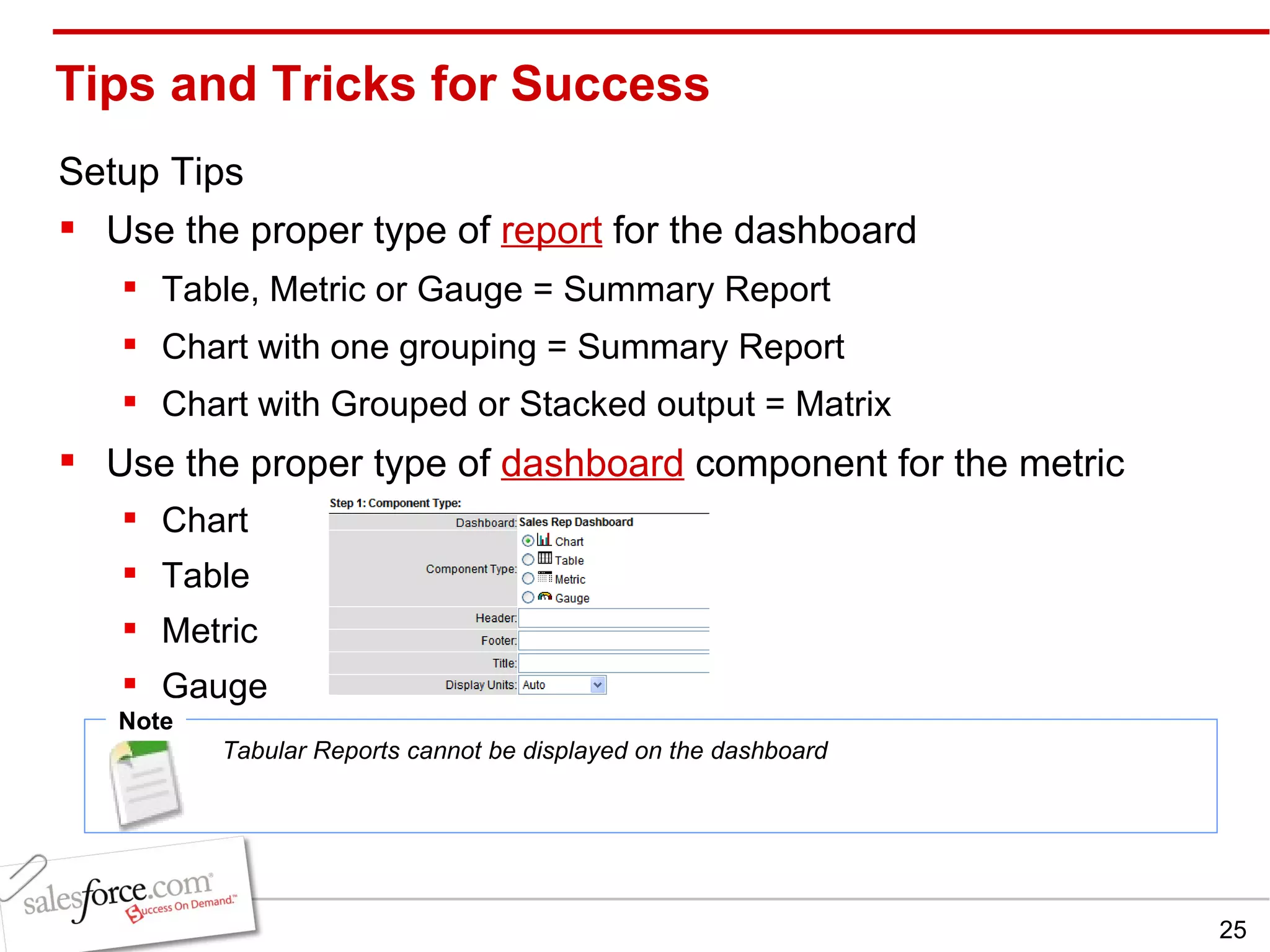
Tips and Tricks for Success Setup Tips Use the proper type of  report  for the dashboard Table, Metric or Gauge = Summary Report Chart with one grouping = Summary Report Chart with Grouped or Stacked output = Matrix Use the proper type of  dashboard  component for the metric Chart Table Metric Gauge Note Tabular Reports cannot be displayed on the dashboard
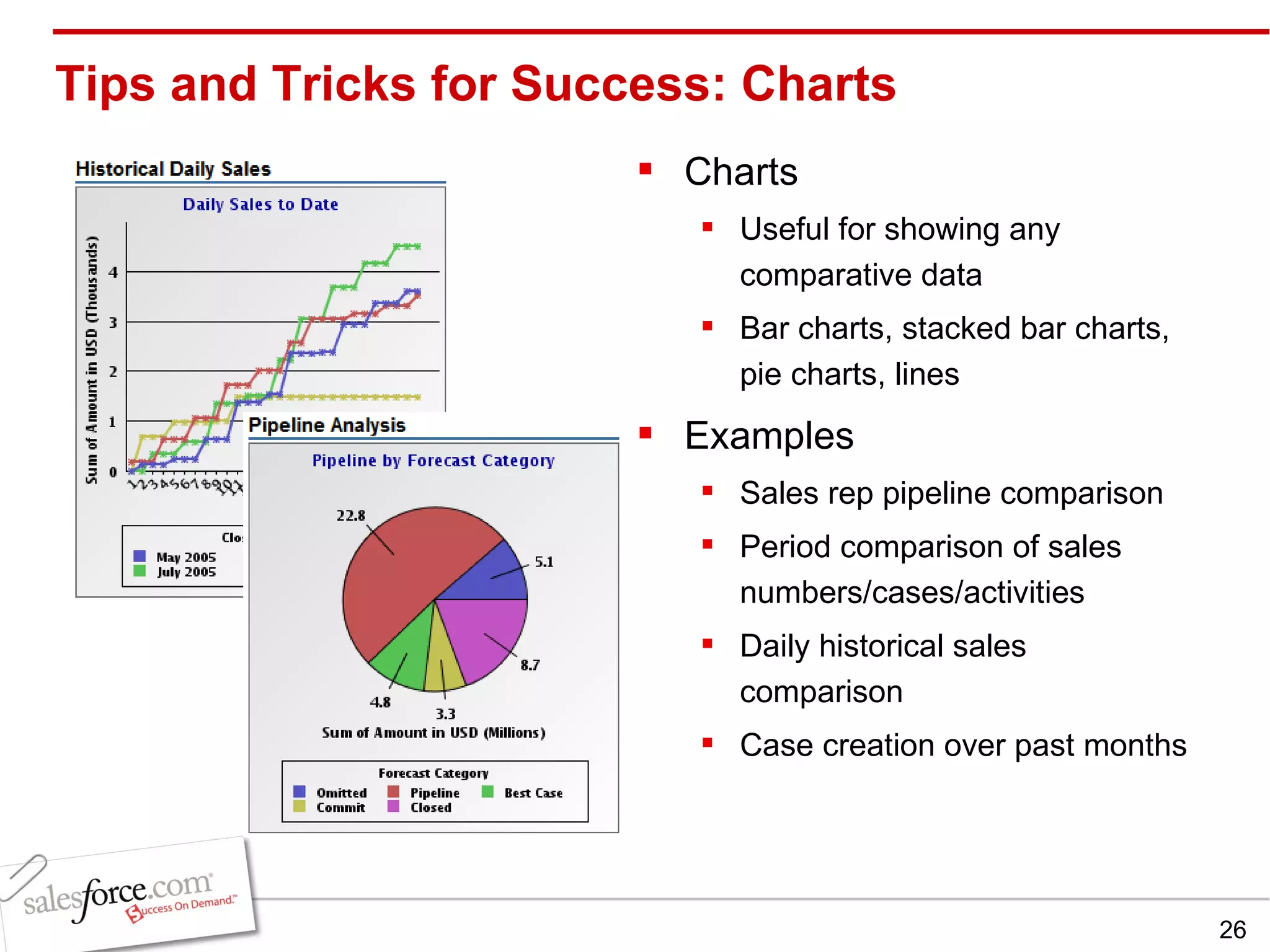
Tips and Tricks for Success: Charts Charts Useful for showing any comparative data Bar charts, stacked bar charts, pie charts, lines Examples Sales rep pipeline comparison Period comparison of sales numbers/cases/activities Daily historical sales comparison Case creation over past months
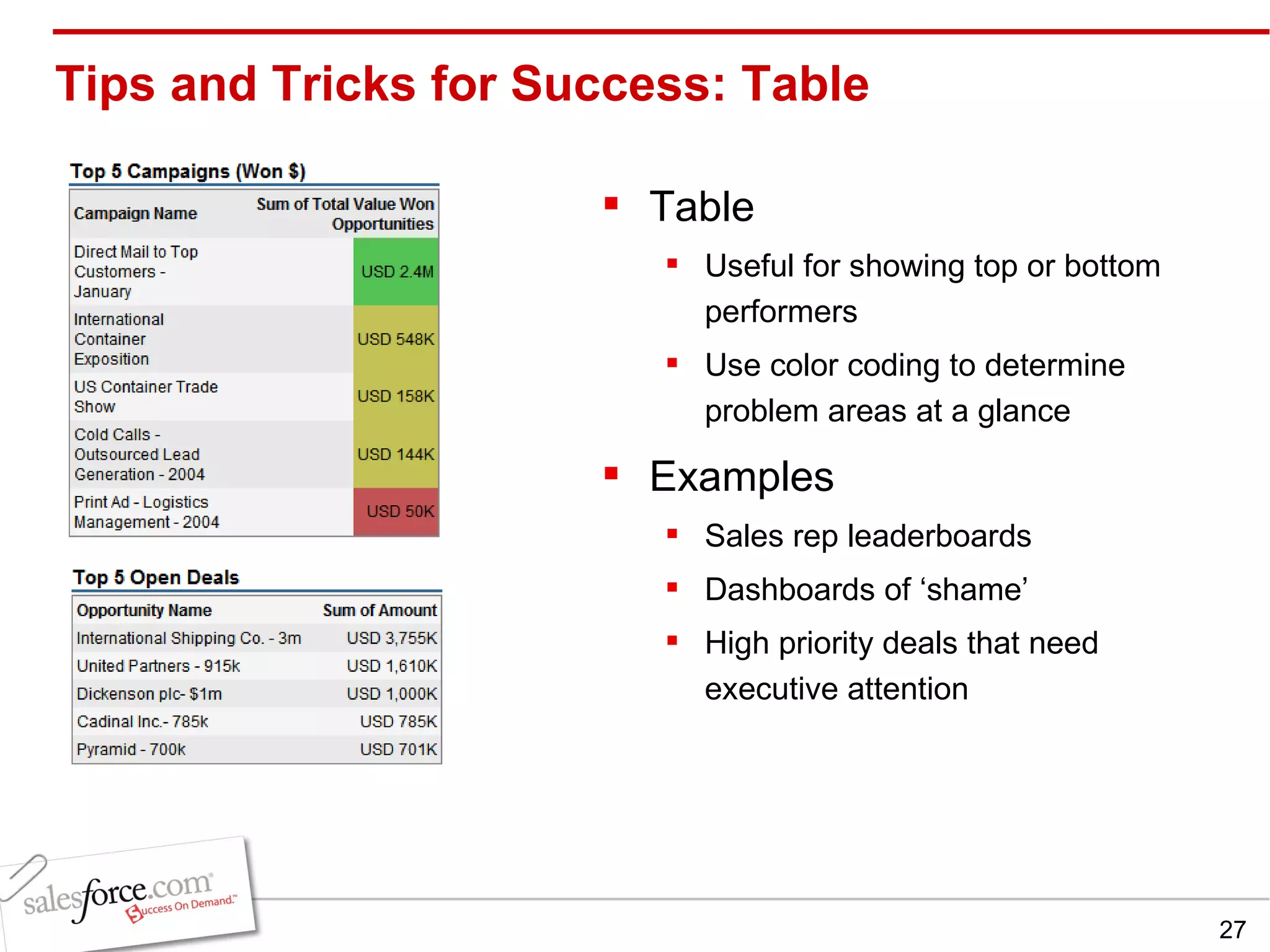
Tips and Tricks for Success: Table Table Useful for showing top or bottom performers Use color coding to determine problem areas at a glance Examples Sales rep leaderboards Dashboards of ‘shame’ High priority deals that need executive attention
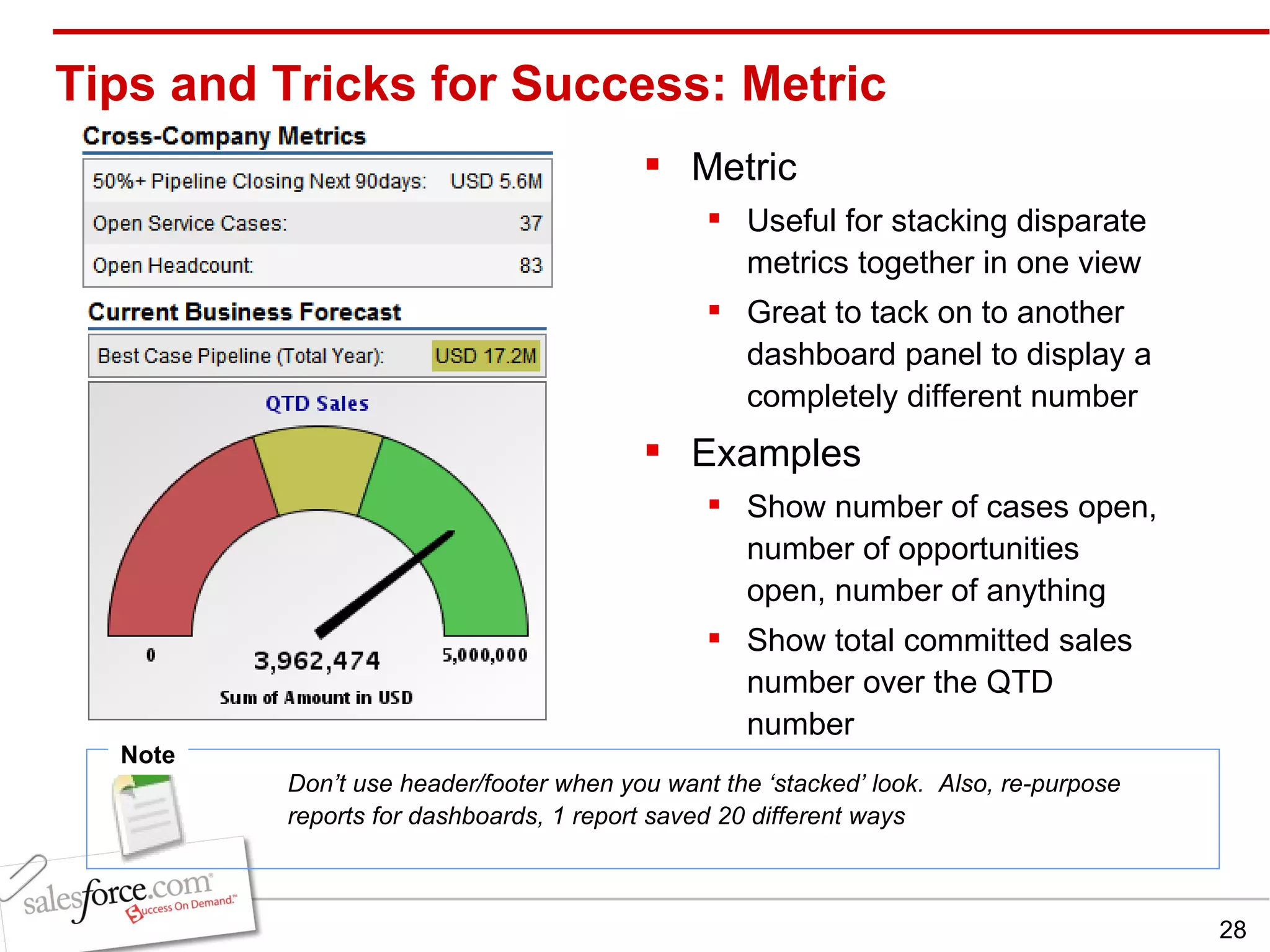
Metric Useful for stacking disparate metrics together in one view Great to tack on to another dashboard panel to display a completely different number Examples Show number of cases open, number of opportunities open, number of anything Show total committed sales number over the QTD number Tips and Tricks for Success: Metric Note Don’t use header/footer when you want the ‘stacked’ look.  Also, re-purpose reports for dashboards, 1 report saved 20 different ways
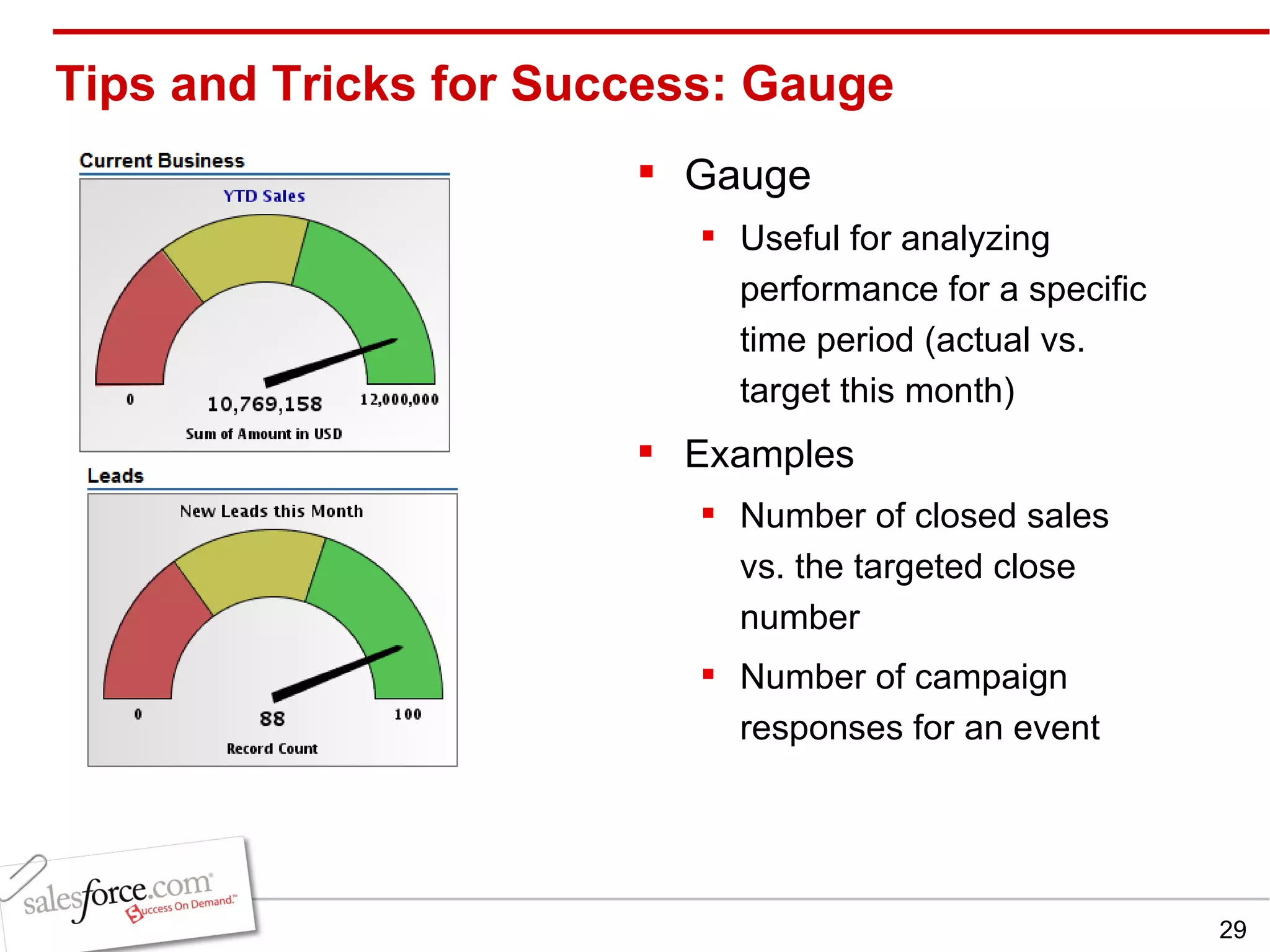
Tips and Tricks for Success: Gauge Gauge Useful for analyzing performance for a specific time period (actual vs. target this month) Examples Number of closed sales vs. the targeted close number Number of campaign responses for an event
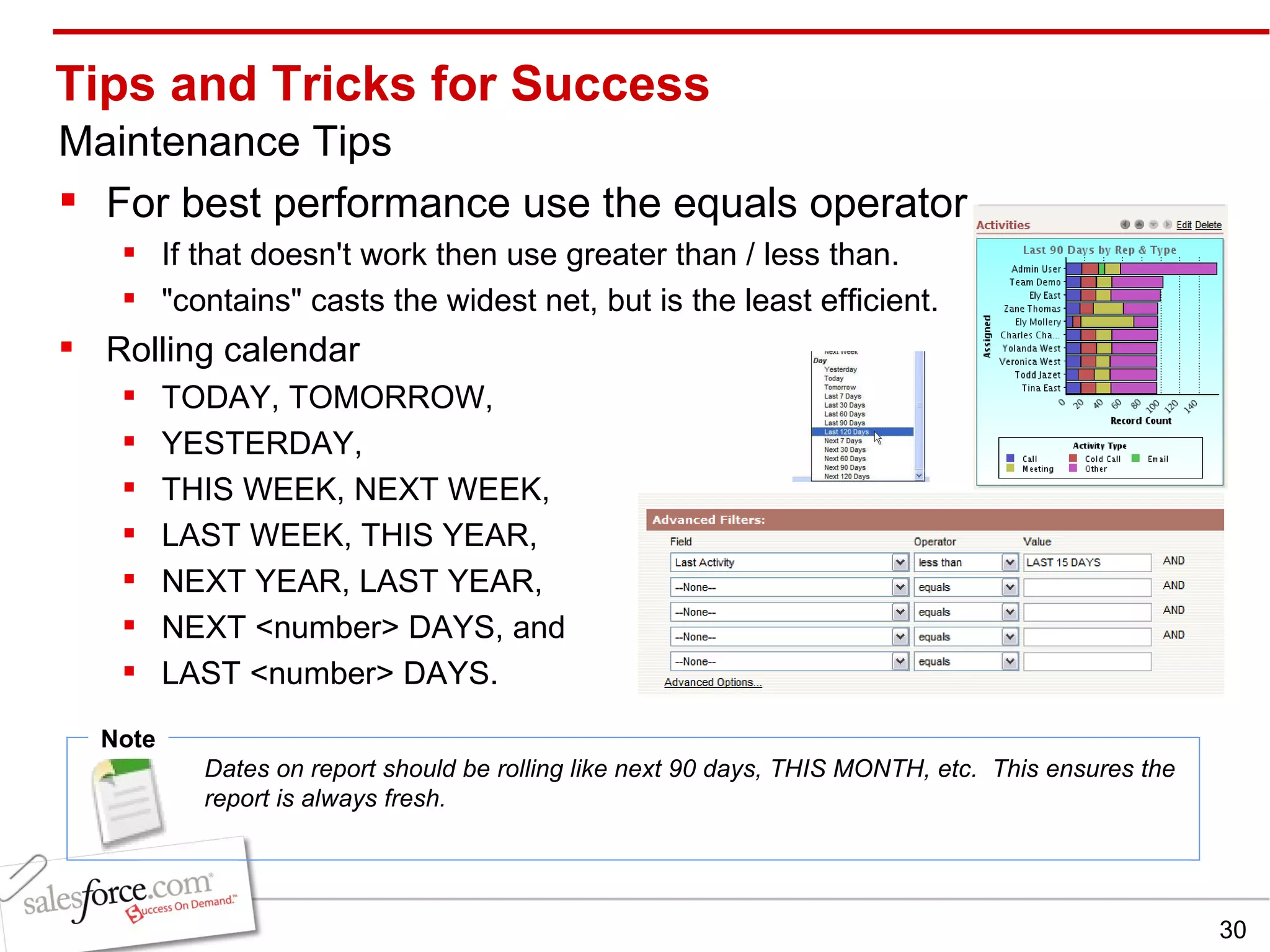
Tips and Tricks for Success Maintenance Tips For best performance use the equals operator  If that doesn't work then use greater than / less than.  &quot;contains&quot; casts the widest net, but is the least efficient. Rolling calendar  TODAY, TOMORROW,  YESTERDAY,  THIS WEEK, NEXT WEEK,  LAST WEEK, THIS YEAR,  NEXT YEAR, LAST YEAR,  NEXT <number> DAYS, and  LAST <number> DAYS. Note Dates on report should be rolling like next 90 days, THIS MONTH, etc.  This ensures the report is always fresh.
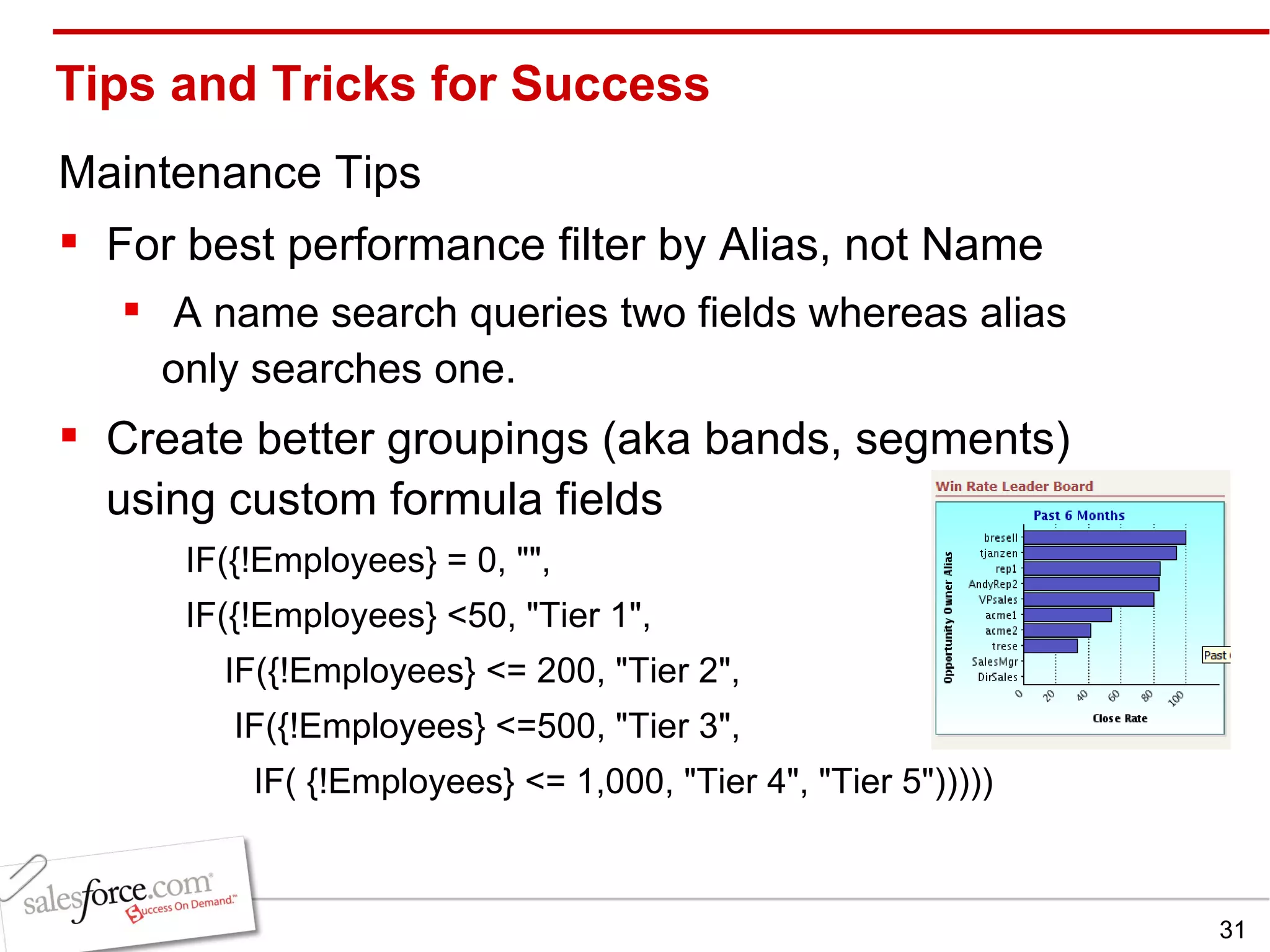
Tips and Tricks for Success Maintenance Tips For best performance filter by Alias, not Name A name search queries two fields whereas alias only searches one. Create better groupings (aka bands, segments)  using custom formula fields IF({!Employees} = 0, &quot;&quot;, IF({!Employees} <50, &quot;Tier 1&quot;,      IF({!Employees} <= 200, &quot;Tier 2&quot;,        IF({!Employees} <=500, &quot;Tier 3&quot;,          IF( {!Employees} <= 1,000, &quot;Tier 4&quot;, &quot;Tier 5&quot;)))))
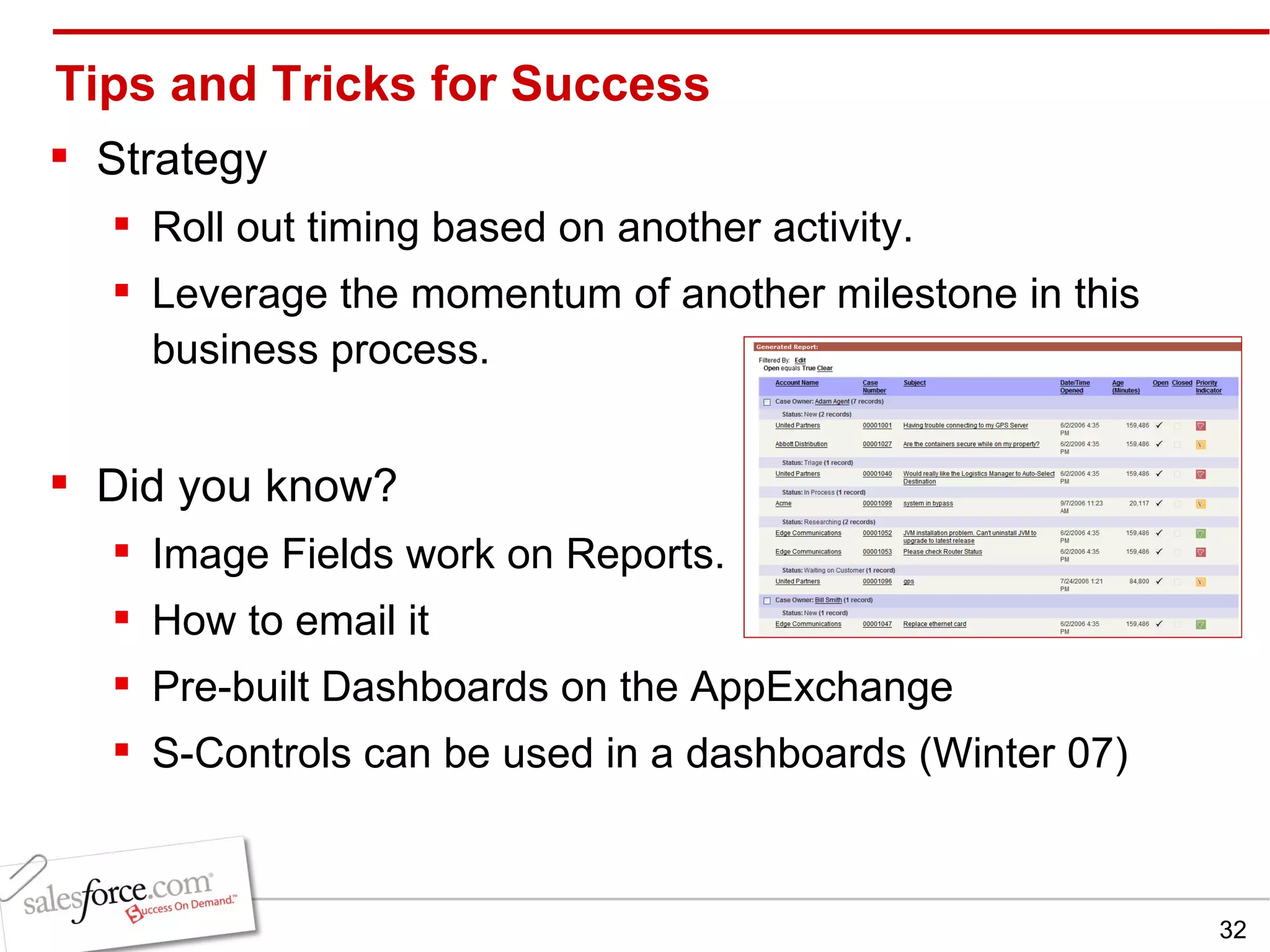
Tips and Tricks for Success Strategy Roll out timing based on another activity.   Leverage the momentum of another milestone in this business process.  Did you know? Image Fields work on Reports. How to email it Pre-built Dashboards on the AppExchange  S-Controls can be used in a dashboards (Winter 07)
Tips and Tricks for Success
Chris Hoffmann Sr. Principal and Research Director  Scott Jorgensen Sales Engineer Manager Lynne Zaledonis Sales Engineer QUESTION & ANSWER SESSION Todd Janzen Sales Engineer
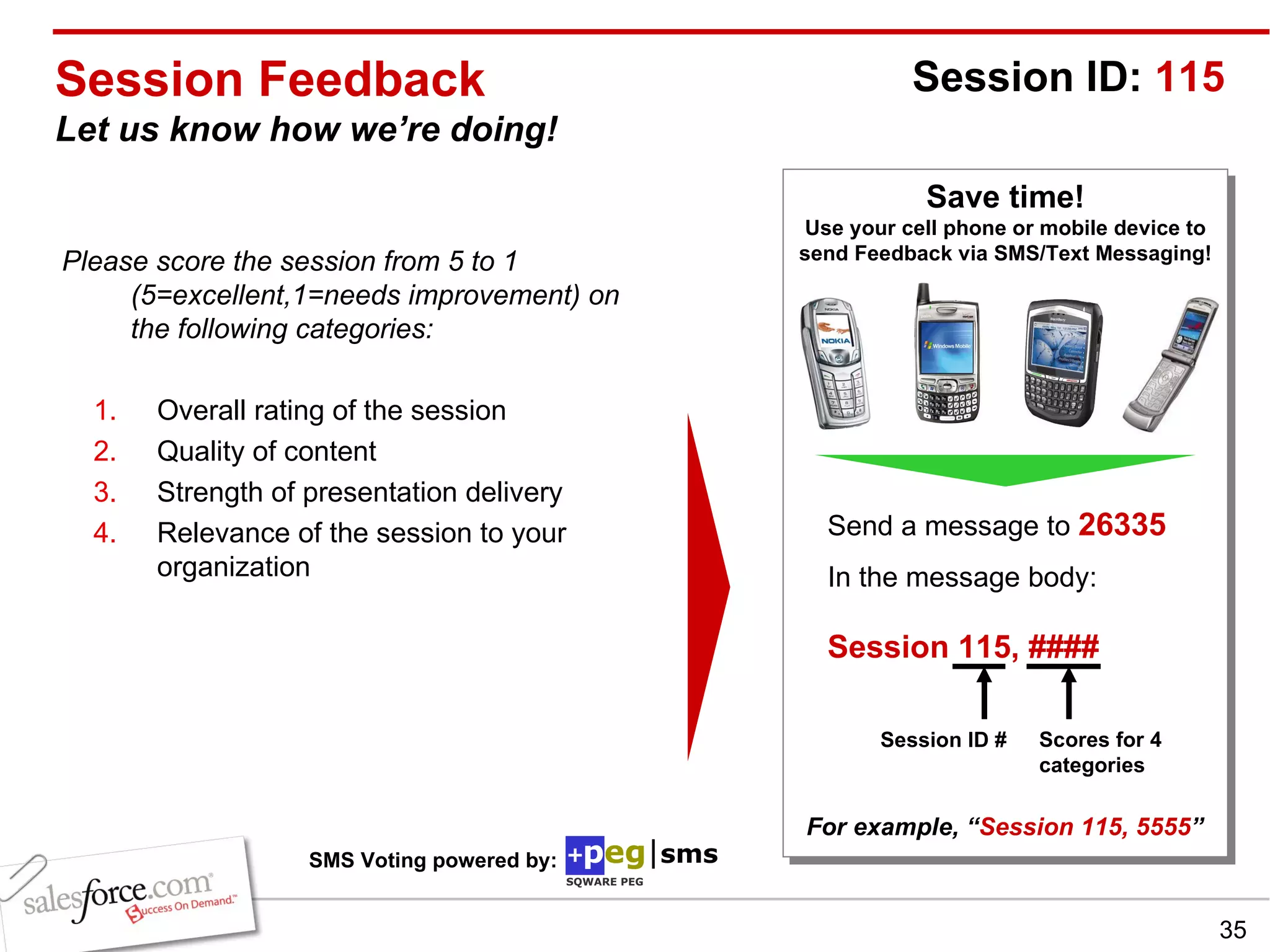
Session Feedback Let us know how we’re doing! Please score the session from 5 to 1 (5=excellent,1=needs improvement) on the following categories: Overall rating of the session Quality of content Strength of presentation delivery Relevance of the session to your organization Save time! Use your cell phone or mobile device to send Feedback via SMS/Text Messaging! Send a message to  26335 In the message body:   Session 115, ####   For example, “ Session 115, 5555 ” Session ID:  115 Session ID # Scores for 4 categories SMS Voting powered by:

Manage What You Measure Lessons from Dashboard Pros

  • 1.
    Manage What YouMeasure: Lessons from Dashboard Pros Chris Hoffmann , Triple Tree Lynne Zaledonis, salesforce.com Todd Janzen, salesforce.com Scott Jorgensen, salesforce.com Advanced PE System Administrators
  • 2.
    Safe Harbor Statement“ Safe harbor” statement under the Private Securities Litigation Reform Act of 1995: This presentation may contain forward-looking statements the achievement of which involves risks, uncertainties and assumptions. If any such risks or uncertainties materialize or if any of the assumptions proves incorrect, our results could differ materially from the results expressed or implied by the forward-looking statements we make.  All statements other than statements of historical fact could be deemed forward-looking, including any projections of subscriber growth, earnings, revenues, or other financial items and any statements regarding strategies or plans of management for future operations, statements of belief, any statements concerning new, planned, or upgraded services or technology developments and customer contracts or use of our services. The risks and uncertainties referred to above include - but are not limited to - risks associated with the integration of Sendia Corporation’s technology, operations, infrastructure and personnel with ours; unexpected costs or delays incurred in integrating Sendia with salesforce.com, which could adversely affect our operating results and rate of growth; any unknown errors or limitations in the Sendia technology; any third party intellectual property claims arising from the Sendia technology; customer and partner acceptance and deployment of the AppExchange and AppExchange Mobile platforms; interruptions or delays in our service or our Web hosting; our new business model; breach of our security measures; possible fluctuations in our operating results and rate of growth; the emerging market in which we operate; our relatively limited operating history; our ability to hire, retain and motivate our employees and manage our growth; competition; our ability to continue to release and gain customer acceptance of new and improved versions of our CRM service; unanticipated changes in our effective tax rate; fluctuations in the number of shares outstanding; the price of such shares; foreign currency exchange rates and interest rates. Further information on these and other factors that could affect our financial results is included in the reports on Forms 10-K, 10-Q and 8-K and in other filings we make with the Securities and Exchange Commission from time to time, including our Form 10-K for the fiscal year ended January 31, 2006. These documents are available on the SEC Filings section of the Investor Information section of our website at www.salesforce.com/investor . Any unreleased services or features referenced in this or other press releases or public statements are not currently available and may not be delivered on time or at all.  Customers who purchase our services should make purchase decisions based upon features that are currently available.  Salesforce.com, inc. assumes no obligation and does not intend to update these forward-looking statements, except as required by law.
  • 3.
  • 4.
    Agenda Why andwhen you want a dashboard  5 steps to dashboard success Case study: Motivating Reps (Triple Tree) Tips and tricks for success Takeaways Q & A
  • 5.
    Why and WhenYou Want a Dashboard Drive specific behavior Provide a tool to manage a process Communicate what needs to be tuned/fixed/broken Celebrate achievements Drive executive support for salesforce.com Note TDWI recently summarized in their recent dashboard and scorecard survey , they help organizations communicate strategy, monitor and adjust the execution of strategy, and deliver insights to all. Judith Hurwitz also did a survey on marketing dashboards that not surprisingly rated improved decision making as the number one ben efit
  • 6.
    5 Steps toDashboard Success 2 Define Goals & Key Metrics 4 3 “ Socialize-it” Build & Refine 5 Maintain & Keep it Fresh 1 Identify Project
  • 7.
    5 Steps toDashboard Success: Step 1 Identify Project What is management trying to accomplish? Types of Projects: Short-lived (Finite End Date) Long Term (Continuous Process with possible small milestones) Examples of Projects: Penetrating new markets New product release Marketing initiative Improving customer support Data quality
  • 8.
    5 Steps toDashboard Success: Step 2 Measure & Define Goals What do you want to measure? Figure out signs of success Indicators of potential failure How will you know when the goal is reached? How do you visualize the project? What processes need to be put in place? Note A great idea is to get the stakeholders in a room and outline your goals on a whiteboard
  • 9.
    5 Steps toDashboard Success: Step 3 “ Socialize-it” Get buy-in from management and team Go back to the drawing board if you hit any snags Note Shop idea around formally and informally to managers and any key players who might have missed the meeting. Stop people at the water cooler or grab lunch to discuss the initiative to make sure you get the buy-in from everyone.
  • 10.
    5 Steps toDashboard Success: Step 4 Build & Refine Create reports that represent your goals Create folder to contain all of your reports for this dashboard Create new dashboard with new project reports Preview and adjust reports and dashboard layout Note Browse for success first…www.appexchange Ex: Original dashboard displayed full names of reps which crowded the graph, making it hard to read. Refine dashboard to show aliases for a more legible graph. Also, make sure data is available
  • 11.
    5 Steps toDashboard Success: Step 5 Maintain & Keep it Fresh Report Maintenance As data grows, make sure dashboard and reports still make sense. Continue to manage to your dashboard Bring up in team meetings, quarterly reviews etc. Reward and recognize milestones from dashboard Note If no one has refreshed a dashboard in 90 days, get rid of it! Keep checking your dashboards for usability. Ex: If the sales team grows from 10 to 40, adjust the dashboard to only capture the top 10 reps.
  • 12.
    Chris Hoffmann SeniorPrincipal & Research Director [email_address]
  • 13.
    TripleTree -- IntroductionINDUSTRY: Investment Banking EMPLOYEES: 25 GEOGRAPHY: North America PRODUCT(S) USED: SFA, Campaigns, (2) Custom Tabs # USERS: 25 Merger and Acquisition Capital Formation Recapitalizations Strategic Advisory PERSONAL: 18 yr tech veteran; IBM, GE Capital, Gartner, two startups, long time SFDC admin.
  • 14.
    TripleTree – KeyChallenges Technology Challenge Disparate systems Remote support issues Business Process and IT disconnect Redundant work product Inefficient sales and marketing collaboration Management disconnected from data Business Challenge Disparate processes No common “language” Poor visibility into key metrics
  • 15.
    TripleTree – SolutionApproach How did we address the challenges? Process Flow Diagram Sales / Campaigns Fulfillment Research Map links to other systems Some still manual, but process is streamlined Capital IQ RSS Feeds Custom Tabs – Recognized the need early “ Programs” “ ValueTracker” Professional Edition 3 user trial for 2 weeks 25 user roll out AppExchange tool required Outside partner on Campaigns 84% Usage Productivity Efficiency – Research and Fulfillment Effectiveness – Sales Operations DEPLOYMENT DETAILS
  • 16.
    TripleTree – SalesProcess Prospects
  • 17.
    Solution Summary: Sales Operations Department: Sales Operations # Users: 5 Key Requirements Drive and manage inbound deal flow Primary Tabs: Campaigns & Opportunities Key Benefits Build leads through Campaigns Notable Metric: New $1M deal
  • 18.
    TripleTree – ResearchProcess SOFTWARE AS A SERVICE UPDATE Q3:2006
  • 19.
    Solution Summary: Research Operations # Users: 5 Key Requirements Company database News, M&A, Capital Primary Tab: Accounts Key Benefits Better productivity Communication clarity Notable Metric: Collaboration improvements n
  • 20.
  • 21.
    Solution Summary –Fulfillment Operations
  • 22.
    TripleTree – Results Team Connectivity Issues - Eliminated Team collaboration – On Sales, Fulfillment and Research Revenue Visibility for Partners – via Dashboards Campaign Accuracy – A coordinated process leveraging an external partner on targeted market sectors All monitored via Dashboards!! More Productive research and fulfillment team Better Informed Senior Leadership New Key Activity : Driving Meetings with Salesforce.com
  • 23.
    Summary Map yourprocesses Design training to be “Sesame Street Simple” to drive adoption Drive meetings with Salesforce.com Be ready early-on to make modifications to fit processes and tasks missed during planning.
  • 24.
    Tips and Tricksfor Success Setup Tips Make the dashboard component readable Use titles and footers Organize columns by content Report should be readable upon drill down Use role definitions instead of user names
  • 25.
    Tips and Tricksfor Success Setup Tips Use the proper type of report for the dashboard Table, Metric or Gauge = Summary Report Chart with one grouping = Summary Report Chart with Grouped or Stacked output = Matrix Use the proper type of dashboard component for the metric Chart Table Metric Gauge Note Tabular Reports cannot be displayed on the dashboard
  • 26.
    Tips and Tricksfor Success: Charts Charts Useful for showing any comparative data Bar charts, stacked bar charts, pie charts, lines Examples Sales rep pipeline comparison Period comparison of sales numbers/cases/activities Daily historical sales comparison Case creation over past months
  • 27.
    Tips and Tricksfor Success: Table Table Useful for showing top or bottom performers Use color coding to determine problem areas at a glance Examples Sales rep leaderboards Dashboards of ‘shame’ High priority deals that need executive attention
  • 28.
    Metric Useful forstacking disparate metrics together in one view Great to tack on to another dashboard panel to display a completely different number Examples Show number of cases open, number of opportunities open, number of anything Show total committed sales number over the QTD number Tips and Tricks for Success: Metric Note Don’t use header/footer when you want the ‘stacked’ look. Also, re-purpose reports for dashboards, 1 report saved 20 different ways
  • 29.
    Tips and Tricksfor Success: Gauge Gauge Useful for analyzing performance for a specific time period (actual vs. target this month) Examples Number of closed sales vs. the targeted close number Number of campaign responses for an event
  • 30.
    Tips and Tricksfor Success Maintenance Tips For best performance use the equals operator If that doesn't work then use greater than / less than. &quot;contains&quot; casts the widest net, but is the least efficient. Rolling calendar TODAY, TOMORROW, YESTERDAY, THIS WEEK, NEXT WEEK, LAST WEEK, THIS YEAR, NEXT YEAR, LAST YEAR, NEXT <number> DAYS, and LAST <number> DAYS. Note Dates on report should be rolling like next 90 days, THIS MONTH, etc. This ensures the report is always fresh.
  • 31.
    Tips and Tricksfor Success Maintenance Tips For best performance filter by Alias, not Name A name search queries two fields whereas alias only searches one. Create better groupings (aka bands, segments) using custom formula fields IF({!Employees} = 0, &quot;&quot;, IF({!Employees} <50, &quot;Tier 1&quot;,     IF({!Employees} <= 200, &quot;Tier 2&quot;,      IF({!Employees} <=500, &quot;Tier 3&quot;,        IF( {!Employees} <= 1,000, &quot;Tier 4&quot;, &quot;Tier 5&quot;)))))
  • 32.
    Tips and Tricksfor Success Strategy Roll out timing based on another activity.  Leverage the momentum of another milestone in this business process. Did you know? Image Fields work on Reports. How to email it Pre-built Dashboards on the AppExchange S-Controls can be used in a dashboards (Winter 07)
  • 33.
    Tips and Tricksfor Success
  • 34.
    Chris Hoffmann Sr.Principal and Research Director Scott Jorgensen Sales Engineer Manager Lynne Zaledonis Sales Engineer QUESTION & ANSWER SESSION Todd Janzen Sales Engineer
  • 35.
    Session Feedback Letus know how we’re doing! Please score the session from 5 to 1 (5=excellent,1=needs improvement) on the following categories: Overall rating of the session Quality of content Strength of presentation delivery Relevance of the session to your organization Save time! Use your cell phone or mobile device to send Feedback via SMS/Text Messaging! Send a message to 26335 In the message body: Session 115, #### For example, “ Session 115, 5555 ” Session ID: 115 Session ID # Scores for 4 categories SMS Voting powered by: