Presented By:
Chaitali
Puloma Mandal
 In layman’s words, it means your money or your data.
 Ransomware is a type of malware that attempts to extort money from
a computer user by infecting and taking control of victim’s machine or
the files and document stored in it.
 The ransomware either 'locks' the computer to prevent normal usage,
or encrypts the documents and files on it to prevent access to the
saved data.
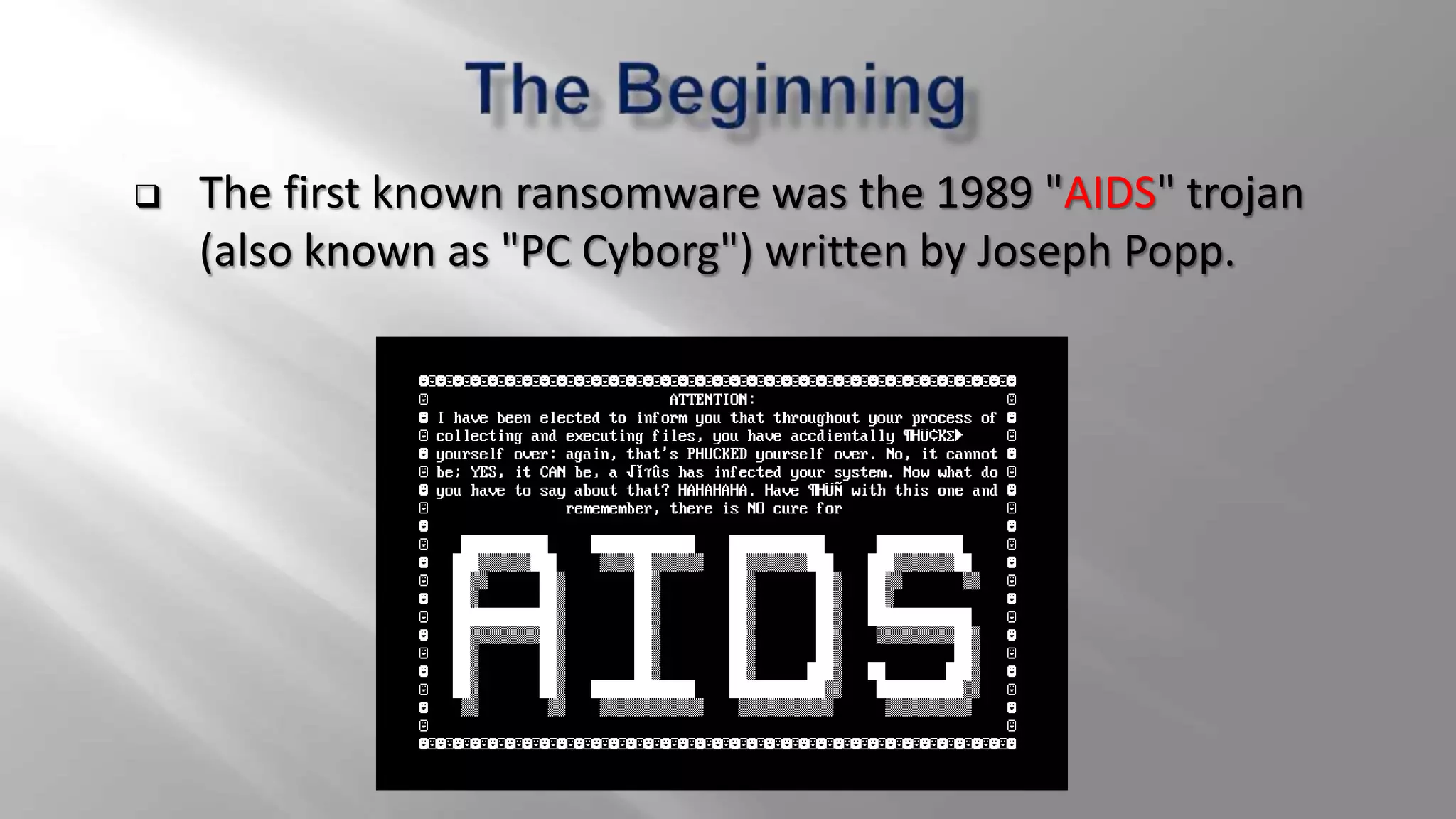
 The first known ransomware was the 1989 "AIDS" trojan
(also known as "PC Cyborg") written by Joseph Popp.
 Extortionate ransomware became prominent in May 2005.
 By mid-2006, worms such as Gpcode, TROJ.RANSOM.A, Archiveus,
Krotten, Cryzip, and MayArchive began utilizing more sophisticated RSA
encryption schemes, with ever-increasing key-sizes.
 CryptoLocker has raked in around 5 million dollars in the last 4 months
of 2013.
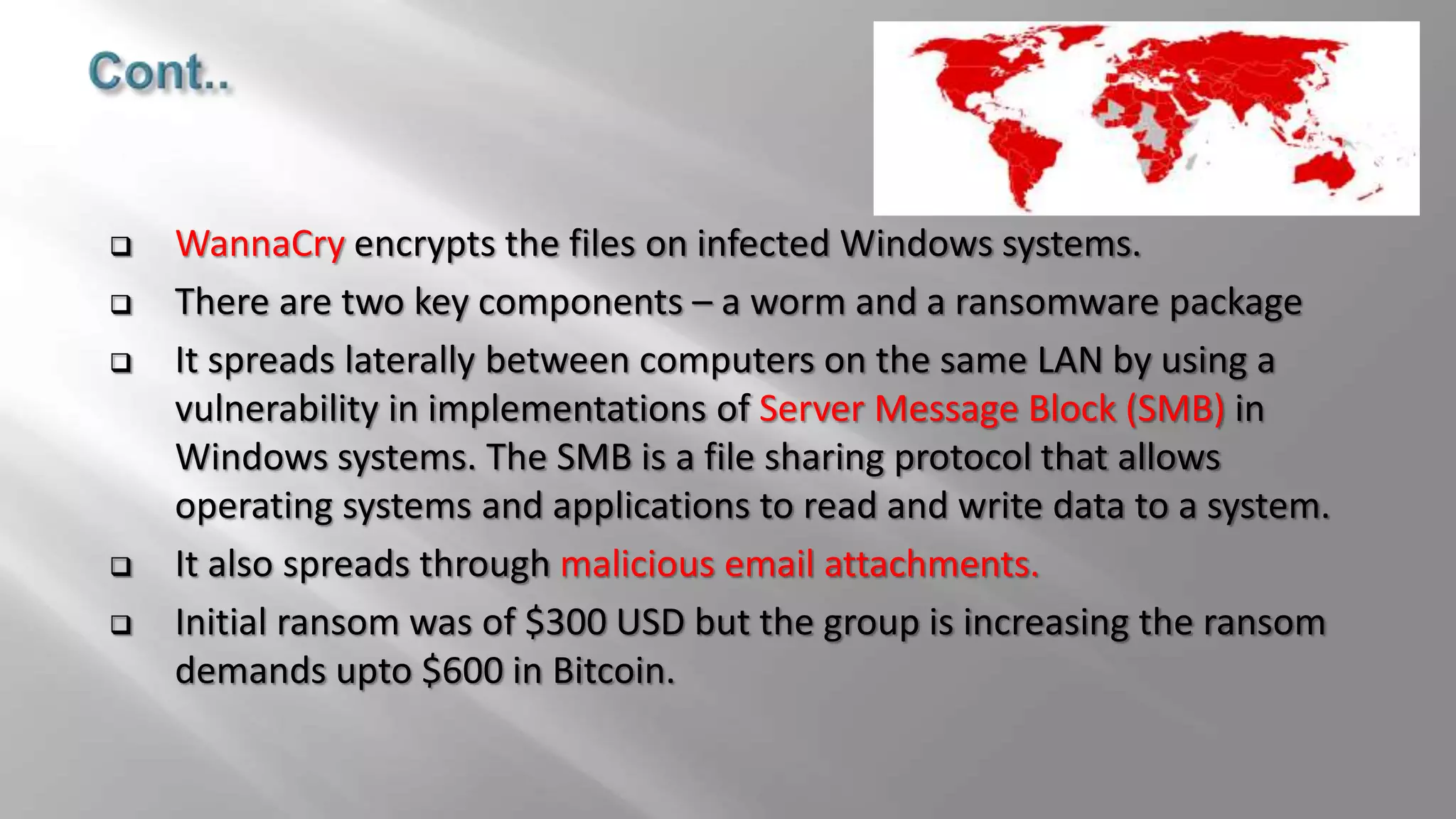
 Recently, on 12th May 2017, a ransomware named WannaCrypt has
infected more than 230,000 computers in over 150 countries. It targets
computers running the Microsoft Windows operating system by
encrypting data and demanding ransom payments.
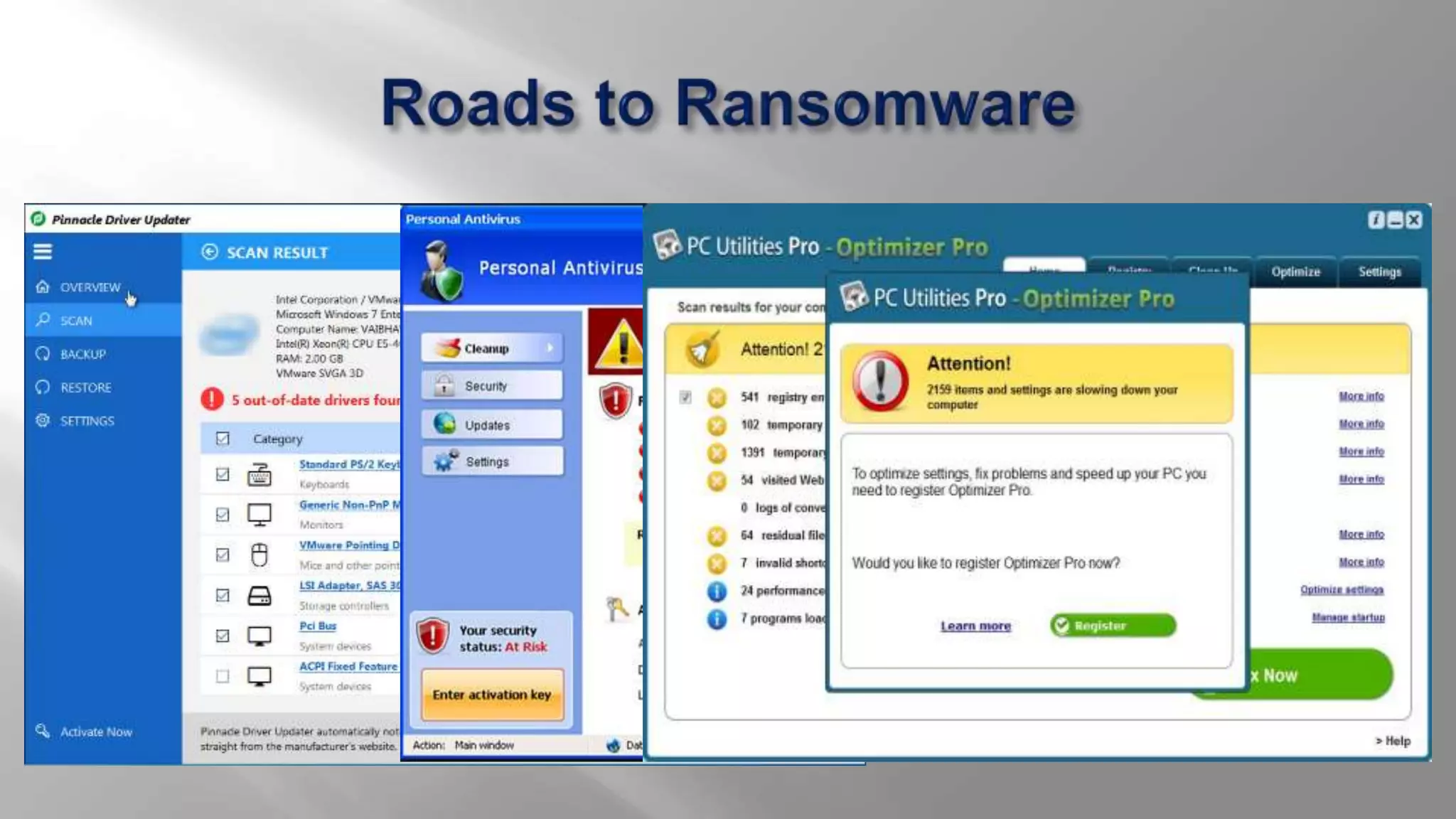
 Ransomware generates a pop-up window, webpage, or email warning
from what looks like an official authority.
 Ransomware is usually installed when you open
 A malicious email attachment
 Click a malicious link in
 an email message
 an instant message
 on social networking site
 Ransomware can even be installed when you visit a malicious website.
 Encryption Ransomware
 Lock Screen Ransomware
 Master Boot Record (MBR) Ransomware
 Encrypts personal files/folders (e.g., the contents of your My Documents
folder - documents, spreadsheets, pictures, videos).
 Files are deleted once they are encrypted and generally there is a text file in
the same folder as the now-inaccessible files with instructions for payment.
 You may see a lock screen but not all variants show one.
 Instead you may only notice a problem when you attempt to open your files.
 This type is also called 'file encryptor' ransomware.
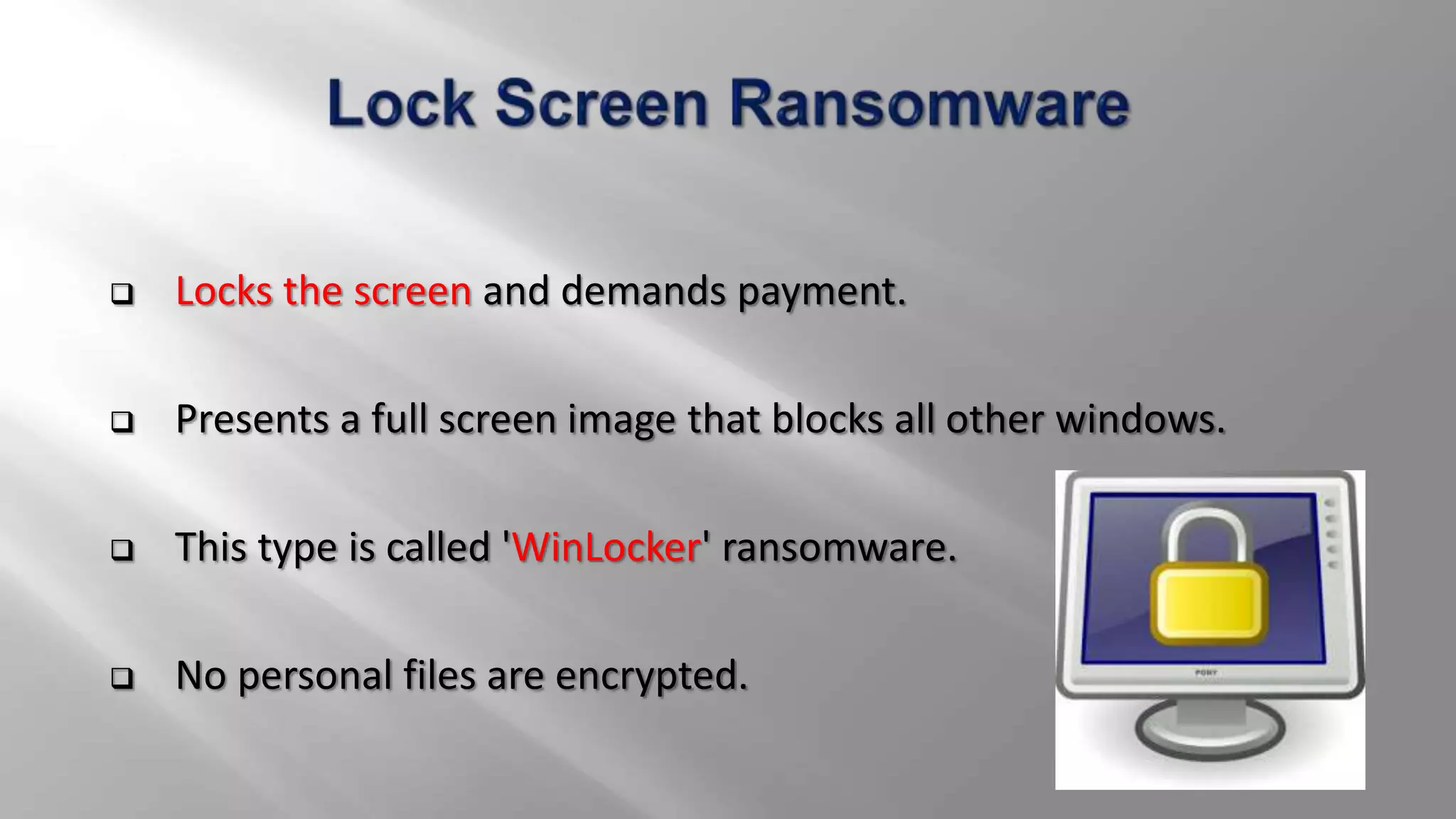
 Locks the screen and demands payment.
 Presents a full screen image that blocks all other windows.
 This type is called 'WinLocker' ransomware.
 No personal files are encrypted.
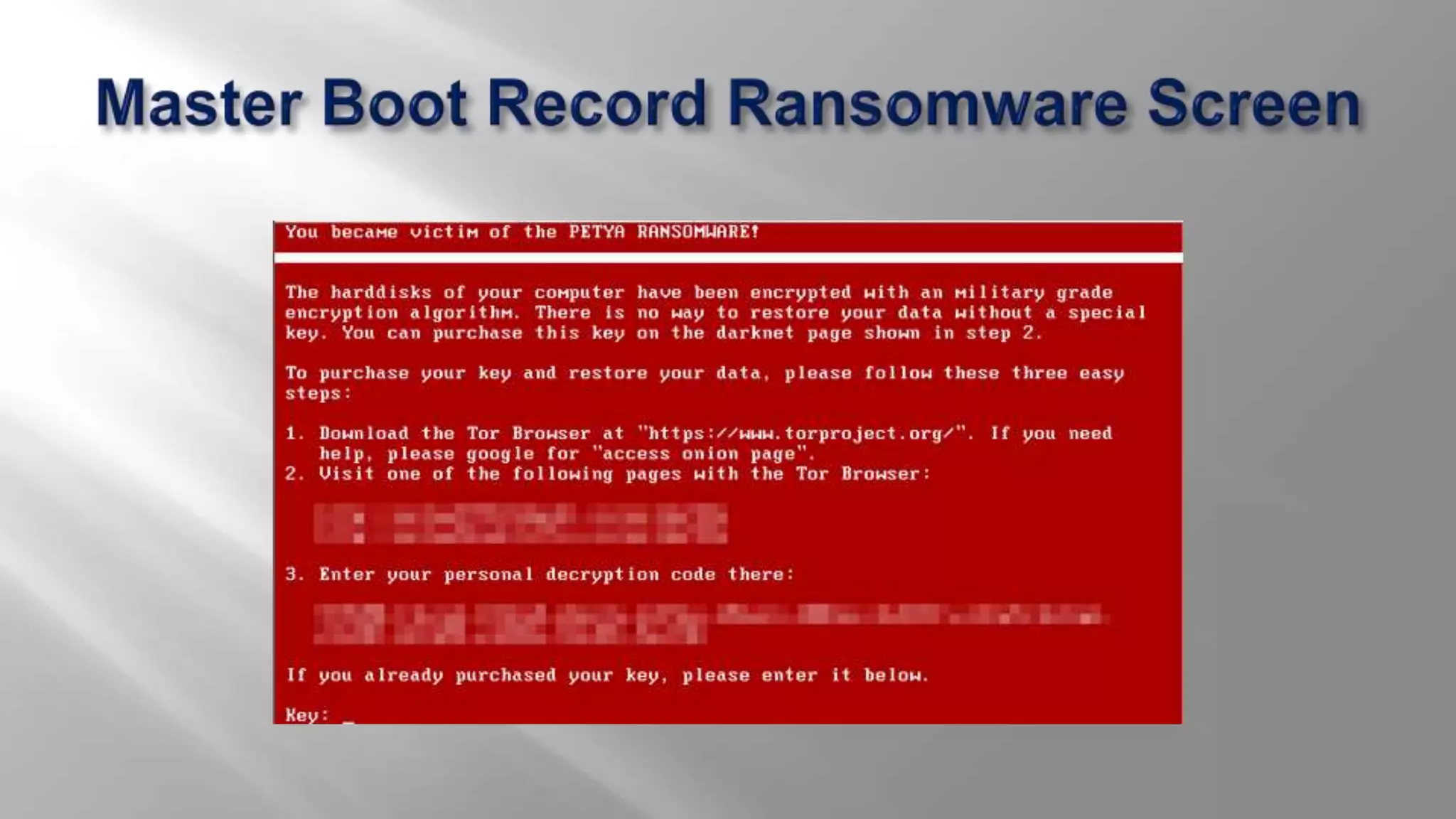
 The Master Boot Record (MBR) is a section of the computer's hard drive
that allows the operating system to boot up.
 MBR ransomware changes the computer's MBR so the normal boot
process is interrupted.
 A ransom demand is displayed on screen instead.
 Keep all of the software on your computer up to date.
 Make sure automatic updating is turned on to get all the latest
Microsoft security updates and browser-related components (Java,
Adobe, and the like).
 Keep your firewall turned on.
 Don't open spam email messages or click links on suspicious websites.
Filter the EXEs in email.
 Disable files running from AppData/LocalAppData folders.
 Keep your browser clean.
 If your computer is part of a network, remove the infected system from
the network.
 Disable shared drives until you have cleared out your network.
 If you have recent backups of your data, even better. Format and clean
reinstall Windows and restore your backed up data to make a fresh start.
 Identify the Ransomware which has infected your computer. If you are
able to identify it, then check if a Ransomware decrypt tool is available
for your type of Ransomware and decrypt it.
 Report your Ransomware case to your local cyber crime cell, police
authorities .
 WannaCry was created by hackers after they got their hands on a
treasure trove of super-secretive cyber-attack tools from USA's National
Security Agency .
 On Friday May 12th 2017, several organizations were attacked by it. It
has many name as: WannaCrypt, WannaCry, WanaCrypt0r, WCrypt, or
WCRY.
 WannaCry was very successful because it used a Windows vulnerability
to spread inside networks.
 It infected computer running on older versions of Microsoft Operating
System like XP.
 WannaCry encrypts the files on infected Windows systems.
 There are two key components – a worm and a ransomware package
 It spreads laterally between computers on the same LAN by using a
vulnerability in implementations of Server Message Block (SMB) in
Windows systems. The SMB is a file sharing protocol that allows
operating systems and applications to read and write data to a system.
 It also spreads through malicious email attachments.
 Initial ransom was of $300 USD but the group is increasing the ransom
demands upto $600 in Bitcoin.
 The cyber attack has not spared anyone — governments, hospitals and
major companies are all battling it.
 Estimated more than 200,000 victims including hospitals, banks,
telecommunications companies and warehouses.
 Among the organizations that were affected on a big sale worldwide
were UK's National Health Service, Spanish telecommunications
operator Telefonica, Germany's rail network Deutsche Bahn, US logistics
giant FedEx and Russia's interior ministry.
 India was the third worst hit nation by ransomware WannaCry as more
than 40,000 computers were affected even though no major corporate
or bank reported disruption to their activities raising doubts whether
these entities are disclosing attack at all.
 Shortly after the attack began, a web security researcher who blogs as
"MalwareTech" discovered an effective kill switch by registering a
domain name he found in the code of the ransomware. This greatly
slowed the spread of the infection, but new versions have since been
detected that lack the kill switch.
 A flaw in the encryption used by the WannaCry malware has been used
to create a tool called "WannaKey" which can, in some cases, decrypt a
WannaCry infected Windows XP PC's files
 Microsoft also released a statement recommending users to install
update MS17-010 to protect themselves against the attack.
 When it comes to malware attacks, knowledge is the best possible
weapon to prevent them. Be careful what you click!!
 Preventive measures should be taken before ransomwares establish
strong hold.
 Keeping all the software updated and getting latest security updates
might help to prevent the attacks. Use of antivirus and original software
is highly recommended.
 Creating software restriction policy is the best tool to prevent a
Cryptolocker infection in the first place in networks.
 https://en.wikipedia.org/wiki/Ransomware
 https://en.wikipedia.org/wiki/WannaCry_ransomware_attack
 https://www.welivesecurity.com/2013/12/12/11-things-you-can-do-to-
protect-against-ransomware-including-cryptolocker/
 http://www.cyberswachhtakendra.gov.in/alerts/wannacry_ransomware.
html
 https://www.microsoft.com/en-
us/security/portal/mmpc/shared/ransomware.aspx
Ransomware

Ransomware

  • 1.
  • 2.
     In layman’swords, it means your money or your data.  Ransomware is a type of malware that attempts to extort money from a computer user by infecting and taking control of victim’s machine or the files and document stored in it.  The ransomware either 'locks' the computer to prevent normal usage, or encrypts the documents and files on it to prevent access to the saved data.
  • 3.
     The firstknown ransomware was the 1989 "AIDS" trojan (also known as "PC Cyborg") written by Joseph Popp.
  • 4.
     Extortionate ransomwarebecame prominent in May 2005.  By mid-2006, worms such as Gpcode, TROJ.RANSOM.A, Archiveus, Krotten, Cryzip, and MayArchive began utilizing more sophisticated RSA encryption schemes, with ever-increasing key-sizes.  CryptoLocker has raked in around 5 million dollars in the last 4 months of 2013.  Recently, on 12th May 2017, a ransomware named WannaCrypt has infected more than 230,000 computers in over 150 countries. It targets computers running the Microsoft Windows operating system by encrypting data and demanding ransom payments.
  • 5.
     Ransomware generatesa pop-up window, webpage, or email warning from what looks like an official authority.  Ransomware is usually installed when you open  A malicious email attachment  Click a malicious link in  an email message  an instant message  on social networking site  Ransomware can even be installed when you visit a malicious website.
  • 8.
     Encryption Ransomware Lock Screen Ransomware  Master Boot Record (MBR) Ransomware
  • 9.
     Encrypts personalfiles/folders (e.g., the contents of your My Documents folder - documents, spreadsheets, pictures, videos).  Files are deleted once they are encrypted and generally there is a text file in the same folder as the now-inaccessible files with instructions for payment.  You may see a lock screen but not all variants show one.  Instead you may only notice a problem when you attempt to open your files.  This type is also called 'file encryptor' ransomware.
  • 11.
     Locks thescreen and demands payment.  Presents a full screen image that blocks all other windows.  This type is called 'WinLocker' ransomware.  No personal files are encrypted.
  • 13.
     The MasterBoot Record (MBR) is a section of the computer's hard drive that allows the operating system to boot up.  MBR ransomware changes the computer's MBR so the normal boot process is interrupted.  A ransom demand is displayed on screen instead.
  • 15.
     Keep allof the software on your computer up to date.  Make sure automatic updating is turned on to get all the latest Microsoft security updates and browser-related components (Java, Adobe, and the like).  Keep your firewall turned on.  Don't open spam email messages or click links on suspicious websites. Filter the EXEs in email.  Disable files running from AppData/LocalAppData folders.  Keep your browser clean.
  • 16.
     If yourcomputer is part of a network, remove the infected system from the network.  Disable shared drives until you have cleared out your network.  If you have recent backups of your data, even better. Format and clean reinstall Windows and restore your backed up data to make a fresh start.  Identify the Ransomware which has infected your computer. If you are able to identify it, then check if a Ransomware decrypt tool is available for your type of Ransomware and decrypt it.  Report your Ransomware case to your local cyber crime cell, police authorities .
  • 17.
     WannaCry wascreated by hackers after they got their hands on a treasure trove of super-secretive cyber-attack tools from USA's National Security Agency .  On Friday May 12th 2017, several organizations were attacked by it. It has many name as: WannaCrypt, WannaCry, WanaCrypt0r, WCrypt, or WCRY.  WannaCry was very successful because it used a Windows vulnerability to spread inside networks.  It infected computer running on older versions of Microsoft Operating System like XP.
  • 18.
     WannaCry encryptsthe files on infected Windows systems.  There are two key components – a worm and a ransomware package  It spreads laterally between computers on the same LAN by using a vulnerability in implementations of Server Message Block (SMB) in Windows systems. The SMB is a file sharing protocol that allows operating systems and applications to read and write data to a system.  It also spreads through malicious email attachments.  Initial ransom was of $300 USD but the group is increasing the ransom demands upto $600 in Bitcoin.
  • 19.
     The cyberattack has not spared anyone — governments, hospitals and major companies are all battling it.  Estimated more than 200,000 victims including hospitals, banks, telecommunications companies and warehouses.  Among the organizations that were affected on a big sale worldwide were UK's National Health Service, Spanish telecommunications operator Telefonica, Germany's rail network Deutsche Bahn, US logistics giant FedEx and Russia's interior ministry.  India was the third worst hit nation by ransomware WannaCry as more than 40,000 computers were affected even though no major corporate or bank reported disruption to their activities raising doubts whether these entities are disclosing attack at all.
  • 20.
     Shortly afterthe attack began, a web security researcher who blogs as "MalwareTech" discovered an effective kill switch by registering a domain name he found in the code of the ransomware. This greatly slowed the spread of the infection, but new versions have since been detected that lack the kill switch.  A flaw in the encryption used by the WannaCry malware has been used to create a tool called "WannaKey" which can, in some cases, decrypt a WannaCry infected Windows XP PC's files  Microsoft also released a statement recommending users to install update MS17-010 to protect themselves against the attack.
  • 21.
     When itcomes to malware attacks, knowledge is the best possible weapon to prevent them. Be careful what you click!!  Preventive measures should be taken before ransomwares establish strong hold.  Keeping all the software updated and getting latest security updates might help to prevent the attacks. Use of antivirus and original software is highly recommended.  Creating software restriction policy is the best tool to prevent a Cryptolocker infection in the first place in networks.
  • 22.
     https://en.wikipedia.org/wiki/Ransomware  https://en.wikipedia.org/wiki/WannaCry_ransomware_attack https://www.welivesecurity.com/2013/12/12/11-things-you-can-do-to- protect-against-ransomware-including-cryptolocker/  http://www.cyberswachhtakendra.gov.in/alerts/wannacry_ransomware. html  https://www.microsoft.com/en- us/security/portal/mmpc/shared/ransomware.aspx