Basic linux commands

    By,
    tha.suresh
    jemenisuresh@gmail.com
    Kanchi Lug Member
LIST...
●   ls [options] [file|directory]
●
          -l
●        will output the files and directories in long list
         format.
         -s, --size
                      print the size of each file, in blocks


               -S      sort by file size
         -a, --all
                      do not ignore entries starting with .
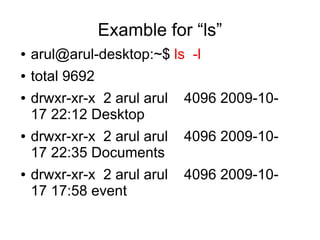
Examble for “ls”
●   arul@arul-desktop:~$ ls -l
●   total 9692
●   drwxr-xr-x 2 arul arul   4096 2009-10-
    17 22:12 Desktop
●   drwxr-xr-x 2 arul arul   4096 2009-10-
    17 22:35 Documents
●   drwxr-xr-x 2 arul arul   4096 2009-10-
    17 17:58 event
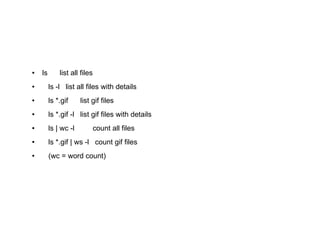
●   ls       list all files
●        ls -l list all files with details
●        ls *.gif     list gif files
●        ls *.gif -l list gif files with details
●        ls | wc -l           count all files
●        ls *.gif | ws -l count gif files
●        (wc = word count)
COPY...
●   cp [OPTION]... SOURCE DEST
●   cp
    is the Linux copy command, this shell
    command is used to copy files|directories from
    one location on the filesystem to another.
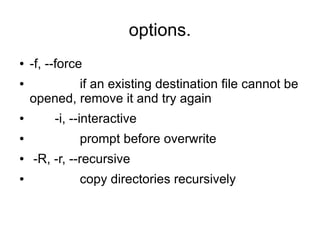
options.
●   -f, --force
●           if an existing destination file cannot be
    opened, remove it and try again
●        -i, --interactive
●             prompt before overwrite
●   -R, -r, --recursive
●             copy directories recursively
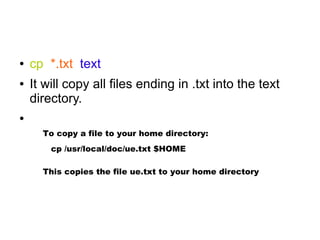
●   cp *.txt text
●   It will copy all files ending in .txt into the text
    directory.
●

      To copy a file to your home directory:
        cp /usr/local/doc/ue.txt $HOME

      This copies the file ue.txt to your home directory
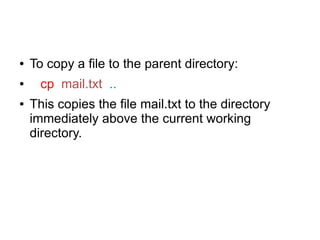
●   To copy a file to the parent directory:
●     cp mail.txt ..
●   This copies the file mail.txt to the directory
    immediately above the current working
    directory.
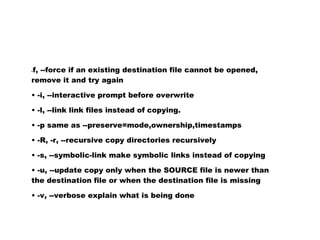
f, --force if an existing destination file cannot be opened,
-

remove it and try again

• -i, --interactive prompt before overwrite

• -l, --link link files instead of copying.

• -p same as --preserve=mode,ownership,timestamps

• -R, -r, --recursive copy directories recursively

• -s, --symbolic-link make symbolic links instead of copying

• -u, --update copy only when the SOURCE file is newer than
the destination file or when the destination file is missing

• -v, --verbose explain what is being done
MOVE....
●    mv [OPTION]... [-T] SOURCE DEST

●   the Linux terminal command to move files|
    directories. Like the cp command, but deletes
    the original source.
REMOVE...

●   rm -f [file]
●   option is if you are wanting to force a file to
    be removed
●   rm -r files
●   (recursive remove) Remove files,
    directories, and their subdirectories
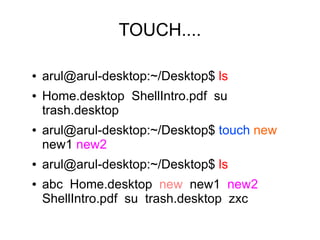
TOUCH....

●   arul@arul-desktop:~/Desktop$ ls
●   Home.desktop ShellIntro.pdf su
    trash.desktop
●   arul@arul-desktop:~/Desktop$ touch new
    new1 new2
●   arul@arul-desktop:~/Desktop$ ls
●   abc Home.desktop new new1 new2
    ShellIntro.pdf su trash.desktop zxc
CAT...
●   The Linux cat command is the Unix command
    to list a file’s contents onto your screen, or pass
    via pipeline to use with other Linux commands.
    The cat command comes from the word
    concatenate.
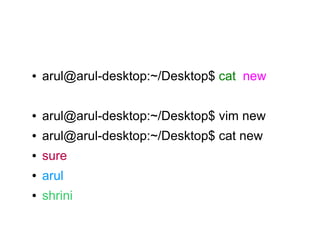
●   arul@arul-desktop:~/Desktop$ cat new

●   arul@arul-desktop:~/Desktop$ vim new
●   arul@arul-desktop:~/Desktop$ cat new
●   sure
●   arul
●   shrini
mkdir
●   The Linux command mkdir is used to make
    directories in Linux.
●   mkdir - make directories
●
Example

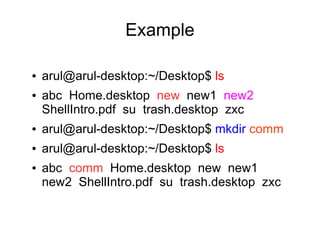
●   arul@arul-desktop:~/Desktop$ ls
●   abc Home.desktop new new1 new2
    ShellIntro.pdf su trash.desktop zxc
●   arul@arul-desktop:~/Desktop$ mkdir comm
●   arul@arul-desktop:~/Desktop$ ls
●   abc comm Home.desktop new new1
    new2 ShellIntro.pdf su trash.desktop zxc
grep
     grep [OPTIONS] PATTERN [FILE...]
●   The Linux grep command is used to extract
    lines of data from files
●

       arul@arul-desktop:~/Desktop$ grep sure new
       sure
       arul@arul-desktop:~/Desktop$ grep s new
       sure
       shrini
WORD COUNT...
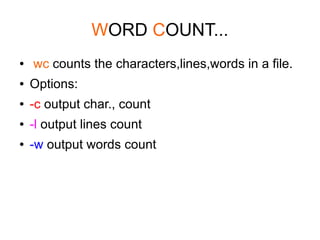
●   wc counts the characters,lines,words in a file.
●   Options:
●   -c output char., count
●   -l output lines count
●   -w output words count
Example
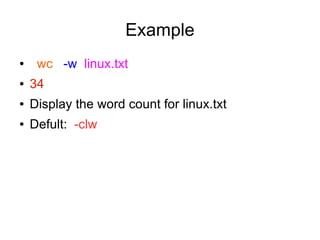
●    wc -w linux.txt
●   34
●   Display the word count for linux.txt
●   Defult: -clw
WHO AM I
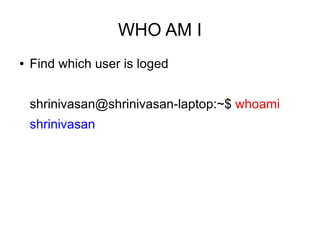
●   Find which user is loged


    shrinivasan@shrinivasan-laptop:~$ whoami
    shrinivasan
DATE
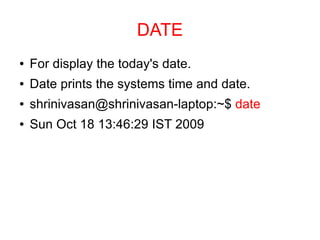
●   For display the today's date.
●   Date prints the systems time and date.
●   shrinivasan@shrinivasan-laptop:~$ date
●   Sun Oct 18 13:46:29 IST 2009
CALENDAR..
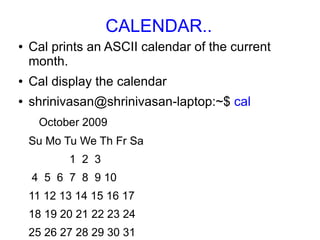
●   Cal prints an ASCII calendar of the current
    month.
●   Cal display the calendar
●   shrinivasan@shrinivasan-laptop:~$ cal
     October 2009
    Su Mo Tu We Th Fr Sa
           1 2 3
    4 5 6 7 8 9 10
    11 12 13 14 15 16 17
    18 19 20 21 22 23 24
    25 26 27 28 29 30 31
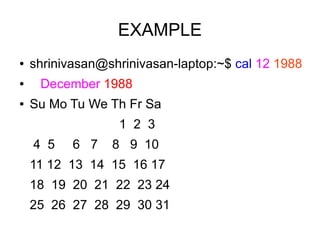
EXAMPLE
●   shrinivasan@shrinivasan-laptop:~$ cal 12 1988
●    December 1988
●   Su Mo Tu We Th Fr Sa
                  1 2 3
    4 5    6 7   8 9 10
    11 12 13 14 15 16 17
    18 19 20 21 22 23 24
    25 26 27 28 29 30 31
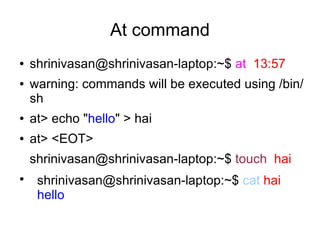
At command
●   shrinivasan@shrinivasan-laptop:~$ at 13:57
●   warning: commands will be executed using /bin/
    sh
●   at> echo "hello" > hai
●   at> <EOT>
    shrinivasan@shrinivasan-laptop:~$ touch hai
●
     shrinivasan@shrinivasan-laptop:~$ cat hai
     hello
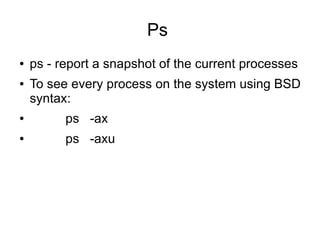
Ps
●   ps - report a snapshot of the current processes
●   To see every process on the system using BSD
    syntax:
●         ps -ax
●         ps -axu
EXAMPLE
●   shrinivasan@shrinivasan-laptop:~$ ps -axu

    ●
        Warning: bad ps syntax, perhaps a bogus '-'? See http://procps.sf.net/faq.html
    ●
        USER      PID %CPU %MEM          VSZ RSS TTY            STAT START TIME COMMAND
    ●
        root     1 0.0 0.0 3084 1888 ?          Ss 12:21 0:01 /sbin/init
    ●
        root     2 0.0 0.0     0    0?      S< 12:21 0:00 [kthreadd]
    ●
        root     3 0.0 0.0     0    0?      S< 12:21 0:00 [migration/0]
    ●
        root     4 0.0 0.0     0    0?      S< 12:21 0:00 [ksoftirqd/0]
    ●
        root     5 0.0 0.0     0    0?      S< 12:21 0:00 [watchdog/0]
    ●
        root     6 0.0 0.0     0    0?      S< 12:21 0:00 [events/0]
    ●
        root     7 0.0 0.0     0    0?      S< 12:21 0:00 [khelper]
    ●
        root     8 0.0 0.0     0    0?      S< 12:21 0:00 [kstop/0]
    ●
        root     9 0.0 0.0     0    0?      S< 12:21 0:00 [kintegrityd/0]
    ●
        root     10 0.0 0.0     0   0?      S< 12:21 0:00 [kblockd/0]
    ●
        1000    6967 0.0 0.1 8332 3124 ?          S        12:55 0:00 /usr/lib/gvfs/gvfs-gphoto2-volume-monitor
    ●
        1000    7253 1.7 2.0 125404 42836 ?            S    13:03 1:02 /usr/bin/okular /home/shrini/Desktop/nice_linux_guide.pdf -icon okular -
    ●
        1000    7343 4.2 5.8 246512 120996 ?           Sl 13:04 2:30 /usr/lib/openoffice/program/soffice.bin -impress /home/shrini/Desktop/li
    ●
        postfix 10471 0.0 0.0 5792 1684 ?          S       13:59 0:00 pickup -l -t fifo -u -c
    ●
        1000    10698 0.0 0.0 2768 1032 pts/1         R+ 14:03 0:00 ps -axu
    ●
Kill the opretion
●
    Kill -9 6967


●
  Warning: bad ps syntax, perhaps a bogus '-'? See http://procps.sf.net/faq.html
●
  USER       PID %CPU %MEM VSZ RSS TTY               STAT START TIME COMMAND
●
  root      1 0.0 0.0 3084 1888 ?      Ss 12:21 0:01 /sbin/init
●
  root      2 0.0 0.0     0 0?       S< 12:21 0:00 [kthreadd]
●
  root      3 0.0 0.0     0 0?       S< 12:21 0:00 [migration/0]
●
  root      4 0.0 0.0     0 0?       S< 12:21 0:00 [ksoftirqd/0]
●
  root      5 0.0 0.0     0 0?       S< 12:21 0:00 [watchdog/0]
●
  root      6 0.0 0.0     0 0?       S< 12:21 0:00 [events/0]
●
  root      7 0.0 0.0     0 0?       S< 12:21 0:00 [khelper]
●
  root      8 0.0 0.0     0 0?       S< 12:21 0:00 [kstop/0]
●
  root      9 0.0 0.0     0 0?       S< 12:21 0:00 [kintegrityd/0]
●
  root     10 0.0 0.0     0 0?       S< 12:21 0:00 [kblockd/0]
●
  1000     7253 1.7 2.0 125404 42836 ?        S 13:03 1:02 /usr/bin/okular /home/shrini/Desktop/nice_linux_guide.pdf -icon
  okular -
●
  1000     7343 4.2 5.8 246512 120996 ?       Sl 13:04 2:30 /usr/lib/openoffice/program/soffice.bin -impress
  /home/shrini/Desktop/li
●
  postfix 10471 0.0 0.0 5792 1684 ?         S 13:59 0:00 pickup -l -t fifo -u -c
●
  1000 10698 0.0 0.0 2768 1032 pts/1 R+ 14:03 0:00 ps -axu
●
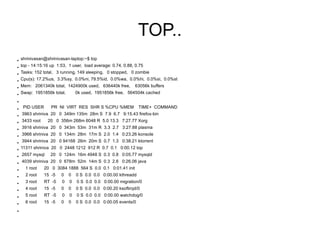
TOP..
●   shrinivasan@shrinivasan-laptop:~$ top
●
    top - 14:15:16 up 1:53, 1 user, load average: 0.74, 0.88, 0.75
●
    Tasks: 152 total, 3 running, 149 sleeping, 0 stopped, 0 zombie
●
    Cpu(s): 17.2%us, 3.3%sy, 0.0%ni, 79.5%id, 0.0%wa, 0.0%hi, 0.0%si, 0.0%st
●   Mem: 2061340k total, 1424900k used, 636440k free,        63056k buffers
●   Swap: 1951856k total,        0k used, 1951856k free, 564504k cached
●


●    PID USER      PR NI VIRT RES SHR S %CPU %MEM               TIME+ COMMAND
●
    3963 shriniva 20 0 349m 135m 28m S 7.9 6.7 9:15.43 firefox-bin
●
    3433 root    20 0 356m 268m 6048 R 5.0 13.3 7:27.77 Xorg
●
    3916 shriniva 20 0 343m 53m 31m R 3.3 2.7 3:27.88 plasma
●
    3966 shriniva 20 0 134m 28m 17m S 2.0 1.4 0:23.26 konsole
●
    3944 shriniva 20 0 94168 26m 20m S 0.7 1.3 0:38.21 ktorrent
●
    11311 shriniva 20 0 2448 1212 912 R 0.7 0.1 0:00.12 top
●   2657 mysql     20 0 124m 16m 4948 S 0.3 0.8 0:05.77 mysqld
●   4039 shriniva 20 0 678m 52m 14m S 0.3 2.6 0:26.06 java
●
      1 root    20 0 3084 1888 564 S 0.0 0.1 0:01.41 init
●
      2 root    15 -5   0    0   0 S 0.0 0.0 0:00.00 kthreadd
●     3 root    RT -5    0   0   0 S 0.0 0.0 0:00.00 migration/0
●     4 root    15 -5   0    0   0 S 0.0 0.0 0:00.20 ksoftirqd/0
●     5 root    RT -5    0   0   0 S 0.0 0.0 0:00.00 watchdog/0
●
      6 root    15 -5   0    0   0 S 0.0 0.0 0:00.05 events/0
●
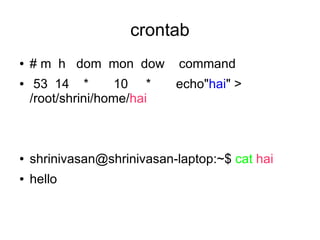
crontab
●   # m h dom mon dow        command
●    53 14 *        10 *    echo"hai" >
    /root/shrini/home/hai


●   shrinivasan@shrinivasan-laptop:~$ cat hai
●   hello
THANK YOU

Linuxcommands 091018105536-phpapp01

  • 1.
    Basic linux commands By, tha.suresh jemenisuresh@gmail.com Kanchi Lug Member
  • 2.
    LIST... ● ls [options] [file|directory] ● -l ● will output the files and directories in long list format. -s, --size print the size of each file, in blocks -S sort by file size -a, --all do not ignore entries starting with .
  • 3.
    Examble for “ls” ● arul@arul-desktop:~$ ls -l ● total 9692 ● drwxr-xr-x 2 arul arul 4096 2009-10- 17 22:12 Desktop ● drwxr-xr-x 2 arul arul 4096 2009-10- 17 22:35 Documents ● drwxr-xr-x 2 arul arul 4096 2009-10- 17 17:58 event
  • 4.
    ● ls list all files ● ls -l list all files with details ● ls *.gif list gif files ● ls *.gif -l list gif files with details ● ls | wc -l count all files ● ls *.gif | ws -l count gif files ● (wc = word count)
  • 5.
    COPY... ● cp [OPTION]... SOURCE DEST ● cp is the Linux copy command, this shell command is used to copy files|directories from one location on the filesystem to another.
  • 6.
    options. ● -f, --force ● if an existing destination file cannot be opened, remove it and try again ● -i, --interactive ● prompt before overwrite ● -R, -r, --recursive ● copy directories recursively
  • 7.
    ● cp *.txt text ● It will copy all files ending in .txt into the text directory. ● To copy a file to your home directory: cp /usr/local/doc/ue.txt $HOME This copies the file ue.txt to your home directory
  • 8.
    ● To copy a file to the parent directory: ● cp mail.txt .. ● This copies the file mail.txt to the directory immediately above the current working directory.
  • 9.
    f, --force ifan existing destination file cannot be opened, - remove it and try again • -i, --interactive prompt before overwrite • -l, --link link files instead of copying. • -p same as --preserve=mode,ownership,timestamps • -R, -r, --recursive copy directories recursively • -s, --symbolic-link make symbolic links instead of copying • -u, --update copy only when the SOURCE file is newer than the destination file or when the destination file is missing • -v, --verbose explain what is being done
  • 10.
    MOVE.... ● mv [OPTION]... [-T] SOURCE DEST ● the Linux terminal command to move files| directories. Like the cp command, but deletes the original source.
  • 11.
    REMOVE... ● rm -f [file] ● option is if you are wanting to force a file to be removed ● rm -r files ● (recursive remove) Remove files, directories, and their subdirectories
  • 12.
    TOUCH.... ● arul@arul-desktop:~/Desktop$ ls ● Home.desktop ShellIntro.pdf su trash.desktop ● arul@arul-desktop:~/Desktop$ touch new new1 new2 ● arul@arul-desktop:~/Desktop$ ls ● abc Home.desktop new new1 new2 ShellIntro.pdf su trash.desktop zxc
  • 13.
    CAT... ● The Linux cat command is the Unix command to list a file’s contents onto your screen, or pass via pipeline to use with other Linux commands. The cat command comes from the word concatenate.
  • 14.
    ● arul@arul-desktop:~/Desktop$ cat new ● arul@arul-desktop:~/Desktop$ vim new ● arul@arul-desktop:~/Desktop$ cat new ● sure ● arul ● shrini
  • 15.
    mkdir ● The Linux command mkdir is used to make directories in Linux. ● mkdir - make directories ●
  • 16.
    Example ● arul@arul-desktop:~/Desktop$ ls ● abc Home.desktop new new1 new2 ShellIntro.pdf su trash.desktop zxc ● arul@arul-desktop:~/Desktop$ mkdir comm ● arul@arul-desktop:~/Desktop$ ls ● abc comm Home.desktop new new1 new2 ShellIntro.pdf su trash.desktop zxc
  • 17.
    grep grep [OPTIONS] PATTERN [FILE...] ● The Linux grep command is used to extract lines of data from files ● arul@arul-desktop:~/Desktop$ grep sure new sure arul@arul-desktop:~/Desktop$ grep s new sure shrini
  • 18.
    WORD COUNT... ● wc counts the characters,lines,words in a file. ● Options: ● -c output char., count ● -l output lines count ● -w output words count
  • 19.
    Example ● wc -w linux.txt ● 34 ● Display the word count for linux.txt ● Defult: -clw
  • 20.
    WHO AM I ● Find which user is loged shrinivasan@shrinivasan-laptop:~$ whoami shrinivasan
  • 21.
    DATE ● For display the today's date. ● Date prints the systems time and date. ● shrinivasan@shrinivasan-laptop:~$ date ● Sun Oct 18 13:46:29 IST 2009
  • 22.
    CALENDAR.. ● Cal prints an ASCII calendar of the current month. ● Cal display the calendar ● shrinivasan@shrinivasan-laptop:~$ cal October 2009 Su Mo Tu We Th Fr Sa 1 2 3 4 5 6 7 8 9 10 11 12 13 14 15 16 17 18 19 20 21 22 23 24 25 26 27 28 29 30 31
  • 23.
    EXAMPLE ● shrinivasan@shrinivasan-laptop:~$ cal 12 1988 ● December 1988 ● Su Mo Tu We Th Fr Sa 1 2 3 4 5 6 7 8 9 10 11 12 13 14 15 16 17 18 19 20 21 22 23 24 25 26 27 28 29 30 31
  • 24.
    At command ● shrinivasan@shrinivasan-laptop:~$ at 13:57 ● warning: commands will be executed using /bin/ sh ● at> echo "hello" > hai ● at> <EOT> shrinivasan@shrinivasan-laptop:~$ touch hai ● shrinivasan@shrinivasan-laptop:~$ cat hai hello
  • 25.
    Ps ● ps - report a snapshot of the current processes ● To see every process on the system using BSD syntax: ● ps -ax ● ps -axu
  • 26.
    EXAMPLE ● shrinivasan@shrinivasan-laptop:~$ ps -axu ● Warning: bad ps syntax, perhaps a bogus '-'? See http://procps.sf.net/faq.html ● USER PID %CPU %MEM VSZ RSS TTY STAT START TIME COMMAND ● root 1 0.0 0.0 3084 1888 ? Ss 12:21 0:01 /sbin/init ● root 2 0.0 0.0 0 0? S< 12:21 0:00 [kthreadd] ● root 3 0.0 0.0 0 0? S< 12:21 0:00 [migration/0] ● root 4 0.0 0.0 0 0? S< 12:21 0:00 [ksoftirqd/0] ● root 5 0.0 0.0 0 0? S< 12:21 0:00 [watchdog/0] ● root 6 0.0 0.0 0 0? S< 12:21 0:00 [events/0] ● root 7 0.0 0.0 0 0? S< 12:21 0:00 [khelper] ● root 8 0.0 0.0 0 0? S< 12:21 0:00 [kstop/0] ● root 9 0.0 0.0 0 0? S< 12:21 0:00 [kintegrityd/0] ● root 10 0.0 0.0 0 0? S< 12:21 0:00 [kblockd/0] ● 1000 6967 0.0 0.1 8332 3124 ? S 12:55 0:00 /usr/lib/gvfs/gvfs-gphoto2-volume-monitor ● 1000 7253 1.7 2.0 125404 42836 ? S 13:03 1:02 /usr/bin/okular /home/shrini/Desktop/nice_linux_guide.pdf -icon okular - ● 1000 7343 4.2 5.8 246512 120996 ? Sl 13:04 2:30 /usr/lib/openoffice/program/soffice.bin -impress /home/shrini/Desktop/li ● postfix 10471 0.0 0.0 5792 1684 ? S 13:59 0:00 pickup -l -t fifo -u -c ● 1000 10698 0.0 0.0 2768 1032 pts/1 R+ 14:03 0:00 ps -axu ●
  • 27.
    Kill the opretion ● Kill -9 6967 ● Warning: bad ps syntax, perhaps a bogus '-'? See http://procps.sf.net/faq.html ● USER PID %CPU %MEM VSZ RSS TTY STAT START TIME COMMAND ● root 1 0.0 0.0 3084 1888 ? Ss 12:21 0:01 /sbin/init ● root 2 0.0 0.0 0 0? S< 12:21 0:00 [kthreadd] ● root 3 0.0 0.0 0 0? S< 12:21 0:00 [migration/0] ● root 4 0.0 0.0 0 0? S< 12:21 0:00 [ksoftirqd/0] ● root 5 0.0 0.0 0 0? S< 12:21 0:00 [watchdog/0] ● root 6 0.0 0.0 0 0? S< 12:21 0:00 [events/0] ● root 7 0.0 0.0 0 0? S< 12:21 0:00 [khelper] ● root 8 0.0 0.0 0 0? S< 12:21 0:00 [kstop/0] ● root 9 0.0 0.0 0 0? S< 12:21 0:00 [kintegrityd/0] ● root 10 0.0 0.0 0 0? S< 12:21 0:00 [kblockd/0] ● 1000 7253 1.7 2.0 125404 42836 ? S 13:03 1:02 /usr/bin/okular /home/shrini/Desktop/nice_linux_guide.pdf -icon okular - ● 1000 7343 4.2 5.8 246512 120996 ? Sl 13:04 2:30 /usr/lib/openoffice/program/soffice.bin -impress /home/shrini/Desktop/li ● postfix 10471 0.0 0.0 5792 1684 ? S 13:59 0:00 pickup -l -t fifo -u -c ● 1000 10698 0.0 0.0 2768 1032 pts/1 R+ 14:03 0:00 ps -axu ●
  • 28.
    TOP.. ● shrinivasan@shrinivasan-laptop:~$ top ● top - 14:15:16 up 1:53, 1 user, load average: 0.74, 0.88, 0.75 ● Tasks: 152 total, 3 running, 149 sleeping, 0 stopped, 0 zombie ● Cpu(s): 17.2%us, 3.3%sy, 0.0%ni, 79.5%id, 0.0%wa, 0.0%hi, 0.0%si, 0.0%st ● Mem: 2061340k total, 1424900k used, 636440k free, 63056k buffers ● Swap: 1951856k total, 0k used, 1951856k free, 564504k cached ● ● PID USER PR NI VIRT RES SHR S %CPU %MEM TIME+ COMMAND ● 3963 shriniva 20 0 349m 135m 28m S 7.9 6.7 9:15.43 firefox-bin ● 3433 root 20 0 356m 268m 6048 R 5.0 13.3 7:27.77 Xorg ● 3916 shriniva 20 0 343m 53m 31m R 3.3 2.7 3:27.88 plasma ● 3966 shriniva 20 0 134m 28m 17m S 2.0 1.4 0:23.26 konsole ● 3944 shriniva 20 0 94168 26m 20m S 0.7 1.3 0:38.21 ktorrent ● 11311 shriniva 20 0 2448 1212 912 R 0.7 0.1 0:00.12 top ● 2657 mysql 20 0 124m 16m 4948 S 0.3 0.8 0:05.77 mysqld ● 4039 shriniva 20 0 678m 52m 14m S 0.3 2.6 0:26.06 java ● 1 root 20 0 3084 1888 564 S 0.0 0.1 0:01.41 init ● 2 root 15 -5 0 0 0 S 0.0 0.0 0:00.00 kthreadd ● 3 root RT -5 0 0 0 S 0.0 0.0 0:00.00 migration/0 ● 4 root 15 -5 0 0 0 S 0.0 0.0 0:00.20 ksoftirqd/0 ● 5 root RT -5 0 0 0 S 0.0 0.0 0:00.00 watchdog/0 ● 6 root 15 -5 0 0 0 S 0.0 0.0 0:00.05 events/0 ●
  • 29.
    crontab ● # m h dom mon dow command ● 53 14 * 10 * echo"hai" > /root/shrini/home/hai ● shrinivasan@shrinivasan-laptop:~$ cat hai ● hello
  • 30.