How to use HANGANALYZE and How to
 Interpreting HANGANALYZE trace file
          Kamus@Enmo Tech
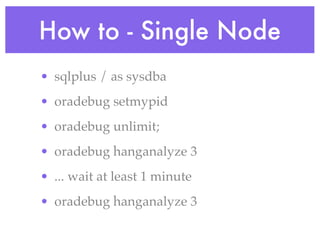
How to - Single Node
• sqlplus / as sysdba
• oradebug setmypid
• oradebug unlimit;
• oradebug hanganalyze 3
• ... wait at least 1 minute
• oradebug hanganalyze 3
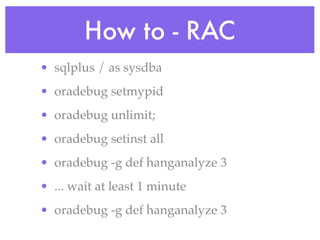
How to - RAC
• sqlplus / as sysdba
• oradebug setmypid
• oradebug unlimit;
• oradebug setinst all
• oradebug -g def hanganalyze 3
• ... wait at least 1 minute
• oradebug -g def hanganalyze 3
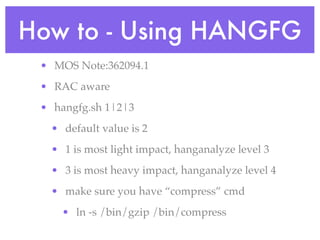
How to - Using HANGFG
 • MOS Note:362094.1
 • RAC aware
 • hangfg.sh 1|2|3
  • default value is 2
  • 1 is most light impact, hanganalyze level 3
  • 3 is most heavy impact, hanganalyze level 4
  • make sure you have “compress” cmd
    • ln -s /bin/gzip /bin/compress
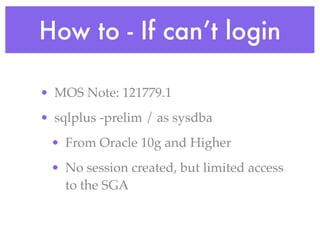
How to - If can’t login

• MOS Note: 121779.1
• sqlplus -prelim / as sysdba
 • From Oracle 10g and Higher
 • No session created, but limited access
   to the SGA
How to - If can’t login

• MOS Note: 121779.1
• dbx
 • Oracle 9i and earlier
 • Source level debug
 • Solaris, Linux
dbx
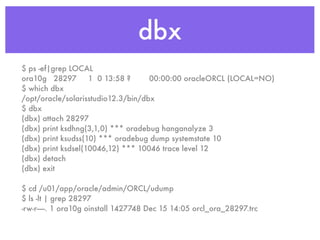
$ ps -ef|grep LOCAL
ora10g 28297        1 0 13:58 ?     00:00:00 oracleORCL (LOCAL=NO)
$ which dbx
/opt/oracle/solarisstudio12.3/bin/dbx
$ dbx
(dbx) attach 28297
(dbx) print ksdhng(3,1,0) *** oradebug hanganalyze 3
(dbx) print ksudss(10) *** oradebug dump systemstate 10
(dbx) print ksdsel(10046,12) *** 10046 trace level 12
(dbx) detach
(dbx) exit

$ cd /u01/app/oracle/admin/ORCL/udump
$ ls -lt | grep 28297
-rw-r-----. 1 ora10g oinstall 1427748 Dec 15 14:05 orcl_ora_28297.trc
How to - If can’t login

• MOS Note: 273324.1
• gdb
 • Source level debug
 • Linux, HP-UX
gdb
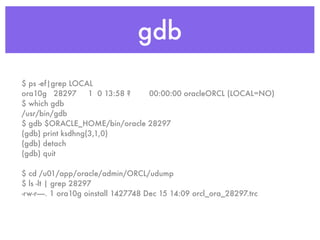
$ ps -ef|grep LOCAL
ora10g 28297       1 0 13:58 ? 00:00:00 oracleORCL (LOCAL=NO)
$ which gdb
/usr/bin/gdb
$ gdb $ORACLE_HOME/bin/oracle 28297
(gdb) print ksdhng(3,1,0)
(gdb) detach
(gdb) quit

$ cd /u01/app/oracle/admin/ORCL/udump
$ ls -lt | grep 28297
-rw-r-----. 1 ora10g oinstall 1427748 Dec 15 14:09 orcl_ora_28297.trc
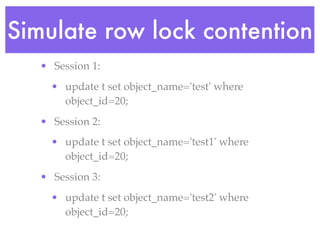
Simulate row lock contention
   • Session 1:
     • update t set object_name='test' where
       object_id=20;
   • Session 2:
     • update t set object_name='test1' where
       object_id=20;
   • Session 3:
     • update t set object_name='test2' where
       object_id=20;
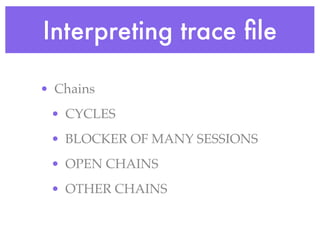
Interpreting trace file

• Chains
 • CYCLES
 • BLOCKER OF MANY SESSIONS
 • OPEN CHAINS
 • OTHER CHAINS
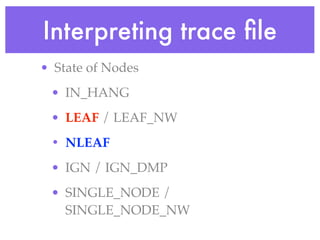
Interpreting trace file
• State of Nodes
 • IN_HANG
 • LEAF / LEAF_NW
 • NLEAF
 • IGN / IGN_DMP
 • SINGLE_NODE /
   SINGLE_NODE_NW
Hanganalyze Level
•   level 1-2
    •   only HANGANALYZE output, no process dump
•   level 3
    •   [IN_HANG]
•   level 4
    •   [REMOTE_WT] [LEAF] [LEAF_NW]
•   level 5
    •   [SINGLE_NODE] [SINGLE_NODE_NW] [IGN_DMP]
•   level 6
    •   [NLEAF]
•   level 10
    •   [IGN]
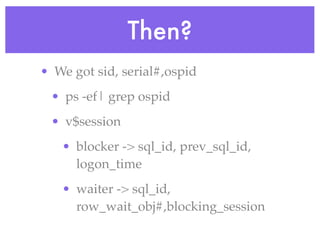
Then?
• We got sid, serial#,ospid
 • ps -ef| grep ospid
 • v$session
   • blocker -> sql_id, prev_sql_id,
     logon_time
   • waiter -> sql_id,
     row_wait_obj#,blocking_session
If we don’t use hanganalyze

  • v$lock
  • v$locked_object
  • v$enqueue_lock
  • v$session / v$session_wait

Hanganalyze presentation

  • 1.
    How to useHANGANALYZE and How to Interpreting HANGANALYZE trace file Kamus@Enmo Tech
  • 2.
    How to -Single Node • sqlplus / as sysdba • oradebug setmypid • oradebug unlimit; • oradebug hanganalyze 3 • ... wait at least 1 minute • oradebug hanganalyze 3
  • 3.
    How to -RAC • sqlplus / as sysdba • oradebug setmypid • oradebug unlimit; • oradebug setinst all • oradebug -g def hanganalyze 3 • ... wait at least 1 minute • oradebug -g def hanganalyze 3
  • 4.
    How to -Using HANGFG • MOS Note:362094.1 • RAC aware • hangfg.sh 1|2|3 • default value is 2 • 1 is most light impact, hanganalyze level 3 • 3 is most heavy impact, hanganalyze level 4 • make sure you have “compress” cmd • ln -s /bin/gzip /bin/compress
  • 5.
    How to -If can’t login • MOS Note: 121779.1 • sqlplus -prelim / as sysdba • From Oracle 10g and Higher • No session created, but limited access to the SGA
  • 6.
    How to -If can’t login • MOS Note: 121779.1 • dbx • Oracle 9i and earlier • Source level debug • Solaris, Linux
  • 7.
    dbx $ ps -ef|grepLOCAL ora10g 28297 1 0 13:58 ? 00:00:00 oracleORCL (LOCAL=NO) $ which dbx /opt/oracle/solarisstudio12.3/bin/dbx $ dbx (dbx) attach 28297 (dbx) print ksdhng(3,1,0) *** oradebug hanganalyze 3 (dbx) print ksudss(10) *** oradebug dump systemstate 10 (dbx) print ksdsel(10046,12) *** 10046 trace level 12 (dbx) detach (dbx) exit $ cd /u01/app/oracle/admin/ORCL/udump $ ls -lt | grep 28297 -rw-r-----. 1 ora10g oinstall 1427748 Dec 15 14:05 orcl_ora_28297.trc
  • 8.
    How to -If can’t login • MOS Note: 273324.1 • gdb • Source level debug • Linux, HP-UX
  • 9.
    gdb $ ps -ef|grepLOCAL ora10g 28297 1 0 13:58 ? 00:00:00 oracleORCL (LOCAL=NO) $ which gdb /usr/bin/gdb $ gdb $ORACLE_HOME/bin/oracle 28297 (gdb) print ksdhng(3,1,0) (gdb) detach (gdb) quit $ cd /u01/app/oracle/admin/ORCL/udump $ ls -lt | grep 28297 -rw-r-----. 1 ora10g oinstall 1427748 Dec 15 14:09 orcl_ora_28297.trc
  • 10.
    Simulate row lockcontention • Session 1: • update t set object_name='test' where object_id=20; • Session 2: • update t set object_name='test1' where object_id=20; • Session 3: • update t set object_name='test2' where object_id=20;
  • 11.
    Interpreting trace file •Chains • CYCLES • BLOCKER OF MANY SESSIONS • OPEN CHAINS • OTHER CHAINS
  • 12.
    Interpreting trace file •State of Nodes • IN_HANG • LEAF / LEAF_NW • NLEAF • IGN / IGN_DMP • SINGLE_NODE / SINGLE_NODE_NW
  • 13.
    Hanganalyze Level • level 1-2 • only HANGANALYZE output, no process dump • level 3 • [IN_HANG] • level 4 • [REMOTE_WT] [LEAF] [LEAF_NW] • level 5 • [SINGLE_NODE] [SINGLE_NODE_NW] [IGN_DMP] • level 6 • [NLEAF] • level 10 • [IGN]
  • 14.
    Then? • We gotsid, serial#,ospid • ps -ef| grep ospid • v$session • blocker -> sql_id, prev_sql_id, logon_time • waiter -> sql_id, row_wait_obj#,blocking_session
  • 15.
    If we don’tuse hanganalyze • v$lock • v$locked_object • v$enqueue_lock • v$session / v$session_wait