Database Recovery
Creating an Automation Plan for Restoration
2
Preparation
+ Note database size, Postgres configuration
+ Enable archiving of database transactions
+ Continuous archive of WAL segments
+ Optional: Create restore points for PITR
+ Backup control function:
pg_create_restore_point(name)
+ Can be done on each deploy
3
Initial Preparation
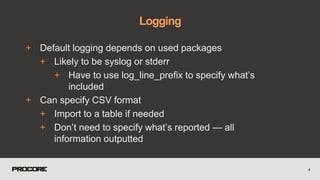
+ Default logging depends on used packages
+ Likely to be syslog or stderr
+ Have to use log_line_prefix to specify what’s
included
+ Can specify CSV format
+ Import to a table if needed
+ Don’t need to specify what’s reported — all
information outputted
4
Logging
+ In postgresql.conf:
+ logging_collector = on (requires restart)
+ log_destination = 'csvlog'
+ log_directory = '/var/log/postgresql'
+ log_filename = 'postgresql-%a.log'
5
Logging
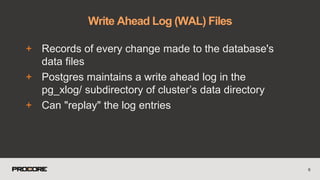
+ Records of every change made to the database's
data files
+ Postgres maintains a write ahead log in the
pg_xlog/ subdirectory of cluster’s data directory
+ Can "replay" the log entries
6
Write Ahead Log (WAL) Files
+ https://github.com/wal-e/wal-e
+ Continuous WAL archiving Python tool
+ sudo python3 -m pip install wal-e[aws,azure,google,swift]
+ Works on most operating systems
+ Can push to S3, Azure Blob Store, Google Storage, Swift
7
Archiving WAL segments
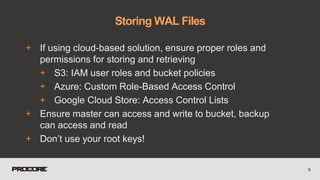
+ If using cloud-based solution, ensure proper roles and
permissions for storing and retrieving
+ S3: IAM user roles and bucket policies
+ Azure: Custom Role-Based Access Control
+ Google Cloud Store: Access Control Lists
+ Ensure master can access and write to bucket, backup
can access and read
+ Don’t use your root keys!
8
Storing WAL Files
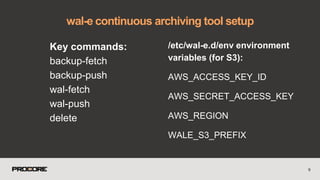
Key commands:
backup-fetch
backup-push
wal-fetch
wal-push
delete
wal-e continuous archiving tool setup
9
/etc/wal-e.d/env environment
variables (for S3):
AWS_ACCESS_KEY_ID
AWS_SECRET_ACCESS_KEY
AWS_REGION
WALE_S3_PREFIX
10
wal-e key commands
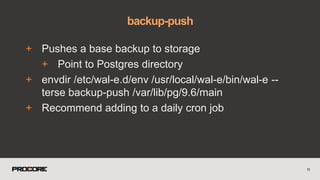
+ Pushes a base backup to storage
+ Point to Postgres directory
+ envdir /etc/wal-e.d/env /usr/local/wal-e/bin/wal-e --
terse backup-push /var/lib/pg/9.6/main
+ Recommend adding to a daily cron job
11
backup-push
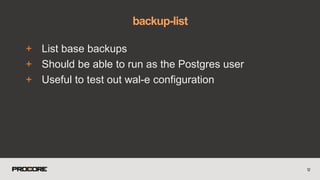
+ List base backups
+ Should be able to run as the Postgres user
+ Useful to test out wal-e configuration
12
backup-list
13
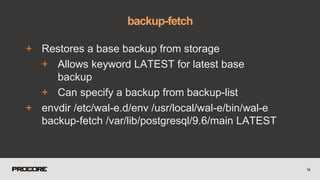
+ Restores a base backup from storage
+ Allows keyword LATEST for latest base
backup
+ Can specify a backup from backup-list
+ envdir /etc/wal-e.d/env /usr/local/wal-e/bin/wal-e
backup-fetch /var/lib/postgresql/9.6/main LATEST
14
backup-fetch
+ Delete data from storage
+ Needs --confirm flag
+ Also accepts --dry-run
+ Accepts 'before', 'retain', 'everything'
+ wal-e delete [--confirm] retain 5
+ Delete all backups and segment files older
than the 5 most recent
15
delete
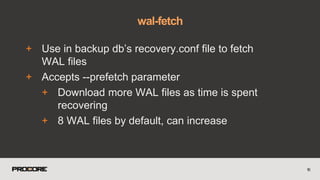
+ Use in backup db’s recovery.conf file to fetch
WAL files
+ Accepts --prefetch parameter
+ Download more WAL files as time is spent
recovering
+ 8 WAL files by default, can increase
16
wal-fetch
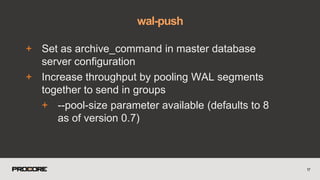
+ Set as archive_command in master database
server configuration
+ Increase throughput by pooling WAL segments
together to send in groups
+ --pool-size parameter available (defaults to 8
as of version 0.7)
17
wal-push
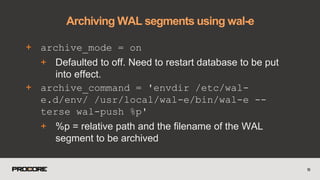
+ archive_mode = on
+ Defaulted to off. Need to restart database to be put
into effect.
+ archive_command = 'envdir /etc/wal-
e.d/env/ /usr/local/wal-e/bin/wal-e --
terse wal-push %p'
+ %p = relative path and the filename of the WAL
segment to be archived
18
Archiving WAL segments using wal-e
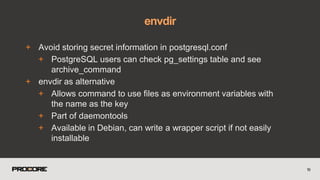
+ Avoid storing secret information in postgresql.conf
+ PostgreSQL users can check pg_settings table and see
archive_command
+ envdir as alternative
+ Allows command to use files as environment variables with
the name as the key
+ Part of daemontools
+ Available in Debian, can write a wrapper script if not easily
installable
19
envdir
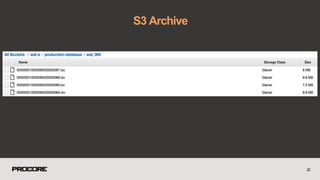
S3 Archive
20
21
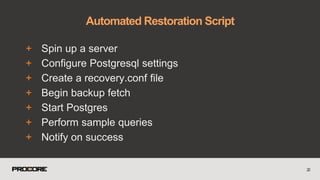
Restoring the Database
+ Spin up a server
+ Configure Postgresql settings
+ Create a recovery.conf file
+ Begin backup fetch
+ Start Postgres
+ Perform sample queries
+ Notify on success
22
Automated Restoration Script
23
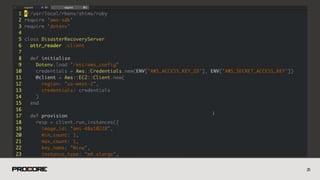
+ Script starts up EC2 instance in AWS
+ Loads custom AMI with scripts for setting up
Postgres and starting the restoration,
environment variables
24
Spinning up a server
25
Configure Postgresql settings
Create a recovery.conf file
Start backup fetch
Start Postgres
Perform sample queries
Notify on success
Automated Restoration Script
26
I, [2016-08-17T20:54:16.516658 #9196] INFO -- :
Setting up configuration files
I, [2016-08-17T20:55:30.782533 #9300] INFO -- :
Setup complete. Beginning backup fetch.
I, [2016-08-18T21:12:05.646145 #29825] INFO -- :
Backup fetch complete.
I, [2016-08-18T22:20:06.445003 #29825] INFO -- :
Starting postgres.
I, [2016-08-18T22:12:07.082780 #29825] INFO -- :
Postgres started. Restore under way
I, [2016-08-18T24:12:07.082855 #29825] INFO -- :
Restore complete. Reporting to Datadog
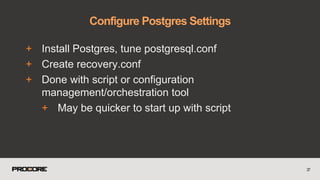
+ Install Postgres, tune postgresql.conf
+ Create recovery.conf
+ Done with script or configuration
management/orchestration tool
+ May be quicker to start up with script
27
Configure Postgres Settings
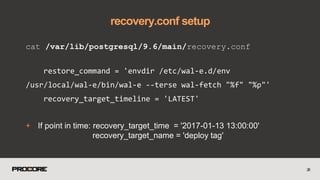
cat /var/lib/postgresql/9.6/main/recovery.conf
restore_command = 'envdir /etc/wal-e.d/env
/usr/local/wal-e/bin/wal-e --terse wal-fetch "%f" "%p"'
recovery_target_timeline = 'LATEST'
+ If point in time: recovery_target_time = '2017-01-13 13:00:00'
recovery_target_name = 'deploy tag'
28
recovery.conf setup
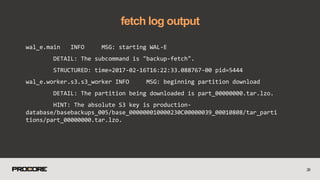
wal_e.main INFO MSG: starting WAL-E
DETAIL: The subcommand is "backup-fetch".
STRUCTURED: time=2017-02-16T16:22:33.088767-00 pid=5444
wal_e.worker.s3.s3_worker INFO MSG: beginning partition download
DETAIL: The partition being downloaded is part_00000000.tar.lzo.
HINT: The absolute S3 key is production-
database/basebackups_005/base_000000010000230C00000039_00010808/tar_parti
tions/part_00000000.tar.lzo.
29
fetch log output
30
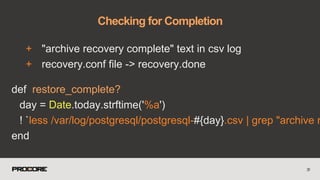
+ "archive recovery complete" text in csv log
+ recovery.conf file -> recovery.done
31
Checking for Completion
def restore_complete?
day = Date.today.strftime('%a')
! `less /var/log/postgresql/postgresql-#{day}.csv | grep "archive r
end
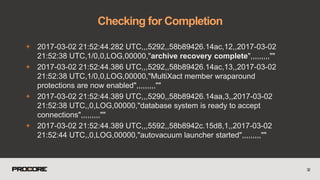
+ 2017-03-02 21:52:44.282 UTC,,,5292,,58b89426.14ac,12,,2017-03-02
21:52:38 UTC,1/0,0,LOG,00000,"archive recovery complete",,,,,,,,,""
+ 2017-03-02 21:52:44.386 UTC,,,5292,,58b89426.14ac,13,,2017-03-02
21:52:38 UTC,1/0,0,LOG,00000,"MultiXact member wraparound
protections are now enabled",,,,,,,,,""
+ 2017-03-02 21:52:44.389 UTC,,,5290,,58b89426.14aa,3,,2017-03-02
21:52:38 UTC,,0,LOG,00000,"database system is ready to accept
connections",,,,,,,,,""
+ 2017-03-02 21:52:44.389 UTC,,,5592,,58b8942c.15d8,1,,2017-03-02
21:52:44 UTC,,0,LOG,00000,"autovacuum launcher started",,,,,,,,,""
32
Checking for Completion
+ Run queries against database
+ Timestamps of frequently updated tables
33
Checking for Completion
34
Checking for Completion
def latest_session_page_timestamp
end
PG.connect(dbname: 'procore', user: 'postgres').e
DESC LIMIT 1;")[0]["created_at"]
35
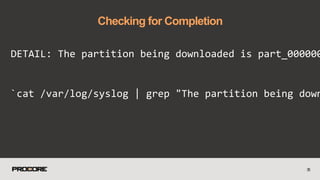
Checking for Completion
DETAIL: The partition being downloaded is part_000000
`cat /var/log/syslog | grep "The partition being down
36
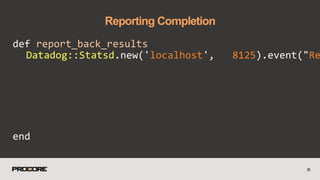
Reporting Completion
def report_back_results
end
Datadog::Statsd.new('localhost', 8125).event("Re
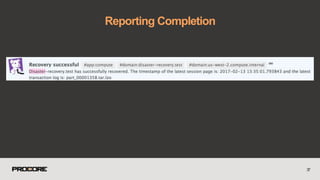
37
Reporting Completion
38
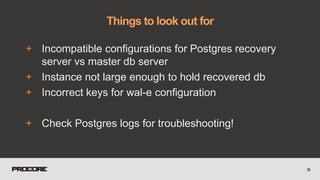
Things to look out for
+ Incompatible configurations for Postgres recovery
server vs master db server
+ Instance not large enough to hold recovered db
+ Incorrect keys for wal-e configuration
+ Check Postgres logs for troubleshooting!
39
Things to look out for
+ 
40
+ Run through script, ssh to server periodically to
check in on logs
+ Double-check final recorded transaction log,
frequently updated table timestamp
+ Don’t wait for something to go wrong to test this!
+ Untested backups are not backups!
41
Testing Notes
42
Questions?
(Also, hi, yes, Procore is hiring!)
Tweet at me @enkei9
Email at:
sre@procore.com
nina@procore.com

Automating Disaster Recovery PostgreSQL

  • 1.
    Database Recovery Creating anAutomation Plan for Restoration
  • 2.
  • 3.
    + Note databasesize, Postgres configuration + Enable archiving of database transactions + Continuous archive of WAL segments + Optional: Create restore points for PITR + Backup control function: pg_create_restore_point(name) + Can be done on each deploy 3 Initial Preparation
  • 4.
    + Default loggingdepends on used packages + Likely to be syslog or stderr + Have to use log_line_prefix to specify what’s included + Can specify CSV format + Import to a table if needed + Don’t need to specify what’s reported — all information outputted 4 Logging
  • 5.
    + In postgresql.conf: +logging_collector = on (requires restart) + log_destination = 'csvlog' + log_directory = '/var/log/postgresql' + log_filename = 'postgresql-%a.log' 5 Logging
  • 6.
    + Records ofevery change made to the database's data files + Postgres maintains a write ahead log in the pg_xlog/ subdirectory of cluster’s data directory + Can "replay" the log entries 6 Write Ahead Log (WAL) Files
  • 7.
    + https://github.com/wal-e/wal-e + ContinuousWAL archiving Python tool + sudo python3 -m pip install wal-e[aws,azure,google,swift] + Works on most operating systems + Can push to S3, Azure Blob Store, Google Storage, Swift 7 Archiving WAL segments
  • 8.
    + If usingcloud-based solution, ensure proper roles and permissions for storing and retrieving + S3: IAM user roles and bucket policies + Azure: Custom Role-Based Access Control + Google Cloud Store: Access Control Lists + Ensure master can access and write to bucket, backup can access and read + Don’t use your root keys! 8 Storing WAL Files
  • 9.
    Key commands: backup-fetch backup-push wal-fetch wal-push delete wal-e continuousarchiving tool setup 9 /etc/wal-e.d/env environment variables (for S3): AWS_ACCESS_KEY_ID AWS_SECRET_ACCESS_KEY AWS_REGION WALE_S3_PREFIX
  • 10.
  • 11.
    + Pushes abase backup to storage + Point to Postgres directory + envdir /etc/wal-e.d/env /usr/local/wal-e/bin/wal-e -- terse backup-push /var/lib/pg/9.6/main + Recommend adding to a daily cron job 11 backup-push
  • 12.
    + List basebackups + Should be able to run as the Postgres user + Useful to test out wal-e configuration 12 backup-list
  • 13.
  • 14.
    + Restores abase backup from storage + Allows keyword LATEST for latest base backup + Can specify a backup from backup-list + envdir /etc/wal-e.d/env /usr/local/wal-e/bin/wal-e backup-fetch /var/lib/postgresql/9.6/main LATEST 14 backup-fetch
  • 15.
    + Delete datafrom storage + Needs --confirm flag + Also accepts --dry-run + Accepts 'before', 'retain', 'everything' + wal-e delete [--confirm] retain 5 + Delete all backups and segment files older than the 5 most recent 15 delete
  • 16.
    + Use inbackup db’s recovery.conf file to fetch WAL files + Accepts --prefetch parameter + Download more WAL files as time is spent recovering + 8 WAL files by default, can increase 16 wal-fetch
  • 17.
    + Set asarchive_command in master database server configuration + Increase throughput by pooling WAL segments together to send in groups + --pool-size parameter available (defaults to 8 as of version 0.7) 17 wal-push
  • 18.
    + archive_mode =on + Defaulted to off. Need to restart database to be put into effect. + archive_command = 'envdir /etc/wal- e.d/env/ /usr/local/wal-e/bin/wal-e -- terse wal-push %p' + %p = relative path and the filename of the WAL segment to be archived 18 Archiving WAL segments using wal-e
  • 19.
    + Avoid storingsecret information in postgresql.conf + PostgreSQL users can check pg_settings table and see archive_command + envdir as alternative + Allows command to use files as environment variables with the name as the key + Part of daemontools + Available in Debian, can write a wrapper script if not easily installable 19 envdir
  • 20.
  • 21.
  • 22.
    + Spin upa server + Configure Postgresql settings + Create a recovery.conf file + Begin backup fetch + Start Postgres + Perform sample queries + Notify on success 22 Automated Restoration Script
  • 23.
  • 24.
    + Script startsup EC2 instance in AWS + Loads custom AMI with scripts for setting up Postgres and starting the restoration, environment variables 24 Spinning up a server
  • 25.
  • 26.
    Configure Postgresql settings Createa recovery.conf file Start backup fetch Start Postgres Perform sample queries Notify on success Automated Restoration Script 26 I, [2016-08-17T20:54:16.516658 #9196] INFO -- : Setting up configuration files I, [2016-08-17T20:55:30.782533 #9300] INFO -- : Setup complete. Beginning backup fetch. I, [2016-08-18T21:12:05.646145 #29825] INFO -- : Backup fetch complete. I, [2016-08-18T22:20:06.445003 #29825] INFO -- : Starting postgres. I, [2016-08-18T22:12:07.082780 #29825] INFO -- : Postgres started. Restore under way I, [2016-08-18T24:12:07.082855 #29825] INFO -- : Restore complete. Reporting to Datadog
  • 27.
    + Install Postgres,tune postgresql.conf + Create recovery.conf + Done with script or configuration management/orchestration tool + May be quicker to start up with script 27 Configure Postgres Settings
  • 28.
    cat /var/lib/postgresql/9.6/main/recovery.conf restore_command ='envdir /etc/wal-e.d/env /usr/local/wal-e/bin/wal-e --terse wal-fetch "%f" "%p"' recovery_target_timeline = 'LATEST' + If point in time: recovery_target_time = '2017-01-13 13:00:00' recovery_target_name = 'deploy tag' 28 recovery.conf setup
  • 29.
    wal_e.main INFO MSG:starting WAL-E DETAIL: The subcommand is "backup-fetch". STRUCTURED: time=2017-02-16T16:22:33.088767-00 pid=5444 wal_e.worker.s3.s3_worker INFO MSG: beginning partition download DETAIL: The partition being downloaded is part_00000000.tar.lzo. HINT: The absolute S3 key is production- database/basebackups_005/base_000000010000230C00000039_00010808/tar_parti tions/part_00000000.tar.lzo. 29 fetch log output
  • 30.
  • 31.
    + "archive recoverycomplete" text in csv log + recovery.conf file -> recovery.done 31 Checking for Completion def restore_complete? day = Date.today.strftime('%a') ! `less /var/log/postgresql/postgresql-#{day}.csv | grep "archive r end
  • 32.
    + 2017-03-02 21:52:44.282UTC,,,5292,,58b89426.14ac,12,,2017-03-02 21:52:38 UTC,1/0,0,LOG,00000,"archive recovery complete",,,,,,,,,"" + 2017-03-02 21:52:44.386 UTC,,,5292,,58b89426.14ac,13,,2017-03-02 21:52:38 UTC,1/0,0,LOG,00000,"MultiXact member wraparound protections are now enabled",,,,,,,,,"" + 2017-03-02 21:52:44.389 UTC,,,5290,,58b89426.14aa,3,,2017-03-02 21:52:38 UTC,,0,LOG,00000,"database system is ready to accept connections",,,,,,,,,"" + 2017-03-02 21:52:44.389 UTC,,,5592,,58b8942c.15d8,1,,2017-03-02 21:52:44 UTC,,0,LOG,00000,"autovacuum launcher started",,,,,,,,,"" 32 Checking for Completion
  • 33.
    + Run queriesagainst database + Timestamps of frequently updated tables 33 Checking for Completion
  • 34.
    34 Checking for Completion deflatest_session_page_timestamp end PG.connect(dbname: 'procore', user: 'postgres').e DESC LIMIT 1;")[0]["created_at"]
  • 35.
    35 Checking for Completion DETAIL:The partition being downloaded is part_000000 `cat /var/log/syslog | grep "The partition being down
  • 36.
  • 37.
  • 38.
  • 39.
    + Incompatible configurationsfor Postgres recovery server vs master db server + Instance not large enough to hold recovered db + Incorrect keys for wal-e configuration + Check Postgres logs for troubleshooting! 39 Things to look out for
  • 40.
  • 41.
    + Run throughscript, ssh to server periodically to check in on logs + Double-check final recorded transaction log, frequently updated table timestamp + Don’t wait for something to go wrong to test this! + Untested backups are not backups! 41 Testing Notes
  • 42.
    42 Questions? (Also, hi, yes,Procore is hiring!) Tweet at me @enkei9 Email at: sre@procore.com nina@procore.com