LINUX SYSTEM ADMINISTRATION Linux System Administration
SYS ADMIN TASKS Setting the Run Level System Services User Management Network Settings Scheduling Jobs Quota Management Backup and Restore Adding and Removing software/packages Setting a Printer Monitoring the system (general, logs) Monitoring any specific services running. Eg. DNS, DHCP, Web, NIS, NPT, Proxy etc. Linux System Administration
Init Runlevels The following runlevels are defined in Linux:   0 - halt (Do NOT set initdefault to this) 1 - Single user mode 2 - Multiuser, without Network (The same as 3, if you do not have networking) 3 – Text Mode 4 - unused 5 – Graphical Mode 6 - reboot (Do NOT set initdefault to this) Linux System Administration
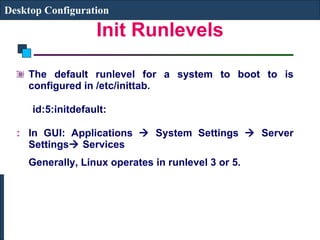
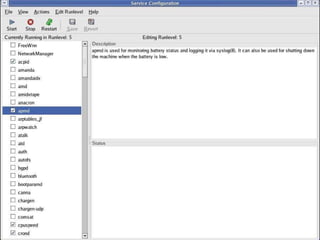
Init Runlevels The default runlevel for a system to boot to is configured in /etc/inittab.  id:5:initdefault:   In GUI: Applications    System Settings    Server Settings   Services  Generally, Linux operates in runlevel 3 or 5. Desktop Configuration
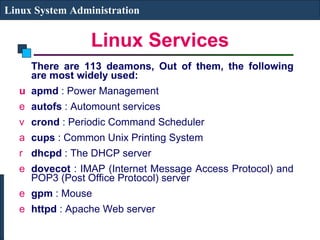
Linux Services There are 113 deamons, Out of them, the following are most widely used: apmd  : Power Management  autofs  : Automount services  crond  : Periodic Command Scheduler  cups  : Common Unix Printing System  dhcpd  : The DHCP server  dovecot  : IMAP (Internet Message Access Protocol) and POP3 (Post Office Protocol) server gpm  : Mouse  httpd  : Apache Web server  Linux System Administration
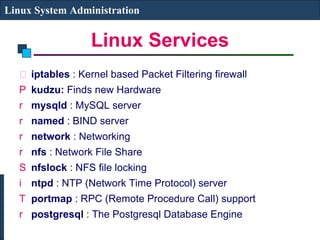
Linux Services iptables  : Kernel based Packet Filtering firewall  kudzu:  Finds new Hardware mysqld  : MySQL server  named  : BIND server  network  : Networking  nfs  : Network File Share  nfslock  : NFS file locking  ntpd  : NTP (Network Time Protocol) server portmap  : RPC (Remote Procedure Call) support  postgresql  : The Postgresql Database Engine  Linux System Administration
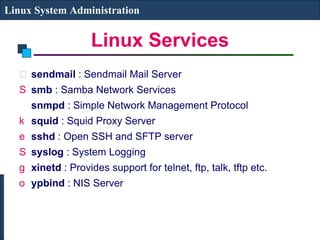
Linux Services sendmail  : Sendmail Mail Server smb  : Samba Network Services  snmpd  : Simple Network Management Protocol  squid  : Squid Proxy Server sshd  : Open SSH and SFTP server  syslog  : System Logging  xinetd  : Provides support for telnet, ftp, talk, tftp etc. ypbind  : NIS Server Linux System Administration
 
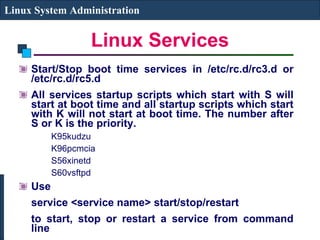
Linux Services Start/Stop boot time services in /etc/rc.d/rc3.d or /etc/rc.d/rc5.d All services startup scripts which start with S will start at boot time and all startup scripts which start with K will not start at boot time. The number after S or K is the priority. K95kudzu  K96pcmcia  S56xinetd S60vsftpd Use  service <service name> start/stop/restart  to start, stop or restart a service from command line Linux System Administration
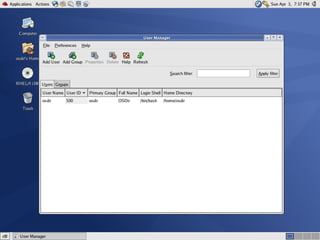
Creating a new User Account Add an entry in /etc/passwd and /etc/shadow file (use next uid and suitable gid). You will have to create the user directory and assign a password to the user Use useradd or adduser command to create a new user (useradd –g <group> -d <home directory> -c <comment> -s <shell> login-name) and groupadd to create a new group (groupadd group-name). You will have to assign a password (passwd login-name) In GUI: Applications    System Settings    Users and Groups Linux System Administration
 
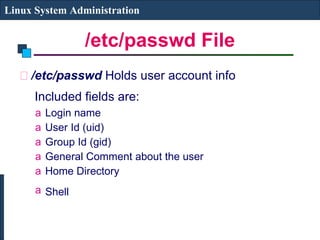
/etc/passwd File /etc/passwd  Holds user account info   Included fields are:   Login name  User Id (uid)  Group Id (gid)  General Comment about the user Home Directory Shell   Linux System Administration
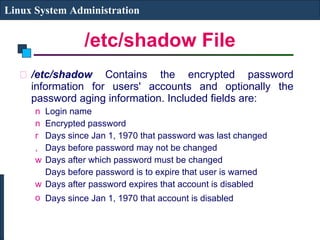
/etc/shadow File /etc/shadow  Contains the encrypted password information for users' accounts and optionally the password aging information. Included fields are:  Login name  Encrypted password  Days since Jan 1, 1970 that password was last changed  Days before password may not be changed  Days after which password must be changed  Days before password is to expire that user is warned  Days after password expires that account is disabled  Days since Jan 1, 1970 that account is disabled   Linux System Administration
Suspending a User Account Put a * as start of Password field in /etc/shadow Change login shell to /sbin/nologin Use GUI to suspend the user Linux System Administration
Removing a User Account Remove login id from /etc/passwd & /etc/shadow file and delete home directory userdel –r <username>  Use GUI to Delete the user Linux System Administration

Linux lecture6

  • 1.
    LINUX SYSTEM ADMINISTRATIONLinux System Administration
  • 2.
    SYS ADMIN TASKSSetting the Run Level System Services User Management Network Settings Scheduling Jobs Quota Management Backup and Restore Adding and Removing software/packages Setting a Printer Monitoring the system (general, logs) Monitoring any specific services running. Eg. DNS, DHCP, Web, NIS, NPT, Proxy etc. Linux System Administration
  • 3.
    Init Runlevels Thefollowing runlevels are defined in Linux: 0 - halt (Do NOT set initdefault to this) 1 - Single user mode 2 - Multiuser, without Network (The same as 3, if you do not have networking) 3 – Text Mode 4 - unused 5 – Graphical Mode 6 - reboot (Do NOT set initdefault to this) Linux System Administration
  • 4.
    Init Runlevels Thedefault runlevel for a system to boot to is configured in /etc/inittab. id:5:initdefault: In GUI: Applications  System Settings  Server Settings  Services Generally, Linux operates in runlevel 3 or 5. Desktop Configuration
  • 5.
    Linux Services Thereare 113 deamons, Out of them, the following are most widely used: apmd : Power Management autofs : Automount services crond : Periodic Command Scheduler cups : Common Unix Printing System dhcpd : The DHCP server dovecot : IMAP (Internet Message Access Protocol) and POP3 (Post Office Protocol) server gpm : Mouse httpd : Apache Web server Linux System Administration
  • 6.
    Linux Services iptables : Kernel based Packet Filtering firewall kudzu: Finds new Hardware mysqld : MySQL server named : BIND server network : Networking nfs : Network File Share nfslock : NFS file locking ntpd : NTP (Network Time Protocol) server portmap : RPC (Remote Procedure Call) support postgresql : The Postgresql Database Engine Linux System Administration
  • 7.
    Linux Services sendmail : Sendmail Mail Server smb : Samba Network Services snmpd : Simple Network Management Protocol squid : Squid Proxy Server sshd : Open SSH and SFTP server syslog : System Logging xinetd : Provides support for telnet, ftp, talk, tftp etc. ypbind : NIS Server Linux System Administration
  • 8.
  • 9.
    Linux Services Start/Stopboot time services in /etc/rc.d/rc3.d or /etc/rc.d/rc5.d All services startup scripts which start with S will start at boot time and all startup scripts which start with K will not start at boot time. The number after S or K is the priority. K95kudzu K96pcmcia S56xinetd S60vsftpd Use service <service name> start/stop/restart to start, stop or restart a service from command line Linux System Administration
  • 10.
    Creating a newUser Account Add an entry in /etc/passwd and /etc/shadow file (use next uid and suitable gid). You will have to create the user directory and assign a password to the user Use useradd or adduser command to create a new user (useradd –g <group> -d <home directory> -c <comment> -s <shell> login-name) and groupadd to create a new group (groupadd group-name). You will have to assign a password (passwd login-name) In GUI: Applications  System Settings  Users and Groups Linux System Administration
  • 11.
  • 12.
    /etc/passwd File /etc/passwd Holds user account info Included fields are: Login name User Id (uid) Group Id (gid) General Comment about the user Home Directory Shell Linux System Administration
  • 13.
    /etc/shadow File /etc/shadow Contains the encrypted password information for users' accounts and optionally the password aging information. Included fields are: Login name Encrypted password Days since Jan 1, 1970 that password was last changed Days before password may not be changed Days after which password must be changed Days before password is to expire that user is warned Days after password expires that account is disabled Days since Jan 1, 1970 that account is disabled Linux System Administration
  • 14.
    Suspending a UserAccount Put a * as start of Password field in /etc/shadow Change login shell to /sbin/nologin Use GUI to suspend the user Linux System Administration
  • 15.
    Removing a UserAccount Remove login id from /etc/passwd & /etc/shadow file and delete home directory userdel –r <username> Use GUI to Delete the user Linux System Administration