Linux is an operating system similar to Unix. The document lists and describes 27 common Linux commands, including commands for listing files (ls), removing files and directories (rm, rmdir), viewing file contents (cat, more, less), navigating and creating directories (cd, mkdir), moving and copying files (mv, cp), searching files (grep), counting characters (wc), checking the current working directory (pwd), getting command help (man), finding files and programs (whereis, find, locate), editing files (vi, emacs), connecting remotely (telnet, ssh), checking network status (netstat, ifconfig), getting information about internet hosts (whois, nslookup, dig, finger), testing network connectivity
In this document
Powered by AI
Introduction to Linux OS; basic commands like ls (list files) and rm (remove files).
Commands for managing directories: rmdir (remove directory), cat (create file), and displaying file content.
Further commands: cd (change directory), mv (move/rename), and who (current users).
Commands for additional user info: who am i, mkdir (create directory), and cp (copy files).
Commands like wall (send messages), bc (calculator), and grep (search in files).
Commands for file content and directory info: wc (word count), pwd (current directory), man (manual pages).
Commands like more (view file contents), and whereis (find executables), with mention of similar tools.
Various editing tools such as vi and emacs for file manipulation and programming.
Commands for remote login (telnet) and network statistics (netstat). Be cautious when using them.
Commands to gather IP details: whois, nslookup, and dig for detailed information about Internet hosts.
Commands like finger (user info), ping (check connectivity), and traceroute (map connections).
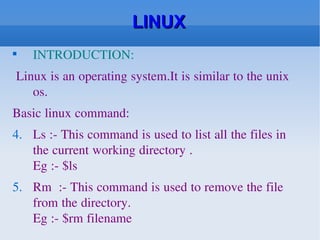
LINUX INTRODUCTION: Linuxis an operating system.It is similar to the unix os. Basic linux command: Ls :- This command is used to list all the files in the current working directory . Eg :- $ls Rm :- This command is used to remove the file from the directory. Eg :- $rm filename
2.
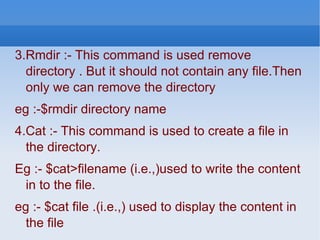
3.Rmdir :- Thiscommand is used remove directory . But it should not contain any file.Then only we can remove the directory eg :-$rmdir directory name 4.Cat :- This command is used to create a file in the directory. Eg :- $cat>filename (i.e.,)used to write the content in to the file. eg :- $cat file .(i.e.,) used to display the content in the file
3.
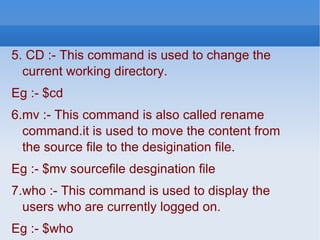
5. CD :-This command is used to change the current working directory. Eg :- $cd 6.mv :- This command is also called rename command.it is used to move the content from the source file to the desigination file. Eg :- $mv sourcefile desgination file 7.who :- This command is used to display the users who are currently logged on. Eg :- $who
4.
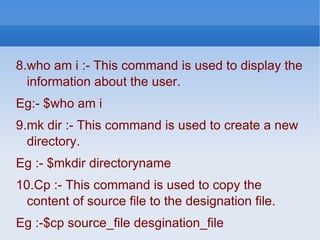
8.who am i:- This command is used to display the information about the user. Eg:- $who am i 9.mk dir :- This command is used to create a new directory. Eg :- $mkdir directoryname 10.Cp :- This command is used to copy the content of source file to the designation file. Eg :-$cp source_file desgination_file
5.
11.wall :- Thiscommand is used to send message to every user who are currently logged on. Eg :- $wall message 12.bc :- Bc command is used for calculator eg :- $bc 13.grep :- this command is used search a word or character or sentence in a file Eg :- $grep word filenme
6.
14.wc :- Thiscommand is used to count the number of character in a file eg :- wc option filename 15.pwd :- this command is used to display current working directory. Eg :- pwd 16. man:- This magic command brings up the online Unix manual. Use it on each of the commands below, today! Wonder what all the man command options are? Try the"man -k" option.
7.
17. more This shows the contents of text files. Also you might be able to find“less” and “cat” which are similar commands. 18.whereis Think there might be a nifty program hidden somewhere? Maybe a game youlove? This will find it for you. Similar commands are “find” and “locate.”Try them all for extra fun.
8.
19. vi Anediting program. You’ll need it to make your own files and when you start programming while in your shell account. You can use it to write a lurid file for people to read when they finger you. Or try “emacs.” It’s another editing program and IMHO more fun than vi. Other editing programs you may find include “ed” (an ancient editing program which I have used to write thousands of lines of Fortran 77 code), “ex,” “fmt,” “gmacs,” you may find include “ed” (an ancient editing program which I have used to write thousands of lines of Fortran 77 code), “ex,” “fmt,” “gmacs,” “ gnuemacs,” and “pico.”
9.
20. telnet Telnet allows you to login remotely from a remote computer to a host server running any unix or unix clone system. Other variation is called RLOGIN/rlogin. A newer variation also allows you to login more securely using the secure shell (SSH). 21. netstat All sorts of statistics on your LAN, including all Internet connections. For real fun, try “netstat -r” to see the kernel routing table. However, be careful. I was teaching a friend the basics of summing up a Unix system and I told her to do that and ‘ifconfig’. She was booted off the system the next day for ‘hacker suspicion’ even though both are legitimate commands for users.”
10.
22. whois Get lots of information on Internet hosts outside you LAN. 23. nslookup Get a whole bunch more information on other Internet hosts. 24. dig Even more info on other Internet hosts. Nslookup and dig are notredundant. Try to get a shell account that lets you use both.
11.
25. finger Notonly can you use finger inside your LAN. It will sometimes get you valuable information about users on other Internet hosts. 26.ping Find out if a distant computer is alive and run diagnostic tests -- or just plain be a meanie and clobber people with pings. (I strongly advise *against* using ping to annoy or harm others.) 27.raceroute Kind of like ping with attitude. Maps Internet connections, reveals routers and boxes running firewalls.