LinkedIn Best
Practices
Hunter McKay
Utilize LinkedIn to:
 Enhance your personal profile and SEO
 Optimize connection opportunities with journalists,
editors and current/potential clients
 Use LinkedIn as a resource for relevant content
consumption
What’s the primary use of
LinkedIn?
 “Professional networking website”
 Networking opportunities
 Relevant content consumption
 Job opportunities
 Takeaways: expand your professional network and be
exposed to content that is relevant to your field
What Not To Do:
 Choose a bad profile photo
“I Love Cruises” “I Joined The Circus”
“I Took This With
My Flip Phone”
“I Love To Party and
I Want Everyone To
Know”
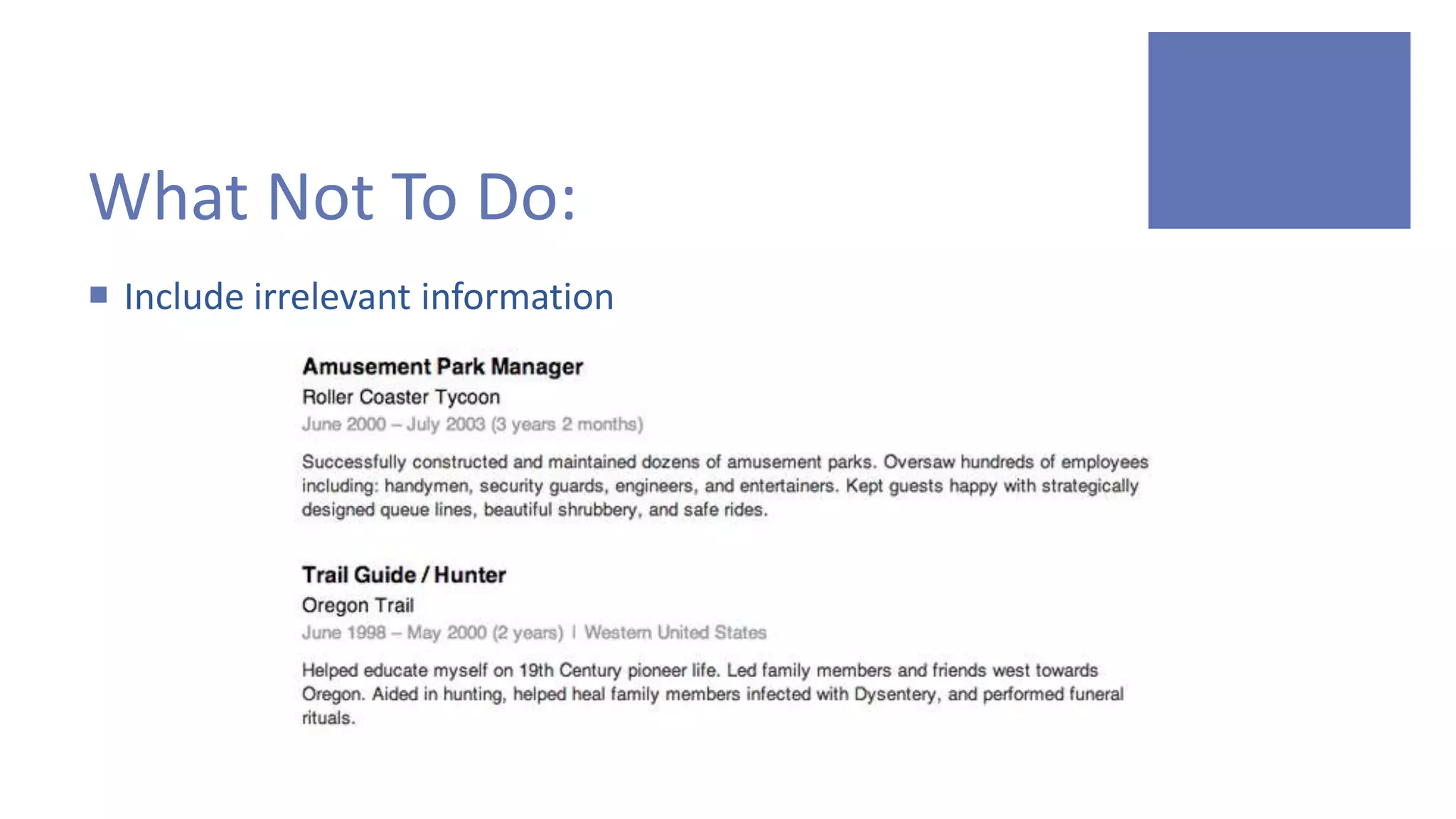
What Not To Do:
 Include irrelevant information
What Not To Do:
 Include every skill under the sun
LinkedIn Profile Basics
 Make sure you have an appropriate photo
 Make sure your experience is relevant and up-to-date
 Include any blogs or articles you have written
LinkedIn Profile Basics
 Include relevant skills, but be specific
 PR: Strategic communications, media relations, crisis
management, Google Adwords, webinar management
 Marketing: Inbound/outbound marketing, social media
marketing, online/product marketing
 Video/Digital: Video production/editing, music composition,
portrait photography, Adobe Suite (Photoshop, Illustrator, etc.)
Improve your SEO by:
 Customizing your URL
 linkedin.com/in/mckayhunter
Improve your SEO by:
 Adding anchor text that includes relevant websites
 pinkstongroup.com
 yourblog.com
How should I connect with others
on LinkedIn?
 Connections
 Groups
Connections
 Segment people you know
and how you know them
Groups
 Share content
 Find and answer questions
 Make business contacts
Apps for LinkedIn
 Use Evernote to save business cards
 Premium account required for unlimited cards
 $5.99/mo or $49.99/yr
Apps for LinkedIn
 IFTTT (If This Then That)
 Create “recipes” that connect apps and automate actions
Apps for LinkedIn
“If a new job or employee is added by a company you follow, send an email.”
Apps for LinkedIn
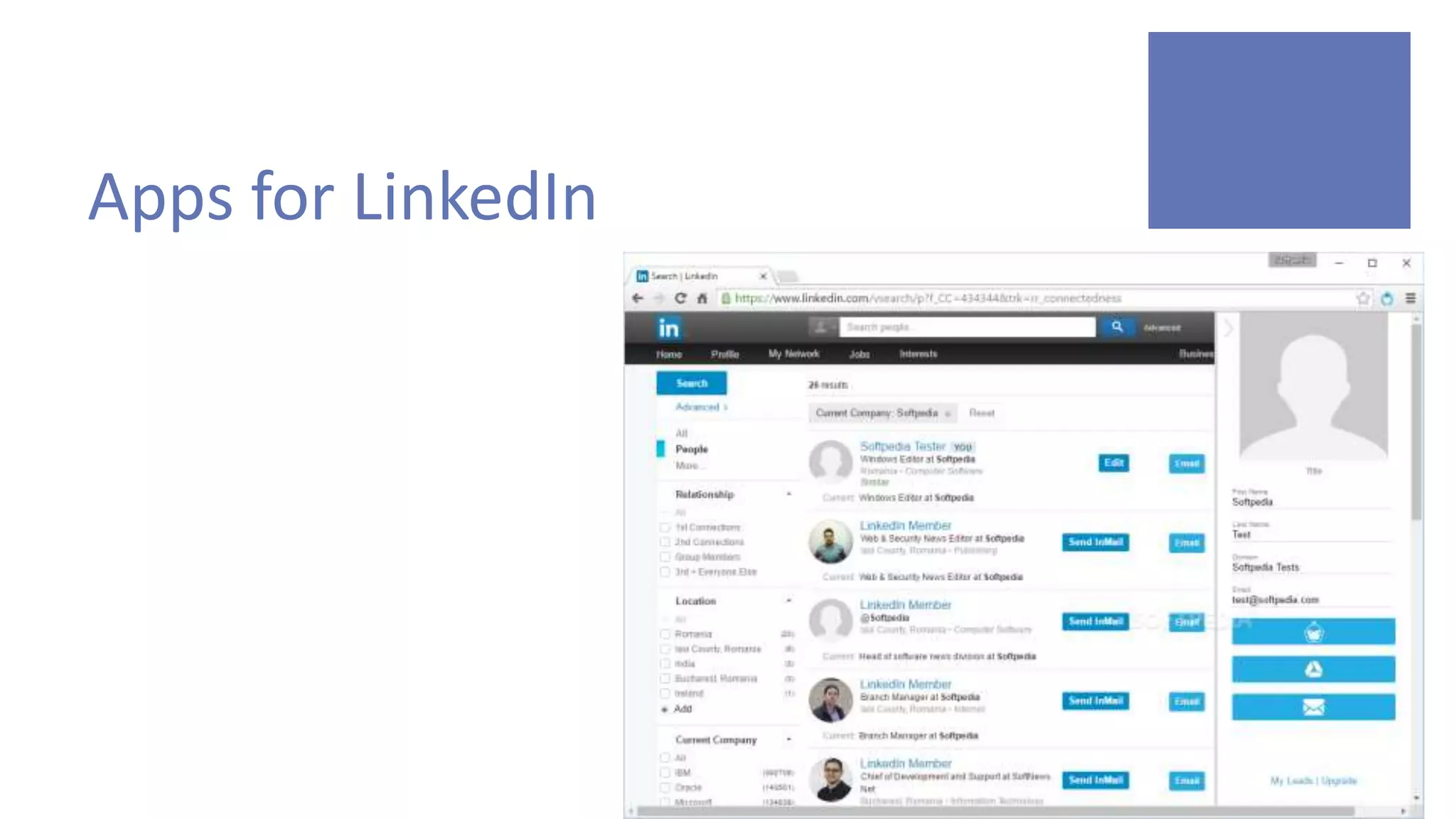
 Lead Gibbon
 Access to email addresses on LinkedIn
Apps for LinkedIn
Apps for LinkedIn
 INstant Search
 http://instant.linkedinlabs.com/
Paid Account Benefits:
 See who has viewed your profile
 Full profile access
 Advanced search options
 InMail privileges
 LinkedIn messages have an 85% open rate over basic email; so
tapping into these InMails can be a big advantage to starting
conversations more quickly.
How to Browse Profiles
Anonymously
 Go to Settings
 Click “Privacy”
 Scroll to “Profile viewing options”
How to Browse Profiles
Anonymously

LinkedIn Best Practices

  • 1.
  • 2.
    Utilize LinkedIn to: Enhance your personal profile and SEO  Optimize connection opportunities with journalists, editors and current/potential clients  Use LinkedIn as a resource for relevant content consumption
  • 3.
    What’s the primaryuse of LinkedIn?  “Professional networking website”  Networking opportunities  Relevant content consumption  Job opportunities  Takeaways: expand your professional network and be exposed to content that is relevant to your field
  • 4.
    What Not ToDo:  Choose a bad profile photo “I Love Cruises” “I Joined The Circus” “I Took This With My Flip Phone” “I Love To Party and I Want Everyone To Know”
  • 5.
    What Not ToDo:  Include irrelevant information
  • 6.
    What Not ToDo:  Include every skill under the sun
  • 7.
    LinkedIn Profile Basics Make sure you have an appropriate photo  Make sure your experience is relevant and up-to-date  Include any blogs or articles you have written
  • 8.
    LinkedIn Profile Basics Include relevant skills, but be specific  PR: Strategic communications, media relations, crisis management, Google Adwords, webinar management  Marketing: Inbound/outbound marketing, social media marketing, online/product marketing  Video/Digital: Video production/editing, music composition, portrait photography, Adobe Suite (Photoshop, Illustrator, etc.)
  • 9.
    Improve your SEOby:  Customizing your URL  linkedin.com/in/mckayhunter
  • 10.
    Improve your SEOby:  Adding anchor text that includes relevant websites  pinkstongroup.com  yourblog.com
  • 11.
    How should Iconnect with others on LinkedIn?  Connections  Groups
  • 12.
    Connections  Segment peopleyou know and how you know them
  • 13.
    Groups  Share content Find and answer questions  Make business contacts
  • 14.
    Apps for LinkedIn Use Evernote to save business cards  Premium account required for unlimited cards  $5.99/mo or $49.99/yr
  • 16.
    Apps for LinkedIn IFTTT (If This Then That)  Create “recipes” that connect apps and automate actions
  • 17.
    Apps for LinkedIn “Ifa new job or employee is added by a company you follow, send an email.”
  • 18.
    Apps for LinkedIn Lead Gibbon  Access to email addresses on LinkedIn
  • 19.
  • 20.
    Apps for LinkedIn INstant Search  http://instant.linkedinlabs.com/
  • 21.
    Paid Account Benefits: See who has viewed your profile  Full profile access  Advanced search options  InMail privileges  LinkedIn messages have an 85% open rate over basic email; so tapping into these InMails can be a big advantage to starting conversations more quickly.
  • 22.
    How to BrowseProfiles Anonymously  Go to Settings  Click “Privacy”  Scroll to “Profile viewing options”
  • 23.
    How to BrowseProfiles Anonymously