Best Practices To Maximize Linkedin Nancy Freeman-Roche Darrel Druckman 2010 Carl Gessman-Tom Wiebrecht  2011
Why use LinkedIn? Business and Career Focused Social Network Effective “tool” for job seekers, career changers, employers and recruiters Builds your professional profile and personal brand More than 65,000,000 (120 Million Members as of 10/31/11 + and growing) New imperative to present your professional skills as attractively as possible Make Yourself Searchable Build and promote your expertise Google indexes LinkedIn profiles Provides a Personal URL link
Other Advantages of LinkedIn Hiring Managers and Recruiters Companies often look at Linkedin first when going beyond a resume Employers, HR staff and recruiters Google a job seeker by name, your Linkedin profile will appear in the results  (Cost and more effective) Used as part of daily business routine Connect for industry advice Sales connections Build professional networks
Still More Advantages Access and introduction to the “hidden job” market More than 80% of all jobs found via networking Take cold contacts to warm 2 nd  Level connections to 1 st  level (3 rd  to 2 nd ) Build your 3 rd  Level  - 3 degrees of separation Overcome fears of (on-line) networking You’re reaching peers who want to be connected LinkedIn 101 Webinar: Wednesdays 1 PM New User Guides
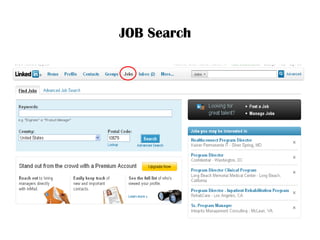
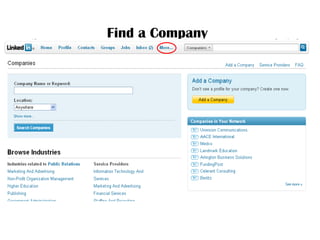
Conducting A Job Search / Career Change Use the Companies Tab Type in Company Name or Keyword Shows employee listing also identifying anyone in your network who works there / used to work there / is connected to someone who does work there Current employees / Promotions or Changes / New Hires / Recent Departures Understand the dynamics of your market Where your peers are working? Where people at a company came from? Where people from a company go next? Is a company hiring – When and how often? Target Companies By industry, geography, company website, job postings Join associated groups  Reach the Hiring Manager - Look for 2nd  & 3 rd  degree connections Prepare for interviews - Research companies and people Join Groups
Conducting A Discreet Job Search Make your status visible only to your connections  Don’t add anything on your search in “What are you working on” section Adjust your contact settings to set what opportunities you are open to receiving Hide your connections list Set profile status / update notification is turned off Don’t display group logos
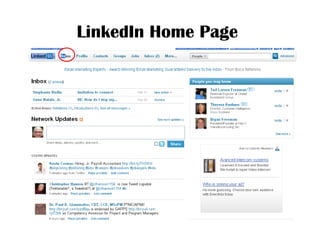
LinkedIn Home Page
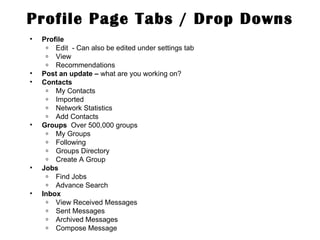
Profile Page Tabs / Drop Downs Profile Edit  - Can also be edited under settings tab View Recommendations Post an update –  what are you working on? Contacts My Contacts Imported Network Statistics Add Contacts Groups  Over 500,000 groups My Groups Following Groups Directory Create A Group Jobs Find Jobs Advance Search Inbox View Received Messages Sent Messages Archived Messages Compose Message
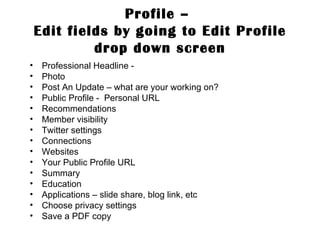
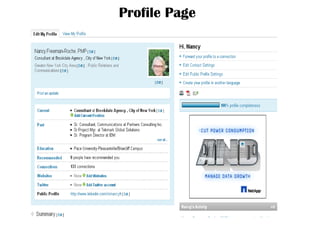
Profile –  Edit fields by going to Edit Profile drop down screen Professional Headline - Photo Post An Update – what are your working on? Public Profile -  Personal URL Recommendations Member visibility Twitter settings Connections Websites Your Public Profile URL Summary Education Applications – slide share, blog link, etc Choose privacy settings Save a PDF copy
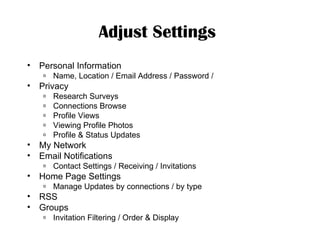
Adjust Settings   Personal Information Name, Location / Email Address / Password / Privacy Research Surveys Connections Browse Profile Views Viewing Profile Photos Profile & Status Updates My Network Email Notifications Contact Settings / Receiving / Invitations Home Page Settings Manage Updates by connections / by type RSS Groups Invitation Filtering / Order & Display
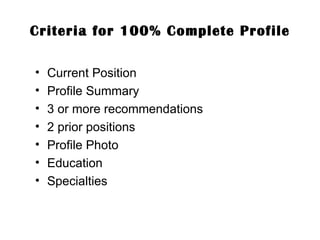
Criteria for 100% Complete Profile Current Position Profile Summary 3 or more recommendations 2 prior positions Profile Photo Education Specialties
Profile Page
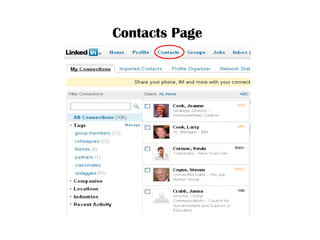
Contacts Page
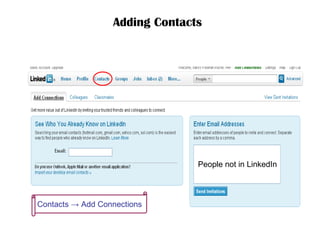
Adding Contacts   Contacts  -> Add Connections  People not in LinkedIn
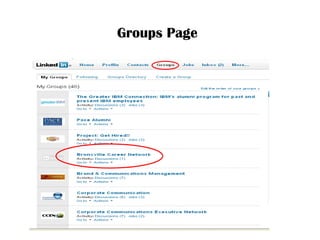
Groups Page
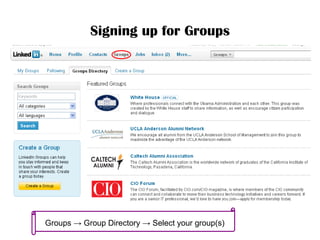
Signing up for Groups Groups  -> Group Directory -> Select your group(s)
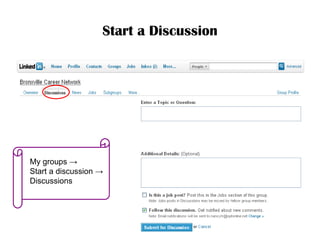
Start a Discussion My groups  ->  Start a discussion  -> Discussions
JOB Search
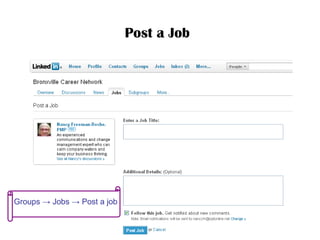
Post a Job   Groups ->  Jobs  -> Post a job
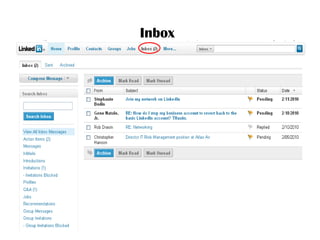
Inbox
Find a Company
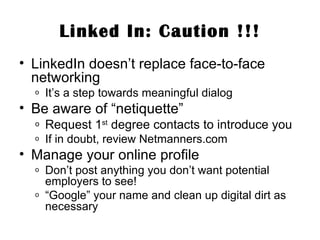
Linked In: Caution !!! LinkedIn doesn’t replace face-to-face networking It’s a step towards meaningful dialog Be aware of “netiquette” Request 1 st  degree contacts to introduce you If in doubt, review Netmanners.com Manage your online profile Don’t post anything you don’t want potential employers to see! “ Google” your name and clean up digital dirt as necessary

Linked in guide_digital

  • 1.
    Best Practices ToMaximize Linkedin Nancy Freeman-Roche Darrel Druckman 2010 Carl Gessman-Tom Wiebrecht 2011
  • 2.
    Why use LinkedIn?Business and Career Focused Social Network Effective “tool” for job seekers, career changers, employers and recruiters Builds your professional profile and personal brand More than 65,000,000 (120 Million Members as of 10/31/11 + and growing) New imperative to present your professional skills as attractively as possible Make Yourself Searchable Build and promote your expertise Google indexes LinkedIn profiles Provides a Personal URL link
  • 3.
    Other Advantages ofLinkedIn Hiring Managers and Recruiters Companies often look at Linkedin first when going beyond a resume Employers, HR staff and recruiters Google a job seeker by name, your Linkedin profile will appear in the results (Cost and more effective) Used as part of daily business routine Connect for industry advice Sales connections Build professional networks
  • 4.
    Still More AdvantagesAccess and introduction to the “hidden job” market More than 80% of all jobs found via networking Take cold contacts to warm 2 nd Level connections to 1 st level (3 rd to 2 nd ) Build your 3 rd Level - 3 degrees of separation Overcome fears of (on-line) networking You’re reaching peers who want to be connected LinkedIn 101 Webinar: Wednesdays 1 PM New User Guides
  • 5.
    Conducting A JobSearch / Career Change Use the Companies Tab Type in Company Name or Keyword Shows employee listing also identifying anyone in your network who works there / used to work there / is connected to someone who does work there Current employees / Promotions or Changes / New Hires / Recent Departures Understand the dynamics of your market Where your peers are working? Where people at a company came from? Where people from a company go next? Is a company hiring – When and how often? Target Companies By industry, geography, company website, job postings Join associated groups Reach the Hiring Manager - Look for 2nd & 3 rd degree connections Prepare for interviews - Research companies and people Join Groups
  • 6.
    Conducting A DiscreetJob Search Make your status visible only to your connections Don’t add anything on your search in “What are you working on” section Adjust your contact settings to set what opportunities you are open to receiving Hide your connections list Set profile status / update notification is turned off Don’t display group logos
  • 7.
  • 8.
    Profile Page Tabs/ Drop Downs Profile Edit - Can also be edited under settings tab View Recommendations Post an update – what are you working on? Contacts My Contacts Imported Network Statistics Add Contacts Groups Over 500,000 groups My Groups Following Groups Directory Create A Group Jobs Find Jobs Advance Search Inbox View Received Messages Sent Messages Archived Messages Compose Message
  • 9.
    Profile – Edit fields by going to Edit Profile drop down screen Professional Headline - Photo Post An Update – what are your working on? Public Profile - Personal URL Recommendations Member visibility Twitter settings Connections Websites Your Public Profile URL Summary Education Applications – slide share, blog link, etc Choose privacy settings Save a PDF copy
  • 10.
    Adjust Settings Personal Information Name, Location / Email Address / Password / Privacy Research Surveys Connections Browse Profile Views Viewing Profile Photos Profile & Status Updates My Network Email Notifications Contact Settings / Receiving / Invitations Home Page Settings Manage Updates by connections / by type RSS Groups Invitation Filtering / Order & Display
  • 11.
    Criteria for 100%Complete Profile Current Position Profile Summary 3 or more recommendations 2 prior positions Profile Photo Education Specialties
  • 12.
  • 13.
  • 14.
    Adding Contacts Contacts -> Add Connections People not in LinkedIn
  • 15.
  • 16.
    Signing up forGroups Groups -> Group Directory -> Select your group(s)
  • 17.
    Start a DiscussionMy groups -> Start a discussion -> Discussions
  • 18.
  • 19.
    Post a Job Groups -> Jobs -> Post a job
  • 20.
  • 21.
  • 22.
    Linked In: Caution!!! LinkedIn doesn’t replace face-to-face networking It’s a step towards meaningful dialog Be aware of “netiquette” Request 1 st degree contacts to introduce you If in doubt, review Netmanners.com Manage your online profile Don’t post anything you don’t want potential employers to see! “ Google” your name and clean up digital dirt as necessary