Manage your professional identity.
Build and engage with your professional network.
Access knowledge, insights and opportunities.
Overview of LinkedIn1
2 Profile Creation and Management
3 Networking Best Practices
4 Groups
5 CTLGroup’s Company Page
• Launched in 2003
• World’s largest
professional network
• Over 225 million users
• Mobile app available
Overview
• Tailor shared info by
managing privacy settings
• “Connections” = Contacts
(similar to Facebook friends)
• Mission:
“Connect the world’s professionals to
make them
more productive and successful”
Overview
Profile Types
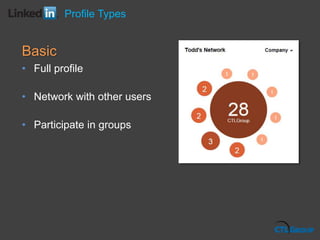
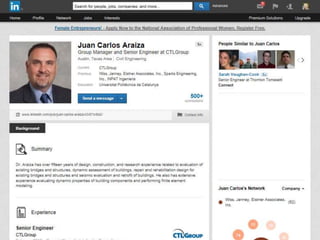
Basic
• Full profile
• Network with other users
• Participate in groups
Profile Types
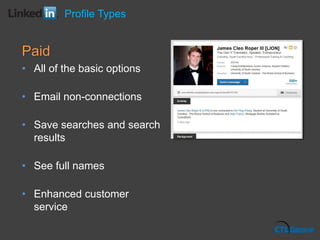
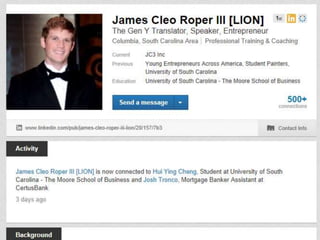
Paid
• All of the basic options
• Email non-connections
• Save searches and search
results
• See full names
• Enhanced customer
service
Profile Types
Profile Management
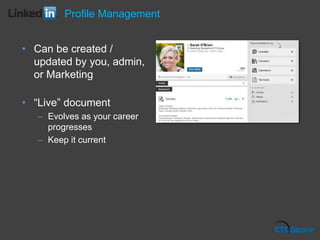
• Can be created /
updated by you, admin,
or Marketing
• “Live” document
– Evolves as your career
progresses
– Keep it current
Profile Management
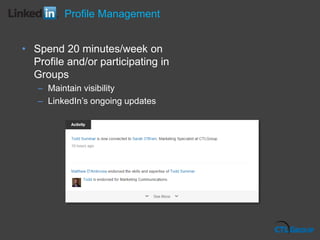
• Spend 20 minutes/week on
Profile and/or participating in
Groups
– Maintain visibility
– LinkedIn’s ongoing updates
Profile Management
Profile Essentials
Profile Essentials
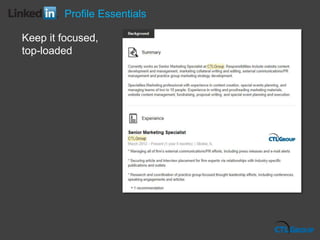
Keep it focused,
top-loaded
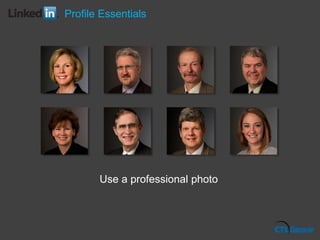
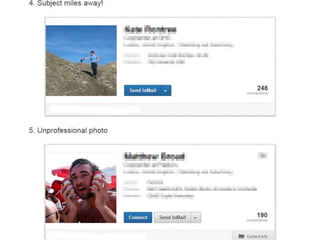
Use a professional photo
Profile Essentials
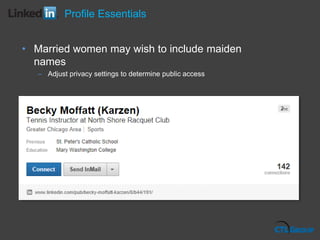
• Married women may wish to include maiden
names
– Adjust privacy settings to determine public access
Profile Essentials
Profile Strength
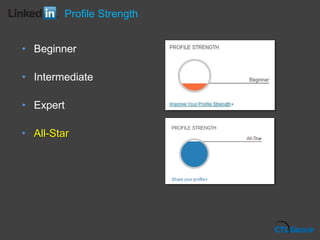
• Beginner
• Intermediate
• Expert
• All-Star
Profile Strength
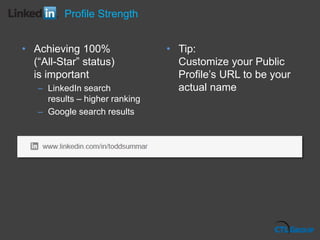
• Achieving 100%
(“All-Star” status)
is important
– LinkedIn search
results – higher ranking
– Google search results
• Tip:
Customize your Public
Profile’s URL to be your
actual name
Profile Strength
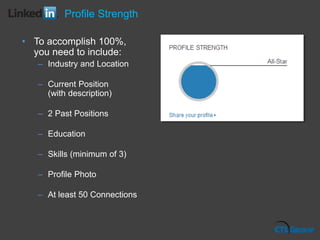
• To accomplish 100%,
you need to include:
– Industry and Location
– Current Position
(with description)
– 2 Past Positions
– Education
– Skills (minimum of 3)
– Profile Photo
– At least 50 Connections
Profile Strength
Profile Creation
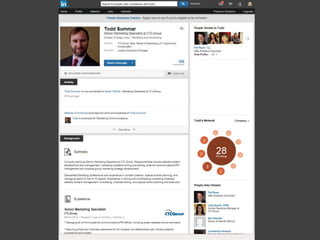
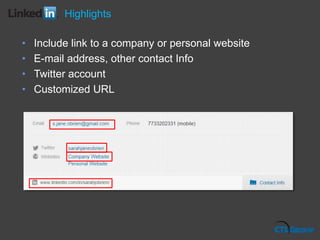
• Include link to a company or personal website
• E-mail address, other contact Info
• Twitter account
• Customized URL
Highlights
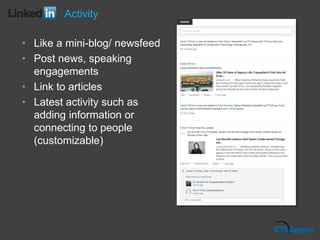
• Like a mini-blog/ newsfeed
• Post news, speaking
engagements
• Link to articles
• Latest activity such as
adding information or
connecting to people
(customizable)
Activity
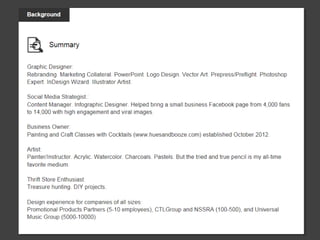
• Describe yourself in a
personal way,
demonstrating your
character
• Describe your
accomplishments
– NOT a list of duties
• End with brief
description of your work
• “Specialties”: most
important key words
relating to your
profession to be linked
to in a site search
• Keep this section
professional, engaging
and clear, focusing on
your objectives
Summary
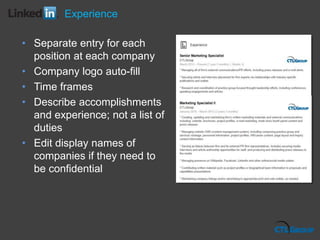
• Separate entry for each
position at each company
• Company logo auto-fill
• Time frames
• Describe accomplishments
and experience; not a list of
duties
• Edit display names of
companies if they need to
be confidential
Experience
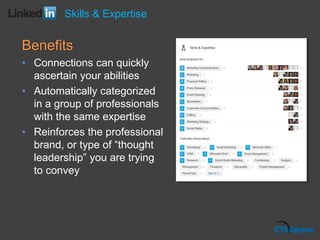
Benefits
• Connections can quickly
ascertain your abilities
• Automatically categorized
in a group of professionals
with the same expertise
• Reinforces the professional
brand, or type of “thought
leadership” you are trying
to convey
Skills & Expertise
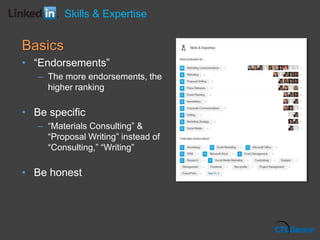
Basics
• “Endorsements”
– The more endorsements, the
higher ranking
• Be specific
– “Materials Consulting” &
“Proposal Writing” instead of
“Consulting,” “Writing”
• Be honest
Skills & Expertise
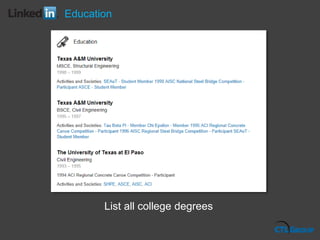
List all college degrees
Education
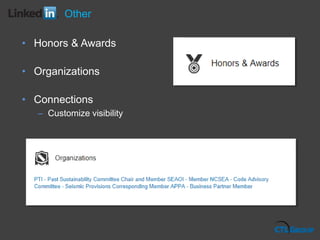
• Honors & Awards
• Organizations
• Connections
– Customize visibility
Other
Networking Best Practices
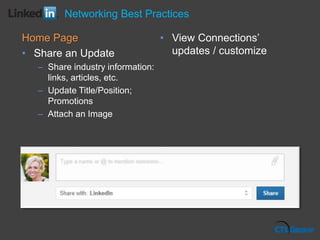
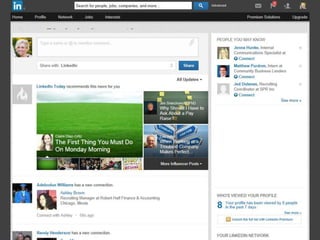
Home Page
• Share an Update
– Share industry information:
links, articles, etc.
– Update Title/Position;
Promotions
– Attach an Image
• View Connections’
updates / customize
Networking Best Practices
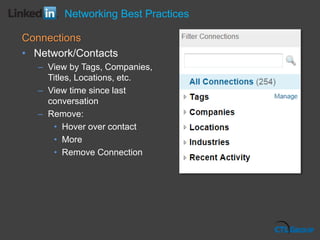
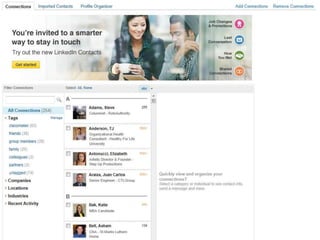
Connections
• Network/Contacts
– View by Tags, Companies,
Titles, Locations, etc.
– View time since last
conversation
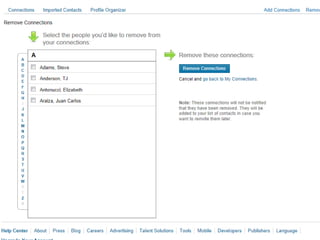
– Remove:
• Hover over contact
• More
• Remove Connection
Networking Best Practices
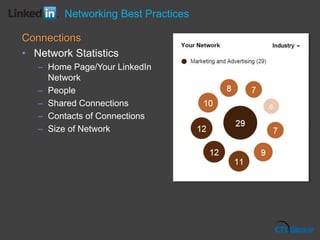
Connections
• Network Statistics
– Home Page/Your LinkedIn
Network
– People
– Shared Connections
– Contacts of Connections
– Size of Network
Networking Best Practices
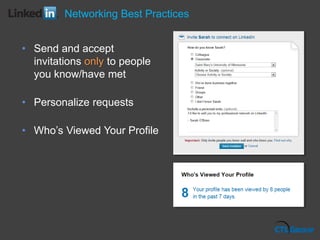
• Send and accept
invitations only to people
you know/have met
• Personalize requests
• Who’s Viewed Your Profile
Networking Best Practices
Recommendations
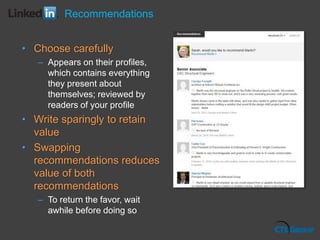
• Choose carefully
– Appears on their profiles,
which contains everything
they present about
themselves; reviewed by
readers of your profile
• Write sparingly to retain
value
• Swapping
recommendations reduces
value of both
recommendations
– To return the favor, wait
awhile before doing so
Recommendations
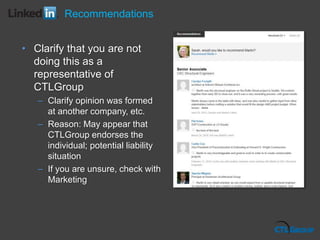
• Clarify that you are not
doing this as a
representative of
CTLGroup
– Clarify opinion was formed
at another company, etc.
– Reason: May appear that
CTLGroup endorses the
individual; potential liability
situation
– If you are unsure, check with
Marketing
Recommendations
Groups
Groups
Groups
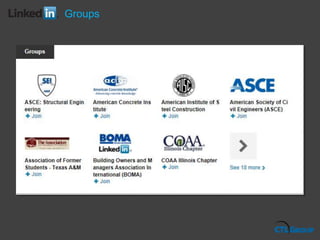
• Great opportunity for networking, visibility, and
sharing professional knowledge
• One of the best ways to deliver to and gain value
from other users
• CTLGroup staff encouraged to participate in relevant
industry-related groups
Groups
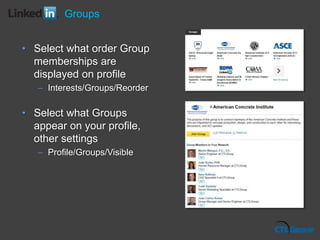
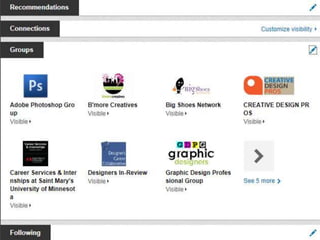
• Select what order Group
memberships are
displayed on profile
– Interests/Groups/Reorder
• Select what Groups
appear on your profile,
other settings
– Profile/Groups/Visible
Groups
• Be professional, kind, polite, and respectful of other
group members.
• Remember that your comments reflect your own
knowledge as well as the reputation of CTLGroup.
• Engage in group discussions and get to know people
before requesting that they become one of your
Connections.
Groups
• Do not directly promote CTLGroup’s services
• Forum for thought leadership and discussion, not direct
marketing
• Do not post CTLGroup job listings
(this is handled by HR)
• Avoid messages that: advertise job opportunities;
recruit candidates; feature resumes and applications;
self-promote one’s availability for positions
Groups
• Avoid Spam messages and postings, including:
– Multiple unsolicited messages to group members. Can result in
being removed and blocked from the group.
– Posting the same discussion repeatedly to promote product,
service or company
– Posting irrelevant commercial comments in discussions
– Posting comments in discussion moving it to the top of
discussions
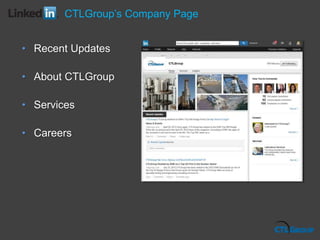
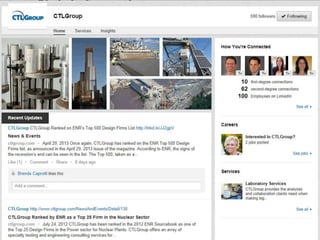
CTLGroup’s Company Page
• Recent Updates
• About CTLGroup
• Services
• Careers
Questions?

LinkedIn Best Practices Presentation

  • 1.
    Manage your professionalidentity. Build and engage with your professional network. Access knowledge, insights and opportunities.
  • 2.
    Overview of LinkedIn1 2Profile Creation and Management 3 Networking Best Practices 4 Groups 5 CTLGroup’s Company Page
  • 3.
    • Launched in2003 • World’s largest professional network • Over 225 million users • Mobile app available Overview
  • 4.
    • Tailor sharedinfo by managing privacy settings • “Connections” = Contacts (similar to Facebook friends) • Mission: “Connect the world’s professionals to make them more productive and successful” Overview
  • 5.
  • 6.
    Basic • Full profile •Network with other users • Participate in groups Profile Types
  • 8.
    Paid • All ofthe basic options • Email non-connections • Save searches and search results • See full names • Enhanced customer service Profile Types
  • 10.
  • 11.
    • Can becreated / updated by you, admin, or Marketing • “Live” document – Evolves as your career progresses – Keep it current Profile Management
  • 12.
    • Spend 20minutes/week on Profile and/or participating in Groups – Maintain visibility – LinkedIn’s ongoing updates Profile Management
  • 13.
  • 14.
    Profile Essentials Keep itfocused, top-loaded
  • 15.
    Use a professionalphoto Profile Essentials
  • 17.
    • Married womenmay wish to include maiden names – Adjust privacy settings to determine public access Profile Essentials
  • 18.
  • 19.
    • Beginner • Intermediate •Expert • All-Star Profile Strength
  • 20.
    • Achieving 100% (“All-Star”status) is important – LinkedIn search results – higher ranking – Google search results • Tip: Customize your Public Profile’s URL to be your actual name Profile Strength
  • 21.
    • To accomplish100%, you need to include: – Industry and Location – Current Position (with description) – 2 Past Positions – Education – Skills (minimum of 3) – Profile Photo – At least 50 Connections Profile Strength
  • 23.
  • 24.
    • Include linkto a company or personal website • E-mail address, other contact Info • Twitter account • Customized URL Highlights
  • 25.
    • Like amini-blog/ newsfeed • Post news, speaking engagements • Link to articles • Latest activity such as adding information or connecting to people (customizable) Activity
  • 26.
    • Describe yourselfin a personal way, demonstrating your character • Describe your accomplishments – NOT a list of duties • End with brief description of your work • “Specialties”: most important key words relating to your profession to be linked to in a site search • Keep this section professional, engaging and clear, focusing on your objectives Summary
  • 28.
    • Separate entryfor each position at each company • Company logo auto-fill • Time frames • Describe accomplishments and experience; not a list of duties • Edit display names of companies if they need to be confidential Experience
  • 29.
    Benefits • Connections canquickly ascertain your abilities • Automatically categorized in a group of professionals with the same expertise • Reinforces the professional brand, or type of “thought leadership” you are trying to convey Skills & Expertise
  • 30.
    Basics • “Endorsements” – Themore endorsements, the higher ranking • Be specific – “Materials Consulting” & “Proposal Writing” instead of “Consulting,” “Writing” • Be honest Skills & Expertise
  • 31.
    List all collegedegrees Education
  • 32.
    • Honors &Awards • Organizations • Connections – Customize visibility Other
  • 33.
  • 34.
    Home Page • Sharean Update – Share industry information: links, articles, etc. – Update Title/Position; Promotions – Attach an Image • View Connections’ updates / customize Networking Best Practices
  • 36.
    Connections • Network/Contacts – Viewby Tags, Companies, Titles, Locations, etc. – View time since last conversation – Remove: • Hover over contact • More • Remove Connection Networking Best Practices
  • 39.
    Connections • Network Statistics –Home Page/Your LinkedIn Network – People – Shared Connections – Contacts of Connections – Size of Network Networking Best Practices
  • 40.
    • Send andaccept invitations only to people you know/have met • Personalize requests • Who’s Viewed Your Profile Networking Best Practices
  • 41.
  • 42.
    • Choose carefully –Appears on their profiles, which contains everything they present about themselves; reviewed by readers of your profile • Write sparingly to retain value • Swapping recommendations reduces value of both recommendations – To return the favor, wait awhile before doing so Recommendations
  • 43.
    • Clarify thatyou are not doing this as a representative of CTLGroup – Clarify opinion was formed at another company, etc. – Reason: May appear that CTLGroup endorses the individual; potential liability situation – If you are unsure, check with Marketing Recommendations
  • 44.
  • 45.
  • 46.
    Groups • Great opportunityfor networking, visibility, and sharing professional knowledge • One of the best ways to deliver to and gain value from other users • CTLGroup staff encouraged to participate in relevant industry-related groups
  • 47.
    Groups • Select whatorder Group memberships are displayed on profile – Interests/Groups/Reorder • Select what Groups appear on your profile, other settings – Profile/Groups/Visible
  • 49.
    Groups • Be professional,kind, polite, and respectful of other group members. • Remember that your comments reflect your own knowledge as well as the reputation of CTLGroup. • Engage in group discussions and get to know people before requesting that they become one of your Connections.
  • 50.
    Groups • Do notdirectly promote CTLGroup’s services • Forum for thought leadership and discussion, not direct marketing • Do not post CTLGroup job listings (this is handled by HR) • Avoid messages that: advertise job opportunities; recruit candidates; feature resumes and applications; self-promote one’s availability for positions
  • 51.
    Groups • Avoid Spammessages and postings, including: – Multiple unsolicited messages to group members. Can result in being removed and blocked from the group. – Posting the same discussion repeatedly to promote product, service or company – Posting irrelevant commercial comments in discussions – Posting comments in discussion moving it to the top of discussions
  • 52.
  • 53.
    CTLGroup’s Company Page •Recent Updates • About CTLGroup • Services • Careers
  • 55.

Editor's Notes

  • #6 Add: Quality Front page stories/regular projects
  • #11 Add: Quality Front page stories/regular projects
  • #14 Add: Quality Front page stories/regular projects
  • #19 Add: Quality Front page stories/regular projects
  • #24 Add: Quality Front page stories/regular projects
  • #34 Add: Quality Front page stories/regular projects
  • #36 Add: Quality Front page stories/regular projects
  • #42 Add: Quality Front page stories/regular projects
  • #45 Add: Quality Front page stories/regular projects
  • #53 Add: Quality Front page stories/regular projects
  • #56 Add: Quality Front page stories/regular projects