Lights, Camera, Learn!
Presented by The Kelley Learning Media Team
Garrett Poortinga, Andrew Funkhouser, & Sarah Hetrick
Video is Awesome!
Today we want to talk about…
Creating outcome-focused approaches with video
by
Breaking down the perceived barriers of video.
What experiences do you have
with creating video for your
instructional needs?
Ways to Use Video in Instruction
Current Uses:
• Lecture Capture
(study resources & instructional improvement)
• Course Modules (online ed.) & Topic-focused mini-lectures
Growing Uses:
• Flipped Classroom
• Student portfolio (assignments or in-class)
Today’s Discussion
• The process of preparing for a video production is
similar to structuring your learning objective and
materials.
• Utilizing video creates a more efficient classroom.
• Video allows students and instructors a new level
of insight into their learning process (ESL, difficult
points/repeated, exam prep).
What are your barriers?
Breaking the Barriers of Video
-Preparation-
-Equipment-
-Software and Distribution-
How to Prepare for Preparing
What you’re doing right now! Workshops, conferences, ask questions.
Research! – Tutorials, Lynda, Youtube, and BH Photo.com
DIY Websites- “No Film School”, “ Production Hub”
Preproduction
(Preparing for Production)
• What you need - time
• Scripting
• Testing your onscreen presence
• Start with an outline or list of main points.
• Flesh out the outline with material and examples.
• Speak aloud, listening to verbiage and flow.
• Speak comfortably, don’t rush.
Scripting is key!
Record. Record again.
Test Your Onscreen Presence!
• Give yourself plenty of time to make mistakes
• Allow for multiple “takes” with different delivery
and emphasis
• Don’t be too critical of yourself
• Ask colleagues to review and give feedback
Equipment and Resources
• Webcams, smartphones, “Point-and-Shoot”
• University & Departmental support
– CITL & Library Media Reserve
– Radio Television Services
– KSB Learning Media Consultation!
Software & Distribution
• Editing Softwares
• Storage
• Privacy
• All-In-One Platforms
-Preparation-
-Equipment-
-Software and Distribution-
Breaking the Barriers ofVideo
-Preparation-
-Equipment-
-Software and Distribution-
When you want to try
something new
• Test it yourself first
• Make it extra credit
• Try it multiple times over the semester
• Expect things to go wrong!
Classroom Media Platforms at IU
• MediaSpace Kaltura (& Canvas LTI integration)
• Echo360 (& Canvas LTI Integration)
• VoiceThread (in Canvas only)
• Captivate (Adobe product, IU Ware)
• IU BOX (duh!)
Wednesday, 10am-10:45 Walnut Room - Nate Pairitz Breakout Session
Adventures in Echo360
Echo360 Introduction Video
Adventures in Echo360
Spring and Fall 2013 Numbers
• Total Number of Echoes: 235
• Total Number of Views: 965
Fall 2015 Numbers So Far
• Total Number of Echoes: 1,211
• Total Number of Views: 10,493
What Were Our Barriers?
• Faculty not aware of service
• Faculty not convinced service is needed
• Service seemed too complicated
• Poor communication (on our end)
What have we learned?
• Get out there and talk to people
• Find specific needs, provide solutions
• Show faculty how easy it can be
• Intake is EXTREMELY important
• Create your own tutorial resources
Example:
Business Communication
• Spring 2015 – where did these cameras come
from?!
• Summer 2015 – contact is made
• Fall 2015 – everything is awesome!
– 63 sections recording 2x a week
Where do we want to go?
More Efficient Classroom
Successful Applications
Out of the Classroom
• Study Resources
• Portfolio of Work
• “Canned” Lectures
• Improving classroom instruction
• Assignment Archives
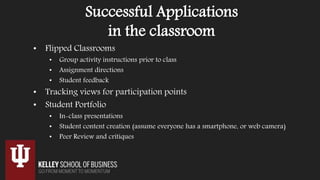
Successful Applications
in the classroom
• Flipped Classrooms
• Group activity instructions prior to class
• Assignment directions
• Student feedback
• Tracking views for participation points
• Student Portfolio
• In-class presentations
• Student content creation (assume everyone has a smartphone, or web camera)
• Peer Review and critiques
Additional Resources for you…
Wednesday, 10am-10:45am Walnut Room
Nate Pairitz Breakout Session
Video Helps the Student
• Allows for material review.
• Compliments the lecture
experience.
• Having video allows students to
pinpoint confusion and ask for
help.
• Visual platform allows students
to engage and help one another.
Video Helps the
Instructor
• Archives your lectures and
assignments
• Allows students to review
• You can review yourself in
lecture
• Platform data allows you to
improve methods
• Data metrics within video
platforms

LightsCameraLearn-StatewideIT-FA2015

  • 1.
    Lights, Camera, Learn! Presentedby The Kelley Learning Media Team Garrett Poortinga, Andrew Funkhouser, & Sarah Hetrick
  • 2.
  • 3.
    Today we wantto talk about… Creating outcome-focused approaches with video by Breaking down the perceived barriers of video.
  • 4.
    What experiences doyou have with creating video for your instructional needs?
  • 5.
    Ways to UseVideo in Instruction Current Uses: • Lecture Capture (study resources & instructional improvement) • Course Modules (online ed.) & Topic-focused mini-lectures Growing Uses: • Flipped Classroom • Student portfolio (assignments or in-class)
  • 6.
    Today’s Discussion • Theprocess of preparing for a video production is similar to structuring your learning objective and materials. • Utilizing video creates a more efficient classroom. • Video allows students and instructors a new level of insight into their learning process (ESL, difficult points/repeated, exam prep).
  • 7.
    What are yourbarriers?
  • 8.
    Breaking the Barriersof Video -Preparation- -Equipment- -Software and Distribution-
  • 9.
    How to Preparefor Preparing What you’re doing right now! Workshops, conferences, ask questions. Research! – Tutorials, Lynda, Youtube, and BH Photo.com DIY Websites- “No Film School”, “ Production Hub”
  • 10.
    Preproduction (Preparing for Production) •What you need - time • Scripting • Testing your onscreen presence
  • 11.
    • Start withan outline or list of main points. • Flesh out the outline with material and examples. • Speak aloud, listening to verbiage and flow. • Speak comfortably, don’t rush. Scripting is key!
  • 12.
    Record. Record again. TestYour Onscreen Presence! • Give yourself plenty of time to make mistakes • Allow for multiple “takes” with different delivery and emphasis • Don’t be too critical of yourself • Ask colleagues to review and give feedback
  • 13.
    Equipment and Resources •Webcams, smartphones, “Point-and-Shoot” • University & Departmental support – CITL & Library Media Reserve – Radio Television Services – KSB Learning Media Consultation!
  • 14.
    Software & Distribution •Editing Softwares • Storage • Privacy • All-In-One Platforms
  • 15.
    -Preparation- -Equipment- -Software and Distribution- Breakingthe Barriers ofVideo -Preparation- -Equipment- -Software and Distribution-
  • 16.
    When you wantto try something new • Test it yourself first • Make it extra credit • Try it multiple times over the semester • Expect things to go wrong!
  • 17.
    Classroom Media Platformsat IU • MediaSpace Kaltura (& Canvas LTI integration) • Echo360 (& Canvas LTI Integration) • VoiceThread (in Canvas only) • Captivate (Adobe product, IU Ware) • IU BOX (duh!) Wednesday, 10am-10:45 Walnut Room - Nate Pairitz Breakout Session
  • 18.
  • 19.
    Adventures in Echo360 Springand Fall 2013 Numbers • Total Number of Echoes: 235 • Total Number of Views: 965 Fall 2015 Numbers So Far • Total Number of Echoes: 1,211 • Total Number of Views: 10,493
  • 20.
    What Were OurBarriers? • Faculty not aware of service • Faculty not convinced service is needed • Service seemed too complicated • Poor communication (on our end)
  • 21.
    What have welearned? • Get out there and talk to people • Find specific needs, provide solutions • Show faculty how easy it can be • Intake is EXTREMELY important • Create your own tutorial resources
  • 22.
    Example: Business Communication • Spring2015 – where did these cameras come from?! • Summer 2015 – contact is made • Fall 2015 – everything is awesome! – 63 sections recording 2x a week
  • 23.
    Where do wewant to go? More Efficient Classroom
  • 24.
    Successful Applications Out ofthe Classroom • Study Resources • Portfolio of Work • “Canned” Lectures • Improving classroom instruction • Assignment Archives
  • 25.
    Successful Applications in theclassroom • Flipped Classrooms • Group activity instructions prior to class • Assignment directions • Student feedback • Tracking views for participation points • Student Portfolio • In-class presentations • Student content creation (assume everyone has a smartphone, or web camera) • Peer Review and critiques
  • 26.
    Additional Resources foryou… Wednesday, 10am-10:45am Walnut Room Nate Pairitz Breakout Session
  • 27.
    Video Helps theStudent • Allows for material review. • Compliments the lecture experience. • Having video allows students to pinpoint confusion and ask for help. • Visual platform allows students to engage and help one another. Video Helps the Instructor • Archives your lectures and assignments • Allows students to review • You can review yourself in lecture • Platform data allows you to improve methods • Data metrics within video platforms

Editor's Notes

  • #2 Media Team Promo: https://iu.mediaspace.kaltura.com/media/Kelley+Learning+Media+Team/1_80dwq2wn/35232481
  • #3  Whether you’re an IT or an instructor…
  • #4 Out-focused approaches, meaning we intentionally create the video with an expected use or outcome. For an IDEA of OUTCOMES, play Team Video: https://iu.mediaspace.kaltura.com/media/Kelley+Learning+Media+Team/1_80dwq2wn/35232481
  • #7 The process for preparing for a video production (scripting, materials prep) helps in concisely structuring your learning objective and materials Using video in instruction creates a more efficient classroom Using video in instruction allows students new level of control over the pacing of their learning (ESL, difficult points/repeated)
  • #8 Open Discuss, ask audience ….. HAND OFF TO SARAH
  • #9 Not really sure where to start? Preparation may not be the most widely-perceived barrier of video recording, but it is definitely pervasive and has a lot of different elements: Preparation- Time commitment, scripting, onscreen presence, copyrights, FERPA, etc. Equipment- Cameras, lights, audio, storage, price, etc. Software and Distribution Capturing, editing, archiving, video players, access, privacy, etc. Hosts, platforms, video players, privacy, access, etc.
  • #10 Start by asking your self, “What DON’T I know” and research those topics. Tutorials: LYNDA (Access to all IU Employees/Students), Kelley Learning Media tutorials. DIY Websites: No film school – started as a blog, went on to be a website community of amateur video makers teaching each other Basics of preparation is knowing what you need - time Scripting Tips- preparation is everything Testing your onscreen presence
  • #11  Basics of preparation is knowing what you need - time Scripting Tips- preparation is everything Testing your onscreen presence
  • #14 Equipment used to be a barrier because of prohibitive costs. This is simply not the case anymore. The university offers plenty of free and widely available options, and many people have a camera and have used youtube and other basic editors. CITL Center for Innovative Teaching and Learning (CITL)
  • #15 Free to you here at IU are All-In-One platforms: Kaltura Mediaspace, Echo, etc. They Do it all – basic editing features, storage, and distribution. Also, Storage: box, the cloud, locally, external hard drives. Access-types Privacy For more advanced users: Non-Linear Editors (NLE) – many different options at different price ranges: Adobe, Final Cut, audacity, ableton, etc.
  • #16 SARAH”S Last slide So it is very easy. The barriers in video are easily broken down, just by knowing what your options are and that you have a lot of flexibility to do what you want. Reiterate Points Preparation is everything Try, and try again Equipment and Cost really aren’t an excuse any more Neither is Distribution and Software HAND OFF TO GARRETT
  • #17 Thanks Sarah, As we can see, there may be quiet a few perceived barriers. However, even if we can still disspell them, there is the intrinsic barrier of trying something new. Specifically with video, here are a few tips for when trying video in your course design.
  • #18 MediaSpace Kaltura: Standalone Platform and Canvas Integration via KMC, the difference between My Media and Media Gallery, Playlists, etc)
  • #23 Spring – Garrett and I are walking around classrooms and noticing handheld cameras, hang on a sec, WE’RE the video people! Where did these come from? Summer – We are telling more people about Echo360, we get in touch with Sue Vargo, she tells us how they have been recording videos (recording, getting video off camera, uploading for every class) Fall – Bis Comm faculty begin to use echo: no more bringing cameras, no more uploading! Hand off to GARRETT
  • #24 So where do we, whether IT or Instructor, want to go by using video? We want a more efficient classroom. Instead of the use of video getting in the way of learning objective, we want video to help create more seemless experience and pursuit of learning outcomes. Two ways – Using video within the classroom experience, and away from the classroom.
  • #25 Lecture captured is a recourse for exam prep, review, ESL, and Data for instructor Portfolio’s for students to showcase their work – both as a student and to job recruiters and interviewers Canned Lectures for instructors to call upon, also from students to “preview the course” Lecture capture can help faculty improve them classroom teaching by reviewing and asking colleagues to review their recordings Assignment archives for facutly to pull upon