Video Conference Best Practice
Simon Clarke,
Shetland College, UHI
April 2013
Objectives
• Identify the challenges in teaching by VC
• Explore possible solutions
• Consider the whole package for VC led
modules not just what happens in the VC
suite.
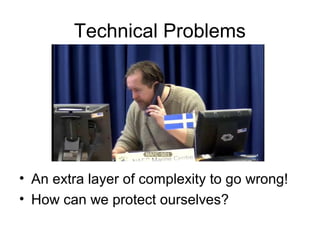
Technical Problems
• An extra layer of complexity to go wrong!
• How can we protect ourselves?
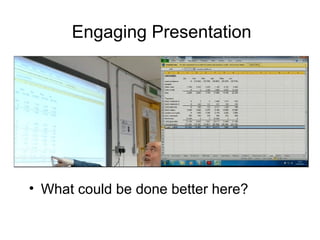
Engaging Presentation
• What could be done better here?
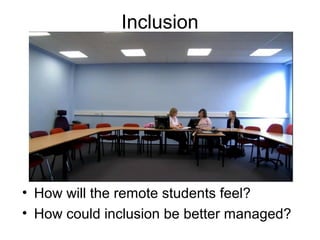
Inclusion
• How will the remote students feel?
• How could inclusion be better managed?
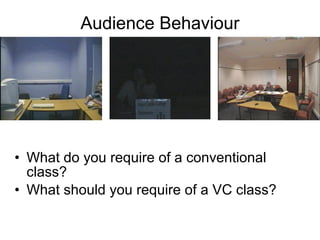
Audience Behaviour
• What do you require of a conventional
class?
• What should you require of a VC class?
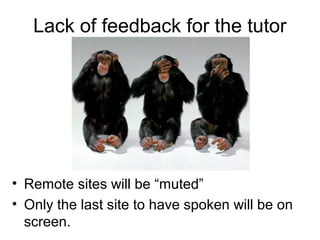
Lack of feedback for the tutor
• Remote sites will be “muted”
• Only the last site to have spoken will be on
screen.
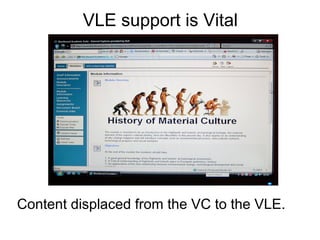
VLE support is Vital
Content displaced from the VC to the VLE.
VLE advantages
• Accurate and Reliable
• Lecturer freed from dictating
• Students freed from note taking
• Not a disaster if VC session is missed or
there is an equipment failure.
VC session can concentrate on being
stimulating and interactive.
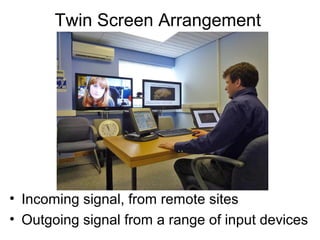
Twin Screen Arrangement
• Incoming signal, from remote sites
• Outgoing signal from a range of input devices
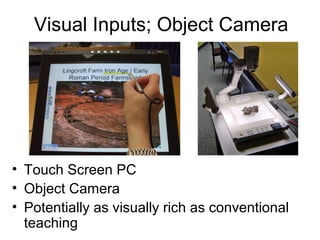
Visual Inputs; Object Camera
• Touch Screen PC
• Object Camera
• Potentially as visually rich as conventional
teaching
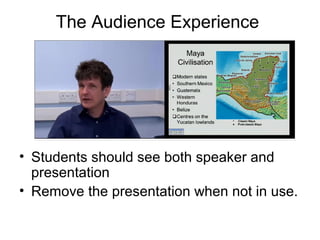
The Audience Experience
• Students should see both speaker and
presentation
• Remove the presentation when not in use.
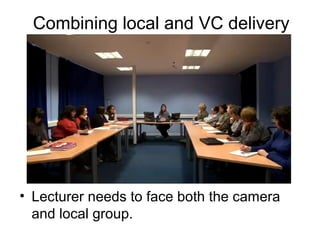
Combining local and VC delivery
• Lecturer needs to face both the camera
and local group.
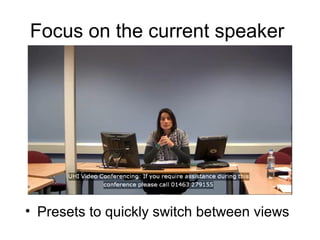
Focus on the current speaker
• Presets to quickly switch between views
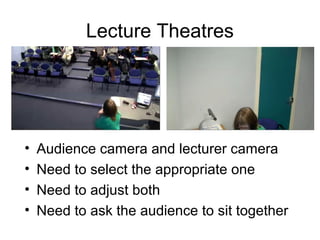
Lecture Theatres
• Audience camera and lecturer camera
• Need to select the appropriate one
• Need to adjust both
• Need to ask the audience to sit together
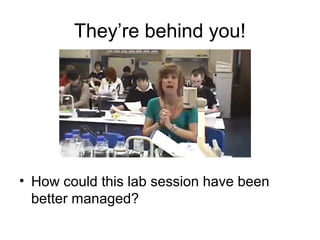
They’re behind you!
• How could this lab session have been
better managed?
Active Listening
• Break up presentations into short sections
• Actively seek input from all centres
• Encourage students to interrupt with
questions and comments.
The possibility of interaction affects the
way people listen, even if they don’t
personally speak during a session.
Longitudinal Dialogue
• Expect students to come to sessions
prepped by having read ahead
• Assessment and feedback needs to form
an effective cycle of dialogue and
improvement
• VC is only a small part of the “contact” that
students require
Recordings
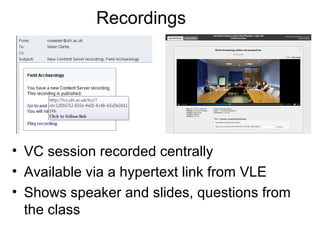
• VC session recorded centrally
• Available via a hypertext link from VLE
• Shows speaker and slides, questions from
the class
What is Streaming For?
• Offers security of delivery and
flexibility to students
• Only a recording – not interactive
• Only stored for two weeks – not a
long term resource
• Availability may affect whether
students turn up for the live session.
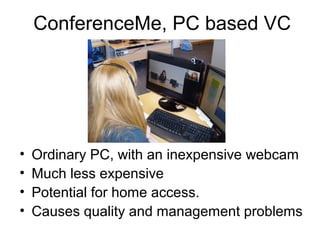
ConferenceMe, PC based VC
• Ordinary PC, with an inexpensive webcam
• Much less expensive
• Potential for home access.
• Causes quality and management problems
Conclusions: Programme Design
• Redesign courses and modules to work
through the medium of VC.
• All VC modules should be supported
with online materials – for security of
delivery and to displace content form the
VC session.
• Induct students in VC and VLE –
manage expectation and behaviour.
Before the VC Session
• Rooms need to be booked and the
bridge informed prior to the class to
ensure a smooth start
• Manage VC rooms to ensure equipment
is arranged appropriately
• Be familiar with the VC equipment prior
to the class
During the VC
• Manage your local cameras for a
professional presentation
• Don’t just be a talking head. VC can be as
visually rich as face to face.
• Be student centred – VC should be
interactive
• VC use is a significant learning outcome in
its own right – require appropriate
behaviour from your class
After the VC
• Make recordings routinely available to
students – most recordings are not
currently used.
• Be available to your students by phone
and email - the equivalent of speaking
after the class. Teaching should be an
extended dialogue with students.

University of the Highlands and Islands, Business and Leisure, Video-conferencing Best Practice 2013

  • 1.
    Video Conference BestPractice Simon Clarke, Shetland College, UHI April 2013
  • 2.
    Objectives • Identify thechallenges in teaching by VC • Explore possible solutions • Consider the whole package for VC led modules not just what happens in the VC suite.
  • 3.
    Technical Problems • Anextra layer of complexity to go wrong! • How can we protect ourselves?
  • 4.
    Engaging Presentation • Whatcould be done better here?
  • 5.
    Inclusion • How willthe remote students feel? • How could inclusion be better managed?
  • 6.
    Audience Behaviour • Whatdo you require of a conventional class? • What should you require of a VC class?
  • 7.
    Lack of feedbackfor the tutor • Remote sites will be “muted” • Only the last site to have spoken will be on screen.
  • 8.
    VLE support isVital Content displaced from the VC to the VLE.
  • 9.
    VLE advantages • Accurateand Reliable • Lecturer freed from dictating • Students freed from note taking • Not a disaster if VC session is missed or there is an equipment failure. VC session can concentrate on being stimulating and interactive.
  • 10.
    Twin Screen Arrangement •Incoming signal, from remote sites • Outgoing signal from a range of input devices
  • 11.
    Visual Inputs; ObjectCamera • Touch Screen PC • Object Camera • Potentially as visually rich as conventional teaching
  • 12.
    The Audience Experience •Students should see both speaker and presentation • Remove the presentation when not in use.
  • 13.
    Combining local andVC delivery • Lecturer needs to face both the camera and local group.
  • 14.
    Focus on thecurrent speaker • Presets to quickly switch between views
  • 15.
    Lecture Theatres • Audiencecamera and lecturer camera • Need to select the appropriate one • Need to adjust both • Need to ask the audience to sit together
  • 16.
    They’re behind you! •How could this lab session have been better managed?
  • 17.
    Active Listening • Breakup presentations into short sections • Actively seek input from all centres • Encourage students to interrupt with questions and comments. The possibility of interaction affects the way people listen, even if they don’t personally speak during a session.
  • 18.
    Longitudinal Dialogue • Expectstudents to come to sessions prepped by having read ahead • Assessment and feedback needs to form an effective cycle of dialogue and improvement • VC is only a small part of the “contact” that students require
  • 19.
    Recordings • VC sessionrecorded centrally • Available via a hypertext link from VLE • Shows speaker and slides, questions from the class
  • 20.
    What is StreamingFor? • Offers security of delivery and flexibility to students • Only a recording – not interactive • Only stored for two weeks – not a long term resource • Availability may affect whether students turn up for the live session.
  • 21.
    ConferenceMe, PC basedVC • Ordinary PC, with an inexpensive webcam • Much less expensive • Potential for home access. • Causes quality and management problems
  • 22.
    Conclusions: Programme Design •Redesign courses and modules to work through the medium of VC. • All VC modules should be supported with online materials – for security of delivery and to displace content form the VC session. • Induct students in VC and VLE – manage expectation and behaviour.
  • 23.
    Before the VCSession • Rooms need to be booked and the bridge informed prior to the class to ensure a smooth start • Manage VC rooms to ensure equipment is arranged appropriately • Be familiar with the VC equipment prior to the class
  • 24.
    During the VC •Manage your local cameras for a professional presentation • Don’t just be a talking head. VC can be as visually rich as face to face. • Be student centred – VC should be interactive • VC use is a significant learning outcome in its own right – require appropriate behaviour from your class
  • 25.
    After the VC •Make recordings routinely available to students – most recordings are not currently used. • Be available to your students by phone and email - the equivalent of speaking after the class. Teaching should be an extended dialogue with students.