
Research Tips… with Chad Mairn, Librarian
Need Help?? www.askalibrarian.org
Before you begin, ask yourself:What is my assignment? What questions do I need to answer?What kind and how much information do I need? What do I already know? What do I want to know? How can I apply what I already know to what I am learning now?
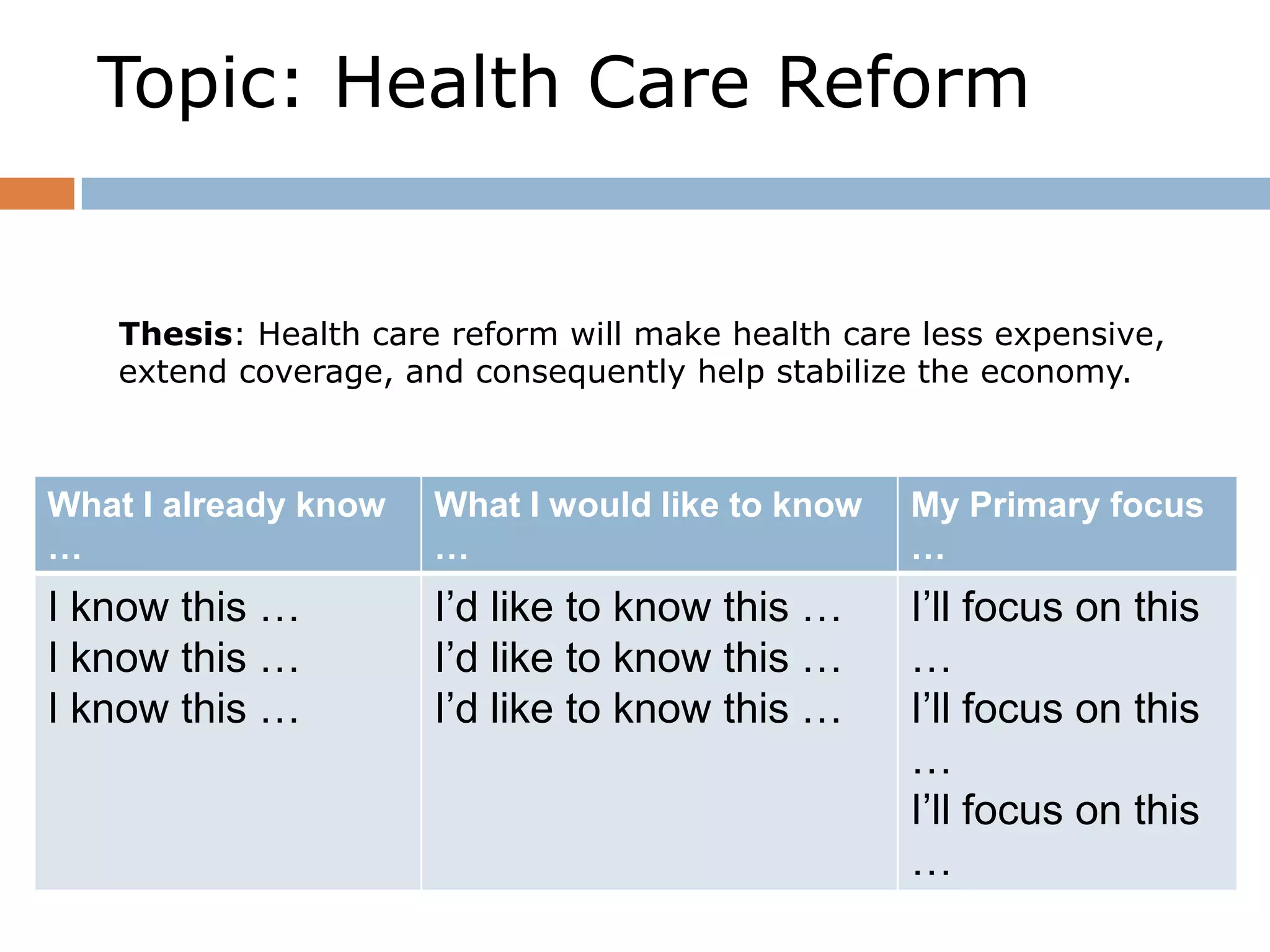
Topic: Health Care ReformThesis: Health care reform will make health care less expensive, extend coverage, and consequently help stabilize the economy.
Search and you will find … Search within our library website for books, articles, e-books and more!
As you search for resources, ask:Do the sources I am finding support my research question?How can I best share my conclusions with others?Have I completely answered my research question?
Research Tip …   can cite sources! Just copy/paste the book’s ISBN into the search box.You can export to RefWorks or you can simply copy/paste the citation.
Scholarly JournalGeneral Magazine
General DatabasesUse Advanced Search FeatureRefine your topic using suggested subject headingsLimit to full textExclude book reviewsRead the abstract to decide whether the article is appropriate for your topicSelect the type of source: peer-reviewed, newspaper, magazineExport the Citation InformationContain information on many topicsTips
Specialized DatabasesUse keyword searching or take advantage of  topic listsRefine the topic using suggested subject headingsUse tabs or side bars to locate the type of information needed on the topicUse citation links to copy or export citation informationContain information on a single topicTips
Finding Information on the WWWWatch Google Instant.Use Advanced Search FeatureRemember anyone can create a website.Can you clearly determine who has written the article?Do they have subject expertise?Is the website relevant to your research? Is it comprehensive? Up-to date? Biased?Can the information be verified?Utilize Search Engine FeaturesTipsDon’t settle for a general Google Search!Use the advanced search feature to limit to edu or org sites
Use Google Scholar to access peer reviewed sources
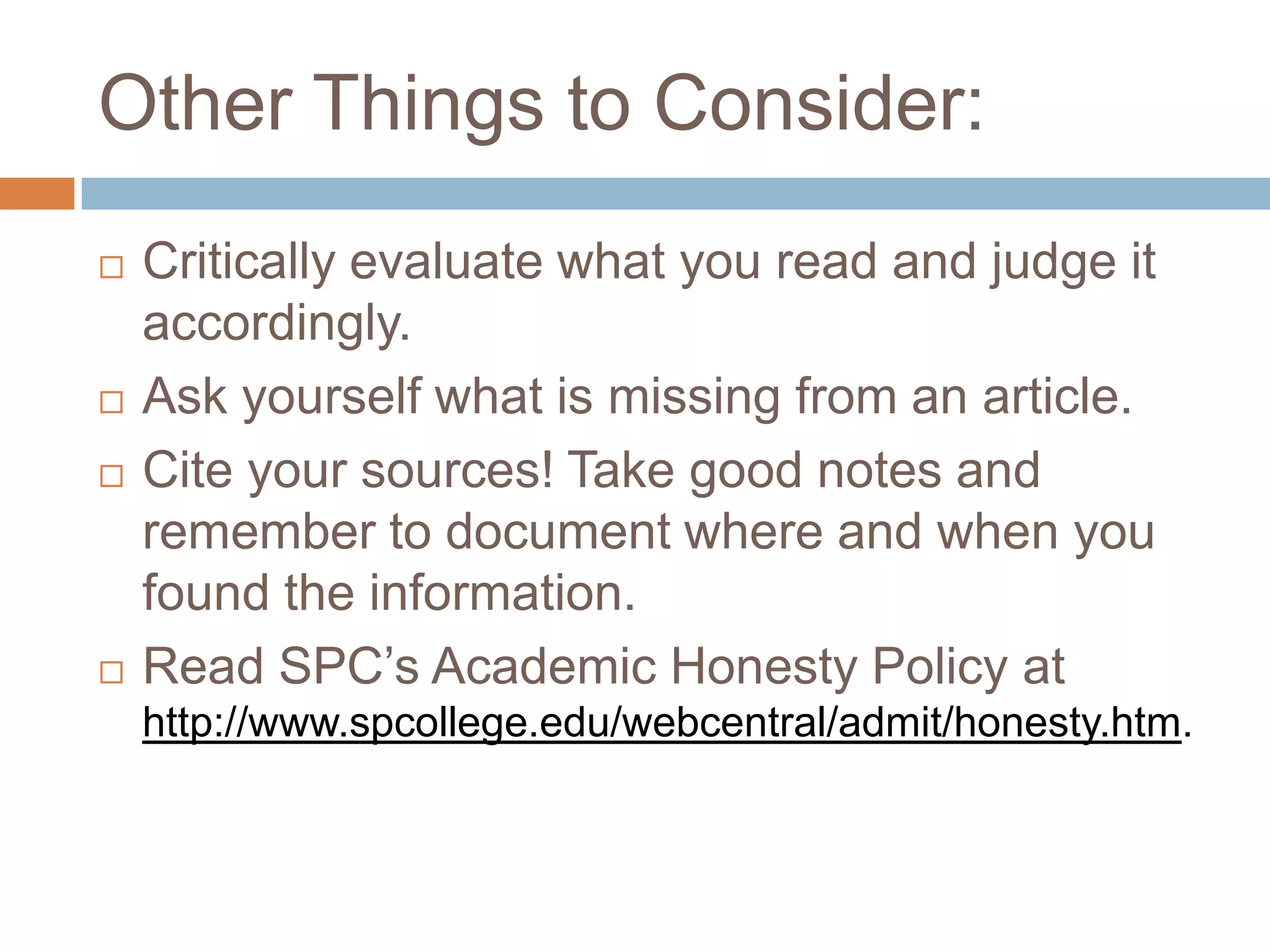
Use Google Books for excerpts from published worksOther Things to Consider:Critically evaluate what you read and judge it accordingly. Ask yourself what is missing from an article.Cite your sources! Take good notes and remember to document where and when you found the information. Read SPC’s Academic Honesty Policy at http://www.spcollege.edu/webcentral/admit/honesty.htm.
Citing Sourceshttp://mlahandbook.orgSign on with this information:   spc.mla.help@gmail.comPassword:  mlahelpCitation Management ToolsOnline Access to MLA Manualhttp://spcollege.libguides.com/refworks
Other citation tools … www.worldcat.orgwww.citationmachine.netwww.zotero.netwww.easybib.com/ www.noodletools.com/www.bibme.org/ 
Need Help?? www.askalibrarian.org
Don’t forget: You can copy-paste this slide into other presentations, and move or resize the poll.

Library Research Methods -- Overview Zipcast

  • 1.
    Research Tips… withChad Mairn, Librarian
  • 2.
  • 3.
    Before you begin,ask yourself:What is my assignment? What questions do I need to answer?What kind and how much information do I need? What do I already know? What do I want to know? How can I apply what I already know to what I am learning now?
  • 4.
    Topic: Health CareReformThesis: Health care reform will make health care less expensive, extend coverage, and consequently help stabilize the economy.
  • 5.
    Search and youwill find … Search within our library website for books, articles, e-books and more!
  • 7.
    As you searchfor resources, ask:Do the sources I am finding support my research question?How can I best share my conclusions with others?Have I completely answered my research question?
  • 8.
    Research Tip … can cite sources! Just copy/paste the book’s ISBN into the search box.You can export to RefWorks or you can simply copy/paste the citation.
  • 9.
  • 10.
    General DatabasesUse AdvancedSearch FeatureRefine your topic using suggested subject headingsLimit to full textExclude book reviewsRead the abstract to decide whether the article is appropriate for your topicSelect the type of source: peer-reviewed, newspaper, magazineExport the Citation InformationContain information on many topicsTips
  • 11.
    Specialized DatabasesUse keywordsearching or take advantage of topic listsRefine the topic using suggested subject headingsUse tabs or side bars to locate the type of information needed on the topicUse citation links to copy or export citation informationContain information on a single topicTips
  • 12.
    Finding Information onthe WWWWatch Google Instant.Use Advanced Search FeatureRemember anyone can create a website.Can you clearly determine who has written the article?Do they have subject expertise?Is the website relevant to your research? Is it comprehensive? Up-to date? Biased?Can the information be verified?Utilize Search Engine FeaturesTipsDon’t settle for a general Google Search!Use the advanced search feature to limit to edu or org sites
  • 13.
    Use Google Scholarto access peer reviewed sources
  • 14.
    Use Google Booksfor excerpts from published worksOther Things to Consider:Critically evaluate what you read and judge it accordingly. Ask yourself what is missing from an article.Cite your sources! Take good notes and remember to document where and when you found the information. Read SPC’s Academic Honesty Policy at http://www.spcollege.edu/webcentral/admit/honesty.htm.
  • 15.
    Citing Sourceshttp://mlahandbook.orgSign onwith this information:   spc.mla.help@gmail.comPassword:  mlahelpCitation Management ToolsOnline Access to MLA Manualhttp://spcollege.libguides.com/refworks
  • 16.
    Other citation tools… www.worldcat.orgwww.citationmachine.netwww.zotero.netwww.easybib.com/ www.noodletools.com/www.bibme.org/ 
  • 17.
  • 19.
    Don’t forget: Youcan copy-paste this slide into other presentations, and move or resize the poll.
  • 20.
    Don’t forget: Youcan copy-paste this slide into other presentations, and move or resize the poll.

Editor's Notes

  • #19 Press F5 or enter presentation mode to view the poll\r\nIn an emergency during your presentation, if the poll isn't showing, navigate to this link in your web browser:\r\nhttp://www.polleverywhere.com/multiple_choice_polls/LTc4MDU2MzQzOQIf you like, you can use this slide as a template for your own voting slides. You might use a slide like this if you feel your audience would benefit from the picture showing a text message on a phone.
  • #20 Press F5 or enter presentation mode to view the poll\r\nIn an emergency during your presentation, if the poll isn't showing, navigate to this link in your web browser:\r\nhttp://www.polleverywhere.com/multiple_choice_polls/LTYzMDMyNjAzMgIf you like, you can use this slide as a template for your own voting slides. You might use a slide like this if you feel your audience would benefit from the picture showing a text message on a phone.