
CSS Inculsion

www.eshikshak.co.in
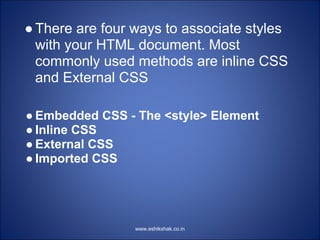
● There are four ways to associate styles
  with your HTML document. Most
  commonly used methods are inline CSS
  and External CSS

● Embedded CSS - The <style> Element
● Inline CSS
● External CSS
● Imported CSS


                 www.eshikshak.co.in
Embedded CSS
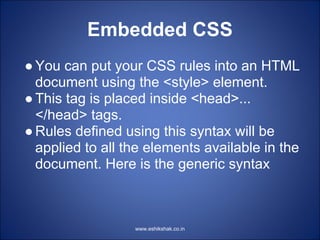
● You can put your CSS rules into an HTML
  document using the <style> element.
● This tag is placed inside <head>...
  </head> tags.
● Rules defined using this syntax will be
  applied to all the elements available in the
  document. Here is the generic syntax


                  www.eshikshak.co.in
Embedded CSS


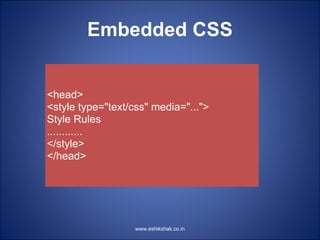
<head>
<style type="text/css" media="...">
Style Rules
............
</style>
</head>


                   www.eshikshak.co.in
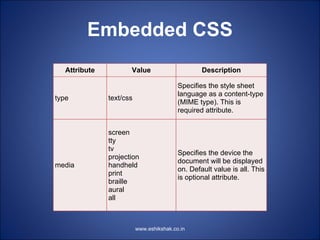
Embedded CSS
   Attribute          Value                       Description

                                          Specifies the style sheet
                                          language as a content-type
type           text/css
                                          (MIME type). This is
                                          required attribute.


               screen
               tty
               tv
                                          Specifies the device the
               projection
                                          document will be displayed
media          handheld
                                          on. Default value is all. This
               print
                                          is optional attribute.
               braille
               aural
               all


                          www.eshikshak.co.in
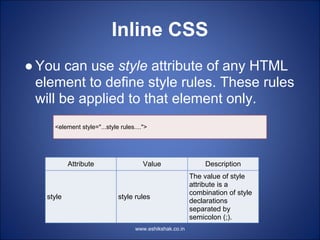
Inline CSS
● You can use style attribute of any HTML
  element to define style rules. These rules
  will be applied to that element only.
     <element style="...style rules....">


           Attribute                   Value                   Description
                                                          The value of style
                                                          attribute is a
                                                          combination of style
   style                     style rules
                                                          declarations
                                                          separated by
                                                          semicolon (;).
                                    www.eshikshak.co.in
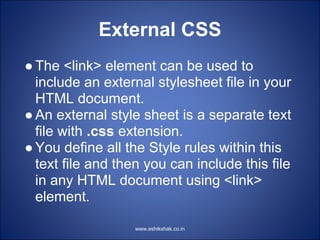
External CSS
● The <link> element can be used to
  include an external stylesheet file in your
  HTML document.
● An external style sheet is a separate text
  file with .css extension.
● You define all the Style rules within this
  text file and then you can include this file
  in any HTML document using <link>
  element.

                   www.eshikshak.co.in
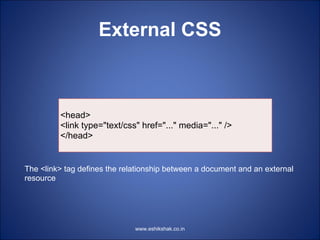
External CSS


         <head>
         <link type="text/css" href="..." media="..." />
         </head>


The <link> tag defines the relationship between a document and an external
resource


                              www.eshikshak.co.in
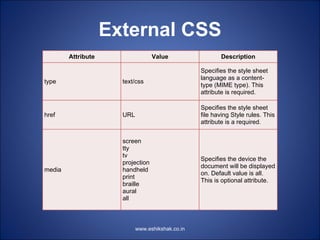
External CSS
        Attribute                  Value                 Description

                                                  Specifies the style sheet
                                                  language as a content-
type                  text/css
                                                  type (MIME type). This
                                                  attribute is required.

                                                  Specifies the style sheet
href                  URL                         file having Style rules. This
                                                  attribute is a required.


                      screen
                      tty
                      tv
                                                  Specifies the device the
                      projection
                                                  document will be displayed
media                 handheld
                                                  on. Default value is all.
                      print
                                                  This is optional attribute.
                      braille
                      aural
                      all


                            www.eshikshak.co.in
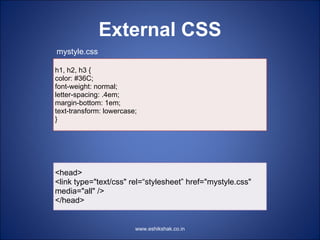
External CSS
mystyle.css

h1, h2, h3 {
color: #36C;
font-weight: normal;
letter-spacing: .4em;
margin-bottom: 1em;
text-transform: lowercase;
}


<head>
<link type="text/css" rel=“stylesheet” href="mystyle.css"
media="all" />
</head>


                         www.eshikshak.co.in
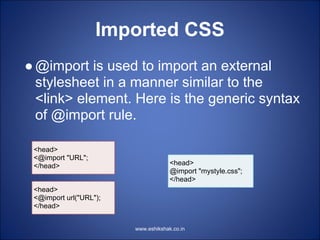
Imported CSS
● @import is used to import an external
  stylesheet in a manner similar to the
  <link> element. Here is the generic syntax
  of @import rule.

 <head>
 <@import "URL";
 </head>                             <head>
                                     @import "mystyle.css";
                                     </head>
 <head>
 <@import url("URL");
 </head>


                        www.eshikshak.co.in
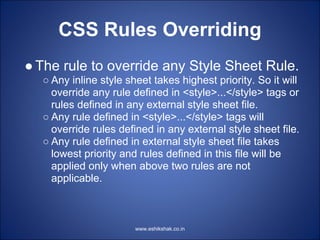
CSS Rules Overriding
● The rule to override any Style Sheet Rule.
  ○ Any inline style sheet takes highest priority. So it will
    override any rule defined in <style>...</style> tags or
    rules defined in any external style sheet file.
  ○ Any rule defined in <style>...</style> tags will
    override rules defined in any external style sheet file.
  ○ Any rule defined in external style sheet file takes
    lowest priority and rules defined in this file will be
    applied only when above two rules are not
    applicable.


                       www.eshikshak.co.in

Lecture 11 css_inculsion

  • 1.
  • 2.
    ● There arefour ways to associate styles with your HTML document. Most commonly used methods are inline CSS and External CSS ● Embedded CSS - The <style> Element ● Inline CSS ● External CSS ● Imported CSS www.eshikshak.co.in
  • 3.
    Embedded CSS ● Youcan put your CSS rules into an HTML document using the <style> element. ● This tag is placed inside <head>... </head> tags. ● Rules defined using this syntax will be applied to all the elements available in the document. Here is the generic syntax www.eshikshak.co.in
  • 4.
    Embedded CSS <head> <style type="text/css"media="..."> Style Rules ............ </style> </head> www.eshikshak.co.in
  • 5.
    Embedded CSS Attribute Value Description Specifies the style sheet language as a content-type type text/css (MIME type). This is required attribute. screen tty tv Specifies the device the projection document will be displayed media handheld on. Default value is all. This print is optional attribute. braille aural all www.eshikshak.co.in
  • 6.
    Inline CSS ● Youcan use style attribute of any HTML element to define style rules. These rules will be applied to that element only. <element style="...style rules...."> Attribute Value Description The value of style attribute is a combination of style style style rules declarations separated by semicolon (;). www.eshikshak.co.in
  • 7.
    External CSS ● The<link> element can be used to include an external stylesheet file in your HTML document. ● An external style sheet is a separate text file with .css extension. ● You define all the Style rules within this text file and then you can include this file in any HTML document using <link> element. www.eshikshak.co.in
  • 8.
    External CSS <head> <link type="text/css" href="..." media="..." /> </head> The <link> tag defines the relationship between a document and an external resource www.eshikshak.co.in
  • 9.
    External CSS Attribute Value Description Specifies the style sheet language as a content- type text/css type (MIME type). This attribute is required. Specifies the style sheet href URL file having Style rules. This attribute is a required. screen tty tv Specifies the device the projection document will be displayed media handheld on. Default value is all. print This is optional attribute. braille aural all www.eshikshak.co.in
  • 10.
    External CSS mystyle.css h1, h2,h3 { color: #36C; font-weight: normal; letter-spacing: .4em; margin-bottom: 1em; text-transform: lowercase; } <head> <link type="text/css" rel=“stylesheet” href="mystyle.css" media="all" /> </head> www.eshikshak.co.in
  • 11.
    Imported CSS ● @importis used to import an external stylesheet in a manner similar to the <link> element. Here is the generic syntax of @import rule. <head> <@import "URL"; </head> <head> @import "mystyle.css"; </head> <head> <@import url("URL"); </head> www.eshikshak.co.in
  • 12.
    CSS Rules Overriding ●The rule to override any Style Sheet Rule. ○ Any inline style sheet takes highest priority. So it will override any rule defined in <style>...</style> tags or rules defined in any external style sheet file. ○ Any rule defined in <style>...</style> tags will override rules defined in any external style sheet file. ○ Any rule defined in external style sheet file takes lowest priority and rules defined in this file will be applied only when above two rules are not applicable. www.eshikshak.co.in