NETWORK TOPOLOGIES–
LAN,PAN
DONE BY:
T. S. NEHAL KUMAR
XII D
ROLL NO. 1101
 NETWORK TOPOLOGIES ARE OF TWO TYPES :
• PHYSICAL TOPOLOGY
• LOGICAL TOPOLOGY
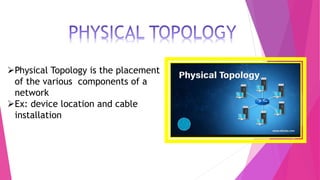
Physical Topology is the placement
of the various components of a
network
Ex: device location and cable
installation
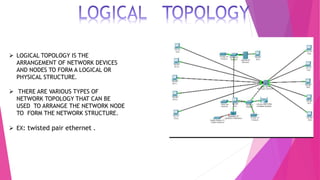
 LOGICAL TOPOLOGY IS THE
ARRANGEMENT OF NETWORK DEVICES
AND NODES TO FORM A LOGICAL OR
PHYSICAL STRUCTURE.
 THERE ARE VARIOUS TYPES OF
NETWORK TOPOLOGY THAT CAN BE
USED TO ARRANGE THE NETWORK NODE
TO FORM THE NETWORK STRUCTURE.
 EX: twisted pair ethernet .
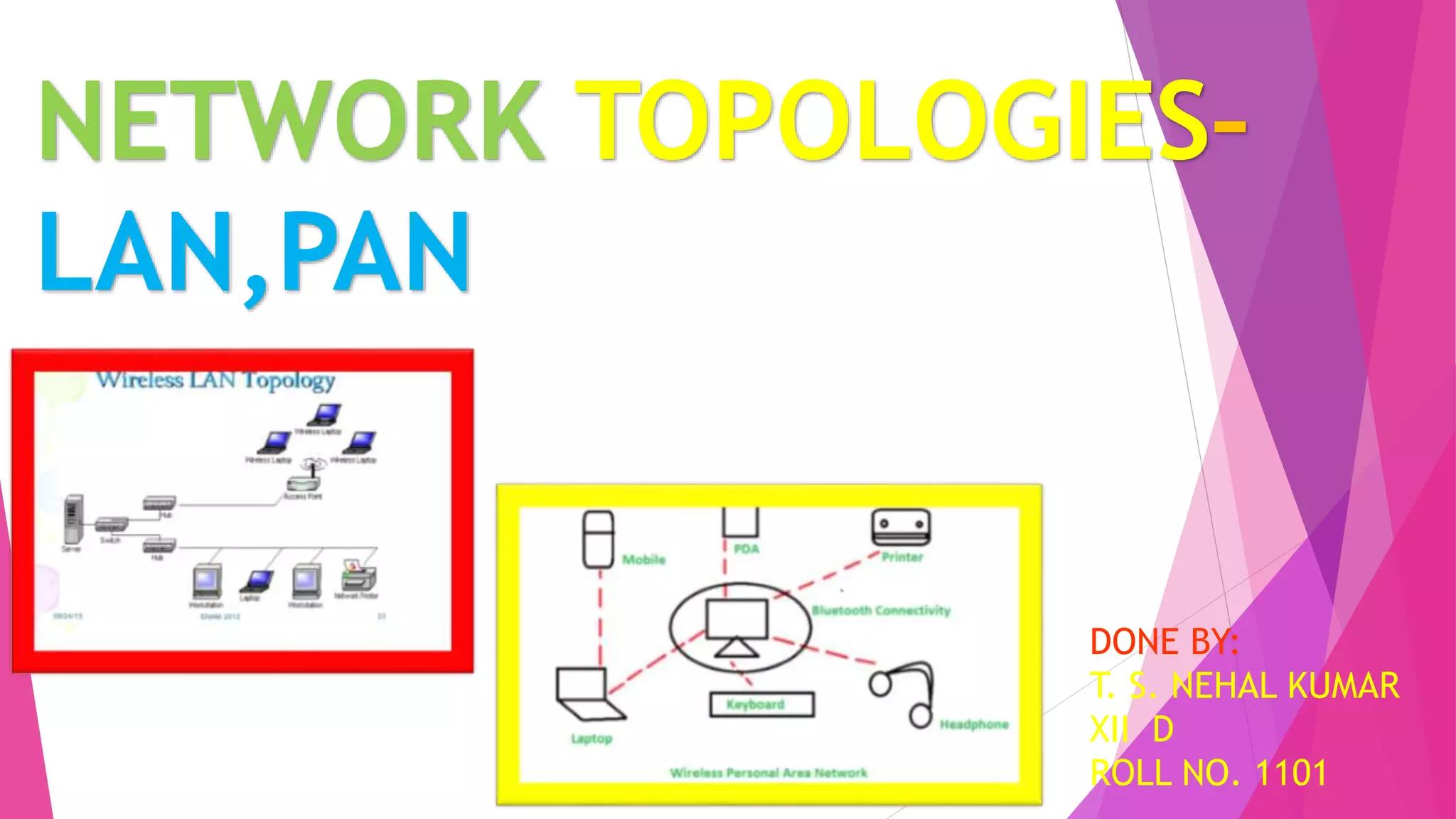
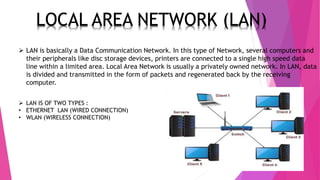
 LAN is basically a Data Communication Network. In this type of Network, several computers and
their peripherals like disc storage devices, printers are connected to a single high speed data
line within a limited area. Local Area Network is usually a privately owned network. In LAN, data
is divided and transmitted in the form of packets and regenerated back by the receiving
computer.
 LAN IS OF TWO TYPES :
• ETHERNET LAN (WIRED CONNECTION)
• WLAN (WIRELESS CONNECTION)
ETHERNET LAN
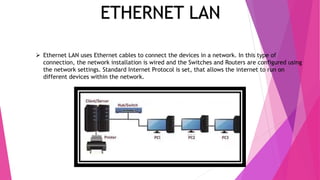
 Ethernet LAN uses Ethernet cables to connect the devices in a network. In this type of
connection, the network installation is wired and the Switches and Routers are configured using
the network settings. Standard Internet Protocol is set, that allows the internet to run on
different devices within the network.
WLAN (Wireless
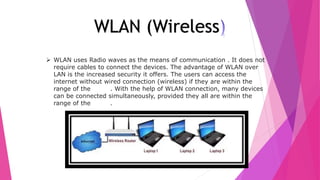
 WLAN uses Radio waves as the means of communication . It does not
require cables to connect the devices. The advantage of WLAN over
LAN is the increased security it offers. The users can access the
internet without wired connection (wireless) if they are within the
range of the router. With the help of WLAN connection, many devices
can be connected simultaneously, provided they all are within the
range of the router.
LOCAL AREA NETWORK(LAN)
 The three basic topologies of LAN are:
• Star Topology
• Ring Topology
• Bus Topology
STAR TOPOLOGY
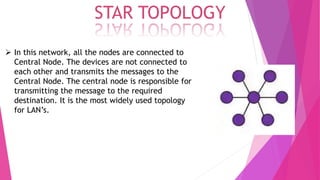
 In this network, all the nodes are connected to
Central Node. The devices are not connected to
each other and transmits the messages to the
Central Node. The central node is responsible for
transmitting the message to the required
destination. It is the most widely used topology
for LAN’s.
RING TOPOLOGY
 In this network, the nodes are interconnected to
make a closed loop. Each node communicates
with the nodes on its either side with the help
of Token (information passing). The nodes with
Token are allowed to transmit data. This
topology eliminates the connection of nodes
with the central node i.e. there is no need of
Network Server to control other devices.
BUS TOPOLOGY
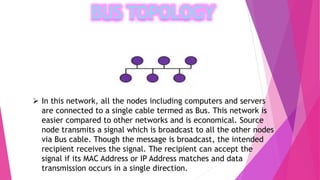
 In this network, all the nodes including computers and servers
are connected to a single cable termed as Bus. This network is
easier compared to other networks and is economical. Source
node transmits a signal which is broadcast to all the other nodes
via Bus cable. Though the message is broadcast, the intended
recipient receives the signal. The recipient can accept the
signal if its MAC Address or IP Address matches and data
transmission occurs in a single direction.
HOW DOES LAN WORK?
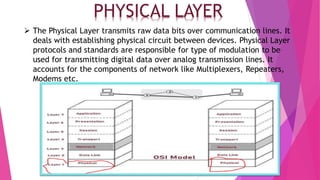
 To understand how LAN works, consider Fig. 6,
which shows the 7- Layers of OSI Model. It is
necessary to know the three lower levels of
OSI Model i.e.
• Physical Layer
• Data Link Layer
• Network Layer
PHYSICAL LAYER
 The Physical Layer transmits raw data bits over communication lines. It
deals with establishing physical circuit between devices. Physical Layer
protocols and standards are responsible for type of modulation to be
used for transmitting digital data over analog transmission lines. It
accounts for the components of network like Multiplexers, Repeaters,
Modems etc.
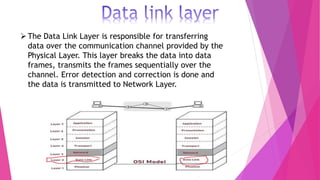
The Data Link Layer is responsible for transferring
data over the communication channel provided by the
Physical Layer. This layer breaks the data into data
frames, transmits the frames sequentially over the
channel. Error detection and correction is done and
the data is transmitted to Network Layer.
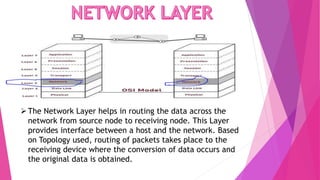
The Network Layer helps in routing the data across the
network from source node to receiving node. This Layer
provides interface between a host and the network. Based
on Topology used, routing of packets takes place to the
receiving device where the conversion of data occurs and
the original data is obtained.
The applications include:
• LAN is used for school environment, offices, hospitals etc as it allows
sharing of resources like sharing data, scanners, printing and internet.
• LAN serves users at home to access internet.
• LAN’s are widely used in manufacturing industries where a central server
coordinates the activities of other machines.
• High speed LANs are typically used to connect many slower networks
together.
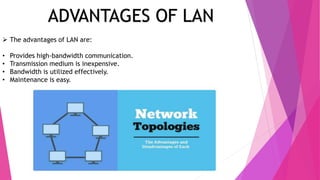
ADVANTAGES OF LAN
 The advantages of LAN are:
• Provides high-bandwidth communication.
• Transmission medium is inexpensive.
• Bandwidth is utilized effectively.
• Maintenance is easy.
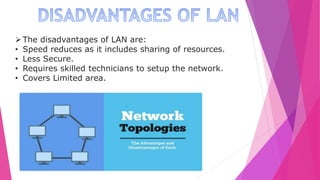
The disadvantages of LAN are:
• Speed reduces as it includes sharing of resources.
• Less Secure.
• Requires skilled technicians to setup the network.
• Covers Limited area.
Personal Area Network (PAN) is a the computer network that connects
computers/devices within the range of an individual person. As PAN provides a
network range within a person’s range typically within a range of 10 meters(33 feet)
it is called as Personal Area Network. A Personal Area Network typically involves a
computer, phone, tablet, printer, PDA (Personal Digital Assistant) and other and
other entertainment devices like speakers, video game consoles etc.
Thomas Zimmerman and other researchers at M.I.T.’s Media Lab first developed
the concept of PAN

Lan pan class 12 ppt

  • 1.
    NETWORK TOPOLOGIES– LAN,PAN DONE BY: T.S. NEHAL KUMAR XII D ROLL NO. 1101
  • 2.
     NETWORK TOPOLOGIESARE OF TWO TYPES : • PHYSICAL TOPOLOGY • LOGICAL TOPOLOGY
  • 3.
    Physical Topology isthe placement of the various components of a network Ex: device location and cable installation
  • 4.
     LOGICAL TOPOLOGYIS THE ARRANGEMENT OF NETWORK DEVICES AND NODES TO FORM A LOGICAL OR PHYSICAL STRUCTURE.  THERE ARE VARIOUS TYPES OF NETWORK TOPOLOGY THAT CAN BE USED TO ARRANGE THE NETWORK NODE TO FORM THE NETWORK STRUCTURE.  EX: twisted pair ethernet .
  • 5.
     LAN isbasically a Data Communication Network. In this type of Network, several computers and their peripherals like disc storage devices, printers are connected to a single high speed data line within a limited area. Local Area Network is usually a privately owned network. In LAN, data is divided and transmitted in the form of packets and regenerated back by the receiving computer.  LAN IS OF TWO TYPES : • ETHERNET LAN (WIRED CONNECTION) • WLAN (WIRELESS CONNECTION)
  • 6.
    ETHERNET LAN  EthernetLAN uses Ethernet cables to connect the devices in a network. In this type of connection, the network installation is wired and the Switches and Routers are configured using the network settings. Standard Internet Protocol is set, that allows the internet to run on different devices within the network.
  • 7.
    WLAN (Wireless  WLANuses Radio waves as the means of communication . It does not require cables to connect the devices. The advantage of WLAN over LAN is the increased security it offers. The users can access the internet without wired connection (wireless) if they are within the range of the router. With the help of WLAN connection, many devices can be connected simultaneously, provided they all are within the range of the router.
  • 8.
    LOCAL AREA NETWORK(LAN) The three basic topologies of LAN are: • Star Topology • Ring Topology • Bus Topology
  • 9.
    STAR TOPOLOGY  Inthis network, all the nodes are connected to Central Node. The devices are not connected to each other and transmits the messages to the Central Node. The central node is responsible for transmitting the message to the required destination. It is the most widely used topology for LAN’s.
  • 10.
    RING TOPOLOGY  Inthis network, the nodes are interconnected to make a closed loop. Each node communicates with the nodes on its either side with the help of Token (information passing). The nodes with Token are allowed to transmit data. This topology eliminates the connection of nodes with the central node i.e. there is no need of Network Server to control other devices.
  • 11.
    BUS TOPOLOGY  Inthis network, all the nodes including computers and servers are connected to a single cable termed as Bus. This network is easier compared to other networks and is economical. Source node transmits a signal which is broadcast to all the other nodes via Bus cable. Though the message is broadcast, the intended recipient receives the signal. The recipient can accept the signal if its MAC Address or IP Address matches and data transmission occurs in a single direction.
  • 12.
    HOW DOES LANWORK?  To understand how LAN works, consider Fig. 6, which shows the 7- Layers of OSI Model. It is necessary to know the three lower levels of OSI Model i.e. • Physical Layer • Data Link Layer • Network Layer
  • 13.
    PHYSICAL LAYER  ThePhysical Layer transmits raw data bits over communication lines. It deals with establishing physical circuit between devices. Physical Layer protocols and standards are responsible for type of modulation to be used for transmitting digital data over analog transmission lines. It accounts for the components of network like Multiplexers, Repeaters, Modems etc.
  • 14.
    The Data LinkLayer is responsible for transferring data over the communication channel provided by the Physical Layer. This layer breaks the data into data frames, transmits the frames sequentially over the channel. Error detection and correction is done and the data is transmitted to Network Layer.
  • 15.
    The Network Layerhelps in routing the data across the network from source node to receiving node. This Layer provides interface between a host and the network. Based on Topology used, routing of packets takes place to the receiving device where the conversion of data occurs and the original data is obtained.
  • 16.
    The applications include: •LAN is used for school environment, offices, hospitals etc as it allows sharing of resources like sharing data, scanners, printing and internet. • LAN serves users at home to access internet. • LAN’s are widely used in manufacturing industries where a central server coordinates the activities of other machines. • High speed LANs are typically used to connect many slower networks together.
  • 17.
    ADVANTAGES OF LAN The advantages of LAN are: • Provides high-bandwidth communication. • Transmission medium is inexpensive. • Bandwidth is utilized effectively. • Maintenance is easy.
  • 18.
    The disadvantages ofLAN are: • Speed reduces as it includes sharing of resources. • Less Secure. • Requires skilled technicians to setup the network. • Covers Limited area.
  • 19.
    Personal Area Network(PAN) is a the computer network that connects computers/devices within the range of an individual person. As PAN provides a network range within a person’s range typically within a range of 10 meters(33 feet) it is called as Personal Area Network. A Personal Area Network typically involves a computer, phone, tablet, printer, PDA (Personal Digital Assistant) and other and other entertainment devices like speakers, video game consoles etc. Thomas Zimmerman and other researchers at M.I.T.’s Media Lab first developed the concept of PAN