Kubernetes 1.5 and Beyond
David Aronchick
Product Manager at Google
Container Engine & Kubernetes
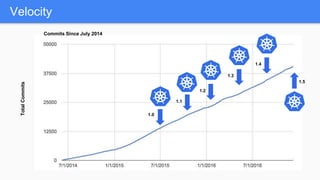
Velocity
1.0
1.1
1.2
1.3
TotalCommits
1.5
Commits Since July 2014
1.4
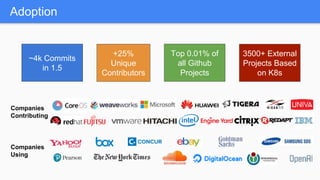
Adoption
~4k Commits
in 1.5
+25%
Unique
Contributors
Top 0.01% of
all Github
Projects
3500+ External
Projects Based
on K8s
Companies
Contributing
Companies
Using
Give Everyone the Power to Run Agile,
Reliable, Distributed Systems at Scale
Introducing Kubernetes 1.5
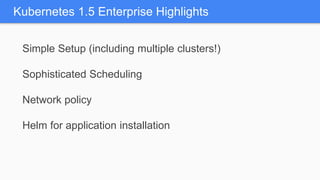
Kubernetes 1.5 Enterprise Highlights
Simple Setup (including multiple clusters!)
Sophisticated Scheduling
Network policy
Helm for application installation
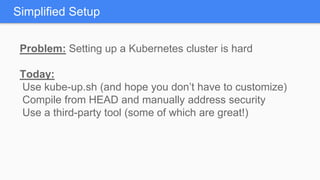
Problem: Setting up a Kubernetes cluster is hard
Today:
Use kube-up.sh (and hope you don’t have to customize)
Compile from HEAD and manually address security
Use a third-party tool (some of which are great!)
Simplified Setup
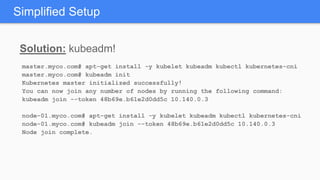
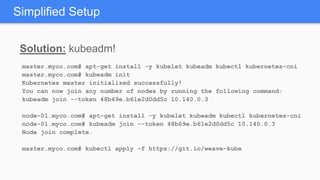
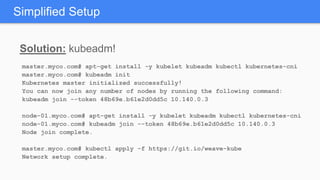
Solution: kubeadm!
Simplified Setup
Solution: kubeadm!
Simplified Setup
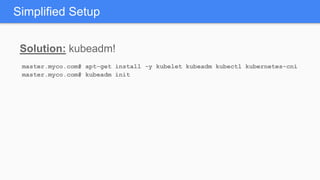
master.myco.com# apt-get install -y kubelet kubeadm kubectl kubernetes-cni
master.myco.com# kubeadm init
Solution: kubeadm!
Simplified Setup
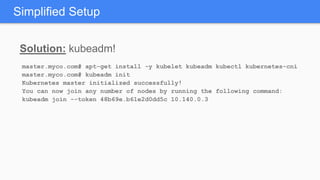
master.myco.com# apt-get install -y kubelet kubeadm kubectl kubernetes-cni
master.myco.com# kubeadm init
Kubernetes master initialized successfully!
You can now join any number of nodes by running the following command:
kubeadm join --token 48b69e.b61e2d0dd5c 10.140.0.3
Solution: kubeadm!
Simplified Setup
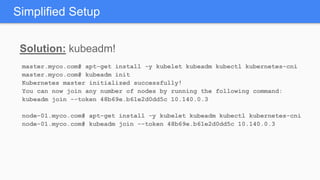
master.myco.com# apt-get install -y kubelet kubeadm kubectl kubernetes-cni
master.myco.com# kubeadm init
Kubernetes master initialized successfully!
You can now join any number of nodes by running the following command:
kubeadm join --token 48b69e.b61e2d0dd5c 10.140.0.3
node-01.myco.com# apt-get install -y kubelet kubeadm kubectl kubernetes-cni
node-01.myco.com# kubeadm join --token 48b69e.b61e2d0dd5c 10.140.0.3
Solution: kubeadm!
Simplified Setup
master.myco.com# apt-get install -y kubelet kubeadm kubectl kubernetes-cni
master.myco.com# kubeadm init
Kubernetes master initialized successfully!
You can now join any number of nodes by running the following command:
kubeadm join --token 48b69e.b61e2d0dd5c 10.140.0.3
node-01.myco.com# apt-get install -y kubelet kubeadm kubectl kubernetes-cni
node-01.myco.com# kubeadm join --token 48b69e.b61e2d0dd5c 10.140.0.3
Node join complete.
Solution: kubeadm!
Simplified Setup
master.myco.com# apt-get install -y kubelet kubeadm kubectl kubernetes-cni
master.myco.com# kubeadm init
Kubernetes master initialized successfully!
You can now join any number of nodes by running the following command:
kubeadm join --token 48b69e.b61e2d0dd5c 10.140.0.3
node-01.myco.com# apt-get install -y kubelet kubeadm kubectl kubernetes-cni
node-01.myco.com# kubeadm join --token 48b69e.b61e2d0dd5c 10.140.0.3
Node join complete.
master.myco.com# kubectl apply -f https://git.io/weave-kube
Solution: kubeadm!
Simplified Setup
master.myco.com# apt-get install -y kubelet kubeadm kubectl kubernetes-cni
master.myco.com# kubeadm init
Kubernetes master initialized successfully!
You can now join any number of nodes by running the following command:
kubeadm join --token 48b69e.b61e2d0dd5c 10.140.0.3
node-01.myco.com# apt-get install -y kubelet kubeadm kubectl kubernetes-cni
node-01.myco.com# kubeadm join --token 48b69e.b61e2d0dd5c 10.140.0.3
Node join complete.
master.myco.com# kubectl apply -f https://git.io/weave-kube
Network setup complete.
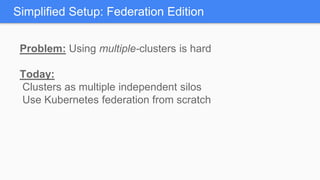
Problem: Using multiple-clusters is hard
Today:
Clusters as multiple independent silos
Use Kubernetes federation from scratch
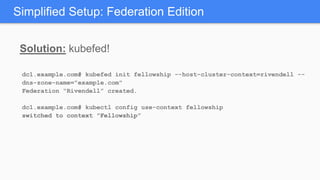
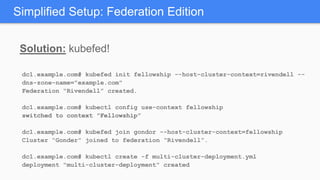
Simplified Setup: Federation Edition
Solution: kubefed!
Simplified Setup: Federation Edition
Solution: kubefed!
Simplified Setup: Federation Edition
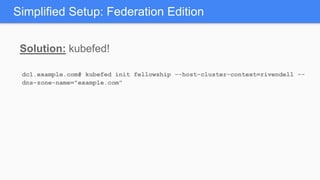
dc1.example.com# kubefed init fellowship --host-cluster-context=rivendell --
dns-zone-name="example.com"
Solution: kubefed!
Simplified Setup: Federation Edition
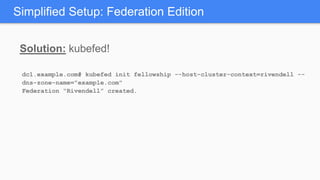
dc1.example.com# kubefed init fellowship --host-cluster-context=rivendell --
dns-zone-name="example.com"
Federation “Rivendell” created.
Solution: kubefed!
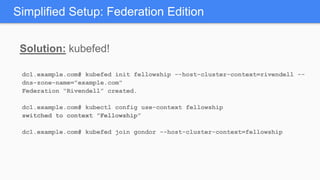
Simplified Setup: Federation Edition
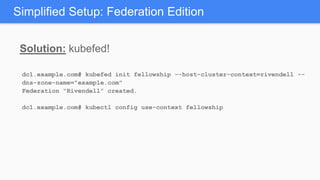
dc1.example.com# kubefed init fellowship --host-cluster-context=rivendell --
dns-zone-name="example.com"
Federation “Rivendell” created.
dc1.example.com# kubectl config use-context fellowship
Solution: kubefed!
Simplified Setup: Federation Edition
dc1.example.com# kubefed init fellowship --host-cluster-context=rivendell --
dns-zone-name="example.com"
Federation “Rivendell” created.
dc1.example.com# kubectl config use-context fellowship
switched to context "Fellowship”
Solution: kubefed!
Simplified Setup: Federation Edition
dc1.example.com# kubefed init fellowship --host-cluster-context=rivendell --
dns-zone-name="example.com"
Federation “Rivendell” created.
dc1.example.com# kubectl config use-context fellowship
switched to context "Fellowship”
dc1.example.com# kubefed join gondor --host-cluster-context=fellowship
Solution: kubefed!
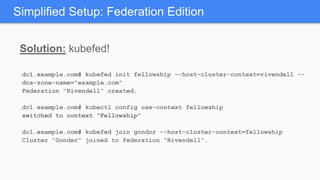
Simplified Setup: Federation Edition
dc1.example.com# kubefed init fellowship --host-cluster-context=rivendell --
dns-zone-name="example.com"
Federation “Rivendell” created.
dc1.example.com# kubectl config use-context fellowship
switched to context "Fellowship”
dc1.example.com# kubefed join gondor --host-cluster-context=fellowship
Cluster “Gonder” joined to federation “Rivendell”.
Solution: kubefed!
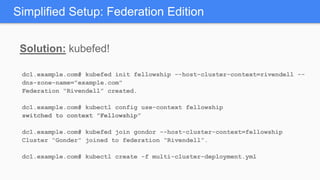
Simplified Setup: Federation Edition
dc1.example.com# kubefed init fellowship --host-cluster-context=rivendell --
dns-zone-name="example.com"
Federation “Rivendell” created.
dc1.example.com# kubectl config use-context fellowship
switched to context "Fellowship”
dc1.example.com# kubefed join gondor --host-cluster-context=fellowship
Cluster “Gonder” joined to federation “Rivendell”.
dc1.example.com# kubectl create -f multi-cluster-deployment.yml
Solution: kubefed!
Simplified Setup: Federation Edition
dc1.example.com# kubefed init fellowship --host-cluster-context=rivendell --
dns-zone-name="example.com"
Federation “Rivendell” created.
dc1.example.com# kubectl config use-context fellowship
switched to context "Fellowship”
dc1.example.com# kubefed join gondor --host-cluster-context=fellowship
Cluster “Gonder” joined to federation “Rivendell”.
dc1.example.com# kubectl create -f multi-cluster-deployment.yml
deployment "multi-cluster-deployment" created
Sophisticated Scheduling
Problem: Deploying and managing workloads on large,
heterogenous clusters is hard
Today:
Liberal use of labels (and keeping your team in sync)
Manual tooling
Didn’t you use Kubernetes to avoid this?
Solution: Sophisticated Scheduling!
Taints/tolerations
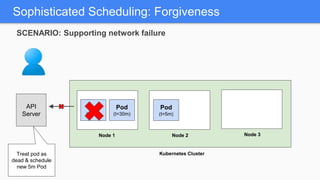
Forgiveness
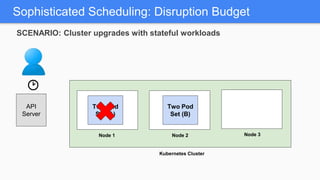
Disruption budget
Sophisticated Scheduling
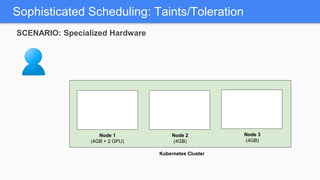
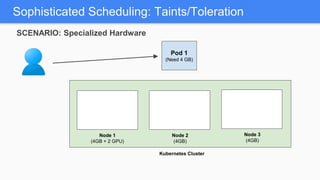
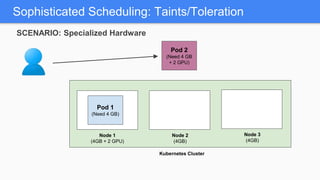
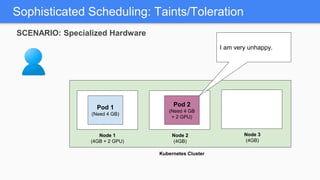
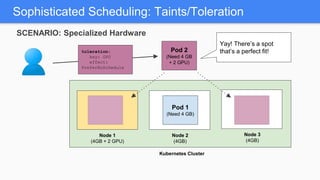
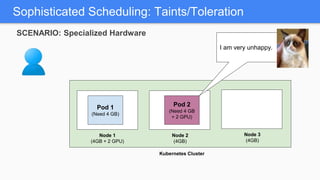
Sophisticated Scheduling: Taints/Toleration
Node 1
(4GB + 2 GPU)
Node 2
(4GB)
Kubernetes Cluster
Node 3
(4GB)
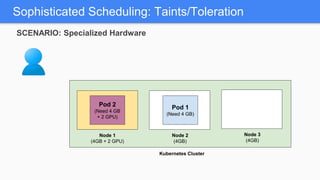
SCENARIO: Specialized Hardware
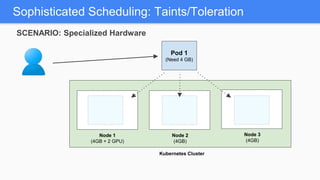
Sophisticated Scheduling: Taints/Toleration
Node 1
(4GB + 2 GPU)
Node 2
(4GB)
Kubernetes Cluster
Pod 1
(Need 4 GB)
Node 3
(4GB)
SCENARIO: Specialized Hardware
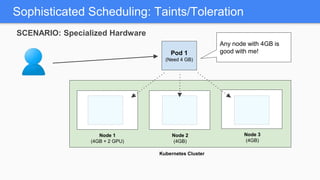
Sophisticated Scheduling: Taints/Toleration
Node 1
(4GB + 2 GPU)
Node 2
(4GB)
Kubernetes Cluster
Pod 1
(Need 4 GB)
Node 3
(4GB)
SCENARIO: Specialized Hardware
Sophisticated Scheduling: Taints/Toleration
Node 1
(4GB + 2 GPU)
Node 2
(4GB)
Kubernetes Cluster
Pod 1
(Need 4 GB)
Node 3
(4GB)
Any node with 4GB is
good with me!
SCENARIO: Specialized Hardware
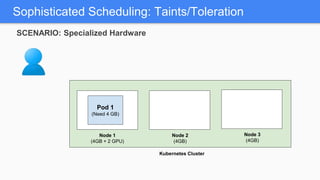
Sophisticated Scheduling: Taints/Toleration
Node 1
(4GB + 2 GPU)
Node 2
(4GB)
Kubernetes Cluster
Node 3
(4GB)
Pod 1
(Need 4 GB)
SCENARIO: Specialized Hardware
Sophisticated Scheduling: Taints/Toleration
Node 1
(4GB + 2 GPU)
Node 2
(4GB)
Kubernetes Cluster
Pod 2
(Need 4 GB
+ 2 GPU)
Node 3
(4GB)
Pod 1
(Need 4 GB)
SCENARIO: Specialized Hardware
Sophisticated Scheduling: Taints/Toleration
Node 1
(4GB + 2 GPU)
Node 2
(4GB)
Kubernetes Cluster
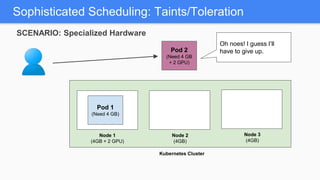
Pod 2
(Need 4 GB
+ 2 GPU)
Node 3
(4GB)
Oh noes! I guess I’ll
have to give up.
Pod 1
(Need 4 GB)
SCENARIO: Specialized Hardware
Sophisticated Scheduling: Taints/Toleration
Node 1
(4GB + 2 GPU)
Node 2
(4GB)
Kubernetes Cluster
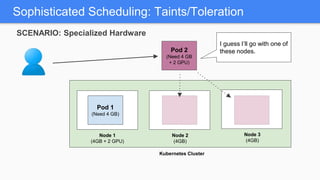
Pod 2
(Need 4 GB
+ 2 GPU)
Node 3
(4GB)
I guess I’ll go with one of
these nodes.
Pod 1
(Need 4 GB)
SCENARIO: Specialized Hardware
Sophisticated Scheduling: Taints/Toleration
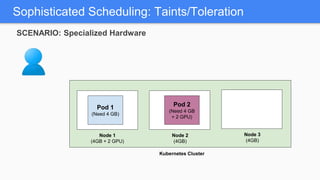
Node 1
(4GB + 2 GPU)
Node 2
(4GB)
Kubernetes Cluster
Node 3
(4GB)
Pod 1
(Need 4 GB)
Pod 2
(Need 4 GB
+ 2 GPU)
SCENARIO: Specialized Hardware
Sophisticated Scheduling: Taints/Toleration
Node 1
(4GB + 2 GPU)
Node 2
(4GB)
Kubernetes Cluster
Node 3
(4GB)
I am very unhappy.
Pod 1
(Need 4 GB)
Pod 2
(Need 4 GB
+ 2 GPU)
SCENARIO: Specialized Hardware
Sophisticated Scheduling: Taints/Toleration
Node 1
(4GB + 2 GPU)
Node 2
(4GB)
Kubernetes Cluster
Node 3
(4GB)
I am very unhappy.
Pod 1
(Need 4 GB)
Pod 2
(Need 4 GB
+ 2 GPU)
SCENARIO: Specialized Hardware
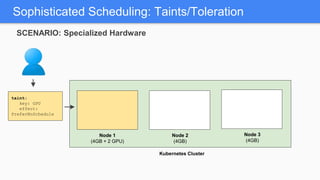
Sophisticated Scheduling: Taints/Toleration
Node 1
(4GB + 2 GPU)
Node 2
(4GB)
Kubernetes Cluster
Node 3
(4GB)
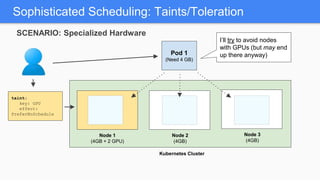
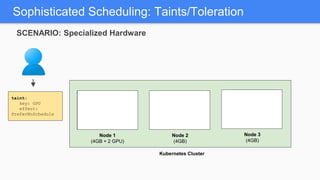
taint:
key: GPU
effect:
PreferNoSchedule
SCENARIO: Specialized Hardware
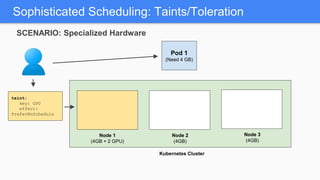
Sophisticated Scheduling: Taints/Toleration
Node 1
(4GB + 2 GPU)
Node 2
(4GB)
Kubernetes Cluster
Node 3
(4GB)
taint:
key: GPU
effect:
PreferNoSchedule
SCENARIO: Specialized Hardware
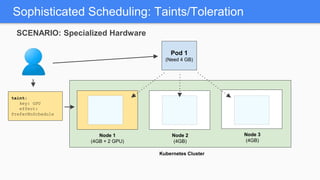
Sophisticated Scheduling: Taints/Toleration
Node 1
(4GB + 2 GPU)
Node 2
(4GB)
Kubernetes Cluster
Pod 1
(Need 4 GB)
Node 3
(4GB)
taint:
key: GPU
effect:
PreferNoSchedule
SCENARIO: Specialized Hardware
Sophisticated Scheduling: Taints/Toleration
Node 1
(4GB + 2 GPU)
Node 2
(4GB)
Kubernetes Cluster
Pod 1
(Need 4 GB)
Node 3
(4GB)
taint:
key: GPU
effect:
PreferNoSchedule
SCENARIO: Specialized Hardware
Sophisticated Scheduling: Taints/Toleration
Node 1
(4GB + 2 GPU)
Node 2
(4GB)
Kubernetes Cluster
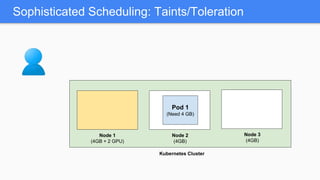
Pod 1
(Need 4 GB)
Node 3
(4GB)
I’ll try to avoid nodes
with GPUs (but may end
up there anyway)
taint:
key: GPU
effect:
PreferNoSchedule
SCENARIO: Specialized Hardware
Sophisticated Scheduling: Taints/Toleration
Node 1
(4GB + 2 GPU)
Node 2
(4GB)
Kubernetes Cluster
Node 3
(4GB)
Pod 1
(Need 4 GB)
Sophisticated Scheduling: Taints/Toleration
Node 1
(4GB + 2 GPU)
Node 2
(4GB)
Kubernetes Cluster
Node 3
(4GB)
Pod 1
(Need 4 GB)
SCENARIO: Specialized Hardware
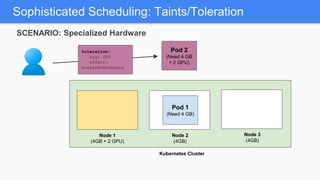
Pod 2
(Need 4 GB
+ 2 GPU)
toleration:
key: GPU
effect:
PreferNoSchedule
Sophisticated Scheduling: Taints/Toleration
Node 1
(4GB + 2 GPU)
Node 2
(4GB)
Kubernetes Cluster
Node 3
(4GB)
Pod 1
(Need 4 GB)
Pod 2
(Need 4 GB
+ 2 GPU)
toleration:
key: GPU
effect:
PreferNoSchedule
SCENARIO: Specialized Hardware
Sophisticated Scheduling: Taints/Toleration
Node 1
(4GB + 2 GPU)
Node 2
(4GB)
Kubernetes Cluster
Node 3
(4GB)
Pod 1
(Need 4 GB)
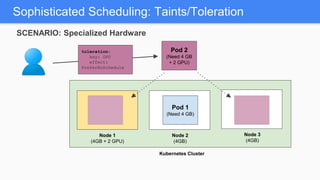
Yay! There’s a spot
that’s a perfect fit!Pod 2
(Need 4 GB
+ 2 GPU)
toleration:
key: GPU
effect:
PreferNoSchedule
SCENARIO: Specialized Hardware
Sophisticated Scheduling: Taints/Toleration
Node 1
(4GB + 2 GPU)
Node 2
(4GB)
Kubernetes Cluster
Node 3
(4GB)
Pod 1
(Need 4 GB)
Pod 2
(Need 4 GB
+ 2 GPU)
SCENARIO: Specialized Hardware
Sophisticated Scheduling: Taints/Toleration
Node 1
(4GB + 2 GPU)
Node 2
(4GB)
Kubernetes Cluster
Node 3
(4GB)
Pod 1
(Need 4 GB)
Pod 2
(Need 4 GB
+ 2 GPU)
SCENARIO: Specialized Hardware
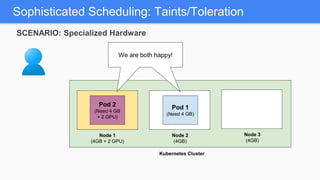
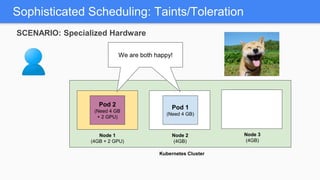
We are both happy!We are both happy!
Sophisticated Scheduling: Taints/Toleration
Node 1
(4GB + 2 GPU)
Node 2
(4GB)
Kubernetes Cluster
Node 3
(4GB)
Pod 1
(Need 4 GB)
Pod 2
(Need 4 GB
+ 2 GPU)
We are both happy!We are both happy!
SCENARIO: Specialized Hardware
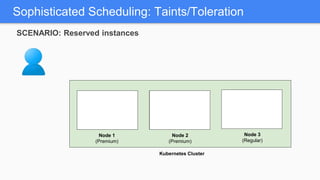
Sophisticated Scheduling: Taints/Toleration
Node 1
(Premium)
Node 2
(Premium)
Kubernetes Cluster
Node 3
(Regular)
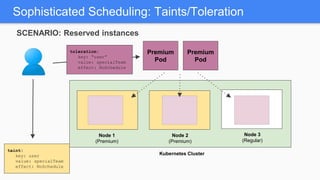
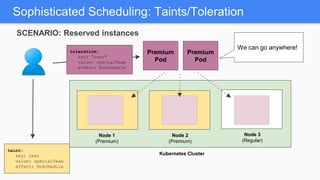
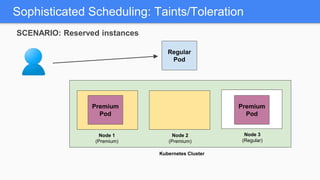
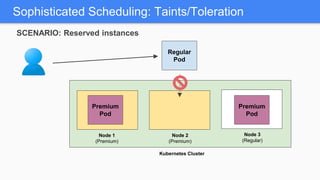
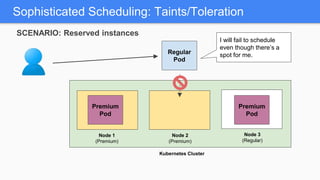
SCENARIO: Reserved instances
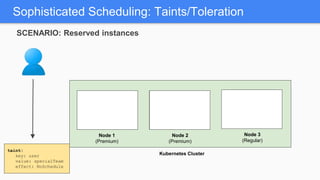
Sophisticated Scheduling: Taints/Toleration
Node 1
(Premium)
Node 2
(Premium)
Kubernetes Cluster
Node 3
(Regular)
taint:
key: user
value: specialTeam
effect: NoSchedule
SCENARIO: Reserved instances
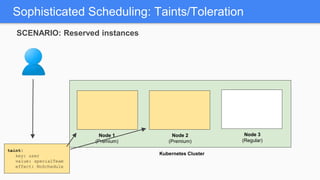
Sophisticated Scheduling: Taints/Toleration
Node 1
(Premium)
Node 2
(Premium)
Kubernetes Cluster
Node 3
(Regular)
taint:
key: user
value: specialTeam
effect: NoSchedule
SCENARIO: Reserved instances
Sophisticated Scheduling: Taints/Toleration
Node 1
(Premium)
Node 2
(Premium)
Kubernetes Cluster
Node 3
(Regular)
taint:
key: user
value: specialTeam
effect: NoSchedule
SCENARIO: Reserved instances
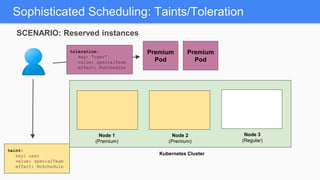
Premium
Pod
toleration:
key: “user”
value: specialTeam
effect: NoSchedule
Premium
Pod
Sophisticated Scheduling: Taints/Toleration
Node 1
(Premium)
Node 2
(Premium)
Kubernetes Cluster
Node 3
(Regular)
taint:
key: user
value: specialTeam
effect: NoSchedule
SCENARIO: Reserved instances
Premium
Pod
toleration:
key: “user”
value: specialTeam
effect: NoSchedule
Premium
Pod
Sophisticated Scheduling: Taints/Toleration
Node 1
(Premium)
Node 2
(Premium)
Kubernetes Cluster
Node 3
(Regular)
We can go anywhere!
taint:
key: user
value: specialTeam
effect: NoSchedule
SCENARIO: Reserved instances
Premium
Pod
toleration:
key: “user”
value: specialTeam
effect: NoSchedule
Premium
Pod
Sophisticated Scheduling: Taints/Toleration
Node 1
(Premium)
Node 2
(Premium)
Kubernetes Cluster
Node 3
(Regular)
Premium
Pod
Regular
Pod
Premium
Pod
SCENARIO: Reserved instances
Sophisticated Scheduling: Taints/Toleration
Node 1
(Premium)
Node 2
(Premium)
Kubernetes Cluster
Node 3
(Regular)
Premium
Pod
Regular
Pod
Premium
Pod
SCENARIO: Reserved instances
Sophisticated Scheduling: Taints/Toleration
Node 1
(Premium)
Node 2
(Premium)
Kubernetes Cluster
Node 3
(Regular)
I will fail to schedule
even though there’s a
spot for me.
Premium
Pod
Regular
Pod
Premium
Pod
SCENARIO: Reserved instances
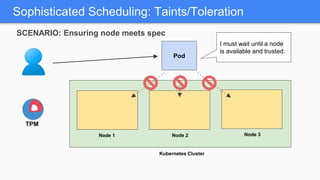
Sophisticated Scheduling: Taints/Toleration
Node 1 Node 2
Kubernetes Cluster
Node 3
TPM
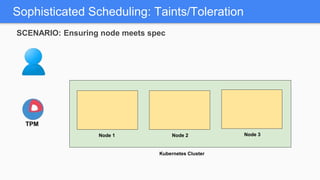
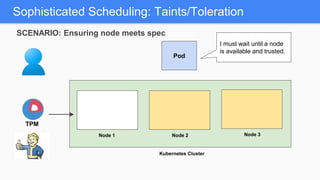
SCENARIO: Ensuring node meets spec
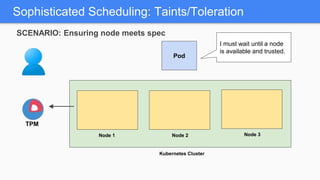
Sophisticated Scheduling: Taints/Toleration
Node 1 Node 2
Kubernetes Cluster
Pod
Node 3
TPM
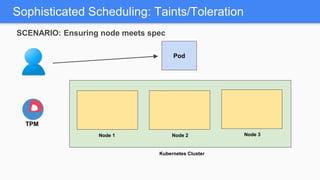
SCENARIO: Ensuring node meets spec
Sophisticated Scheduling: Taints/Toleration
Node 1 Node 2
Kubernetes Cluster
Pod
Node 3
TPM
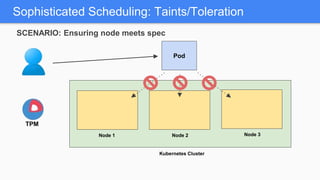
SCENARIO: Ensuring node meets spec
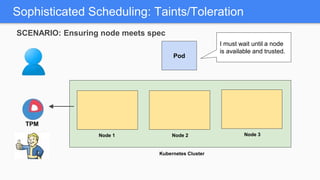
Sophisticated Scheduling: Taints/Toleration
Node 1 Node 2
Kubernetes Cluster
Pod
Node 3
I must wait until a node
is available and trusted.
TPM
SCENARIO: Ensuring node meets spec
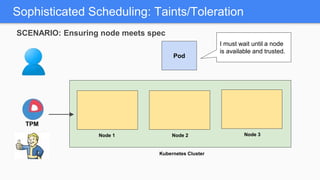
Sophisticated Scheduling: Taints/Toleration
Node 1 Node 2
Kubernetes Cluster
Pod
Node 3
TPM
I must wait until a node
is available and trusted.
SCENARIO: Ensuring node meets spec
Sophisticated Scheduling: Taints/Toleration
Node 1 Node 2
Kubernetes Cluster
Pod
Node 3
TPM
I must wait until a node
is available and trusted.
SCENARIO: Ensuring node meets spec
Sophisticated Scheduling: Taints/Toleration
Node 1 Node 2
Kubernetes Cluster
Pod
Node 3
TPM
I must wait until a node
is available and trusted.
SCENARIO: Ensuring node meets spec
Sophisticated Scheduling: Taints/Toleration
Node 1 Node 2
Kubernetes Cluster
Pod
Node 3
TPM
I must wait until a node
is available and trusted.
SCENARIO: Ensuring node meets spec
Sophisticated Scheduling: Taints/Toleration
Node 1 Node 2
Kubernetes Cluster
Pod
Node 3
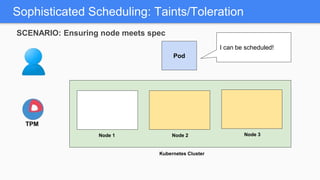
I can be scheduled!
TPM
SCENARIO: Ensuring node meets spec
Sophisticated Scheduling: Taints/Toleration
Node 1 Node 2
Kubernetes Cluster
Pod
Node 3
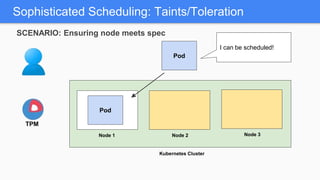
I can be scheduled!
TPM
Pod
SCENARIO: Ensuring node meets spec
Sophisticated Scheduling: Taints/Toleration
Node 1 Node 2
Kubernetes Cluster
Node 3
TPM
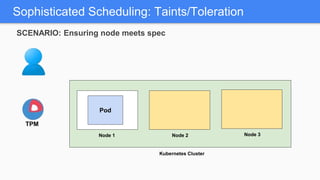
Pod
SCENARIO: Ensuring node meets spec
Sophisticated Scheduling: Taints/Toleration
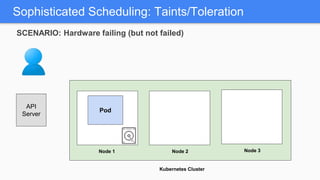
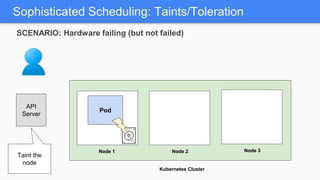
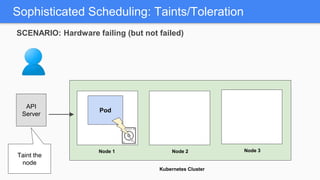
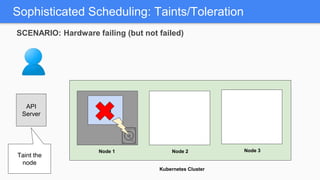
Node 1 Node 2
Kubernetes Cluster
Node 3
Pod
API
Server
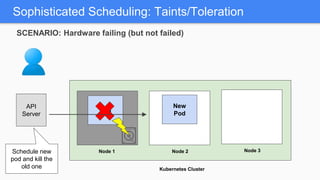
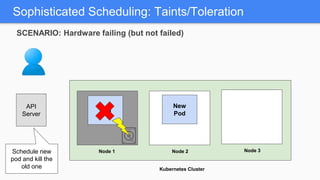
SCENARIO: Hardware failing (but not failed)
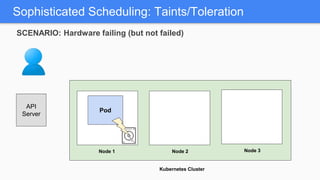
Sophisticated Scheduling: Taints/Toleration
Node 1 Node 2
Kubernetes Cluster
Node 3
Pod
API
Server
SCENARIO: Hardware failing (but not failed)
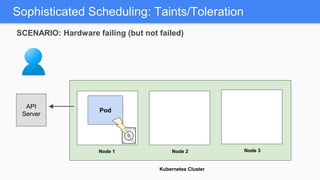
Sophisticated Scheduling: Taints/Toleration
Node 1 Node 2
Kubernetes Cluster
Node 3
Pod
API
Server
SCENARIO: Hardware failing (but not failed)
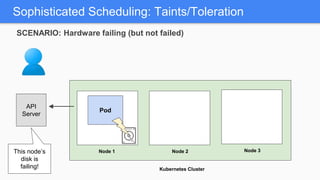
Sophisticated Scheduling: Taints/Toleration
Node 1 Node 2
Kubernetes Cluster
Node 3
Pod
API
Server
This node’s
disk is
failing!
SCENARIO: Hardware failing (but not failed)
Node 1
Pod
Kubernetes Cluster
Node 2 Node 3
Sophisticated Scheduling: Taints/Toleration
API
Server
Taint the
node
SCENARIO: Hardware failing (but not failed)
Node 1
Pod
Kubernetes Cluster
Node 2 Node 3
Sophisticated Scheduling: Taints/Toleration
API
Server
Taint the
node
SCENARIO: Hardware failing (but not failed)
Node 1
Pod
Kubernetes Cluster
Node 2 Node 3
Sophisticated Scheduling: Taints/Toleration
API
Server
SCENARIO: Hardware failing (but not failed)
Taint the
node
Node 1
Pod
Kubernetes Cluster
Node 2 Node 3
Sophisticated Scheduling: Taints/Toleration
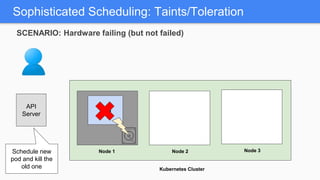
Schedule new
pod and kill the
old one
API
Server
SCENARIO: Hardware failing (but not failed)
Node 1
Pod
Kubernetes Cluster
Node 2 Node 3
Sophisticated Scheduling: Taints/Toleration
Schedule new
pod and kill the
old one
New
Pod
API
Server
SCENARIO: Hardware failing (but not failed)
Node 1
Pod
Kubernetes Cluster
Node 2 Node 3
Sophisticated Scheduling: Taints/Toleration
Schedule new
pod and kill the
old one
New
Pod
API
Server
SCENARIO: Hardware failing (but not failed)
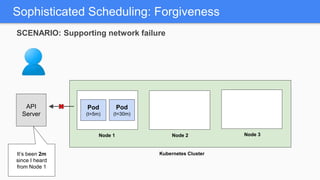
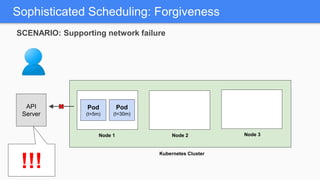
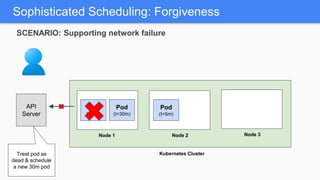
Sophisticated Scheduling: Forgiveness
Node 1 Node 2
Kubernetes Cluster
Node 3
Pod
(t=5m)
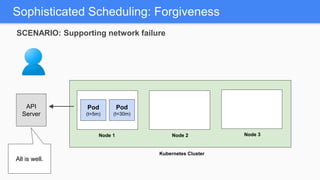
All is well.
Pod
(t=30m)
API
Server
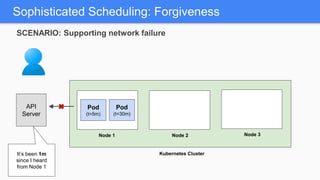
SCENARIO: Supporting network failure
Sophisticated Scheduling: Forgiveness
Node 1 Node 2
Kubernetes Cluster
Node 3
It’s been 1m
since I heard
from Node 1
Pod
(t=5m)
Pod
(t=30m)
API
Server
SCENARIO: Supporting network failure
Sophisticated Scheduling: Forgiveness
Node 1 Node 2
Kubernetes Cluster
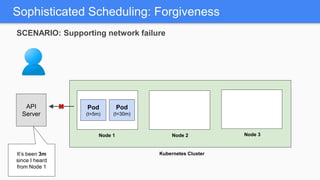
Node 3
It’s been 2m
since I heard
from Node 1
Pod
(t=5m)
Pod
(t=30m)
API
Server
SCENARIO: Supporting network failure
Sophisticated Scheduling: Forgiveness
Node 1 Node 2
Kubernetes Cluster
Node 3
It’s been 3m
since I heard
from Node 1
Pod
(t=5m)
Pod
(t=30m)
API
Server
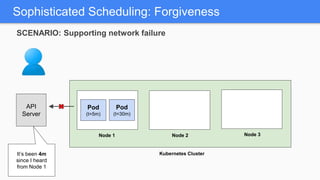
SCENARIO: Supporting network failure
Sophisticated Scheduling: Forgiveness
Node 1 Node 2
Kubernetes Cluster
Node 3
It’s been 4m
since I heard
from Node 1
Pod
(t=5m)
Pod
(t=30m)
API
Server
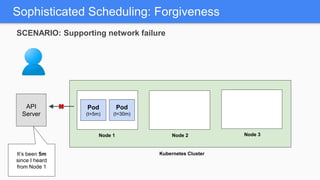
SCENARIO: Supporting network failure
Sophisticated Scheduling: Forgiveness
Node 1 Node 2
Kubernetes Cluster
Node 3
It’s been 5m
since I heard
from Node 1
Pod
(t=5m)
Pod
(t=30m)
API
Server
SCENARIO: Supporting network failure
Sophisticated Scheduling: Forgiveness
Node 1 Node 2
Kubernetes Cluster
Node 3
!!!
Pod
(t=5m)
Pod
(t=30m)
API
Server
SCENARIO: Supporting network failure
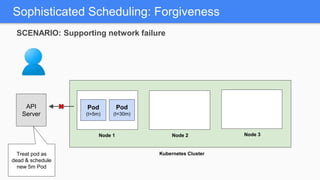
Sophisticated Scheduling: Forgiveness
Node 1 Node 2
Kubernetes Cluster
Node 3
Treat pod as
dead & schedule
new 5m Pod
Pod
(t=30m)
API
Server
Pod
(t=5m)
SCENARIO: Supporting network failure
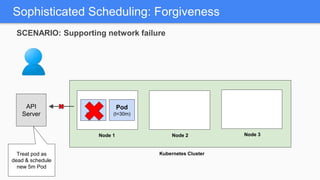
Sophisticated Scheduling: Forgiveness
Node 1 Node 2
Kubernetes Cluster
Node 3
Treat pod as
dead & schedule
new 5m Pod
Pod
(t=30m)
API
Server
Pod
(t=5m)
SCENARIO: Supporting network failure
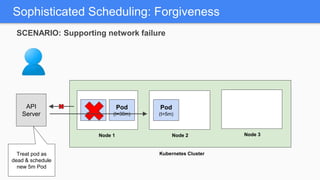
Sophisticated Scheduling: Forgiveness
Node 1 Node 2
Kubernetes Cluster
Node 3
Treat pod as
dead & schedule
new 5m Pod
Pod
(t=30m)
API
Server
Pod
(t=5m)
Pod
(t=5m)
SCENARIO: Supporting network failure
Sophisticated Scheduling: Forgiveness
Node 1 Node 2
Kubernetes Cluster
Node 3
Treat pod as
dead & schedule
new 5m Pod
Pod
(t=30m)
API
Server
Pod
(t=5m)
Pod
(t=5m)
SCENARIO: Supporting network failure
Sophisticated Scheduling: Forgiveness
Node 1 Node 2
Kubernetes Cluster
Node 3
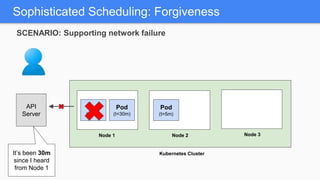
It’s been 30m
since I heard
from Node 1
Pod
(t=30m)
API
Server
Pod
(t=5m)
Pod
(t=5m)
SCENARIO: Supporting network failure
Sophisticated Scheduling: Forgiveness
Node 1 Node 2
Kubernetes Cluster
Node 3
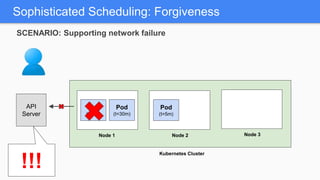
Pod
(t=30m)
API
Server
Pod
(t=5m)
!!!
Pod
(t=5m)
SCENARIO: Supporting network failure
Sophisticated Scheduling: Forgiveness
Node 1 Node 2
Kubernetes Cluster
Node 3
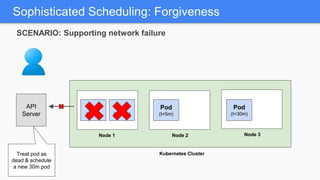
API
Server
Pod
(t=5m)
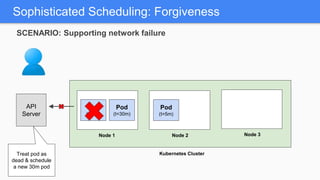
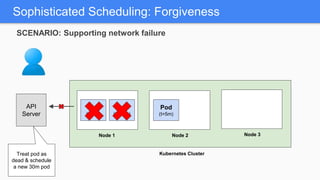
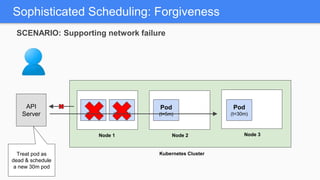
Treat pod as
dead & schedule
a new 30m pod
Pod
(t=5m)
Pod
(t=30m)
SCENARIO: Supporting network failure
Sophisticated Scheduling: Forgiveness
Node 1 Node 2
Kubernetes Cluster
Node 3
API
Server
Pod
(t=5m)
Treat pod as
dead & schedule
a new 30m pod
Pod
(t=5m)
Pod
(t=30m)
SCENARIO: Supporting network failure
Sophisticated Scheduling: Forgiveness
Node 1 Node 2
Kubernetes Cluster
Node 3
API
Server
Pod
(t=5m)
Treat pod as
dead & schedule
a new 30m pod
Pod
(t=5m)
Pod
(t=30m)
SCENARIO: Supporting network failure
Sophisticated Scheduling: Forgiveness
Node 1 Node 2
Kubernetes Cluster
Node 3
API
Server
Pod
(t=5m)
Treat pod as
dead & schedule
a new 30m pod
Pod
(t=5m)
Pod
(t=30m)
Pod
(t=30m)
SCENARIO: Supporting network failure
Sophisticated Scheduling: Forgiveness
Node 1 Node 2
Kubernetes Cluster
Node 3
API
Server
Pod
(t=5m)
Treat pod as
dead & schedule
a new 30m pod
Pod
(t=5m)
Pod
(t=30m)
Pod
(t=30m)
SCENARIO: Supporting network failure
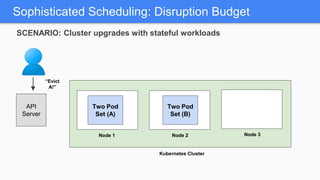
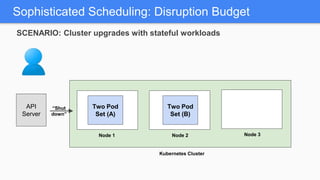
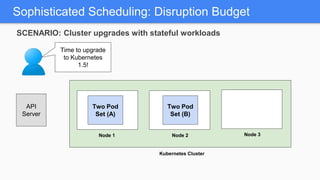
Sophisticated Scheduling: Disruption Budget
Node 1 Node 2
Kubernetes Cluster
Node 3
Two Pod
Set (A)
API
Server
Time to upgrade
to Kubernetes
1.5!
Two Pod
Set (B)
SCENARIO: Cluster upgrades with stateful workloads
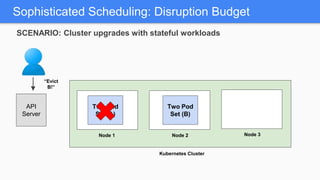
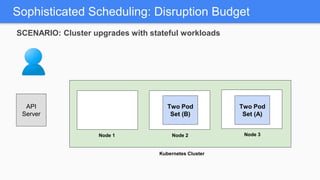
Sophisticated Scheduling: Disruption Budget
Node 1 Node 2
Kubernetes Cluster
Node 3
Two Pod
Set (A)
API
Server
Two Pod
Set (B)
“Evict
A!”
SCENARIO: Cluster upgrades with stateful workloads
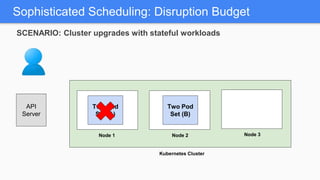
Sophisticated Scheduling: Disruption Budget
Node 1 Node 2
Kubernetes Cluster
Node 3
Two Pod
Set (A)
API
Server
Two Pod
Set (B)
“Shut
down”
SCENARIO: Cluster upgrades with stateful workloads
Sophisticated Scheduling: Disruption Budget
Node 1 Node 2
Kubernetes Cluster
Node 3
Two Pod
Set (A)
API
Server
Two Pod
Set (B)
SCENARIO: Cluster upgrades with stateful workloads
Sophisticated Scheduling: Disruption Budget
Node 1 Node 2
Kubernetes Cluster
Node 3
Two Pod
Set (A)
API
Server
Two Pod
Set (B)
“Evict
B!”
SCENARIO: Cluster upgrades with stateful workloads
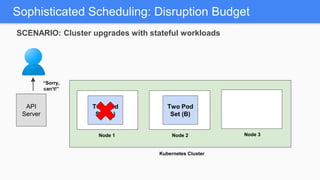
Sophisticated Scheduling: Disruption Budget
Node 1 Node 2
Kubernetes Cluster
Node 3
Two Pod
Set (A)
API
Server
Two Pod
Set (B)
“Sorry,
can’t!”
SCENARIO: Cluster upgrades with stateful workloads
Sophisticated Scheduling: Disruption Budget
Node 1 Node 2
Kubernetes Cluster
Node 3
Two Pod
Set (A)
API
Server
Two Pod
Set (B)
SCENARIO: Cluster upgrades with stateful workloads
Sophisticated Scheduling: Disruption Budget
Node 1 Node 2
Kubernetes Cluster
Node 3
Two Pod
Set (A)
API
Server
Two Pod
Set (B)
SCENARIO: Cluster upgrades with stateful workloads
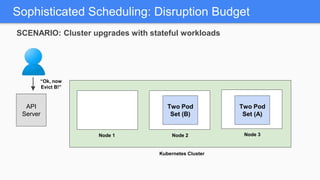
Sophisticated Scheduling: Disruption Budget
Node 1 Node 2
Kubernetes Cluster
Node 3
Two Pod
Set (A)
API
Server
Two Pod
Set (B)
“Ok, now
Evict B!”
SCENARIO: Cluster upgrades with stateful workloads
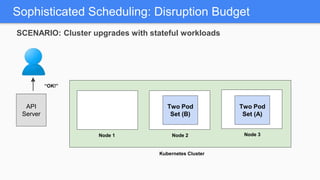
Sophisticated Scheduling: Disruption Budget
Node 1 Node 2
Kubernetes Cluster
Node 3
API
Server
Two Pod
Set (B)
“OK!”
Two Pod
Set (A)
SCENARIO: Cluster upgrades with stateful workloads
Sophisticated Scheduling: Disruption Budget
Node 1 Node 2
Kubernetes Cluster
Node 3
API
Server
Two Pod
Set (B)
Two Pod
Set (A)
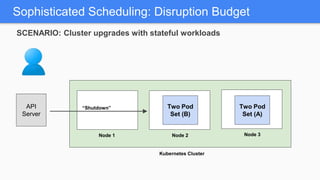
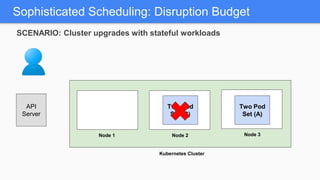
“Shutdown”
SCENARIO: Cluster upgrades with stateful workloads
Sophisticated Scheduling: Disruption Budget
Node 1 Node 2
Kubernetes Cluster
Node 3
API
Server
Two Pod
Set (B)
Two Pod
Set (A)
SCENARIO: Cluster upgrades with stateful workloads
Network Policy
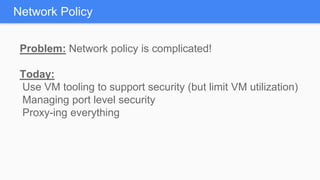
Problem: Network policy is complicated!
Today:
Use VM tooling to support security (but limit VM utilization)
Managing port level security
Proxy-ing everything
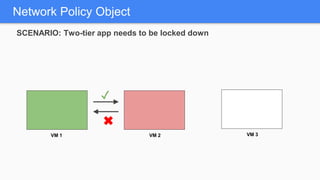
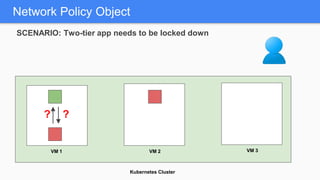
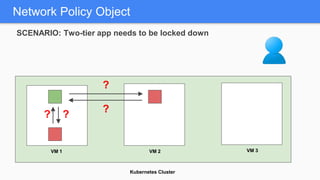
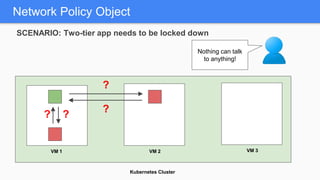
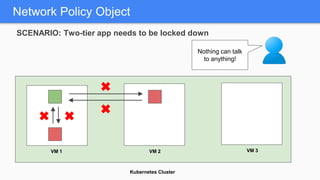
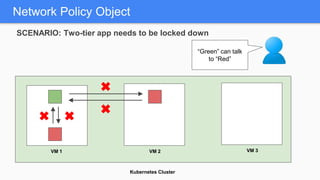
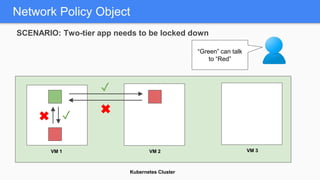
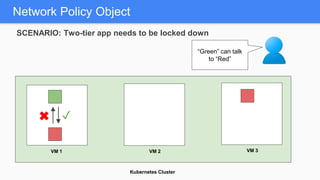
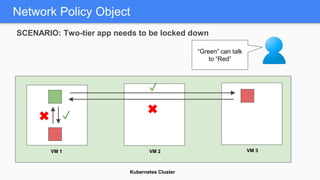
Solution: Network Policy Object!
Network Policy
Network Policy Object
VM 1 VM 2 VM 3
SCENARIO: Two-tier app needs to be locked down
Network Policy Object
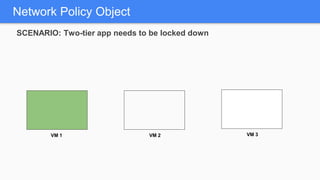
VM 1 VM 2 VM 3
SCENARIO: Two-tier app needs to be locked down
Network Policy Object
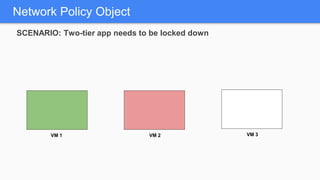
VM 1 VM 2 VM 3
SCENARIO: Two-tier app needs to be locked down
Network Policy Object
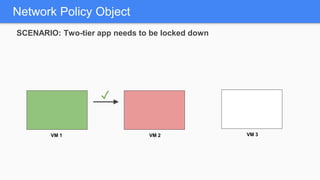
VM 1 VM 2 VM 3
SCENARIO: Two-tier app needs to be locked down
✓
Network Policy Object
VM 1 VM 2 VM 3
SCENARIO: Two-tier app needs to be locked down
✓
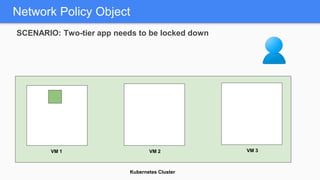
Kubernetes Cluster
Network Policy Object
SCENARIO: Two-tier app needs to be locked down
VM 1 VM 2 VM 3
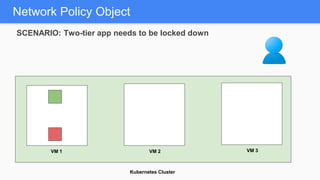
Kubernetes Cluster
Network Policy Object
SCENARIO: Two-tier app needs to be locked down
VM 1 VM 2 VM 3
Kubernetes Cluster
Network Policy Object
SCENARIO: Two-tier app needs to be locked down
VM 1 VM 2 VM 3
??
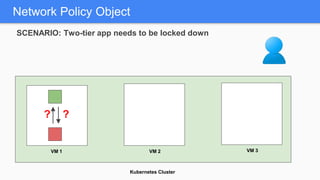
Kubernetes Cluster
Network Policy Object
SCENARIO: Two-tier app needs to be locked down
VM 1 VM 2 VM 3
??
Kubernetes Cluster
Network Policy Object
SCENARIO: Two-tier app needs to be locked down
VM 1 VM 2 VM 3
?
?
??
Kubernetes Cluster
Network Policy Object
SCENARIO: Two-tier app needs to be locked down
VM 1 VM 2 VM 3
?
?
??
Nothing can talk
to anything!
Kubernetes Cluster
Network Policy Object
SCENARIO: Two-tier app needs to be locked down
VM 1 VM 2 VM 3
Nothing can talk
to anything!
Kubernetes Cluster
Network Policy Object
SCENARIO: Two-tier app needs to be locked down
VM 1 VM 2 VM 3
“Green” can talk
to “Red”
Kubernetes Cluster
Network Policy Object
SCENARIO: Two-tier app needs to be locked down
VM 1 VM 2 VM 3
“Green” can talk
to “Red”
✓
✓
Kubernetes Cluster
Network Policy Object
SCENARIO: Two-tier app needs to be locked down
VM 1 VM 2 VM 3
“Green” can talk
to “Red”
✓
Kubernetes Cluster
Network Policy Object
SCENARIO: Two-tier app needs to be locked down
VM 1 VM 2 VM 3
“Green” can talk
to “Red”
✓
✓
Problem: I need to deploy complicated apps!
Today:
Manually deploy applications once per cluster
Manually publish global endpoints and load balance
Build a control plane for monitoring application
Helm
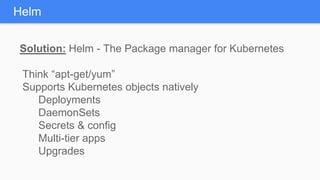
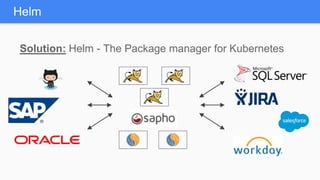
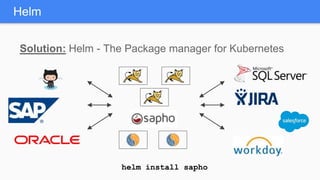
Solution: Helm - The Package manager for Kubernetes
Think “apt-get/yum”
Supports Kubernetes objects natively
Deployments
DaemonSets
Secrets & config
Multi-tier apps
Upgrades
Helm
Helm
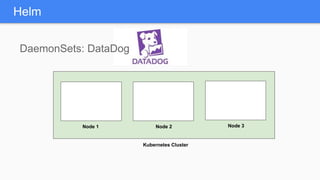
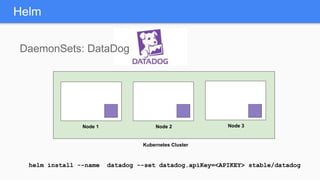
DaemonSets: DataDog
Node 1 Node 2
Kubernetes Cluster
Node 3
Helm
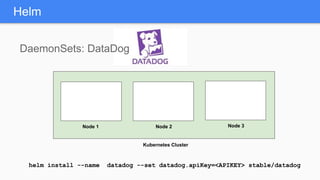
DaemonSets: DataDog
Node 1 Node 2
Kubernetes Cluster
Node 3
helm install --name datadog --set datadog.apiKey=<APIKEY> stable/datadog
Helm
DaemonSets: DataDog
Node 1 Node 2
Kubernetes Cluster
Node 3
helm install --name datadog --set datadog.apiKey=<APIKEY> stable/datadog
Solution: Helm - The Package manager for Kubernetes
Helm
Solution: Helm - The Package manager for Kubernetes
Helm
Solution: Helm - The Package manager for Kubernetes
Helm
Solution: Helm - The Package manager for Kubernetes
Helm
Solution: Helm - The Package manager for Kubernetes
Helm
helm install sapho
Accelerating Stateful Applications
Management of storage and data for
stateful applications on Kubernetes
Accelerating Stateful Applications
Management of storage and data for
stateful applications on Kubernetes
Management of Kubernetes at
enterprise scale
Accelerating Stateful Applications
Container-optimized servers for
compute and storage
Management of storage and data for
stateful applications on Kubernetes
Management of Kubernetes at
enterprise scale
Accelerating Stateful Applications
Container-optimized servers for
compute and storage
Management of storage and data for
stateful applications on Kubernetes
Management of Kubernetes at
enterprise scale
+
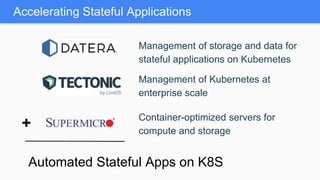
Accelerating Stateful Applications
Container-optimized servers for
compute and storage
Management of storage and data for
stateful applications on Kubernetes
Management of Kubernetes at
enterprise scale
+
Automated Stateful Apps on K8S
What’s Next
What’s Next
What’s Next
Nothing!*
What’s Next
Nothing!*
* for large values of “Nothing”
What’s Next
Nothing!*
* for large values of “Nothing”
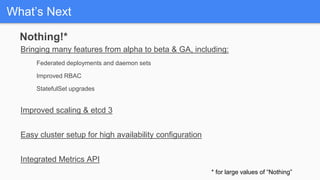
Bringing many features from alpha to beta & GA, including:
Federated deployments and daemon sets
Improved RBAC
StatefulSet upgrades
Improved scaling & etcd 3
Easy cluster setup for high availability configuration
Integrated Metrics API
Kubernetes is Open
• open community
• open design
• open source
• open to ideas
Twitter: @aronchick
Email: aronchick@google.com
• kubernetes.io
• github.com/kubernetes/kubernetes
• slack.kubernetes.io
• twitter: @kubernetesio

Tectonic Summit 2016: Kubernetes 1.5 and Beyond