
Kubeflow
on Google Kubernetes Engine
2018/04/25 Bear Su
1
● What's kubeflow
● What's ksonnet
● Create a Kubernetes Cluster with GKE
● We need GPU!!!
● Install kubeflow on GKE
● Run and show and more
Agenda
2
What's kubeflow
3
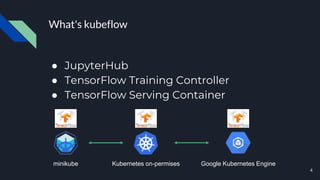
What's kubeflow
● JupyterHub
● TensorFlow Training Controller
● TensorFlow Serving Container
minikube Google Kubernetes EngineKubernetes on-permises
4
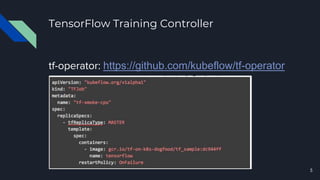
TensorFlow Training Controller
tf-operator: https://github.com/kubeflow/tf-operator
5
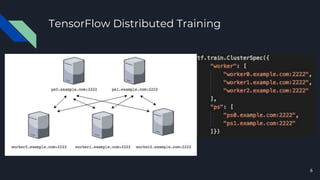
TensorFlow Distributed Training
6
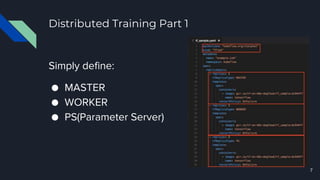
Distributed Training Part 1
Simply define:
● MASTER
● WORKER
● PS(Parameter Server)
7
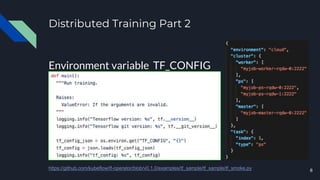
Distributed Training Part 2
Environment variable TF_CONFIG
8https://github.com/kubeflow/tf-operator/blob/v0.1.0/examples/tf_sample/tf_sample/tf_smoke.py
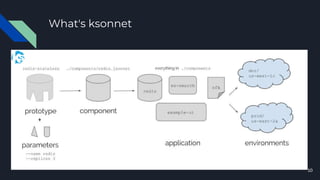
What's ksonnet
9
What's ksonnet
10
Create a Kubernetes Cluster with GKE
11
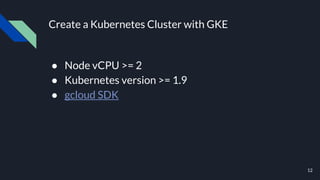
Create a Kubernetes Cluster with GKE
● Node vCPU >= 2
● Kubernetes version >= 1.9
● gcloud SDK
12
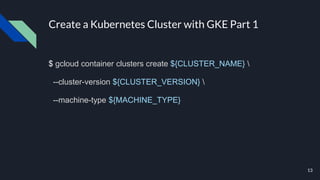
Create a Kubernetes Cluster with GKE Part 1
$ gcloud container clusters create ${CLUSTER_NAME} 
--cluster-version ${CLUSTER_VERSION} 
--machine-type ${MACHINE_TYPE}
13
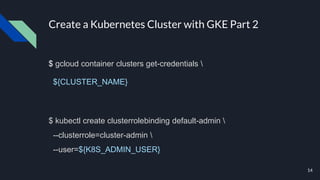
Create a Kubernetes Cluster with GKE Part 2
$ gcloud container clusters get-credentials 
${CLUSTER_NAME}
$ kubectl create clusterrolebinding default-admin 
--clusterrole=cluster-admin 
--user=${K8S_ADMIN_USER}
14
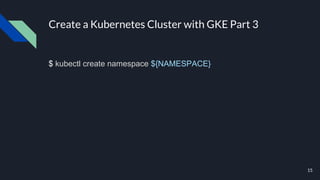
Create a Kubernetes Cluster with GKE Part 3
$ kubectl create namespace ${NAMESPACE}
15
We need GPU!!!
16
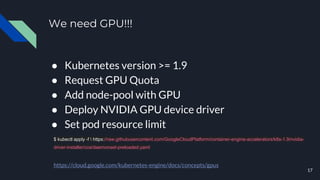
We need GPU!!!
● Kubernetes version >= 1.9
● Request GPU Quota
● Add node-pool with GPU
● Deploy NVIDIA GPU device driver
● Set pod resource limit
17
$ kubectl apply -f  https://raw.githubusercontent.com/GoogleCloudPlatform/container-engine-accelerators/k8s-1.9/nvidia-
driver-installer/cos/daemonset-preloaded.yaml
https://cloud.google.com/kubernetes-engine/docs/concepts/gpus
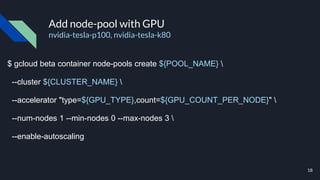
Add node-pool with GPU
nvidia-tesla-p100, nvidia-tesla-k80
$ gcloud beta container node-pools create ${POOL_NAME} 
--cluster ${CLUSTER_NAME} 
--accelerator "type=${GPU_TYPE},count=${GPU_COUNT_PER_NODE}" 
--num-nodes 1 --min-nodes 0 --max-nodes 3 
--enable-autoscaling
18
Install kubeflow on GKE
19
Installation requirement
● kubernetes version >= 1.9
● kubectl
● ksonnet version > 0.9.2
● [GitHub Account]
20
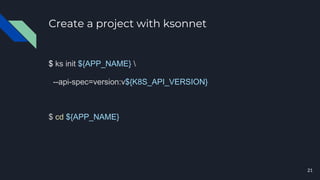
Create a project with ksonnet
$ ks init ${APP_NAME} 
--api-spec=version:v${K8S_API_VERSION}
$ cd ${APP_NAME}
21
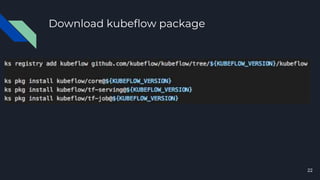
Download kubeflow package
22
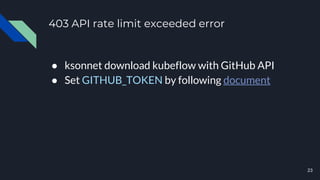
403 API rate limit exceeded error
● ksonnet download kubeflow with GitHub API
● Set GITHUB_TOKEN by following document
23
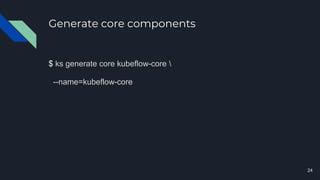
Generate core components
$ ks generate core kubeflow-core 
--name=kubeflow-core
24
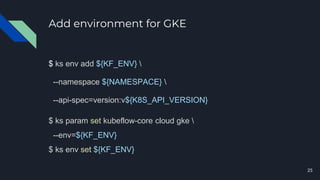
Add environment for GKE
$ ks env add ${KF_ENV} 
--namespace ${NAMESPACE} 
--api-spec=version:v${K8S_API_VERSION}
$ ks param set kubeflow-core cloud gke 
--env=${KF_ENV}
$ ks env set ${KF_ENV}
25
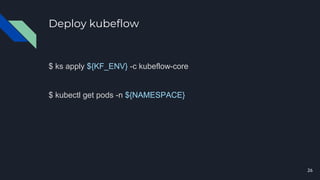
Deploy kubeflow
$ ks apply ${KF_ENV} -c kubeflow-core
$ kubectl get pods -n ${NAMESPACE}
26
Run and show and
more
27
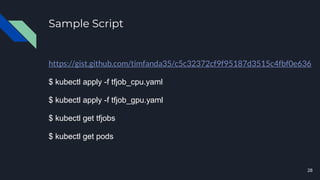
Sample Script
https://gist.github.com/timfanda35/c5c32372cf9f95187d3515c4fbf0e636
$ kubectl apply -f tfjob_cpu.yaml
$ kubectl apply -f tfjob_gpu.yaml
$ kubectl get tfjobs
$ kubectl get pods
28
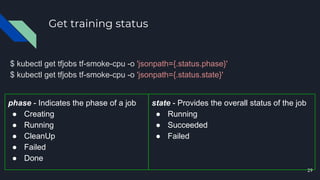
Get training status
$ kubectl get tfjobs tf-smoke-cpu -o 'jsonpath={.status.phase}'
$ kubectl get tfjobs tf-smoke-cpu -o 'jsonpath={.status.state}'
29
phase - Indicates the phase of a job
● Creating
● Running
● CleanUp
● Failed
● Done
state - Provides the overall status of the job
● Running
● Succeeded
● Failed
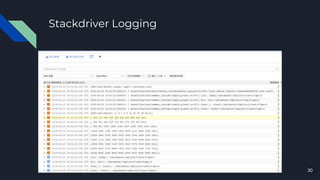
Stackdriver Logging
30
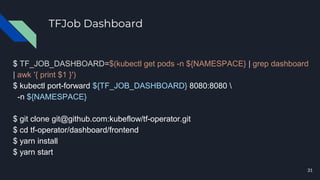
TFJob Dashboard
$ TF_JOB_DASHBOARD=$(kubectl get pods -n ${NAMESPACE} | grep dashboard
| awk '{ print $1 }')
$ kubectl port-forward ${TF_JOB_DASHBOARD} 8080:8080 
-n ${NAMESPACE}
$ git clone git@github.com:kubeflow/tf-operator.git
$ cd tf-operator/dashboard/frontend
$ yarn install
$ yarn start
31
Thank you
32
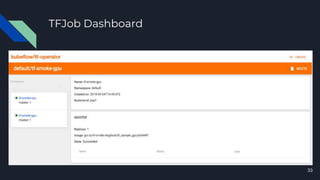
TFJob Dashboard
33

Kubeflow on google kubernetes engine

Editor's Notes

  • #5 https://github.com/datawire/ambassador
  • #7 https://www.tensorflow.org/deploy/distributed
  • #8 Pod 中的 container 至少要有一個叫做 tensorflow
  • #11 Ksonet 是一個用來簡化 Kubernetes 部署的工具。 Ksonnet 借鑒了 Borgcfg(Google 內部容器系統 Borg 的管理工具),來提高 Kubernetes 的可用性。有興趣的讀者可以關注 Ksonet(https://ksonnet.io/)來獲取更多細節。 ksonnet is a framework for writing, sharing, and deploying Kubernetes application manifests. With its CLI, you can generate a complete application from scratch in only a few commands, or manage a complex system at scale.
  • #19 GPU_TYPE: nvidia-tesla-k80 nvidia-tesla-p100