KnockoutJS
James Chen
Intro
 What is KnockoutJS?
 JavaScript Library
 Build web UIs with model-view-viewmodel(MVVM) pattern
 Uses Declarative bindings to connect UI to data
 Dependency tracking to automatically update UI when data changes
Views & Viewmodel
 View
 Html
 Viewmodel
 JavaScript file
 Written as functions
 Ex:
function UserVM() {
this.name = “James”;
this.age = “5”;
}
Bindings
 Add data-bind attribute to html tag
 EX: <span data-bind=“text: name”></span>
 Text & appearance bindings
 Visible, text, html, css, style, attr
 Control flow
 Foreach, if, ifnot, with, component
 Form fields
 Click, event, submit, enable, disable, value, textinput, hasfocus, checked, etc
 Rendering templates
 Template
Observables
 setting a property in a viewmodel as observable will issue notifications whenever their
values change
 this change then can be reflected to views that has data bound to these properties
 ex:
function AppViewModel() {
this.firstName = ko.observable("Bert");
this.lastName = ko.observable("Bertington“);
}
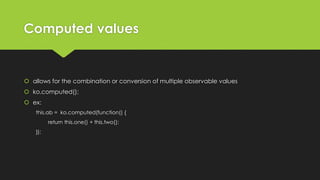
Computed values
 allows for the combination or conversion of multiple observable values
 ko.computed();
 ex:
this.ab = ko.computed(function() {
return this.one() + this.two();
});
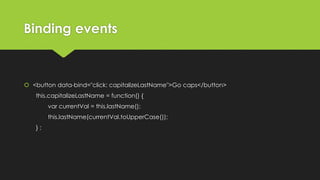
Binding events
 <button data-bind="click: capitalizeLastName">Go caps</button>
this.capitalizeLastName = function() {
var currentVal = this.lastName();
this.lastName(currentVal.toUpperCase());
} ;
Lists & collections
 can be used to generate repeating blocks of UI elements
 done through observable arrays and foreach binding
 foreach, if, ifnot
 ex:
function FruitsVM() {
this.fruits = ko.observableArray([
new Fruit("Apple", 50),
new Fruit("Orange", 35),
new Fruit("Pineapple", 40)
]);
}
 adding or removing items in observable arrays will trigger UI updates
 does not regenerate the whole UI
 KnockOut tracks changes in the array and only perform minimal DOM updates
<table>
<thead></thead>
<tbody data-bind="foreach: fruits">
<tr>
<td data-bind="text: name"></td>
<td data-bind="text: amount"></td>
</tr>
</tbody>
<table>
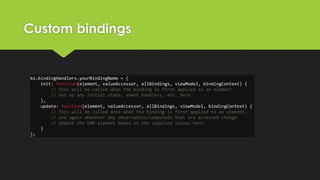
Custom bindings
ko.bindingHandlers.yourBindingName = {
init: function(element, valueAccessor, allBindings, viewModel, bindingContext) {
// This will be called when the binding is first applied to an element
// Set up any initial state, event handlers, etc. here
},
update: function(element, valueAccessor, allBindings, viewModel, bindingContext) {
// This will be called once when the binding is first applied to an element,
// and again whenever any observables/computeds that are accessed change
// Update the DOM element based on the supplied values here.
}
};
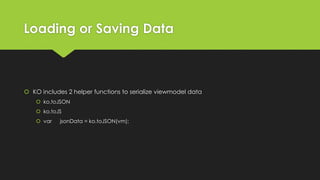
Loading or Saving Data
 KO includes 2 helper functions to serialize viewmodel data
 ko.toJSON
 ko.toJS
 var jsonData = ko.toJSON(vm);
Mapping plugin
 straightforward way to map that plain JavaScript object into a view model with the
appropriate observables.
 var viewModel = ko.mapping.fromJS(data);
 ko.mapping.fromJS(data, viewModel);

Knockout js

  • 1.
  • 2.
    Intro  What isKnockoutJS?  JavaScript Library  Build web UIs with model-view-viewmodel(MVVM) pattern  Uses Declarative bindings to connect UI to data  Dependency tracking to automatically update UI when data changes
  • 3.
    Views & Viewmodel View  Html  Viewmodel  JavaScript file  Written as functions  Ex: function UserVM() { this.name = “James”; this.age = “5”; }
  • 4.
    Bindings  Add data-bindattribute to html tag  EX: <span data-bind=“text: name”></span>  Text & appearance bindings  Visible, text, html, css, style, attr  Control flow  Foreach, if, ifnot, with, component  Form fields  Click, event, submit, enable, disable, value, textinput, hasfocus, checked, etc  Rendering templates  Template
  • 5.
    Observables  setting aproperty in a viewmodel as observable will issue notifications whenever their values change  this change then can be reflected to views that has data bound to these properties  ex: function AppViewModel() { this.firstName = ko.observable("Bert"); this.lastName = ko.observable("Bertington“); }
  • 6.
    Computed values  allowsfor the combination or conversion of multiple observable values  ko.computed();  ex: this.ab = ko.computed(function() { return this.one() + this.two(); });
  • 7.
    Binding events  <buttondata-bind="click: capitalizeLastName">Go caps</button> this.capitalizeLastName = function() { var currentVal = this.lastName(); this.lastName(currentVal.toUpperCase()); } ;
  • 8.
    Lists & collections can be used to generate repeating blocks of UI elements  done through observable arrays and foreach binding  foreach, if, ifnot  ex: function FruitsVM() { this.fruits = ko.observableArray([ new Fruit("Apple", 50), new Fruit("Orange", 35), new Fruit("Pineapple", 40) ]); }  adding or removing items in observable arrays will trigger UI updates  does not regenerate the whole UI  KnockOut tracks changes in the array and only perform minimal DOM updates <table> <thead></thead> <tbody data-bind="foreach: fruits"> <tr> <td data-bind="text: name"></td> <td data-bind="text: amount"></td> </tr> </tbody> <table>
  • 9.
    Custom bindings ko.bindingHandlers.yourBindingName ={ init: function(element, valueAccessor, allBindings, viewModel, bindingContext) { // This will be called when the binding is first applied to an element // Set up any initial state, event handlers, etc. here }, update: function(element, valueAccessor, allBindings, viewModel, bindingContext) { // This will be called once when the binding is first applied to an element, // and again whenever any observables/computeds that are accessed change // Update the DOM element based on the supplied values here. } };
  • 10.
    Loading or SavingData  KO includes 2 helper functions to serialize viewmodel data  ko.toJSON  ko.toJS  var jsonData = ko.toJSON(vm);
  • 11.
    Mapping plugin  straightforwardway to map that plain JavaScript object into a view model with the appropriate observables.  var viewModel = ko.mapping.fromJS(data);  ko.mapping.fromJS(data, viewModel);