Docker
Jason
2016/9/23
Docker
● Docker is written in Go and takes advantage of several features of the Linux
kernel to deliver its functionality.
● Docker is an open platform for developing, shipping, and running
applications
● Docker enables you to separate your applications from your infrastructure so
you can deliver software quickly
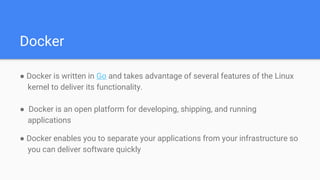
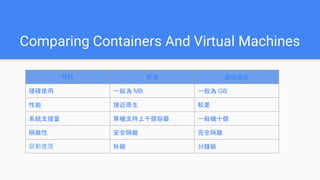
Comparing Containers And Virtual Machines
Image
Container
Repository
Comparing Containers And Virtual Machines
特性 容器 虛擬機器
硬碟使用 一般為 MB 一般為 GB
性能 接近原生 較差
系統支援量 單機支持上千個容器 一般機十個
隔離性 安全隔離 完全隔離
啟動進度 秒級 分鐘級
Docker
Image
Container
Repository
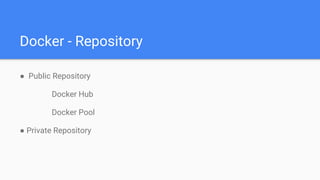
Docker - Repository
● Public Repository
Docker Hub
Docker Pool
● Private Repository
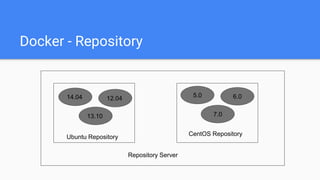
Docker - Repository
14.04 12.04
13.10
5.0 6.0
7.0
Ubuntu Repository CentOS Repository
Repository Server
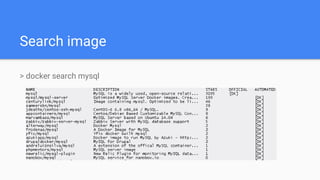
Search image
> docker search mysql
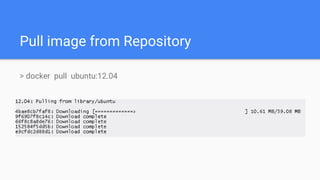
Pull image from Repository
> docker pull ubuntu:12.04
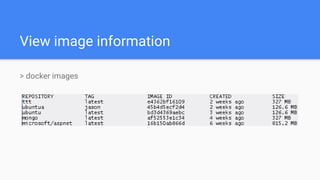
View image information
> docker images
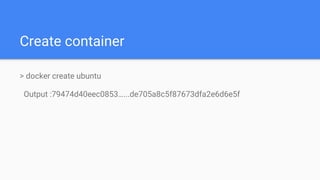
Create container
> docker create ubuntu
Output :79474d40eec0853…...de705a8c5f87673dfa2e6d6e5f
Create and run container
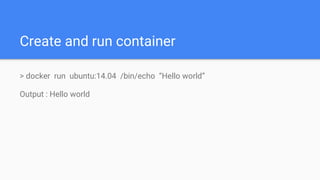
> docker run ubuntu:14.04 /bin/echo “Hello world”
Output : Hello world
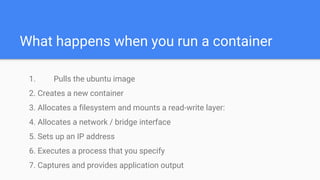
What happens when you run a container
1. Pulls the ubuntu image
2. Creates a new container
3. Allocates a filesystem and mounts a read-write layer:
4. Allocates a network / bridge interface
5. Sets up an IP address
6. Executes a process that you specify
7. Captures and provides application output
Create and run container
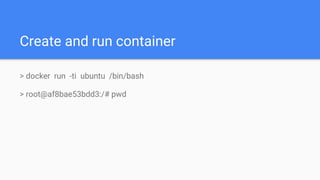
> docker run -ti ubuntu /bin/bash
> root@af8bae53bdd3:/# pwd
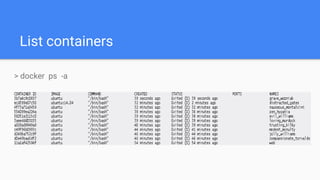
List containers
> docker ps -a
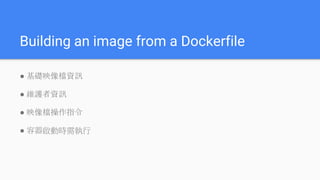
Building an image from a Dockerfile
● 基礎映像檔資訊
● 維護者資訊
● 映像檔操作指令
● 容器啟動時需執行
Dockerfile
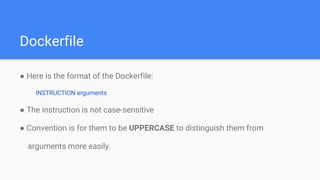
● Here is the format of the Dockerfile:
INSTRUCTION arguments
● The instruction is not case-sensitive
● Convention is for them to be UPPERCASE to distinguish them from
arguments more easily.
Dockerfile
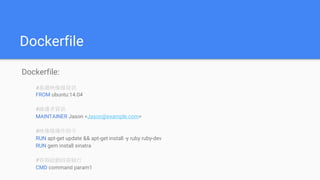
Dockerfile:
#基礎映像檔資訊
FROM ubuntu:14.04
#維護者資訊
MAINTAINER Jason <Jason@example.com>
#映像檔操作指令
RUN apt-get update && apt-get install -y ruby ruby-dev
RUN gem install sinatra
#容器啟動時需執行
CMD command param1
Dockerfile
● ADD <src>... <dest>
● COPY <src>... <dest>
● ENTRYPOINT ["/bin/echo"]
● CMD ["/bin/echo", "this is a echo test"]
● WORKDIR /a
● EXPOSE 5990
● Volume /myVol
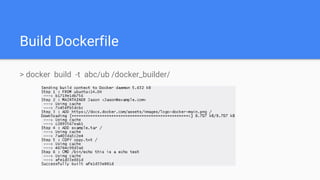
Build Dockerfile
> docker build -t abc/ub /docker_builder/
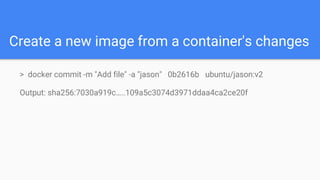
Create a new image from a container's changes
> docker commit -m "Add file" -a "jason" 0b2616b ubuntu/jason:v2
Output: sha256:7030a919c…..109a5c3074d3971ddaa4ca2ce20f
Delete container and image
● Delete a container
> docker rm [Container ID]
● Delete a image
> docker rmi [Container ID]
Other command
docker inspect [container ID]
docker logs [container ID]
docker start [container ID]
docker stop [container ID]
docker attach [container ID]
docker run -d ubuntu:14.04
docker run -P ubuntu:14.04
docker run -p 27019:27017 mongo
Reference
Docker
https://docs.docker.com/
https://philipzheng.gitbooks.io/docker_practice/content/image/create.html

Docker

Editor's Notes

  • #2 https://philipzheng.gitbooks.io/docker_practice/content/repository/dockerhub.html
  • #4 https://www.docker.com/what-docker
  • #20 http://cloud.51cto.com/art/201411/457338.htm https://kknews.cc/other/agpexv.html
  • #21 http://cloud.51cto.com/art/201411/457338.htm https://kknews.cc/other/agpexv.html
  • #22 http://cloud.51cto.com/art/201411/457338.htm https://kknews.cc/other/agpexv.html
  • #23 http://cloud.51cto.com/art/201411/457338.htm https://kknews.cc/other/agpexv.html