INTRODUCTION
   Knockout is a JavaScript library that
helps you to create rich, responsive
display and editor user interfaces with
a clean underlying data model.
HEADLINE FEATURES

Declarative Binding
Automatic UI Refresh
Dependency Tracking
Templating
ADDITIONAL FEATURES

• Pure JavaScript Library
• Compact (around 13kb after zipping)
• Works on any mainstream browser
  (IE 6+, Firefox 2+, Chrome, Safari, others)
SOME QUESTIONS
1. Is KO intended to compete with jQuery (or
   Prototype, etc.) or work with it?
2. How is Knockout different?
TO SUMMARIES
KO doesn’t compete with
jQuery or similar low-level
DOM APIs. KO provides a
complementary, high-level way
to link a data model to a UI.

 KO itself doesn’t depend on jQuery, but you can
certainly use jQuery at the same time, and
indeed that’s often useful if you want things like
animated transitions.
HOW TO USE
Download the latest version of
the Knockout JavaScript file
Reference the file using
a <script> tag somewhere on
your HTML pages
<script type='text/javascript' src='knockout-2.1.0.js'>
</script>


                     Installation
KEY KO CONCEPTS
MVVM & View Model
Observables
Bindings
Templates and Customization
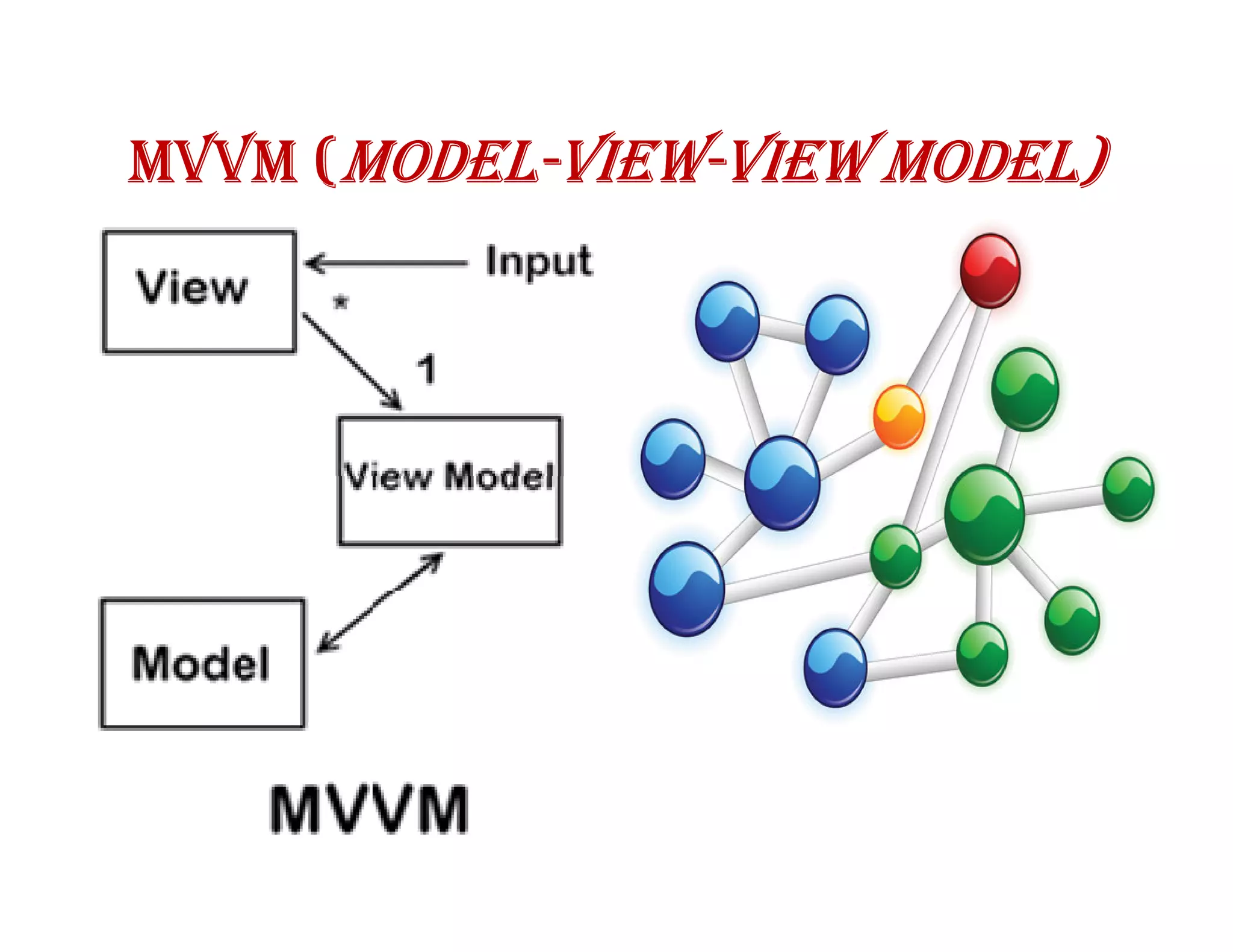
MVVM (MODEL-VIEW-VIEW MODEL)
      MODEL-VIEW-
VIEW MODELS
 To create a view model
with KO, just declare any
JavaScript object. For
example,

var myViewModel = {
   personName: 'Bob',
   personAge: 123
};
USING VIEWMODEL INSIDE A VIEW
 Example to create a very simple view of
 that view model using a declarative
 binding :
The name is <span data-bind="text:
personName"></span>
ACTIVATING KNOCKOUT.JS

ko.applyBindings(myViewModel);


     The name is <span>Bob</span>
OBSERVABLES

Question: How can KO know when
parts of your view model change?

Answer: You need to declare your
model properties as observables,
because these are special JavaScript
objects that can notify subscribers
about changes, and can automatically
detect dependencies.
DECLARING OBSERVABLE PROPERTIES

var myViewModel = {
   personName: ko.observable('Bob'),
   personAge: ko.observable(123)
};
R/W OBSERVABLE PROPERTIES
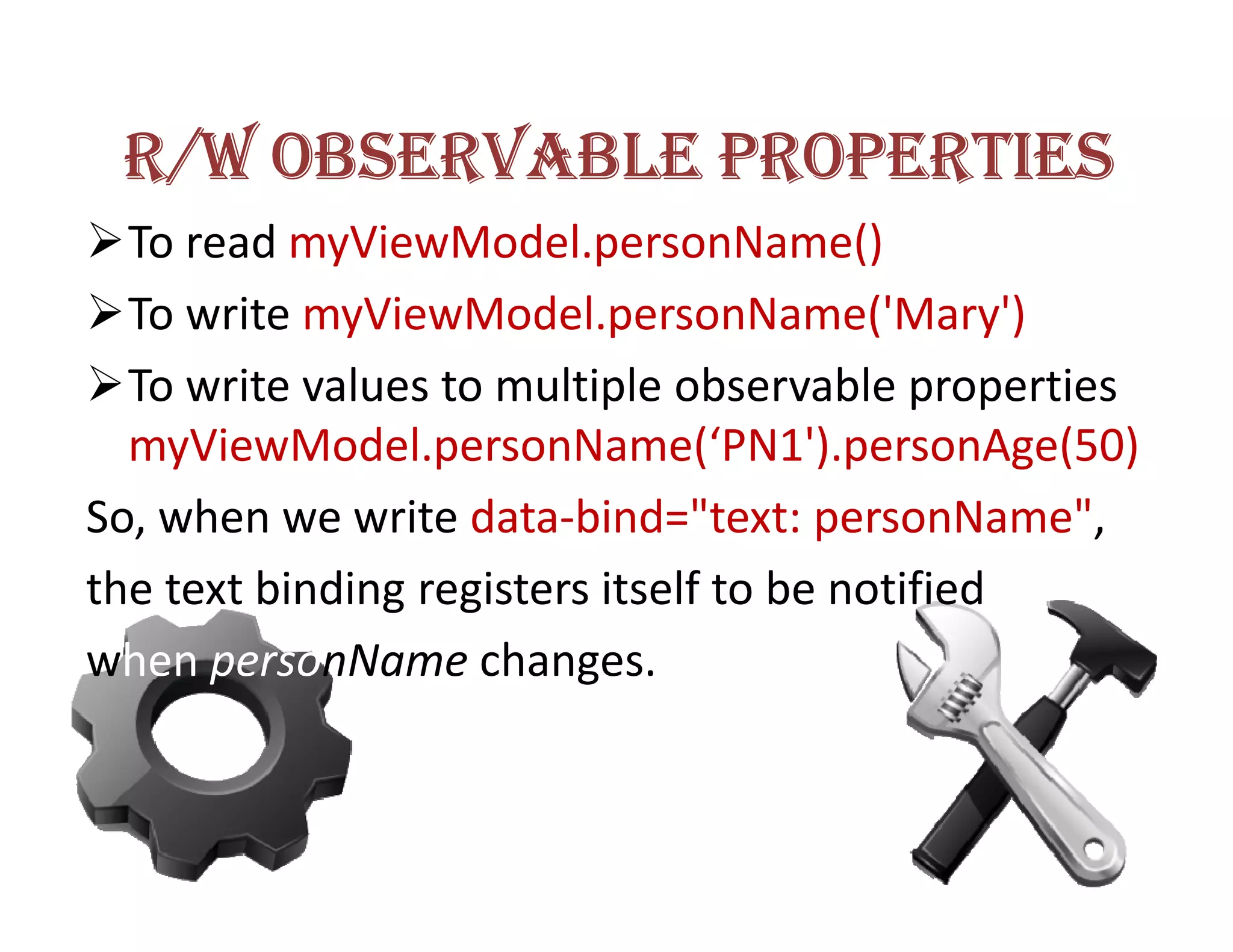
  To read myViewModel.personName()
  To write myViewModel.personName('Mary')
  To write values to multiple observable properties
  myViewModel.personName(‘PN1').personAge(50)
So, when we write data-bind="text: personName",
the text binding registers itself to be notified
when personName changes.
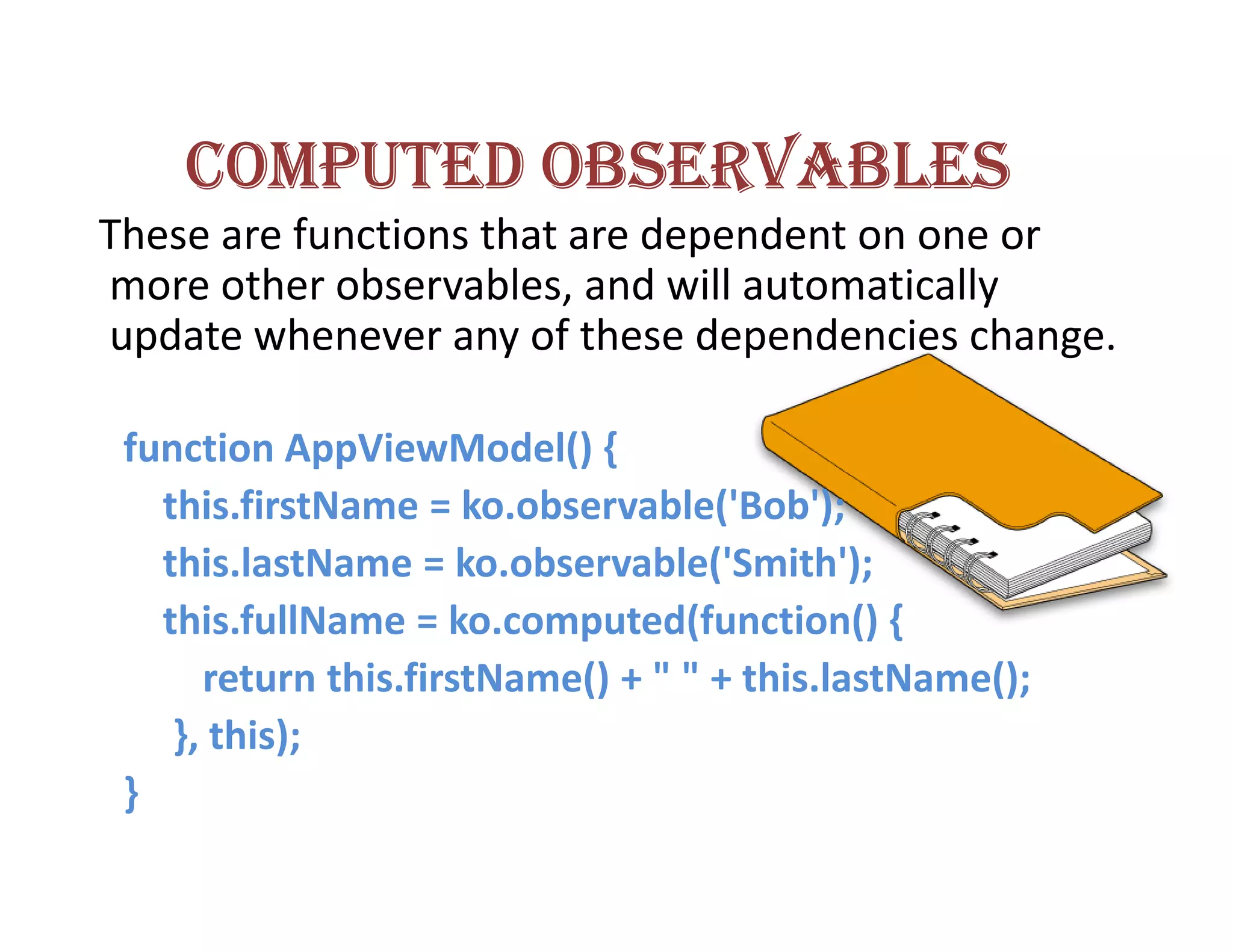
COMPUTED OBSERVABLES
These are functions that are dependent on one or
more other observables, and will automatically
update whenever any of these dependencies change.

 function AppViewModel() {
   this.firstName = ko.observable('Bob');
   this.lastName = ko.observable('Smith');
   this.fullName = ko.computed(function() {
      return this.firstName() + " " + this.lastName();
    }, this);
 }
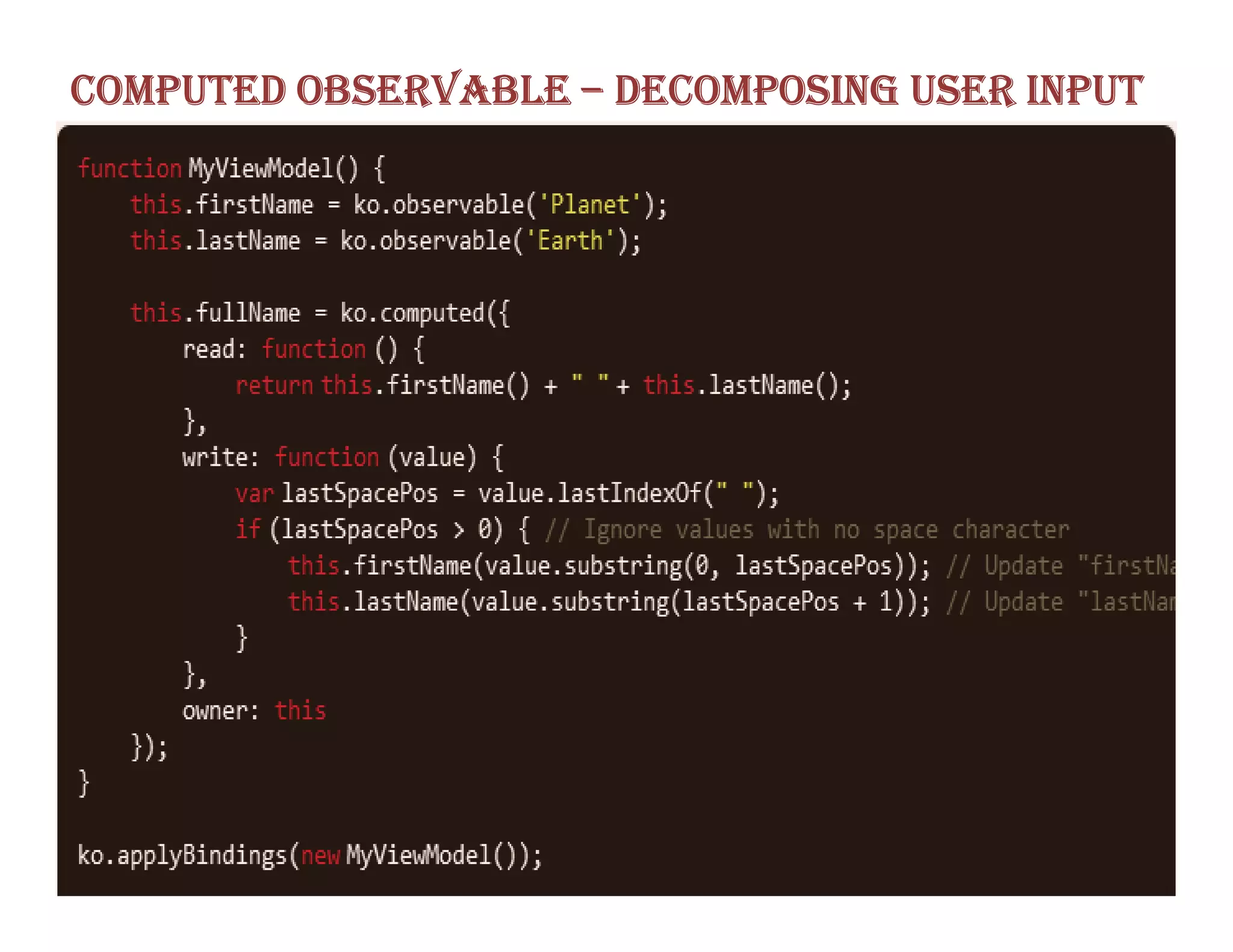
COMPUTED OBSERVABLE – DECOMPOSING USER INPUT
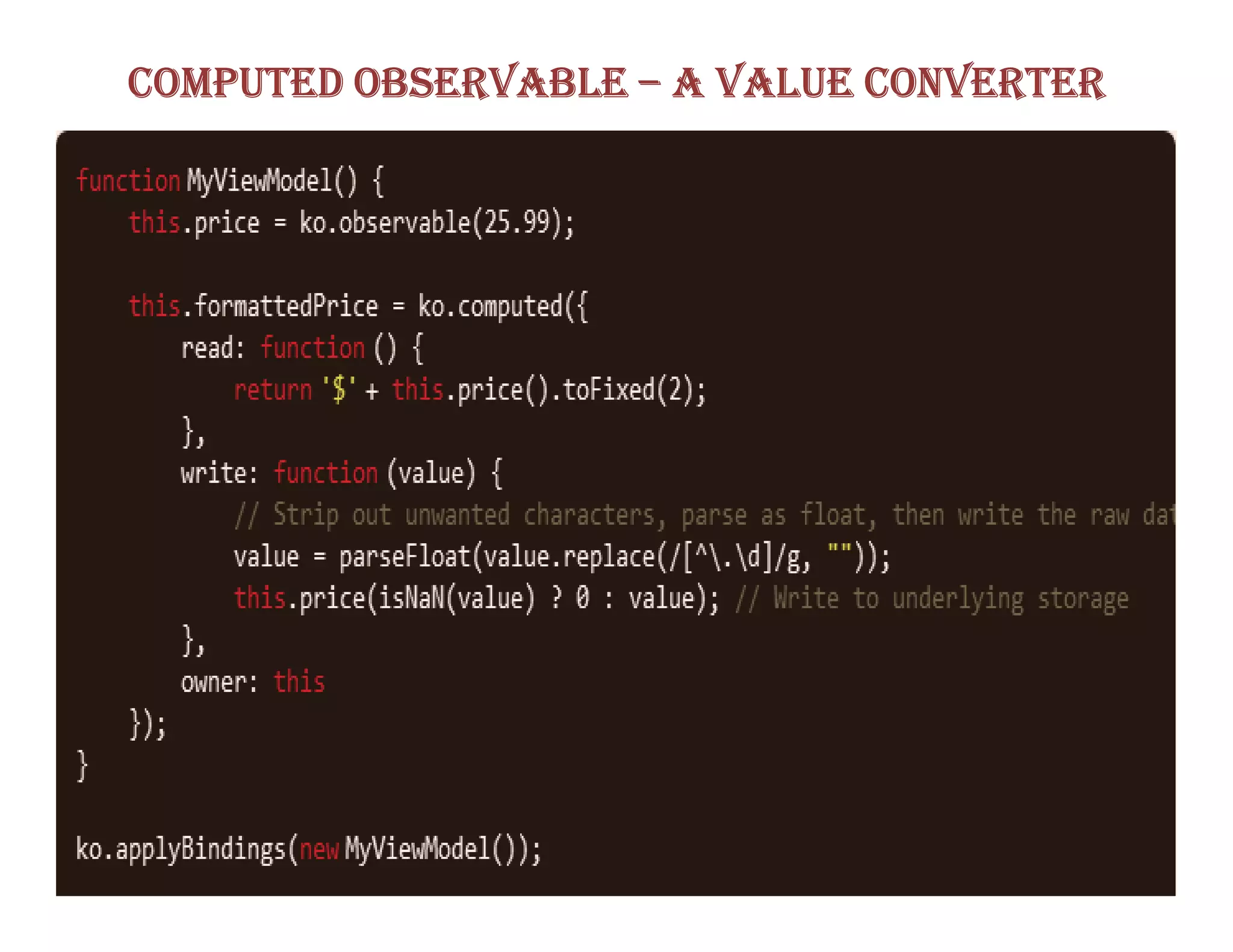
COMPUTED OBSERVABLE – A VALUE CONVERTER
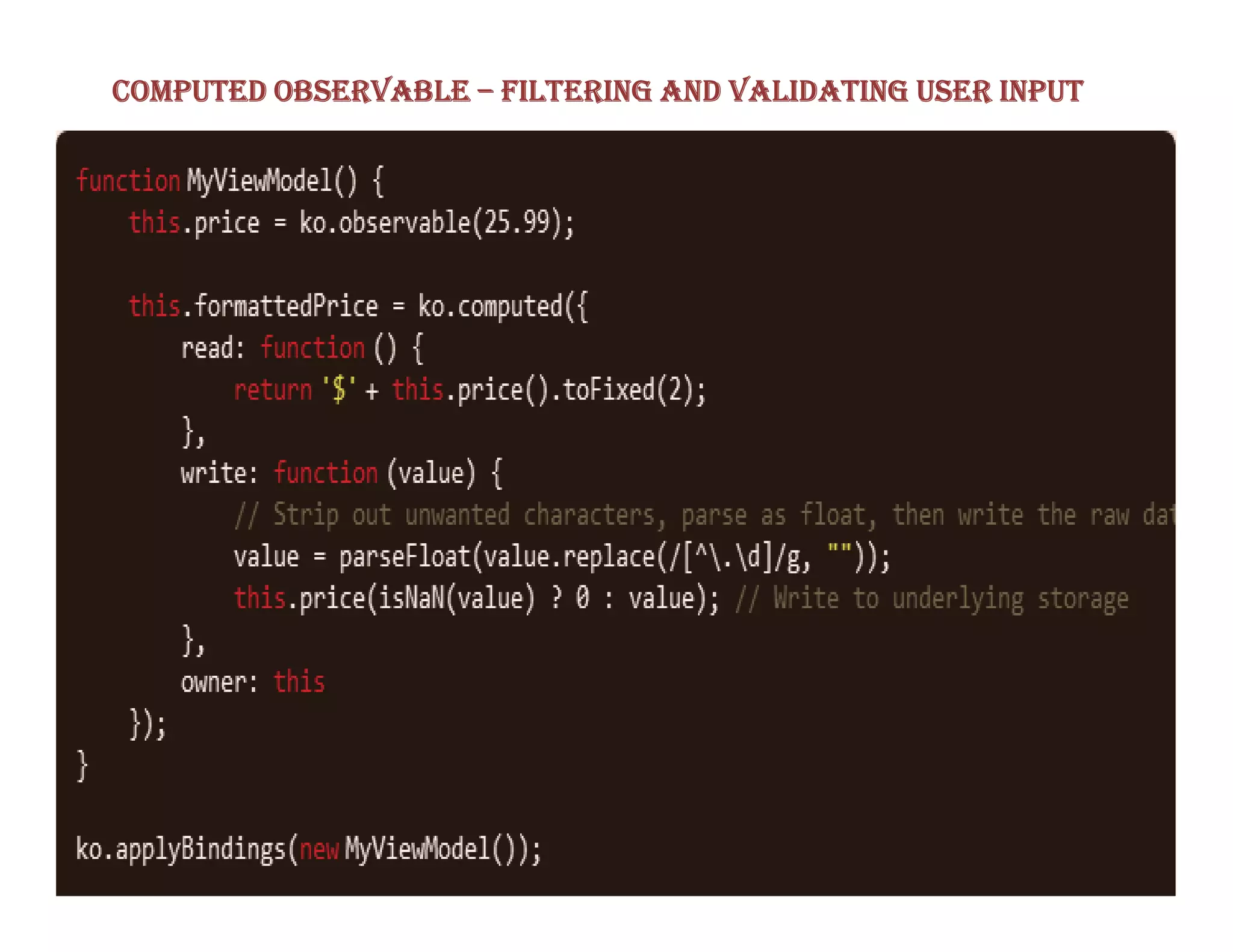
COMPUTED OBSERVABLE – FILTERING AND VALIDATING USER INPUT
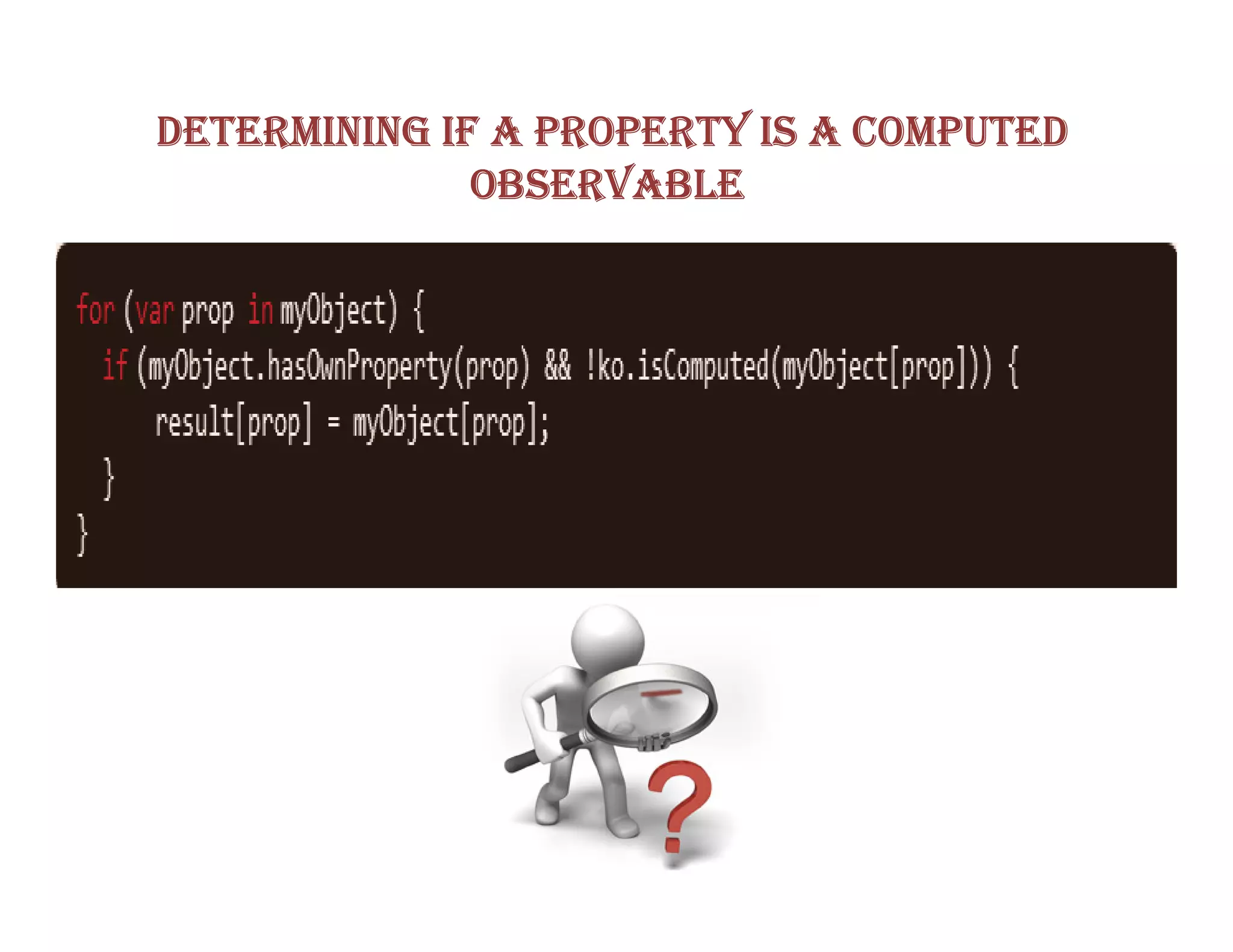
DETERMINING IF A PROPERTY IS A COMPUTED
              OBSERVABLE
OBSERVABLE ARRAYS
 If you want to detect and respond to changes on
one object, you’d use observables. If you want to
detect and respond to changes of a collection of
things, use an observable Array.
  This is useful in many
scenarios where you’re
displaying or editing multiple
values and need repeated
sections of UI to appear and
disappear as items are added
and removed.
READING INFORMATION FROM AN OBSERVABLE ARRAY

 // This observable array initially contains three objects
var anotherObservableArray = ko.observableArray([
   { name: "Bungle", type: "Bear" },
   { name: "George", type: "Hippo" },
   { name: "Zippy", type: "Unknown" }
]);


 FUNCTIONS FOR OBSERVABLE COLLECTION
    indexOf, slice, pop, pus, unshift, reverse, sort, splice,
  remove, removeAll, destroy, destroyAll.
KNOCKOUT BUILT IN BINDINGS
CONTROLLING TEXT AND APPEARANCE


The visible binding
The text binding
The html binding
The css binding
The style binding
The attr binding
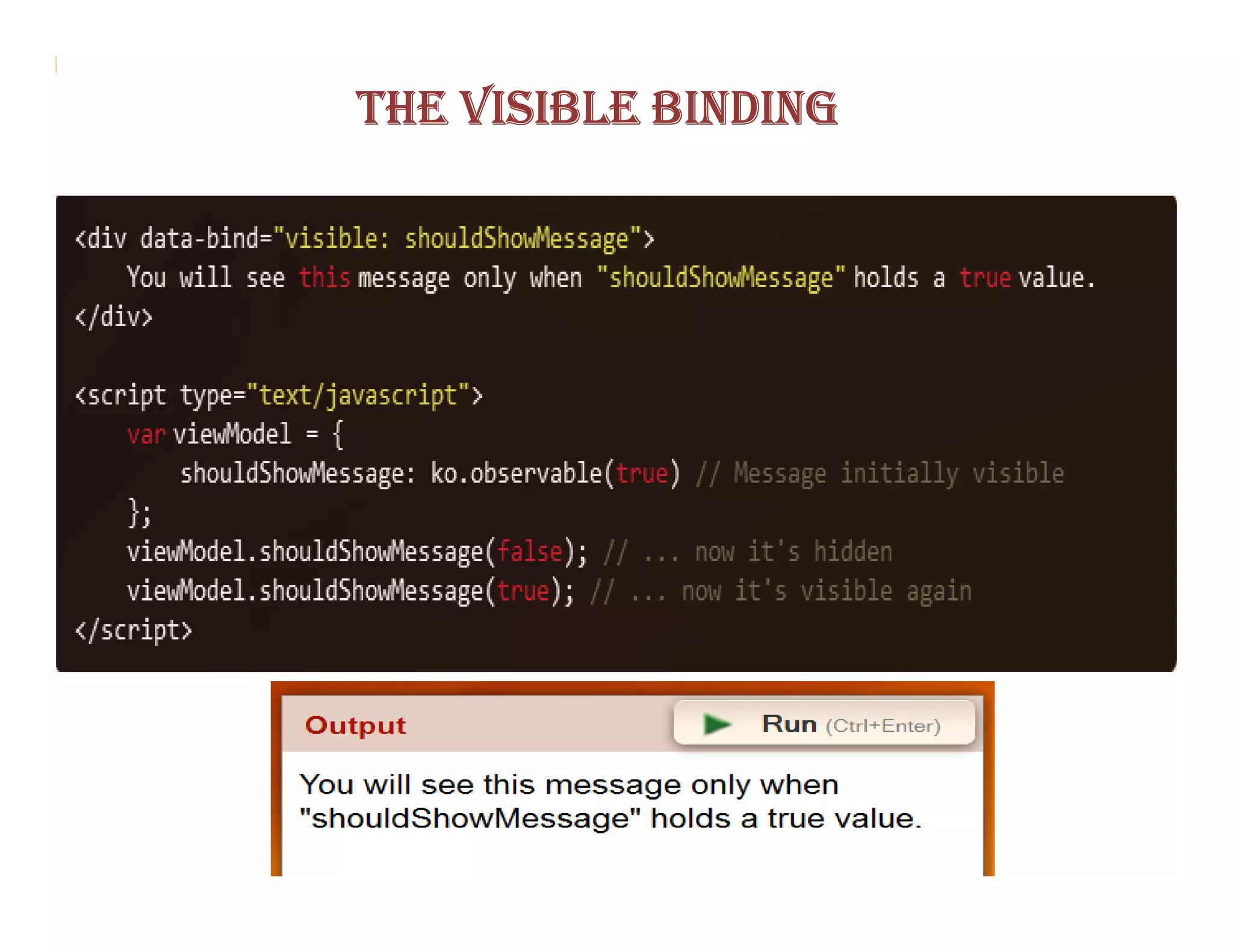
THE VISIBLE BINDING
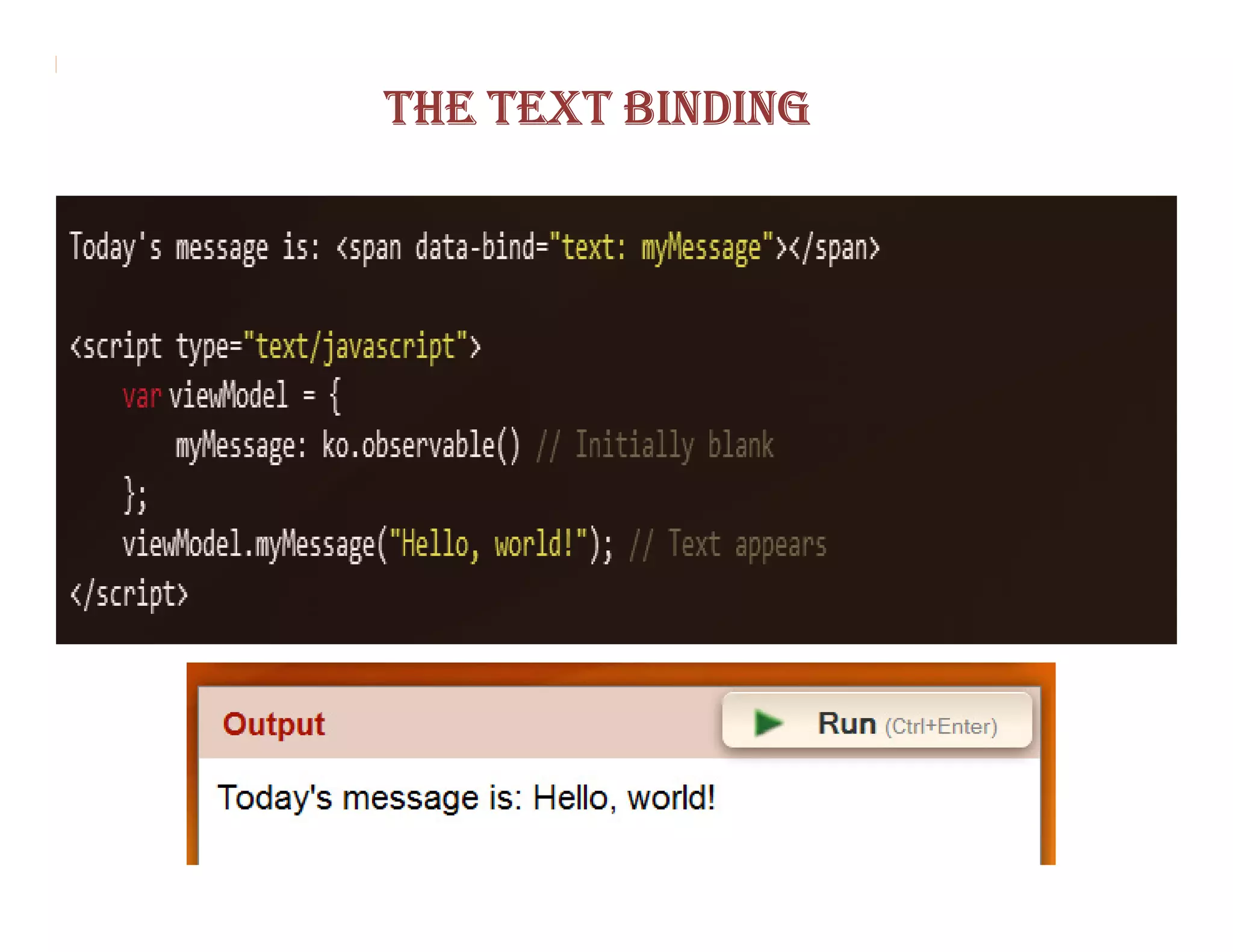
THE TEXT BINDING
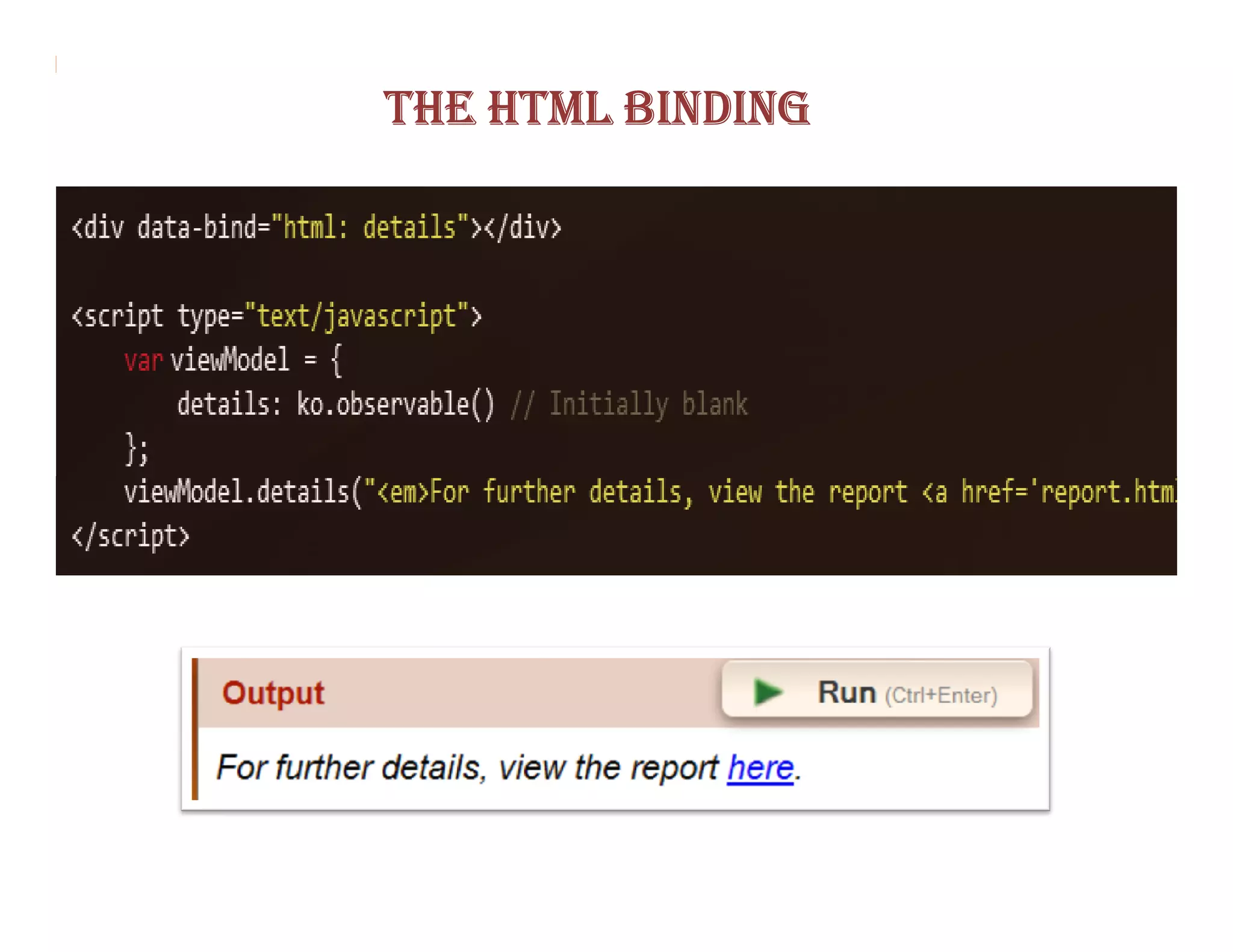
THE HTML BINDING
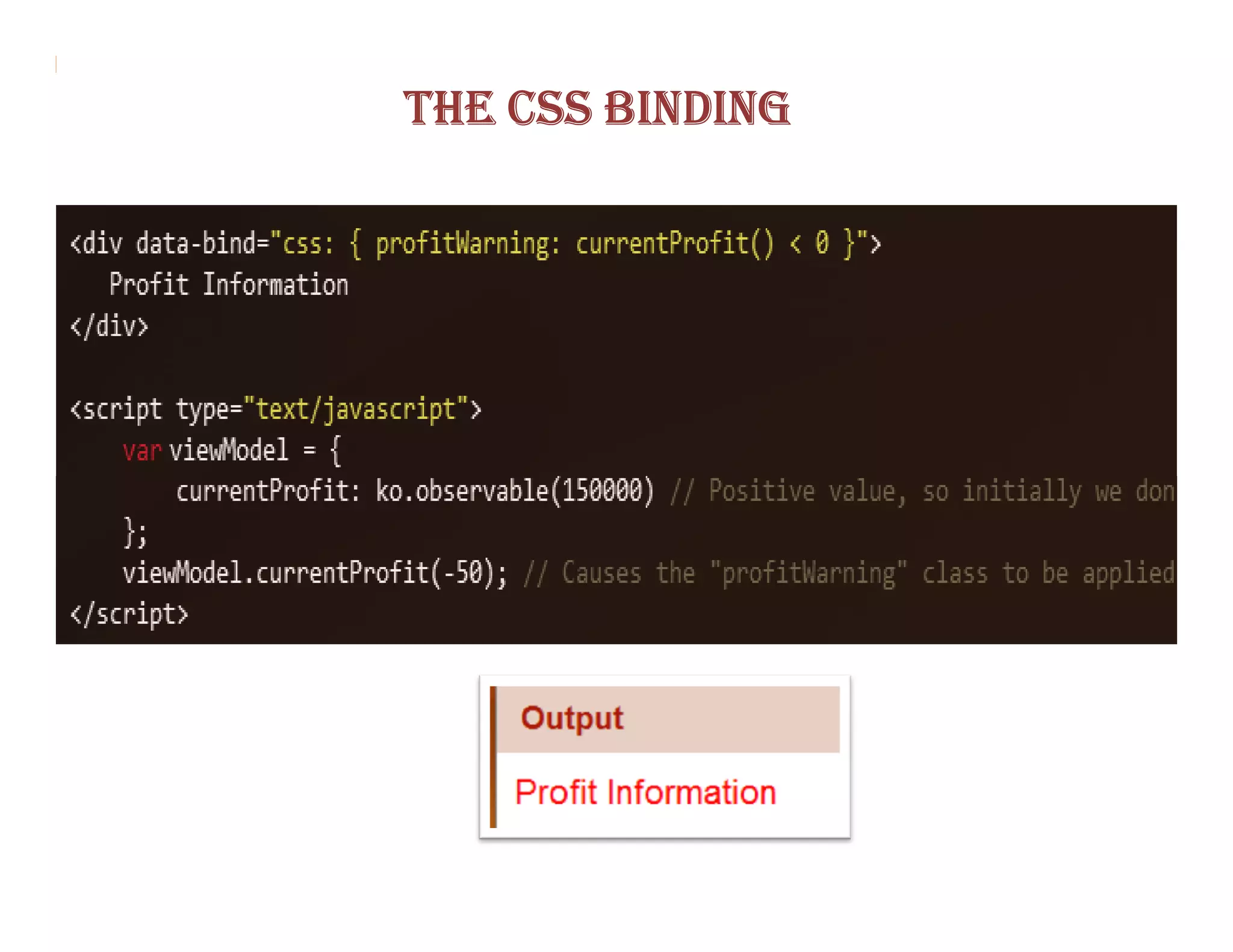
THE CSS BINDING
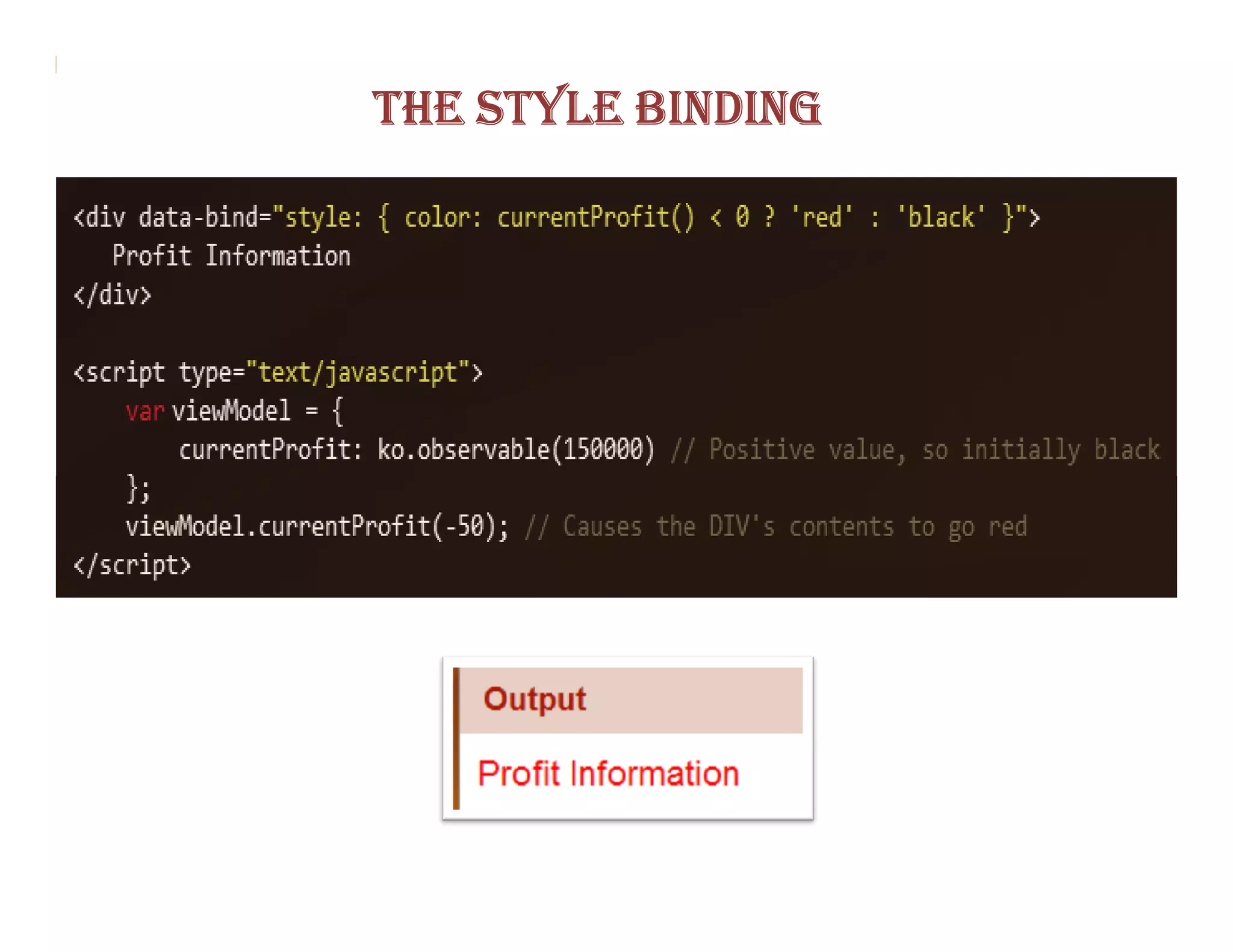
THE STYLE BINDING
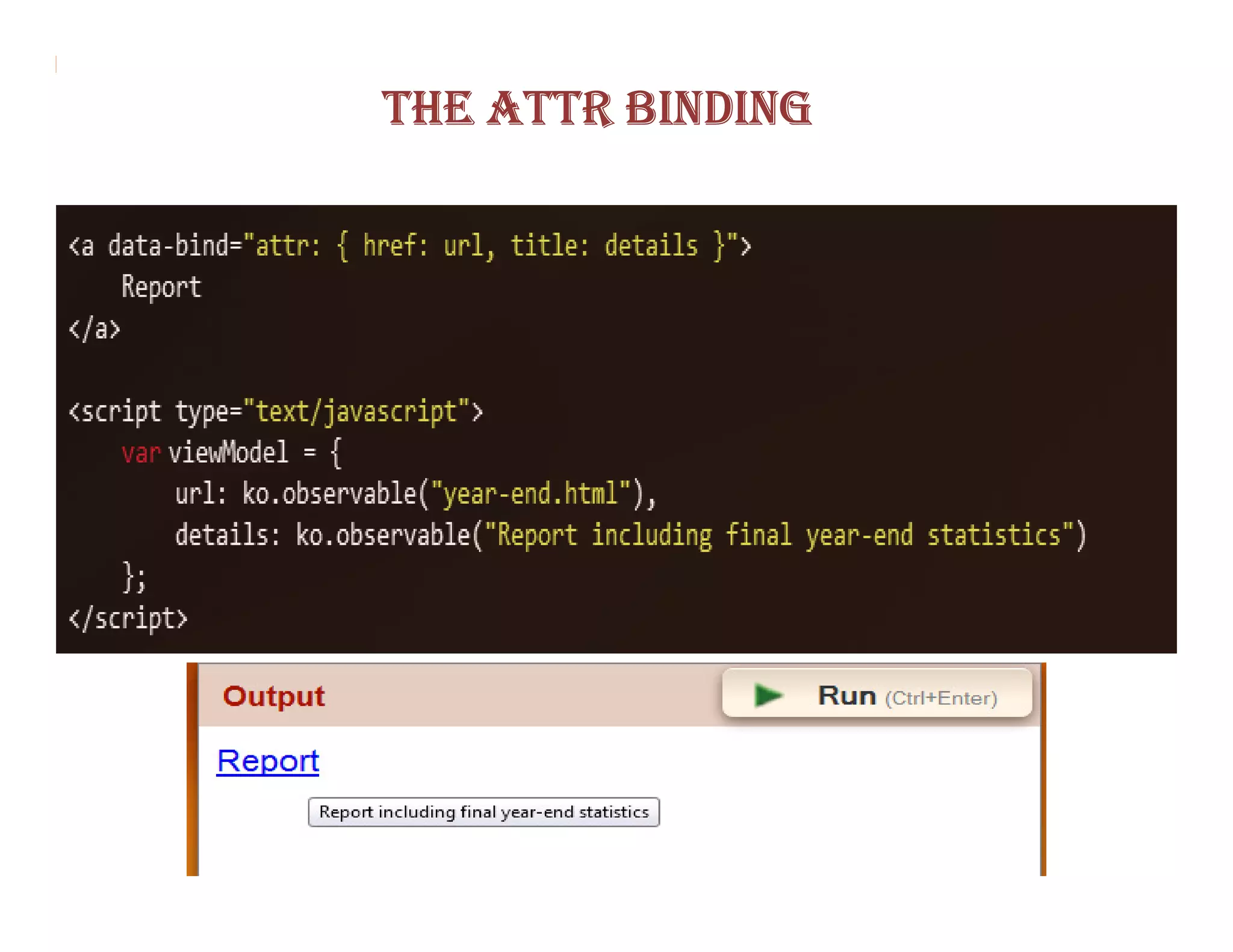
THE ATTR BINDING
CONTROLLING FLOW
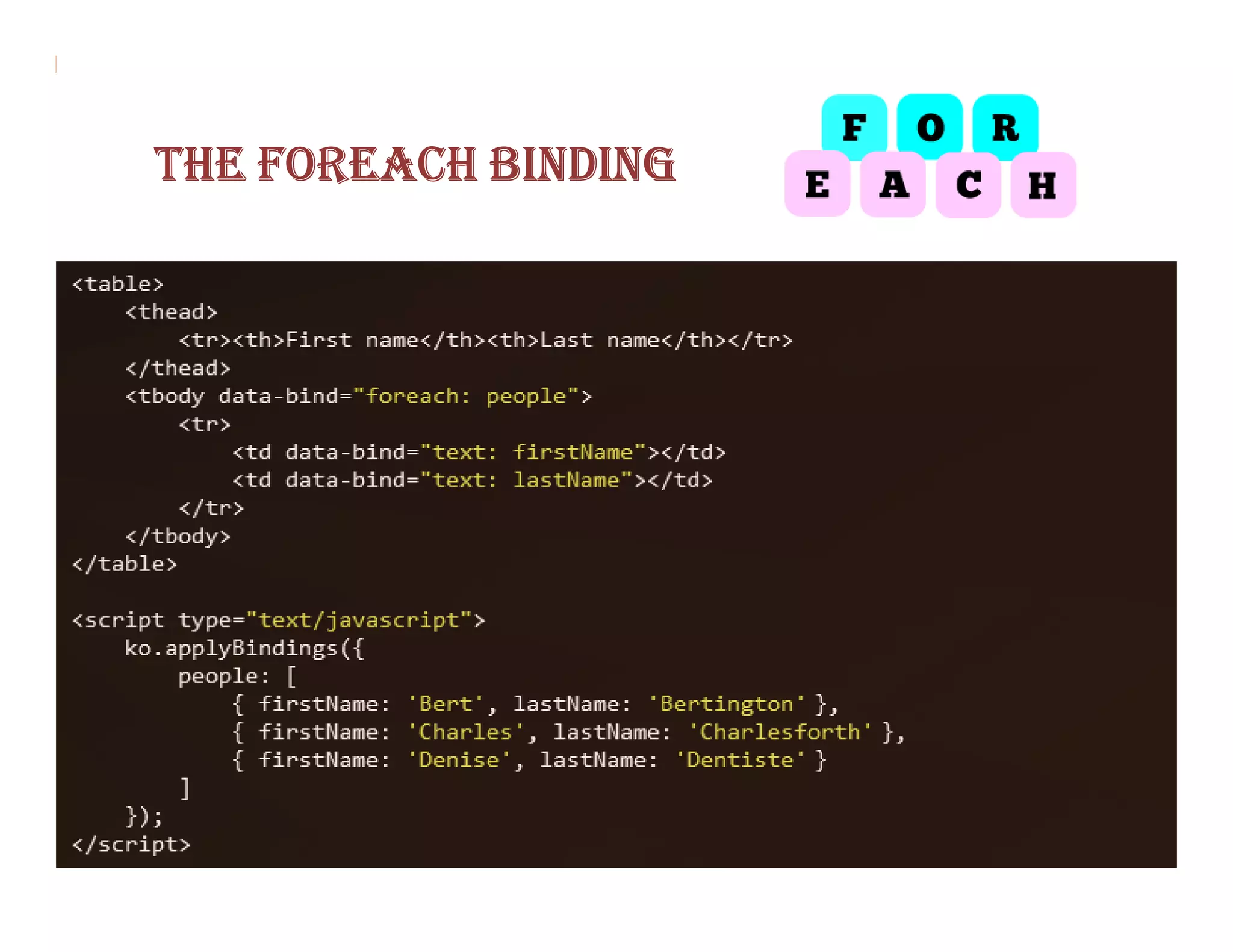
THE FOREACH BINDING
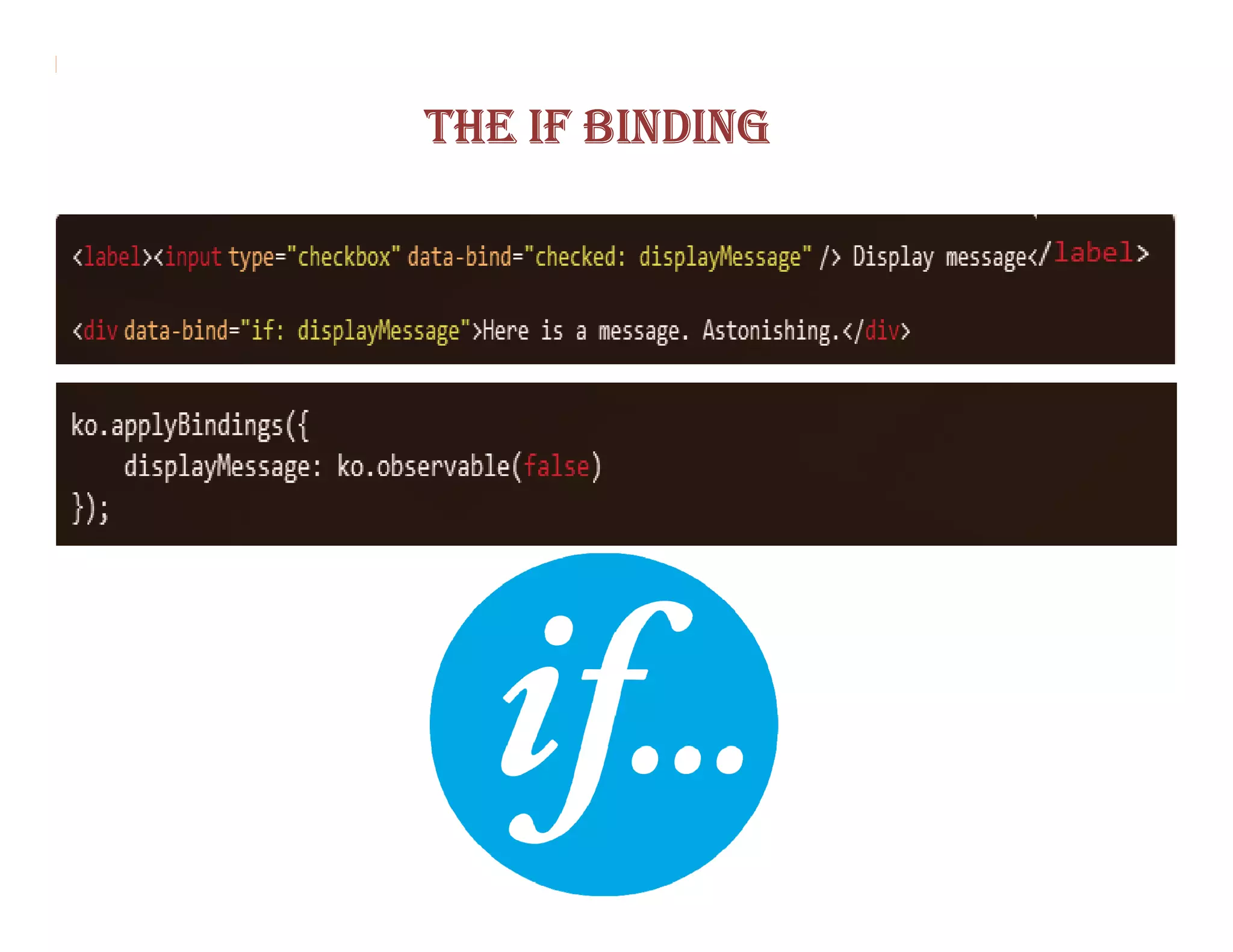
THE IF BINDING
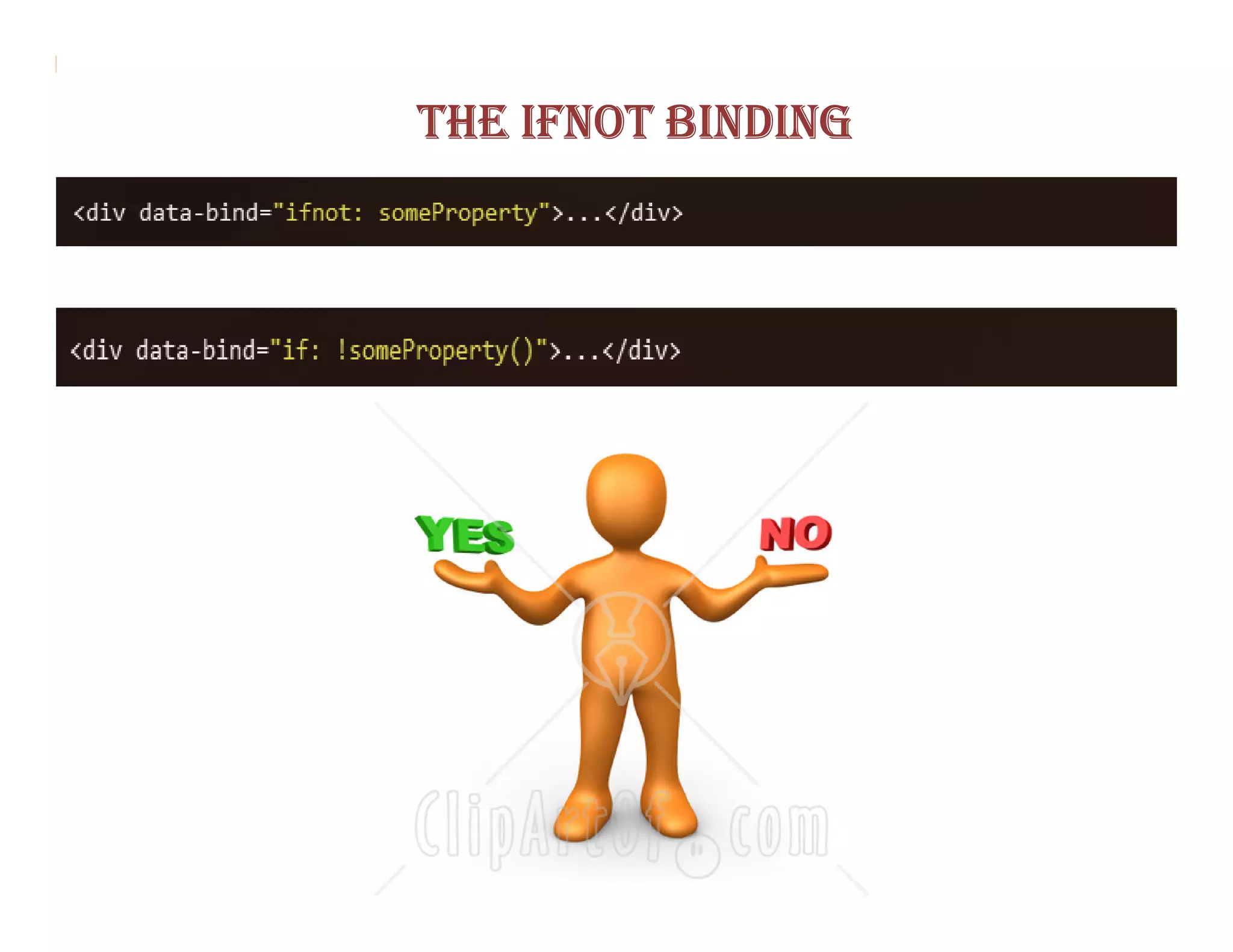
THE IFNOT BINDING
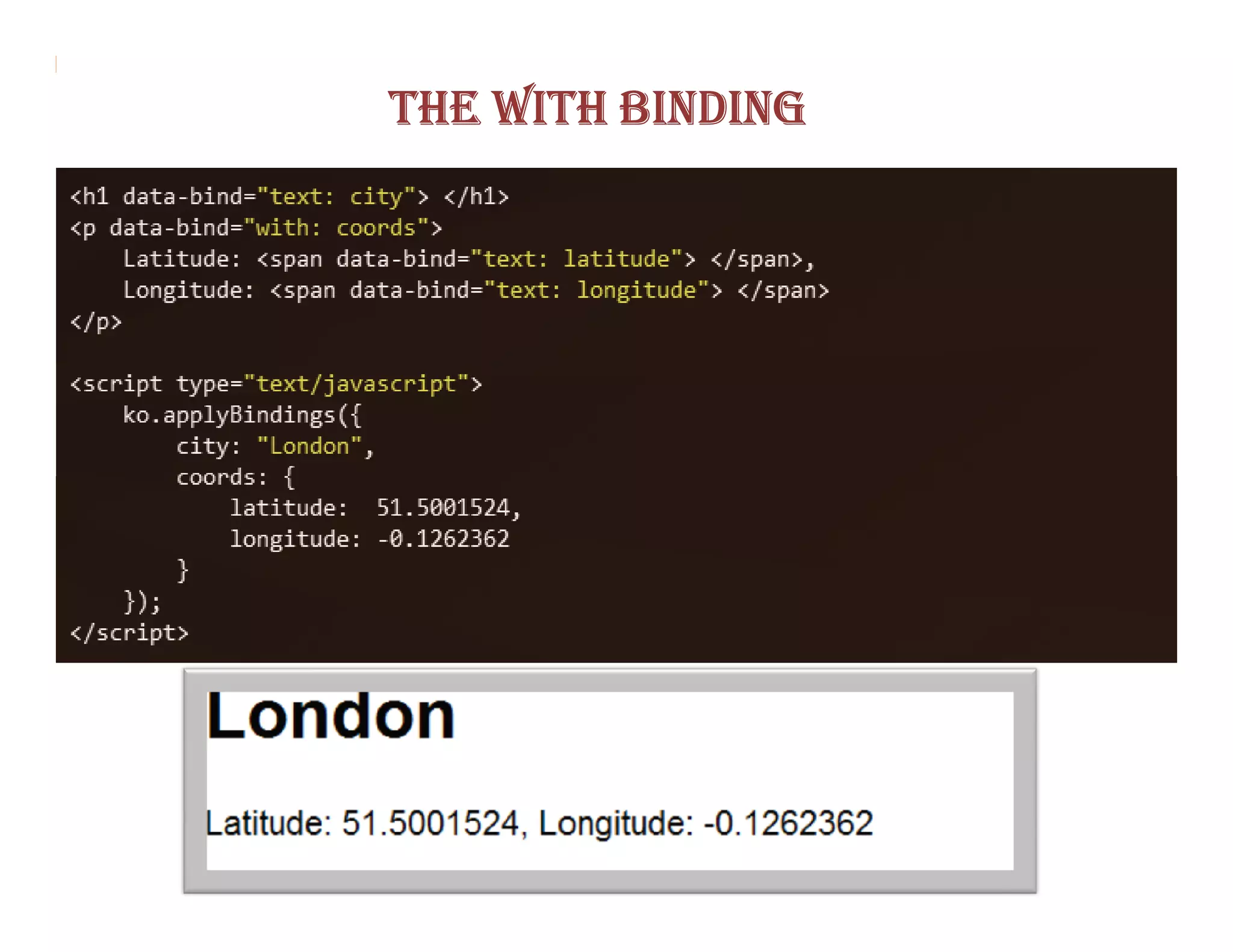
THE WITH BINDING
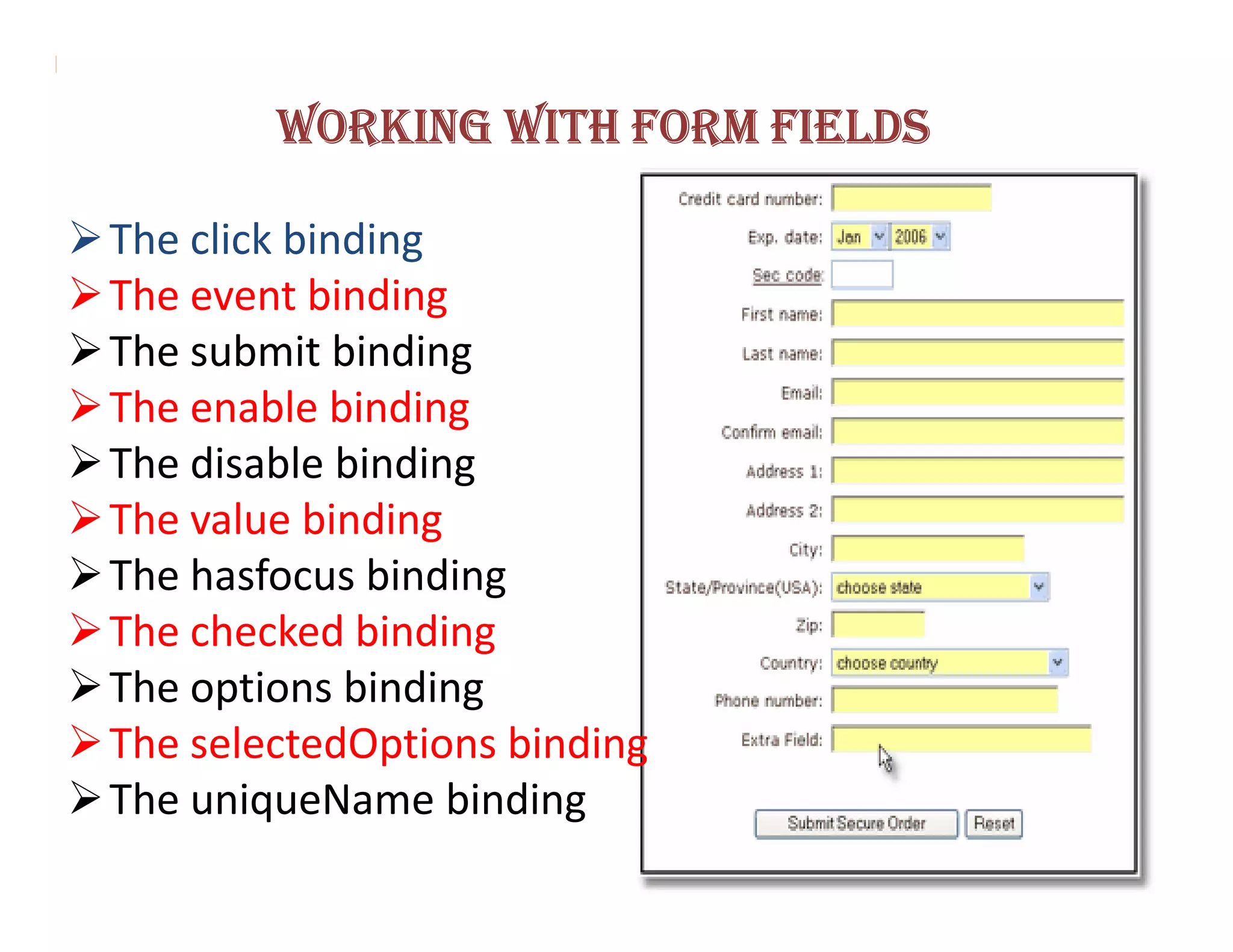
WORKING WITH FORM FIELDS

The click binding
The event binding
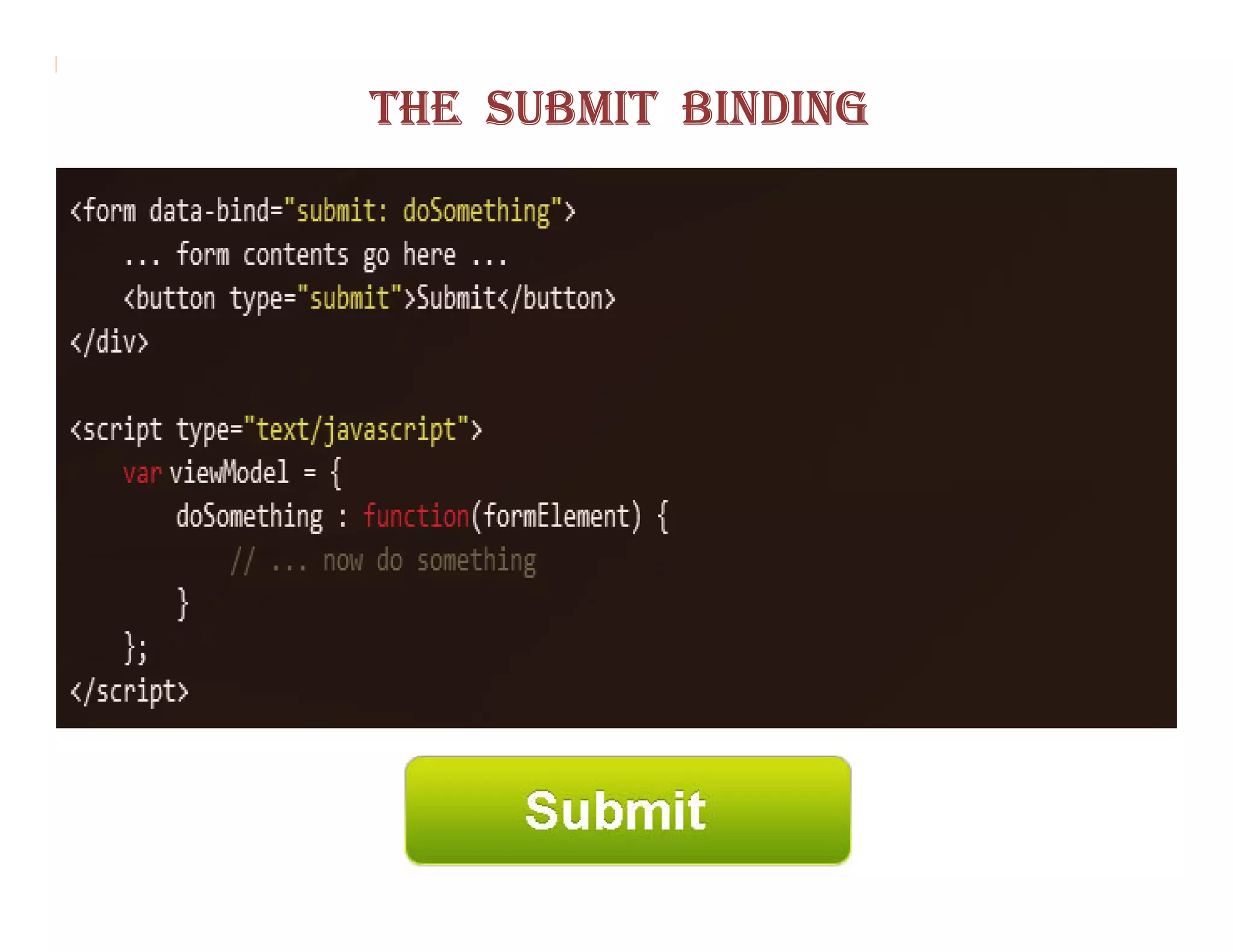
The submit binding
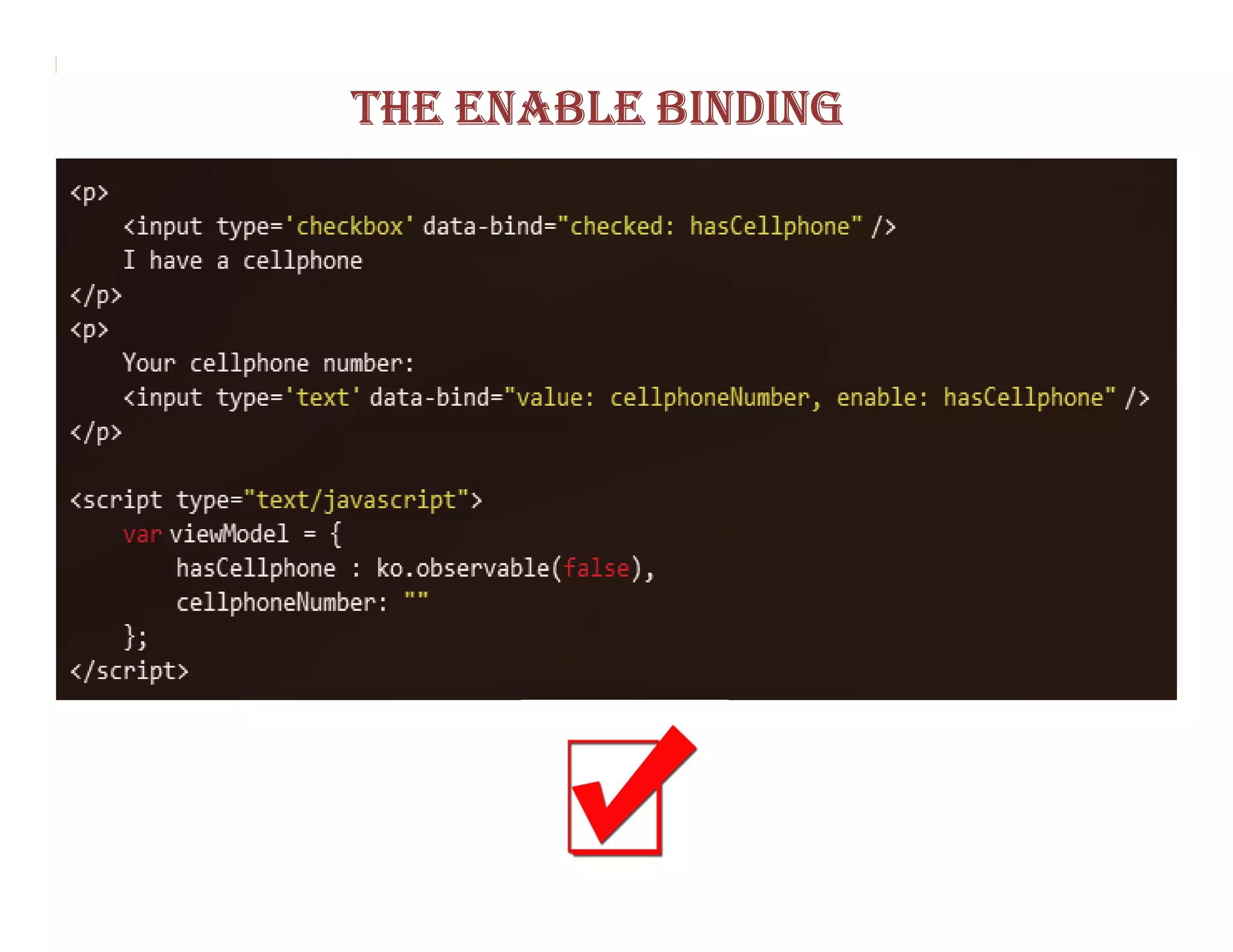
The enable binding
The disable binding
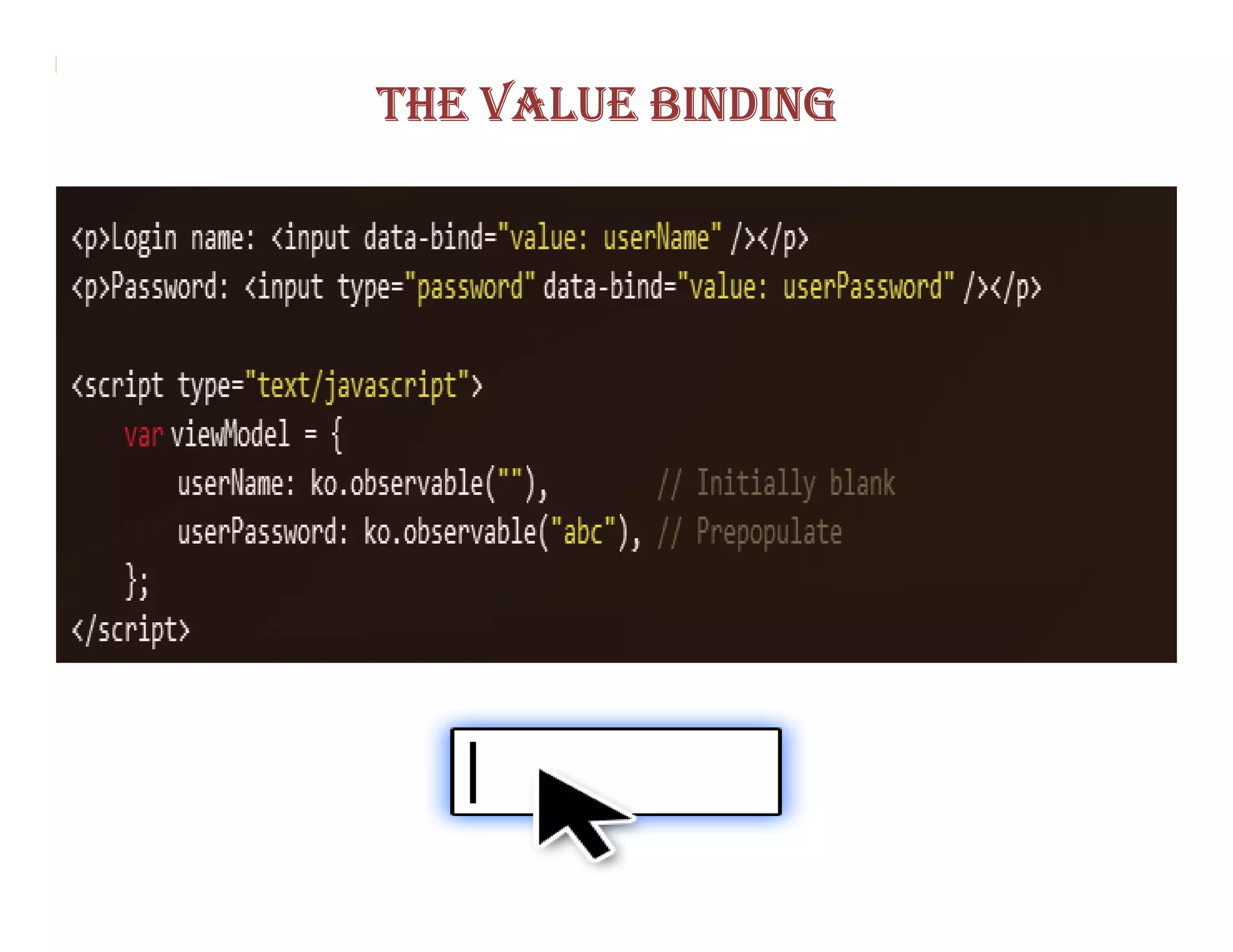
The value binding
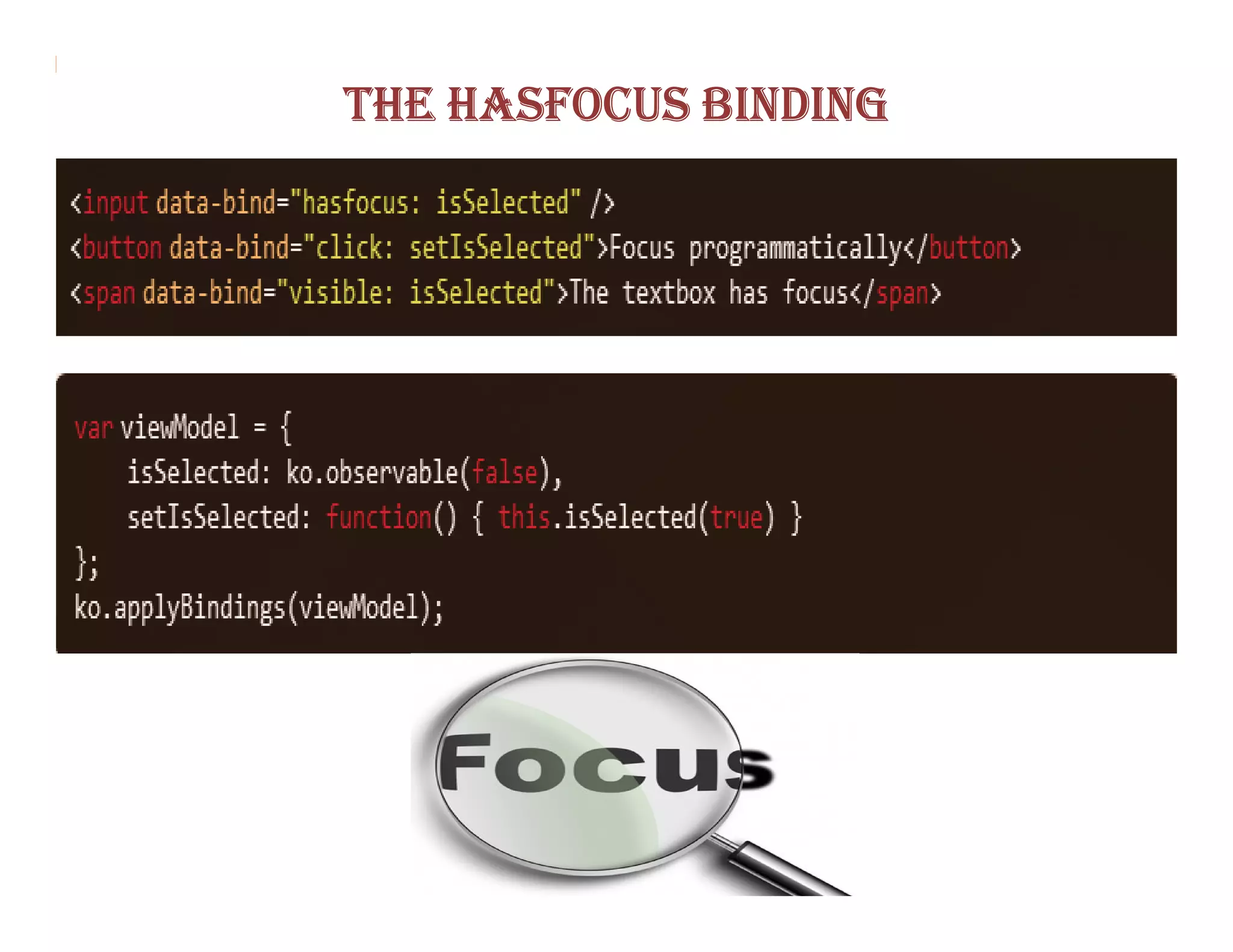
The hasfocus binding
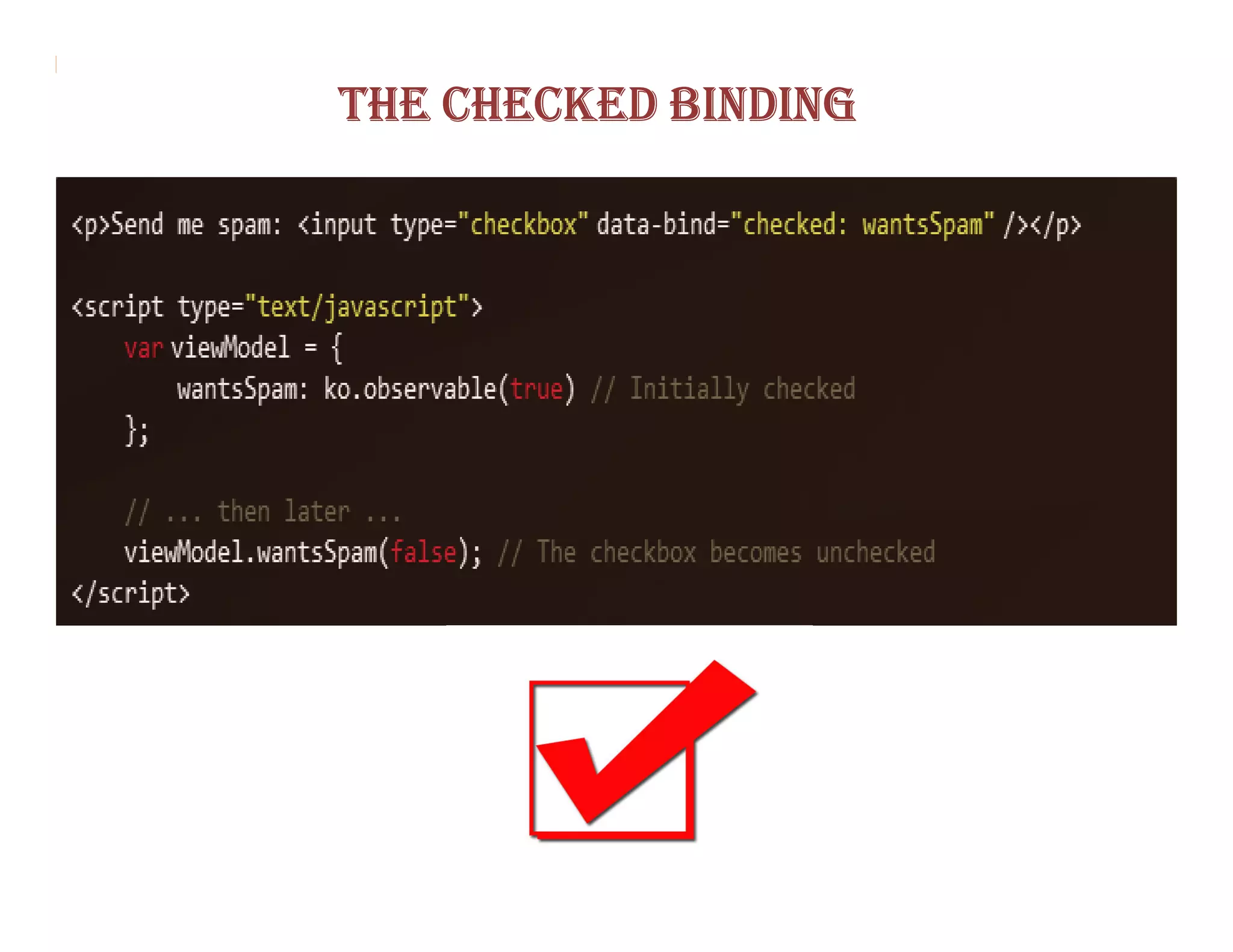
The checked binding
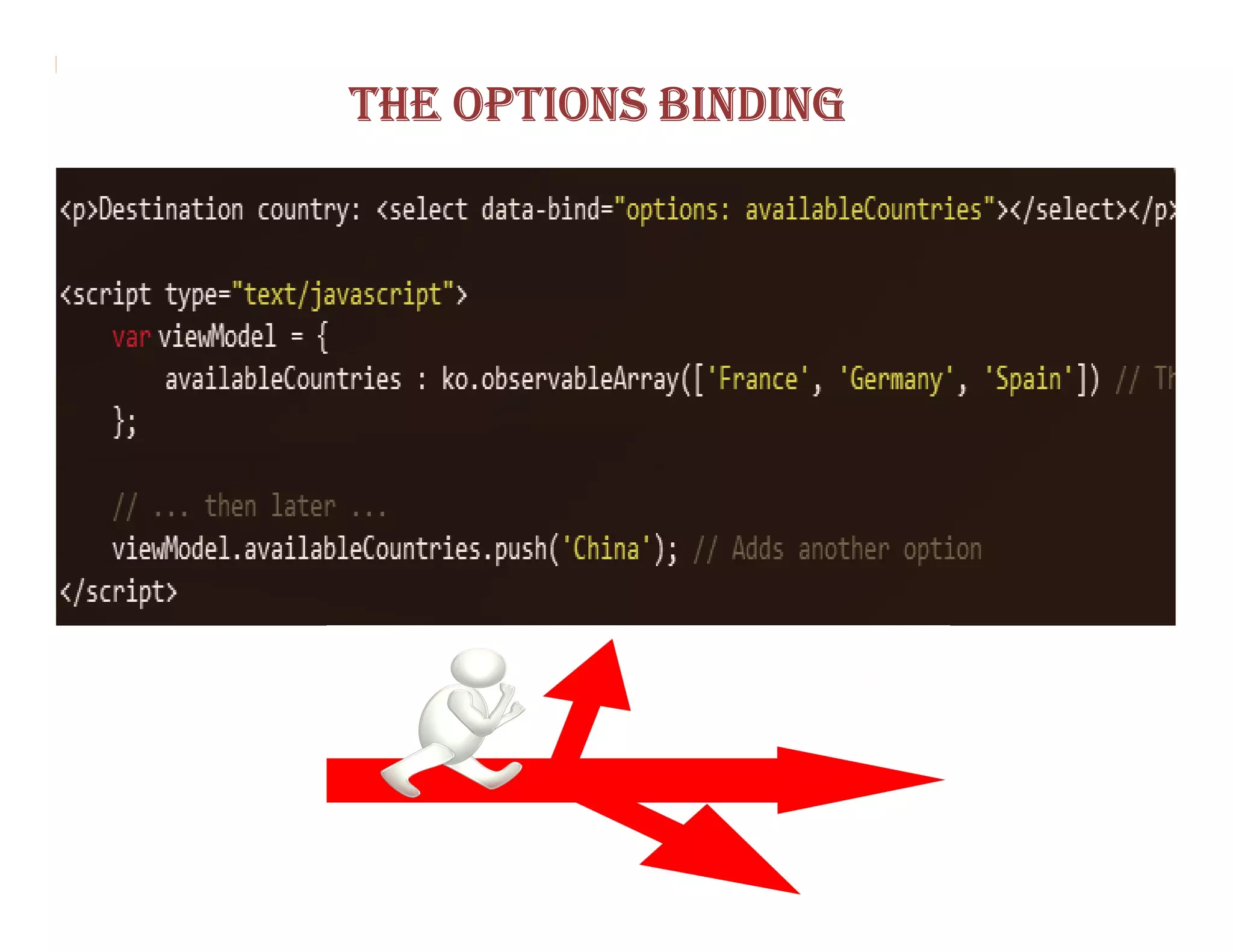
The options binding
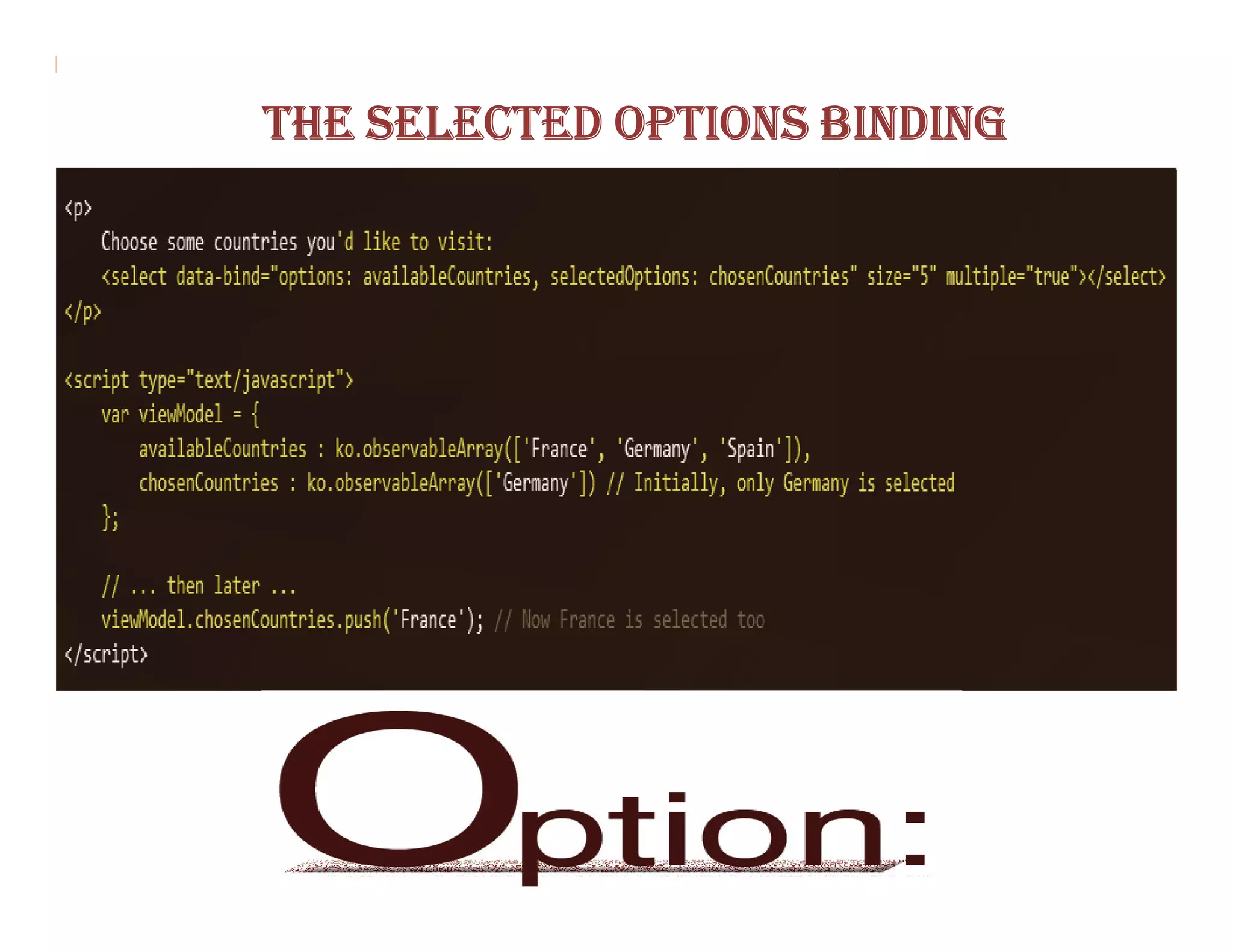
The selectedOptions binding
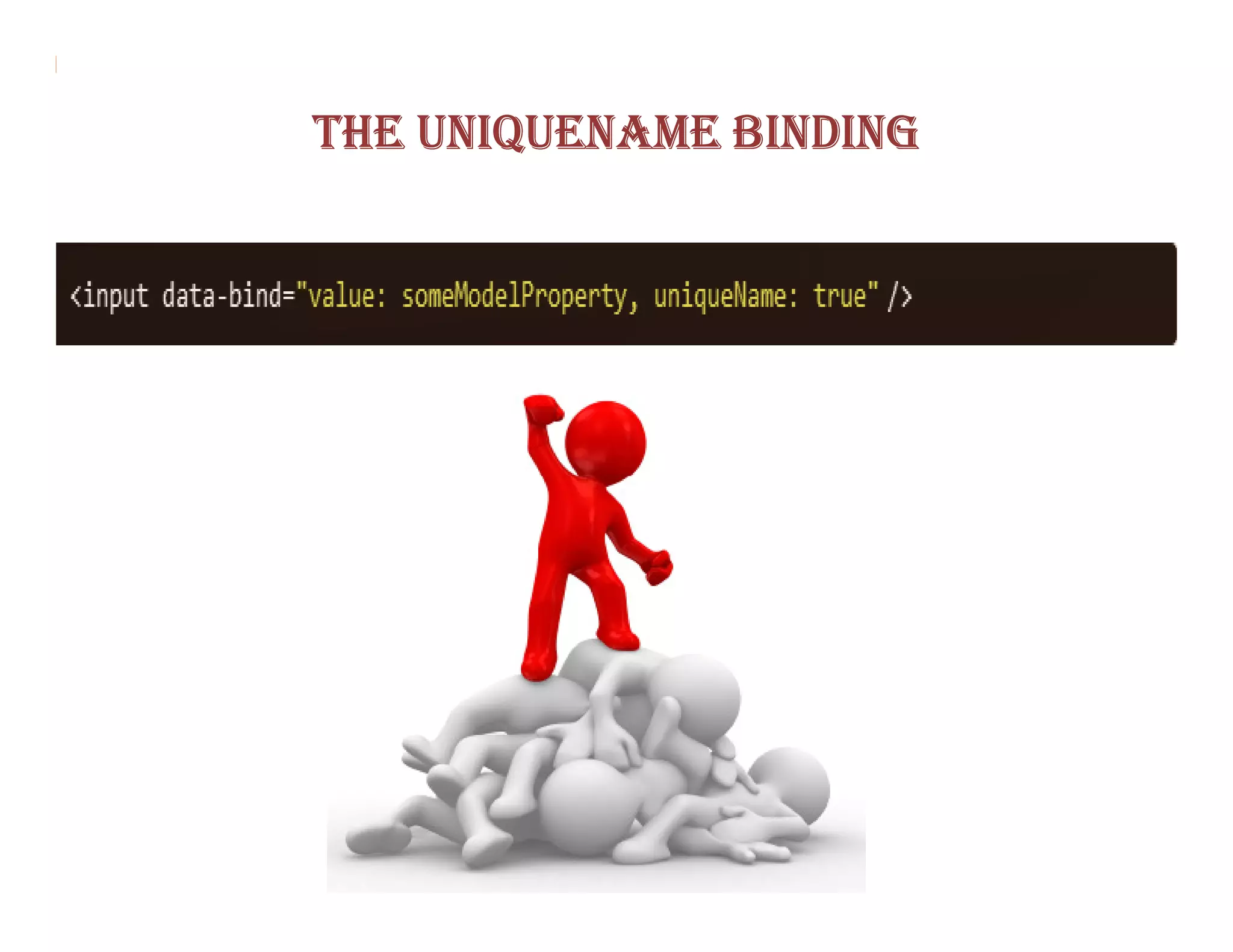
The uniqueName binding
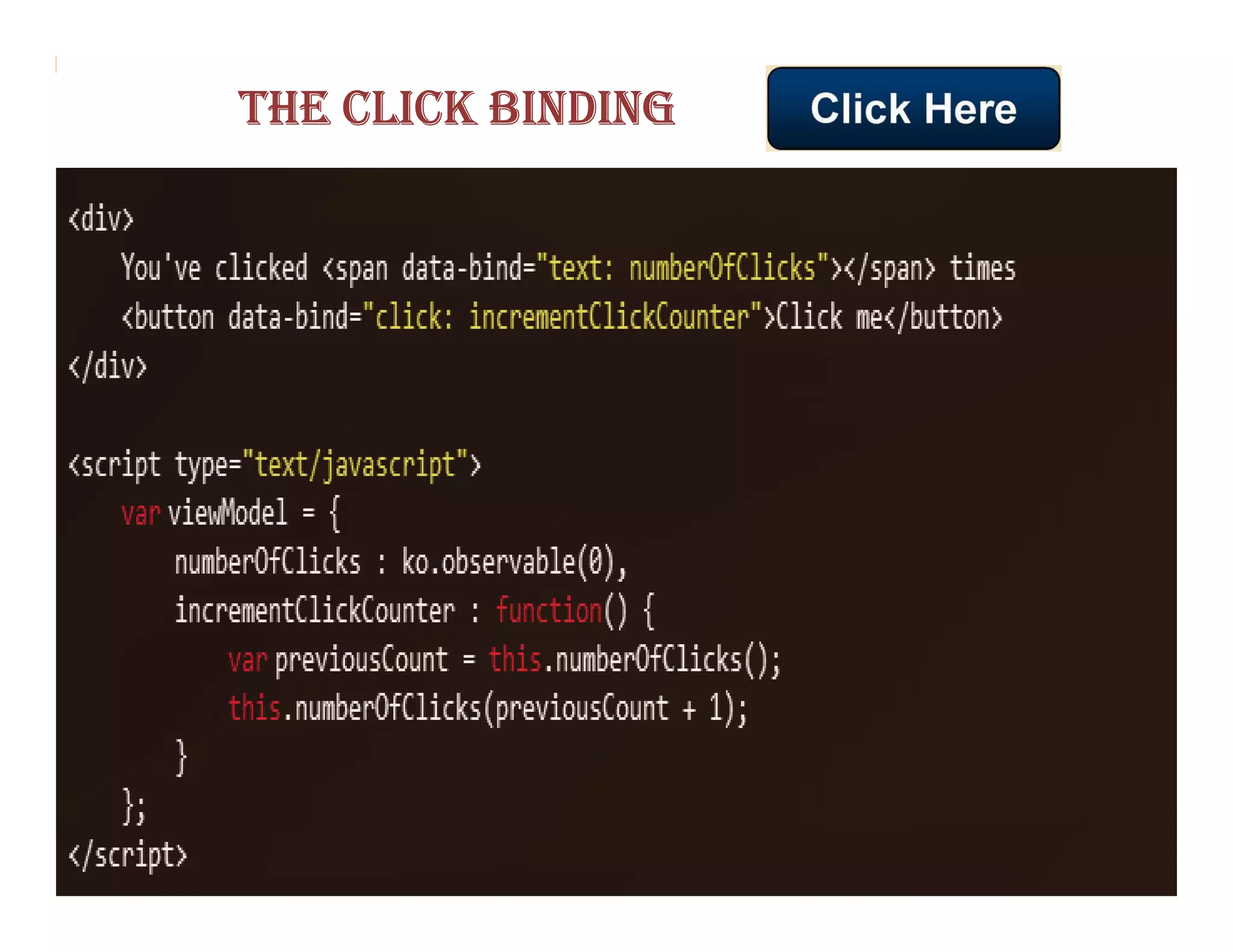
THE CLICK BINDING
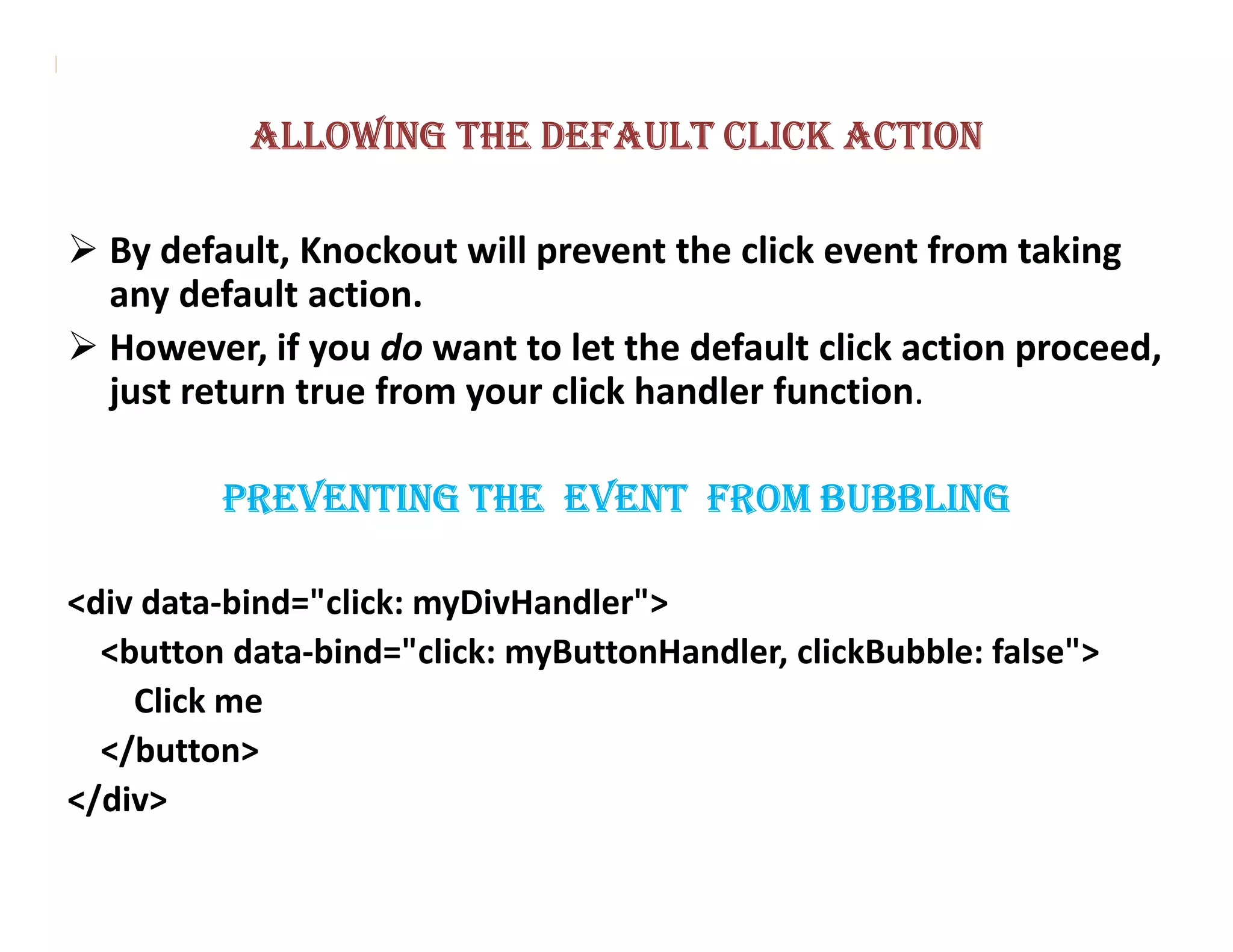
ALLOWING THE DEFAULT CLICK ACTION

  By default, Knockout will prevent the click event from taking
  any default action.
  However, if you do want to let the default click action proceed,
  just return true from your click handler function.

         PREVENTING THE EVENT FROM BUBBLING

<div data-bind="click: myDivHandler">
  <button data-bind="click: myButtonHandler, clickBubble: false">
    Click me
  </button>
</div>
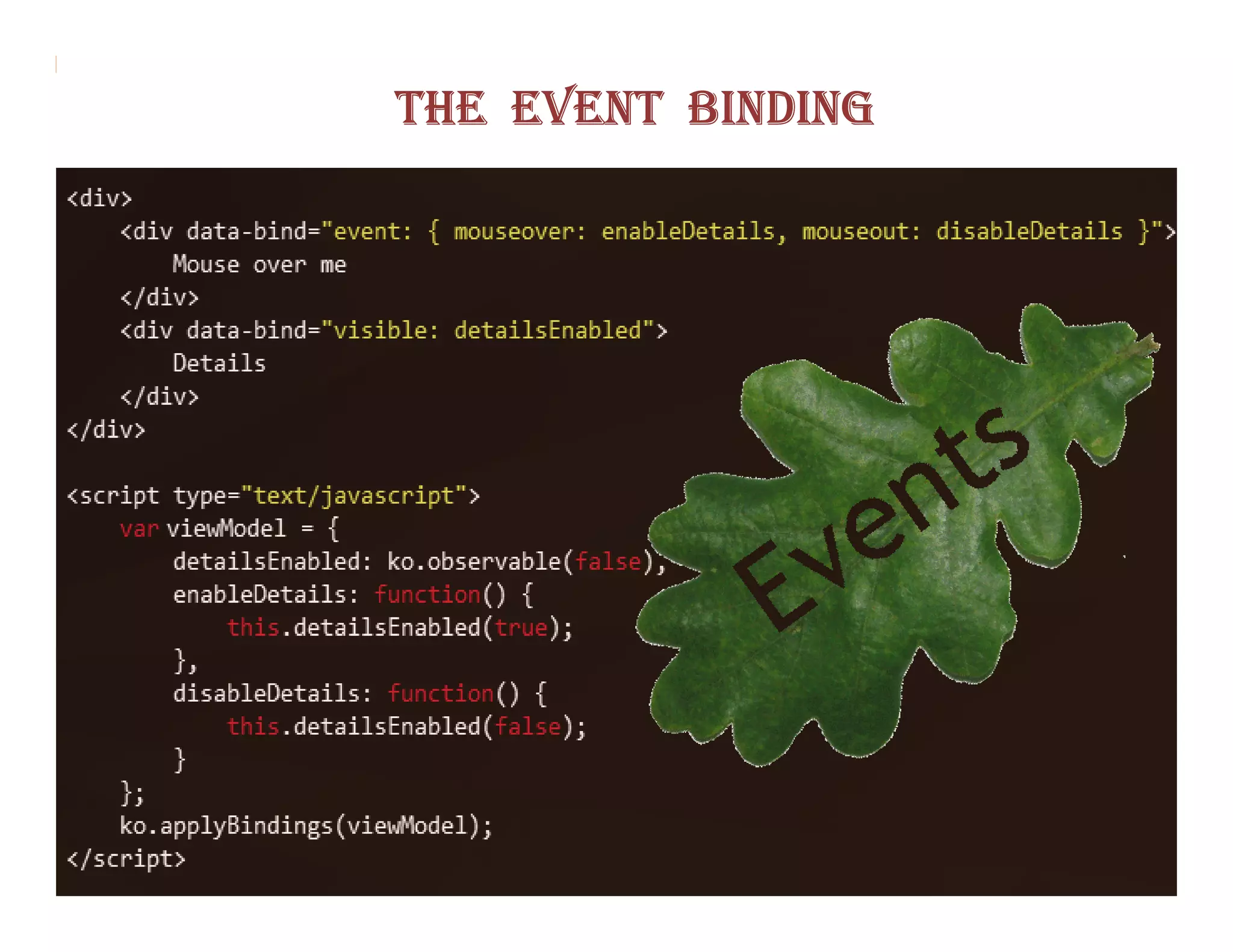
THE EVENT BINDING
THE SUBMIT BINDING
THE ENABLE BINDING
THE DISABLE BINDING


This is the mirror image of the enable binding.
THE VALUE BINDING
THE HASFOCUS BINDING
THE CHECKED BINDING
THE OPTIONS BINDING
THE SELECTED OPTIONS BINDING
THE UNIQUENAME BINDING
Thanks & Regards
   Narendra Kumar P
Eminosoft India Pvt.Ltd.

Knockoutjs