IntelliMeet April, 14 
KnockoutJS and MVVM 
Manvendra SK 
Twitter: @Manvendra_SK
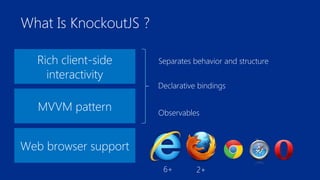
What Is KnockoutJS ? 
Rich client-side 
interactivity 
MVVM pattern 
Web browser support 
Separates behavior and structure 
Declarative bindings 
Observables 
6+ 2+
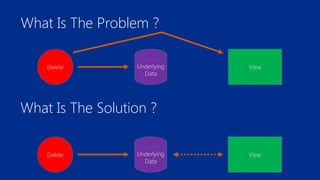
What Is The Problem ? 
Delete Underlying 
Data 
View 
What Is The Solution ? 
Delete Underlying 
Data 
View
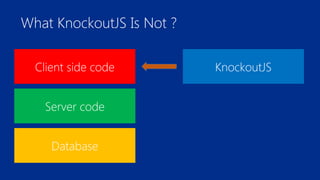
What KnockoutJS Is Not ? 
Client side code 
Server code 
Database 
KnockoutJS
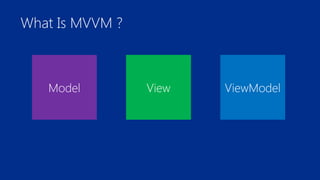
What Is MVVM ? 
Model View ViewModel
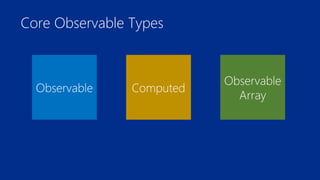
Core Observable Types 
Computed Observable 
Observable Array
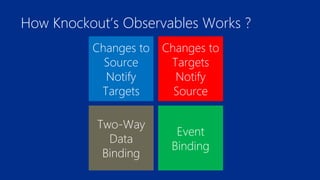
How Knockout’s Observables Works ? 
Changes to 
Targets 
Notify 
Source 
Changes to 
Source 
Notify 
Targets 
Two-Way 
Data 
Binding 
Event 
Binding
Observable And Binding 
• Make Property on object an observable using 
ko.observable() method passing default value. 
• Call ko.applyBindings() method passing object to 
method. 
• Bind properties of ViewModel object to html elements using 
data-bind attribute any binding like text. More on this 
later. 
• You can make the object using a constructor. *
Observable Tricks 
• Any property that is declared observable is a function like 
getter and setter. 
• To access property use: vmObject.property() 
• To set property use: vmObject.property(_newValue) 
• Don’t ever use = operator to assign values. You’ll 
overwrite the observable.
Interactive Binding 
• We have used text binding. That was a non-interactive 
binding. 
• Interactive binding is when user interact with the page and 
hence the binding. 
• click is such a binding. 
• More on this later.
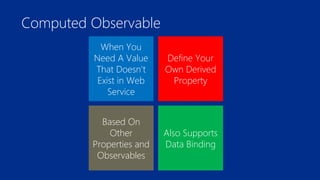
Computed Observable 
Define Your 
Own Derived 
Property 
When You 
Need A Value 
That Doesn’t 
Exist in Web 
Service 
Based On 
Other 
Properties and 
Observables 
Also Supports 
Data Binding
Computed Observable And Binding 
• Make Property on object an computed observable using 
ko.computed() method passing a anonymous function 
that returns computed value. 
• Bind to html elements using data-bind attribute.
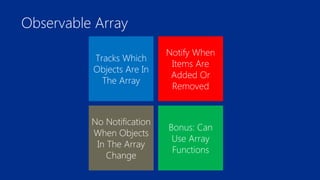
Observable Array 
Notify When 
Items Are 
Added Or 
Removed 
Tracks Which 
Objects Are In 
The Array 
No Notification 
When Objects 
In The Array 
Change 
Bonus: Can 
Use Array 
Functions
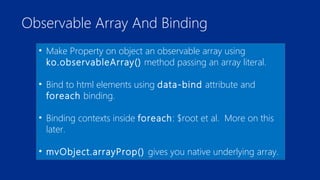
Observable Array And Binding 
• Make Property on object an observable array using 
ko.observableArray() method passing an array literal. 
• Bind to html elements using data-bind attribute and 
foreach binding. 
• Binding contexts inside foreach: $root et al. More on this 
later. 
• mvObject.arrayProp() gives you native underlying array.
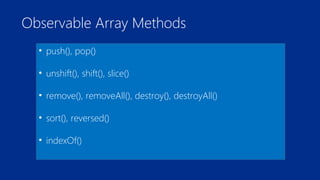
Observable Array Methods 
• push(), pop() 
• unshift(), shift(), slice() 
• remove(), removeAll(), destroy(), destroyAll() 
• sort(), reversed() 
• indexOf()
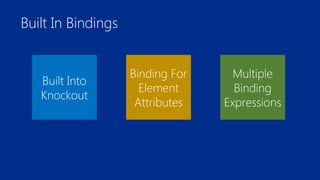
Built In Bindings 
Binding For 
Element 
Attributes 
Multiple 
Binding 
Expressions 
Built Into 
Knockout
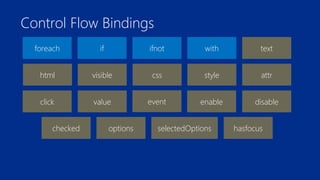
Control Flow Bindings 
foreach if ifnot with 
text 
html visible css style attr 
click value event enable disable 
checked options selectedOptions hasfocus
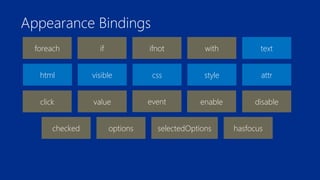
Appearance Bindings 
foreach if ifnot with 
text 
html visible css style attr 
click value event enable disable 
checked options selectedOptions hasfocus
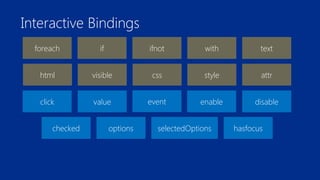
Interactive Bindings 
foreach if ifnot with 
text 
html visible css style attr 
click value event enable disable 
checked options selectedOptions hasfocus
Control Flow Bindings
foreach Binding
Binding Contexts 
• What if you need to access ViewModel object while iterating 
array using foreach binding? 
• $root : Top level ViewModel object. 
• $data : Refers to object for the current context. Like this 
keyword in JavaScript. Useful for atomic values like strings 
and numbers. 
• $index : Obviously index number of current item.
Binding Contexts 
• $parent : Refers to the parent ViewModel object. Typically 
used inside nested loops and when you need to access 
properties in the outer loop.
if And ifnot Bindings
with Binding 
• Used when you want to manually declare block scope to 
particular property of ViewModel.
Appearance Bindings
text Binding 
html Binding 
visible Binding 
attr Binding
style Binding 
css Binding
Interactive Bindings
click Binding 
• click binding is one of the simplest interactive binding. It 
just calls a method on your ViewModel when the user click 
the element passing function two arguments model and 
event. 
• vmObject.someMethod = function(model, event) { 
// do what ever you want here… 
};
value Binding 
• Similar to text binding. But this time user can update the 
value from the View and ViewModel will update accordingly. 
Thus value binding is two way binding.
event Binding 
• The event binding lets you listen for arbitrary DOM events 
on any HTML element. 
• As it can listen for multiple events, it requires an object to 
map events. Just like attr binding. 
• data-bind=“event: {mouseover: someMethod, 
mouseOut: someOtherMethod}”
event Binding 
• The function will take two arguments called data and 
event. 
• vmObject.someMethod = function(data, event) { 
// do what ever you want on happening 
// of this event… 
};
A Better event Binding
enable and disable Binding 
• Used to enable or disable some form element on some 
particular condition.
checked Binding 
• Used to select or deselect HTML’s selectable elements like 
check boxes and radio buttons. 
• We can also use arrays instead of true or false value in the 
observable. In this case only those check boxes will be 
selected whose value attribute value exist in the array. 
• Matches value attribute value of radio button to single 
value in observable.
options Binding 
• This binding is used to build options elements inside a 
select element from an observable array. 
• value binding is used to preselect or get the selected item 
in the select list. 
• optionsText binding is used to show the content on the 
view when using objects in the observable array instead of 
literals.
selectedOptions Binding 
• As a select list can be made to select multiple items so to 
retrieve or set all the selected items we need an array 
instead of using an atomic value. Thus instead of value 
binding we use selectedOptions binding.
hasfocus Binding 
• Allows us to put the focus on any element.
Interacting With Server 
Saving Data 
Mapping 
Data To 
ViewModel 
Loading 
Data
Mapping Data To ViewModel 
• Mapping plugin dynamically generates new observables.
Animation Inside Knockout 
• Don’t support animation from core, as it’s a view binding 
library not DOM manipulation library. 
• All Knockout’s automatic updates are immediately applied 
whenever underlying data changes.
List Callbacks 
• Knockout is a powerful user interface library on its own, but 
once you combine it with the animation capabilities of a 
framework like jQuery or MooTools, you’re ready to create 
truly stunning UIs with minimal markup. 
• The foreach binding has two callbacks named 
beforeRemove and afterAdd. These functions are 
executed before an item is removed from the list or after it’s 
been added to the list, respectively. This is our chance to put 
in animation logic before Knockout manipulates the DOM.
List Callbacks 
• These callbacks take a parameter named element which a 
reference to the element which Knockout is manipulating.
Custom Bindings 
• Okey, we’re having fun with foreach binding and its some 
level support for plugging in animation logic. But what 
about other bindings? They don’t support this already. So 
Custom Bindings is answer to the question. 
• We can make our own bindings by adding an object 
defining the binding to ko.bindingHandlers. This also 
happens to be where all of the built-in bindings are defined, 
too.
Custom Bindings 
• The object should have two methods namely init and 
update. 
• init method is called when Knockout first encounters the 
binding. So this callback should define the initial state for the 
view component and perform necessary setup actions like 
registering event listeners.
Custom Bindings 
• The update method executes whenever the associated 
observable changes. 
• Both methods take same two parameters namely element 
and valueAccessor. 
• The element parameter is the DOM element being bound, 
and valueAccessor is a function that will return the 
ViewModel property in question (here it is binding value).
Conclusion 
• Knockout.js is a pure JavaScript library that makes it 
incredibly easy to build dynamic, data-centric user 
interfaces. 
• We covered most of the Knockout.js API, but there are still a 
number of nuances left to discover. 
• Knockout.js provides plethora of extensibility opportunities 
for you to explore!
Questions 
?
Thanks...

KnockoutJS and MVVM

  • 1.
    IntelliMeet April, 14 KnockoutJS and MVVM Manvendra SK Twitter: @Manvendra_SK
  • 2.
    What Is KnockoutJS? Rich client-side interactivity MVVM pattern Web browser support Separates behavior and structure Declarative bindings Observables 6+ 2+
  • 3.
    What Is TheProblem ? Delete Underlying Data View What Is The Solution ? Delete Underlying Data View
  • 4.
    What KnockoutJS IsNot ? Client side code Server code Database KnockoutJS
  • 5.
    What Is MVVM? Model View ViewModel
  • 6.
    Core Observable Types Computed Observable Observable Array
  • 7.
    How Knockout’s ObservablesWorks ? Changes to Targets Notify Source Changes to Source Notify Targets Two-Way Data Binding Event Binding
  • 8.
    Observable And Binding • Make Property on object an observable using ko.observable() method passing default value. • Call ko.applyBindings() method passing object to method. • Bind properties of ViewModel object to html elements using data-bind attribute any binding like text. More on this later. • You can make the object using a constructor. *
  • 9.
    Observable Tricks •Any property that is declared observable is a function like getter and setter. • To access property use: vmObject.property() • To set property use: vmObject.property(_newValue) • Don’t ever use = operator to assign values. You’ll overwrite the observable.
  • 10.
    Interactive Binding •We have used text binding. That was a non-interactive binding. • Interactive binding is when user interact with the page and hence the binding. • click is such a binding. • More on this later.
  • 11.
    Computed Observable DefineYour Own Derived Property When You Need A Value That Doesn’t Exist in Web Service Based On Other Properties and Observables Also Supports Data Binding
  • 12.
    Computed Observable AndBinding • Make Property on object an computed observable using ko.computed() method passing a anonymous function that returns computed value. • Bind to html elements using data-bind attribute.
  • 13.
    Observable Array NotifyWhen Items Are Added Or Removed Tracks Which Objects Are In The Array No Notification When Objects In The Array Change Bonus: Can Use Array Functions
  • 14.
    Observable Array AndBinding • Make Property on object an observable array using ko.observableArray() method passing an array literal. • Bind to html elements using data-bind attribute and foreach binding. • Binding contexts inside foreach: $root et al. More on this later. • mvObject.arrayProp() gives you native underlying array.
  • 15.
    Observable Array Methods • push(), pop() • unshift(), shift(), slice() • remove(), removeAll(), destroy(), destroyAll() • sort(), reversed() • indexOf()
  • 16.
    Built In Bindings Binding For Element Attributes Multiple Binding Expressions Built Into Knockout
  • 17.
    Control Flow Bindings foreach if ifnot with text html visible css style attr click value event enable disable checked options selectedOptions hasfocus
  • 18.
    Appearance Bindings foreachif ifnot with text html visible css style attr click value event enable disable checked options selectedOptions hasfocus
  • 19.
    Interactive Bindings foreachif ifnot with text html visible css style attr click value event enable disable checked options selectedOptions hasfocus
  • 20.
  • 21.
  • 22.
    Binding Contexts •What if you need to access ViewModel object while iterating array using foreach binding? • $root : Top level ViewModel object. • $data : Refers to object for the current context. Like this keyword in JavaScript. Useful for atomic values like strings and numbers. • $index : Obviously index number of current item.
  • 23.
    Binding Contexts •$parent : Refers to the parent ViewModel object. Typically used inside nested loops and when you need to access properties in the outer loop.
  • 24.
    if And ifnotBindings
  • 25.
    with Binding •Used when you want to manually declare block scope to particular property of ViewModel.
  • 26.
  • 27.
    text Binding htmlBinding visible Binding attr Binding
  • 28.
  • 29.
  • 30.
    click Binding •click binding is one of the simplest interactive binding. It just calls a method on your ViewModel when the user click the element passing function two arguments model and event. • vmObject.someMethod = function(model, event) { // do what ever you want here… };
  • 31.
    value Binding •Similar to text binding. But this time user can update the value from the View and ViewModel will update accordingly. Thus value binding is two way binding.
  • 32.
    event Binding •The event binding lets you listen for arbitrary DOM events on any HTML element. • As it can listen for multiple events, it requires an object to map events. Just like attr binding. • data-bind=“event: {mouseover: someMethod, mouseOut: someOtherMethod}”
  • 33.
    event Binding •The function will take two arguments called data and event. • vmObject.someMethod = function(data, event) { // do what ever you want on happening // of this event… };
  • 34.
  • 35.
    enable and disableBinding • Used to enable or disable some form element on some particular condition.
  • 36.
    checked Binding •Used to select or deselect HTML’s selectable elements like check boxes and radio buttons. • We can also use arrays instead of true or false value in the observable. In this case only those check boxes will be selected whose value attribute value exist in the array. • Matches value attribute value of radio button to single value in observable.
  • 37.
    options Binding •This binding is used to build options elements inside a select element from an observable array. • value binding is used to preselect or get the selected item in the select list. • optionsText binding is used to show the content on the view when using objects in the observable array instead of literals.
  • 38.
    selectedOptions Binding •As a select list can be made to select multiple items so to retrieve or set all the selected items we need an array instead of using an atomic value. Thus instead of value binding we use selectedOptions binding.
  • 39.
    hasfocus Binding •Allows us to put the focus on any element.
  • 40.
    Interacting With Server Saving Data Mapping Data To ViewModel Loading Data
  • 41.
    Mapping Data ToViewModel • Mapping plugin dynamically generates new observables.
  • 42.
    Animation Inside Knockout • Don’t support animation from core, as it’s a view binding library not DOM manipulation library. • All Knockout’s automatic updates are immediately applied whenever underlying data changes.
  • 43.
    List Callbacks •Knockout is a powerful user interface library on its own, but once you combine it with the animation capabilities of a framework like jQuery or MooTools, you’re ready to create truly stunning UIs with minimal markup. • The foreach binding has two callbacks named beforeRemove and afterAdd. These functions are executed before an item is removed from the list or after it’s been added to the list, respectively. This is our chance to put in animation logic before Knockout manipulates the DOM.
  • 44.
    List Callbacks •These callbacks take a parameter named element which a reference to the element which Knockout is manipulating.
  • 45.
    Custom Bindings •Okey, we’re having fun with foreach binding and its some level support for plugging in animation logic. But what about other bindings? They don’t support this already. So Custom Bindings is answer to the question. • We can make our own bindings by adding an object defining the binding to ko.bindingHandlers. This also happens to be where all of the built-in bindings are defined, too.
  • 46.
    Custom Bindings •The object should have two methods namely init and update. • init method is called when Knockout first encounters the binding. So this callback should define the initial state for the view component and perform necessary setup actions like registering event listeners.
  • 47.
    Custom Bindings •The update method executes whenever the associated observable changes. • Both methods take same two parameters namely element and valueAccessor. • The element parameter is the DOM element being bound, and valueAccessor is a function that will return the ViewModel property in question (here it is binding value).
  • 48.
    Conclusion • Knockout.jsis a pure JavaScript library that makes it incredibly easy to build dynamic, data-centric user interfaces. • We covered most of the Knockout.js API, but there are still a number of nuances left to discover. • Knockout.js provides plethora of extensibility opportunities for you to explore!
  • 49.
  • 50.