Boulos Dib
September 15, 2012
MARQUEE SPONSOR
PLATINUM SPONSOR
PLATINUM SPONSOR
PLATINUM SPONSOR
GOLD SPONSORS
SILVER SPONSORS
   Independent Consultant – Napeague Inc.
   First Commercial Personal Computer 1980 – TRS-80 Model III
   First Z80 based product (Protocol Adaptor For Citibank– 1984)
   First Commercial MS-DOS product (Telex/IBM PC, 50 Baud – 1985)
   Started Windows Development using 16-bit Win 3.x
   Used: 8080/Z80, 68xxx, PDP/RSX,VAX-VMS and x86 (C, C++, C#)
   User Group/Meetup Co-Organizer:
     New York Pluralsight Study Group, XAML NYC
   Other interests:
     Windsurfing, Guitar Playing
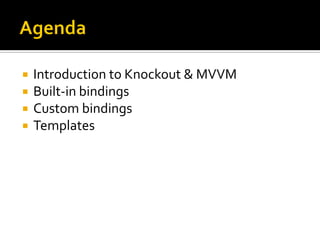
   Introduction to Knockout & MVVM
   Built-in bindings
   Custom bindings
   Templates
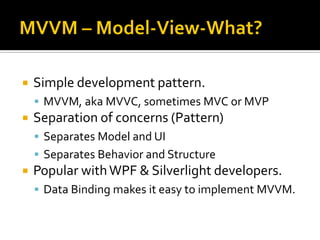
   Simple development pattern.
     MVVM, aka MVVC, sometimes MVC or MVP
   Separation of concerns (Pattern)
     Separates Model and UI
     Separates Behavior and Structure
   Popular with WPF & Silverlight developers.
     Data Binding makes it easy to implement MVVM.
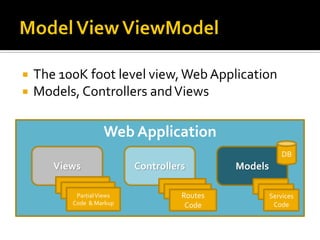
   The 100K foot level view, Web Application
   Models, Controllers and Views

                     Web Application
                                                           DB
       Views                Controllers       Models
        Partial Views              Routes         Services
         Partial Views              Routes          Services
            Partial Views            Routes            Services
           Code & Markup              Code              Code
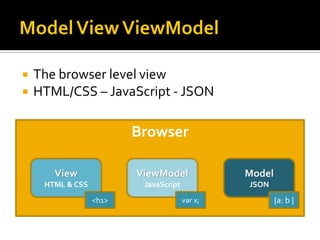
   The browser level view
   HTML/CSS – JavaScript - JSON

                         Browser

       View              ViewModel              Model
     HTML & CSS           JavaScript            JSON
                  <h1>                 var x;           {a: b }
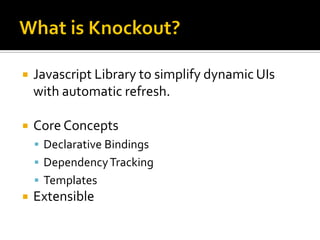
   Javascript Library to simplify dynamic UIs
    with automatic refresh.

   Core Concepts
     Declarative Bindings
     Dependency Tracking
     Templates
   Extensible
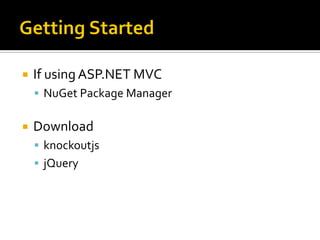
   If using ASP.NET MVC
     NuGet Package Manager


   Download
     knockoutjs
     jQuery
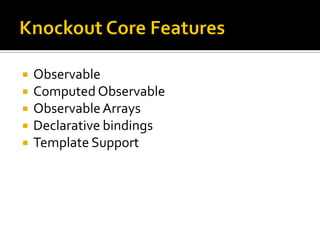
   Observable
   Computed Observable
   Observable Arrays
   Declarative bindings
   Template Support
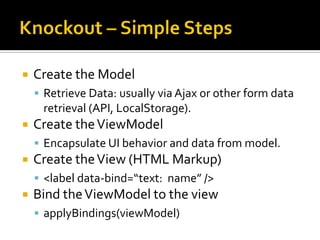
   Create the Model
     Retrieve Data: usually via Ajax or other form data
     retrieval (API, LocalStorage).
   Create the ViewModel
     Encapsulate UI behavior and data from model.
   Create the View (HTML Markup)
     <label data-bind=“text: name” />
   Bind the ViewModel to the view
     applyBindings(viewModel)
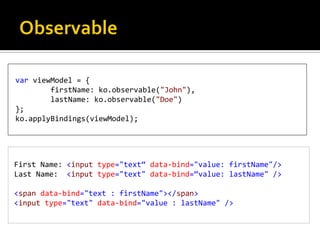
var viewModel = {
        firstName: ko.observable("John"),
        lastName: ko.observable("Doe")
};
ko.applyBindings(viewModel);


First Name: <input type="text“ data-bind="value: firstName"/>
Last Name: <input type="text" data-bind=“value: lastName" />

<span data-bind="text : firstName"></span>
<input type="text" data-bind="value : lastName" />
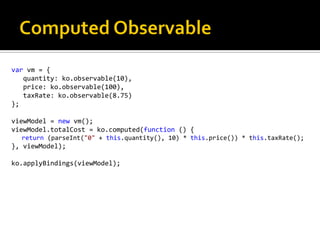
var vm = {
   quantity: ko.observable(10),
   price: ko.observable(100),
   taxRate: ko.observable(8.75)
};

viewModel = new vm();
viewModel.totalCost = ko.computed(function () {
  return (parseInt("0" + this.quantity(), 10) * this.price()) * this.taxRate();
}, viewModel);

ko.applyBindings(viewModel);
var viewModel = {
    States: ko.observableArray([
    { State: "New York", Cities: ['New York City', 'East Hampton', 'Yonkers'] },
    { State: "New Jersey", Cities: ['Jersey City', 'Hoboken', 'Maplewood'] },
    { State: "Connecticut", Cities: ['Stamford', 'Greenwich'] },
    { State: "Pennsylvania", Cities: ['Philadelphia'] },
]),
    selectedState: ko.observable(),
    selectedCity: ko.observable()
};

viewModel.selectionMade = ko.computed(function () {
    return (this.selectedState() && this.selectedCity());
}, viewModel);
ko.applyBindings(viewModel);
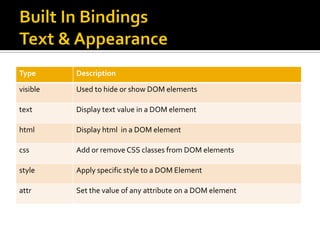
Type      Description
visible   Used to hide or show DOM elements

text      Display text value in a DOM element

html      Display html in a DOM element

css       Add or remove CSS classes from DOM elements

style     Apply specific style to a DOM Element

attr      Set the value of any attribute on a DOM element
binding   Description
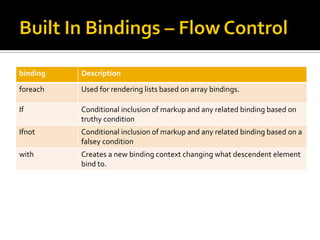
foreach   Used for rendering lists based on array bindings.

If        Conditional inclusion of markup and any related binding based on
          truthy condition
Ifnot     Conditional inclusion of markup and any related binding based on a
          falsey condition
with      Creates a new binding context changing what descendent element
          bind to.
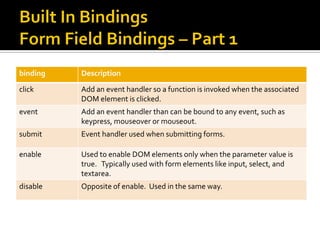
binding   Description
click     Add an event handler so a function is invoked when the associated
          DOM element is clicked.
event     Add an event handler than can be bound to any event, such as
          keypress, mouseover or mouseout.
submit    Event handler used when submitting forms.

enable    Used to enable DOM elements only when the parameter value is
          true. Typically used with form elements like input, select, and
          textarea.
disable   Opposite of enable. Used in the same way.
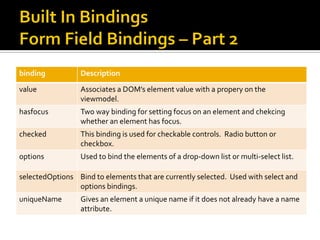
binding           Description
value             Associates a DOM’s element value with a propery on the
                  viewmodel.
hasfocus          Two way binding for setting focus on an element and chekcing
                  whether an element has focus.
checked           This binding is used for checkable controls. Radio button or
                  checkbox.
options           Used to bind the elements of a drop-down list or multi-select list.

selectedOptions Bind to elements that are currently selected. Used with select and
                options bindings.
uniqueName        Gives an element a unique name if it does not already have a name
                  attribute.
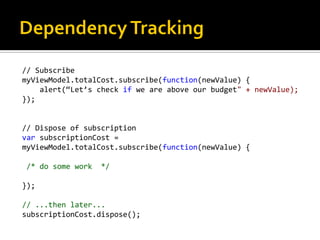
// Subscribe
myViewModel.totalCost.subscribe(function(newValue) {
    alert(“Let’s check if we are above our budget" + newValue);
});


// Dispose of subscription
var subscriptionCost =
myViewModel.totalCost.subscribe(function(newValue) {

/* do some work   */

});

// ...then later...
subscriptionCost.dispose();
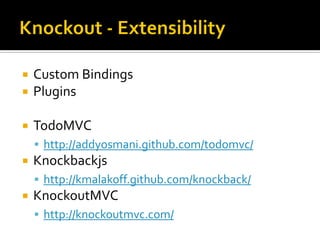
   Custom Bindings
   Plugins

   TodoMVC
     http://addyosmani.github.com/todomvc/
   Knockbackjs
     http://kmalakoff.github.com/knockback/
   KnockoutMVC
     http://knockoutmvc.com/
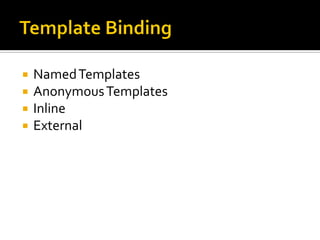
   Named Templates
   Anonymous Templates
   Inline
   External
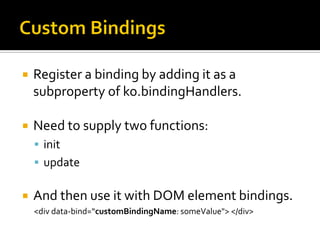
   Register a binding by adding it as a
    subproperty of ko.bindingHandlers.

   Need to supply two functions:
     init
     update


   And then use it with DOM element bindings.
    <div data-bind=“customBindingName: someValue"> </div>
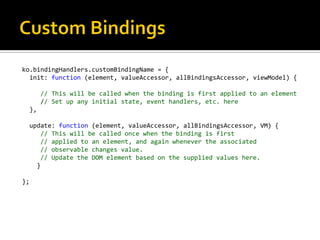
ko.bindingHandlers.customBindingName = {
  init: function (element, valueAccessor, allBindingsAccessor, viewModel) {

          // This will be called when the binding is first applied to an element
          // Set up any initial state, event handlers, etc. here
     },

     update: function (element, valueAccessor, allBindingsAccessor, VM) {
        // This will be called once when the binding is first
        // applied to an element, and again whenever the associated
        // observable changes value.
        // Update the DOM element based on the supplied values here.
       }

};
   Main Site (Steve Sanderson - Author)
     http://knockoutjs.com
   Ryan Niemeyer - Contributor
     http://www.knockmeout.com
   Contact:
     http://blog.boulosdib.com
     @boulosdib

Knockoutjs databinding

  • 1.
  • 2.
  • 3.
  • 4.
  • 5.
  • 6.
  • 7.
  • 8.
    Independent Consultant – Napeague Inc.  First Commercial Personal Computer 1980 – TRS-80 Model III  First Z80 based product (Protocol Adaptor For Citibank– 1984)  First Commercial MS-DOS product (Telex/IBM PC, 50 Baud – 1985)  Started Windows Development using 16-bit Win 3.x  Used: 8080/Z80, 68xxx, PDP/RSX,VAX-VMS and x86 (C, C++, C#)  User Group/Meetup Co-Organizer:  New York Pluralsight Study Group, XAML NYC  Other interests:  Windsurfing, Guitar Playing
  • 9.
    Introduction to Knockout & MVVM  Built-in bindings  Custom bindings  Templates
  • 10.
    Simple development pattern.  MVVM, aka MVVC, sometimes MVC or MVP  Separation of concerns (Pattern)  Separates Model and UI  Separates Behavior and Structure  Popular with WPF & Silverlight developers.  Data Binding makes it easy to implement MVVM.
  • 11.
    The 100K foot level view, Web Application  Models, Controllers and Views Web Application DB Views Controllers Models Partial Views Routes Services Partial Views Routes Services Partial Views Routes Services Code & Markup Code Code
  • 12.
    The browser level view  HTML/CSS – JavaScript - JSON Browser View ViewModel Model HTML & CSS JavaScript JSON <h1> var x; {a: b }
  • 13.
    Javascript Library to simplify dynamic UIs with automatic refresh.  Core Concepts  Declarative Bindings  Dependency Tracking  Templates  Extensible
  • 14.
    If using ASP.NET MVC  NuGet Package Manager  Download  knockoutjs  jQuery
  • 15.
    Observable  Computed Observable  Observable Arrays  Declarative bindings  Template Support
  • 16.
    Create the Model  Retrieve Data: usually via Ajax or other form data retrieval (API, LocalStorage).  Create the ViewModel  Encapsulate UI behavior and data from model.  Create the View (HTML Markup)  <label data-bind=“text: name” />  Bind the ViewModel to the view  applyBindings(viewModel)
  • 17.
    var viewModel ={ firstName: ko.observable("John"), lastName: ko.observable("Doe") }; ko.applyBindings(viewModel); First Name: <input type="text“ data-bind="value: firstName"/> Last Name: <input type="text" data-bind=“value: lastName" /> <span data-bind="text : firstName"></span> <input type="text" data-bind="value : lastName" />
  • 18.
    var vm ={ quantity: ko.observable(10), price: ko.observable(100), taxRate: ko.observable(8.75) }; viewModel = new vm(); viewModel.totalCost = ko.computed(function () { return (parseInt("0" + this.quantity(), 10) * this.price()) * this.taxRate(); }, viewModel); ko.applyBindings(viewModel);
  • 19.
    var viewModel ={ States: ko.observableArray([ { State: "New York", Cities: ['New York City', 'East Hampton', 'Yonkers'] }, { State: "New Jersey", Cities: ['Jersey City', 'Hoboken', 'Maplewood'] }, { State: "Connecticut", Cities: ['Stamford', 'Greenwich'] }, { State: "Pennsylvania", Cities: ['Philadelphia'] }, ]), selectedState: ko.observable(), selectedCity: ko.observable() }; viewModel.selectionMade = ko.computed(function () { return (this.selectedState() && this.selectedCity()); }, viewModel); ko.applyBindings(viewModel);
  • 20.
    Type Description visible Used to hide or show DOM elements text Display text value in a DOM element html Display html in a DOM element css Add or remove CSS classes from DOM elements style Apply specific style to a DOM Element attr Set the value of any attribute on a DOM element
  • 21.
    binding Description foreach Used for rendering lists based on array bindings. If Conditional inclusion of markup and any related binding based on truthy condition Ifnot Conditional inclusion of markup and any related binding based on a falsey condition with Creates a new binding context changing what descendent element bind to.
  • 22.
    binding Description click Add an event handler so a function is invoked when the associated DOM element is clicked. event Add an event handler than can be bound to any event, such as keypress, mouseover or mouseout. submit Event handler used when submitting forms. enable Used to enable DOM elements only when the parameter value is true. Typically used with form elements like input, select, and textarea. disable Opposite of enable. Used in the same way.
  • 23.
    binding Description value Associates a DOM’s element value with a propery on the viewmodel. hasfocus Two way binding for setting focus on an element and chekcing whether an element has focus. checked This binding is used for checkable controls. Radio button or checkbox. options Used to bind the elements of a drop-down list or multi-select list. selectedOptions Bind to elements that are currently selected. Used with select and options bindings. uniqueName Gives an element a unique name if it does not already have a name attribute.
  • 24.
    // Subscribe myViewModel.totalCost.subscribe(function(newValue) { alert(“Let’s check if we are above our budget" + newValue); }); // Dispose of subscription var subscriptionCost = myViewModel.totalCost.subscribe(function(newValue) { /* do some work */ }); // ...then later... subscriptionCost.dispose();
  • 25.
    Custom Bindings  Plugins  TodoMVC  http://addyosmani.github.com/todomvc/  Knockbackjs  http://kmalakoff.github.com/knockback/  KnockoutMVC  http://knockoutmvc.com/
  • 26.
    Named Templates  Anonymous Templates  Inline  External
  • 27.
    Register a binding by adding it as a subproperty of ko.bindingHandlers.  Need to supply two functions:  init  update  And then use it with DOM element bindings. <div data-bind=“customBindingName: someValue"> </div>
  • 28.
    ko.bindingHandlers.customBindingName = { init: function (element, valueAccessor, allBindingsAccessor, viewModel) { // This will be called when the binding is first applied to an element // Set up any initial state, event handlers, etc. here }, update: function (element, valueAccessor, allBindingsAccessor, VM) { // This will be called once when the binding is first // applied to an element, and again whenever the associated // observable changes value. // Update the DOM element based on the supplied values here. } };
  • 29.
    Main Site (Steve Sanderson - Author)  http://knockoutjs.com  Ryan Niemeyer - Contributor  http://www.knockmeout.com
  • 30.
    Contact:  http://blog.boulosdib.com  @boulosdib