Knockout from Scratch
Udayakumar Mathivanan
Powered By
Agenda
 KnockoutJS
 Demo & Examples
KnockoutJS
 Javascript MVVM Library
 Created by Steve Sanderson, Program Manager,
Microsoft
 Currently at version v3.2.0 (debug) — August
12th, 2014
 http://knockoutjs.com/
 Downloads: http://knockoutjs.com/downloads/
Knockout.js - Introduction
Knockout is a JavaScript library that helps you to create rich,
responsive display and editor user interfaces with a clean underlying
data model.
Any time you have sections of UI that update dynamically (e.g.,
changing depending on the user’s actions or when an external data
source changes), KO can help you implement it more simply and
maintainable.
Headline features:
Elegant dependency tracking - automatically updates the right parts of your UI
whenever your data model changes.
Declarative bindings - a simple and obvious way to connect parts of your UI to
your data model. Can construct a complex dynamic UIs easily using arbitrarily
nested binding contexts.
Trivially extensible - implement custom behaviors as new declarative bindings
for easy reuse in just a few lines of code.
Knockout.js – Additional Benefits
Pure JavaScript library - works with any server or client-side
technology
Can be added on top of your existing web application without
requiring major architectural changes
Compact - around 13kb after gzipping
Works on any mainstream browser (IE 6+, Firefox 2+, Chrome, Safari,
others)
Comprehensive suite of specifications (developed BDD-style) means
its correct functioning can easily be verified on new browsers and
platforms
Developers familiar with Ruby on Rails,ASP.NET MVC, or other MV*
technologies may see MVVM as a real-time form of MVC with
declarative syntax. In another sense, you can think of KO as a general
way to make UIs for editing JSON data… whatever works for you :)
Knockout.js – Intended to compete with
jQuery ?
Everyone loves jQuery! It’s an outstanding replacement for the clunky,
inconsistent DOMAPI we had to put up with in the past.
jQuery is an excellent low-level way to manipulate elements and event
handlers in a web page.
KO solves a different problem.
• As soon as your UI gets nontrivial and has a few overlapping
behaviors, things can get tricky and expensive to maintain if you only
use jQuery.
To summarise:
KO doesn’t compete with jQuery or similar low-level DOMAPIs. KO
provides a complementary, high-level way to link a data model to a UI.
KO itself doesn’t depend on jQuery, but you can certainly use jQuery at
the same time, and indeed that’s often useful if you want things like
animated transitions.
KO Features
. observable:This is used to define model properties.When these properties are
bound with UI and when the value for these properties are updated,
automatically the UI elements bound with these properties will be updated with
the new value.
E.g. this.EmpName = ko.observable(“Uday”); - Here EmpName is the
observable property. KO represent an object for the Knockout.js library.
The value of the observable is read as var data= this.EmpNo();
· observableArray:This represents a collection of data elements which required
notifications.Typically this is used to bind with the List kind of elements.
E.g this.Employees = ko.observableArray([]);
· applyBindings:This is used to activate knockout for the current HTML
document or a specific UI element in HTML document.The parameter for this
method is the view-model which is defined in JavaScript.ThisViewModel
contains the observable, observableArray and various methods.
KO Features…contd
Various other types of binding
o click: Represents a click event handler added to the UI
element so that JavaScript function is called.
o value: This represents the value binding with the UI
element’s value property to the property defined into the
ViewModel.
o visible: This is used to hide or unhide the UI element
based upon the value passed to it’s binding.
o Text: This represent the text value of the parameter
passed to the UI element.
How to use
Download Later version of KnockOut Js file
Reference the file using a <script> tag
<Script type=“text/javascript” src=“knockout-2.1.0.js”>
ViewModel
var newViewModel = {employeeName:’John’,employeeAge:28};
UsingView Model inside aView
<span data-bind=“text: employeeName”></span>
<span data-bind=“text: employeeAge”></span>
Activating Knockout.js
Ko.applyBindings(newViewModel );
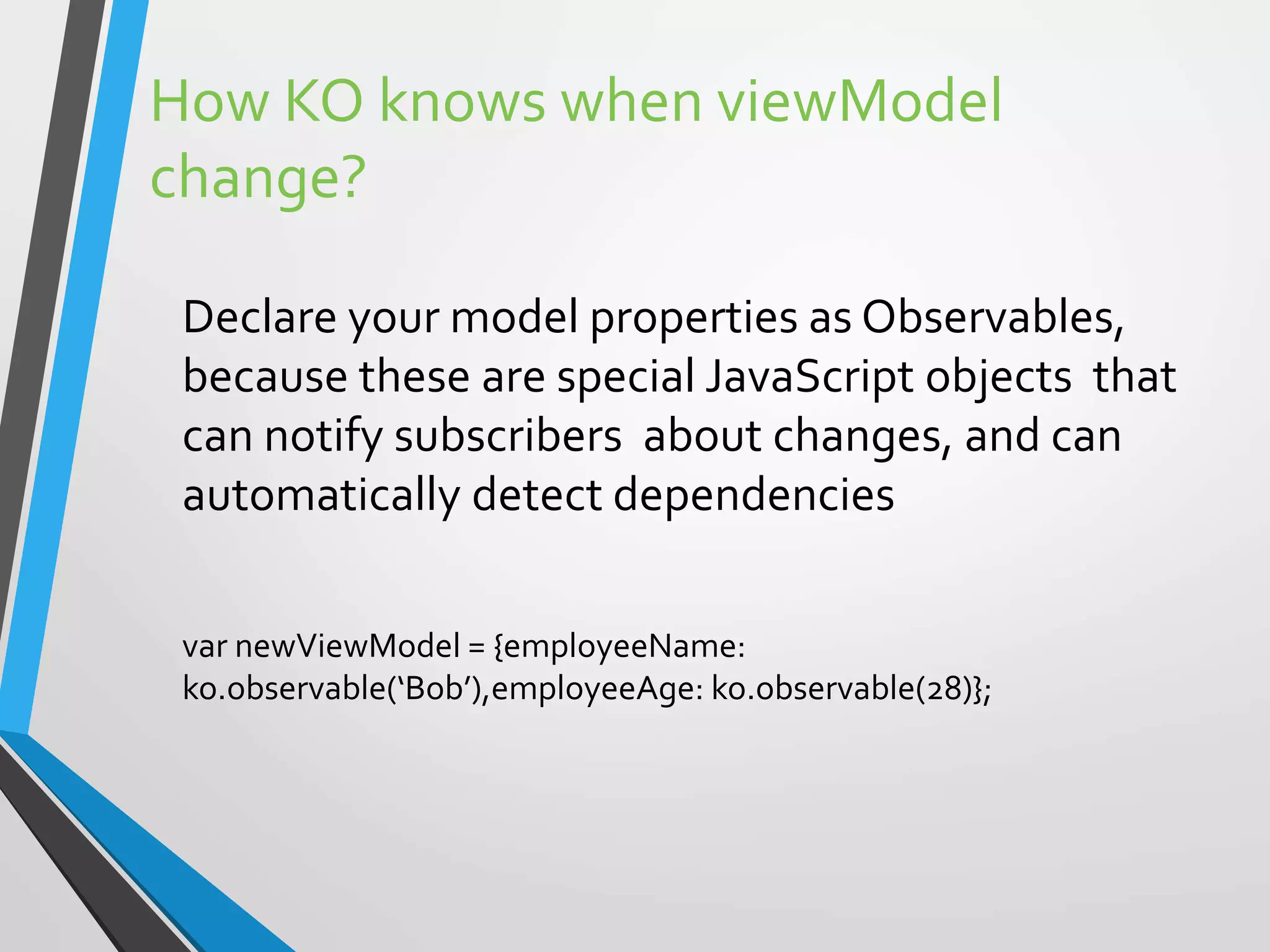
How KO knows when viewModel
change?
Declare your model properties as Observables,
because these are special JavaScript objects that
can notify subscribers about changes, and can
automatically detect dependencies
var newViewModel = {employeeName:
ko.observable(‘Bob’),employeeAge: ko.observable(28)};
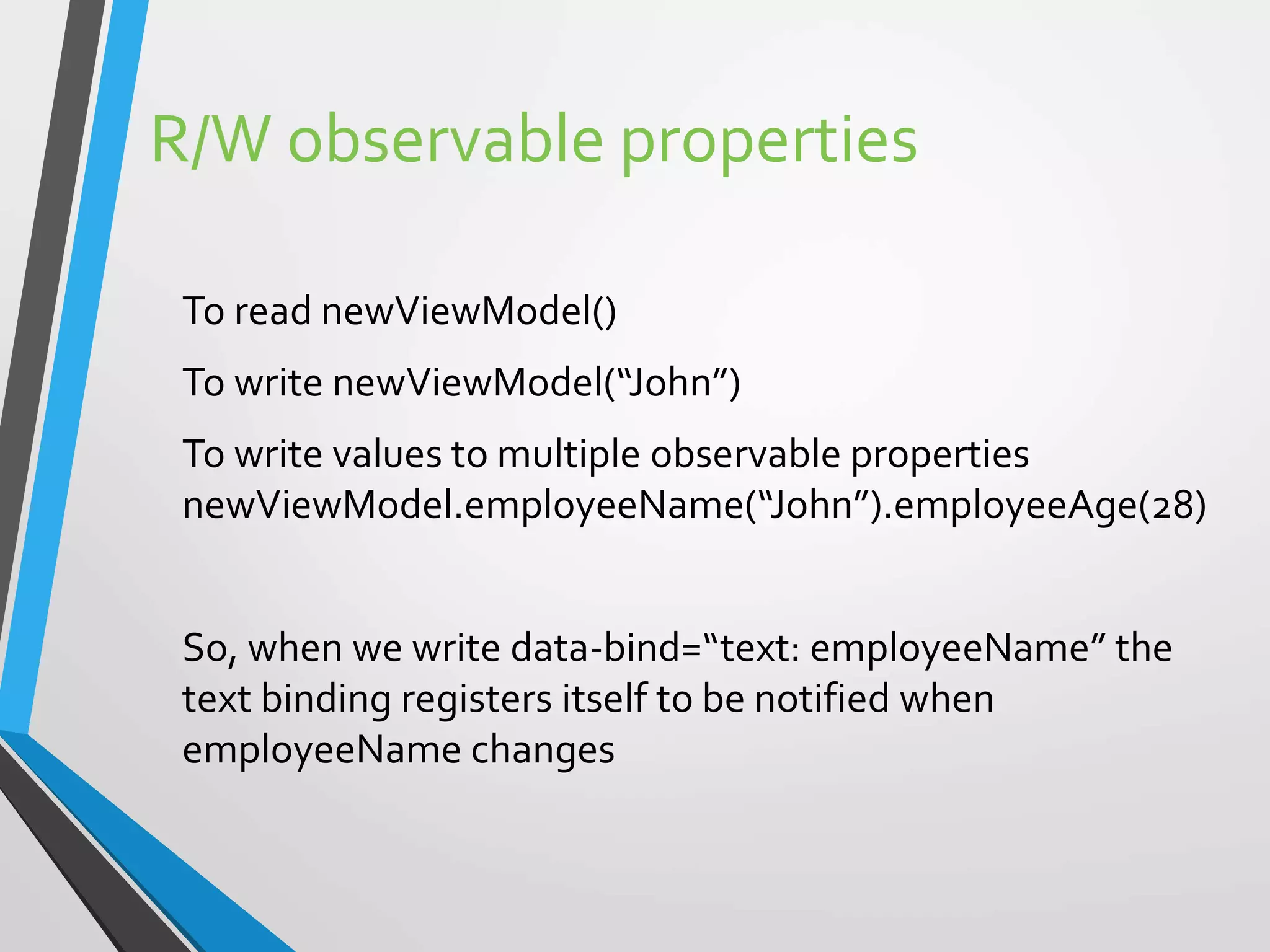
R/W observable properties
To read newViewModel()
To write newViewModel(“John”)
To write values to multiple observable properties
newViewModel.employeeName(“John”).employeeAge(28)
So, when we write data-bind=“text: employeeName” the
text binding registers itself to be notified when
employeeName changes
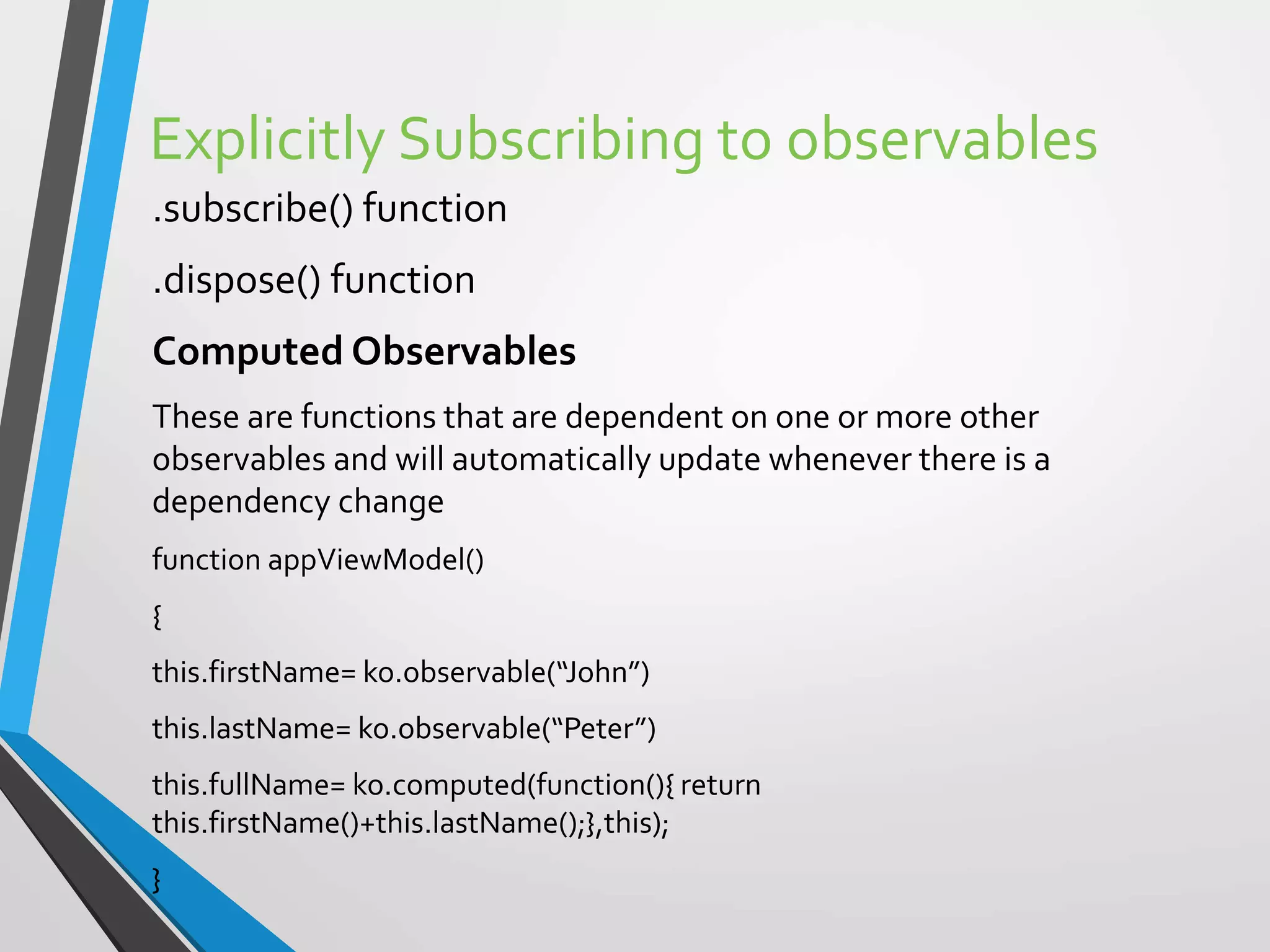
Explicitly Subscribing to observables
.subscribe() function
.dispose() function
Computed Observables
These are functions that are dependent on one or more other
observables and will automatically update whenever there is a
dependency change
function appViewModel()
{
this.firstName= ko.observable(“John”)
this.lastName= ko.observable(“Peter”)
this.fullName= ko.computed(function(){ return
this.firstName()+this.lastName();},this);
}
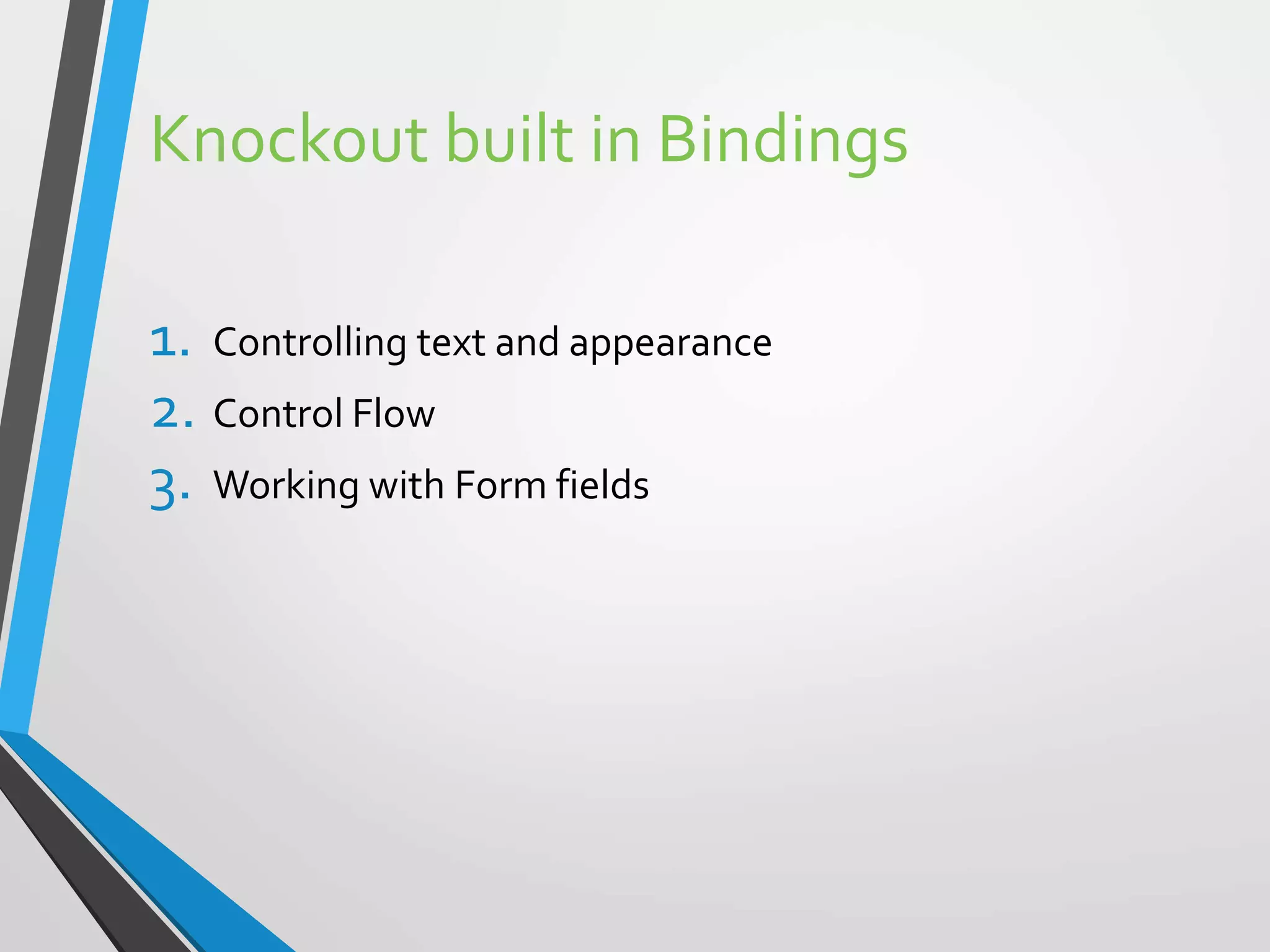
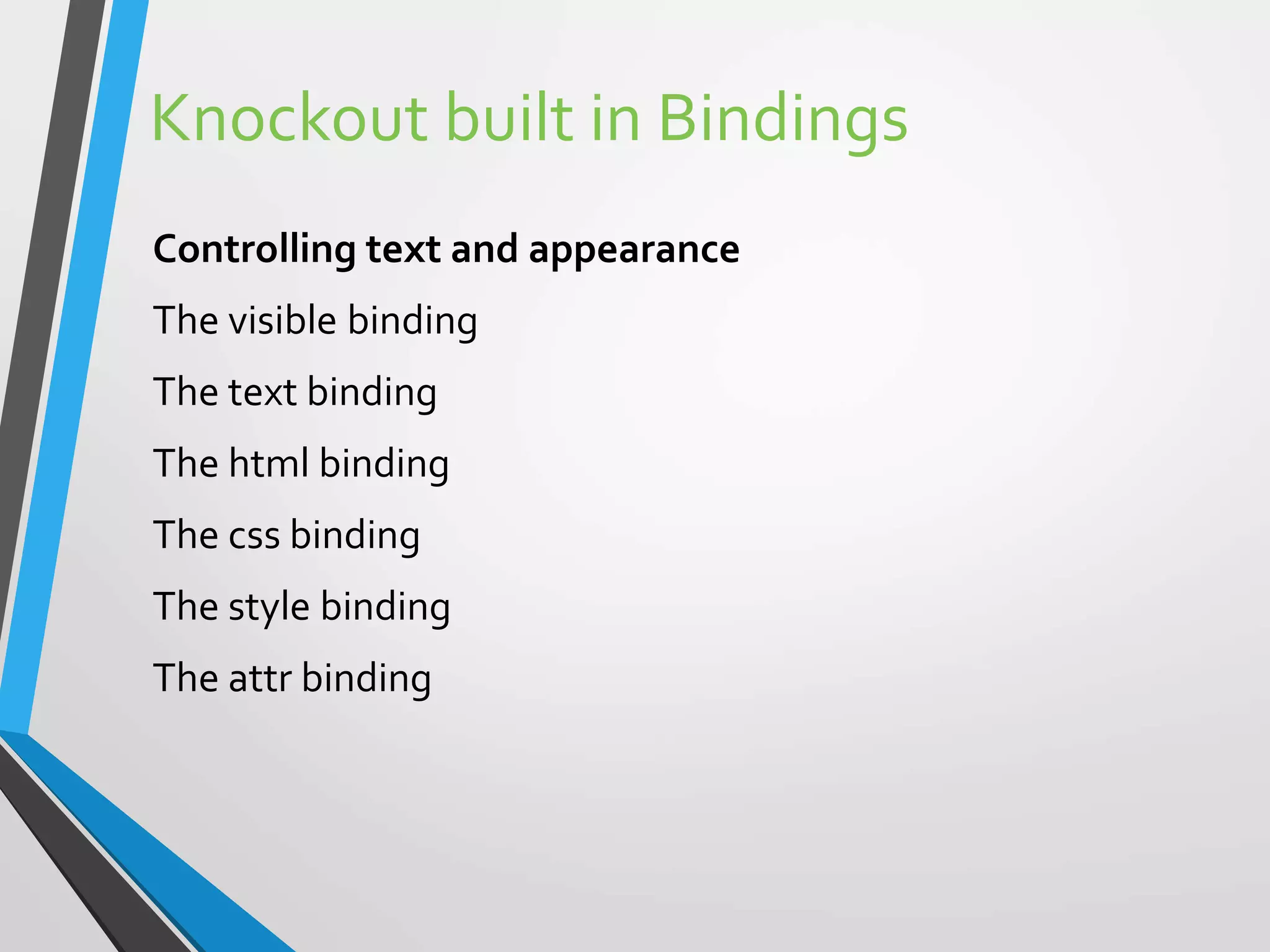
Knockout built in Bindings
1. Controlling text and appearance
2. Control Flow
3. Working with Form fields
Knockout built in Bindings
Controlling text and appearance
The visible binding
The text binding
The html binding
The css binding
The style binding
The attr binding
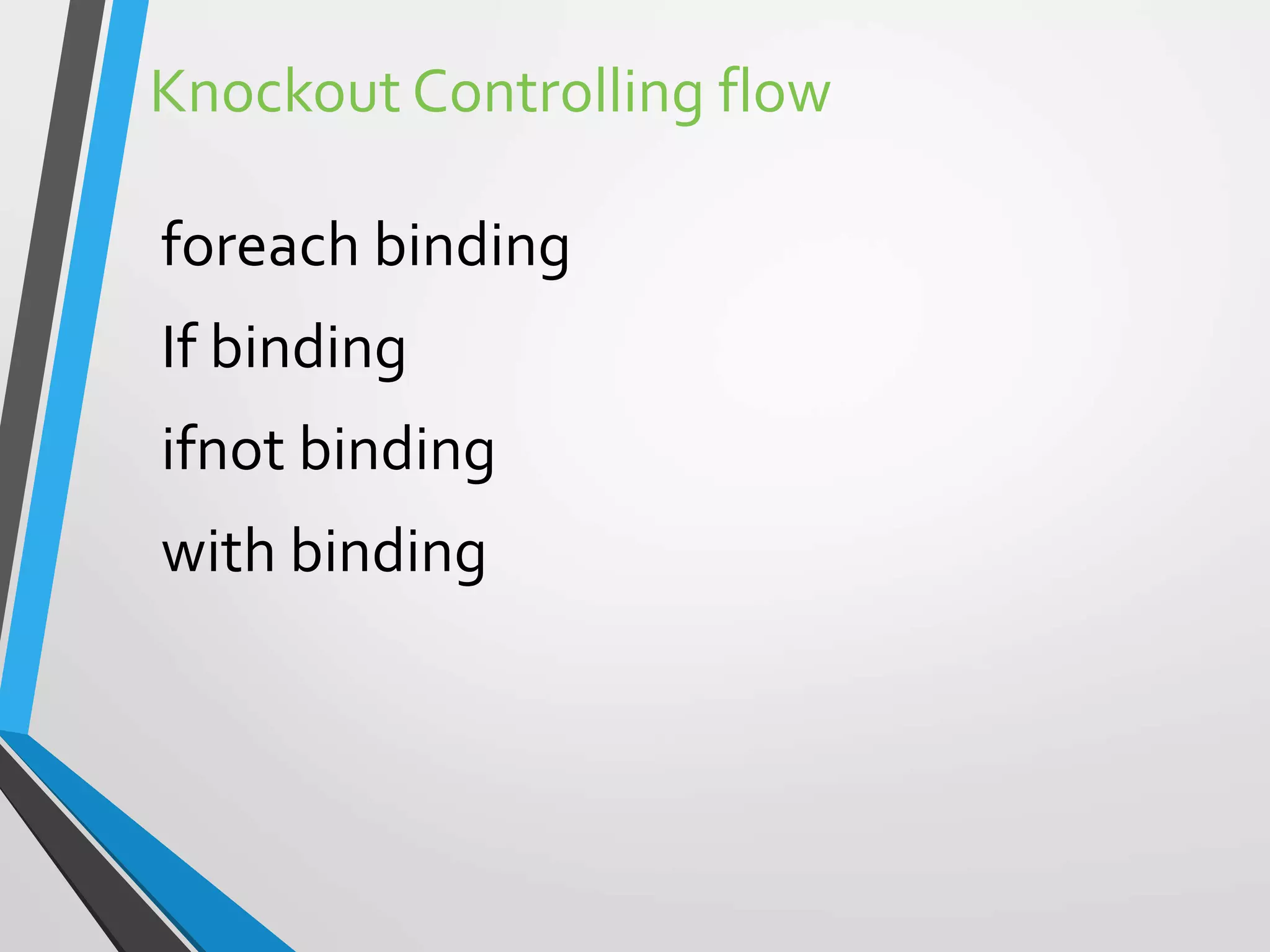
Knockout Controlling flow
foreach binding
If binding
ifnot binding
with binding
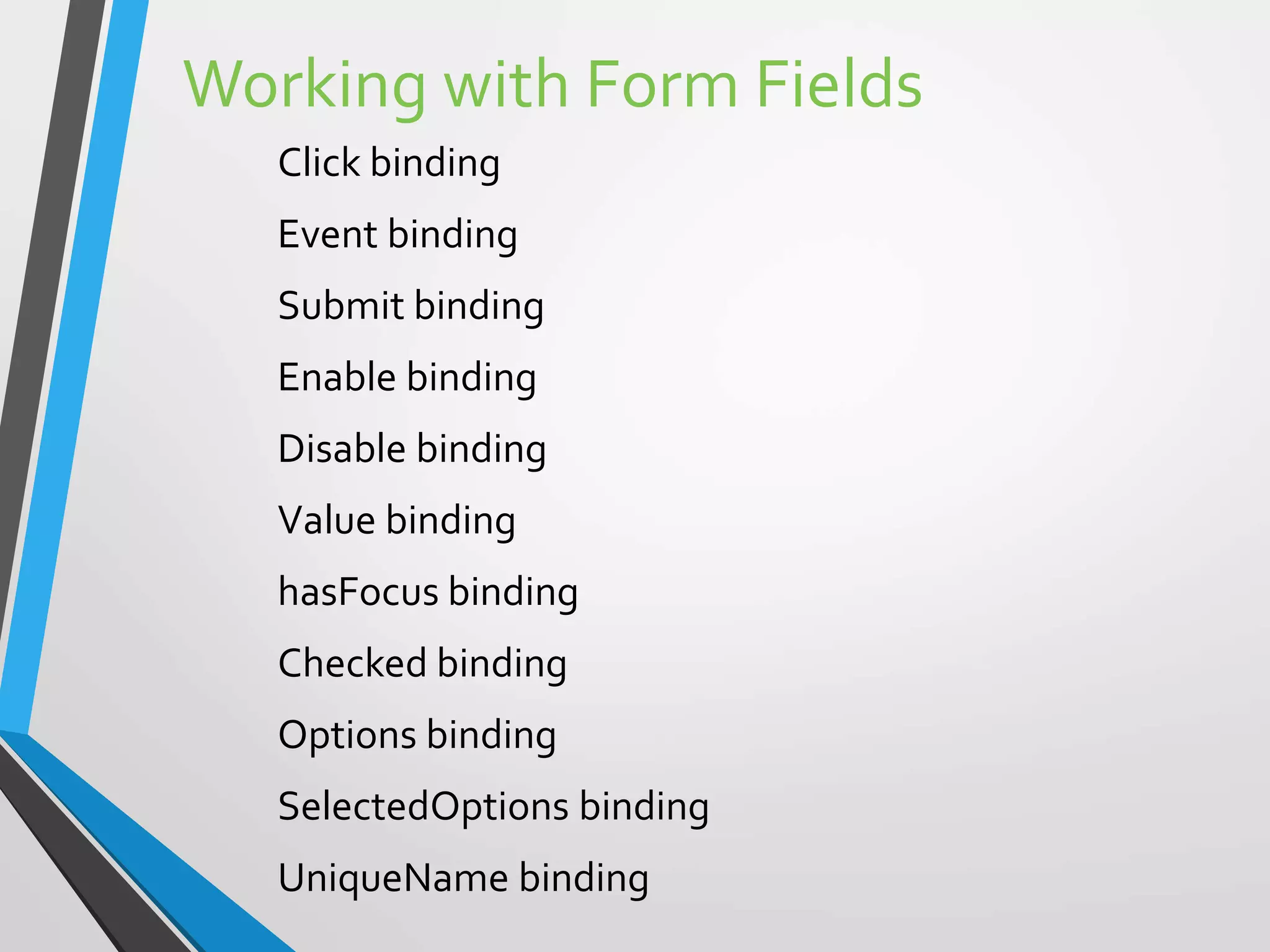
Working with Form Fields
Click binding
Event binding
Submit binding
Enable binding
Disable binding
Value binding
hasFocus binding
Checked binding
Options binding
SelectedOptions binding
UniqueName binding
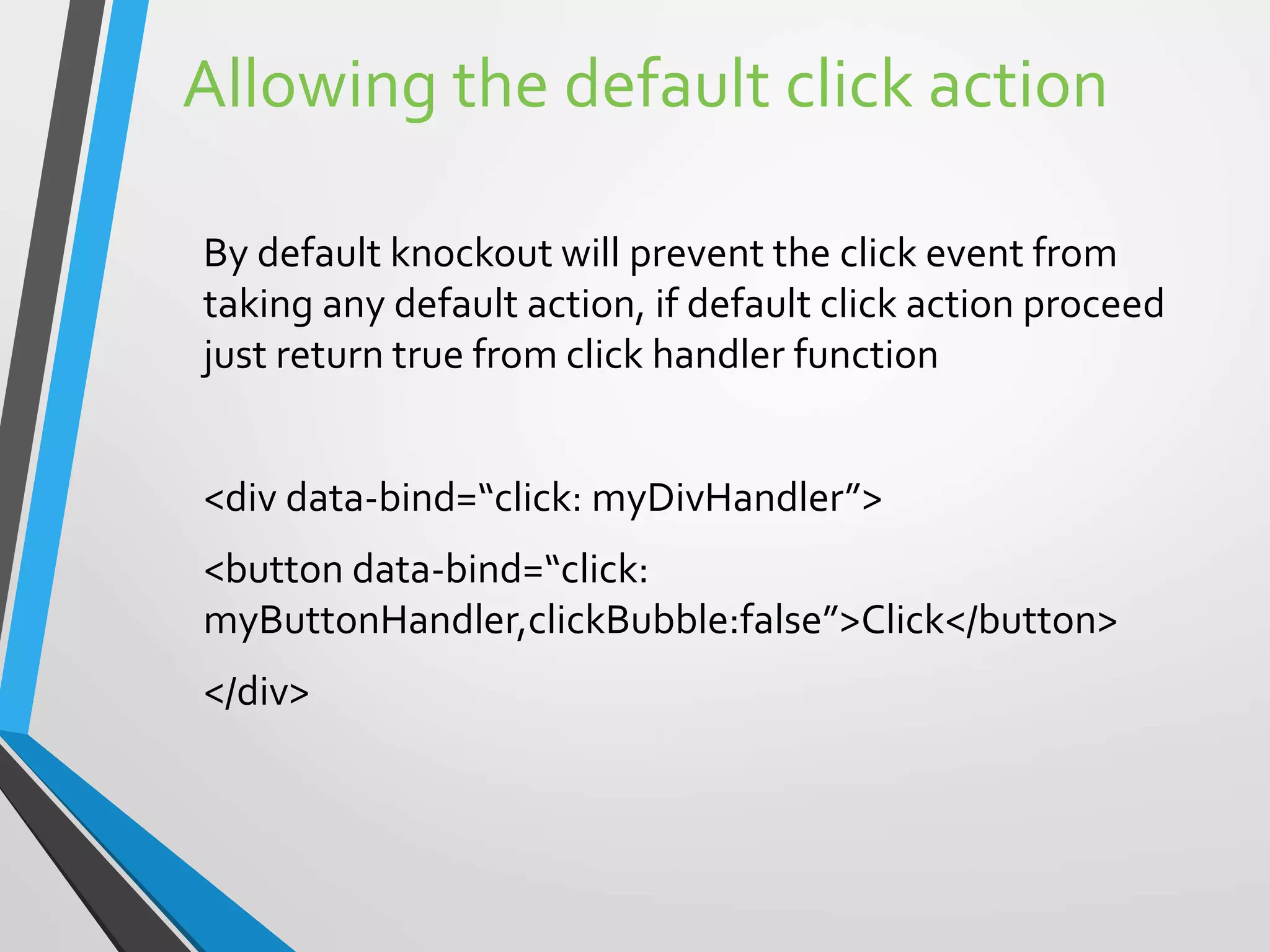
Allowing the default click action
By default knockout will prevent the click event from
taking any default action, if default click action proceed
just return true from click handler function
<div data-bind=“click: myDivHandler”>
<button data-bind=“click:
myButtonHandler,clickBubble:false”>Click</button>
</div>
KnockoutJS
• Demo
• Basic Knockout Development
Technical Resources
• http://learn.knockoutjs.com
• https://github.com/dscape/knockout.js.samples
• https://www.codeschool.com/screencasts/knockout-js-
part-1
ThankYou.
Udayakumar.Mathivanan@symphonyteleca.com
Blog: http://bestofcyber.wordpress.com

KnockOutjs from Scratch

  • 1.
    Knockout from Scratch UdayakumarMathivanan Powered By
  • 2.
  • 3.
    KnockoutJS  Javascript MVVMLibrary  Created by Steve Sanderson, Program Manager, Microsoft  Currently at version v3.2.0 (debug) — August 12th, 2014  http://knockoutjs.com/  Downloads: http://knockoutjs.com/downloads/
  • 4.
    Knockout.js - Introduction Knockoutis a JavaScript library that helps you to create rich, responsive display and editor user interfaces with a clean underlying data model. Any time you have sections of UI that update dynamically (e.g., changing depending on the user’s actions or when an external data source changes), KO can help you implement it more simply and maintainable. Headline features: Elegant dependency tracking - automatically updates the right parts of your UI whenever your data model changes. Declarative bindings - a simple and obvious way to connect parts of your UI to your data model. Can construct a complex dynamic UIs easily using arbitrarily nested binding contexts. Trivially extensible - implement custom behaviors as new declarative bindings for easy reuse in just a few lines of code.
  • 5.
    Knockout.js – AdditionalBenefits Pure JavaScript library - works with any server or client-side technology Can be added on top of your existing web application without requiring major architectural changes Compact - around 13kb after gzipping Works on any mainstream browser (IE 6+, Firefox 2+, Chrome, Safari, others) Comprehensive suite of specifications (developed BDD-style) means its correct functioning can easily be verified on new browsers and platforms Developers familiar with Ruby on Rails,ASP.NET MVC, or other MV* technologies may see MVVM as a real-time form of MVC with declarative syntax. In another sense, you can think of KO as a general way to make UIs for editing JSON data… whatever works for you :)
  • 6.
    Knockout.js – Intendedto compete with jQuery ? Everyone loves jQuery! It’s an outstanding replacement for the clunky, inconsistent DOMAPI we had to put up with in the past. jQuery is an excellent low-level way to manipulate elements and event handlers in a web page. KO solves a different problem. • As soon as your UI gets nontrivial and has a few overlapping behaviors, things can get tricky and expensive to maintain if you only use jQuery. To summarise: KO doesn’t compete with jQuery or similar low-level DOMAPIs. KO provides a complementary, high-level way to link a data model to a UI. KO itself doesn’t depend on jQuery, but you can certainly use jQuery at the same time, and indeed that’s often useful if you want things like animated transitions.
  • 7.
    KO Features . observable:Thisis used to define model properties.When these properties are bound with UI and when the value for these properties are updated, automatically the UI elements bound with these properties will be updated with the new value. E.g. this.EmpName = ko.observable(“Uday”); - Here EmpName is the observable property. KO represent an object for the Knockout.js library. The value of the observable is read as var data= this.EmpNo(); · observableArray:This represents a collection of data elements which required notifications.Typically this is used to bind with the List kind of elements. E.g this.Employees = ko.observableArray([]); · applyBindings:This is used to activate knockout for the current HTML document or a specific UI element in HTML document.The parameter for this method is the view-model which is defined in JavaScript.ThisViewModel contains the observable, observableArray and various methods.
  • 8.
    KO Features…contd Various othertypes of binding o click: Represents a click event handler added to the UI element so that JavaScript function is called. o value: This represents the value binding with the UI element’s value property to the property defined into the ViewModel. o visible: This is used to hide or unhide the UI element based upon the value passed to it’s binding. o Text: This represent the text value of the parameter passed to the UI element.
  • 9.
    How to use DownloadLater version of KnockOut Js file Reference the file using a <script> tag <Script type=“text/javascript” src=“knockout-2.1.0.js”>
  • 10.
    ViewModel var newViewModel ={employeeName:’John’,employeeAge:28}; UsingView Model inside aView <span data-bind=“text: employeeName”></span> <span data-bind=“text: employeeAge”></span>
  • 11.
  • 12.
    How KO knowswhen viewModel change? Declare your model properties as Observables, because these are special JavaScript objects that can notify subscribers about changes, and can automatically detect dependencies var newViewModel = {employeeName: ko.observable(‘Bob’),employeeAge: ko.observable(28)};
  • 13.
    R/W observable properties Toread newViewModel() To write newViewModel(“John”) To write values to multiple observable properties newViewModel.employeeName(“John”).employeeAge(28) So, when we write data-bind=“text: employeeName” the text binding registers itself to be notified when employeeName changes
  • 14.
    Explicitly Subscribing toobservables .subscribe() function .dispose() function Computed Observables These are functions that are dependent on one or more other observables and will automatically update whenever there is a dependency change function appViewModel() { this.firstName= ko.observable(“John”) this.lastName= ko.observable(“Peter”) this.fullName= ko.computed(function(){ return this.firstName()+this.lastName();},this); }
  • 15.
    Knockout built inBindings 1. Controlling text and appearance 2. Control Flow 3. Working with Form fields
  • 16.
    Knockout built inBindings Controlling text and appearance The visible binding The text binding The html binding The css binding The style binding The attr binding
  • 17.
    Knockout Controlling flow foreachbinding If binding ifnot binding with binding
  • 18.
    Working with FormFields Click binding Event binding Submit binding Enable binding Disable binding Value binding hasFocus binding Checked binding Options binding SelectedOptions binding UniqueName binding
  • 19.
    Allowing the defaultclick action By default knockout will prevent the click event from taking any default action, if default click action proceed just return true from click handler function <div data-bind=“click: myDivHandler”> <button data-bind=“click: myButtonHandler,clickBubble:false”>Click</button> </div>
  • 20.
    KnockoutJS • Demo • BasicKnockout Development
  • 21.
    Technical Resources • http://learn.knockoutjs.com •https://github.com/dscape/knockout.js.samples • https://www.codeschool.com/screencasts/knockout-js- part-1
  • 22.

Editor's Notes

  • #4 JavaScript and Jquery is good for event handlers Knock out shines When its gets heavy in the client side and real time interactions with rich interface , jQuery alone doesn’t have the structure to do these kind of things
  • #7 Consider an example: you’re displaying a list of items, stating the number of items in that list, and want to enable an ‘Add’ button only when there are fewer than 5 items. jQuery doesn’t have a concept of an underlying data model, so to get the number of items you have to infer it from the number of TRs in a table or the number of DIVs with a certain CSS class. Maybe the number of items is displayed in some SPAN, and you have to remember to update that SPAN’s text when the user adds an item. You also must remember to disable the ‘Add’ button when the number of TRs is 5. Later, you’re asked also to implement a ‘Delete’ button and you have to figure out which DOM elements to change whenever it’s clicked How is Knockout different? It’s much easier with KO. It lets you scale up in complexity without fear of introducing inconsistencies. Just represent your items as a JavaScript array, and then use a foreach binding to transform this array into a TABLE or set of DIVs. Whenever the array changes, the UI changes to match (you don’t have to figure out how to inject new TRs or where to inject them). The rest of the UI stays in sync. For example, you can declaratively bind a SPAN to display the number of items as follows: There are <span data-bind="text: myItems().count"></span> items That’s it! You don’t have to write code to update it; it updates on its own when the myItems array changes. Similarly, to make the ‘Add’ button enable or disable depending on the number of items, just write: <button data-bind="enable: myItems().count < 5">Add</button> Later, when you’re asked to implement the ‘Delete’ functionality, you don’t have to figure out what bits of the UI it has to interact with; you just make it alter the underlying data model.