Elasticsearch 應用
PEGGY
Field datatypes
 a simple type like string, date, long, double, boolean or ip.
 a type which supports the hierarchical nature of JSON such as object or nested.
 or a specialised type like geo_point, geo_shape, or completion.
Search
get - 取得資料
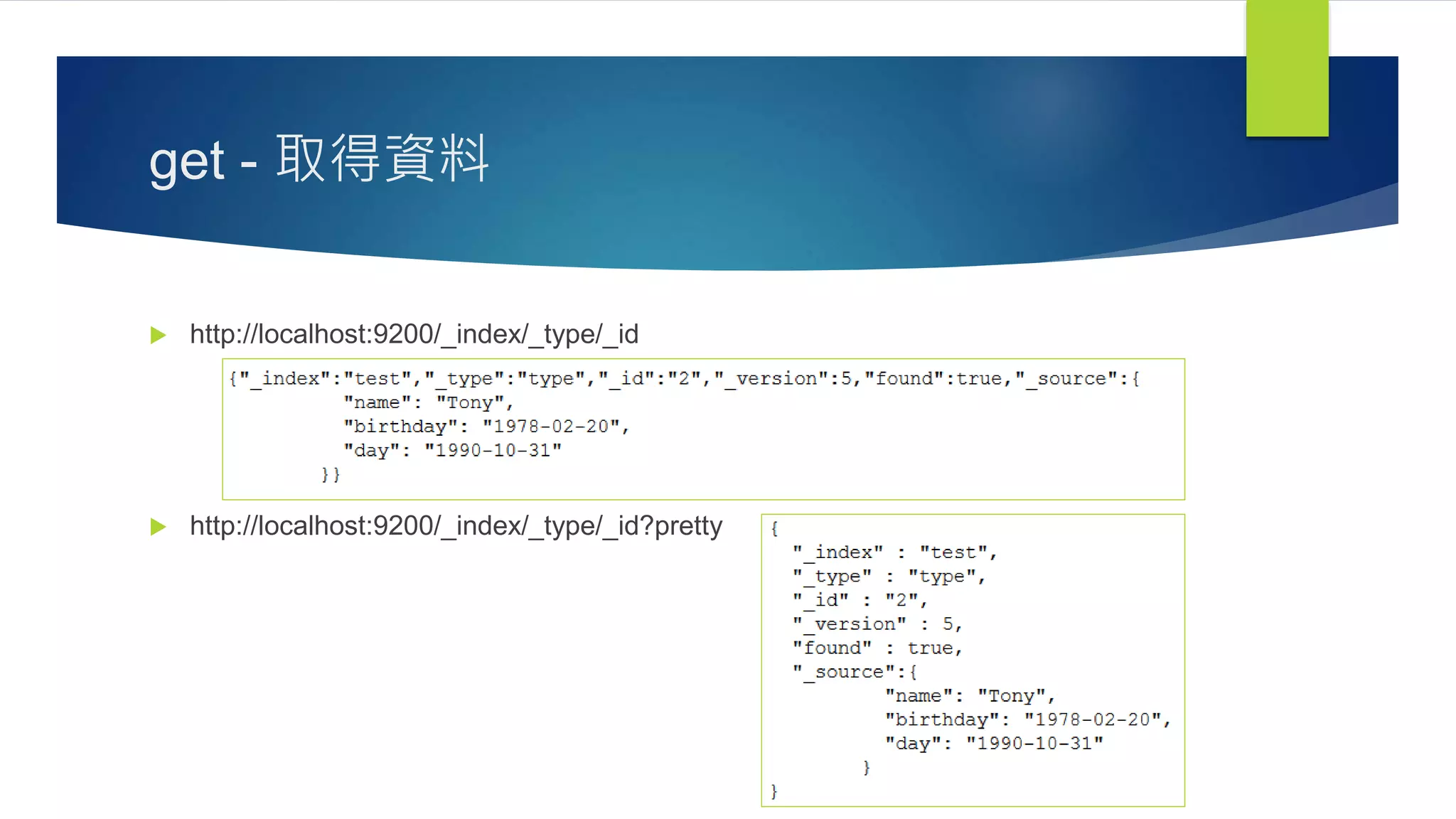
 http://localhost:9200/_index/_type/_id
 http://localhost:9200/_index/_type/_id?pretty
get search
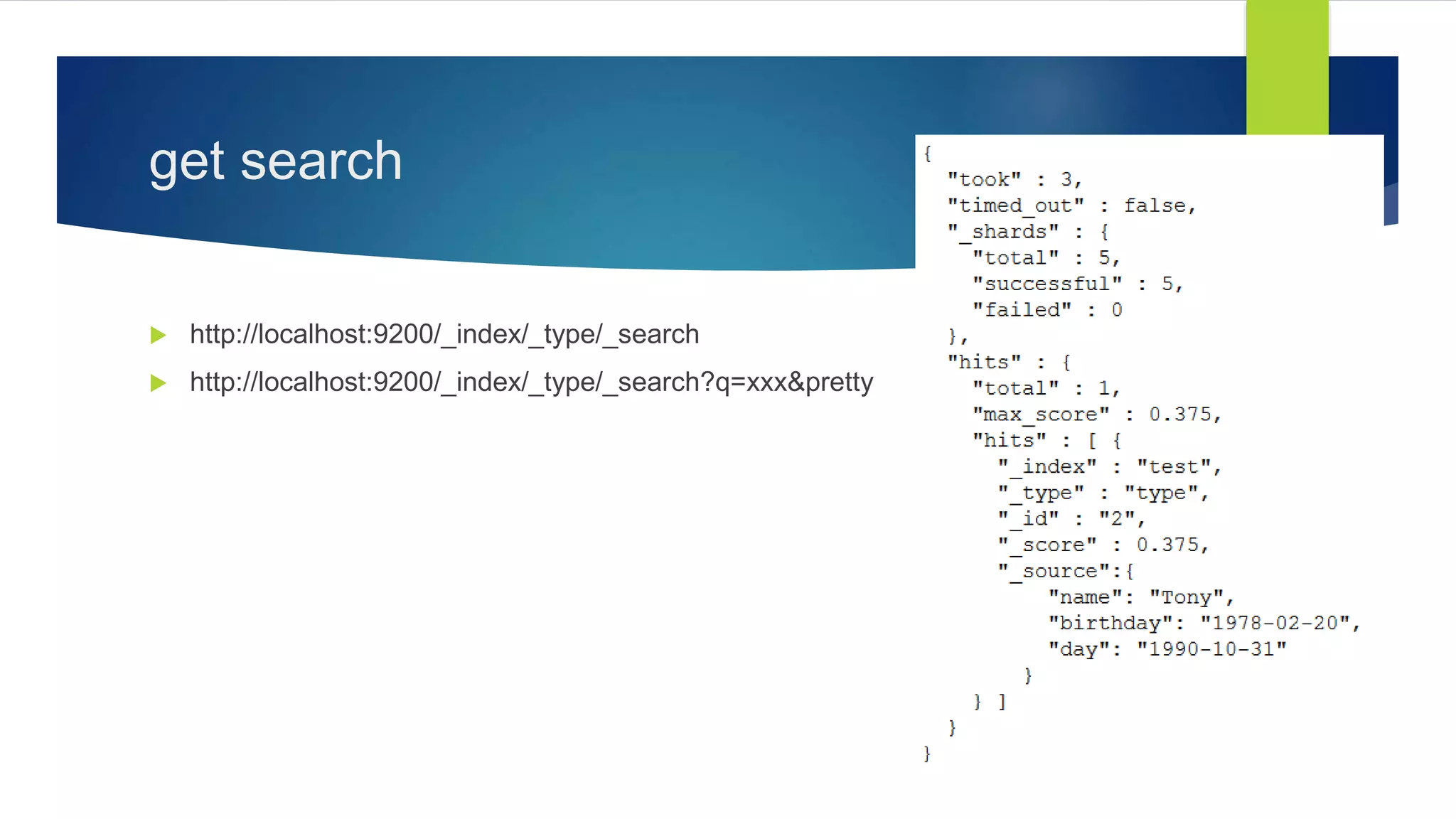
 http://localhost:9200/_index/_type/_search
 http://localhost:9200/_index/_type/_search?q=xxx&pretty
post search & query_string
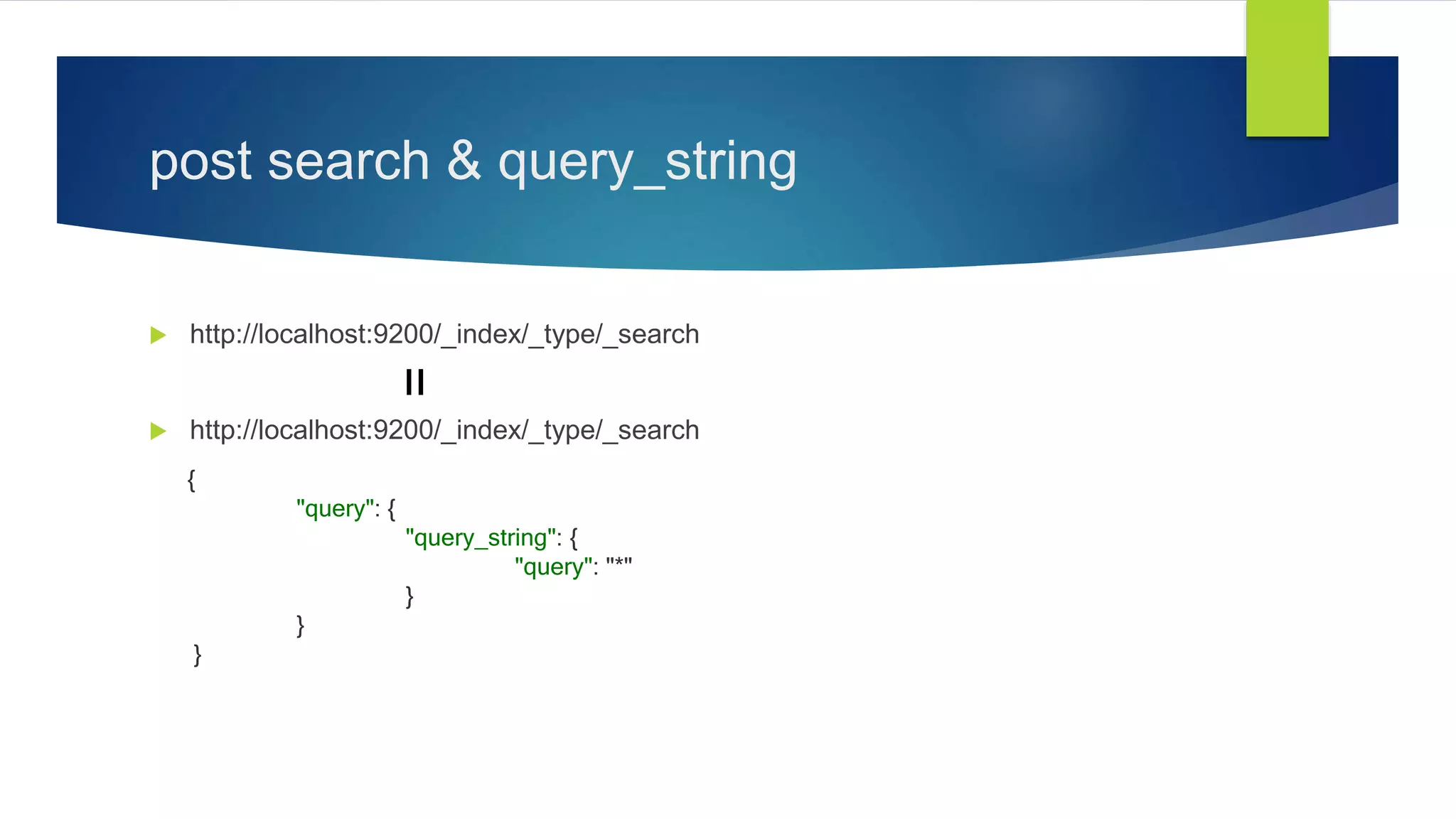
 http://localhost:9200/_index/_type/_search
{
"query": {
"query_string": {
"query": "*"
}
}
}
=
query_string
{
"query_string" : {
"fields" : ["content", "name"],
"query" : "this AND that"
}
}
{
"query_string": {
"query": "(content:this OR name:this) AND (content:that OR name:that)“
}
}
=
query_string - query
 string
 “手機” 套 = “手機” OR 套
 apple phone = apple OR phone
 title: “手機” OR title:套 = title: (“手機“ 套) ! = (title: “手機” 套)
 boolean
 isPCT: true
 date & range
 dateName: [2012-01-01 TO 2012-12-31]
 dateName: [2012-01-01 TO *]
 dateName: {2011-12-31 TO *]
 range: [ 1 TO 5 ]
query_string - query
 object
 inventorsRaw.name: Nicky
 _missing_ & _exists_
 _missing_: title
 _exists_: title
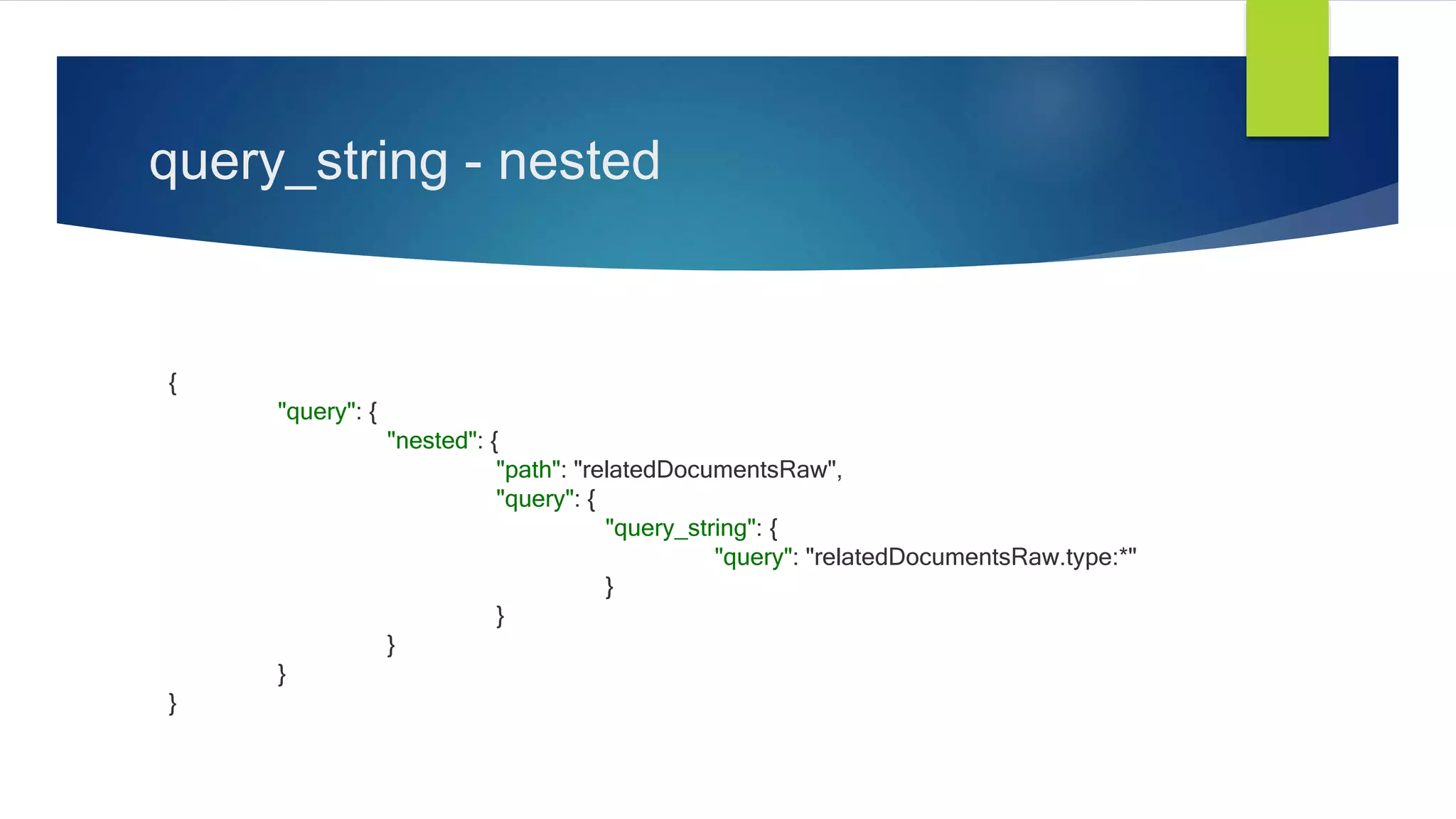
query_string - nested
{
"query": {
"nested": {
"path": "relatedDocumentsRaw",
"query": {
"query_string": {
"query": "relatedDocumentsRaw.type:*"
}
}
}
}
}
query – size & from
 size (default: 10)
 The size parameter allows you to configure the maximum amount of hits to be
returned.
 from (default: 0)
 The from parameter defines the offset from the first result you want to fetch.
 [query_phase_execution_exception]
 Result window is too large, from + size must be less than or equal to: [10000]
 See the scroll api for a more efficient way to request large data sets.
query – sort & _source
 sort
 Allows to add one or more sort on specific fields.
 _source
 Allows to control how the _source field is returned with every hit.
{
"query": "…",
"size": 5,
"from": 10,
"sort": [{ "pubDate": "desc" }],
"_source": ["pubDate"],
}
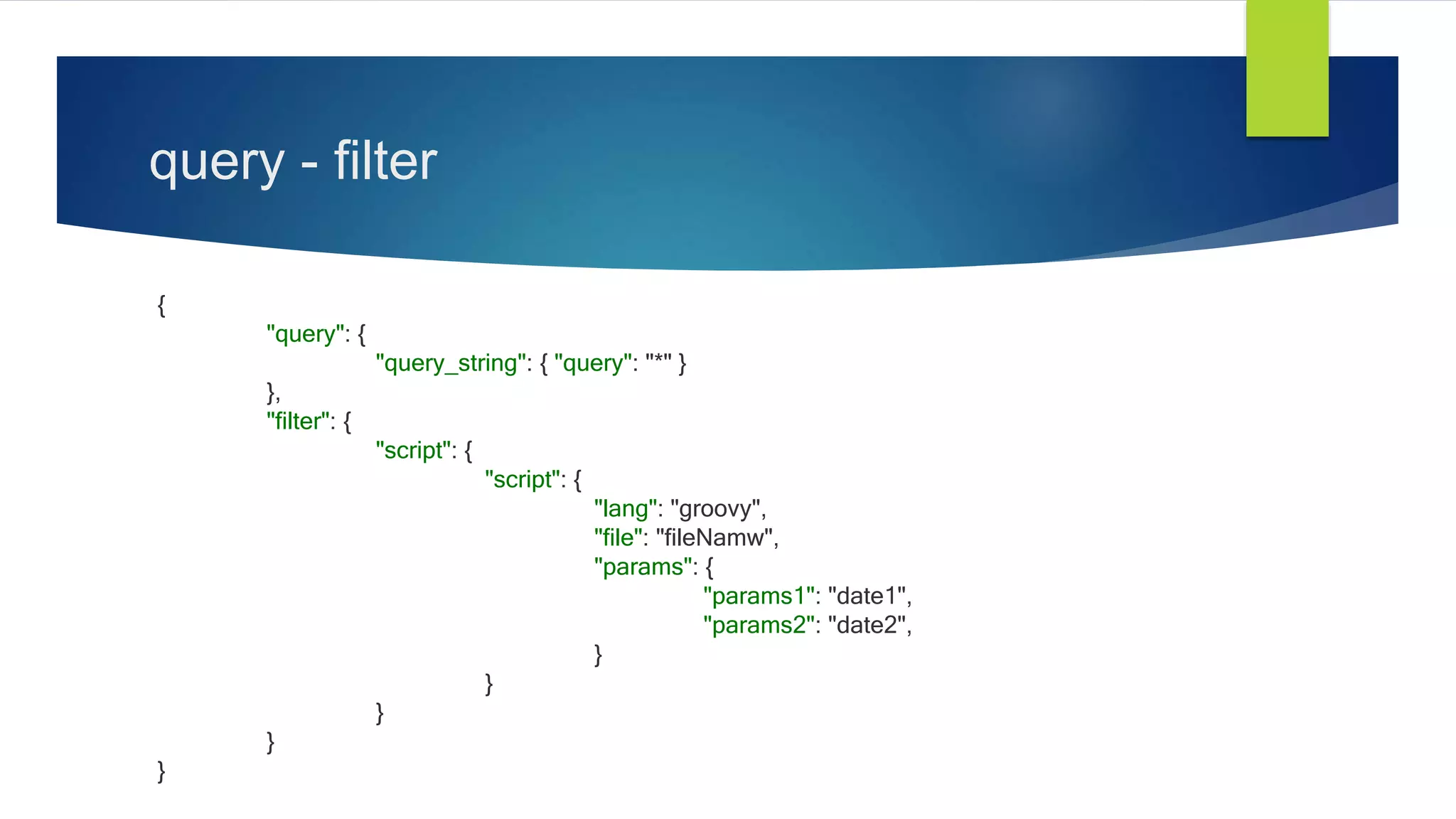
query - filter
{
"query": {
"query_string": { "query": "*" }
},
"filter": {
"script": {
"script": {
"lang": "groovy",
"file": "fileNamw",
"params": {
"params1": "date1",
"params2": "date2",
}
}
}
}
}
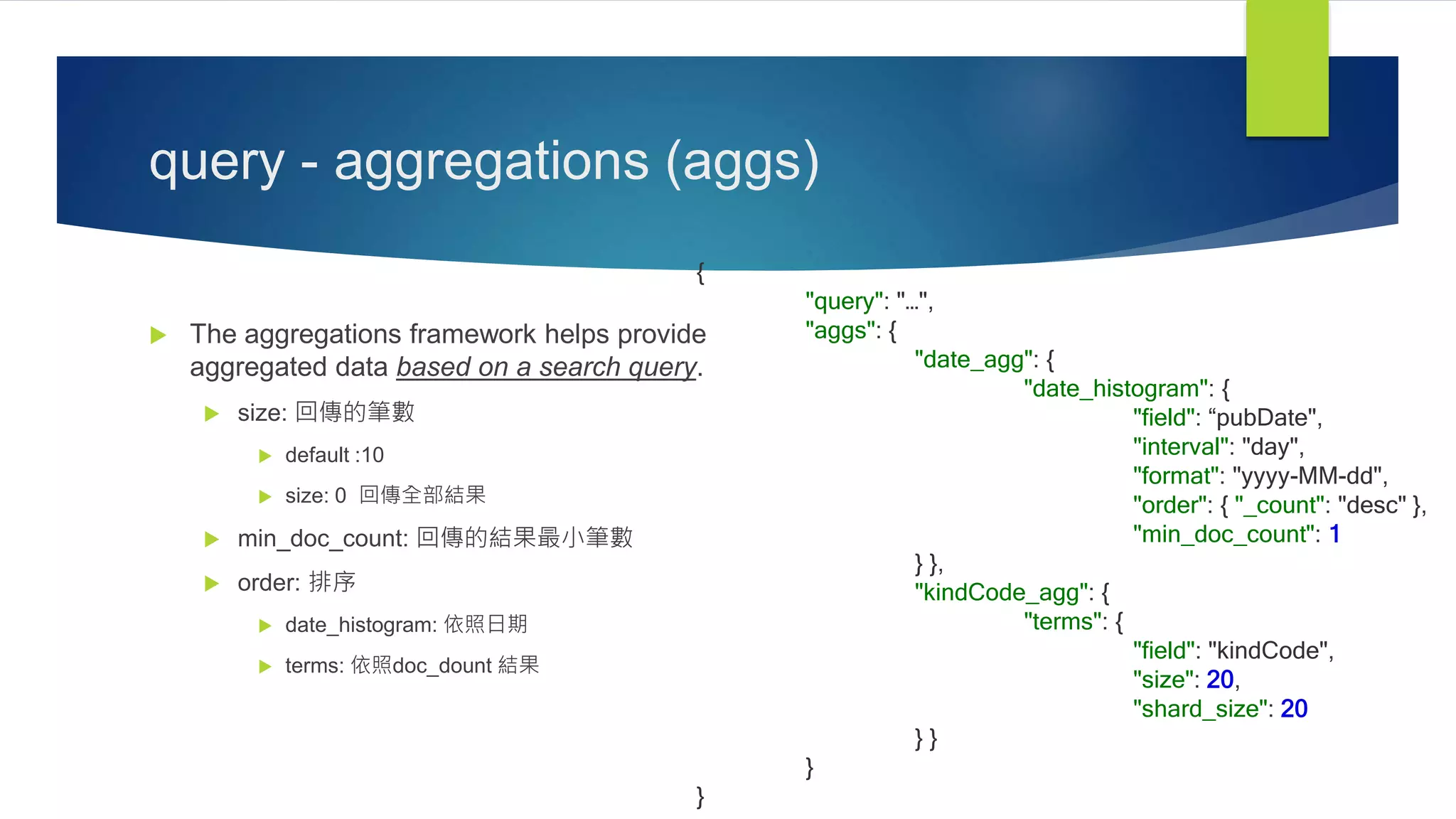
query - aggregations (aggs)
 The aggregations framework helps provide
aggregated data based on a search query.
 size: 回傳的筆數
 default :10
 size: 0 回傳全部結果
 min_doc_count: 回傳的結果最小筆數
 order: 排序
 date_histogram: 依照日期
 terms: 依照doc_dount 結果
{
"query": "…",
"aggs": {
"date_agg": {
"date_histogram": {
"field": “pubDate",
"interval": "day",
"format": "yyyy-MM-dd",
"order": { "_count": "desc" },
"min_doc_count": 1
} },
"kindCode_agg": {
"terms": {
"field": "kindCode",
"size": 20,
"shard_size": 20
} }
}
}
query - aggregations (aggs)
{
"aggregations": {
"kindCode_agg": {
"doc_count_error_upper_bound": 0,
"sum_other_doc_count": 0,
"buckets": [
{ "key": "U", "doc_count": 75879 },
{ "key": "A", "doc_count": 73732 },
{ "key": "B", "doc_count": 44115 },
{ "key": "S", "doc_count": 38981 } ] },
"appDocs": {
"buckets": [
{ "key_as_string": "2016-01-06", "key": 1452038400000, "doc_count": 56079 },
{ "key_as_string": "2016-01-13", "key": 1452643200000, "doc_count": 54256 },
{ "key_as_string": "2016-01-20", "key": 1453248000000, "doc_count": 80021 },
{ "key_as_string": "2016-01-27", "key": 1453852800000, "doc_count": 42351 } ] }
}
}
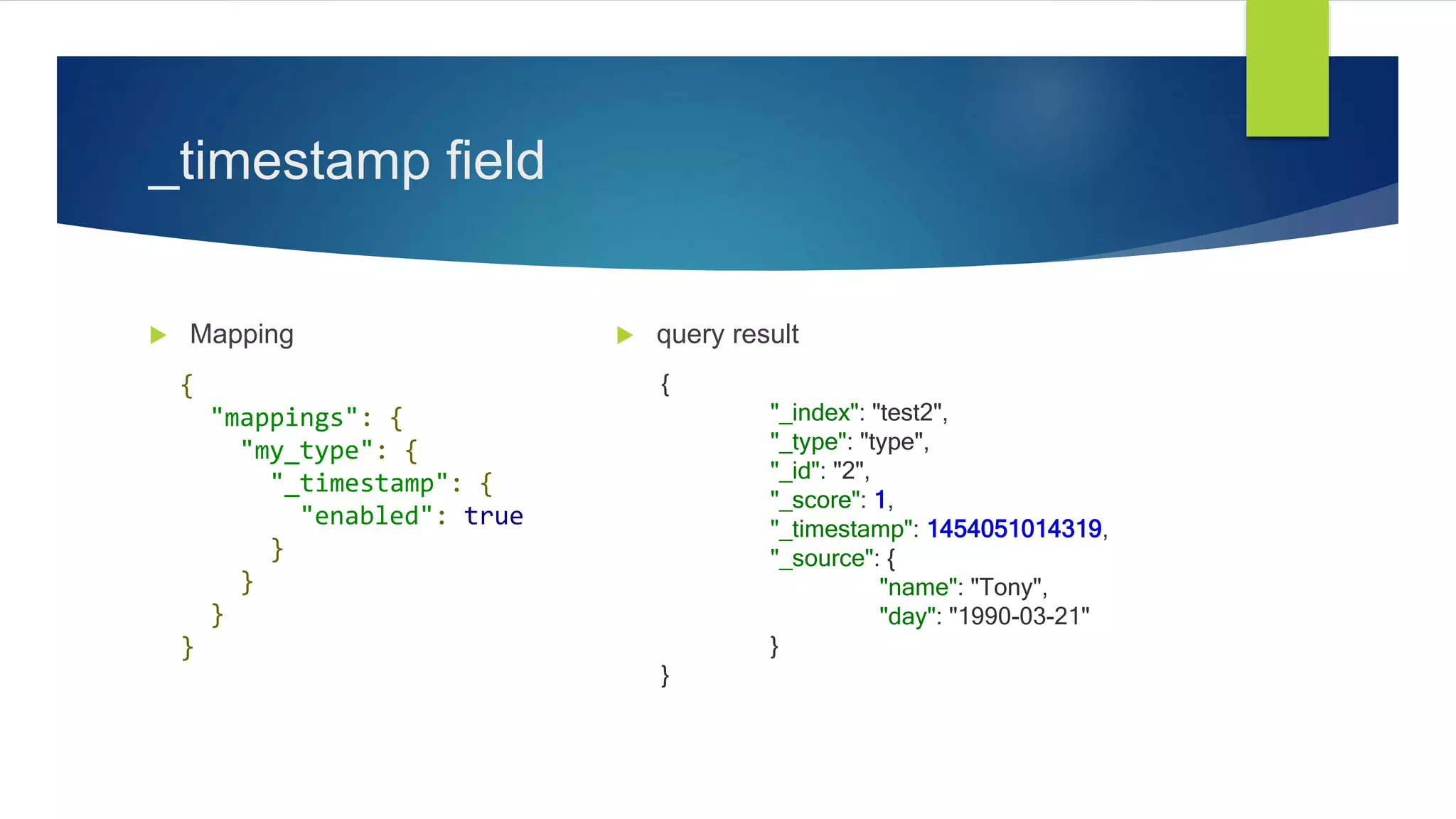
_timestamp field
 Mapping  query result
{
"mappings": {
"my_type": {
"_timestamp": {
"enabled": true
}
}
}
}
{
"_index": "test2",
"_type": "type",
"_id": "2",
"_score": 1,
"_timestamp": 1454051014319,
"_source": {
"name": "Tony",
"day": "1990-03-21"
}
}
Scan & Scroll
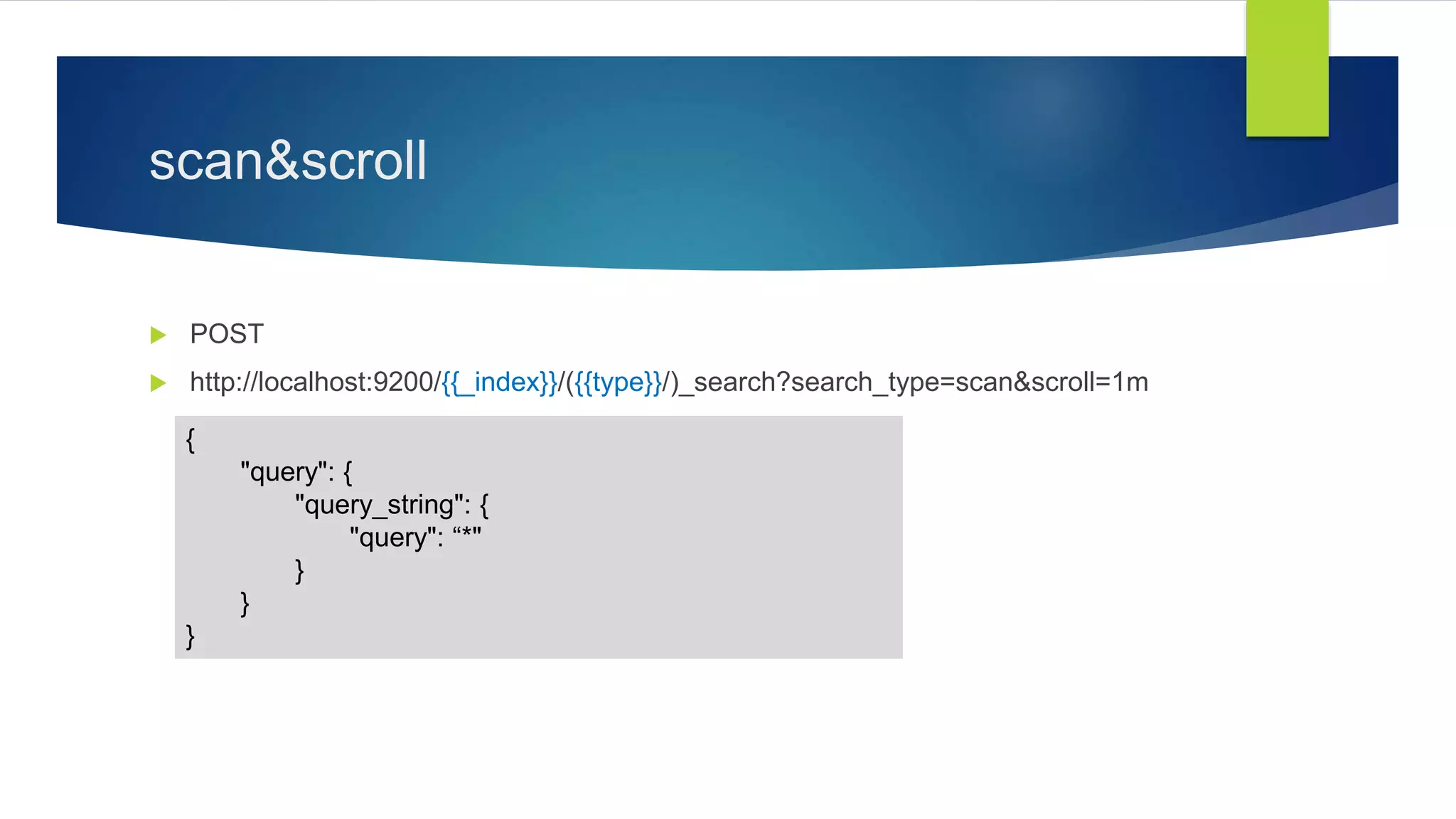
scan&scroll
 POST
 http://localhost:9200/{{_index}}/({{type}}/)_search?search_type=scan&scroll=1m
{
"query": {
"query_string": {
"query": “*"
}
}
}
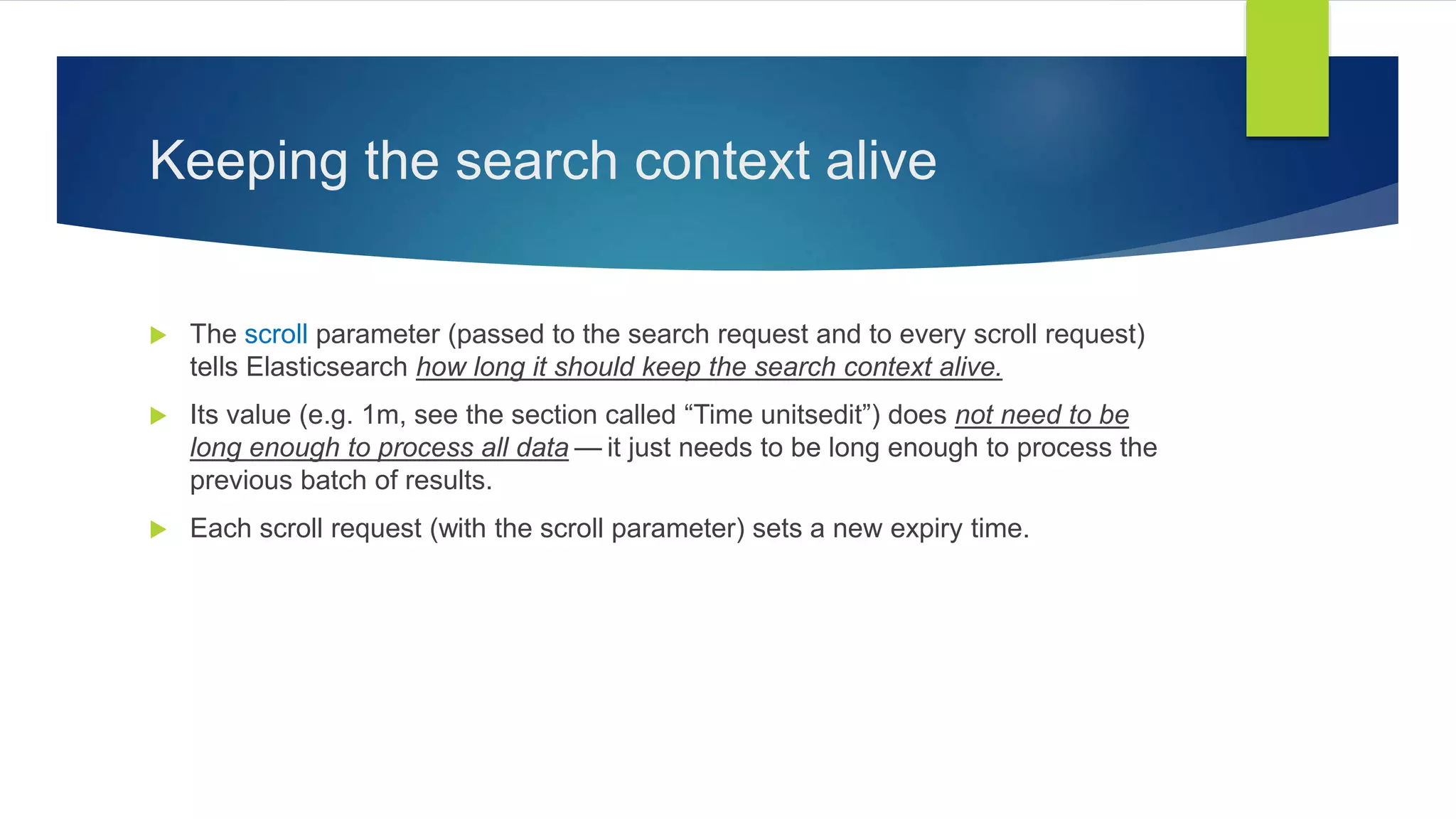
Keeping the search context alive
 The scroll parameter (passed to the search request and to every scroll request)
tells Elasticsearch how long it should keep the search context alive.
 Its value (e.g. 1m, see the section called “Time unitsedit”) does not need to be
long enough to process all data — it just needs to be long enough to process the
previous batch of results.
 Each scroll request (with the scroll parameter) sets a new expiry time.
post
{
"_scroll_id": "c2Nhbjs1OzE5NjMzOkxXdWt2d2V2UVFHTVvdGFsX2hpdHM6MT……..",
"took": 487,
"timed_out": false,
"_shards": {
"total": 5,
"successful": 5,
"failed": 0
},
"hits": {
"total": 1041712,
"max_score": 0,
"hits": []
}
}
scroll
 Get
 http://localhost:9200/_search/scroll/{{_scroll_id}}?scroll=1m
{
"_scroll_id": "c2Nhbjs1OzE5NjMzOkxXdWt2d2V2UVFHTVvdGFsX2hpdHM6MT……..",
"took": 487,
"timed_out": false,
"_shards": {
"total": 5,
"successful": 5,
"failed": 0
},
"hits": {
"total": 1041712,
"max_score": 0,
"hits": [ {…….}, {…….}, {…….}, {…….}, {…….}, {…….}, {…….}, {…….}]
}
}
get
Ref.
 Bulk
 https://www.elastic.co/guide/en/elasticsearch/guide/current/bulk.html
 Scan & Scroll
 https://www.elastic.co/guide/en/elasticsearch/guide/current/scan-scroll.html
 http://stackoverflow.com/questions/25453872/why-does-this-elasticsearch-scan-and-
scroll-keep-returning-the-same-scroll-id
Bulk
Cheaper in Bulk
{ action: { metadata }}n
{ request body }n
{ action: { metadata }}n
{ request body }n
…..
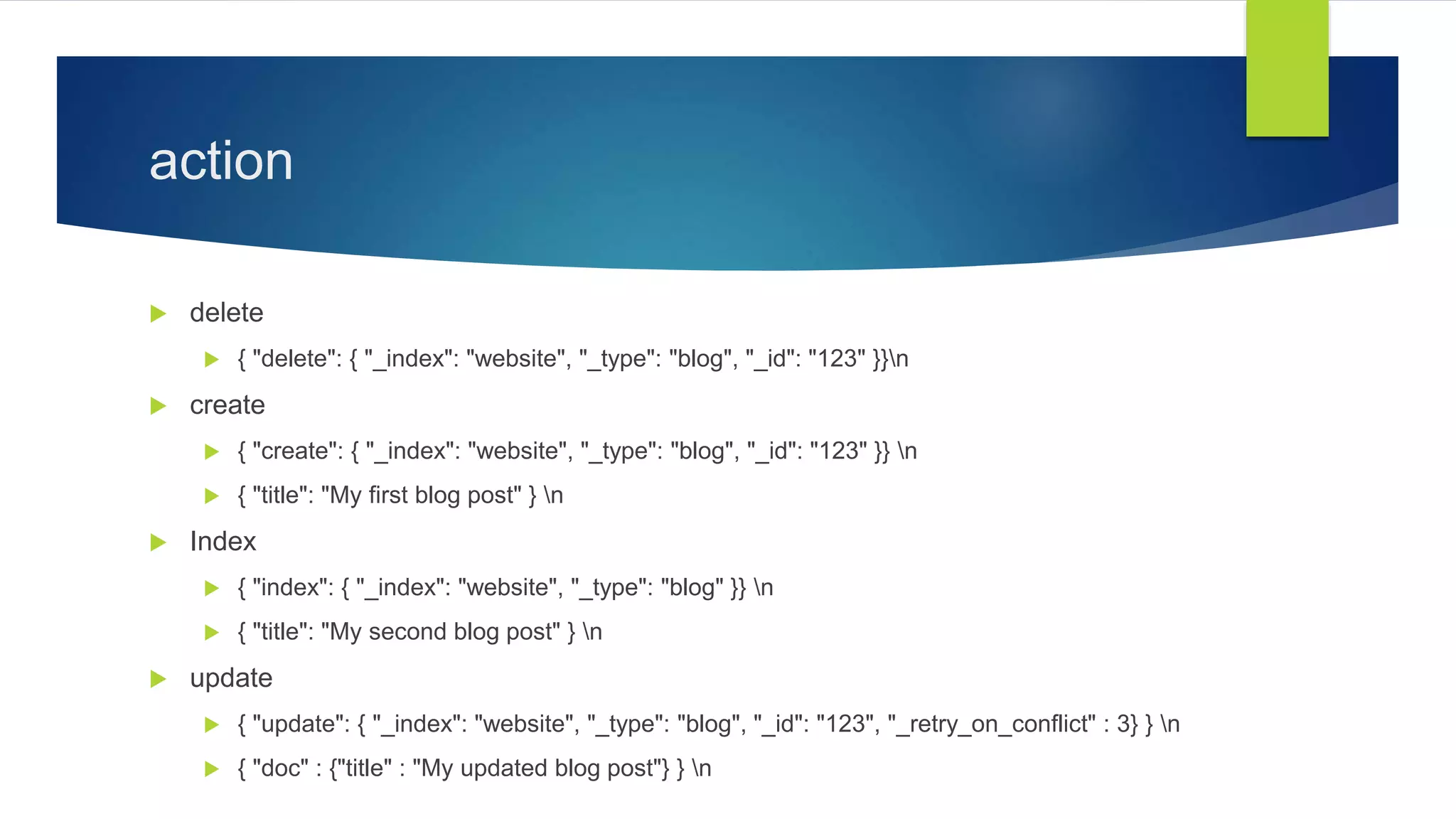
action
 delete
 { "delete": { "_index": "website", "_type": "blog", "_id": "123" }}n
 create
 { "create": { "_index": "website", "_type": "blog", "_id": "123" }} n
 { "title": "My first blog post" } n
 Index
 { "index": { "_index": "website", "_type": "blog" }} n
 { "title": "My second blog post" } n
 update
 { "update": { "_index": "website", "_type": "blog", "_id": "123", "_retry_on_conflict" : 3} } n
 { "doc" : {"title" : "My updated blog post"} } n
 status
 '200': 'OK',
 '201': 'Created',
{ "took": 4,
"errors": false,
"items": [
{ "delete": {
"_index": "website", "_type": "blog", "_id": "123", "_version": 2, "status": 200, "found": true }},
{ "create": {
"_index": "website", "_type": "blog", "_id": "123", "_version": 3, "status": 201 }},
{ "create": {
"_index": "website", "_type": "blog", "_id": "EiwfApScQiiy7TIKFxRCTw", "_version": 1, "status": 201 }},
{ "update": {
"_index": "website", "_type": "blog", "_id": "123", "_version": 4, "status": 200 }}
]
}
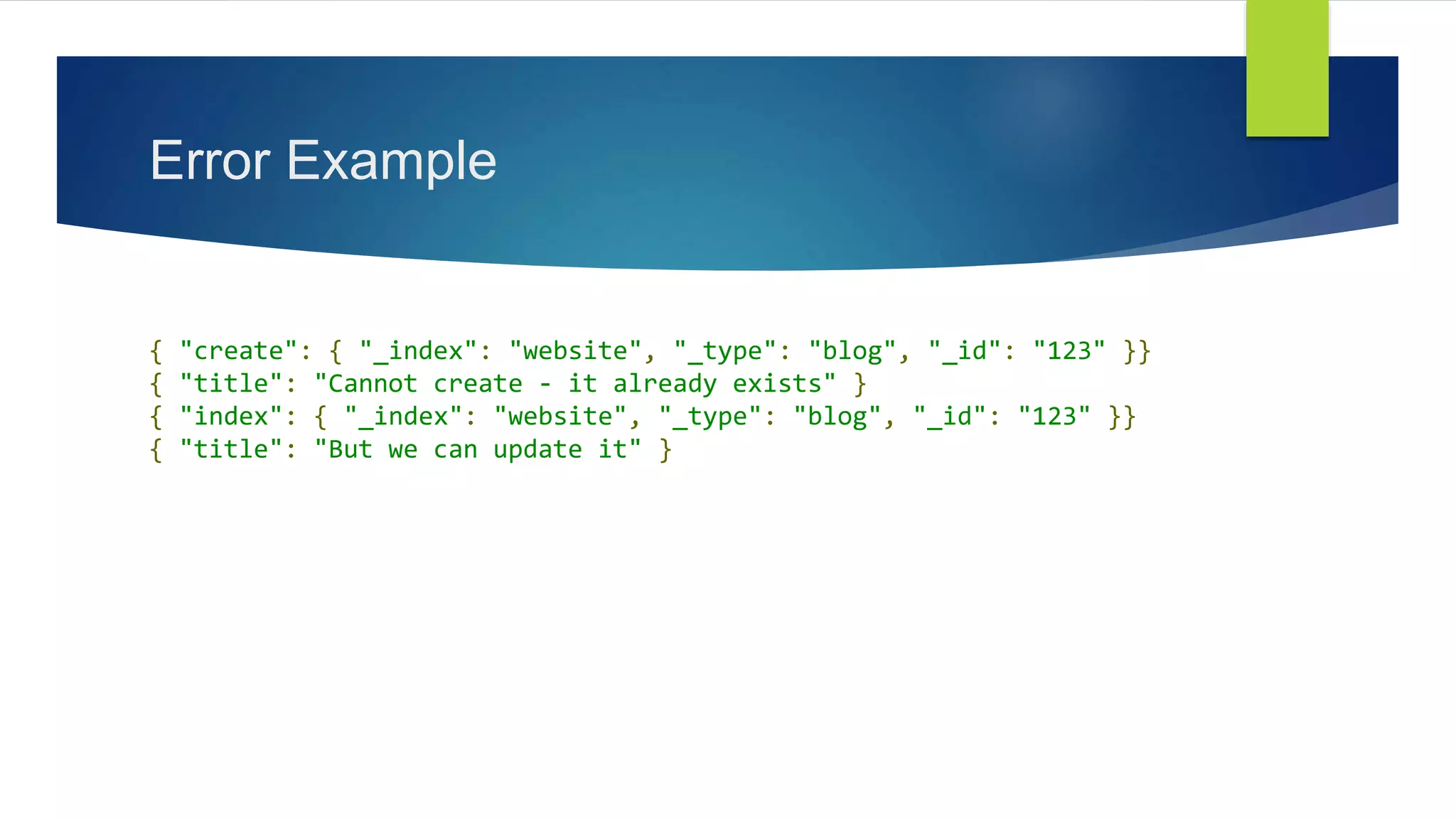
Error Example
{ "create": { "_index": "website", "_type": "blog", "_id": "123" }}
{ "title": "Cannot create - it already exists" }
{ "index": { "_index": "website", "_type": "blog", "_id": "123" }}
{ "title": "But we can update it" }
Error Example
{ "took": 3,
"errors": true,
"items": [
{ "create": {
"_index": "website",
"_type": "blog",
"_id": "123",
"status": 409,
"error": "DocumentAlreadyExistsException [[website][4] [blog][123]: document already exists]" }},
{ "index": {
"_index": "website",
"_type": "blog",
"_id": "123",
"_version": 5,
"status": 200 }}
]
}

Peggy elasticsearch應用

  • 1.
  • 2.
    Field datatypes  asimple type like string, date, long, double, boolean or ip.  a type which supports the hierarchical nature of JSON such as object or nested.  or a specialised type like geo_point, geo_shape, or completion.
  • 3.
  • 4.
    get - 取得資料 http://localhost:9200/_index/_type/_id  http://localhost:9200/_index/_type/_id?pretty
  • 5.
    get search  http://localhost:9200/_index/_type/_search http://localhost:9200/_index/_type/_search?q=xxx&pretty
  • 6.
    post search &query_string  http://localhost:9200/_index/_type/_search  http://localhost:9200/_index/_type/_search { "query": { "query_string": { "query": "*" } } } =
  • 7.
    query_string { "query_string" : { "fields": ["content", "name"], "query" : "this AND that" } } { "query_string": { "query": "(content:this OR name:this) AND (content:that OR name:that)“ } } =
  • 8.
    query_string - query string  “手機” 套 = “手機” OR 套  apple phone = apple OR phone  title: “手機” OR title:套 = title: (“手機“ 套) ! = (title: “手機” 套)  boolean  isPCT: true  date & range  dateName: [2012-01-01 TO 2012-12-31]  dateName: [2012-01-01 TO *]  dateName: {2011-12-31 TO *]  range: [ 1 TO 5 ]
  • 9.
    query_string - query object  inventorsRaw.name: Nicky  _missing_ & _exists_  _missing_: title  _exists_: title
  • 10.
    query_string - nested { "query":{ "nested": { "path": "relatedDocumentsRaw", "query": { "query_string": { "query": "relatedDocumentsRaw.type:*" } } } } }
  • 11.
    query – size& from  size (default: 10)  The size parameter allows you to configure the maximum amount of hits to be returned.  from (default: 0)  The from parameter defines the offset from the first result you want to fetch.  [query_phase_execution_exception]  Result window is too large, from + size must be less than or equal to: [10000]  See the scroll api for a more efficient way to request large data sets.
  • 12.
    query – sort& _source  sort  Allows to add one or more sort on specific fields.  _source  Allows to control how the _source field is returned with every hit. { "query": "…", "size": 5, "from": 10, "sort": [{ "pubDate": "desc" }], "_source": ["pubDate"], }
  • 13.
    query - filter { "query":{ "query_string": { "query": "*" } }, "filter": { "script": { "script": { "lang": "groovy", "file": "fileNamw", "params": { "params1": "date1", "params2": "date2", } } } } }
  • 14.
    query - aggregations(aggs)  The aggregations framework helps provide aggregated data based on a search query.  size: 回傳的筆數  default :10  size: 0 回傳全部結果  min_doc_count: 回傳的結果最小筆數  order: 排序  date_histogram: 依照日期  terms: 依照doc_dount 結果 { "query": "…", "aggs": { "date_agg": { "date_histogram": { "field": “pubDate", "interval": "day", "format": "yyyy-MM-dd", "order": { "_count": "desc" }, "min_doc_count": 1 } }, "kindCode_agg": { "terms": { "field": "kindCode", "size": 20, "shard_size": 20 } } } }
  • 15.
    query - aggregations(aggs) { "aggregations": { "kindCode_agg": { "doc_count_error_upper_bound": 0, "sum_other_doc_count": 0, "buckets": [ { "key": "U", "doc_count": 75879 }, { "key": "A", "doc_count": 73732 }, { "key": "B", "doc_count": 44115 }, { "key": "S", "doc_count": 38981 } ] }, "appDocs": { "buckets": [ { "key_as_string": "2016-01-06", "key": 1452038400000, "doc_count": 56079 }, { "key_as_string": "2016-01-13", "key": 1452643200000, "doc_count": 54256 }, { "key_as_string": "2016-01-20", "key": 1453248000000, "doc_count": 80021 }, { "key_as_string": "2016-01-27", "key": 1453852800000, "doc_count": 42351 } ] } } }
  • 16.
    _timestamp field  Mapping query result { "mappings": { "my_type": { "_timestamp": { "enabled": true } } } } { "_index": "test2", "_type": "type", "_id": "2", "_score": 1, "_timestamp": 1454051014319, "_source": { "name": "Tony", "day": "1990-03-21" } }
  • 17.
  • 18.
  • 19.
    Keeping the searchcontext alive  The scroll parameter (passed to the search request and to every scroll request) tells Elasticsearch how long it should keep the search context alive.  Its value (e.g. 1m, see the section called “Time unitsedit”) does not need to be long enough to process all data — it just needs to be long enough to process the previous batch of results.  Each scroll request (with the scroll parameter) sets a new expiry time.
  • 20.
    post { "_scroll_id": "c2Nhbjs1OzE5NjMzOkxXdWt2d2V2UVFHTVvdGFsX2hpdHM6MT……..", "took": 487, "timed_out":false, "_shards": { "total": 5, "successful": 5, "failed": 0 }, "hits": { "total": 1041712, "max_score": 0, "hits": [] } }
  • 21.
  • 22.
    { "_scroll_id": "c2Nhbjs1OzE5NjMzOkxXdWt2d2V2UVFHTVvdGFsX2hpdHM6MT……..", "took": 487, "timed_out":false, "_shards": { "total": 5, "successful": 5, "failed": 0 }, "hits": { "total": 1041712, "max_score": 0, "hits": [ {…….}, {…….}, {…….}, {…….}, {…….}, {…….}, {…….}, {…….}] } } get
  • 23.
    Ref.  Bulk  https://www.elastic.co/guide/en/elasticsearch/guide/current/bulk.html Scan & Scroll  https://www.elastic.co/guide/en/elasticsearch/guide/current/scan-scroll.html  http://stackoverflow.com/questions/25453872/why-does-this-elasticsearch-scan-and- scroll-keep-returning-the-same-scroll-id
  • 24.
  • 25.
    Cheaper in Bulk {action: { metadata }}n { request body }n { action: { metadata }}n { request body }n …..
  • 26.
    action  delete  {"delete": { "_index": "website", "_type": "blog", "_id": "123" }}n  create  { "create": { "_index": "website", "_type": "blog", "_id": "123" }} n  { "title": "My first blog post" } n  Index  { "index": { "_index": "website", "_type": "blog" }} n  { "title": "My second blog post" } n  update  { "update": { "_index": "website", "_type": "blog", "_id": "123", "_retry_on_conflict" : 3} } n  { "doc" : {"title" : "My updated blog post"} } n
  • 27.
     status  '200':'OK',  '201': 'Created', { "took": 4, "errors": false, "items": [ { "delete": { "_index": "website", "_type": "blog", "_id": "123", "_version": 2, "status": 200, "found": true }}, { "create": { "_index": "website", "_type": "blog", "_id": "123", "_version": 3, "status": 201 }}, { "create": { "_index": "website", "_type": "blog", "_id": "EiwfApScQiiy7TIKFxRCTw", "_version": 1, "status": 201 }}, { "update": { "_index": "website", "_type": "blog", "_id": "123", "_version": 4, "status": 200 }} ] }
  • 28.
    Error Example { "create":{ "_index": "website", "_type": "blog", "_id": "123" }} { "title": "Cannot create - it already exists" } { "index": { "_index": "website", "_type": "blog", "_id": "123" }} { "title": "But we can update it" }
  • 29.
    Error Example { "took":3, "errors": true, "items": [ { "create": { "_index": "website", "_type": "blog", "_id": "123", "status": 409, "error": "DocumentAlreadyExistsException [[website][4] [blog][123]: document already exists]" }}, { "index": { "_index": "website", "_type": "blog", "_id": "123", "_version": 5, "status": 200 }} ] }

Editor's Notes

  • #17 https://www.elastic.co/guide/en/elasticsearch/reference/current/mapping-timestamp-field.html
  • #18 https://www.elastic.co/guide/en/elasticsearch/guide/current/_search_options.html#search-type?q=sear
  • #23 http://stackoverflow.com/questions/25453872/why-does-this-elasticsearch-scan-and-scroll-keep-returning-the-same-scroll-id