TanTran – June 2013
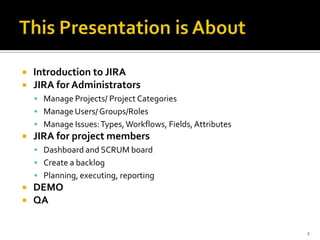
 Introduction to JIRA
 JIRA for Administrators
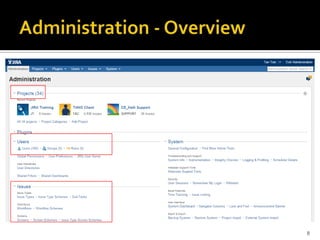
 Manage Projects/ Project Categories
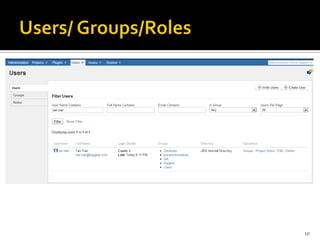
 Manage Users/ Groups/Roles
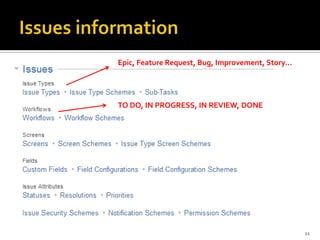
 Manage Issues:Types,Workflows, Fields,Attributes
 JIRA for project members
 Dashboard and SCRUM board
 Create a backlog
 Planning, executing, reporting
 DEMO
 QA
2
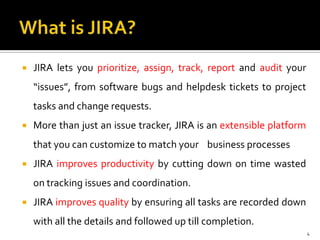
 JIRA lets you prioritize, assign, track, report and audit your
“issues”, from software bugs and helpdesk tickets to project
tasks and change requests.
 More than just an issue tracker, JIRA is an extensible platform
that you can customize to match your business processes
 JIRA improves productivity by cutting down on time wasted
on tracking issues and coordination.
 JIRA improves quality by ensuring all tasks are recorded down
with all the details and followed up till completion.
4
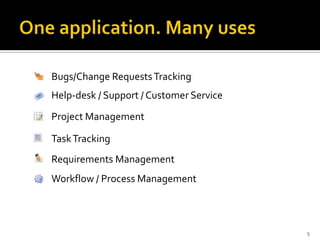
Bugs/Change RequestsTracking
Help-desk / Support / Customer Service
Project Management
TaskTracking
Requirements Management
Workflow / Process Management
5
 Agile development offers a new way of
thinking about software development.
 But!
Its fundamental unit is still a task — and those tasks need to
be organized, allocated, scheduled and tracked as they
proliferate.
 That's where JIRA comes in.
6
8
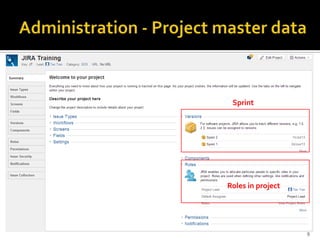
Sprint
Roles in project
9
10
Epic, Feature Request, Bug, Improvement, Story…
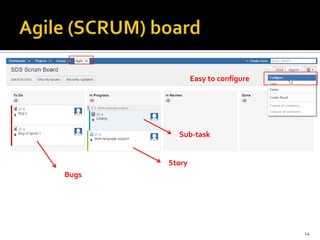
TO DO, IN PROGRESS, IN REVIEW, DONE
11
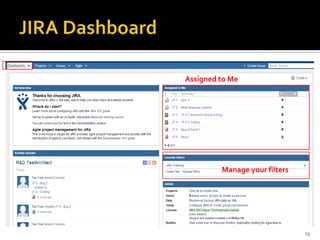
Assigned to Me
Manage your filters
13
Bugs
Story
Sub-task
Easy to configure
14
15
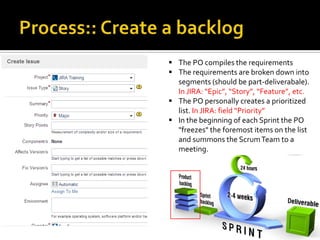
 The PO compiles the requirements
 The requirements are broken down into
segments (should be part-deliverabale).
In JIRA: “Epic”, “Story”, “Feature”, etc.
 The PO personally creates a prioritized
list. In JIRA: field “Priority”
 In the beginning of each Sprint the PO
"freezes" the foremost items on the list
and summons the ScrumTeam to a
meeting.
16
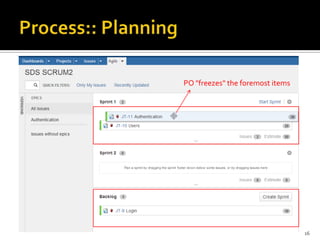
PO "freezes" the foremost items
17
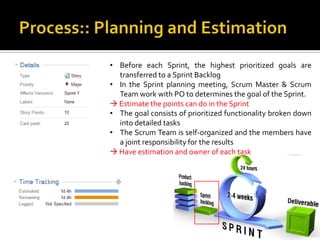
• Before each Sprint, the highest prioritized goals are
transferred to a Sprint Backlog
• In the Sprint planning meeting, Scrum Master & Scrum
Team work with PO to determines the goal of the Sprint.
 Estimate the points can do in the Sprint
• The goal consists of prioritized functionality broken down
into detailed tasks
• The Scrum Team is self-organized and the members have
a joint responsibility for the results
 Have estimation and owner of each task
18
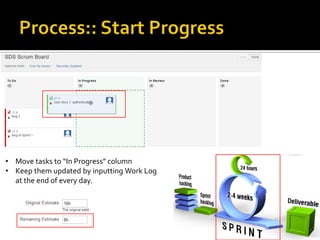
• Move tasks to “In Progress” column
• Keep them updated by inputting Work Log
at the end of every day.
19
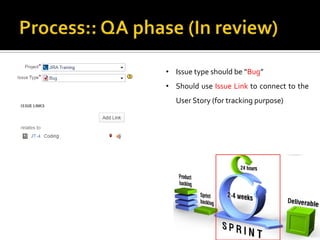
• Issue type should be “Bug”
• Should use Issue Link to connect to the
User Story (for tracking purpose)
20
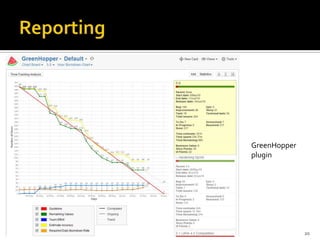
GreenHopper
plugin
 Atlassian JIRA
https://confluence.atlassian.com
 Adapting JIRA for Scrum - Paul René
Jorgensen
 Wikipedia – Scrum
http://en.wikipedia.org/wiki/Scrum_(software_development)
21
22

Jira in action

  • 1.
  • 2.
     Introduction toJIRA  JIRA for Administrators  Manage Projects/ Project Categories  Manage Users/ Groups/Roles  Manage Issues:Types,Workflows, Fields,Attributes  JIRA for project members  Dashboard and SCRUM board  Create a backlog  Planning, executing, reporting  DEMO  QA 2
  • 4.
     JIRA letsyou prioritize, assign, track, report and audit your “issues”, from software bugs and helpdesk tickets to project tasks and change requests.  More than just an issue tracker, JIRA is an extensible platform that you can customize to match your business processes  JIRA improves productivity by cutting down on time wasted on tracking issues and coordination.  JIRA improves quality by ensuring all tasks are recorded down with all the details and followed up till completion. 4
  • 5.
    Bugs/Change RequestsTracking Help-desk /Support / Customer Service Project Management TaskTracking Requirements Management Workflow / Process Management 5
  • 6.
     Agile developmentoffers a new way of thinking about software development.  But! Its fundamental unit is still a task — and those tasks need to be organized, allocated, scheduled and tracked as they proliferate.  That's where JIRA comes in. 6
  • 8.
  • 9.
  • 10.
  • 11.
    Epic, Feature Request,Bug, Improvement, Story… TO DO, IN PROGRESS, IN REVIEW, DONE 11
  • 13.
    Assigned to Me Manageyour filters 13
  • 14.
  • 15.
    15  The POcompiles the requirements  The requirements are broken down into segments (should be part-deliverabale). In JIRA: “Epic”, “Story”, “Feature”, etc.  The PO personally creates a prioritized list. In JIRA: field “Priority”  In the beginning of each Sprint the PO "freezes" the foremost items on the list and summons the ScrumTeam to a meeting.
  • 16.
    16 PO "freezes" theforemost items
  • 17.
    17 • Before eachSprint, the highest prioritized goals are transferred to a Sprint Backlog • In the Sprint planning meeting, Scrum Master & Scrum Team work with PO to determines the goal of the Sprint.  Estimate the points can do in the Sprint • The goal consists of prioritized functionality broken down into detailed tasks • The Scrum Team is self-organized and the members have a joint responsibility for the results  Have estimation and owner of each task
  • 18.
    18 • Move tasksto “In Progress” column • Keep them updated by inputting Work Log at the end of every day.
  • 19.
    19 • Issue typeshould be “Bug” • Should use Issue Link to connect to the User Story (for tracking purpose)
  • 20.
  • 21.
     Atlassian JIRA https://confluence.atlassian.com Adapting JIRA for Scrum - Paul René Jorgensen  Wikipedia – Scrum http://en.wikipedia.org/wiki/Scrum_(software_development) 21
  • 22.