 What is JIRA
 JIRA concepts
 Features
 Why use JIRA
 LIVE Demo
 Q&A


                  2
   What is a Project
    › A JIRA project is a collection of issues, and is
      defined according to your organization's
      requirements
    › Each project has a name (e.g. CourseWare)
      and a key (e.g. CW). The project key becomes
      the first part of that project's issue keys, e.g. CW-
      101, CW-102, etc
    › A project component is a logical grouping of
      issues within a project
    › For some types of projects, it is useful to be able
      to associate an issue with a particular project
      version e.g. 10, 11, 12 useful if affected and fixed
      version is different
                                                     3
   An issue could represent
    ›   Bug
         A problem which impairs or prevents the functions of the product.
    ›   an Epic
         A big user story that needs to be broken down.
    ›   Improvement
         An improvement or enhancement to an existing feature or task.
    ›   New Feature
         A new feature of the product, which has yet to be developed.
    ›   Story
         A user story
    ›   Task
         A task that needs to be done.
   For Sub-Task Issues
           Sub-task
             The sub-task of the issue
           Technical task
             A technical task.


                                                                              4
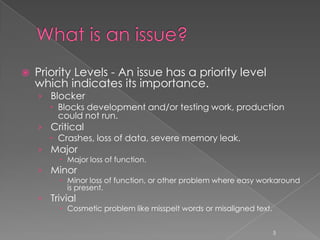
   Priority Levels - An issue has a priority level
    which indicates its importance.
    › Blocker
       Blocks development and/or testing work, production
        could not run.
    › Critical
       Crashes, loss of data, severe memory leak.
    › Major
          Major loss of function.
    › Minor
          Minor loss of function, or other problem where easy workaround
           is present.
    › Trivial
          Cosmetic problem like misspelt words or misaligned text.


                                                                      5
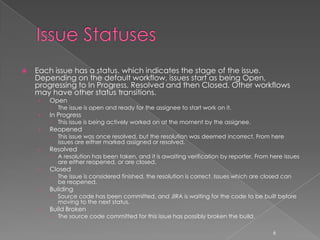
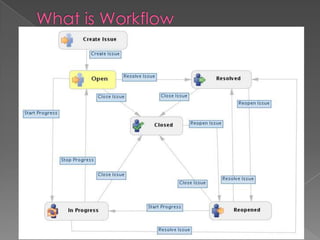
   Each issue has a status, which indicates the stage of the issue.
    Depending on the default workflow, issues start as being Open,
    progressing to In Progress, Resolved and then Closed. Other workflows
    may have other status transitions.
    ›   Open
           The issue is open and ready for the assignee to start work on it.
    ›   In Progress
           This issue is being actively worked on at the moment by the assignee.
    ›   Reopened
           This issue was once resolved, but the resolution was deemed incorrect. From here
            issues are either marked assigned or resolved.
    ›   Resolved
           A resolution has been taken, and it is awaiting verification by reporter. From here issues
            are either reopened, or are closed.
    ›   Closed
           The issue is considered finished, the resolution is correct. Issues which are closed can
            be reopened.
    ›   Building
           Source code has been committed, and JIRA is waiting for the code to be built before
            moving to the next status.
    ›   Build Broken
           The source code committed for this issue has possibly broken the build.

                                                                                             6
7
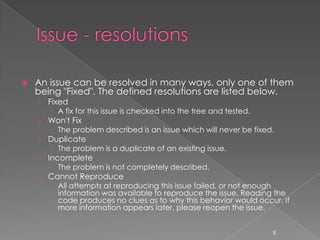
   An issue can be resolved in many ways, only one of them
    being "Fixed". The defined resolutions are listed below.
    › Fixed
        A fix for this issue is checked into the tree and tested.
    › Won't Fix
        The problem described is an issue which will never be fixed.
    › Duplicate
        The problem is a duplicate of an existing issue.
    › Incomplete
        The problem is not completely described.
    › Cannot Reproduce
        All attempts at reproducing this issue failed, or not enough
         information was available to reproduce the issue. Reading the
         code produces no clues as to why this behavior would occur. If
         more information appears later, please reopen the issue.


                                                                  8
 Bitbucket
 Bonfire


              9
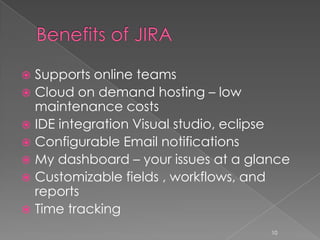
 Supports online teams
 Cloud on demand hosting – low
  maintenance costs
 IDE integration Visual studio, eclipse
 Configurable Email notifications
 My dashboard – your issues at a glance
 Customizable fields , workflows, and
  reports
 Time tracking
                                     10
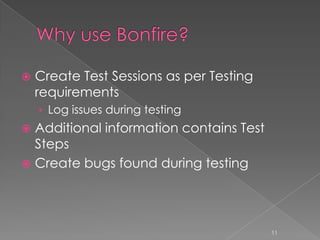
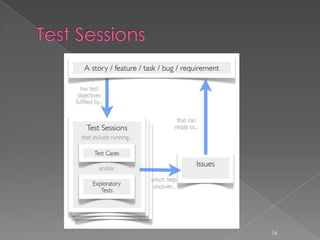
   Create Test Sessions as per Testing
    requirements
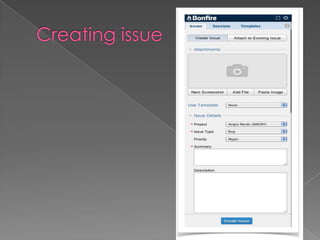
    › Log issues during testing
 Additional information contains Test
  Steps
 Create bugs found during testing


                                          11
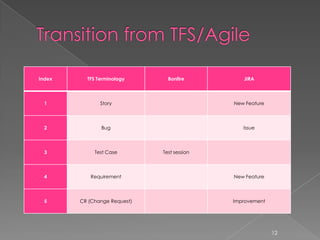
Index     TFS Terminology       Bonfire         JIRA


  1            Story                         New Feature


  2            Bug                              Issue


  3          Test Case        Test session


  4        Requirement                       New Feature


  5     CR (Change Request)                  Improvement


                                                           12
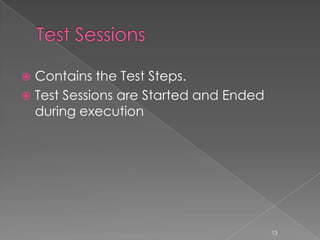
 Contains the Test Steps.
 Test Sessions are Started and Ended
  during execution


                                        13
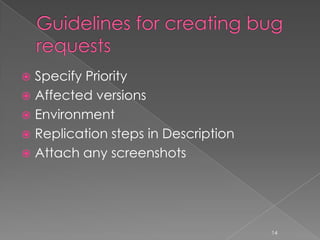
 Specify Priority
 Affected versions
 Environment
 Replication steps in Description
 Attach any screenshots


                                     14
15
16
 Cloning a Test session to re-run
 Test sessions are assigned to a tester for
  running the test
 Advanced
    › Templates and variables can be added to
     raise specific type of issues such as an ipad
     issue or a content issue where additional
     template specific details are entered.


                                              17
 https://confluence.atlassian.com/display
  /BONFIRE/Bonfire+User+Guide
 https://confluence.atlassian.com/display
  /JIRA/JIRA+User%27s+Guide
 https://confluence.atlassian.com/display
  /JIRA/JIRA+Administrator%27s+Guide


                                     20

Jira Training

  • 2.
     What isJIRA  JIRA concepts  Features  Why use JIRA  LIVE Demo  Q&A 2
  • 3.
    What is a Project › A JIRA project is a collection of issues, and is defined according to your organization's requirements › Each project has a name (e.g. CourseWare) and a key (e.g. CW). The project key becomes the first part of that project's issue keys, e.g. CW- 101, CW-102, etc › A project component is a logical grouping of issues within a project › For some types of projects, it is useful to be able to associate an issue with a particular project version e.g. 10, 11, 12 useful if affected and fixed version is different 3
  • 4.
    An issue could represent › Bug  A problem which impairs or prevents the functions of the product. › an Epic  A big user story that needs to be broken down. › Improvement  An improvement or enhancement to an existing feature or task. › New Feature  A new feature of the product, which has yet to be developed. › Story  A user story › Task  A task that needs to be done.  For Sub-Task Issues  Sub-task  The sub-task of the issue  Technical task  A technical task. 4
  • 5.
    Priority Levels - An issue has a priority level which indicates its importance. › Blocker  Blocks development and/or testing work, production could not run. › Critical  Crashes, loss of data, severe memory leak. › Major  Major loss of function. › Minor  Minor loss of function, or other problem where easy workaround is present. › Trivial  Cosmetic problem like misspelt words or misaligned text. 5
  • 6.
    Each issue has a status, which indicates the stage of the issue. Depending on the default workflow, issues start as being Open, progressing to In Progress, Resolved and then Closed. Other workflows may have other status transitions. › Open  The issue is open and ready for the assignee to start work on it. › In Progress  This issue is being actively worked on at the moment by the assignee. › Reopened  This issue was once resolved, but the resolution was deemed incorrect. From here issues are either marked assigned or resolved. › Resolved  A resolution has been taken, and it is awaiting verification by reporter. From here issues are either reopened, or are closed. › Closed  The issue is considered finished, the resolution is correct. Issues which are closed can be reopened. › Building  Source code has been committed, and JIRA is waiting for the code to be built before moving to the next status. › Build Broken  The source code committed for this issue has possibly broken the build. 6
  • 7.
  • 8.
    An issue can be resolved in many ways, only one of them being "Fixed". The defined resolutions are listed below. › Fixed  A fix for this issue is checked into the tree and tested. › Won't Fix  The problem described is an issue which will never be fixed. › Duplicate  The problem is a duplicate of an existing issue. › Incomplete  The problem is not completely described. › Cannot Reproduce  All attempts at reproducing this issue failed, or not enough information was available to reproduce the issue. Reading the code produces no clues as to why this behavior would occur. If more information appears later, please reopen the issue. 8
  • 9.
  • 10.
     Supports onlineteams  Cloud on demand hosting – low maintenance costs  IDE integration Visual studio, eclipse  Configurable Email notifications  My dashboard – your issues at a glance  Customizable fields , workflows, and reports  Time tracking 10
  • 11.
    Create Test Sessions as per Testing requirements › Log issues during testing  Additional information contains Test Steps  Create bugs found during testing 11
  • 12.
    Index TFS Terminology Bonfire JIRA 1 Story New Feature 2 Bug Issue 3 Test Case Test session 4 Requirement New Feature 5 CR (Change Request) Improvement 12
  • 13.
     Contains theTest Steps.  Test Sessions are Started and Ended during execution 13
  • 14.
     Specify Priority Affected versions  Environment  Replication steps in Description  Attach any screenshots 14
  • 15.
  • 16.
  • 17.
     Cloning aTest session to re-run  Test sessions are assigned to a tester for running the test  Advanced › Templates and variables can be added to raise specific type of issues such as an ipad issue or a content issue where additional template specific details are entered. 17
  • 20.
     https://confluence.atlassian.com/display /BONFIRE/Bonfire+User+Guide  https://confluence.atlassian.com/display /JIRA/JIRA+User%27s+Guide  https://confluence.atlassian.com/display /JIRA/JIRA+Administrator%27s+Guide 20