Video Compression
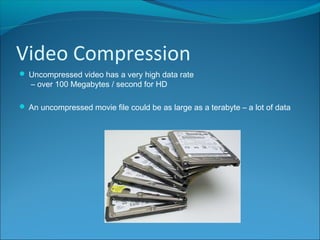
 Uncompressed video has a very high data rate
– over 100 Megabytes / second for HD
 An uncompressed movie file could be as large as a terabyte – a lot of data
MPEG
 One common technique (codec) for compressing video is MPEG (Motion
Picture Experts Group).
 MPEG is the standard file format for DVDs because of the high compression
ratio.
MPEG
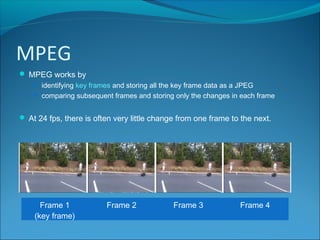
 MPEG works by
 identifying key frames and storing all the key frame data as a JPEG
 comparing subsequent frames and storing only the changes in each frame
 At 24 fps, there is often very little change from one frame to the next.
Frame 1
(key frame)
Frame 2 Frame 3 Frame 4
AVI
 Audio Video Interleave
 Is a container file format so can actually contain video and audio
compressed with different types of codec.
 Can contain compressed or uncompressed files
 Maximum frame rate 30 fps
 Maximum resolution 320 x 240
Intra-frame and Inter-frame
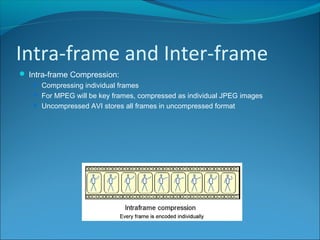
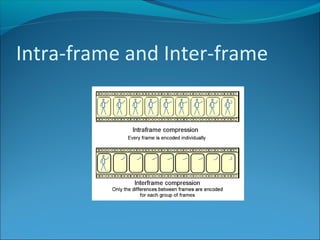
 Intra-frame Compression:
 Compressing individual frames
 For MPEG will be key frames, compressed as individual JPEG images
 Uncompressed AVI stores all frames in uncompressed format
Intra-frame and Inter-frame
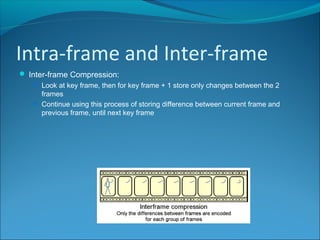
 Inter-frame Compression:
 Look at key frame, then for key frame + 1 store only changes between the 2
frames
 Continue using this process of storing difference between current frame and
previous frame, until next key frame
Intra-frame and Inter-frame
Animated GIF
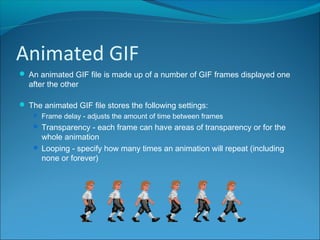
 An animated GIF file is made up of a number of GIF frames displayed one
after the other
 The animated GIF file stores the following settings:
 Frame delay - adjusts the amount of time between frames
 Transparency - each frame can have areas of transparency or for the
whole animation
 Looping - specify how many times an animation will repeat (including
none or forever)
Animated GIF
 An animated GIF file is made up of a number of GIF frames displayed one
after the other
 The animated GIF file stores the following settings:
 Frame delay - adjusts the amount of time between frames
 Transparency - each frame can have areas of transparency or for the
whole animation
 Looping - specify how many times an animation will repeat (including
none or forever)

ISDD Video Compression

  • 2.
    Video Compression  Uncompressedvideo has a very high data rate – over 100 Megabytes / second for HD  An uncompressed movie file could be as large as a terabyte – a lot of data
  • 3.
    MPEG  One commontechnique (codec) for compressing video is MPEG (Motion Picture Experts Group).  MPEG is the standard file format for DVDs because of the high compression ratio.
  • 4.
    MPEG  MPEG worksby  identifying key frames and storing all the key frame data as a JPEG  comparing subsequent frames and storing only the changes in each frame  At 24 fps, there is often very little change from one frame to the next. Frame 1 (key frame) Frame 2 Frame 3 Frame 4
  • 5.
    AVI  Audio VideoInterleave  Is a container file format so can actually contain video and audio compressed with different types of codec.  Can contain compressed or uncompressed files  Maximum frame rate 30 fps  Maximum resolution 320 x 240
  • 6.
    Intra-frame and Inter-frame Intra-frame Compression:  Compressing individual frames  For MPEG will be key frames, compressed as individual JPEG images  Uncompressed AVI stores all frames in uncompressed format
  • 7.
    Intra-frame and Inter-frame Inter-frame Compression:  Look at key frame, then for key frame + 1 store only changes between the 2 frames  Continue using this process of storing difference between current frame and previous frame, until next key frame
  • 8.
  • 9.
    Animated GIF  Ananimated GIF file is made up of a number of GIF frames displayed one after the other  The animated GIF file stores the following settings:  Frame delay - adjusts the amount of time between frames  Transparency - each frame can have areas of transparency or for the whole animation  Looping - specify how many times an animation will repeat (including none or forever)
  • 10.
    Animated GIF  Ananimated GIF file is made up of a number of GIF frames displayed one after the other  The animated GIF file stores the following settings:  Frame delay - adjusts the amount of time between frames  Transparency - each frame can have areas of transparency or for the whole animation  Looping - specify how many times an animation will repeat (including none or forever)