Anti Virus Software
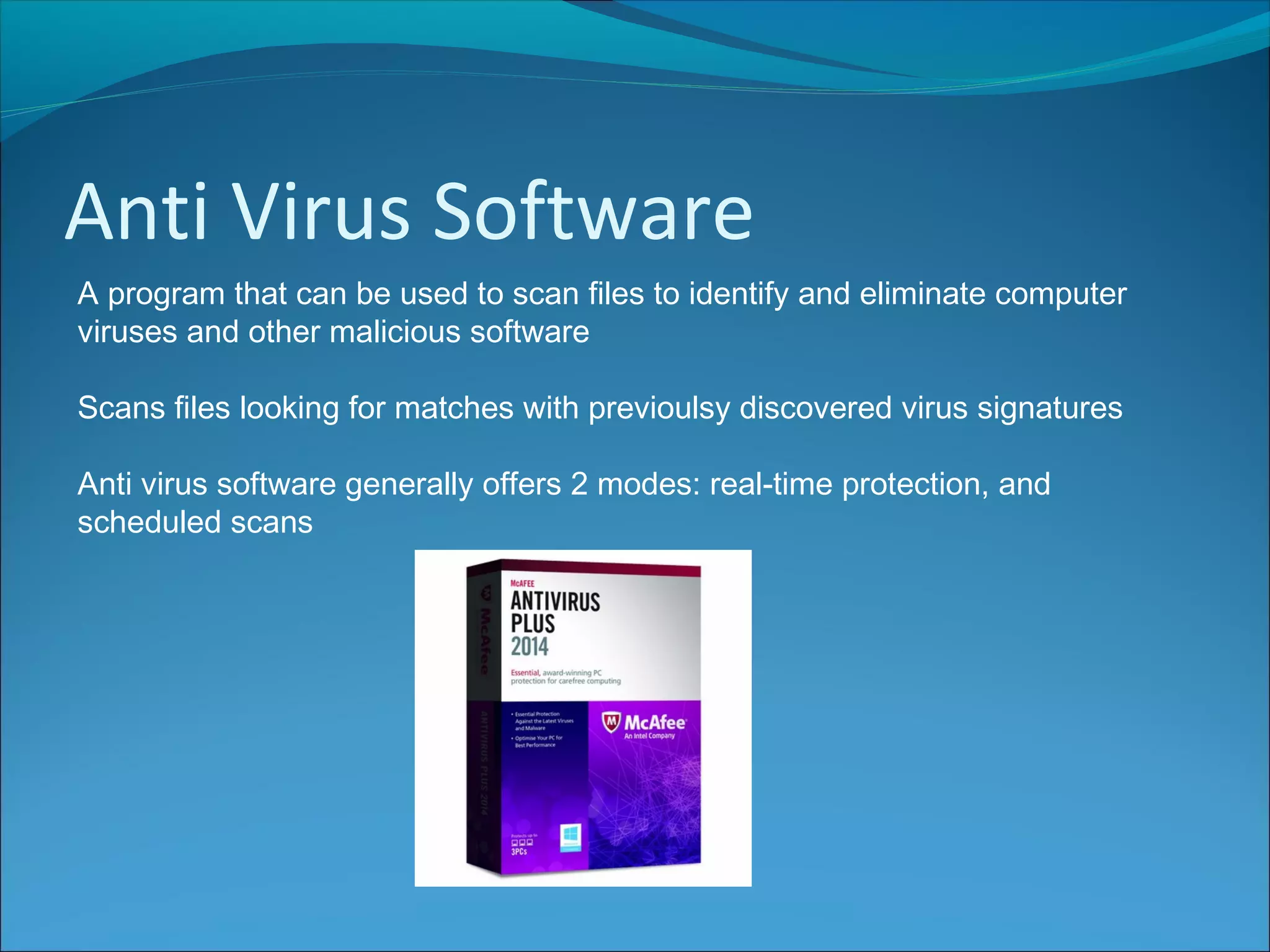
A program that can be used to scan files to identify and eliminate computer
viruses and other malicious software
Scans files looking for matches with previoulsy discovered virus signatures
Anti virus software generally offers 2 modes: real-time protection, and
scheduled scans
Anti Virus Software
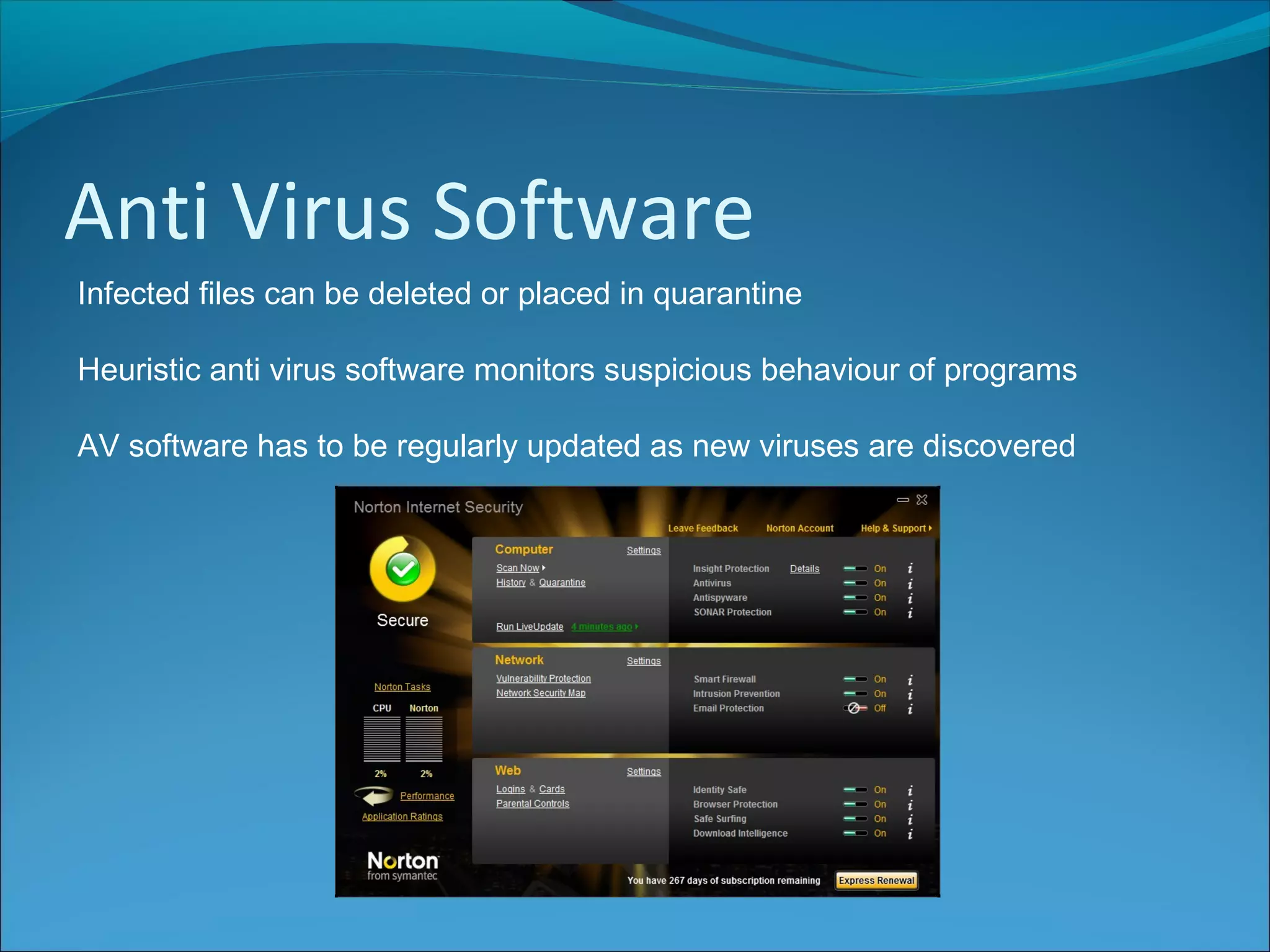
Infected files can be deleted or placed in quarantine
Heuristic anti virus software monitors suspicious behaviour of programs
AV software has to be regularly updated as new viruses are discovered
Passwords
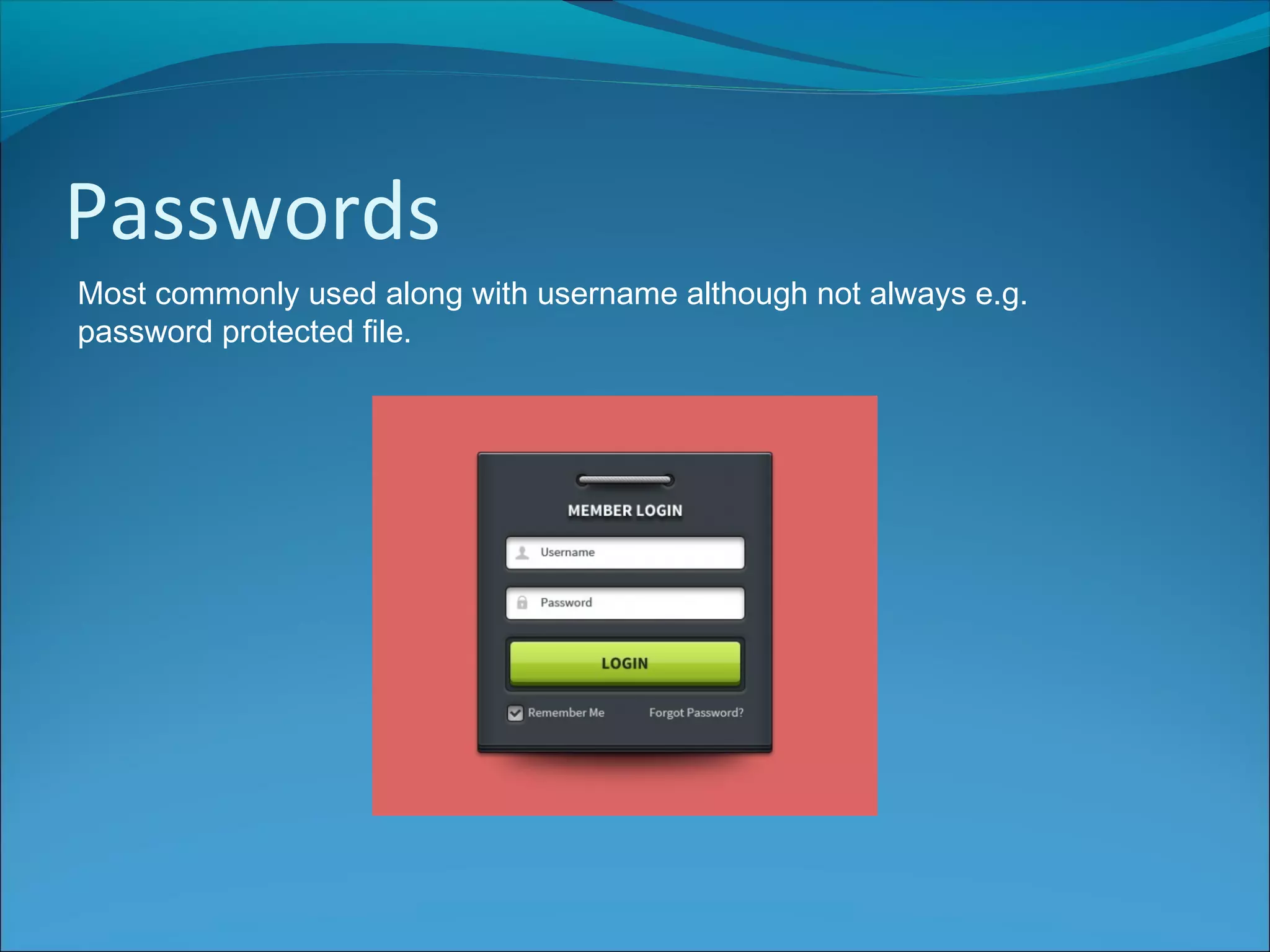
Most commonly used along with username although not always e.g.
password protected file.
Passwords
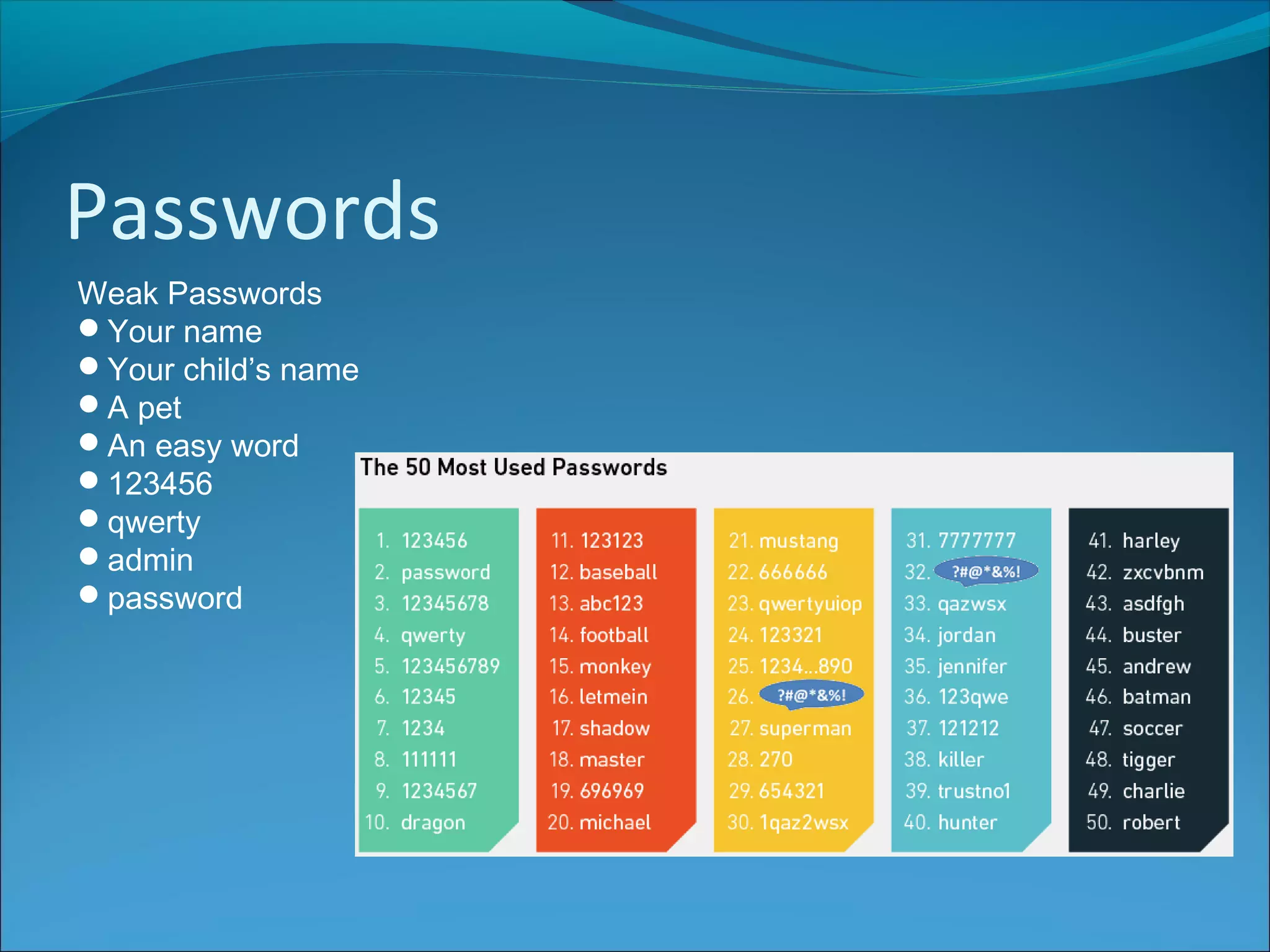
Weak Passwords
Your name
Your child’s name
A pet
An easy word
123456
qwerty
admin
password
Passwords
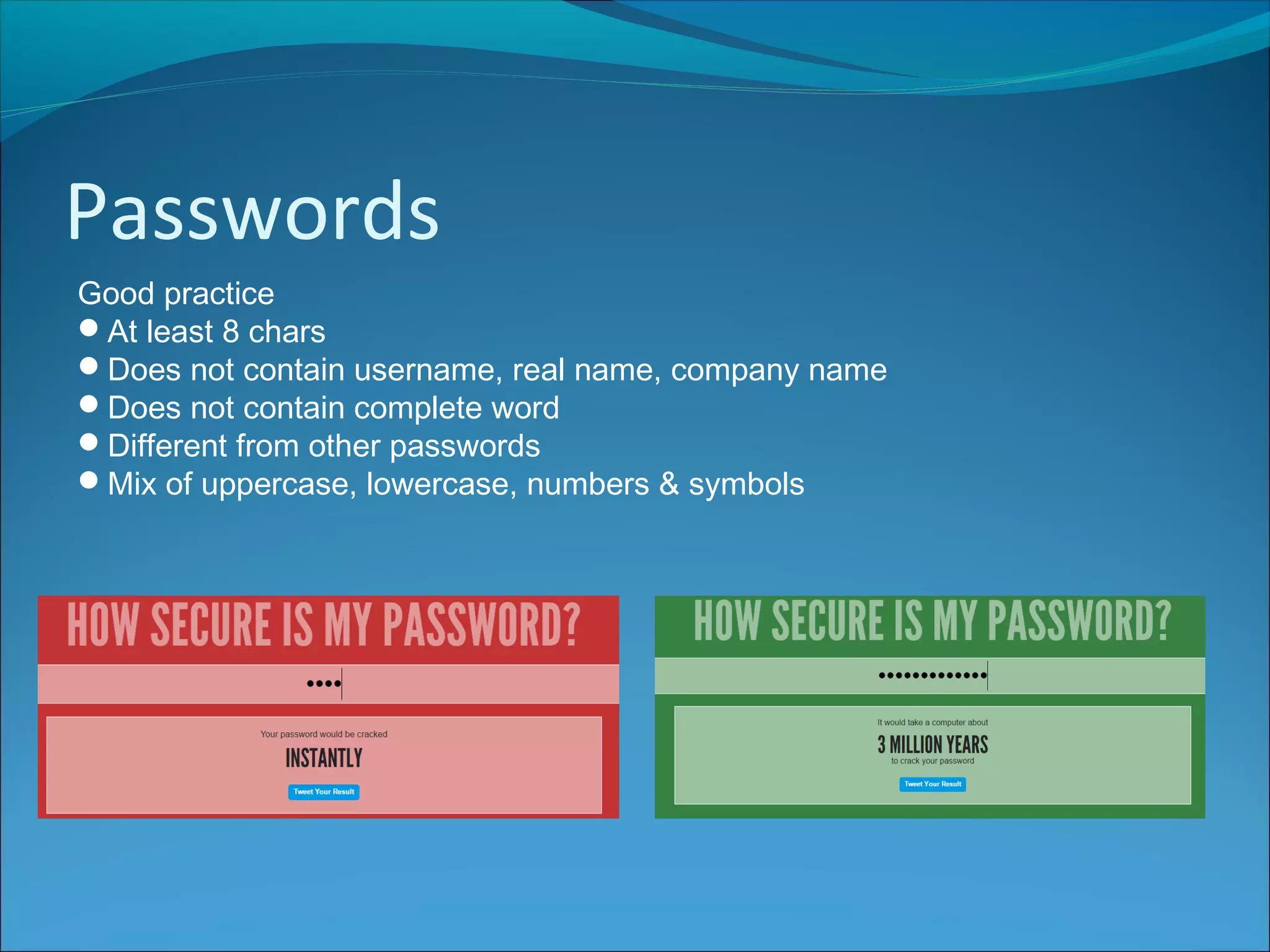
Good practice
At least 8 chars
Does not contain username, real name, company name
Does not contain complete word
Different from other passwords
Mix of uppercase, lowercase, numbers & symbols
Biometrics
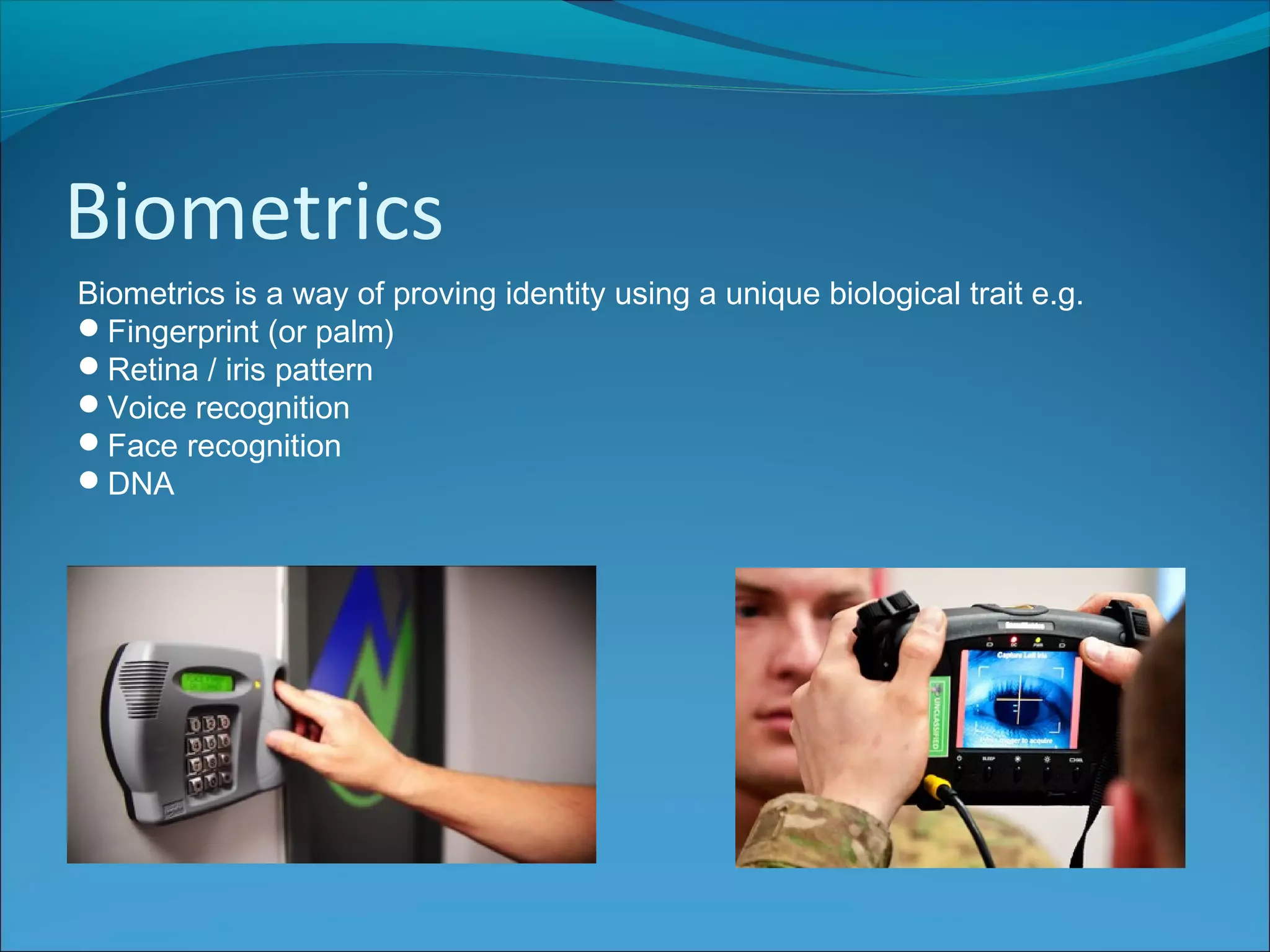
Biometrics is a way of proving identity using a unique biological trait e.g.
Fingerprint (or palm)
Retina / iris pattern
Voice recognition
Face recognition
DNA
Biometrics
Advantages:
Don’t need to remember passwords
Virtually impossible to forge
Current Uses
Airport security - used to identify passengers
Mobile devices - use fingerprint scan to access payment
Building access – used to identify authorised personnel
Schools – access, payment, registration, library books
Cars – access via fingerprint or facial recognition
Banks – ATM cash withdrawals
Encryption
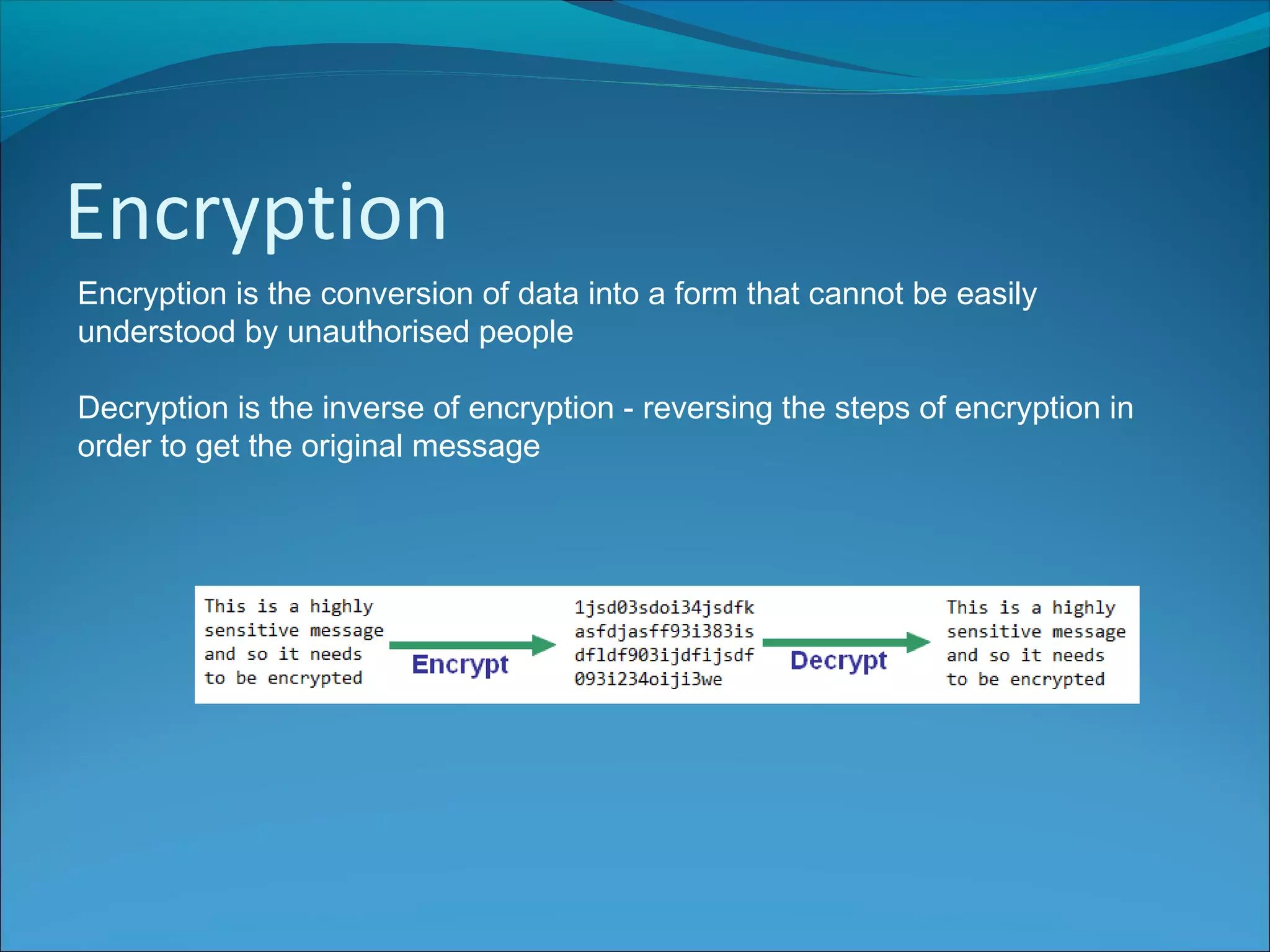
Encryption is the conversion of data into a form that cannot be easily
understood by unauthorised people
Decryption is the inverse of encryption - reversing the steps of encryption in
order to get the original message
Encryption
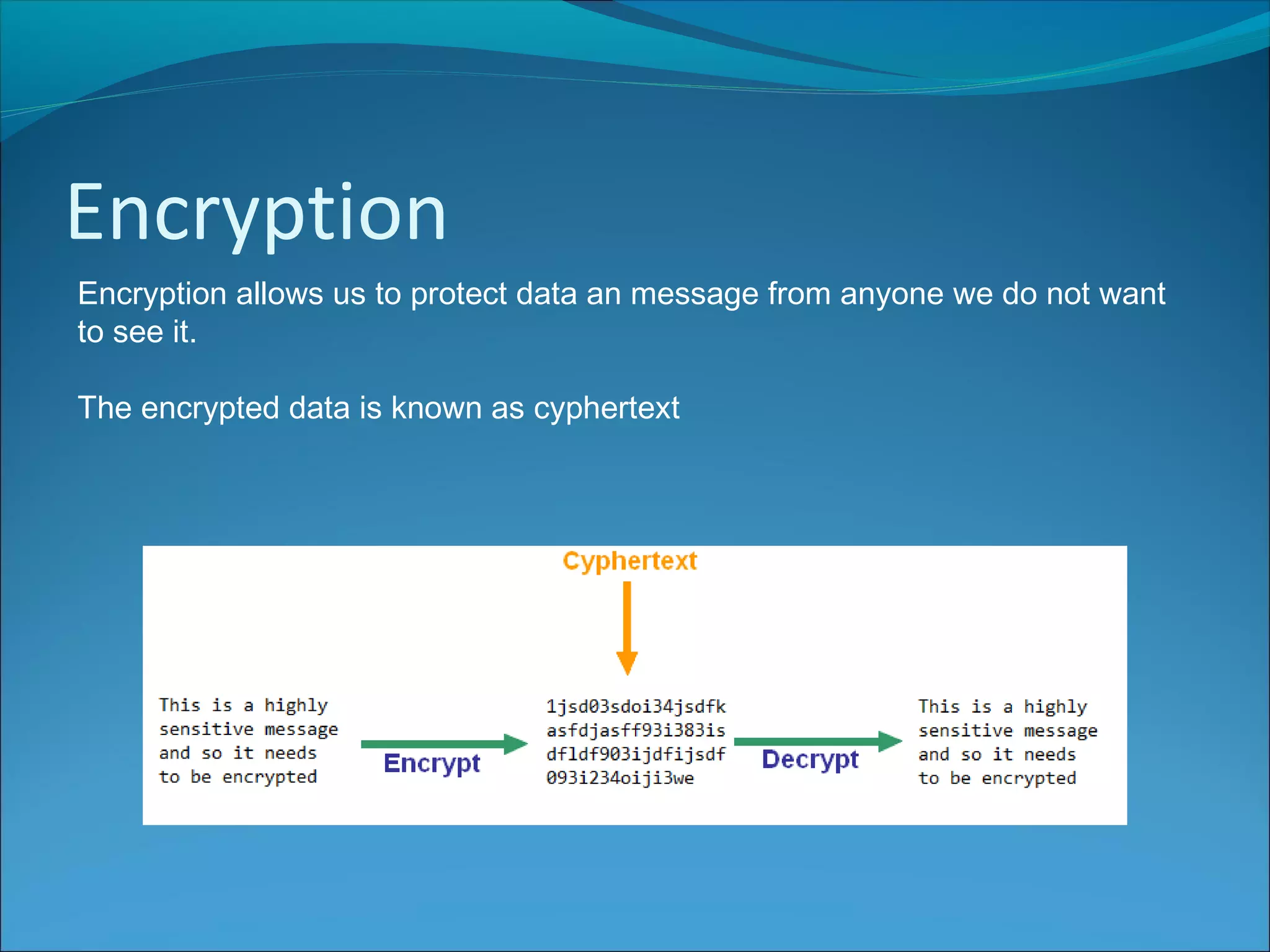
Encryption allows us to protect data an message from anyone we do not want
to see it.
The encrypted data is known as cyphertext
Symmetric Encryption
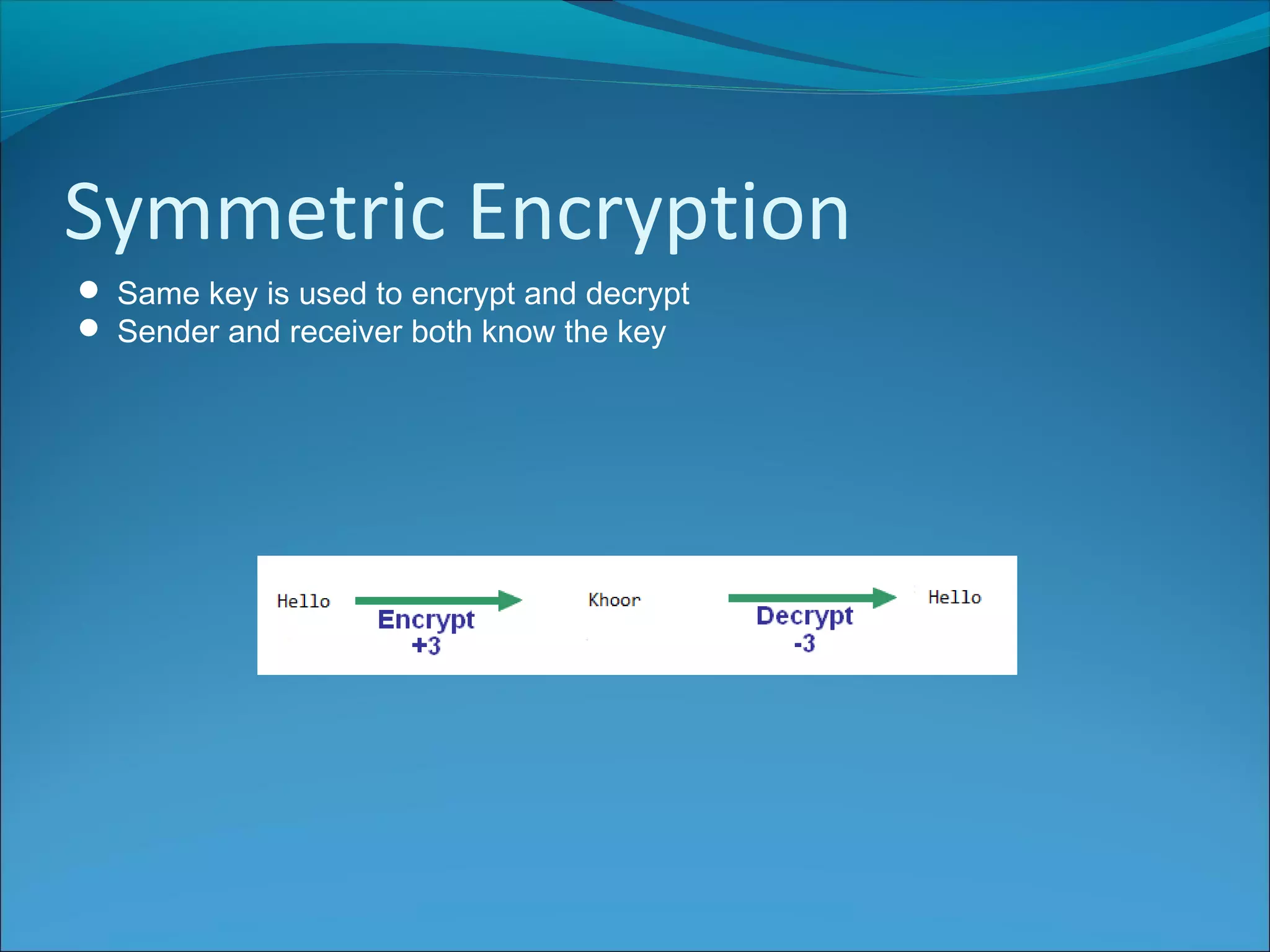
 Same key is used to encrypt and decrypt
 Sender and receiver both know the key
Symmetric Encryption
Advantages
Faster and easier to implement that asymmetric encryption
Disadvantages
Sender and receiver need to know the key, but how do they share that
securely?
If they have a secure way of sending the key, why would they need to use
encryption…?
Asymmetric Encryption
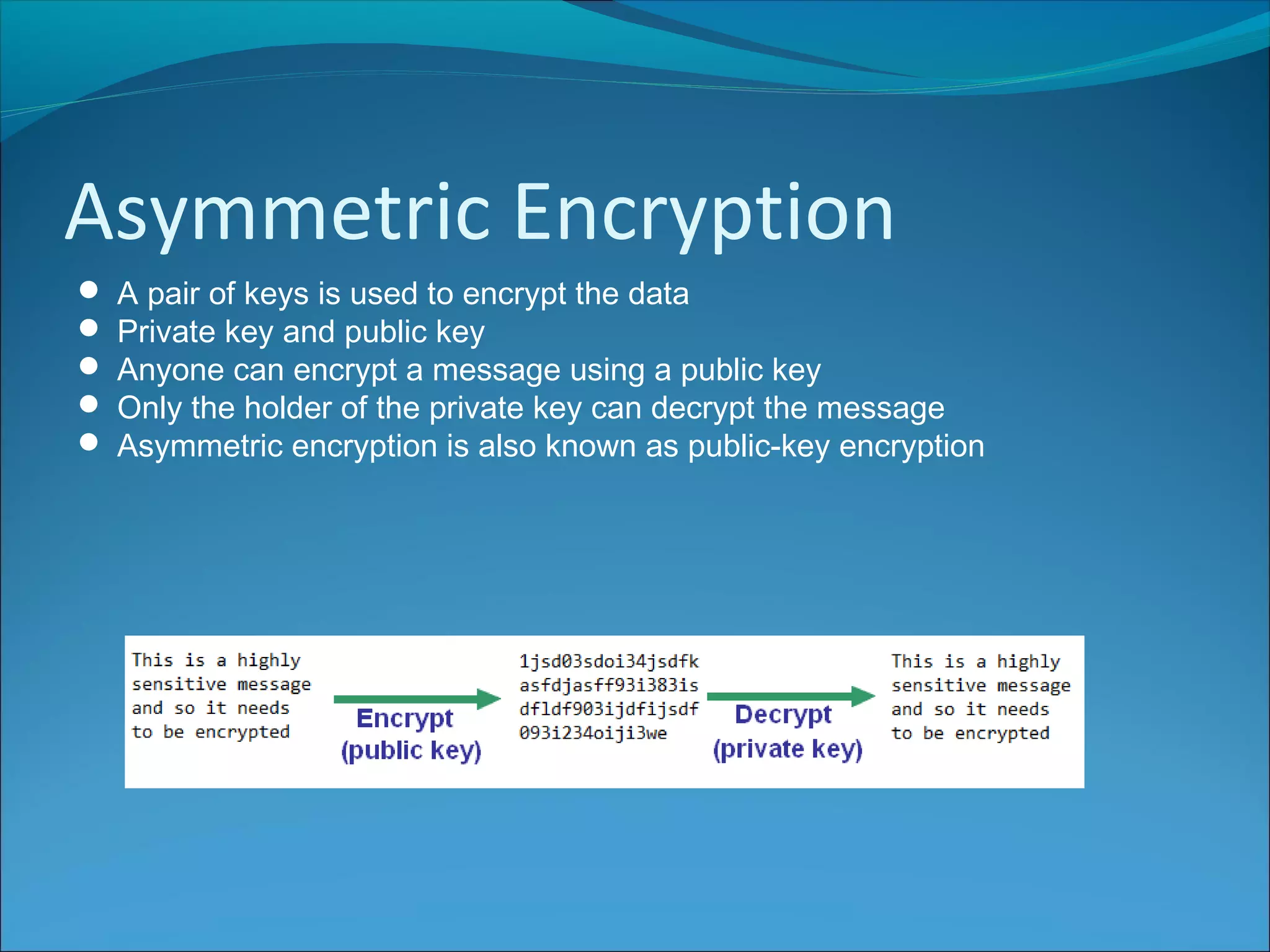
 A pair of keys is used to encrypt the data
 Private key and public key
 Anyone can encrypt a message using a public key
 Only the holder of the private key can decrypt the message
 Asymmetric encryption is also known as public-key encryption
Asymmetric Encryption
Example
1.Aaron(the recipient) generates a pair of keys, one public and one private
2.He sends the public key to Alison (the sender)
3.Alison encrypts the message using the public key and sends it to Aaron
4.Aaron decrypts the message using the private key
Asymmetric Encryption
Advantages
No need for private key exchange
Increased security – only person with private key can decrypt
Can be used for Digital Signatures
Disadvantages
Slow – takes time to encrypt and decrypt
Could be cracked using brute force – try all possible keys
(although RSA Security claim that using a 2048 bit key would not be
crackable until around 2030).
Digital Signatures
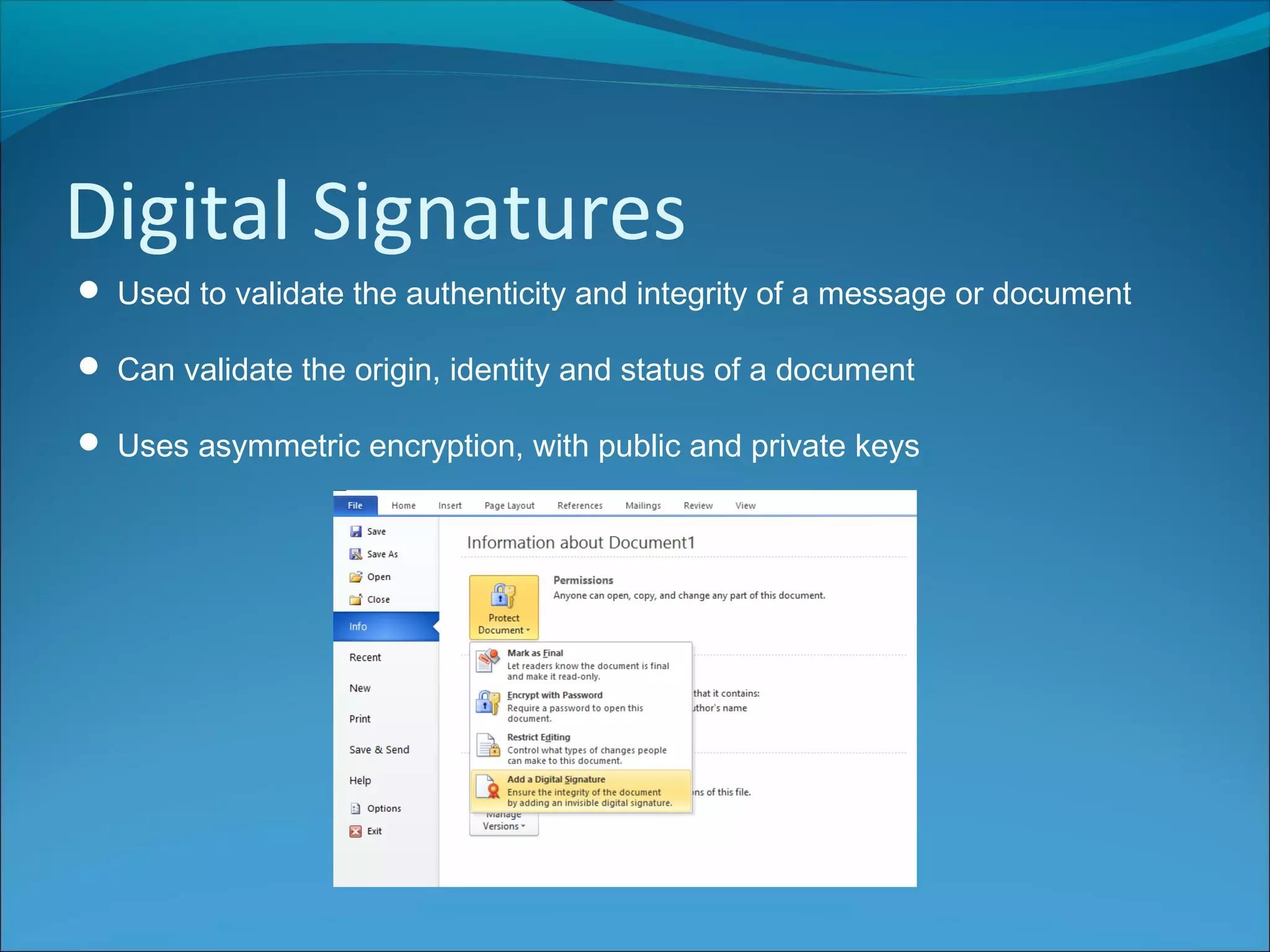
 Used to validate the authenticity and integrity of a message or document
 Can validate the origin, identity and status of a document
 Uses asymmetric encryption, with public and private keys
Digital Signatures
1. Private key used to create a hash (a number generated from string of text)
2. Hash is sent along with document
3. Hash is decrypted with the public key – verifies the document
4. Any change/tampering of the document will mean the hash will not match
(Note that the message itself does not have to be encrypted)
Digital Certificates
 Provides identifying information to enhance user trust
 Used to encrypt communication between browser and website
 Issued by an official, trusted agency
 Digitally signed by a root certificate belonging to a trusted Certificate
Authority (CA)
 Includes information about the owner's identity e.g. name, email, address,
domain authority, certificate issue date and CA authority name.
Digital Certificates
Security Protocols
Security protocols ensure data is protected when sent across a network
Hyper Text Transfer Protocol Secure
The secure version of HTTP
Data sent between browser and the website is encrypted
Used with banks, shops, webmail etc. to encrypt credit card and other
transaction and personal details
Firewall
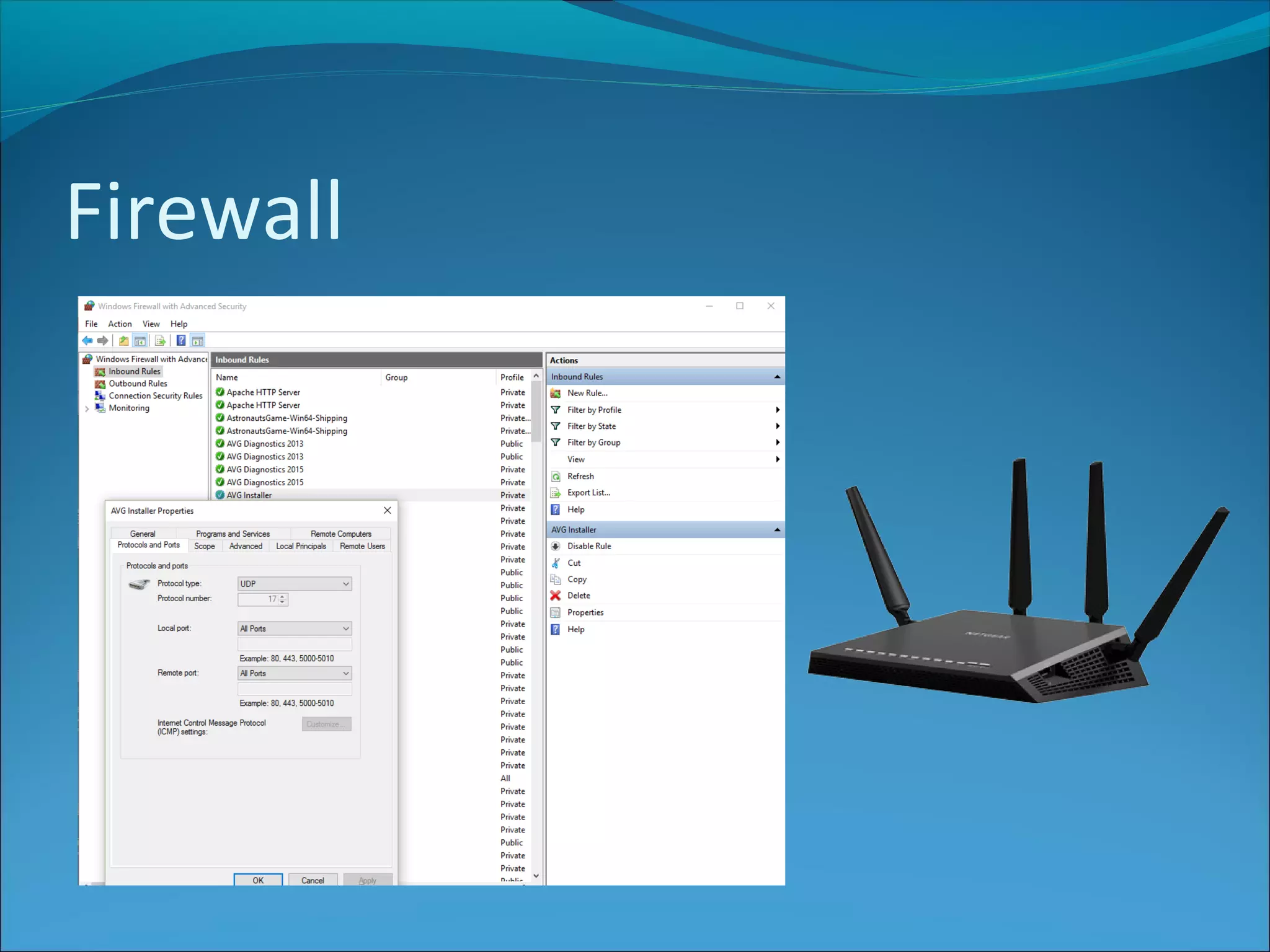
 Prevents unauthorised access to a private network
 Can be hardware and/or software
 All messages entering or leaving network pass through firewall which
checks to see if the meet allowed criteria
Firewall

ISDD Security Precautions

  • 2.
    Anti Virus Software Aprogram that can be used to scan files to identify and eliminate computer viruses and other malicious software Scans files looking for matches with previoulsy discovered virus signatures Anti virus software generally offers 2 modes: real-time protection, and scheduled scans
  • 3.
    Anti Virus Software Infectedfiles can be deleted or placed in quarantine Heuristic anti virus software monitors suspicious behaviour of programs AV software has to be regularly updated as new viruses are discovered
  • 4.
    Passwords Most commonly usedalong with username although not always e.g. password protected file.
  • 5.
    Passwords Weak Passwords Your name Yourchild’s name A pet An easy word 123456 qwerty admin password
  • 6.
    Passwords Good practice At least8 chars Does not contain username, real name, company name Does not contain complete word Different from other passwords Mix of uppercase, lowercase, numbers & symbols
  • 7.
    Biometrics Biometrics is away of proving identity using a unique biological trait e.g. Fingerprint (or palm) Retina / iris pattern Voice recognition Face recognition DNA
  • 8.
    Biometrics Advantages: Don’t need toremember passwords Virtually impossible to forge Current Uses Airport security - used to identify passengers Mobile devices - use fingerprint scan to access payment Building access – used to identify authorised personnel Schools – access, payment, registration, library books Cars – access via fingerprint or facial recognition Banks – ATM cash withdrawals
  • 9.
    Encryption Encryption is theconversion of data into a form that cannot be easily understood by unauthorised people Decryption is the inverse of encryption - reversing the steps of encryption in order to get the original message
  • 10.
    Encryption Encryption allows usto protect data an message from anyone we do not want to see it. The encrypted data is known as cyphertext
  • 11.
    Symmetric Encryption  Samekey is used to encrypt and decrypt  Sender and receiver both know the key
  • 12.
    Symmetric Encryption Advantages Faster andeasier to implement that asymmetric encryption Disadvantages Sender and receiver need to know the key, but how do they share that securely? If they have a secure way of sending the key, why would they need to use encryption…?
  • 13.
    Asymmetric Encryption  Apair of keys is used to encrypt the data  Private key and public key  Anyone can encrypt a message using a public key  Only the holder of the private key can decrypt the message  Asymmetric encryption is also known as public-key encryption
  • 14.
    Asymmetric Encryption Example 1.Aaron(the recipient)generates a pair of keys, one public and one private 2.He sends the public key to Alison (the sender) 3.Alison encrypts the message using the public key and sends it to Aaron 4.Aaron decrypts the message using the private key
  • 15.
    Asymmetric Encryption Advantages No needfor private key exchange Increased security – only person with private key can decrypt Can be used for Digital Signatures Disadvantages Slow – takes time to encrypt and decrypt Could be cracked using brute force – try all possible keys (although RSA Security claim that using a 2048 bit key would not be crackable until around 2030).
  • 16.
    Digital Signatures  Usedto validate the authenticity and integrity of a message or document  Can validate the origin, identity and status of a document  Uses asymmetric encryption, with public and private keys
  • 17.
    Digital Signatures 1. Privatekey used to create a hash (a number generated from string of text) 2. Hash is sent along with document 3. Hash is decrypted with the public key – verifies the document 4. Any change/tampering of the document will mean the hash will not match (Note that the message itself does not have to be encrypted)
  • 18.
    Digital Certificates  Providesidentifying information to enhance user trust  Used to encrypt communication between browser and website  Issued by an official, trusted agency  Digitally signed by a root certificate belonging to a trusted Certificate Authority (CA)  Includes information about the owner's identity e.g. name, email, address, domain authority, certificate issue date and CA authority name.
  • 19.
  • 20.
    Security Protocols Security protocolsensure data is protected when sent across a network Hyper Text Transfer Protocol Secure The secure version of HTTP Data sent between browser and the website is encrypted Used with banks, shops, webmail etc. to encrypt credit card and other transaction and personal details
  • 21.
    Firewall  Prevents unauthorisedaccess to a private network  Can be hardware and/or software  All messages entering or leaving network pass through firewall which checks to see if the meet allowed criteria
  • 22.