Final Revision
    IOS Track
  by Mohamed Amin
Agenda
 Main Components
 Covered during the
 Course                   UIImageView
 UINavigationController   MKMapView
 UITableView              UIAlertView
 UITabBar                 Working With
                          UserDefaults and Plists
 UIWebView

 UITextView
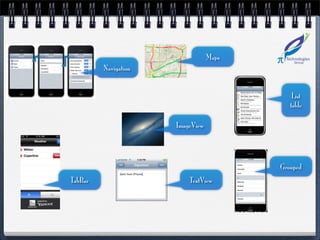
Maps
         Navigation


                                             List
                                            table

                      ImageView


                                         Grouped
TabBar                    TextView
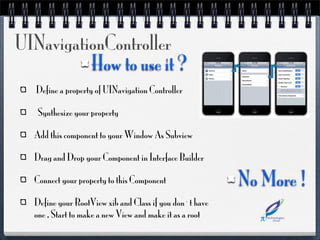
UINavigationController
          How to use it ?
   Define a property of UINavigation Controller

   Synthesize your property

  Add this component to your Window As Subview

  Drag and Drop your Component in Interface Builder

  Connect your property to this Component                No More !
  Define your RootView xib and Class if you don`t have
  one , Start to make a new View and make it as a root
UINavigationController
     Important Methods ?

  [PushViewController:(UIViewController) animated:(animated)];

  [navigation PopViewController];

  [navigation Pop toViewController:];
UINavigationController
     Test Example ?
UITableView
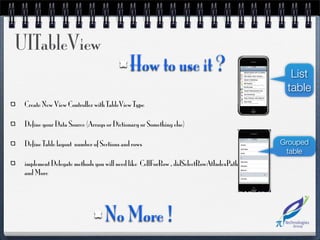
                                           How to use it ?                              List
                                                                                       table
 Create New View Controller with TableView Type

 Define your Data Source (Arrays or Dictionary or Something else)

 Define Table layout number of Sections and rows                                      Grouped
                                                                                       table
 implement Delegate methods you will need like CellForRow , didSelectRowAtIndexPath
 and More


                                 No More !
UITableView
      Important Methods ?
  [myTable reloadData]

  [myTable reloadRowsAtIndexPaths: withRowAnimation:]
UITableView
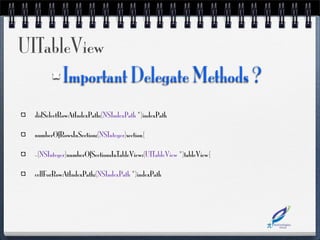
      Important Delegate Methods ?
  didSelectRowAtIndexPath:(NSIndexPath *)indexPath

  numberOfRowsInSection:(NSInteger)section{

  -(NSInteger)numberOfSectionsInTableView:(UITableView *)tableView{

  cellForRowAtIndexPath:(NSIndexPath *)indexPath
UITableView
     Test Example ?
UITabBarView
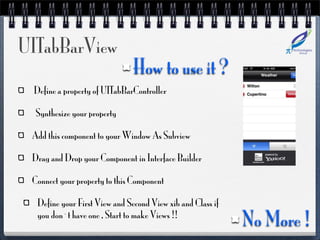
                               How to use it ?
 Define a property of UITabBarController

  Synthesize your property

 Add this component to your Window As Subview

 Drag and Drop your Component in Interface Builder

 Connect your property to this Component

  Define your First View and Second View xib and Class if
  you don`t have one , Start to make Views !!
                                                            No More !
UITabBarView
    Test Example ?
UIWebView
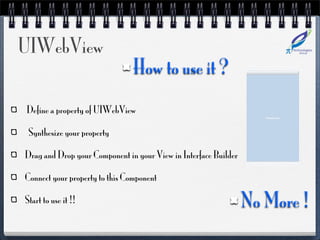
                                How to use it ?
Define a property of UIWebView

 Synthesize your property

Drag and Drop your Component in your View in Interface Builder

Connect your property to this Component

Start to use it !!                                               No More !
UIWebView
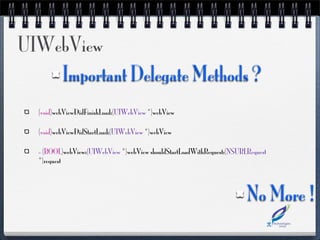
    Important Delegate Methods ?
  (void)webViewDidFinishLoad:(UIWebView *)webView

  (void)webViewDidStartLoad:(UIWebView *)webView

  - (BOOL)webView:(UIWebView *)webView shouldStartLoadWithRequest:(NSURLRequest
  *)request


                                                                        No More !
UIWebView
    Important Methods ?

  [self.webView loadRequest]

  [self.webView loadHTMLString]
UIWebView
    Test Example ?
UITextView
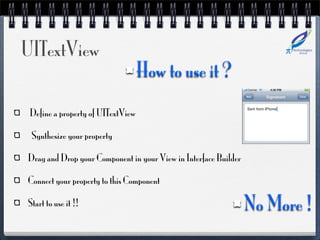
                                   How to use it ?
 Define a property of UITextView

 Synthesize your property

Drag and Drop your Component in your View in Interface Builder

Connect your property to this Component

Start to use it !!                                               No More !
UITextView
     Test Example ?
UIImageView
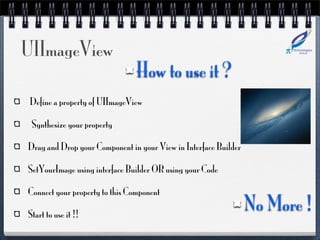
                                How to use it ?
 Define a property of UIImageView

 Synthesize your property

Drag and Drop your Component in your View in Interface Builder

SetYourImage using interface Builder OR using your Code

Connect your property to this Component

Start to use it !!
                                                                 No More !
UImageView
     Important Methods ?

  [self.imageView SetImage:[UIImage imageNamed: @”image.png”]];
UIImageView
    Test Example ?
MKMapView
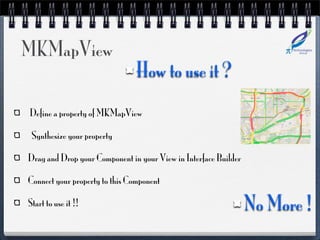
                                How to use it ?
Define a property of MKMapView

 Synthesize your property

Drag and Drop your Component in your View in Interface Builder

Connect your property to this Component

Start to use it !!                                               No More !
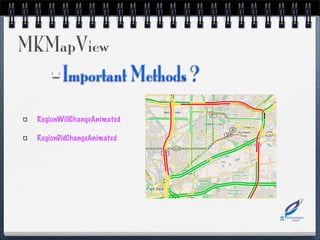
MKMapView
   Important Methods ?

  RegionWillChangeAnimated

  RegionDidChangeAnimated
MKMapView
    Tested Last lecture :)
UIAlertView
                                             How to use it ?
 UIAlertView *alert = [[UIAlertView alloc]

 initWithTitle:@”No data yet!”

 message:@”No data has been received yet.”

 delegate:nil

 cancelButtonTitle:nil

 otherButtonTitles:@”OK”, nil];

 [alert show];                                                 No More !
UIAlertView
     Tested it ?
Working With
       UserDefaults and Plists
UserDefaults
                                                 How to use it ?
     Definition:

NSUserDefaults *defaults = [NSUserDefaults standardUserDefaults];

     Usage

- (void)setBool:(BOOL)value forKey:(NSString *)defaultName

- (BOOL)boolForKey:(NSString *) defaultName

The same setters and getters are found for string, arrays, integers and floats
                                                                                 No More !
Plists                                     How to use it ?
To Read :

 NSString *path = [[NSBundle mainBundle] pathForResource:plist ofType:@"plist"];


 NSMutableDictionary *dic = [[NSMutableDictionary alloc] initWithContentsOfFile:path];


 NSLog(@”Contents is %@”,dic);


To Write

 NSString *path = [[NSBundle mainBundle] pathForResource:plist ofType:@"plist"];


 NSMutableDictionary *dic = [[NSMutableDictionary alloc] initWithContentsOfFile:path];


 [dic SetObject:@”Test” ForKey:@”mykey”];                                                No More !
Any Questions ?
Ready For The Project ?

IOS APPs Revision

  • 1.
    Final Revision IOS Track by Mohamed Amin
  • 2.
    Agenda Main Components Covered during the Course UIImageView UINavigationController MKMapView UITableView UIAlertView UITabBar Working With UserDefaults and Plists UIWebView UITextView
  • 3.
    Maps Navigation List table ImageView Grouped TabBar TextView
  • 4.
    UINavigationController How to use it ? Define a property of UINavigation Controller Synthesize your property Add this component to your Window As Subview Drag and Drop your Component in Interface Builder Connect your property to this Component No More ! Define your RootView xib and Class if you don`t have one , Start to make a new View and make it as a root
  • 5.
    UINavigationController Important Methods ? [PushViewController:(UIViewController) animated:(animated)]; [navigation PopViewController]; [navigation Pop toViewController:];
  • 6.
  • 7.
    UITableView How to use it ? List table Create New View Controller with TableView Type Define your Data Source (Arrays or Dictionary or Something else) Define Table layout number of Sections and rows Grouped table implement Delegate methods you will need like CellForRow , didSelectRowAtIndexPath and More No More !
  • 8.
    UITableView Important Methods ? [myTable reloadData] [myTable reloadRowsAtIndexPaths: withRowAnimation:]
  • 9.
    UITableView Important Delegate Methods ? didSelectRowAtIndexPath:(NSIndexPath *)indexPath numberOfRowsInSection:(NSInteger)section{ -(NSInteger)numberOfSectionsInTableView:(UITableView *)tableView{ cellForRowAtIndexPath:(NSIndexPath *)indexPath
  • 10.
    UITableView Test Example ?
  • 11.
    UITabBarView How to use it ? Define a property of UITabBarController Synthesize your property Add this component to your Window As Subview Drag and Drop your Component in Interface Builder Connect your property to this Component Define your First View and Second View xib and Class if you don`t have one , Start to make Views !! No More !
  • 12.
    UITabBarView Test Example ?
  • 13.
    UIWebView How to use it ? Define a property of UIWebView Synthesize your property Drag and Drop your Component in your View in Interface Builder Connect your property to this Component Start to use it !! No More !
  • 14.
    UIWebView Important Delegate Methods ? (void)webViewDidFinishLoad:(UIWebView *)webView (void)webViewDidStartLoad:(UIWebView *)webView - (BOOL)webView:(UIWebView *)webView shouldStartLoadWithRequest:(NSURLRequest *)request No More !
  • 15.
    UIWebView Important Methods ? [self.webView loadRequest] [self.webView loadHTMLString]
  • 16.
    UIWebView Test Example ?
  • 17.
    UITextView How to use it ? Define a property of UITextView Synthesize your property Drag and Drop your Component in your View in Interface Builder Connect your property to this Component Start to use it !! No More !
  • 18.
    UITextView Test Example ?
  • 19.
    UIImageView How to use it ? Define a property of UIImageView Synthesize your property Drag and Drop your Component in your View in Interface Builder SetYourImage using interface Builder OR using your Code Connect your property to this Component Start to use it !! No More !
  • 20.
    UImageView Important Methods ? [self.imageView SetImage:[UIImage imageNamed: @”image.png”]];
  • 21.
    UIImageView Test Example ?
  • 22.
    MKMapView How to use it ? Define a property of MKMapView Synthesize your property Drag and Drop your Component in your View in Interface Builder Connect your property to this Component Start to use it !! No More !
  • 23.
    MKMapView Important Methods ? RegionWillChangeAnimated RegionDidChangeAnimated
  • 24.
    MKMapView Tested Last lecture :)
  • 25.
    UIAlertView How to use it ? UIAlertView *alert = [[UIAlertView alloc] initWithTitle:@”No data yet!” message:@”No data has been received yet.” delegate:nil cancelButtonTitle:nil otherButtonTitles:@”OK”, nil]; [alert show]; No More !
  • 26.
    UIAlertView Tested it ?
  • 27.
    Working With UserDefaults and Plists
  • 28.
    UserDefaults How to use it ? Definition: NSUserDefaults *defaults = [NSUserDefaults standardUserDefaults]; Usage - (void)setBool:(BOOL)value forKey:(NSString *)defaultName - (BOOL)boolForKey:(NSString *) defaultName The same setters and getters are found for string, arrays, integers and floats No More !
  • 29.
    Plists How to use it ? To Read : NSString *path = [[NSBundle mainBundle] pathForResource:plist ofType:@"plist"]; NSMutableDictionary *dic = [[NSMutableDictionary alloc] initWithContentsOfFile:path]; NSLog(@”Contents is %@”,dic); To Write NSString *path = [[NSBundle mainBundle] pathForResource:plist ofType:@"plist"]; NSMutableDictionary *dic = [[NSMutableDictionary alloc] initWithContentsOfFile:path]; [dic SetObject:@”Test” ForKey:@”mykey”]; No More !
  • 30.
  • 31.
    Ready For TheProject ?