Solr is an open source enterprise search platform that provides powerful full-text search, hit highlighting, faceted search, database integration, and document handling capabilities. It uses Apache Lucene under the hood for indexing and search, and provides REST-like APIs, a web admin interface, and SolrJ for indexing and querying. Solr allows adding, deleting, and updating documents in its index via HTTP requests and can index documents in various formats including XML, CSV, and rich documents using Apache Tika. It provides distributed search capabilities and can be configured for high availability and scalability.
In this document
Powered by AI
Introduction to the presentation on enterprise search utilizing Solr, showcasing speaker Minh Tran.
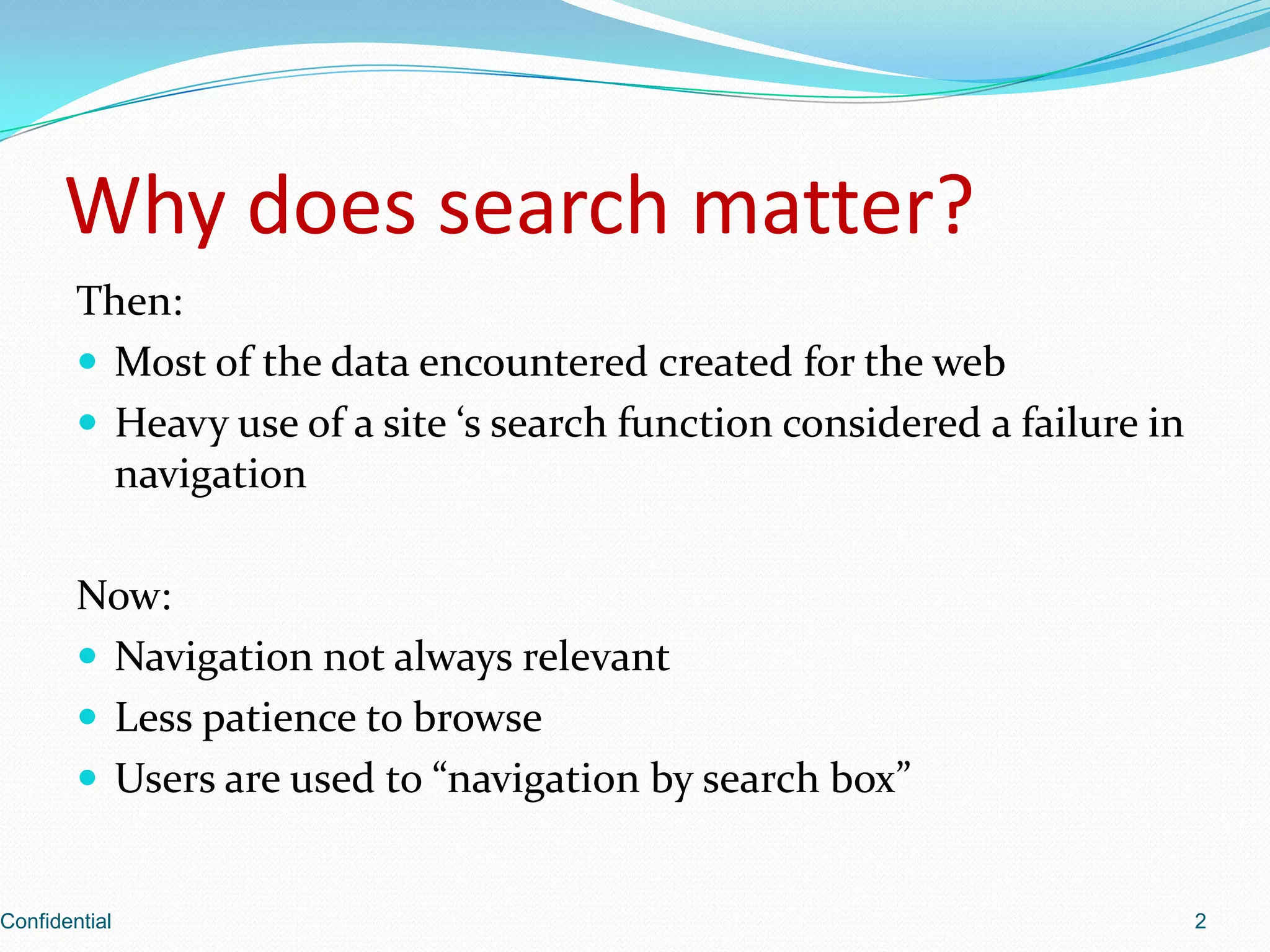
Discusses the evolution of user search behavior, emphasizing the shift from traditional navigation to search boxes.
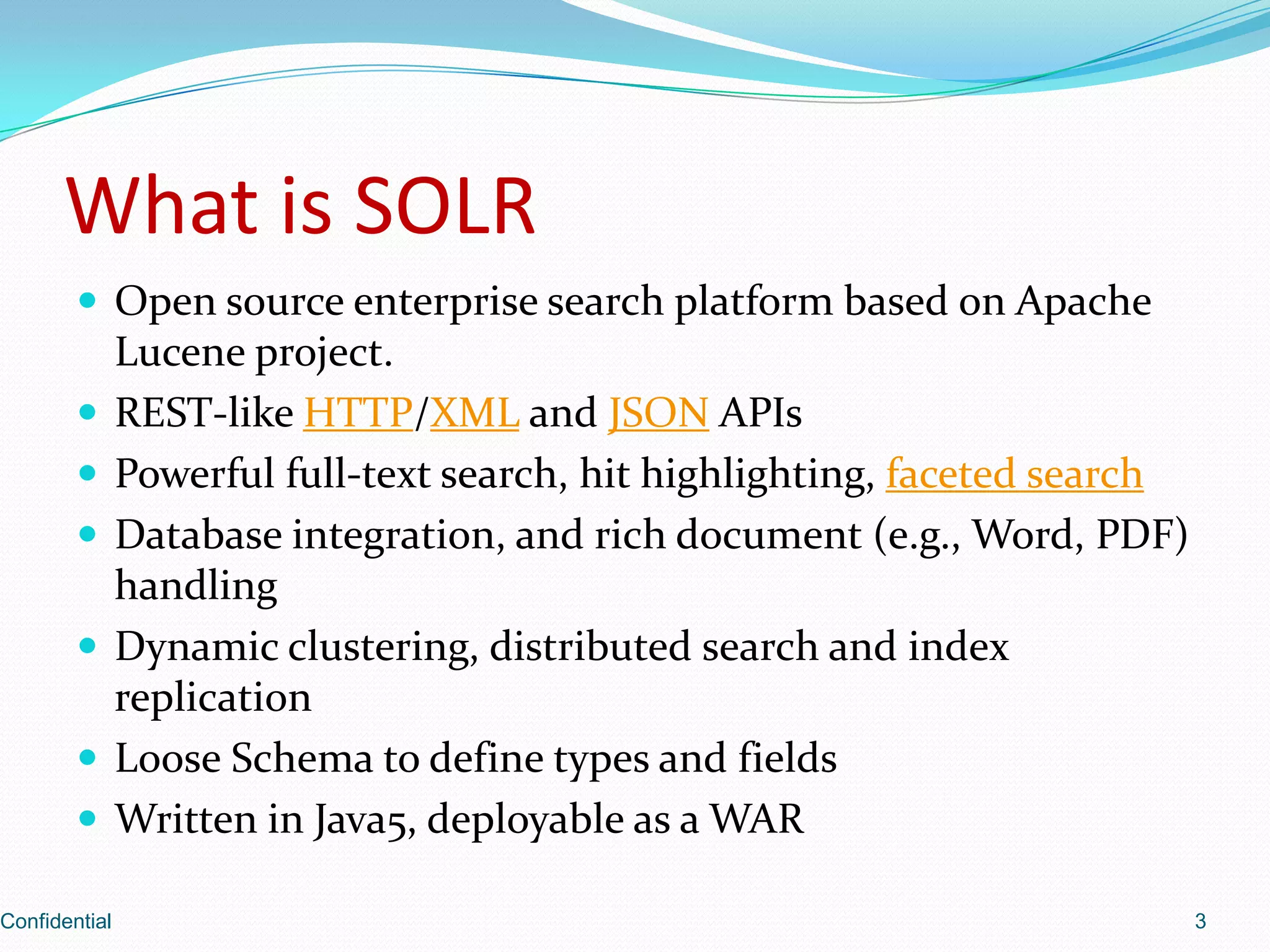
Introduces Solr as an open-source search platform based on Apache Lucene, detailing its features like full-text search, APIs, and document handling.
Highlights major public websites using Solr such as Digg, CNet, Zappos, and Netflix to showcase its effectiveness.
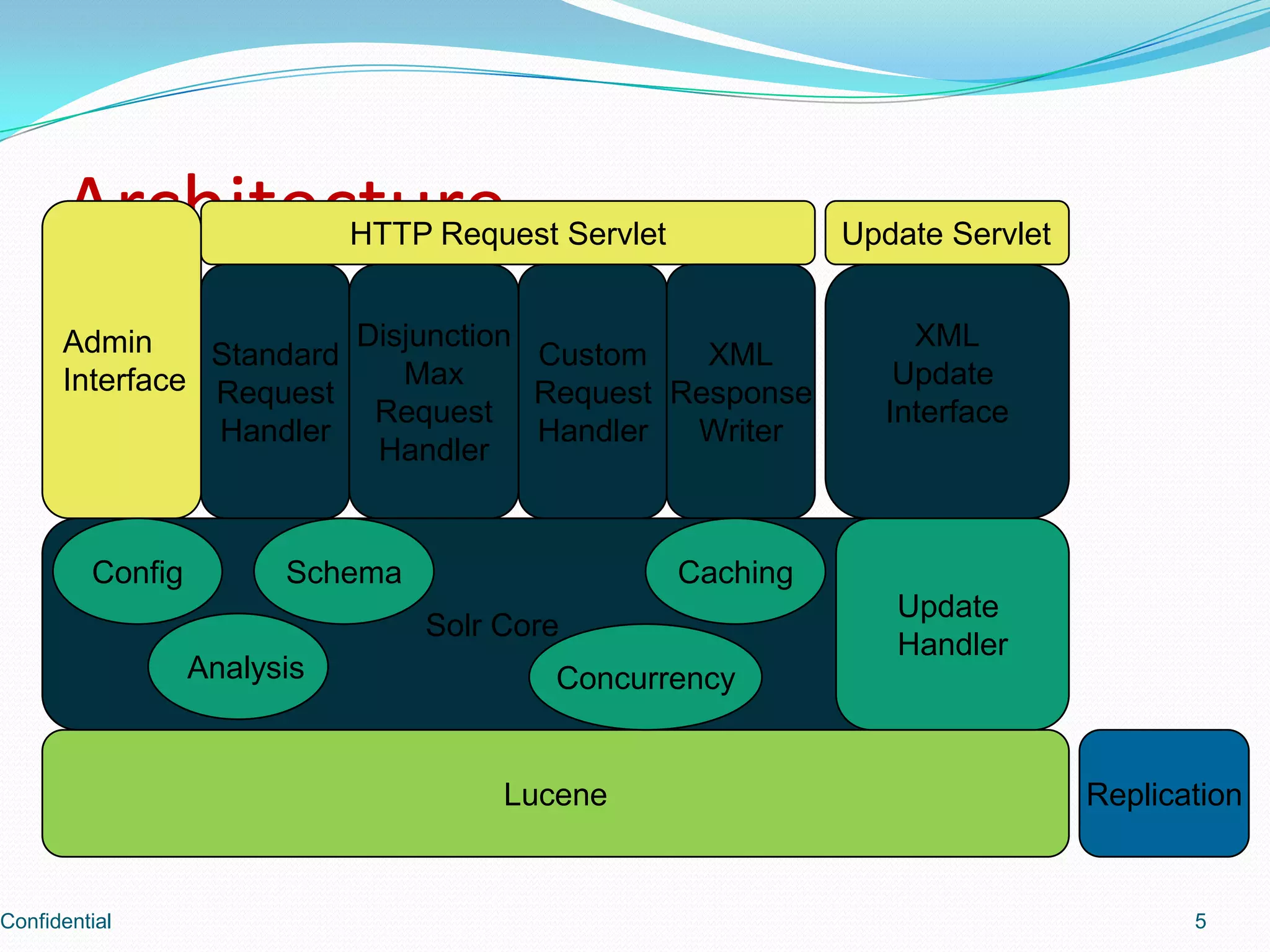
Describes Solr's architecture, including components like the admin interface, request handlers, and core functionalities.
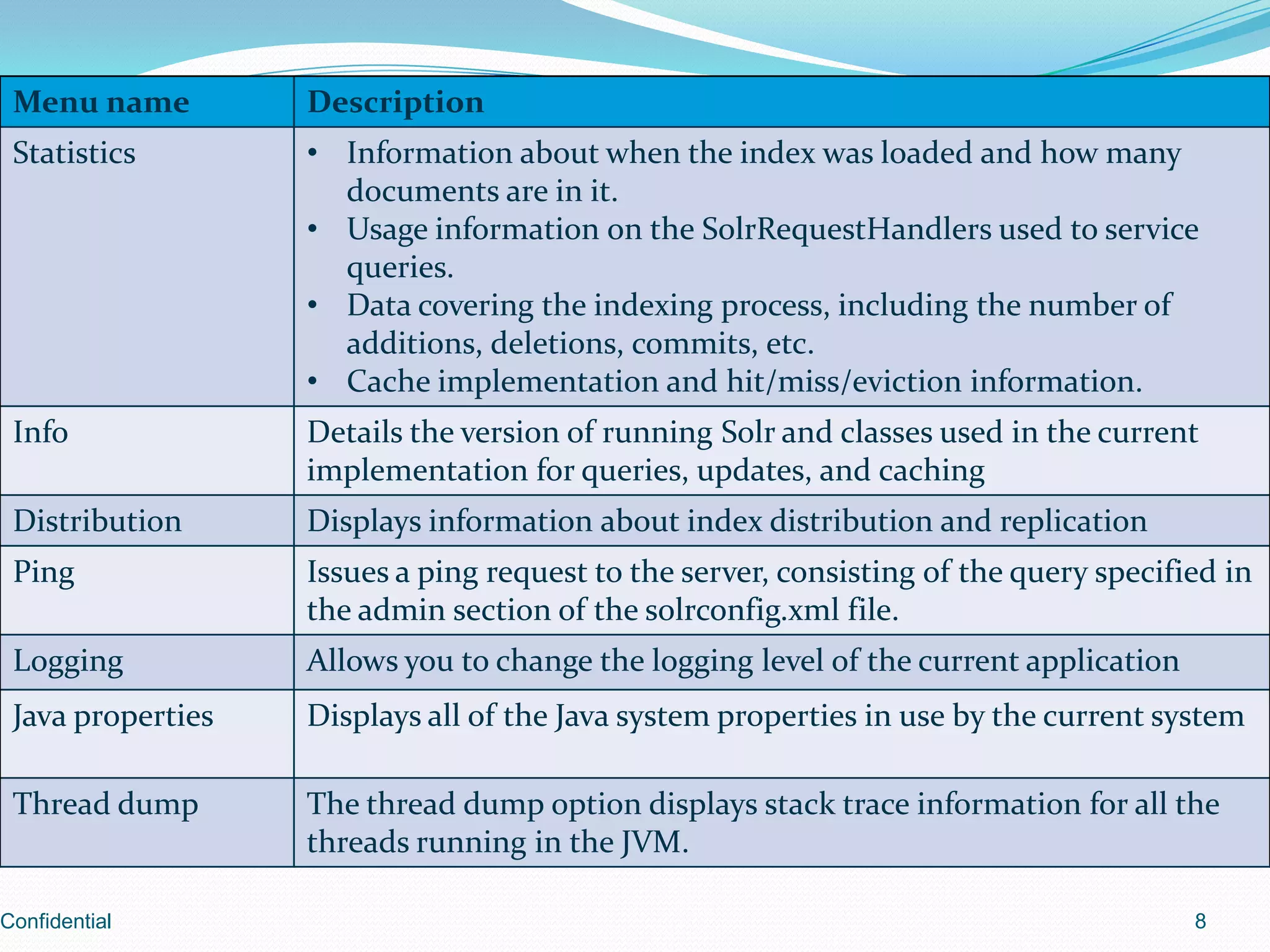
Details on starting Solr including necessary configurations for solr.home and solr.data.dir.
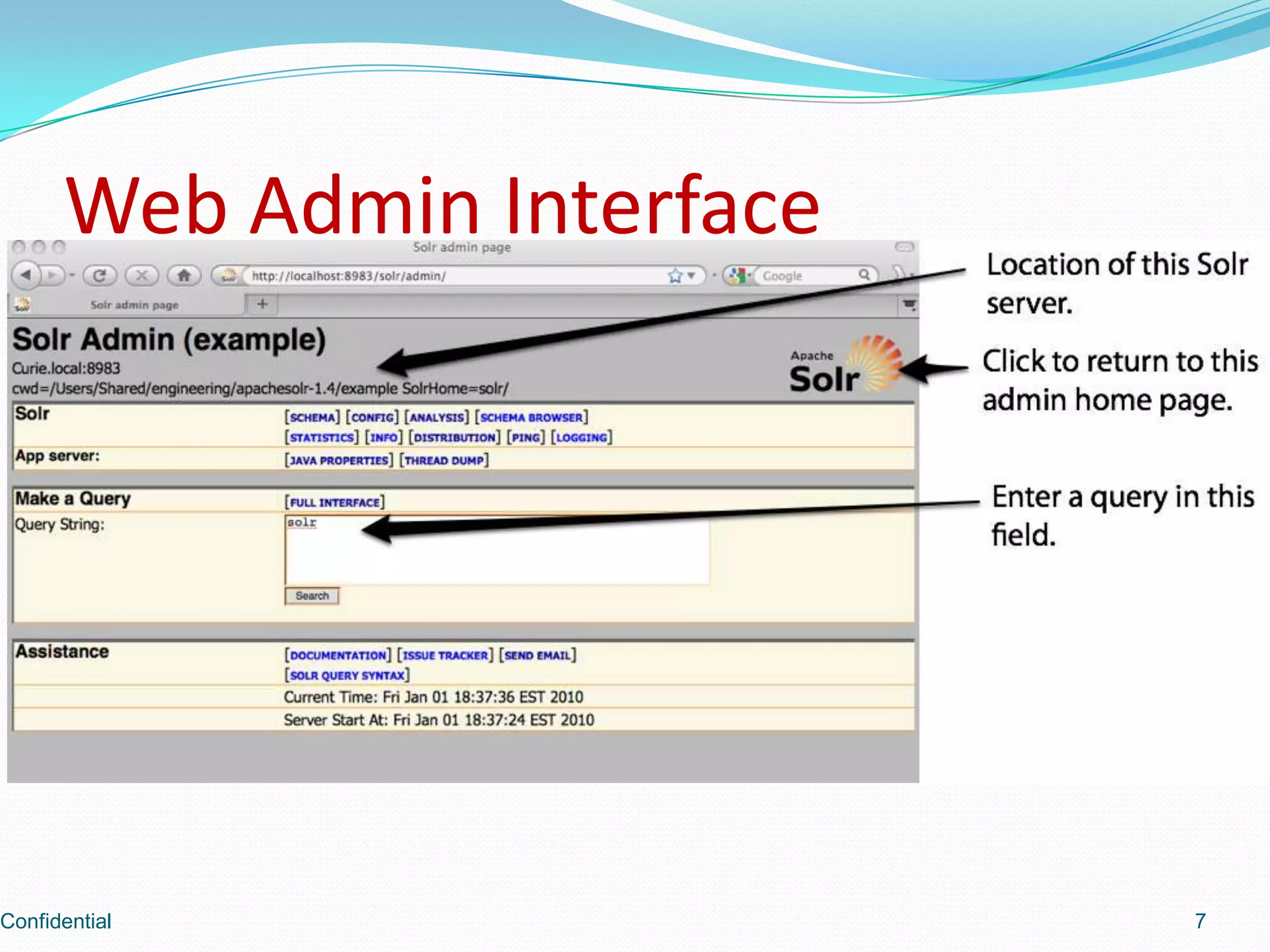
Introduction to the web admin interface of Solr.
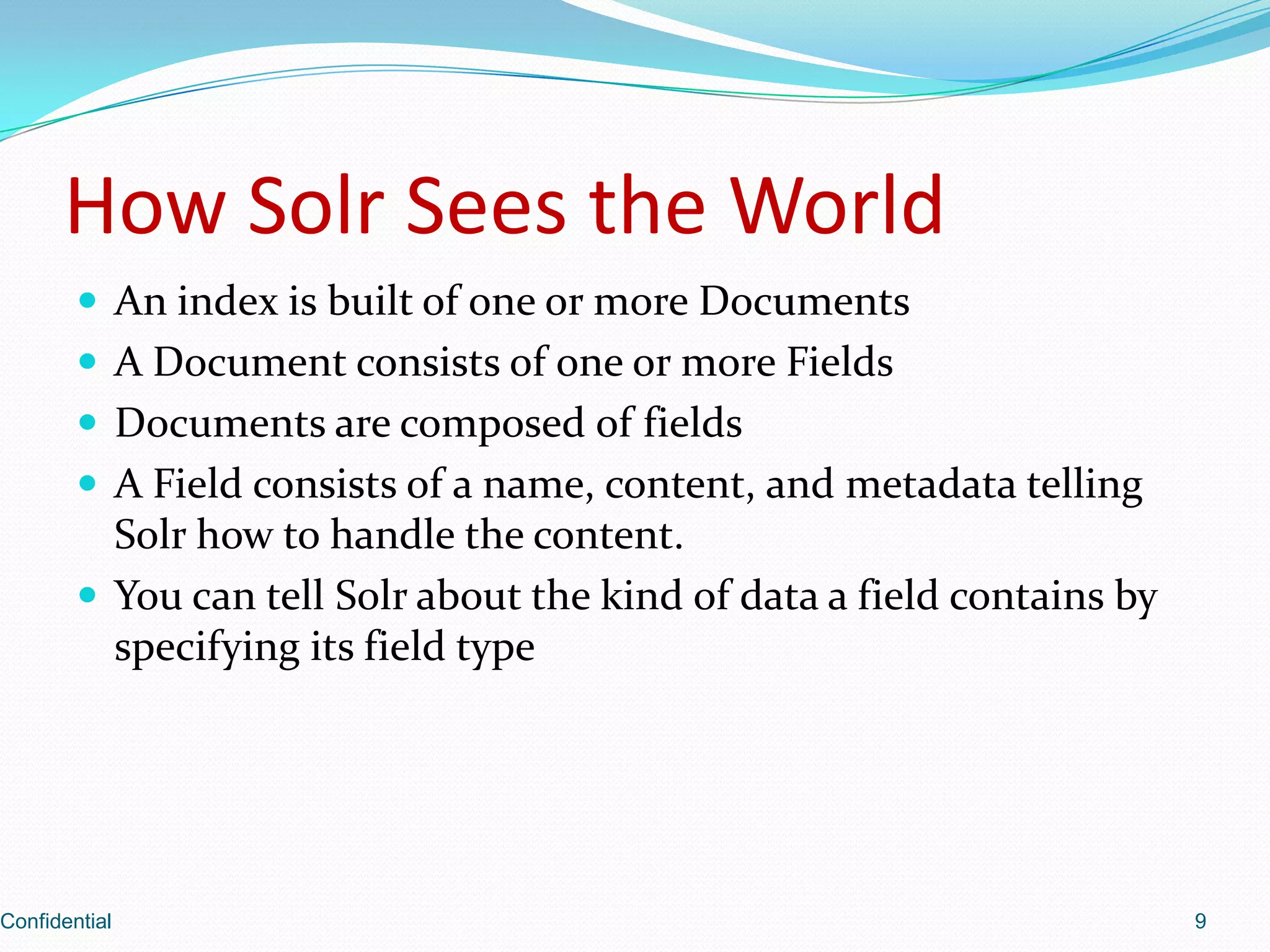
Explains how Solr constructs an index using documents and fields, including data handling metadata.
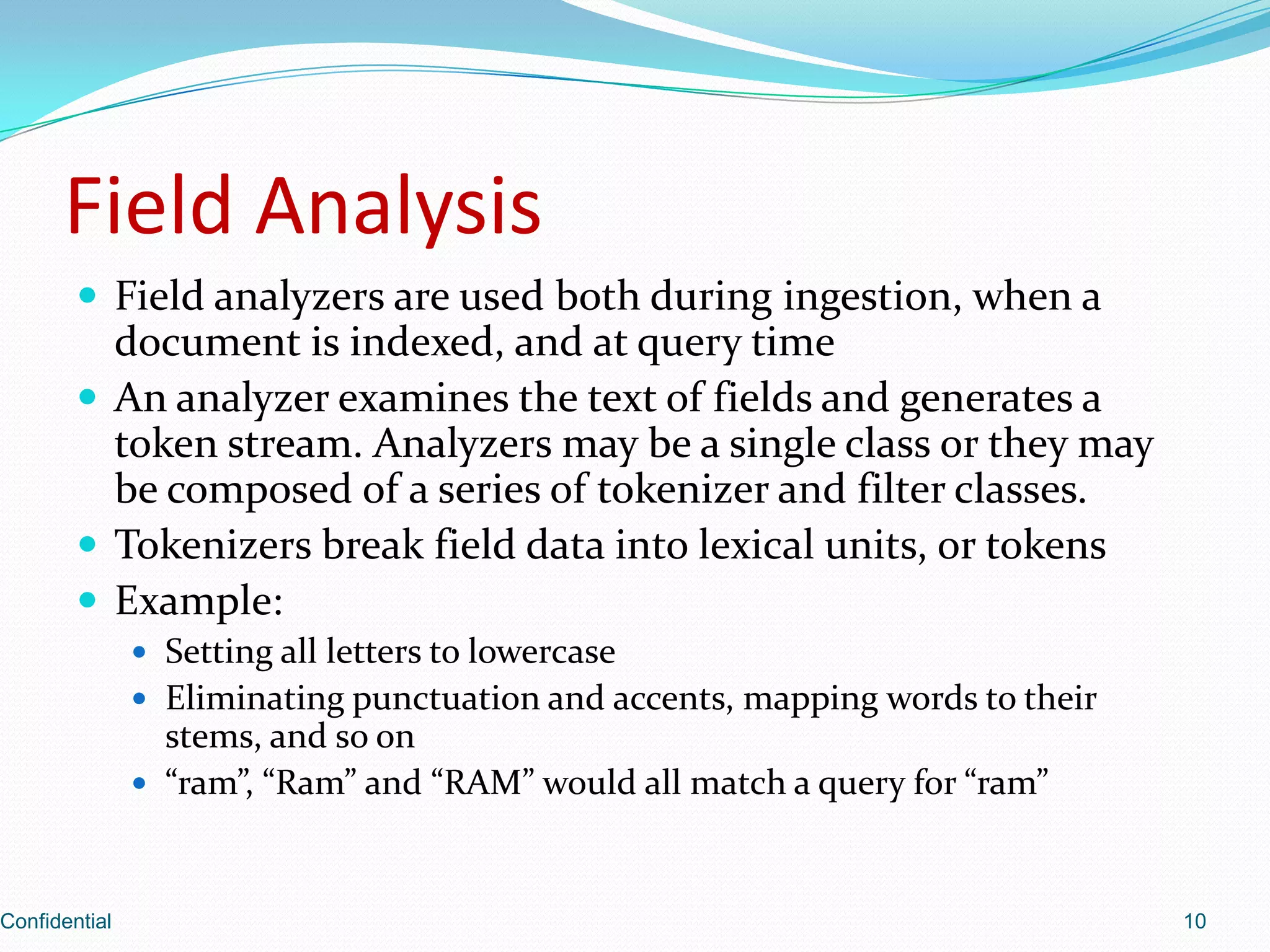
Discusses field analyzers used during document indexing and querying, including tokenization examples.
Overview of schema.xml configuration in Solr outlining key sections like Types and Fields.
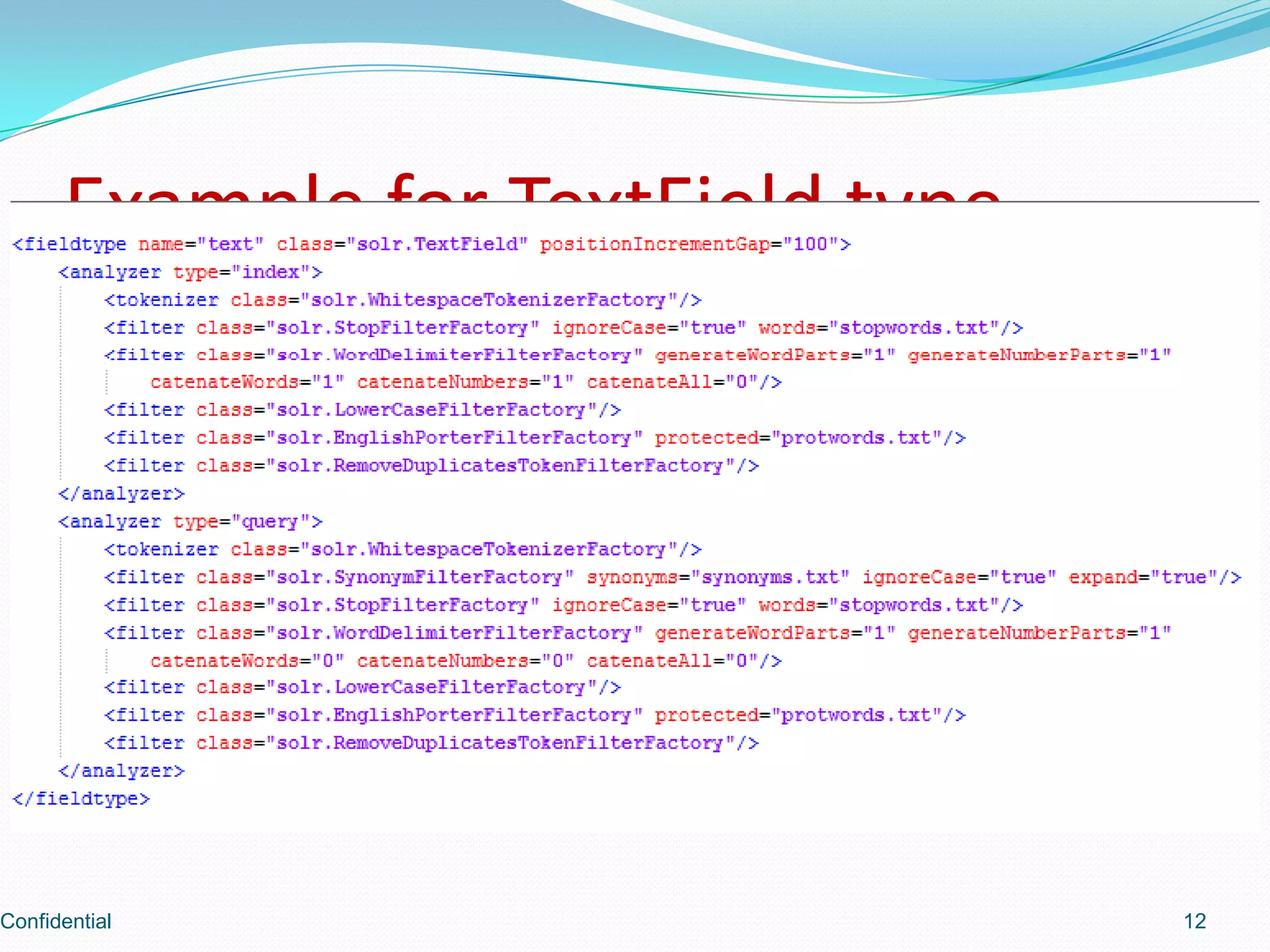
Examples of how to define a TextField type in Solr's schema.
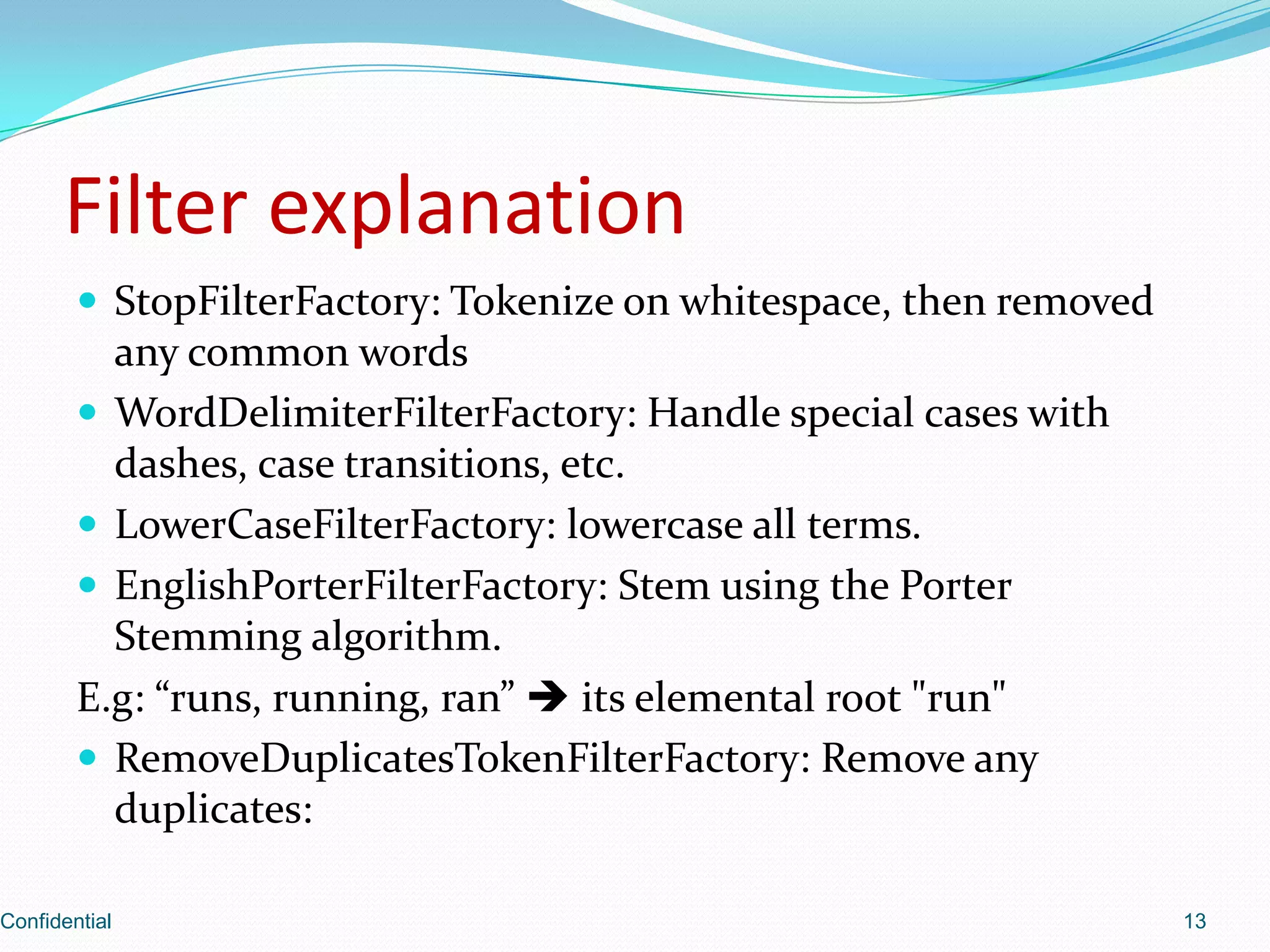
Explains various filter factories for token manipulation such as StopFilter, WordDelimiterFilter, and stemming examples.
Describes field attributes in Solr including indexed and stored fields along with their functionalities.
Discusses how to define field attributes and dynamic fields in Solr schema.
Explains unique field declaration in schema and the concept of the default search field.
Shows various data formats available for interaction with Solr, including XML, CSV, and JSON.
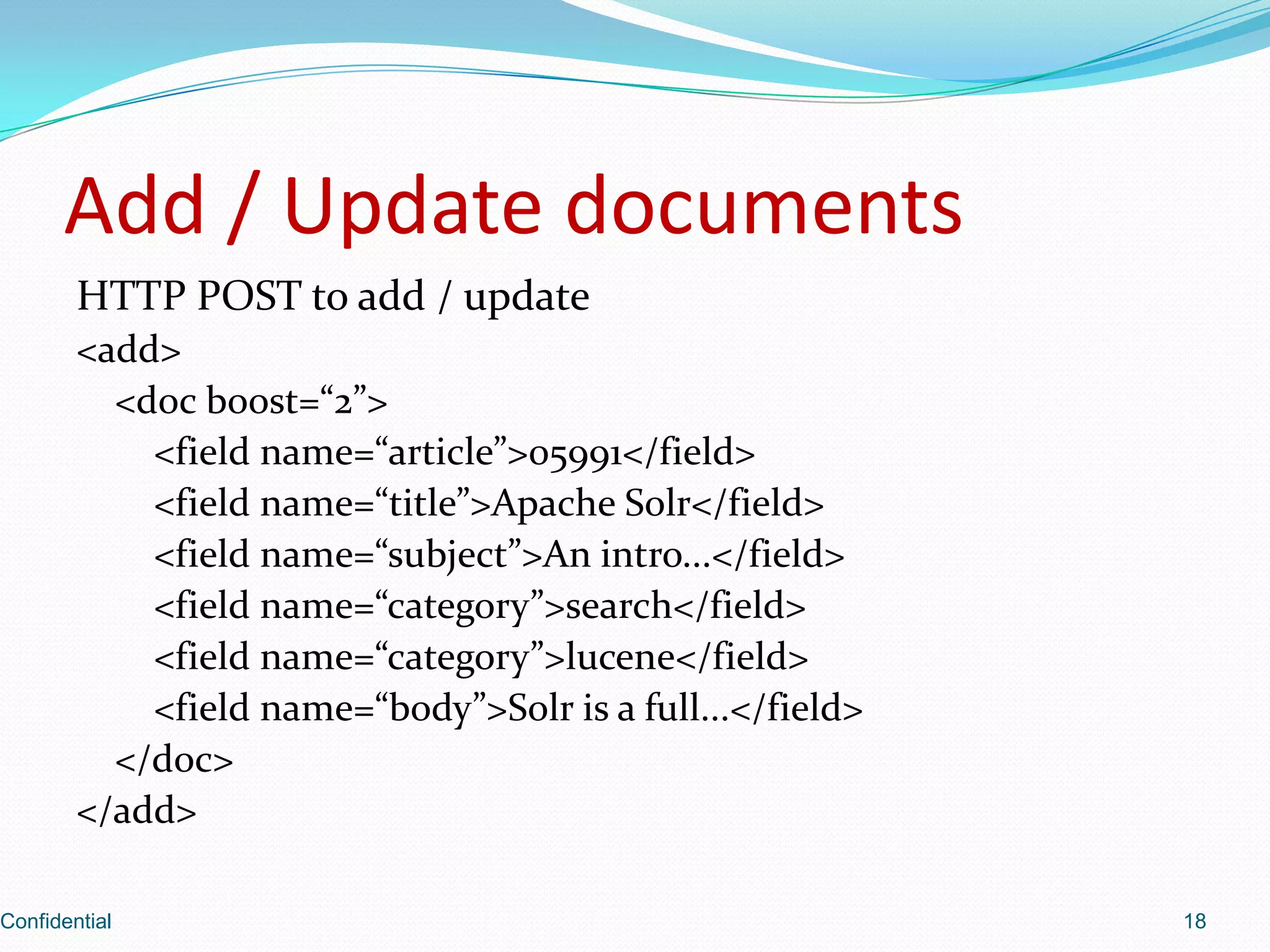
Details HTTP POST structure to add or update documents within Solr, with XML structure examples.
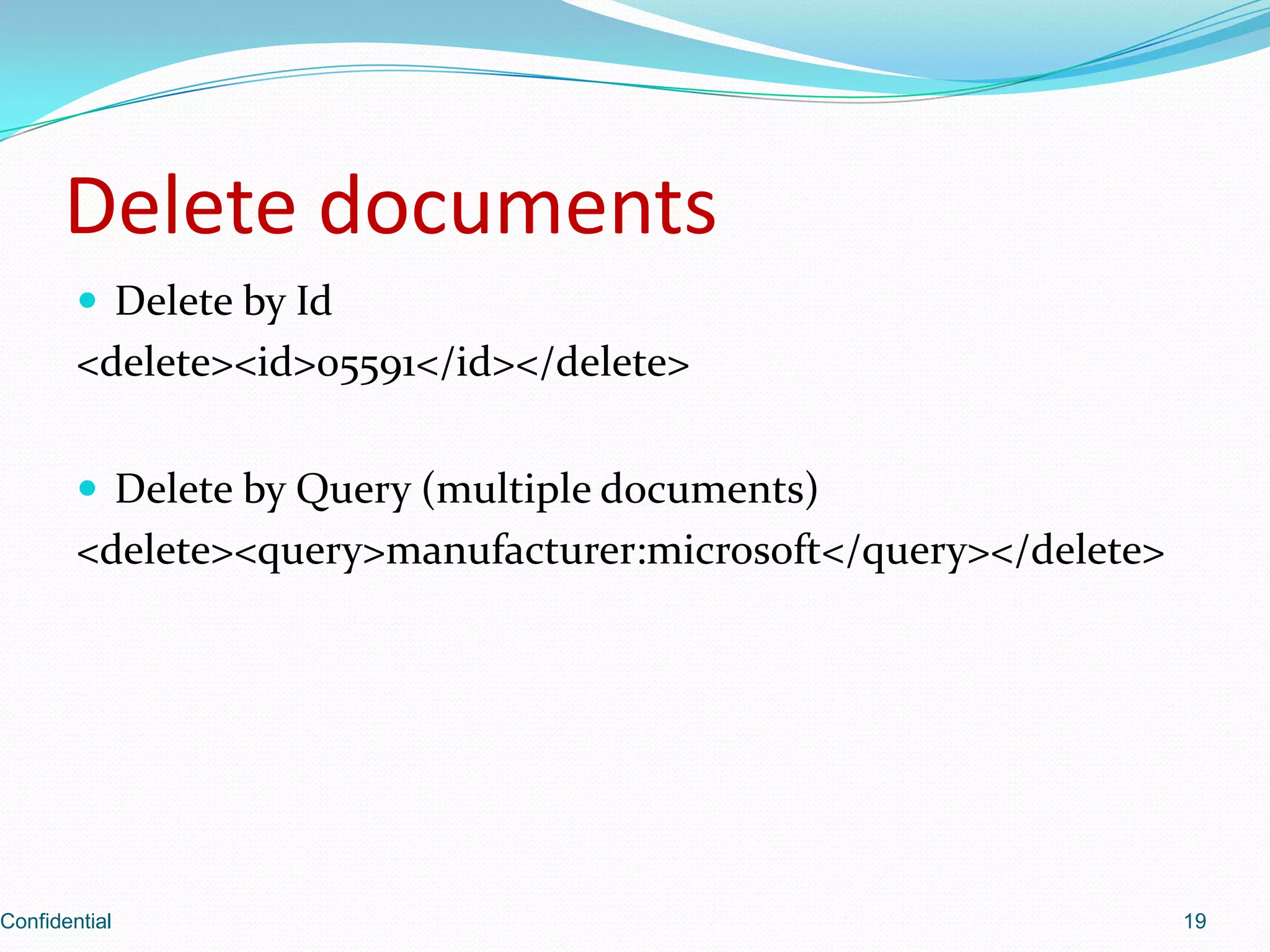
Instructions for deleting documents in Solr by ID and by query string.
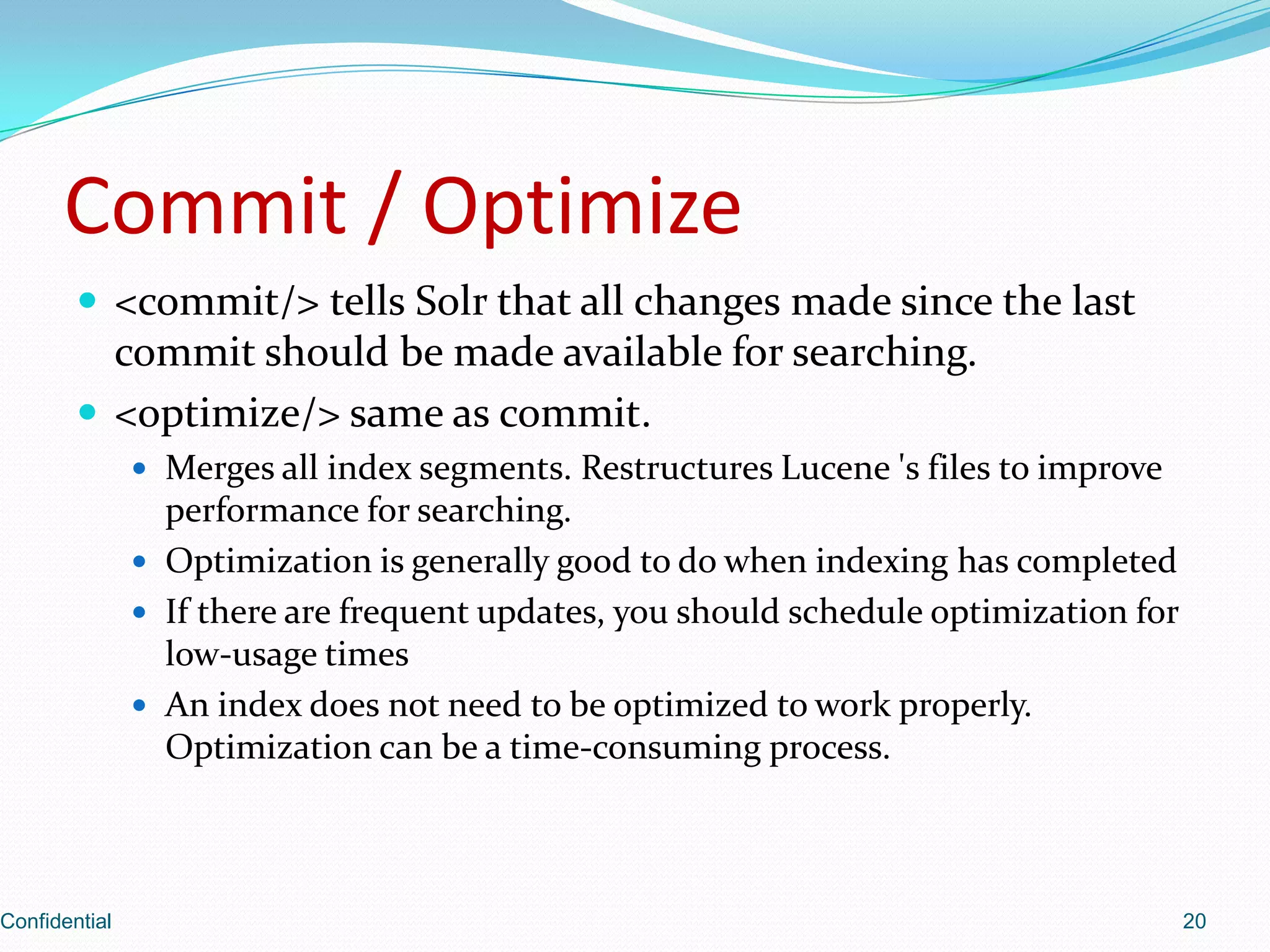
Describes the importance of committing and optimizing index for performance improvement.
Methods to POST raw XML data to Solr for indexing.
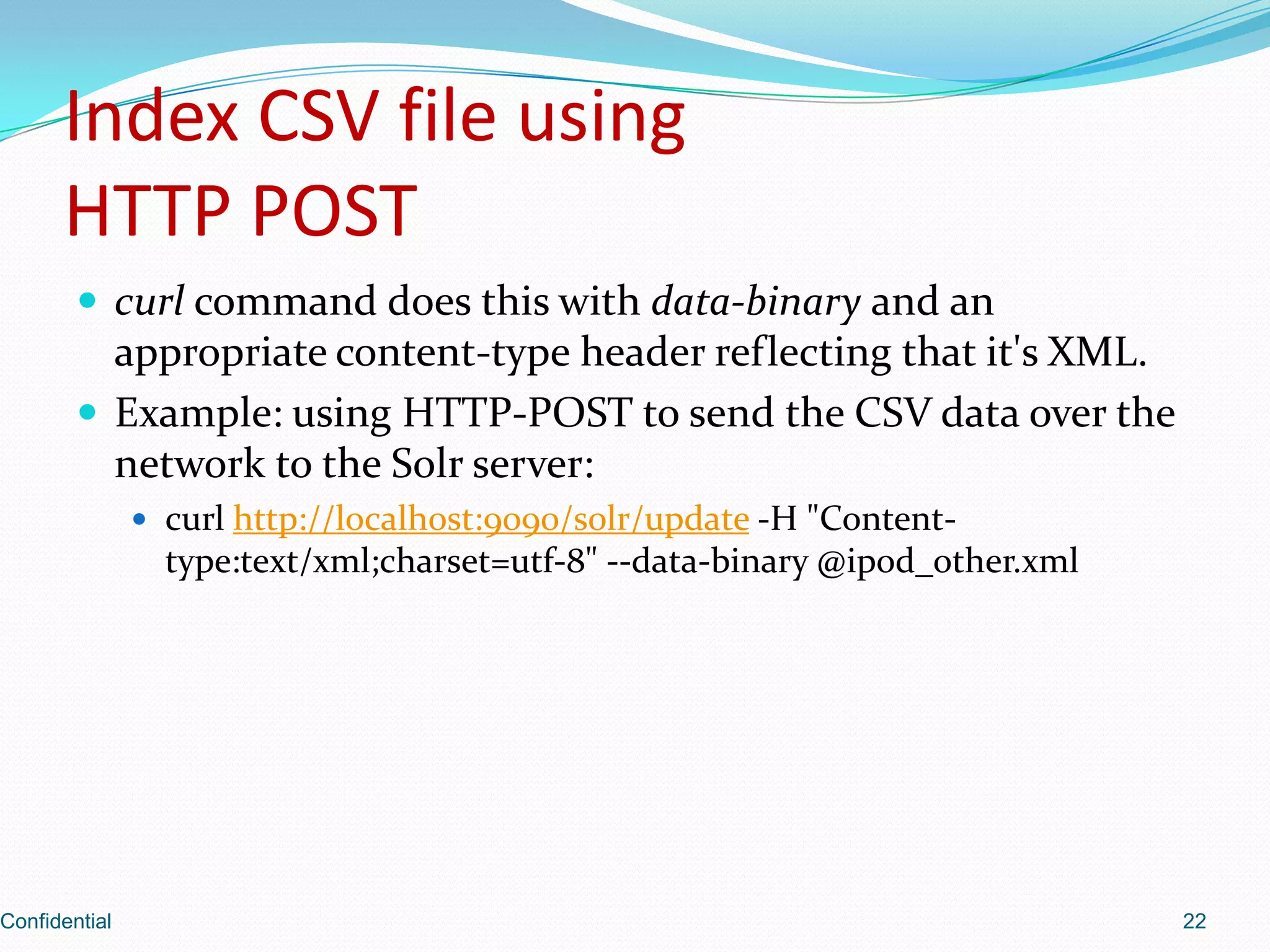
Demonstrates how to index CSV files using HTTP POST commands.
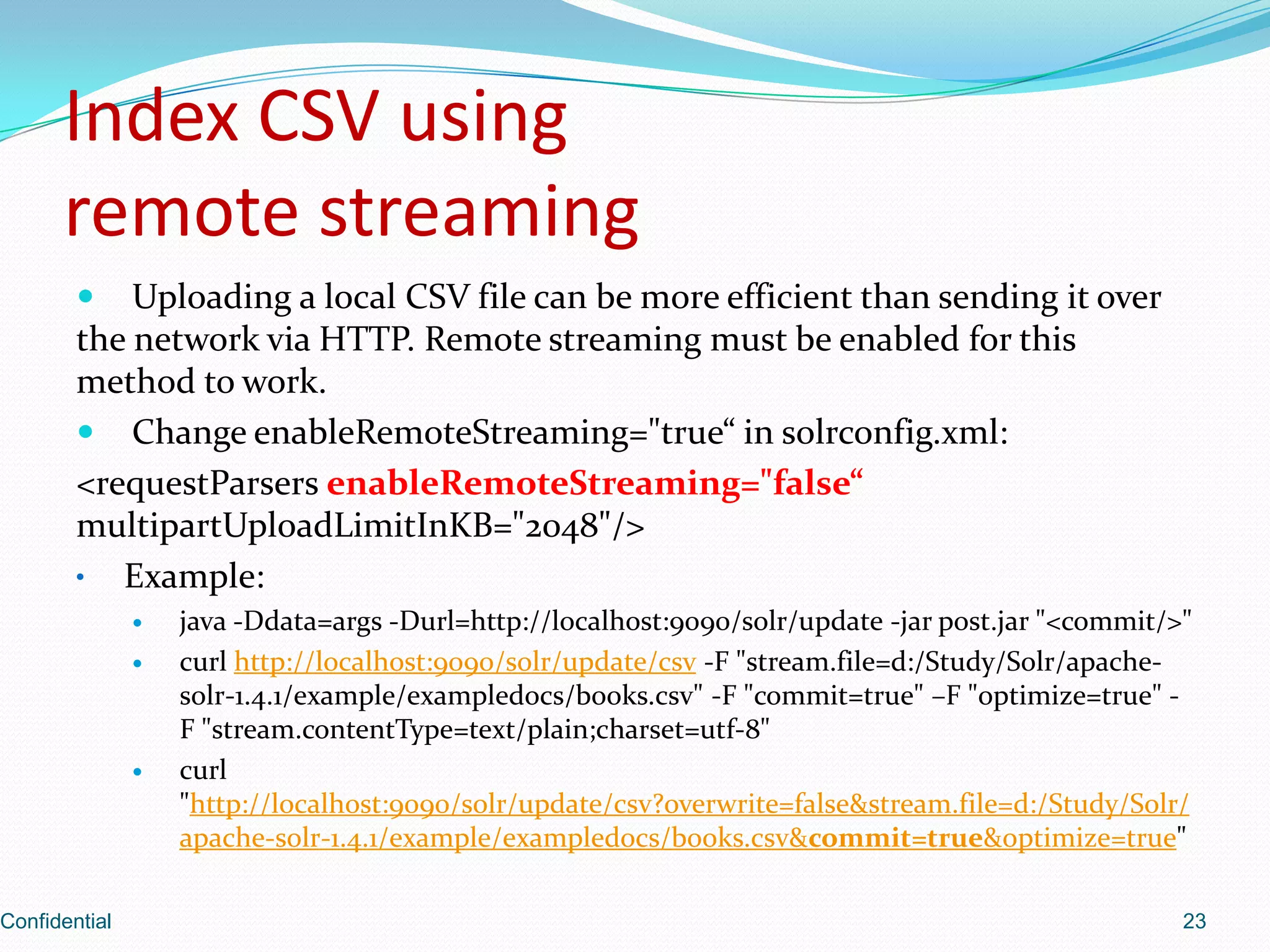
Describes the remote streaming method of indexing CSV files and related configurations.
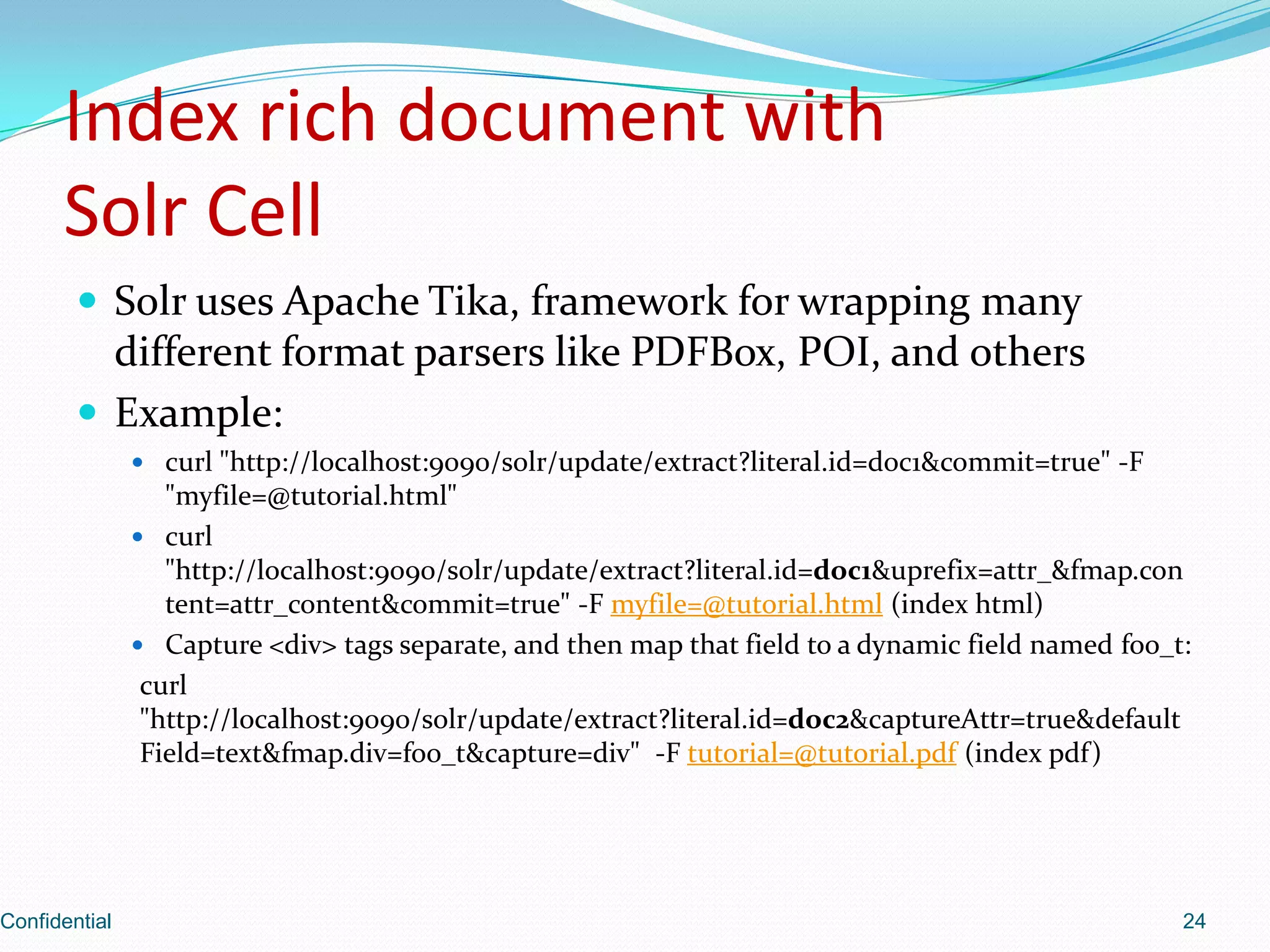
Explains how Solr uses Apache Tika to index rich document formats such as PDFs and HTML.
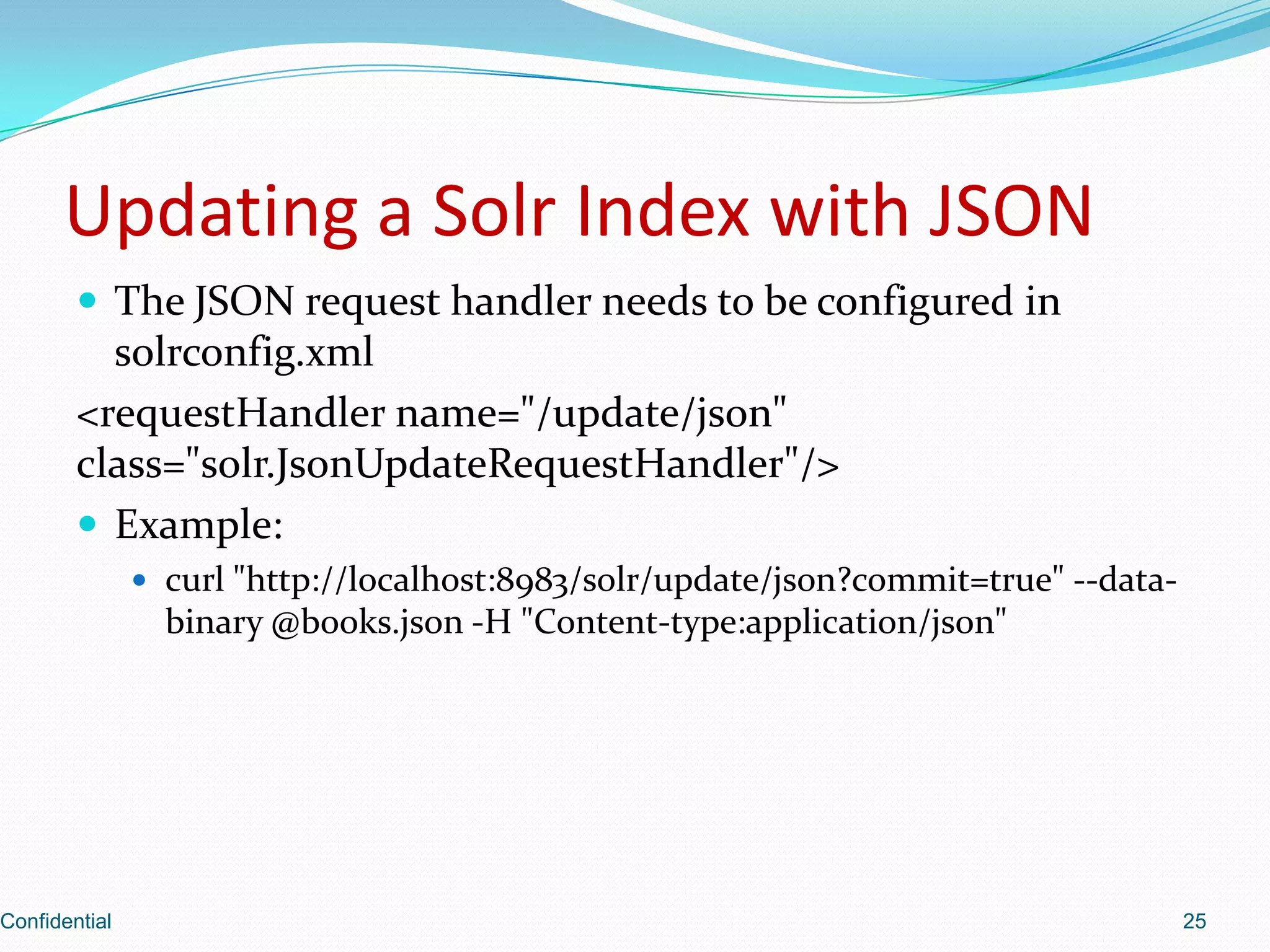
Details the configuration required to update Solr index using JSON format.
Overview of search capabilities, including spellcheck and scaling with distributed search.
Demonstrates the default query syntax used for making searches within Solr.
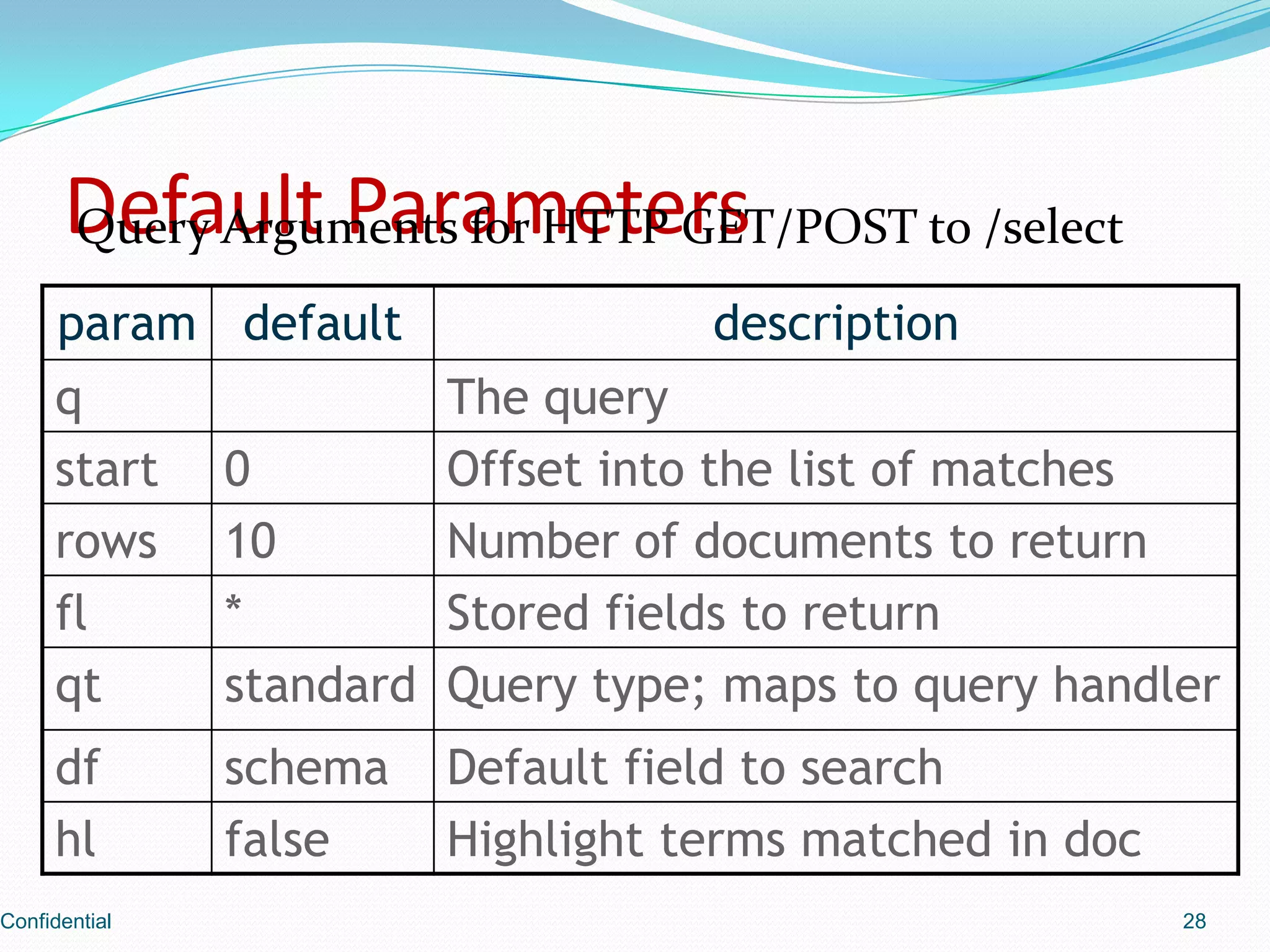
Outlines query arguments for HTTP requests when interacting with Solr's /select endpoint.
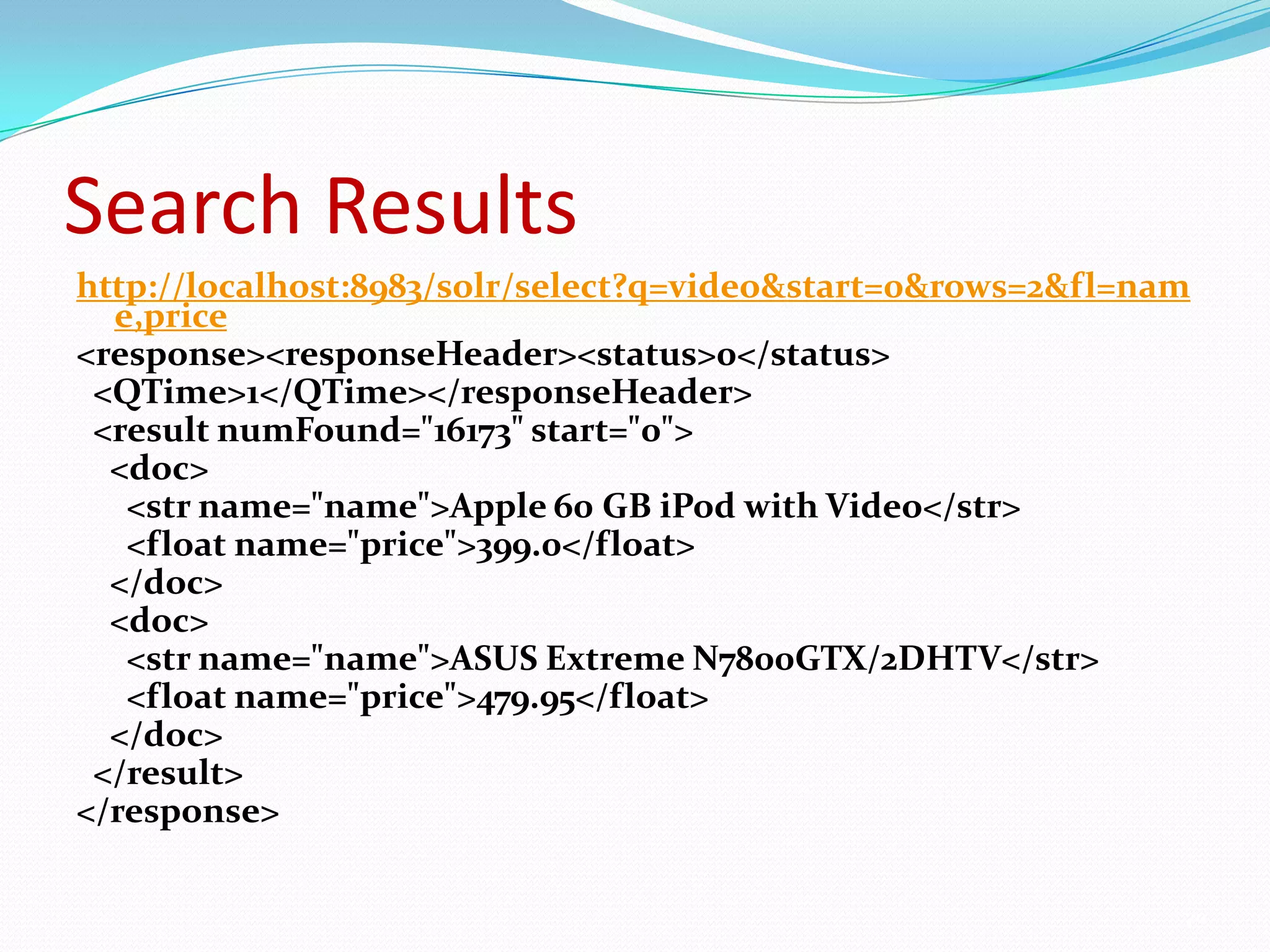
Shows the structure of a sample search result response from Solr.
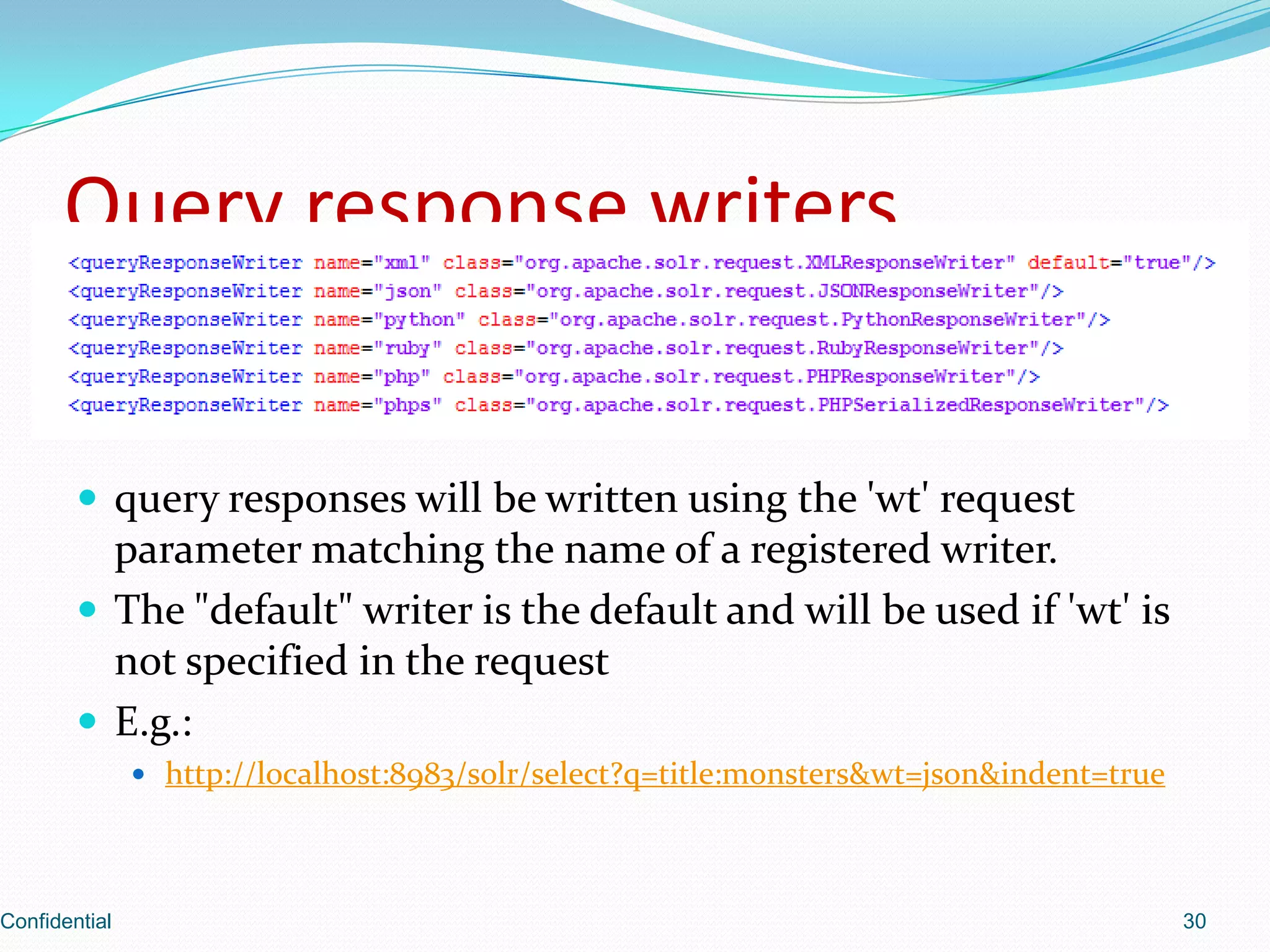
Explains how query responses are formatted using different writers and how to specify them.
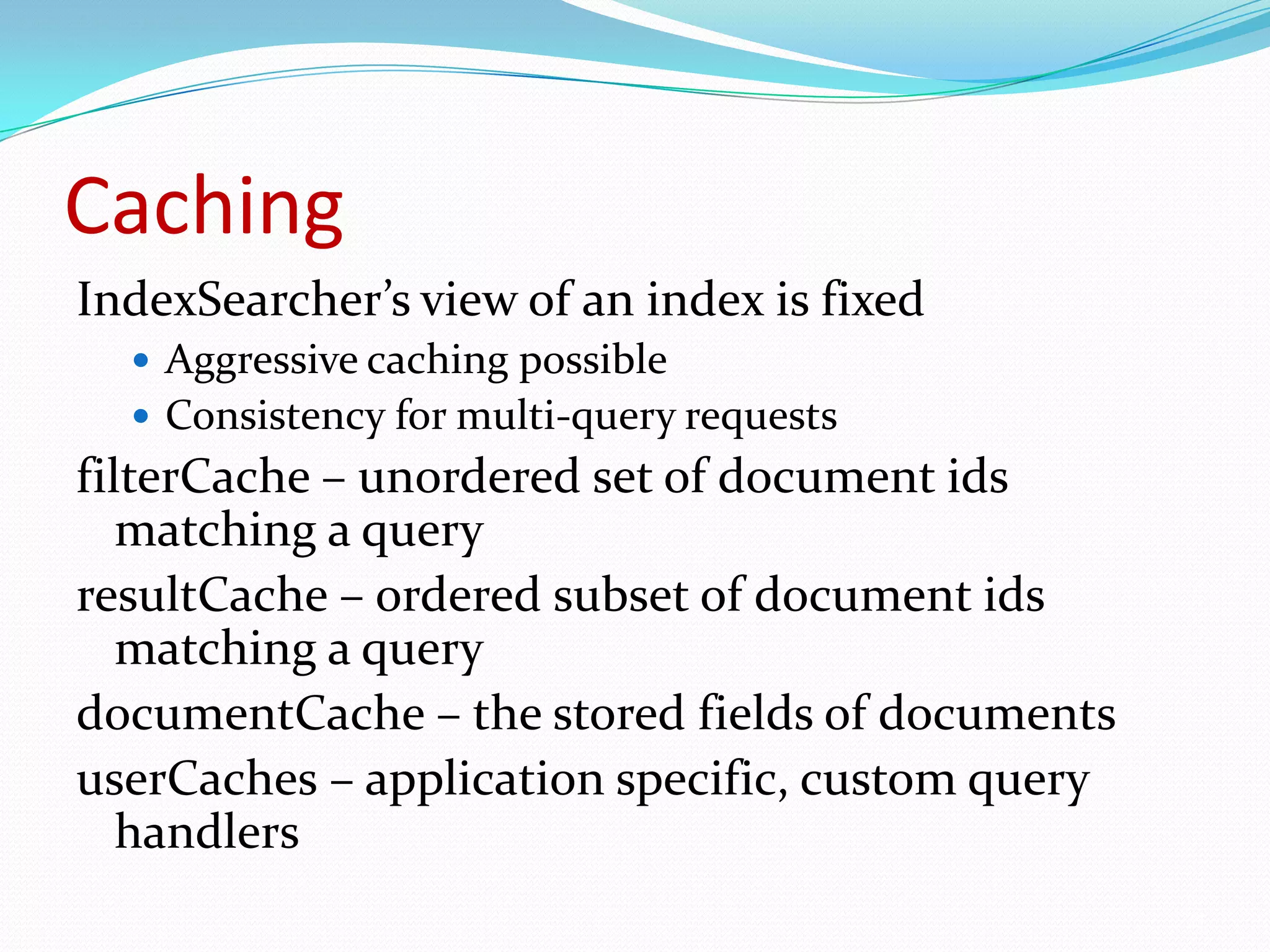
Details the aggressive caching strategies Solr employs for query consistency and speed.
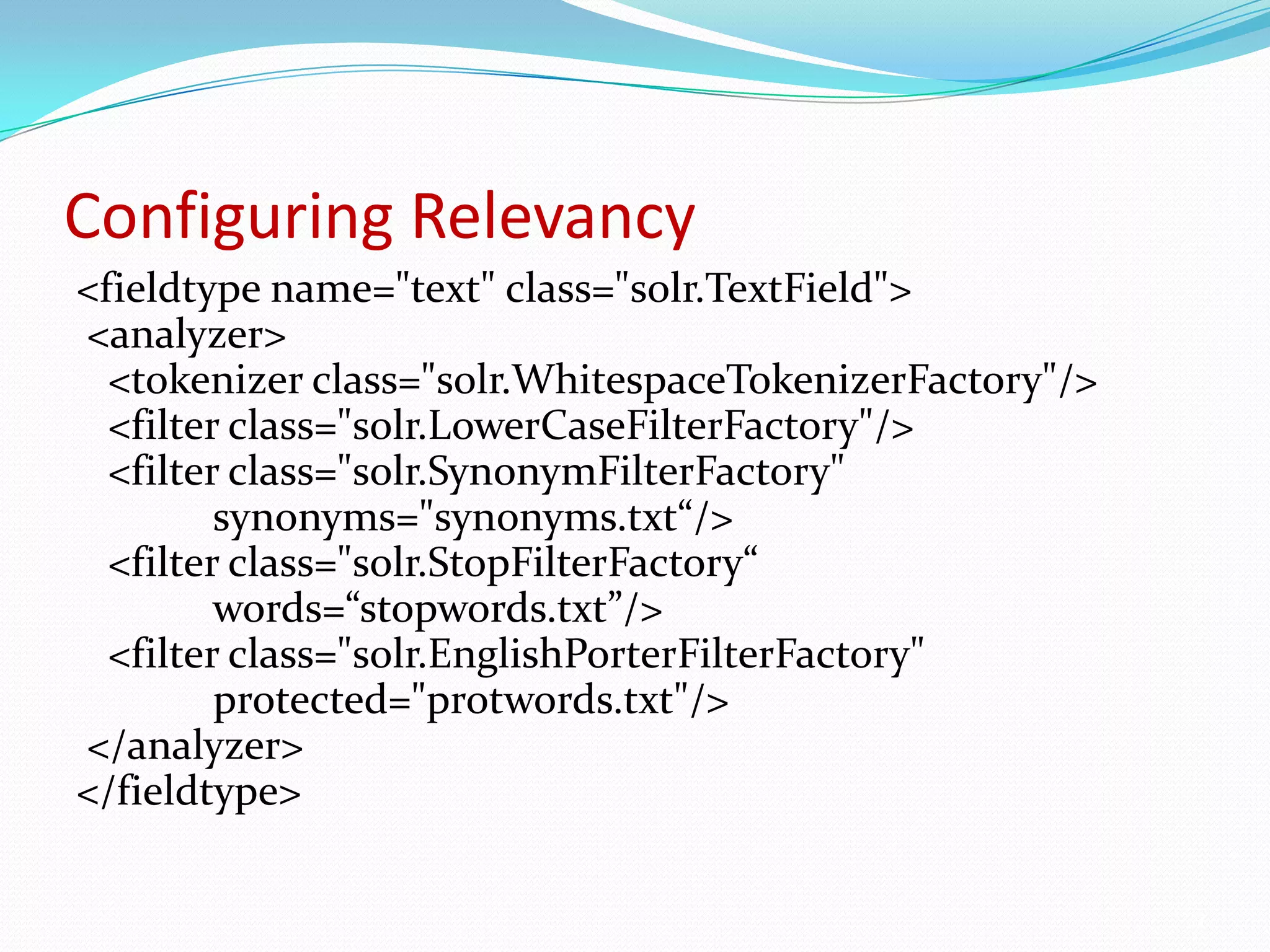
Explains how to set up field types and analyzers to improve search relevancy.
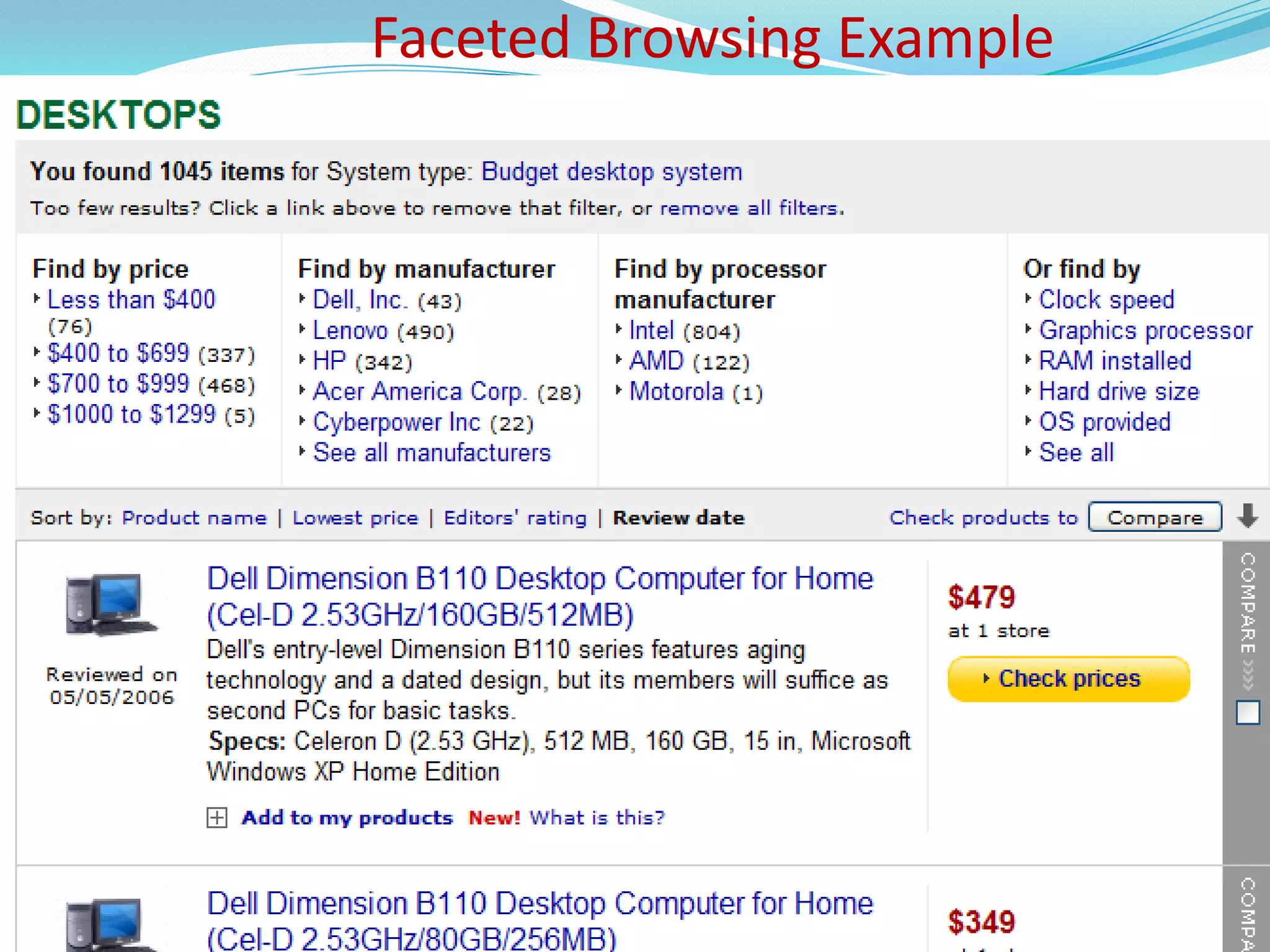
Introduction to faceted browsing and its implications for user search experiences.
Demonstrates complex faceted search queries and their impact on results.
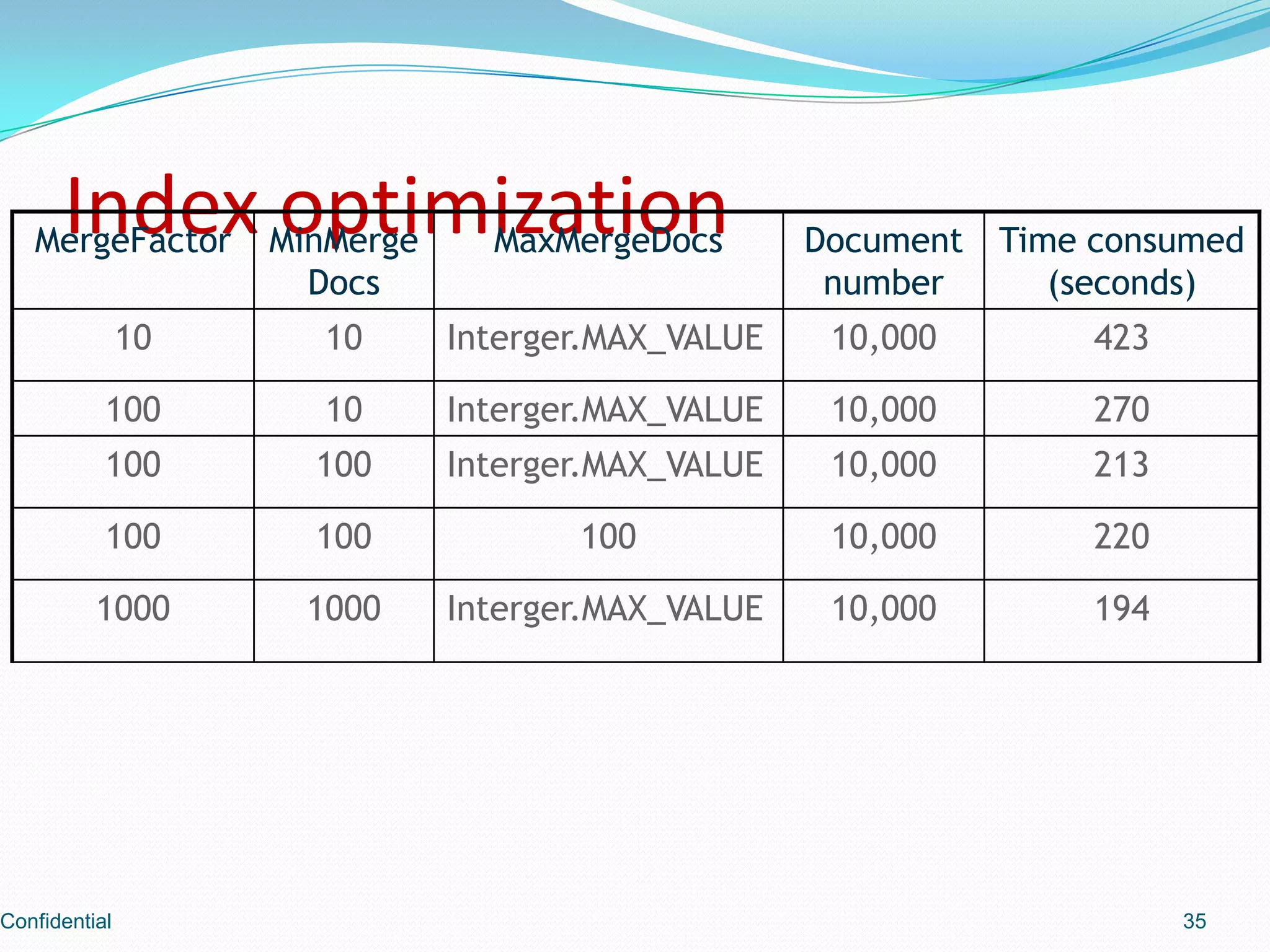
Overview of optimization methods and their importance for efficient indexing.
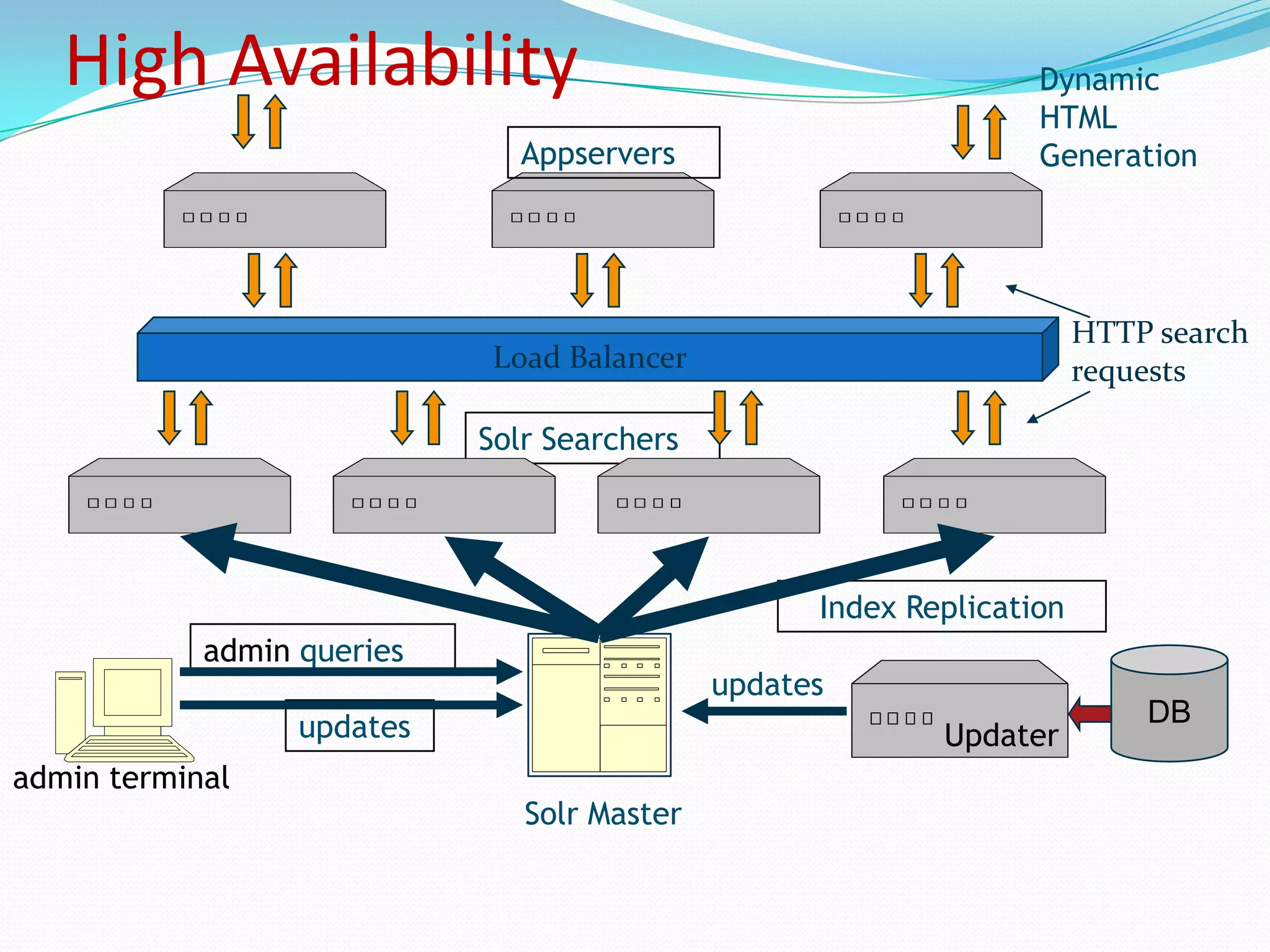
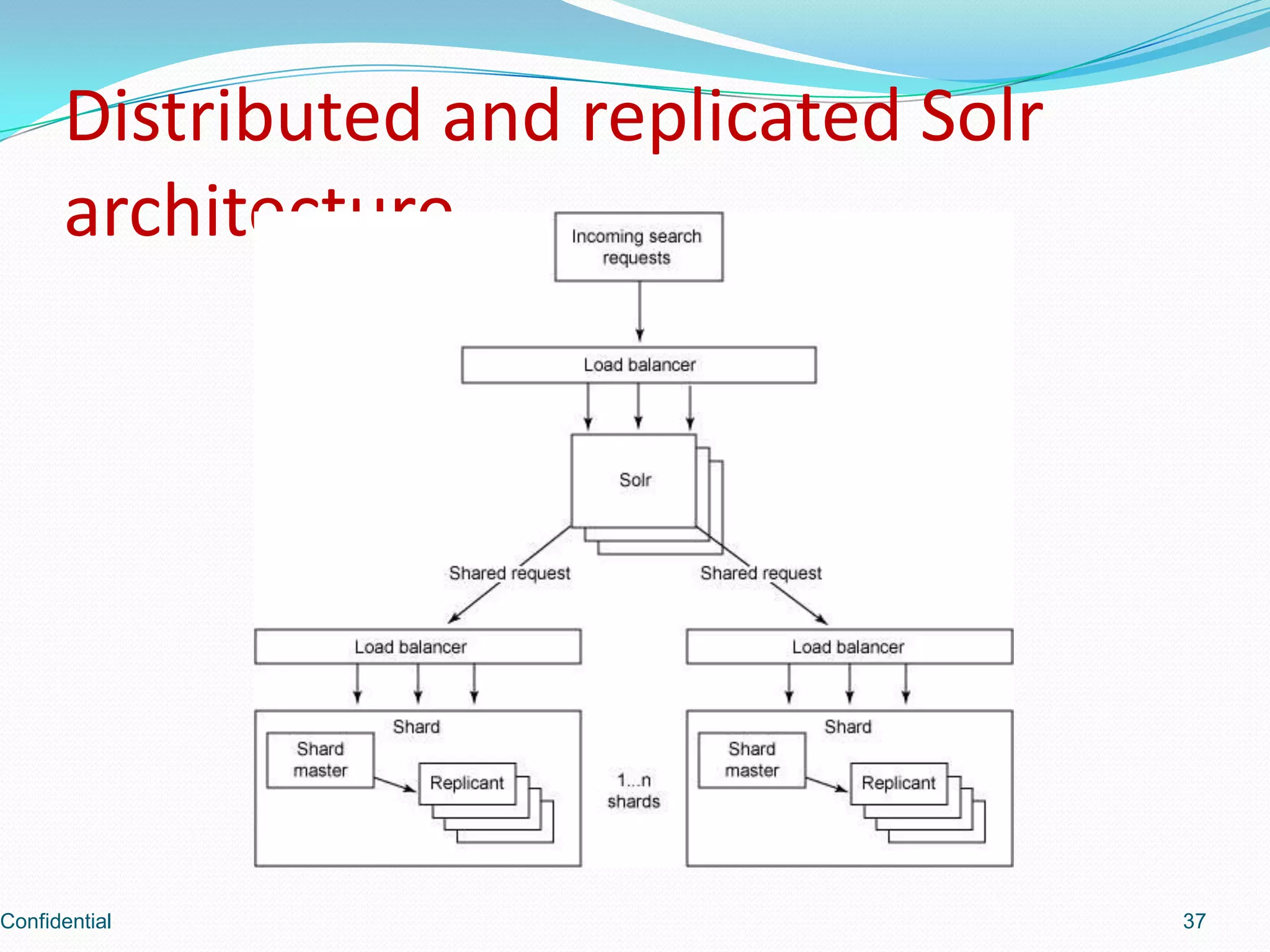
Discusses Solr’s architecture supporting high availability through load balancing and replication.
Insights into the distributed architecture for Solr with a focus on replication.
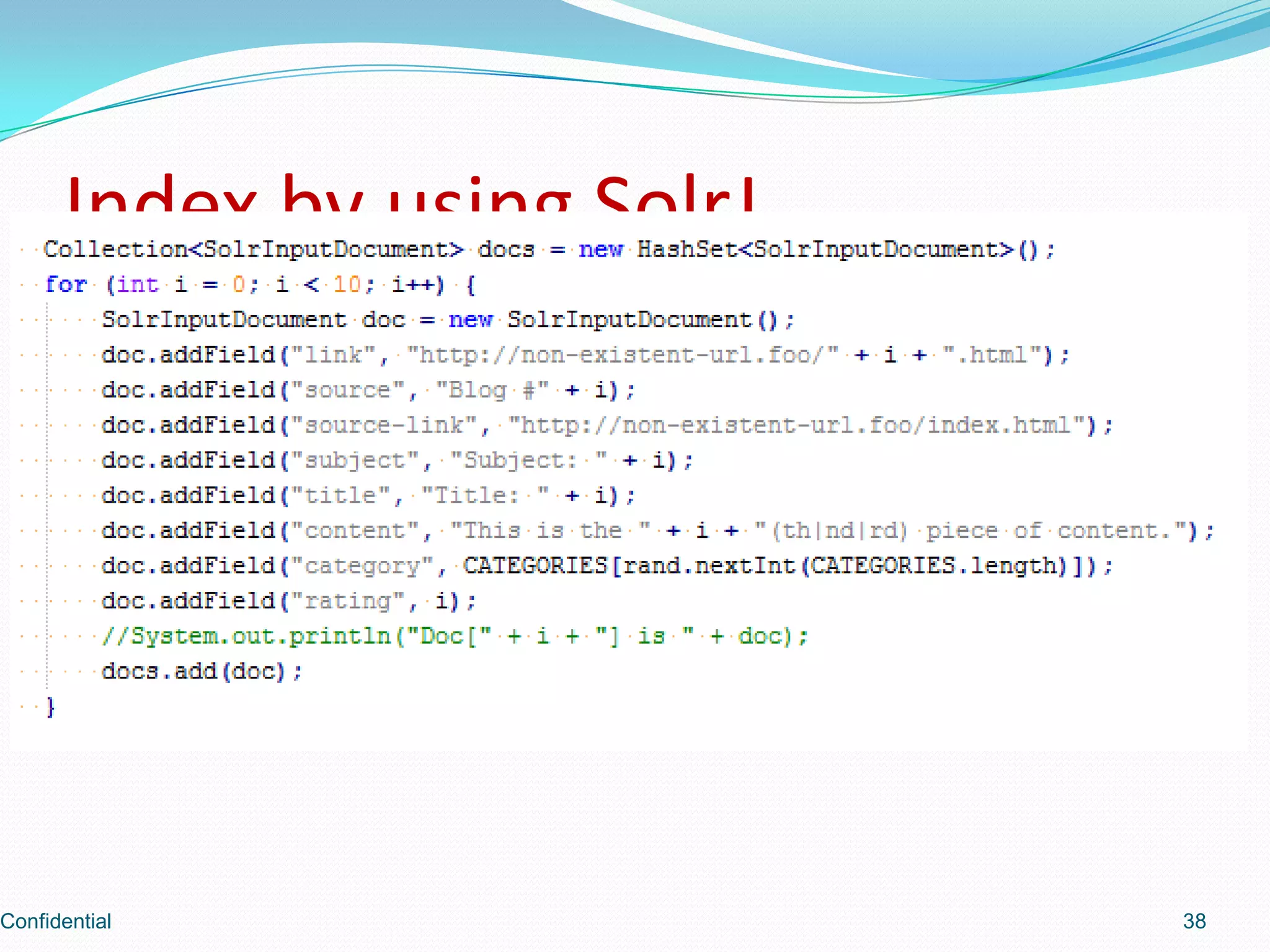
Shows how to index data using SolrJ, a Java client for Solr.
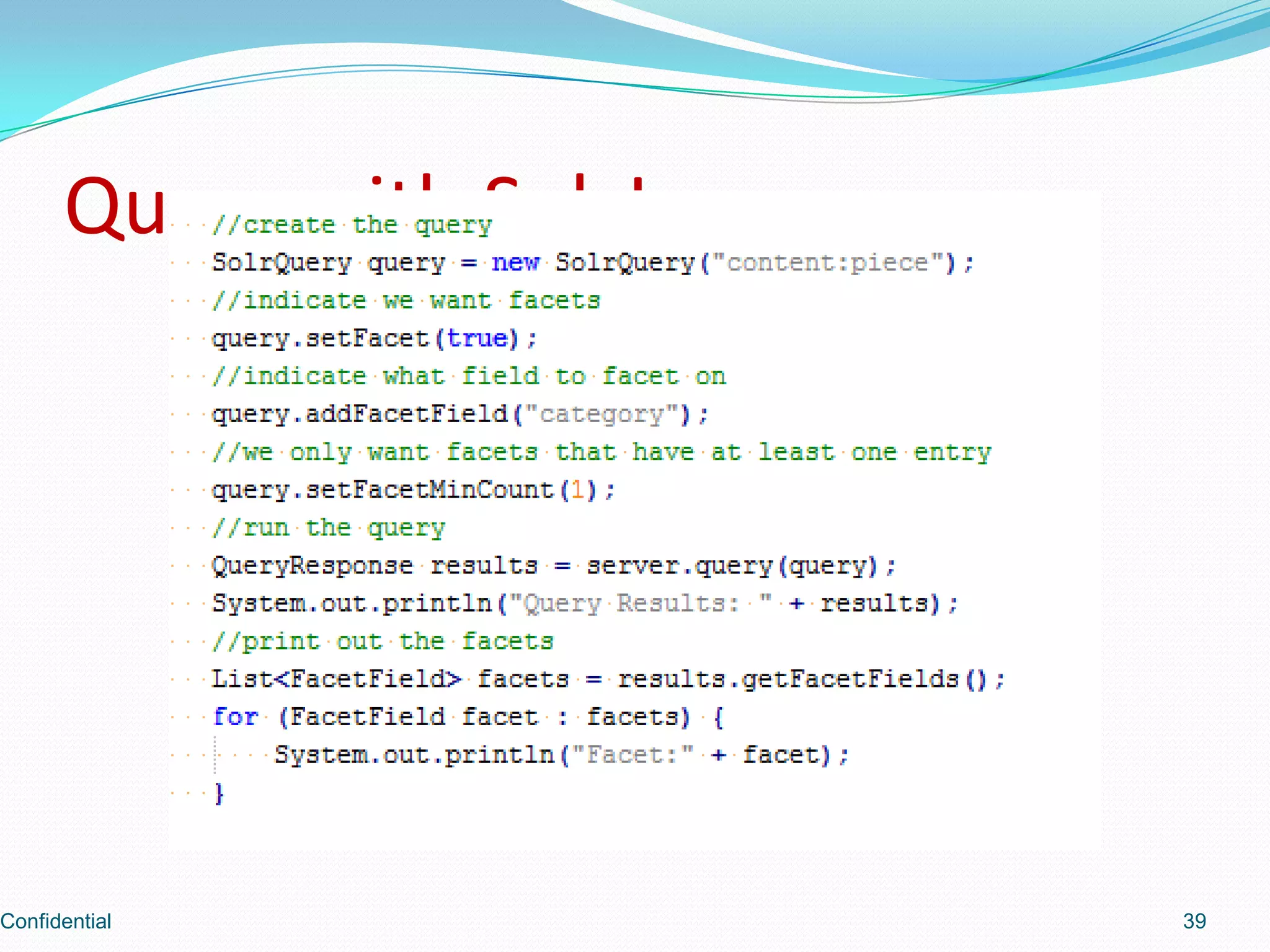
Demonstrates how to perform queries using SolrJ.
Discusses machine capabilities for indexing in a distributed setting including capacity limits.
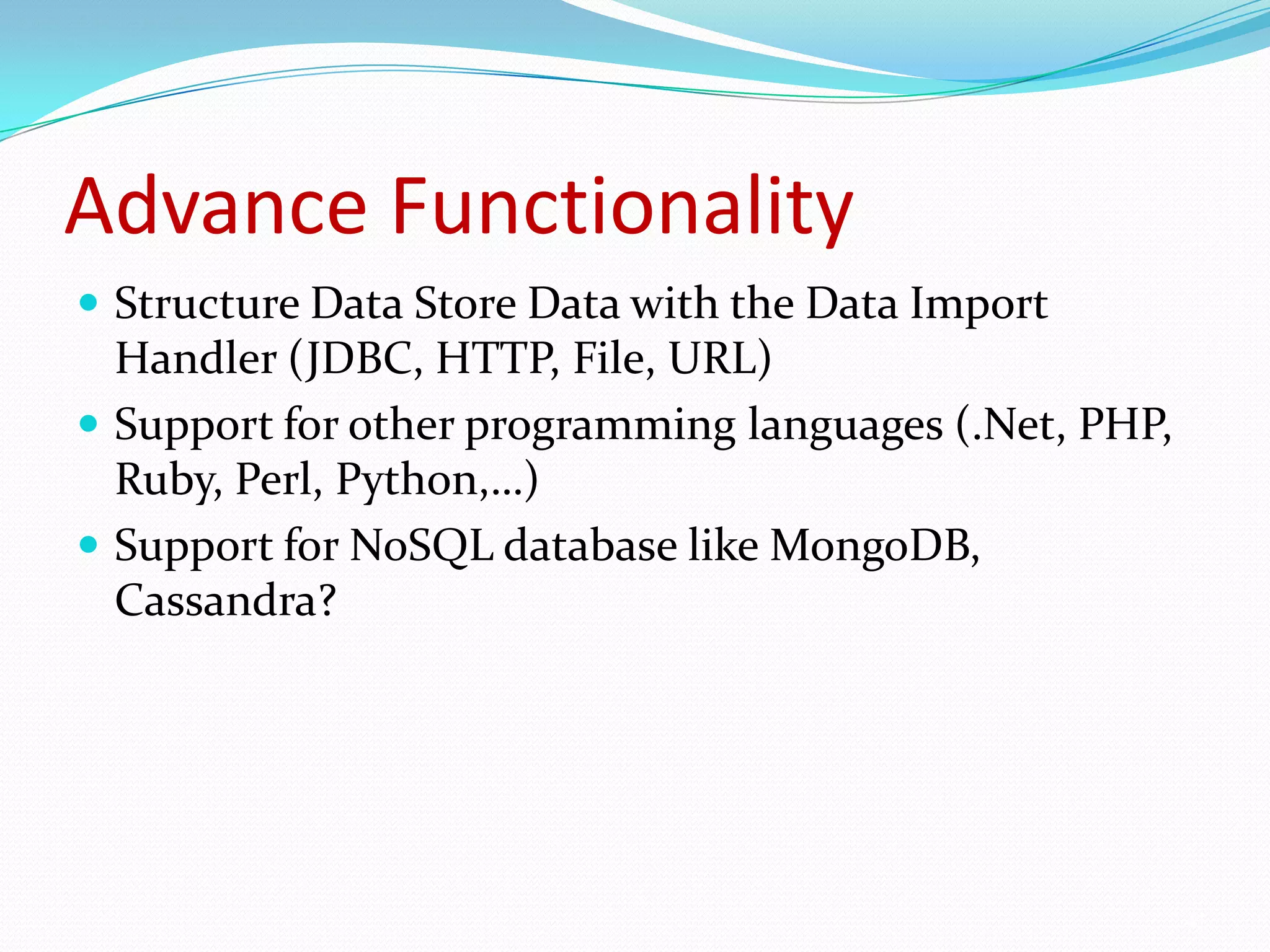
Explores advanced functionalities like data import handlers and support for various programming languages.
Mentions other open source search servers like Sphinx and Elastic Search as alternatives to Solr.
Provides links to resources and documentation for further learning about Solr.
Continues with more resources and information about Solr and its capabilities.
Sections marked confidential, presumably containing sensitive or proprietary information.
Why does searchmatter?Then:Most of the data encountered created for the webHeavy use of a site ‘s search function considered a failure in navigationNow:Navigation not always relevantLess patience to browseUsers are used to “navigation by search box”Confidential2
3.
What is SOLROpensource enterprise search platform based on Apache Lucene project.REST-like HTTP/XML and JSONAPIsPowerful full-text search, hit highlighting, faceted searchDatabase integration, and rich document (e.g., Word, PDF) handlingDynamic clustering, distributed search and index replicationLoose Schema to define types and fieldsWritten in Java5, deployable as a WARConfidential3
4.
Public Websites usingSolrMature product powering search for public sites like Digg, CNet, Zappos, and NetflixSee here for more information: http://wiki.apache.org/solr/PublicServersConfidential4
Starting SolrWe needto set these settings for SOLR:solr.solr.home: SOLR home folder contains conf/solrconfig.xmlsolr.data.dir: folder contains index folderOr configure a JNDI lookup of java:comp/env/solr/home to point to the solr directory. For e.g:java -Dsolr.solr.home=./solr -Dsolr.data.dir=./solr/data -jar start.jar (Jetty)Other web server, set these values by setting Java propertiesConfidential6
How Solr Seesthe WorldAn index is built of one or more DocumentsA Document consists of one or more FieldsDocuments are composed of fieldsA Field consists of a name, content, and metadata telling Solr how to handle the content.You can tell Solr about the kind of data a field contains by specifying its field typeConfidential9
10.
Field AnalysisField analyzersare used both during ingestion, when a document is indexed, and at query timeAn analyzer examines the text of fields and generates a token stream. Analyzers may be a single class or they may be composed of a series of tokenizer and filter classes.Tokenizersbreak field data into lexical units, or tokensExample: Setting all letters to lowercaseEliminating punctuation and accents, mapping words to their stems, and so on“ram”, “Ram” and “RAM” would all match a query for “ram”Confidential10
11.
Schema.xmlschema.xml file locatedin ../solr/confschema file starts with <schema> tagSolr supports one schema per deploymentThe schema can be organized into three sections:TypesFieldsOther declarations11
Filter explanationStopFilterFactory: Tokenizeon whitespace, then removed any common wordsWordDelimiterFilterFactory: Handle special cases with dashes, case transitions, etc.LowerCaseFilterFactory: lowercase all terms.EnglishPorterFilterFactory: Stem using the Porter Stemming algorithm.E.g: “runs, running, ran” its elemental root "run"RemoveDuplicatesTokenFilterFactory: Remove any duplicates:Confidential13
14.
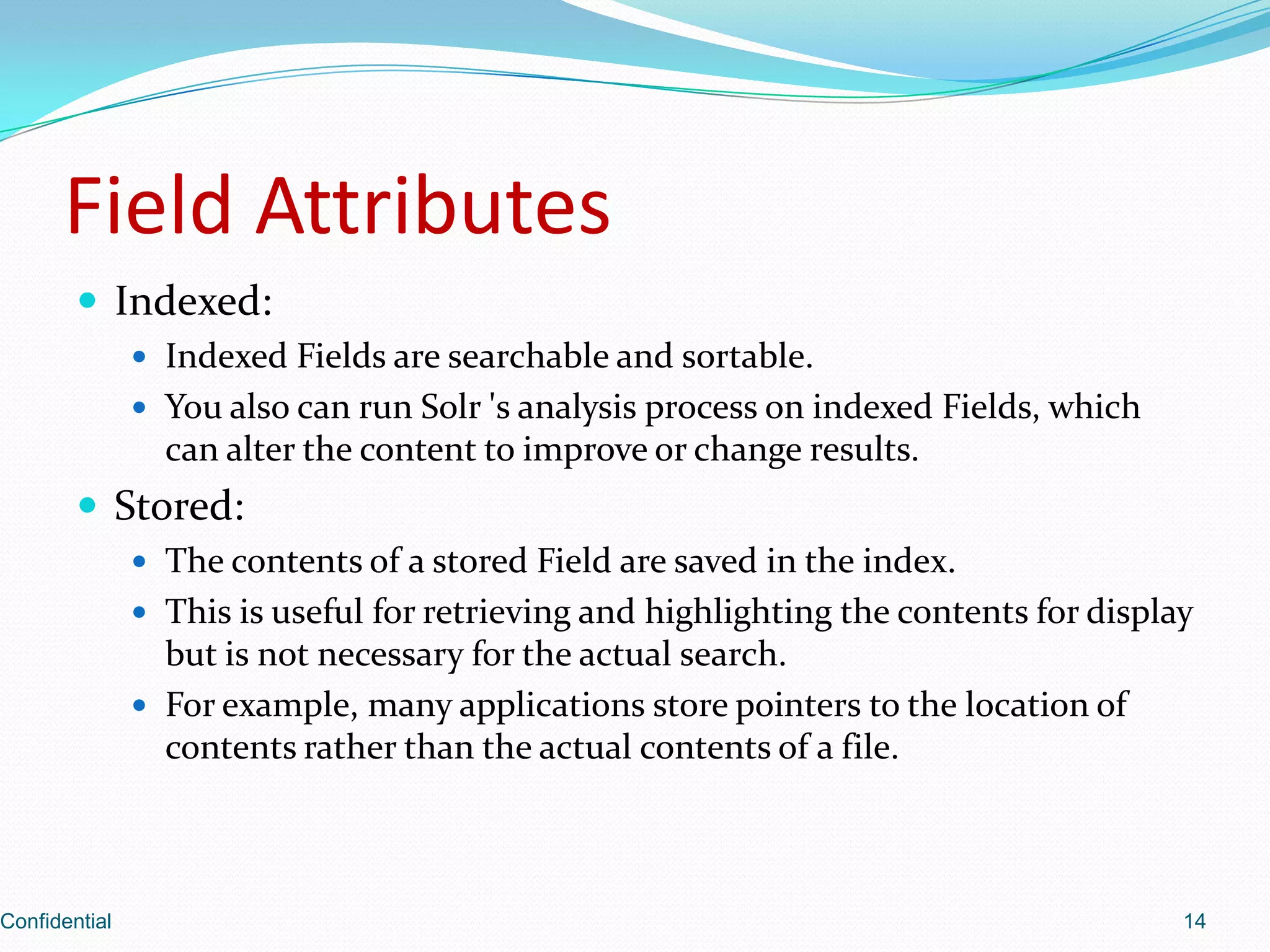
Field AttributesIndexed:Indexed Fieldsare searchable and sortable.You also can run Solr 's analysis process on indexed Fields, which can alter the content to improve or change results. Stored:The contents of a stored Field are saved in the index.This is useful for retrieving and highlighting the contents for display but is not necessary for the actual search.For example, many applications store pointers to the location of contents rather than the actual contents of a file.Confidential14
15.
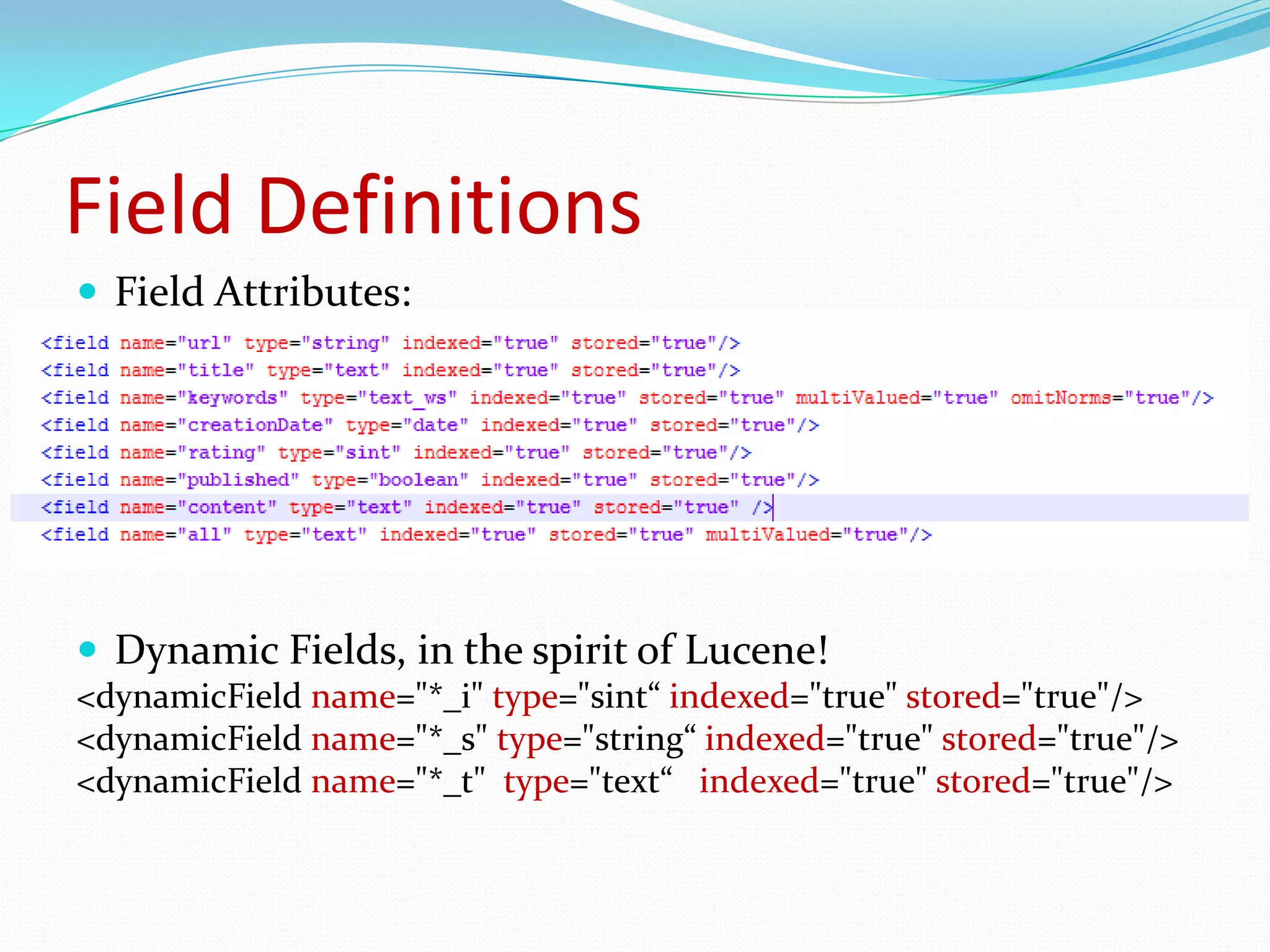
Field DefinitionsField Attributes:name, type, indexed, stored, multiValued, omitNormsDynamic Fields, in the spirit of Lucene!<dynamicFieldname="*_i" type="sint“ indexed="true" stored="true"/><dynamicFieldname="*_s" type="string“ indexed="true" stored="true"/><dynamicFieldname="*_t" type="text“ indexed="true" stored="true"/>15
16.
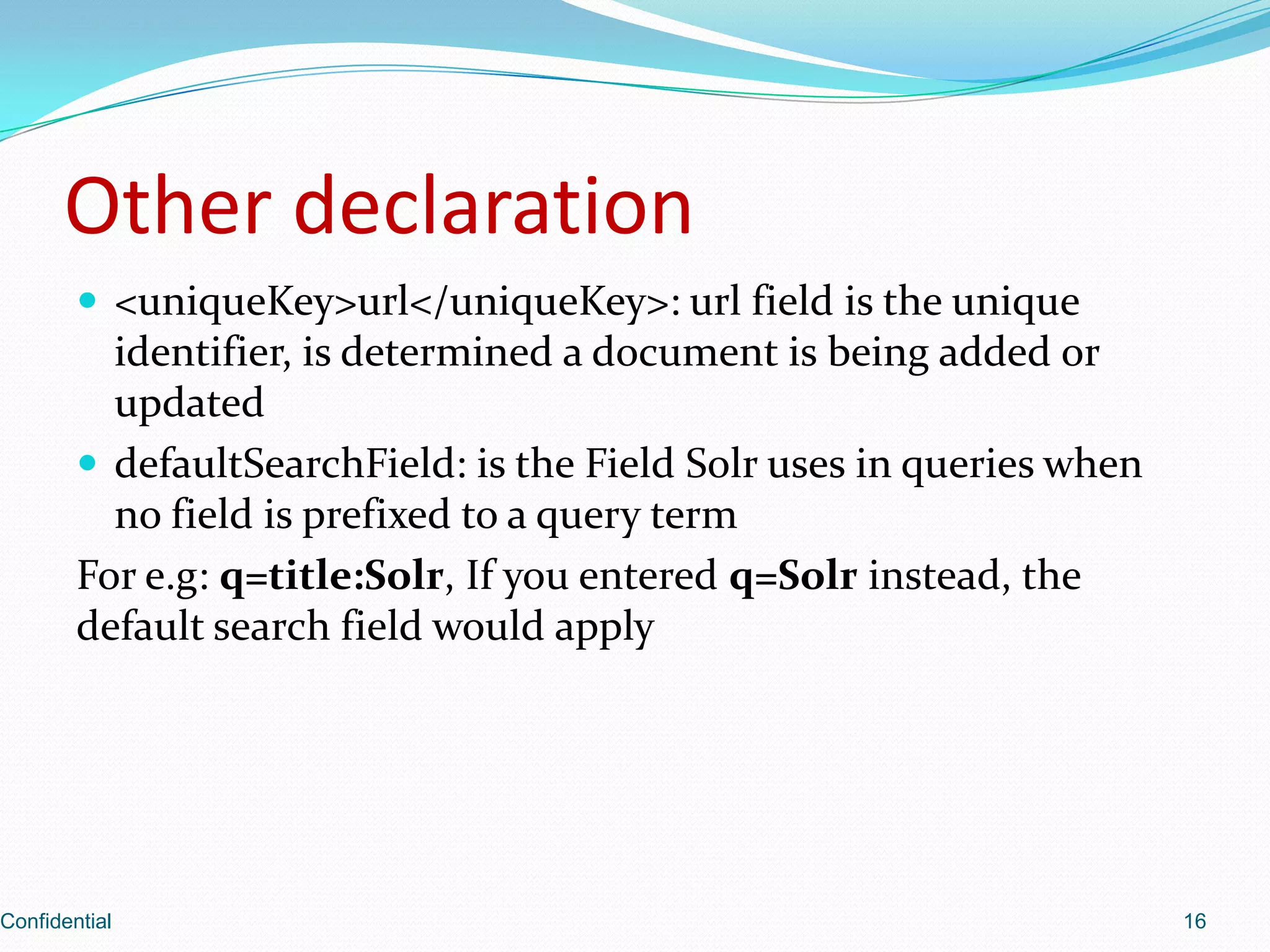
Other declaration<uniqueKey>url</uniqueKey>: urlfieldis the unique identifier, is determined a document is being added or updateddefaultSearchField: is the Field Solr uses in queries when no field is prefixed to a query termFor e.g: q=title:Solr, If you entered q=Solr instead, the default search field would applyConfidential16
17.
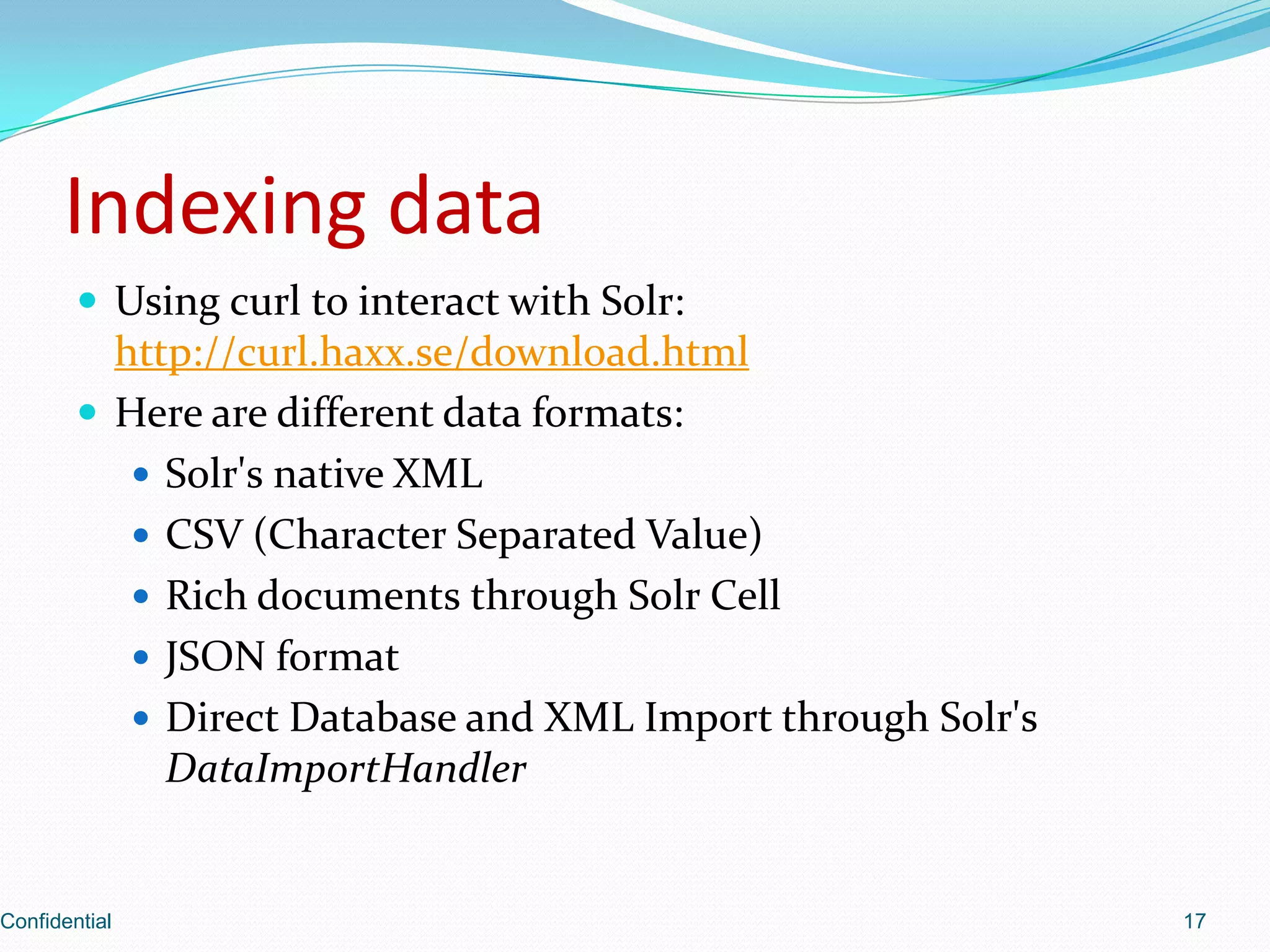
Indexing dataUsing curlto interact with Solr: http://curl.haxx.se/download.htmlHere are different data formats:Solr'snative XMLCSV (Character Separated Value)Rich documents through SolrCellJSON formatDirect Database and XML Import through Solr'sDataImportHandlerConfidential17
18.
Add / UpdatedocumentsHTTP POST to add / update<add> <doc boost=“2”> <field name=“article”>05991</field> <field name=“title”>Apache Solr</field> <field name=“subject”>An intro...</field> <field name=“category”>search</field> <field name=“category”>lucene</field> <field name=“body”>Solr is a full...</field> </doc></add>Confidential18
19.
Delete documentsDelete byId<delete><id>05591</id></delete>Delete by Query (multiple documents)<delete><query>manufacturer:microsoft</query></delete>Confidential19
20.
Commit / Optimize<commit/>tells Solr that all changes made since the last commit should be made available for searching.<optimize/> same as commit.Merges all index segments. Restructures Lucene 's files to improve performance for searching.Optimization is generally good to do when indexing has completedIf there are frequent updates, you should schedule optimization for low-usage timesAn index does not need to be optimized to work properly. Optimization can be a time-consuming process.Confidential20
21.
Index XML documentsUsethe command line tool for POSTing raw XML to a SolrOther options:-Ddata=[files|args|stdin]-Durl=http://localhost:8983/solr/update-Dcommit=yes(Option default values are in red)Example:java -jar post.jar *.xmljava -Ddata=args -jar post.jar "<delete><id>42</id></delete>"java -Ddata=stdin -jar post.jarjava -Dcommit=no -Ddata=args-jar post.jar "<delete><query>*:*</query></delete>"Confidential21
22.
Index CSV fileusingHTTP POSTcurl command does this with data-binaryand an appropriate content-type header reflecting that it's XML.Example: using HTTP-POST to send the CSV data over the network to the Solr server: curl http://localhost:9090/solr/update -H "Content-type:text/xml;charset=utf-8" --data-binary @ipod_other.xmlConfidential22
23.
Index CSV usingremotestreamingUploading a local CSV file can be more efficient than sending it over the network via HTTP. Remote streaming must be enabled for this method to work. Change enableRemoteStreaming="true“ in solrconfig.xml:<requestParsersenableRemoteStreaming="false“multipartUploadLimitInKB="2048"/> Example:java -Ddata=args -Durl=http://localhost:9090/solr/update -jar post.jar "<commit/>"curl http://localhost:9090/solr/update/csv -F "stream.file=d:/Study/Solr/apache-solr-1.4.1/example/exampledocs/books.csv" -F "commit=true" –F "optimize=true" -F "stream.contentType=text/plain;charset=utf-8"curl "http://localhost:9090/solr/update/csv?overwrite=false&stream.file=d:/Study/Solr/apache-solr-1.4.1/example/exampledocs/books.csv&commit=true&optimize=true"Confidential23
24.
Index rich documentwithSolr CellSolr uses Apache Tika, framework for wrapping many different format parsers like PDFBox, POI, and othersExample:curl "http://localhost:9090/solr/update/extract?literal.id=doc1&commit=true" -F "myfile=@tutorial.html"curl "http://localhost:9090/solr/update/extract?literal.id=doc1&uprefix=attr_&fmap.content=attr_content&commit=true" -F myfile=@tutorial.html (index html)Capture <div> tags separate, and then map that field to a dynamic field named foo_t:curl "http://localhost:9090/solr/update/extract?literal.id=doc2&captureAttr=true&defaultField=text&fmap.div=foo_t&capture=div" -F tutorial=@tutorial.pdf (index pdf)Confidential24
25.
Updating a SolrIndex with JSONThe JSON request handler needs to be configured in solrconfig.xml<requestHandler name="/update/json" class="solr.JsonUpdateRequestHandler"/>Example:curl "http://localhost:8983/solr/update/json?commit=true" --data-binary @books.json -H "Content-type:application/json"Confidential25
Query response writersqueryresponses will be written using the 'wt' request parameter matching the name of a registered writer.The "default" writer is the default and will be used if 'wt' is not specified in the requestE.g.: http://localhost:8983/solr/select?q=title:monsters&wt=json&indent=trueConfidential30
31.
CachingIndexSearcher’s view ofan index is fixedAggressive caching possibleConsistency for multi-query requestsfilterCache – unordered set of document ids matching a queryresultCache – ordered subset of document ids matching a querydocumentCache – the stored fields of documentsuserCaches – application specific, custom query handlers31
Faceted Browsing34computer_type:PCproc_manu:Intel= 594memory:[1GBTO *]proc_manu:AMDintersection Size()= 382computerprice ascSearch(Query,Filter[],Sort,offset,n)price:[0 TO 500]= 247price:[500 TO 1000]section of ordered results= 689Unordered set of all resultsmanu:Dell= 104DocListDocSetmanu:HP= 92manu:Lenovo= 75Query Response
Distributed and replicatedSolrarchitecture (cont.)At this time, applications must still handle the process of sending the documents to individual shards for indexingThe size of an index that a machine can hold depends on the machine's configuration (RAM, CPU, disk, and so on), the query and indexing volume, document size, and the search patternsTypically the number of documents a single machine can hold is in the range of several million up to around 100 million documents.Confidential40
41.
Advance FunctionalityStructure DataStore Data with the Data Import Handler (JDBC, HTTP, File, URL)Support for other programming languages (.Net, PHP, Ruby, Perl, Python,…)Support for NoSQL database like MongoDB, Cassandra?41