Google Tools for Webmasters
Introduction to Google Webmasters Tools

Jam Hassan
www.jamhassan.com
Google Webmaster Tools
Your Google webmaster account
Google webmaster central and help center
Dashboard to Google webmaster tools
An FAQ and archive of helpful tips and tools

Google analytics
XML sitemaps
Urchin tracking code
Google AdWords™ / campaign management
Google Webmaster Account
http://www.google.com/support/webmasters/
Add it to your Google search account

You’ll use this account to do many tasks
Creates a ‘view’ to one or more websites
Link an XML sitemap to the Google index
View website traffic and referrer statistics
See where page links are broken / orphaned
Help manage your ‘linking strategy’
Maximize AdWords™ campaigns
Website Traffic Analysis
• You need to know six key website statistics
1. How many unique website visitors?
2. Where do they come from? (refer link)
3. What search terms did they use? (refer link)
4. How many pages did they view?
5. What was their navigation pattern?
6. Operating system and browser info
Google Analytics
The New Google Analytics
http://www.google.com/analytics/
Google Analytics was re-designed to help you learn more

about where your visitors come from and how they interact
with your site.
Track visitors, refer links (urchin tracking) ad and email
campaigns (AdWords™, SEO, etc.)
XML Sitemaps
• http://www.sitemaps.org/
• Sitemaps are an easy way for webmasters to inform search

engines about pages on their sites that are available for
crawling. In its simplest form, a Sitemap is an XML file that
lists URLs for a site along with additional metadata about
each URL (when it was last updated, how often it usually
changes, and how important it is, relative to other URLs in
the site) so that search engines can more intelligently crawl
the site.
• http://www.sitemaps.org/protocol.php
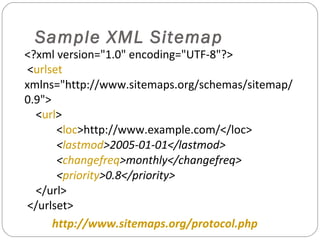
Sample XML Sitemap

<?xml version="1.0" encoding="UTF-8"?>
<urlset
xmlns="http://www.sitemaps.org/schemas/sitemap/
0.9">
<url>
<loc>http://www.example.com/</loc>
<lastmod>2005-01-01</lastmod>
<changefreq>monthly</changefreq>
<priority>0.8</priority>
</url>
</urlset>
http://www.sitemaps.org/protocol.php
Urchin Tracking Code
Example
<script
src="http://www.googleanalytics.com/urchin.js"
type="text/javascript"> </script>
<script type="text/javascript">
_uacct = "UA-UserCode-ProfileCode";
urchinTracker();
</script>
http://gpxfiles.googlepages.com/googleanalytics
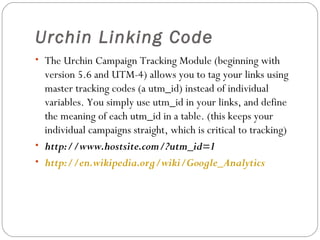
Urchin Linking Code
• The Urchin Campaign Tracking Module (beginning with

version 5.6 and UTM-4) allows you to tag your links using
master tracking codes (a utm_id) instead of individual
variables. You simply use utm_id in your links, and define
the meaning of each utm_id in a table. (this keeps your
individual campaigns straight, which is critical to tracking)
• http://www.hostsite.com/?utm_id=1
• http://en.wikipedia.org/wiki/Google_Analytics
How Link Tracking Works
website

http://www.hostsite.com/landing.htm?utm_id=1

email

http://www.hostsite.com/landing.htm?utm_id=2

RSS feed

http://www.hostsite.com/landing.htm?utm_id=3

target
page

Each link has a tracking code embedded after the ? mark which is counted by the analytics
Google AdWords™ and
Campaign Management
• http://en.wikipedia.org/wiki/AdWords
• AdWords™ is Google's flagship advertising product and

main source of revenue. AdWords™ offers pay-per-click
(PPC) advertising, and site-targeted advertising for both text
and banner ads. The AdWords™ program includes local,
national, and international distribution.
• Google Analytics™ is the primary tool to follow and
optimize your ad campaign and budget
Pay-Per-Click (PPC) Model
• You can move your positioning within Google using a series

of standard SEO techniques.
– Titles and structured writing
– Meta data, alt tags, link titles
– Linking strategy (use analytics)

• If that fails to achieve the desired results, advertisers specify

the words that should trigger their ads and the maximum
amount they are willing to pay per click (auction / bidding
model).

http://en.wikipedia.org/wiki/Pay_per_click
Where and How to Start?
1.
2.
3.
4.
5.
6.
7.

Get your website on a real hosting service
Create a Google webmaster account
Create (run) an XML sitemap (sitemap.xml)
Upload the sitemap.xml file, notify Google
Upload the Google unique code (xyz.htm)
Check to make sure your sitemap is indexed
Come back and read the web analytics report
Summary of Google Tools
Website analysis tools
Users, refers, navigation

XML sitemap generation
Ensures complete indexing

Urchin tracking code (track / refer)
Critical for ad / email campaign management

AdWords™ tools for advertisers
Get the most out of your ad dollars!
Where to Learn More
http://www.google.com/webmasters/start/
http://www.google.com/support/webmasters/
http://www.google.com/analytics/
http://adwords.google.com/
http://en.wikipedia.org/wiki/AdWords
https://www.google.com/adsense/
http://www.sitemaps.org/
http://www.xml-sitemaps.com/
http://gpxfiles.googlepages.com/googleanalytics
http://en.wikipedia.org/wiki/Pay_per_click

Introduction to Google Webmasters Tools

  • 1.
    Google Tools forWebmasters Introduction to Google Webmasters Tools Jam Hassan www.jamhassan.com
  • 2.
    Google Webmaster Tools YourGoogle webmaster account Google webmaster central and help center Dashboard to Google webmaster tools An FAQ and archive of helpful tips and tools Google analytics XML sitemaps Urchin tracking code Google AdWords™ / campaign management
  • 3.
    Google Webmaster Account http://www.google.com/support/webmasters/ Addit to your Google search account You’ll use this account to do many tasks Creates a ‘view’ to one or more websites Link an XML sitemap to the Google index View website traffic and referrer statistics See where page links are broken / orphaned Help manage your ‘linking strategy’ Maximize AdWords™ campaigns
  • 4.
    Website Traffic Analysis •You need to know six key website statistics 1. How many unique website visitors? 2. Where do they come from? (refer link) 3. What search terms did they use? (refer link) 4. How many pages did they view? 5. What was their navigation pattern? 6. Operating system and browser info
  • 5.
    Google Analytics The NewGoogle Analytics http://www.google.com/analytics/ Google Analytics was re-designed to help you learn more about where your visitors come from and how they interact with your site. Track visitors, refer links (urchin tracking) ad and email campaigns (AdWords™, SEO, etc.)
  • 6.
    XML Sitemaps • http://www.sitemaps.org/ •Sitemaps are an easy way for webmasters to inform search engines about pages on their sites that are available for crawling. In its simplest form, a Sitemap is an XML file that lists URLs for a site along with additional metadata about each URL (when it was last updated, how often it usually changes, and how important it is, relative to other URLs in the site) so that search engines can more intelligently crawl the site. • http://www.sitemaps.org/protocol.php
  • 7.
    Sample XML Sitemap <?xmlversion="1.0" encoding="UTF-8"?> <urlset xmlns="http://www.sitemaps.org/schemas/sitemap/ 0.9"> <url> <loc>http://www.example.com/</loc> <lastmod>2005-01-01</lastmod> <changefreq>monthly</changefreq> <priority>0.8</priority> </url> </urlset> http://www.sitemaps.org/protocol.php
  • 8.
    Urchin Tracking Code Example <script src="http://www.googleanalytics.com/urchin.js" type="text/javascript"></script> <script type="text/javascript"> _uacct = "UA-UserCode-ProfileCode"; urchinTracker(); </script> http://gpxfiles.googlepages.com/googleanalytics
  • 9.
    Urchin Linking Code •The Urchin Campaign Tracking Module (beginning with version 5.6 and UTM-4) allows you to tag your links using master tracking codes (a utm_id) instead of individual variables. You simply use utm_id in your links, and define the meaning of each utm_id in a table. (this keeps your individual campaigns straight, which is critical to tracking) • http://www.hostsite.com/?utm_id=1 • http://en.wikipedia.org/wiki/Google_Analytics
  • 10.
    How Link TrackingWorks website http://www.hostsite.com/landing.htm?utm_id=1 email http://www.hostsite.com/landing.htm?utm_id=2 RSS feed http://www.hostsite.com/landing.htm?utm_id=3 target page Each link has a tracking code embedded after the ? mark which is counted by the analytics
  • 11.
    Google AdWords™ and CampaignManagement • http://en.wikipedia.org/wiki/AdWords • AdWords™ is Google's flagship advertising product and main source of revenue. AdWords™ offers pay-per-click (PPC) advertising, and site-targeted advertising for both text and banner ads. The AdWords™ program includes local, national, and international distribution. • Google Analytics™ is the primary tool to follow and optimize your ad campaign and budget
  • 12.
    Pay-Per-Click (PPC) Model •You can move your positioning within Google using a series of standard SEO techniques. – Titles and structured writing – Meta data, alt tags, link titles – Linking strategy (use analytics) • If that fails to achieve the desired results, advertisers specify the words that should trigger their ads and the maximum amount they are willing to pay per click (auction / bidding model). http://en.wikipedia.org/wiki/Pay_per_click
  • 13.
    Where and Howto Start? 1. 2. 3. 4. 5. 6. 7. Get your website on a real hosting service Create a Google webmaster account Create (run) an XML sitemap (sitemap.xml) Upload the sitemap.xml file, notify Google Upload the Google unique code (xyz.htm) Check to make sure your sitemap is indexed Come back and read the web analytics report
  • 14.
    Summary of GoogleTools Website analysis tools Users, refers, navigation XML sitemap generation Ensures complete indexing Urchin tracking code (track / refer) Critical for ad / email campaign management AdWords™ tools for advertisers Get the most out of your ad dollars!
  • 15.
    Where to LearnMore http://www.google.com/webmasters/start/ http://www.google.com/support/webmasters/ http://www.google.com/analytics/ http://adwords.google.com/ http://en.wikipedia.org/wiki/AdWords https://www.google.com/adsense/ http://www.sitemaps.org/ http://www.xml-sitemaps.com/ http://gpxfiles.googlepages.com/googleanalytics http://en.wikipedia.org/wiki/Pay_per_click