v0.0.2 Alex
Testing Your
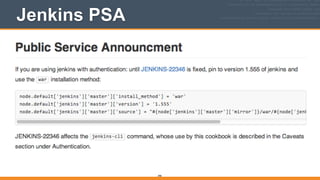
Automation Code
Author: Mischa Taylor (@misheska) misheska@getchef.com
Presenter: Alex Trull (@AlexanderTrull) alextrull@getchef.com
!
Copyright (C) 2014 Chef Software, Inc.
1
v2.0.0
Why Are You Here?
2
3
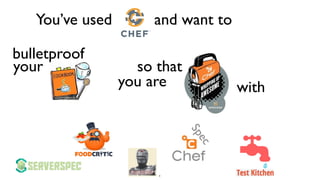
You’ve used and want to
bulletproof
your so that
you are with
Spec
In this class
• We’ll add tests to the apache cookbook from the
Fundamentals Course
• We’ll show you how to run cookbooks in a sandbox
environment mirroring production with Test Kitchen
• We’ll show you how to detect suspicious cookbook
code with Foodcritic & RuboCop
• We’ll show you how to produce runnable
documentation with ChefSpec

4
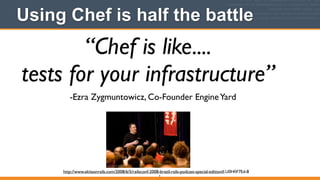
Using Chef is half the battle
5
“Chef is like....

tests for your infrastructure”
-Ezra Zygmuntowicz, Co-Founder EngineYard
http://www.akitaonrails.com/2008/6/5/railsconf-2008-brazil-rails-podcast-special-edition#.U0HfiF7Ed-8
Chef makes things more testable
• Chef automates infrastructure in a repeatable
fashion
6
What’s the other half of the battle?
7
“Have a plan”
-Adam Jacob, Co-Founder Chef
There’s no more magic to testing
8
http://www.flickr.com/photos/dkeats/4128747046/sizes/s/in/photostream/
You Are The Testing A-Team When...
9
Recommended plan
• Build in quality and robustness up front

10
https://flic.kr/p/8W67ZC
Otherwise you could...
• Verify and validate just before going to production
until time runs out. But time always runs out
11
http://mrg.bz/iEr1oj
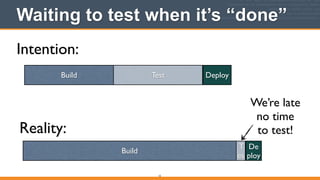
Waiting to test when it’s “done”
12
Intention:
Reality:
Build Test Deploy
Build
T
es
De
ploy
We’re late	

no time	

to test!
13
14
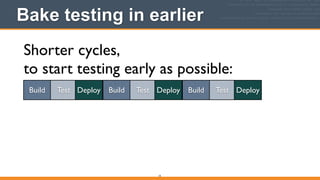
Bake testing in earlier
15
Shorter cycles,	

to start testing early as possible:
Build Test Deploy Build Test Deploy Build Test Deploy
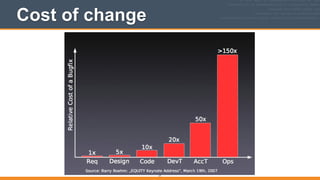
Penny saved with testing
16
Up Front Testing Saves Money
https://www.flickr.com/people/68751915@N05/
Cost of change
17
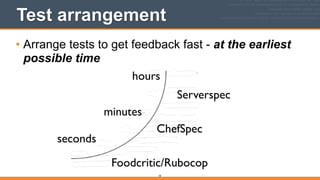
Test arrangement
• Arrange tests to get feedback fast - at the earliest
possible time

18
seconds
minutes
hours
Foodcritic/Rubocop
ChefSpec
Serverspec
Reason for multiple tools
• Finding a bug in something that you can’t execute
is freaking hard!
• While fixing bugs before writing code is cheap,
finding them is expensive

19
The Tools
• Each tool is specialized to give feedback as early
as possible during the cookbook authoring process

20
What each tool does
• In your text editor when you type in cookbook code:
• Foodcritic analyzes your Chef style
• RuboCop analyzes your Ruby coding technique
• Before you deploy to a test node:
• ChefSpec helps you document and organize your
code
• After you deploy to a test node:
• Serverspec verifies a cookbook behaves as intended
21
v2.0.0
Legend
22
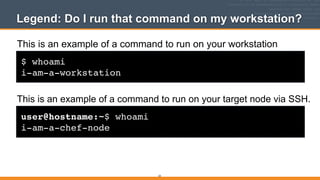
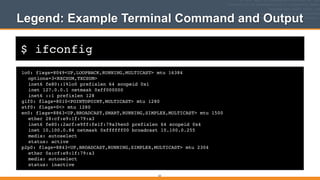
Legend: Do I run that command on my workstation?
$ whoami!
i-am-a-workstation
This is an example of a command to run on your workstation
user@hostname:~$ whoami!
i-am-a-chef-node
This is an example of a command to run on your target node via SSH.
23
$ ifconfig
Legend: Example Terminal Command and Output
lo0: flags=8049<UP,LOOPBACK,RUNNING,MULTICAST> mtu 16384!
! options=3<RXCSUM,TXCSUM>!
! inet6 fe80::1%lo0 prefixlen 64 scopeid 0x1!
! inet 127.0.0.1 netmask 0xff000000!
! inet6 ::1 prefixlen 128!
gif0: flags=8010<POINTOPOINT,MULTICAST> mtu 1280!
stf0: flags=0<> mtu 1280!
en0: flags=8863<UP,BROADCAST,SMART,RUNNING,SIMPLEX,MULTICAST> mtu 1500!
! ether 28:cf:e9:1f:79:a3!
! inet6 fe80::2acf:e9ff:fe1f:79a3%en0 prefixlen 64 scopeid 0x4!
! inet 10.100.0.84 netmask 0xffffff00 broadcast 10.100.0.255!
! media: autoselect!
! status: active!
p2p0: flags=8843<UP,BROADCAST,RUNNING,SIMPLEX,MULTICAST> mtu 2304!
! ether 0a:cf:e9:1f:79:a3!
! media: autoselect!
! status: inactive!
24
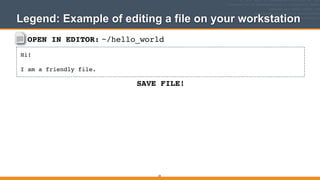
OPEN IN EDITOR:
SAVE FILE!
~/hello_world
Hi!!
!
I am a friendly file.
Legend: Example of editing a file on your workstation
25
v2.0.0
Workstation Setup - Linux and
Mac OS X (VirtualBox)
Getting started
26
Install Chef
• Install Chef (if not already installed)


http://www.getchef.com/chef/install
27
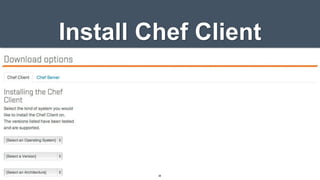
Install Chef Client
28
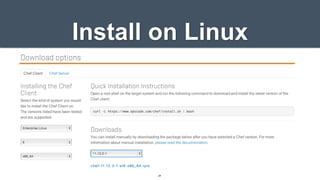
Install on Linux
29
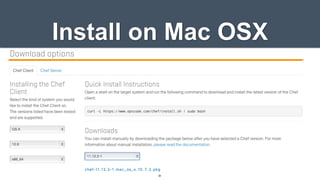
Install on Mac OSX

30
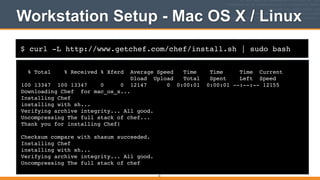
$ curl -L http://www.getchef.com/chef/install.sh | sudo bash
Workstation Setup - Mac OS X / Linux
% Total % Received % Xferd Average Speed Time Time Time Current!
Dload Upload Total Spent Left Speed!
100 13347 100 13347 0 0 12147 0 0:00:01 0:00:01 --:--:-- 12155!
Downloading Chef for mac_os_x...!
Installing Chef !
installing with sh...!
Verifying archive integrity... All good.!
Uncompressing The full stack of chef...!
Thank you for installing Chef!!
!
Checksum compare with shasum succeeded.!
Installing Chef !
installing with sh...!
Verifying archive integrity... All good.!
Uncompressing The full stack of chef
31
What just happened?
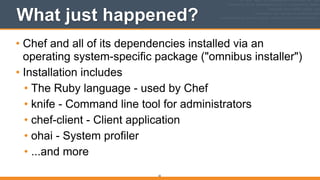
• Chef and all of its dependencies installed via an
operating system-specific package ("omnibus installer")
• Installation includes
• The Ruby language - used by Chef
• knife - Command line tool for administrators
• chef-client - Client application
• ohai - System profiler
• ...and more
32
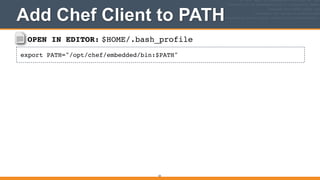
OPEN IN EDITOR: $HOME/.bash_profile
export PATH="/opt/chef/embedded/bin:$PATH"
Add Chef Client to PATH
33
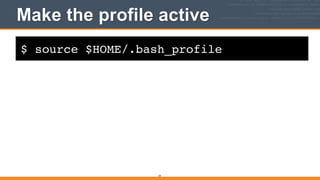
$ source $HOME/.bash_profile
Make the profile active
34
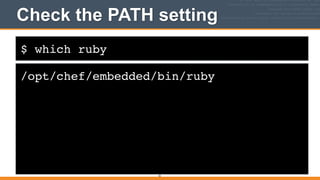
$ which ruby
Check the PATH setting
/opt/chef/embedded/bin/ruby
35
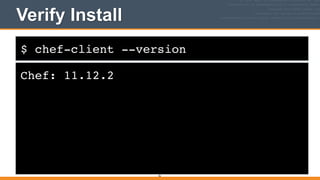
$ chef-client --version
Verify Install
Chef: 11.12.2
36
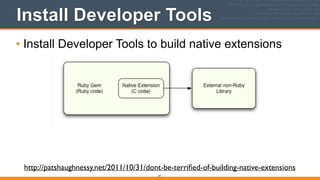
Install Developer Tools
• Install Developer Tools to build native extensions
37
http://patshaughnessy.net/2011/10/31/dont-be-terrified-of-building-native-extensions
Install Developer Tools
• Use build-essential cookbook:


https://github.com/opscode-cookbooks/build-
essential
38
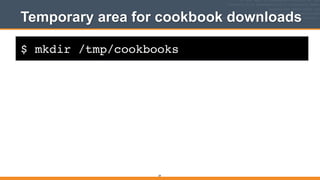
$ mkdir /tmp/cookbooks
Temporary area for cookbook downloads
39
$ cd /tmp/cookbooks
Easiest to go to cookbooks dir
40
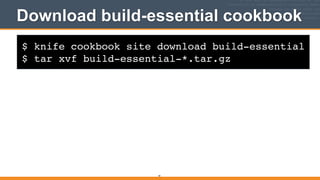
$ knife cookbook site download build-essential!
$ tar xvf build-essential-*.tar.gz
Download build-essential cookbook
41
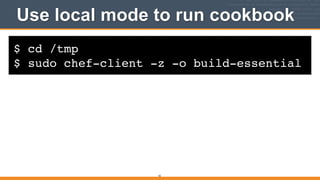
$ cd /tmp!
$ sudo chef-client -z -o build-essential
Use local mode to run cookbook
42
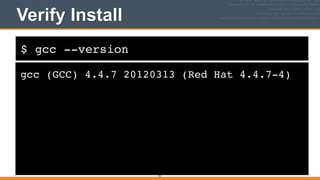
$ gcc --version
Verify Install
gcc (GCC) 4.4.7 20120313 (Red Hat 4.4.7-4)
43
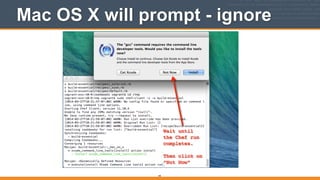
Mac OS X will prompt - ignore
44
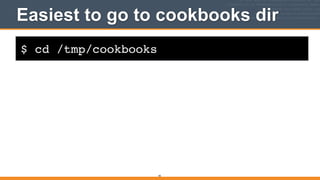
$ cd /tmp/cookbooks
Easiest to go to cookbooks dir
45
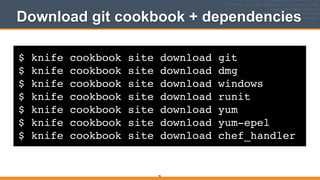
$ knife cookbook site download git!
$ knife cookbook site download dmg!
$ knife cookbook site download windows!
$ knife cookbook site download runit!
$ knife cookbook site download yum!
$ knife cookbook site download yum-epel!
$ knife cookbook site download chef_handler
Download git cookbook + dependencies
46
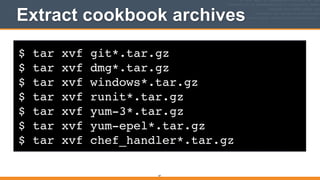
$ tar xvf git*.tar.gz!
$ tar xvf dmg*.tar.gz!
$ tar xvf windows*.tar.gz!
$ tar xvf runit*.tar.gz!
$ tar xvf yum-3*.tar.gz!
$ tar xvf yum-epel*.tar.gz!
$ tar xvf chef_handler*.tar.gz
Extract cookbook archives
47
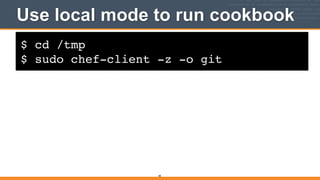
$ cd /tmp!
$ sudo chef-client -z -o git
Use local mode to run cookbook
48
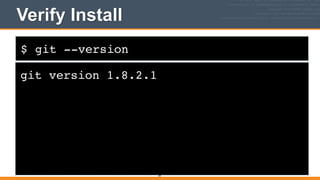
$ git --version
Verify Install
git version 1.8.2.1
49
$ rm -rf /tmp/cookbooks
Keep it neat
50
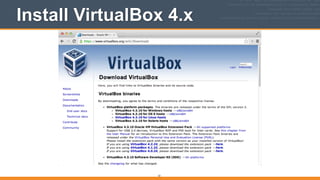
Install VirtualBox 4.x
51
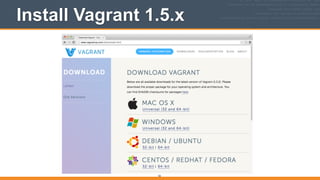
Install Vagrant 1.5.x
52
v2.0.0
Workstation Setup - Windows
(VirtualBox)
Getting started
53
Install Chef
• Install Chef (if not already installed)

http://www.getchef.com/chef/install
54
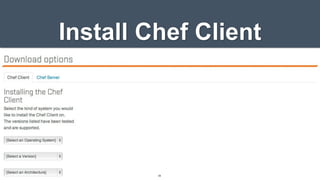
Install Chef Client
55
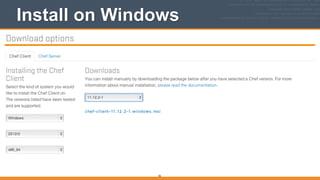
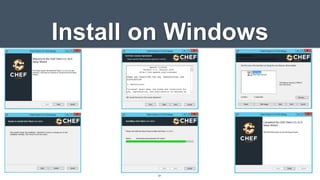
Install on Windows
56
Install on Windows
57
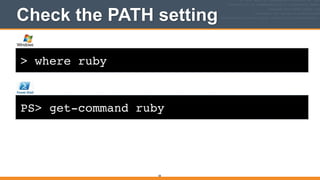
> where ruby
Check the PATH setting
58
PS> get-command ruby
Check the PATH setting
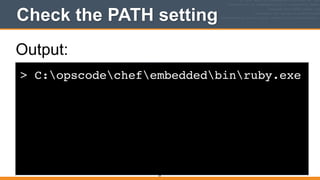
> C:opscodechefembeddedbinruby.exe
59
Output:
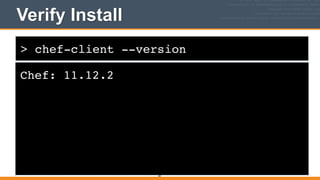
> chef-client --version
Verify Install
Chef: 11.12.2
60
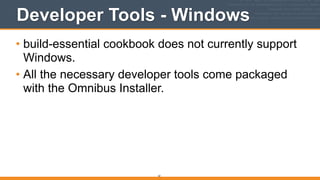
Developer Tools - Windows
• build-essential cookbook does not currently support
Windows.
• All the necessary developer tools come packaged
with the Omnibus Installer.
61
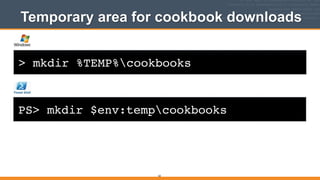
> mkdir %TEMP%cookbooks
Temporary area for cookbook downloads
62
PS> mkdir $env:tempcookbooks
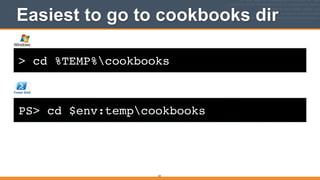
> cd %TEMP%cookbooks
Easiest to go to cookbooks dir
63
PS> cd $env:tempcookbooks
> knife cookbook site download build-essential!
> knife cookbook site download git!
> knife cookbook site download dmg!
> knife cookbook site download windows!
> knife cookbook site download runit!
> knife cookbook site download yum!
> knife cookbook site download yum-epel!
> knife cookbook site download chef_handler
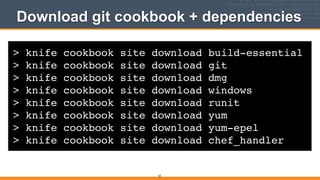
Download git cookbook + dependencies
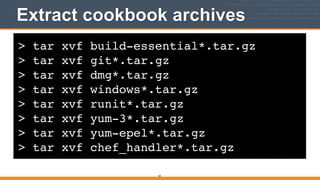
64
> tar xvf build-essential*.tar.gz!
> tar xvf git*.tar.gz!
> tar xvf dmg*.tar.gz!
> tar xvf windows*.tar.gz!
> tar xvf runit*.tar.gz!
> tar xvf yum-3*.tar.gz!
> tar xvf yum-epel*.tar.gz!
> tar xvf chef_handler*.tar.gz
Extract cookbook archives
65
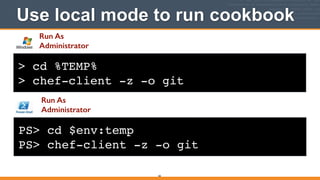
> cd %TEMP%!
> chef-client -z -o git
Use local mode to run cookbook
66
PS> cd $env:temp!
PS> chef-client -z -o git
Run As
Administrator
Run As
Administrator
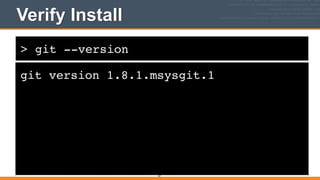
> git --version
Verify Install
git version 1.8.1.msysgit.1
67
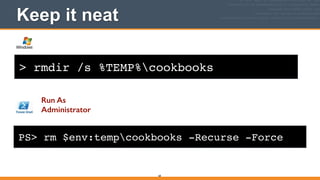
> rmdir /s %TEMP%cookbooks
Keep it neat
68
PS> rm $env:tempcookbooks -Recurse -Force
Run As
Administrator
Install Sublime/Notepad++
69
Install VirtualBox 4.x
70
Install Vagrant 1.5.x
71
v2.0.0
Our Source
72
chef-fundamentals-repo
• We’re going to build on the chef-fundamentals-
repo created in the Chef Fundamentals training,
adding tests:


https://github.com/learnchef/chef-fundamentals-repo/
tree/master/cookbooks/apache
73
$ cd $HOME
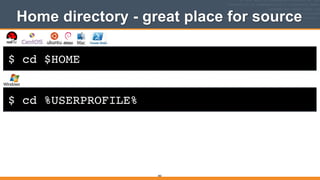
Home directory - great place for source
74
$ cd %USERPROFILE%
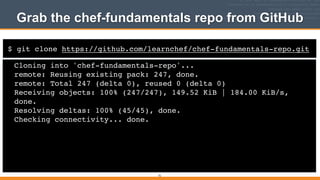
$ git clone https://github.com/learnchef/chef-fundamentals-repo.git
Grab the chef-fundamentals repo from GitHub
Cloning into 'chef-fundamentals-repo'...!
remote: Reusing existing pack: 247, done.!
remote: Total 247 (delta 0), reused 0 (delta 0)!
Receiving objects: 100% (247/247), 149.52 KiB | 184.00 KiB/s,
done.!
Resolving deltas: 100% (45/45), done.!
Checking connectivity... done.!
75
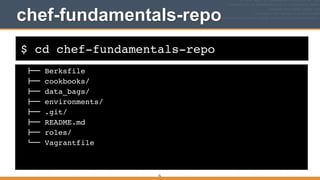
$ cd chef-fundamentals-repo
chef-fundamentals-repo
76
!"" Berksfile!
!"" cookbooks/!
!"" data_bags/!
!"" environments/!
!"" .git/!
!"" README.md!
!"" roles/!
#"" Vagrantfile!
v2.0.0
Reviewing Cookbooks with
Test Kitchen (Vagrant Version)
77
Apache Clowns & Bears
• We’ll be focusing on the Apache Clowns and
Bears cookbook in:


chef-­‐fundamentals-­‐repo/cookbooks/apache
78
Cookbook Review with Test Kitchen
• Test Kitchen is a great environment in which to
develop and review cookbooks
79
Back in my day...
• Running a cookbook
involved a lot of setup:
• Configure workstation
• Configure Chef Server
• Bootstrap node
80
No longer a chore
• Test Kitchen lets you set up sandbox environments
in which to run cookbooks right on your Chef
development workstation
81
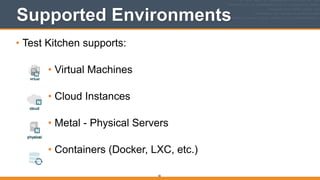
Supported Environments
• Test Kitchen supports:

• Virtual Machines

• Cloud Instances

• Metal - Physical Servers

• Containers (Docker, LXC, etc.)

82
Sandbox Benefits
• A sandbox environment:
• Is a safe place to make mistakes
• Easily reset to a clean config
• Can simulate production
83
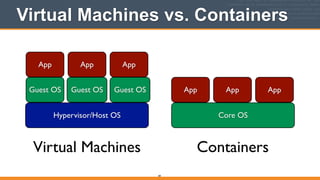
Virtual Machines vs. Containers
84
Hypervisor/Host OS
Guest OS
Core OS
Guest OS Guest OS
App App App
App App App
Virtual Machines Containers
85
Test Kitchen is
packaged as a
Ruby Gem
Ruby Gem
• A gem is a application or supporting library
written in ruby, installable with:


86
gem	
  install
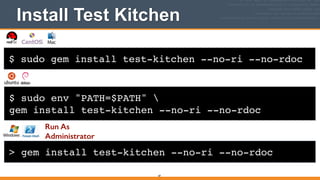
$ sudo gem install test-kitchen --no-ri --no-rdoc
Install Test Kitchen
87
$ sudo env "PATH=$PATH" !
gem install test-kitchen --no-ri --no-rdoc
Run As
Administrator
> gem install test-kitchen --no-ri --no-rdoc
Install Test Kitchen
88
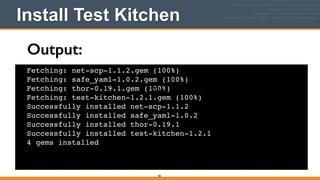
Fetching: net-scp-1.1.2.gem (100%)!
Fetching: safe_yaml-1.0.2.gem (100%)!
Fetching: thor-0.19.1.gem (100%)!
Fetching: test-kitchen-1.2.1.gem (100%)!
Successfully installed net-scp-1.1.2!
Successfully installed safe_yaml-1.0.2!
Successfully installed thor-0.19.1!
Successfully installed test-kitchen-1.2.1!
4 gems installed!
Text
Output:
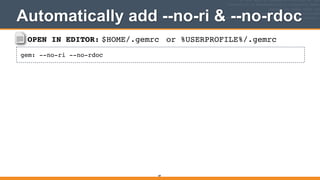
OPEN IN EDITOR: $HOME/.gemrc
gem: --no-ri --no-rdoc
Automatically add --no-ri & --no-rdoc
89
or %USERPROFILE%/.gemrc
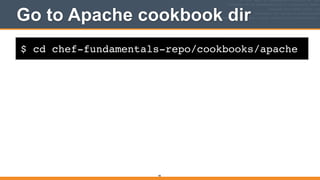
$ cd chef-fundamentals-repo/cookbooks/apache
Go to Apache cookbook dir
90
91
We’re going to
need a lot of gems
Gemfile
• A Gemfile can be used to list all the gems you need
for cookbook testing


92
Gemfile template
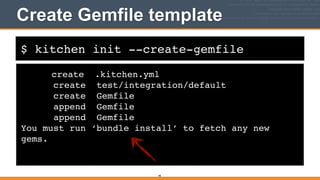
• Test Kitchen can generate a Gemfile template
(among other things)


93
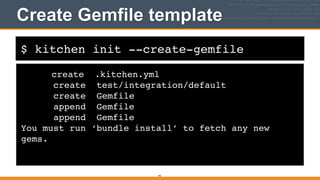
$ kitchen init --create-gemfile
create .kitchen.yml!
create test/integration/default!
create Gemfile!
append Gemfile!
append Gemfile!
You must run ‘bundle install’ to fetch any new
gems.
Create Gemfile template
94
Kitchen output on Windows
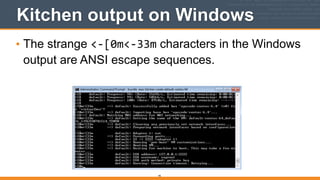
• The strange <-­‐[0m<-­‐33m characters in the Windows
output are ANSI escape sequences.
95
Kitchen output on Windows
• ANSICon also adds support for ANSI escape
sequences to Windows as a workaround:

https://github.com/adoxa/ansicon

Download link:

http://adoxa.hostmyway.net/ansicon/ 

96
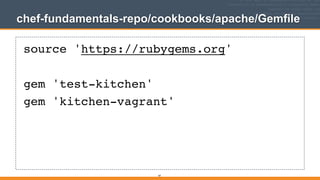
chef-fundamentals-repo/cookbooks/apache/Gemfile
source 'https://rubygems.org'!
!
gem 'test-kitchen'!
gem 'kitchen-vagrant'
97
$ kitchen init --create-gemfile
create .kitchen.yml!
create test/integration/default!
create Gemfile!
append Gemfile!
append Gemfile!
You must run ‘bundle install’ to fetch any new
gems.
Create Gemfile template
98
99
100
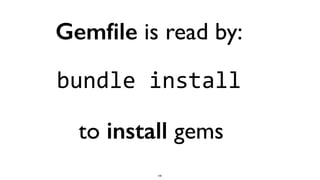
Gemfile is read by:
bundle	
  install
to install gems
101
No need to install bundler
• Chef install includes the bundler gem
• Outside the Chef install, bundler can be installed via:
•gem	
  install	
  bundler
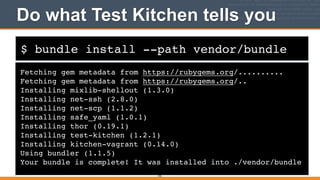
$ bundle install --path vendor/bundle
Do what Test Kitchen tells you
Fetching gem metadata from https://rubygems.org/..........!
Fetching gem metadata from https://rubygems.org/..!
Installing mixlib-shellout (1.3.0) !
Installing net-ssh (2.8.0) !
Installing net-scp (1.1.2) !
Installing safe_yaml (1.0.1) !
Installing thor (0.19.1) !
Installing test-kitchen (1.2.1) !
Installing kitchen-vagrant (0.14.0) !
Using bundler (1.1.5) !
Your bundle is complete! It was installed into ./vendor/bundle
102
103
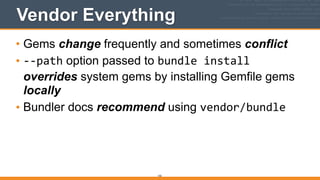
Vendor Everything
• Gems change frequently and sometimes conflict
• -­‐-­‐path option passed to bundle	
  install 

overrides system gems by installing Gemfile gems
locally
• Bundler docs recommend using vendor/bundle
104
If you vendor gems use:
bundle	
  exec
to read gems in

vendor/bunde
105
Test Kitchen commands
• Let’s cover a few essential Test Kitchen commands
106
kitchen list
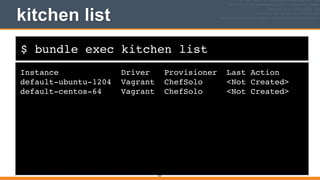
• kitchen	
  list prints out a list of sandbox instances
defined in .kitchen.yml
$ bundle exec kitchen list
kitchen list
Instance Driver Provisioner Last Action!
default-ubuntu-1204 Vagrant ChefSolo <Not Created>!
default-centos-64 Vagrant ChefSolo <Not Created>
107
108
kitchen create
• kitchen	
  create	
  <instance_name> spins up a
sandbox instance
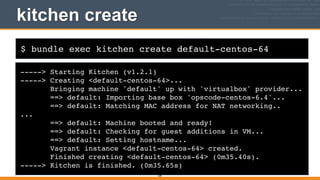
$ bundle exec kitchen create default-centos-64
kitchen create
-----> Starting Kitchen (v1.2.1)!
-----> Creating <default-centos-64>...!
Bringing machine 'default' up with 'virtualbox' provider...!
==> default: Importing base box 'opscode-centos-6.4'...!
==> default: Matching MAC address for NAT networking..!
...!
==> default: Machine booted and ready!!
==> default: Checking for guest additions in VM...!
==> default: Setting hostname...!
Vagrant instance <default-centos-64> created.!
Finished creating <default-centos-64> (0m35.40s).!
-----> Kitchen is finished. (0m35.65s)
109
110
kitchen login
• kitchen	
  login	
  <instance_name> uses ssh to
login to the sandbox instance
kitchen login on Windows
• Test Kitchen requires ssh to login to guest VMs
• Easiest way to get ssh is to use the Unix command
line tools packaged with Git for Windows
111
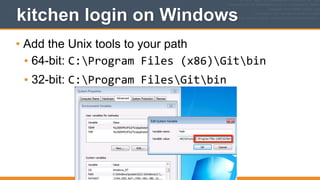
kitchen login on Windows
• Add the Unix tools to your path
• 64-bit: C:Program	
  Files	
  (x86)Gitbin
• 32-bit: C:Program	
  FilesGitbin
112
$ bundle exec kitchen login default-centos-64
kitchen login
Last login: Mon Nov 25 07:00:52 2013 from 10.0.2.2!
[vagrant@default-centos-64 ~]$ cat /etc/redhat-release!
CentOS release 6.4 (Final)!
[vagrant@default-centos-64 ~]$ exit!
logout!
Connection to 127.0.0.1 closed.!
113
114
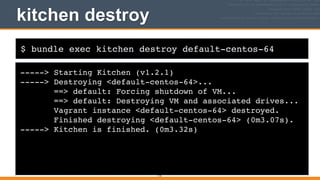
kitchen destroy
• kitchen	
  destroy	
  <instance_name> shuts down a
sandbox instance and destroys and virtual resources
allocated
$ bundle exec kitchen destroy default-centos-64
kitchen destroy
-----> Starting Kitchen (v1.2.1)!
-----> Destroying <default-centos-64>...!
==> default: Forcing shutdown of VM...!
==> default: Destroying VM and associated drives...!
Vagrant instance <default-centos-64> destroyed.!
Finished destroying <default-centos-64> (0m3.07s).!
-----> Kitchen is finished. (0m3.32s)
115
116
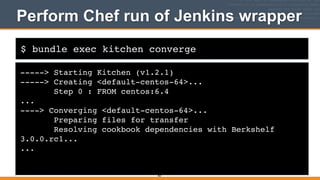
kitchen	
  converge
performs a Chef run
in the sandbox instance
$ bundle exec kitchen converge default-centos-64
Perform Chef run
-----> Starting Kitchen (v1.2.1)!
-----> Creating <default-centos-64>...!
Bringing machine 'default' up with 'virtualbox' provider...!
==> default: Box 'opscode-centos-6.4' could not be found. Attempting
to find and install...!
...!
[2014-03-30T09:09:59+00:00] INFO: Forking chef instance to converge...!
Starting Chef Client, version 11.10.4!
[2014-03-30T09:09:59+00:00] INFO: *** Chef 11.10.4 ***!
[2014-03-30T09:09:59+00:00] INFO: Chef-client pid: 2542!
[2014-03-30T09:09:59+00:00] INFO: Setting the run_list to
["recipe[apache::default]"] from JSON!
....
117
$ bundle exec kitchen converge default-centos-64
Perform Chef run
-----> Starting Kitchen (v1.2.1)!
-----> Creating <default-centos-64>...!
Bringing machine 'default' up with 'virtualbox' provider...!
==> default: Box 'opscode-centos-6.4' could not be found. Attempting to find and install...!
...!
[2014-03-30T09:09:59+00:00] INFO: Forking chef instance to converge...!
Starting Chef Client, version 11.10.4!
[2014-03-30T09:09:59+00:00] INFO: *** Chef 11.10.4 ***!
[2014-03-30T09:09:59+00:00] INFO: Chef-client pid: 2542!
[2014-03-30T09:09:59+00:00] INFO: Setting the run_list to ["recipe[apache::default]"] from JSON!
....!
[2014-04-07T02:32:50-04:00] FATAL: Chef::Exceptions::ChildConvergeError: Chef run process exited unsuccessfully
(exit code 1)!
>>>>>> Converge failed on instance <default-centos-64>.!
>>>>>> Please see .kitchen/logs/default-centos-64.log for more details!
>>>>>> ------Exception-------!
>>>>>> Class: Kitchen::ActionFailed!
>>>>>> Message: SSH exited (1) for command: [sudo -E chef-solo --config /tmp/kitchen/solo.rb --json-attributes /
tmp/kitchen/dna.json --log_level info]!
>>>>>> ----------------------!
118
FAIL
119
Our first bit of feedback!
120
121
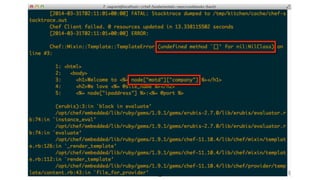
Undefined attribute
• When you see undefined	
  method	
  ‘[]’	
  for	
  
nil:NilClass it oftentimes means you have an
undefined attribute
• Let’s see if node["motd"]["company"] is being set
cookbooks/apache/attributes/default.rb
122
default["apache"]["indexfile"] = "index1.html"!
default["apache"]["sites"]["clowns"] = { "port"
=> 80 }!
default["apache"]["sites"]["bears"] = { "port"
=> 81 }
NOPE
123
Undefined attribute
• How is ["motd"]["company"] set in the motd
cookbook?
cookbooks/motd/attributes/default.rb
124
default["motd"]["company"] = "Chef"
Good cookbooks
• Good cookbooks can be used in isolation
• They set reasonable defaults for all attributes used
• Test Kitchen is designed to run a cookbook in
isolation to give you feedback on attribute use
125
Test attributes
• We won’t fix the motd cookbook in this class
• Test Kitchen supports injection of test attributes
• We’ll supply the correct attribute in
the .kitchen.yml configuration file
126
Default .kitchen.yml
127
---!
driver:!
name: vagrant!
!
provisioner:!
name: chef_solo!
!
platforms:!
- name: ubuntu-12.04!
- name: centos-6.4!
!
suites:!
- name: default!
run_list:!
- recipe[apache::default]!
attributes:
---!
driver:!
name: vagrant!
!
provisioner:!
name: chef_solo!
!
platforms:!
- name: ubuntu-12.04!
- name: centos-6.4!
!
suites:!
- name: default!
run_list:!
- recipe[apache::default]!
attributes:!
motd: {company: Chef}
cookbooks/apache/.kitchen.yml
Set node[“motd”][“company”] (vagrant)
128
OPEN IN EDITOR:
$ bundle exec kitchen converge default-centos-64
Perform Chef run
-----> Starting Kitchen (v1.2.1)!
-----> Creating <default-centos-64>...!
Bringing machine 'default' up with 'virtualbox' provider...!
==> default: Box 'opscode-centos-6.4' could not be found. Attempting
to find and install...!
...!
[2014-03-30T09:09:59+00:00] INFO: Forking chef instance to converge...!
Starting Chef Client, version 11.10.4!
[2014-03-30T09:09:59+00:00] INFO: *** Chef 11.10.4 ***!
[2014-03-30T09:09:59+00:00] INFO: Chef-client pid: 2542!
[2014-03-30T09:09:59+00:00] INFO: Setting the run_list to
["recipe[apache::default]"] from JSON!
....
129
$ bundle exec kitchen converge default-centos-64
Perform Chef run
-----> Starting Kitchen (v1.2.1)!
-----> Creating <default-centos-64>...!
Bringing machine 'default' up with 'virtualbox' provider...!
==> default: Box 'opscode-centos-6.4' could not be found. Attempting to find and
install...!
...!
[2014-03-30T09:09:59+00:00] INFO: Forking chef instance to converge...!
Starting Chef Client, version 11.10.4!
[2014-03-30T09:09:59+00:00] INFO: *** Chef 11.10.4 ***!
[2014-03-30T09:09:59+00:00] INFO: Chef-client pid: 2542!
[2014-03-30T09:09:59+00:00] INFO: Setting the run_list to ["recipe[apache::default]"]
from JSON!
....!
[2014-04-07T02:40:03-04:00] INFO: Report handlers complete!
Chef Client finished, 5/10 resources updated in 2.52587913 seconds!
Finished converging <default-centos-64> (0m4.15s).!
-----> Kitchen is finished. (0m4.22s)
130
WIN
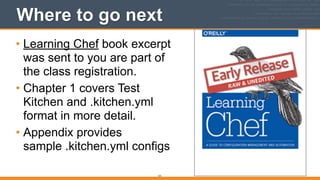
Where to go next
• Learning Chef book excerpt
was sent to you are part of
the class registration.
• Chapter 1 covers Test
Kitchen and .kitchen.yml
format in more detail.
• Appendix provides
sample .kitchen.yml configs
131
v2.0.0
Automated Verification in
Test Kitchen with Serverspec
(Vagrant Version)
132
133
Let’s verify that the Apache cookbook	

actually works by	

configuring Test Kitchen to allow	

web browser access by	

the Chef Development workstation
OPEN IN EDITOR: cookbooks/apache/.kitchen.yml
---!
driver:!
name: vagrant!
!
provisioner:!
name: chef_solo!
!
platforms:!
- name: centos-6.4!
driver_config:!
network:!
- ["private_network", {ip: "33.33.33.10"}]!
!
suites:!
- name: default!
run_list:!
- recipe[apache::default]!
attributes:!
motd: {company: Chef}
Network configuration
134
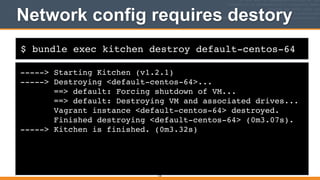
$ bundle exec kitchen destroy default-centos-64
Network config requires destory
-----> Starting Kitchen (v1.2.1)!
-----> Destroying <default-centos-64>...!
==> default: Forcing shutdown of VM...!
==> default: Destroying VM and associated drives...!
Vagrant instance <default-centos-64> destroyed.!
Finished destroying <default-centos-64> (0m3.07s).!
-----> Kitchen is finished. (0m3.32s)
135
$ bundle exec kitchen converge default-centos-64
Perform Chef run
-----> Starting Kitchen (v1.2.1)!
-----> Creating <default-centos-64>...!
Bringing machine 'default' up with 'virtualbox' provider...!
==> default: Box 'opscode-centos-6.4' could not be found. Attempting
to find and install...!
...!
[2014-03-30T09:09:59+00:00] INFO: Forking chef instance to converge...!
Starting Chef Client, version 11.10.4!
[2014-03-30T09:09:59+00:00] INFO: *** Chef 11.10.4 ***!
[2014-03-30T09:09:59+00:00] INFO: Chef-client pid: 2542!
[2014-03-30T09:09:59+00:00] INFO: Setting the run_list to
["recipe[apache::default]"] from JSON!
....
136
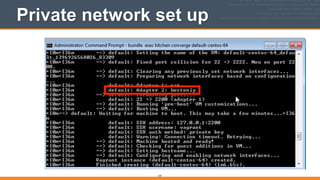
Private network set up
137
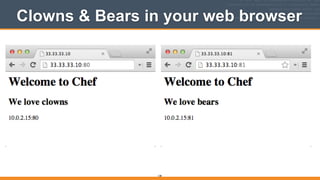
Clowns & Bears in your web browser
138
139
140
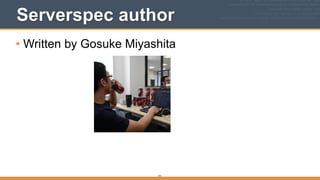
Serverspec author
• Written by Gosuke Miyashita
141
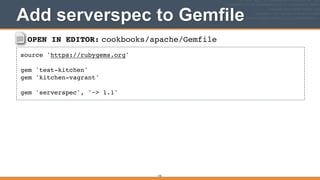
OPEN IN EDITOR: cookbooks/apache/Gemfile
source 'https://rubygems.org'!
!
gem 'test-kitchen'!
gem 'kitchen-vagrant'!
!
gem 'serverspec', '~> 1.1'
Add serverspec to Gemfile
142
OPEN IN EDITOR: cookbooks/apache/Gemfile
source 'https://rubygems.org'!
!
gem 'test-kitchen'!
gem 'kitchen-vagrant'!
!
gem ‘serverspec’, ‘~> 1.1’
Add serverspec to Gemfile
143
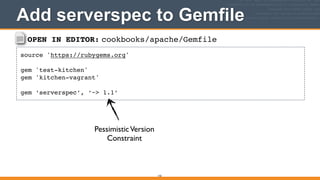
PessimisticVersion

Constraint
Version Constraint
144
• If a gem properly follows semantic
versioning with its versioning scheme.
You can take advantage of this to
choose a version constraint to lock
down the gem in your application.
http://guides.rubygems.org/patterns/#declaring_dependencies
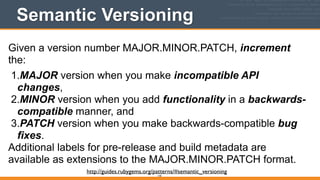
Semantic Versioning
145
Given a version number MAJOR.MINOR.PATCH, increment
the:
1.MAJOR version when you make incompatible API
changes,
2.MINOR version when you add functionality in a backwards-
compatible manner, and
3.PATCH version when you make backwards-compatible bug
fixes.
Additional labels for pre-release and build metadata are
available as extensions to the MAJOR.MINOR.PATCH format.
http://guides.rubygems.org/patterns/#semantic_versioning
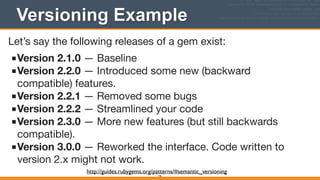
Versioning Example
146
Let’s say the following releases of a gem exist:

■Version 2.1.0 — Baseline

■Version 2.2.0 — Introduced some new (backward
compatible) features.

■Version 2.2.1 — Removed some bugs

■Version 2.2.2 — Streamlined your code

■Version 2.3.0 — More new features (but still backwards
compatible).

■Version 3.0.0 — Reworked the interface. Code written to
version 2.x might not work.

http://guides.rubygems.org/patterns/#semantic_versioning
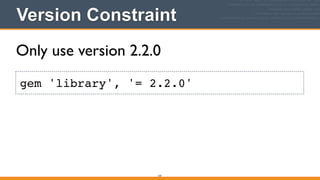
Version Constraint
147
gem 'library', '= 2.2.0'
Only use version 2.2.0
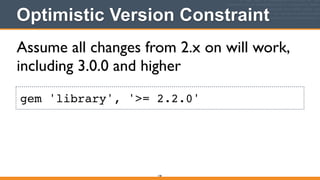
Optimistic Version Constraint
148
gem 'library', '>= 2.2.0'
Assume all changes from 2.x on will work,
including 3.0.0 and higher
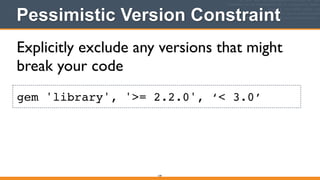
Pessimistic Version Constraint
149
gem 'library', '>= 2.2.0', ‘< 3.0’
Explicitly exclude any versions that might
break your code
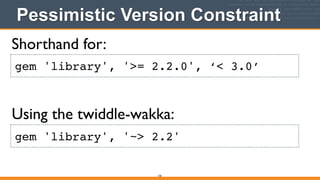
Pessimistic Version Constraint
150
gem 'library', '>= 2.2.0', ‘< 3.0’
Shorthand for:
Using the twiddle-wakka:
gem 'library', '~> 2.2'
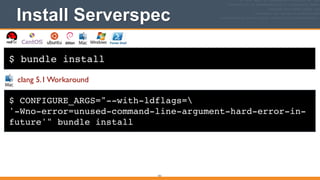
$ bundle install
Install Serverspec
151
$ CONFIGURE_ARGS="--with-ldflags=!
'-Wno-error=unused-command-line-argument-hard-error-in-
future'" bundle install
clang 5.1 Workaround
v2.0.0
RSpec Syntax
152
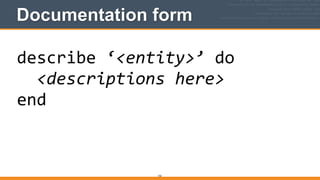
Documentation form
153
describe	
  ‘<entity>’	
  do	


  <descriptions	
  here>	
  
end
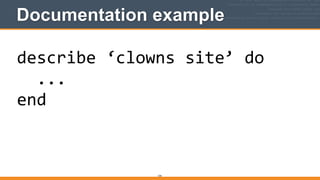
Documentation example
154
describe	
  ‘clowns	
  site’	
  do	


  ...	
  
end
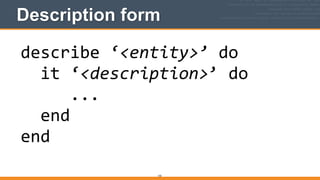
Description form
155
describe	
  ‘<entity>’	
  do	


  it	
  ‘<description>’	
  do	


  ...	


  end	
  
end
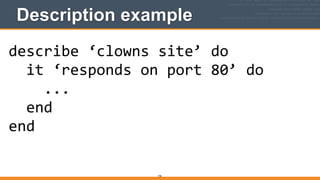
Description example
156
describe	
  ‘clowns	
  site’	
  do	


  it	
  ‘responds	
  on	
  port	
  80’	
  do	


  ...	


  end	
  
end
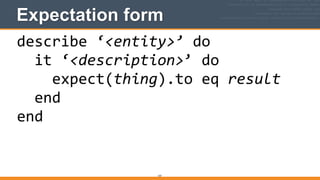
Expectation form
157
describe	
  ‘<entity>’	
  do	


  it	
  ‘<description>’	
  do	


  expect(thing).to	
  eq	
  result	


  end	
  
end
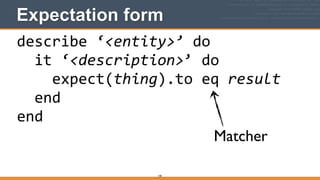
Expectation form
158
describe	
  ‘<entity>’	
  do	


  it	
  ‘<description>’	
  do	


  expect(thing).to	
  eq	
  result	


  end	
  
end
Matcher
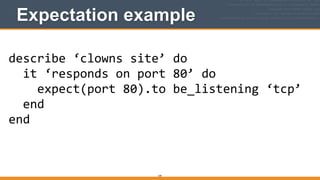
Expectation example
159
describe	
  ‘clowns	
  site’	
  do	


  it	
  ‘responds	
  on	
  port	
  80’	
  do	


  expect(port	
  80).to	
  be_listening	
  ‘tcp’	


  end	
  
end
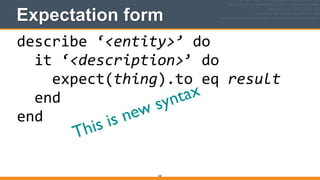
Expectation form
160
describe	
  ‘<entity>’	
  do	


  it	
  ‘<description>’	
  do	


  expect(thing).to	
  eq	
  result	


  end	
  
end
This is new syntax
Should vs Expect
161
describe	
  ‘clowns	
  site’	
  do	


  it	
  ‘responds	
  on	
  port	
  80’	
  do	


  expect(port	
  80).to	
  be_listening	
  ‘tcp’	


  end	
  
end
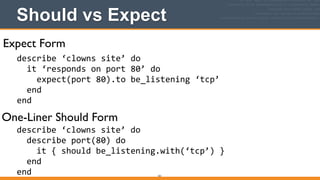
Expect Form
One-Liner Should Form
describe	
  ‘clowns	
  site’	
  do	


  describe	
  port(80)	
  do	


  it	
  {	
  should	
  be_listening.with(‘tcp’)	
  }	


  end	
  
end
Expect vs. Should
162
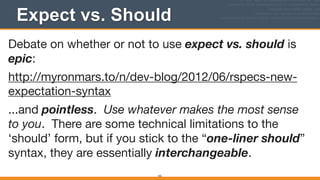
Debate on whether or not to use expect vs. should is
epic:

http://myronmars.to/n/dev-blog/2012/06/rspecs-new-
expectation-syntax

...and pointless. Use whatever makes the most sense
to you. There are some technical limitations to the
‘should’ form, but if you stick to the “one-liner should”
syntax, they are essentially interchangeable.
We use Expect Form
163
Because all the ChefSpec examples are in the expect
form
164
Let’s write some serverspec	

tests!
165
Default location for tests
• By default, Test Kitchen will look in the test/
integration directory for test-related files
• For convenience, Test Kitchen creates this directory
when you run kitchen	
  init


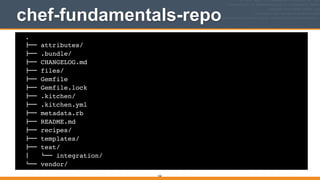
chef-fundamentals-repo
166
.!
"## attributes/!
"## .bundle/!
"## CHANGELOG.md!
"## files/!
"## Gemfile!
"## Gemfile.lock!
"## .kitchen/!
"## .kitchen.yml!
"## metadata.rb!
"## README.md!
"## recipes/!
"## templates/!
"## test/!
$   %## integration/!
%## vendor/
167
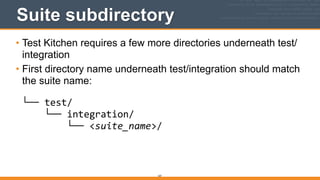
Suite subdirectory
• Test Kitchen requires a few more directories underneath test/
integration
• First directory name underneath test/integration should match
the suite name:


└──	
  test/


  └──	
  integration/


  └──	
  <suite_name>/


OPEN IN EDITOR: cookbooks/apache/.kitchen.yml
---!
driver:!
name: vagrant!
!
provisioner:!
name: chef_solo!
!
platforms:!
- name: centos-6.4!
driver_config:!
network:!
- ["private_network", {ip: "33.33.33.10"}]!
!
suites:!
- name: default!
run_list:!
- recipe[apache::default]!
attributes:!
motd: {company: Chef}
Network configuration
168
Suite name
169
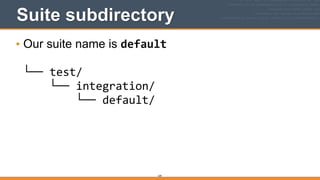
Suite subdirectory
• Our suite name is default


└──	
  test/


  └──	
  integration/


  └──	
  default/


170
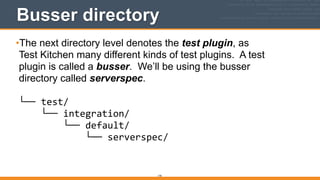
Busser directory
•The next directory level denotes the test plugin, as

Test Kitchen many different kinds of test plugins. A test

plugin is called a busser. We’ll be using the busser

directory called serverspec.


└──	
  test/


  └──	
  integration/


  └──	
  default/


  └──	
  serverspec/


171
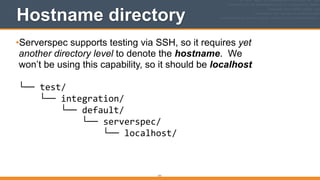
Hostname directory
•Serverspec supports testing via SSH, so it requires yet

another directory level to denote the hostname. We

won’t be using this capability, so it should be localhost


└──	
  test/


  └──	
  integration/


  └──	
  default/


  └──	
  serverspec/


  └──	
  localhost/


172
Hostname directory
• NOTE: Use of the localhost directory is optional


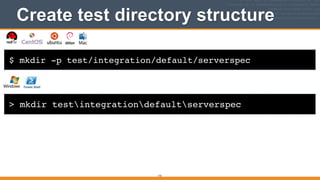
$ mkdir -p test/integration/default/serverspec
Create test directory structure
173
> mkdir testintegrationdefaultserverspec
174
*_spec.rb files
• By convention, Test Kitchen expects files with tests
to end in _spec.rb


Serverspec expectation form
• Every specialized RSpec-based testing library like
serverspec has their own special twist on the basic
RSpec expectation form
175
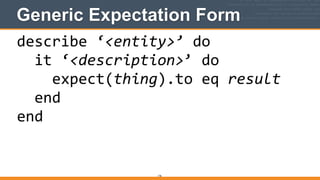
Generic Expectation Form
176
describe	
  ‘<entity>’	
  do	


  it	
  ‘<description>’	
  do	


  expect(thing).to	
  eq	
  result	


  end	
  
end
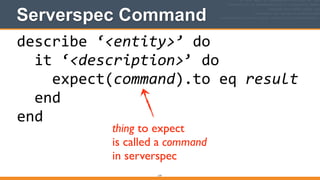
Serverspec Command
177
describe	
  ‘<entity>’	
  do	


  it	
  ‘<description>’	
  do	


  expect(command).to	
  eq	
  result	


  end	
  
end
thing to expect	

is called a command	

in serverspec
Serverspec commands & matchers
• Serverspec has provides a wide variety of matchers
for each command
• Serverspec commands are well-documented: http://
serverspec.org/resource_types.html
178
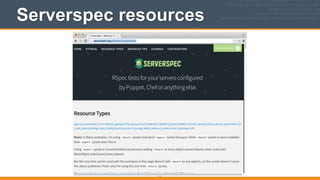
Serverspec resources
179
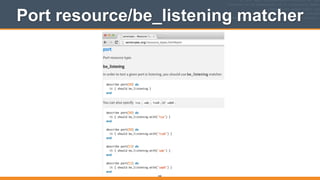
Port resource/be_listening matcher
180
181
Writing your first test
• Let’s create a serverspec test checking to make sure
the clowns web site is active on port 80
• Let’s use the port resource and the be_listening
matcher

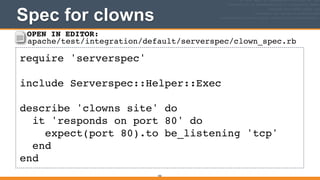
Spec for clowns
182
require 'serverspec'!
!
include Serverspec::Helper::Exec!
!
describe 'clowns site' do!
it 'responds on port 80' do!
expect(port 80).to be_listening 'tcp'!
end!
end
OPEN IN EDITOR:
apache/test/integration/default/serverspec/clown_spec.rb
183
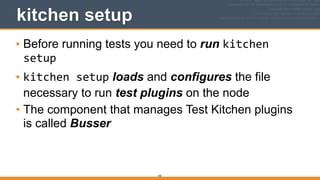
kitchen setup
• Before running tests you need to run kitchen	
  
setup
• kitchen	
  setup loads and configures the file
necessary to run test plugins on the node
• The component that manages Test Kitchen plugins
is called Busser

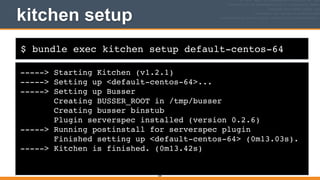
$ bundle exec kitchen setup default-centos-64
kitchen setup
-----> Starting Kitchen (v1.2.1)!
-----> Setting up <default-centos-64>...!
-----> Setting up Busser!
Creating BUSSER_ROOT in /tmp/busser!
Creating busser binstub!
Plugin serverspec installed (version 0.2.6)!
-----> Running postinstall for serverspec plugin!
Finished setting up <default-centos-64> (0m13.03s).!
-----> Kitchen is finished. (0m13.42s)
184
185
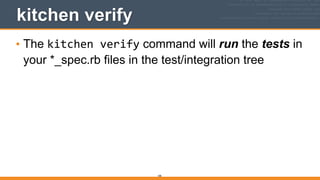
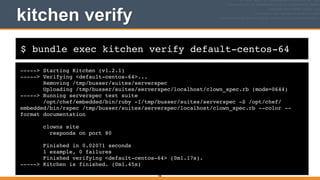
kitchen verify
• The kitchen	
  verify command will run the tests in
your *_spec.rb files in the test/integration tree
$ bundle exec kitchen verify default-centos-64
kitchen verify
-----> Starting Kitchen (v1.2.1)!
-----> Verifying <default-centos-64>...!
Removing /tmp/busser/suites/serverspec!
Uploading /tmp/busser/suites/serverspec/localhost/clown_spec.rb (mode=0644)!
-----> Running serverspec test suite!
/opt/chef/embedded/bin/ruby -I/tmp/busser/suites/serverspec -S /opt/chef/
embedded/bin/rspec /tmp/busser/suites/serverspec/localhost/clown_spec.rb --color --
format documentation!
!
clowns site!
responds on port 80!
!
Finished in 0.02071 seconds!
1 example, 0 failures!
Finished verifying <default-centos-64> (0m1.17s).!
-----> Kitchen is finished. (0m1.45s)
186
187
Verifying that the tests work
• Did the test actually do anything? Let’s verify this
by changing the port to a known incorrect value.
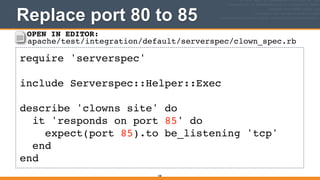
Replace port 80 to 85
188
require 'serverspec'!
!
include Serverspec::Helper::Exec!
!
describe 'clowns site' do!
it 'responds on port 85' do!
expect(port 85).to be_listening 'tcp'!
end!
end
OPEN IN EDITOR:
apache/test/integration/default/serverspec/clown_spec.rb
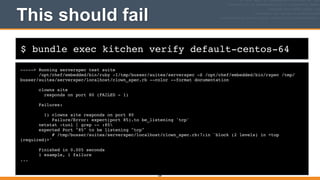
$ bundle exec kitchen verify default-centos-64
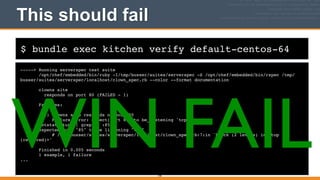
This should fail
-----> Running serverspec test suite!
/opt/chef/embedded/bin/ruby -I/tmp/busser/suites/serverspec -S /opt/chef/embedded/bin/rspec /tmp/
busser/suites/serverspec/localhost/clown_spec.rb --color --format documentation!
!
clowns site!
responds on port 80 (FAILED - 1)!
!
Failures:!
!
1) clowns site responds on port 80!
Failure/Error: expect(port 85).to be_listening 'tcp'!
netstat -tunl | grep -- :85!
expected Port "85" to be listening "tcp"!
# /tmp/busser/suites/serverspec/localhost/clown_spec.rb:7:in `block (2 levels) in <top
(required)>'!
!
Finished in 0.005 seconds!
1 example, 1 failure!
...
189
$ bundle exec kitchen verify default-centos-64
This should fail
-----> Running serverspec test suite!
/opt/chef/embedded/bin/ruby -I/tmp/busser/suites/serverspec -S /opt/chef/embedded/bin/rspec /tmp/
busser/suites/serverspec/localhost/clown_spec.rb --color --format documentation!
!
clowns site!
responds on port 80 (FAILED - 1)!
!
Failures:!
!
1) clowns site responds on port 80!
Failure/Error: expect(port 85).to be_listening 'tcp'!
netstat -tunl | grep -- :85!
expected Port "85" to be listening "tcp"!
# /tmp/busser/suites/serverspec/localhost/clown_spec.rb:7:in `block (2 levels) in <top
(required)>'!
!
Finished in 0.005 seconds!
1 example, 1 failure!
...
190
WIN FAIL
191
Back to success
• Remember to reset the tests back to the original port
value so they succeed again!
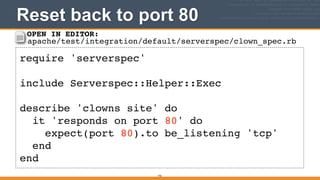
Reset back to port 80
192
require 'serverspec'!
!
include Serverspec::Helper::Exec!
!
describe 'clowns site' do!
it 'responds on port 80' do!
expect(port 80).to be_listening 'tcp'!
end!
end
OPEN IN EDITOR:
apache/test/integration/default/serverspec/clown_spec.rb
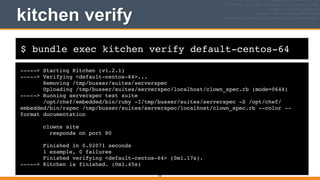
$ bundle exec kitchen verify default-centos-64
kitchen verify
-----> Starting Kitchen (v1.2.1)!
-----> Verifying <default-centos-64>...!
Removing /tmp/busser/suites/serverspec!
Uploading /tmp/busser/suites/serverspec/localhost/clown_spec.rb (mode=0644)!
-----> Running serverspec test suite!
/opt/chef/embedded/bin/ruby -I/tmp/busser/suites/serverspec -S /opt/chef/
embedded/bin/rspec /tmp/busser/suites/serverspec/localhost/clown_spec.rb --color --
format documentation!
!
clowns site!
responds on port 80!
!
Finished in 0.02071 seconds!
1 example, 0 failures!
Finished verifying <default-centos-64> (0m1.17s).!
-----> Kitchen is finished. (0m1.45s)
193
194
Testing bears
• Let’s add another test to do a similar check for the
bears port
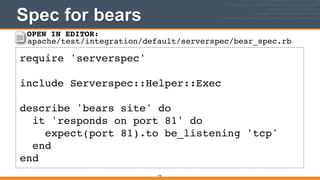
Spec for bears
195
require 'serverspec'!
!
include Serverspec::Helper::Exec!
!
describe 'bears site' do!
it 'responds on port 81' do!
expect(port 81).to be_listening 'tcp'!
end!
end
OPEN IN EDITOR:
apache/test/integration/default/serverspec/bear_spec.rb
196
No need to run kitchen setup
• You only need to run kitchen	
  setup once per
node. (Though it doesn’t hurt to run it more than
once).
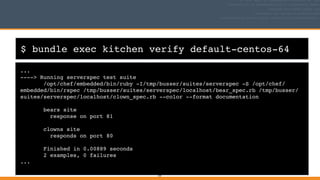
$ bundle exec kitchen verify default-centos-64
...!
----> Running serverspec test suite!
/opt/chef/embedded/bin/ruby -I/tmp/busser/suites/serverspec -S /opt/chef/
embedded/bin/rspec /tmp/busser/suites/serverspec/localhost/bear_spec.rb /tmp/busser/
suites/serverspec/localhost/clown_spec.rb --color --format documentation!
!
bears site!
response on port 81!
!
clowns site!
responds on port 80!
!
Finished in 0.00889 seconds!
2 examples, 0 failures!
...
197
198
Code cleanup
• Common code can be moved to a file called
spec_helper.rb in test/integration/default/
serverspec
199
Code cleanup
• Let’s move common code between clowns & bears
to spec_helper.rb
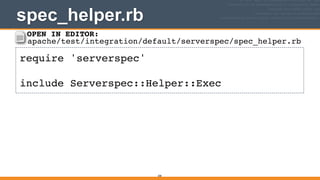
spec_helper.rb
200
require 'serverspec'!
!
include Serverspec::Helper::Exec
OPEN IN EDITOR:
apache/test/integration/default/serverspec/spec_helper.rb
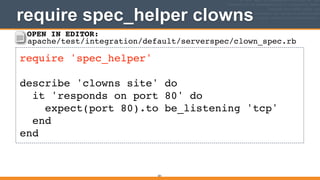
require spec_helper clowns
201
require 'spec_helper'!
!
describe 'clowns site' do!
it 'responds on port 80' do!
expect(port 80).to be_listening 'tcp'!
end!
end
OPEN IN EDITOR:
apache/test/integration/default/serverspec/clown_spec.rb
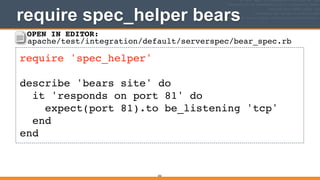
require spec_helper bears
202
require 'spec_helper'!
!
describe 'bears site' do!
it 'responds on port 81' do!
expect(port 81).to be_listening 'tcp'!
end!
end
OPEN IN EDITOR:
apache/test/integration/default/serverspec/bear_spec.rb
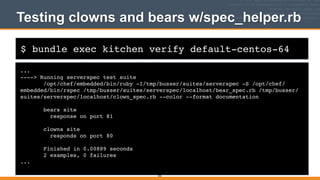
$ bundle exec kitchen verify default-centos-64
Testing clowns and bears w/spec_helper.rb
...!
----> Running serverspec test suite!
/opt/chef/embedded/bin/ruby -I/tmp/busser/suites/serverspec -S /opt/chef/
embedded/bin/rspec /tmp/busser/suites/serverspec/localhost/bear_spec.rb /tmp/busser/
suites/serverspec/localhost/clown_spec.rb --color --format documentation!
!
bears site!
response on port 81!
!
clowns site!
responds on port 80!
!
Finished in 0.00889 seconds!
2 examples, 0 failures!
...
203
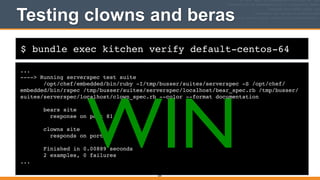
$ bundle exec kitchen verify default-centos-64
Testing clowns and beras
...!
----> Running serverspec test suite!
/opt/chef/embedded/bin/ruby -I/tmp/busser/suites/serverspec -S /opt/chef/
embedded/bin/rspec /tmp/busser/suites/serverspec/localhost/bear_spec.rb /tmp/busser/
suites/serverspec/localhost/clown_spec.rb --color --format documentation!
!
bears site!
response on port 81!
!
clowns site!
responds on port 80!
!
Finished in 0.00889 seconds!
2 examples, 0 failures!
...
204
WIN
205
Are the web sites really working?
• While we’ve added checks to verify that the test
node is listening on ports 80 and 81, we haven’t
verified that users see the right content when they
visit these sites.
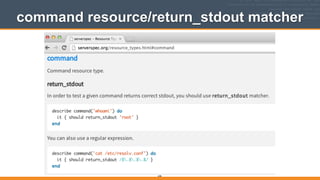
• Let’s use the command resource with the
return_stdout matcher to do a simple check with
curl to verify that port 80 is clowns and port 81 is
bears.
command resource/return_stdout matcher
206
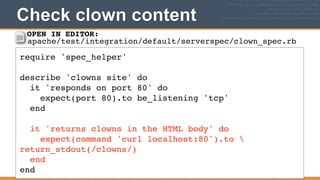
Check clown content
207
require 'spec_helper'!
!
describe 'clowns site' do!
it 'responds on port 80' do!
expect(port 80).to be_listening 'tcp'!
end!
!
it 'returns clowns in the HTML body' do!
expect(command 'curl localhost:80').to 
return_stdout(/clowns/)!
end!
end
OPEN IN EDITOR:
apache/test/integration/default/serverspec/clown_spec.rb
208
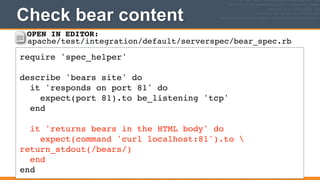
Check bear content
209
require 'spec_helper'!
!
describe 'bears site' do!
it 'responds on port 81' do!
expect(port 81).to be_listening 'tcp'!
end!
!
it 'returns bears in the HTML body' do!
expect(command 'curl localhost:81').to 
return_stdout(/bears/)!
end!
end
OPEN IN EDITOR:
apache/test/integration/default/serverspec/bear_spec.rb
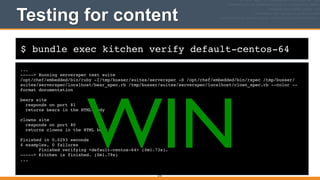
$ bundle exec kitchen verify default-centos-64
Testing for content
...!
-----> Running serverspec test suite!
/opt/chef/embedded/bin/ruby -I/tmp/busser/suites/serverspec -S /opt/chef/embedded/bin/rspec /tmp/busser/
suites/serverspec/localhost/bear_spec.rb /tmp/busser/suites/serverspec/localhost/clown_spec.rb --color --
format documentation!
!
bears site!
responds on port 81!
returns bears in the HTML body!
!
clowns site!
responds on port 80!
returns clowns in the HTML body!
!
Finished in 0.0293 seconds!
4 examples, 0 failures!
Finished verifying <default-centos-64> (0m1.73s).!
-----> Kitchen is finished. (0m1.79s)!
...
210
WIN
211
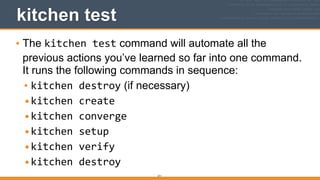
kitchen test
• The kitchen	
  test command will automate all the
previous actions you’ve learned so far into one command.
It runs the following commands in sequence:
• kitchen	
  destroy (if necessary)
•kitchen	
  create	
  
•kitchen	
  converge	
  
•kitchen	
  setup	
  
•kitchen	
  verify	
  
•kitchen	
  destroy
212
kitchen test
• The kitchen	
  test command is intended to be used
as a final check on a fresh image before committing
changes to source control and/or to be used in a
Continuous Integration environment like Jenkins.
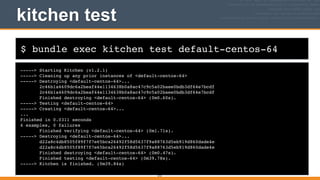
$ bundle exec kitchen test default-centos-64
kitchen test
-----> Starting Kitchen (v1.2.1)!
-----> Cleaning up any prior instances of <default-centos-64>!
-----> Destroying <default-centos-64>...!
2c46b1a4609dc6a2beaf44e1134638b0a8ac47c9c5a02baee0bdb3df64e7bcdf!
Finished destroying <default-centos-64> (0m0.60s).!
-----> Testing <default-centos-64>!
-----> Creating <default-centos-64>...!
...!
Finished in 0.0311 seconds!
4 examples, 0 failures!
Finished verifying <default-centos-64> (0m1.71s).!
-----> Destroying <default-centos-64>...!
d22a8c4db8505f89f7f7e65bca26492f58d5637f9a88763d5eb919d860dade4e!
Finished destroying <default-centos-64> (0m0.47s).!
Finished testing <default-centos-64> (0m39.78s).!
-----> Kitchen is finished. (0m39.84s)
213
Where to go next
• Jenkins cookbook is chock full of advanced
Serverspec techniques:


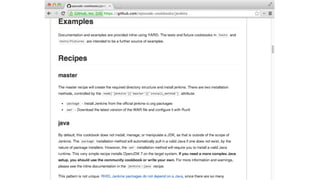
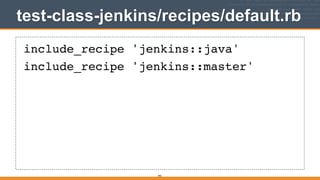
https://github.com/opscode-cookbooks/jenkins
214
Where to go next
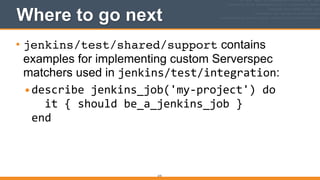
• jenkins/test/shared/support contains
examples for implementing custom Serverspec
matchers used in jenkins/test/integration:
•describe	
  jenkins_job('my-­‐project')	
  do


  it	
  {	
  should	
  be_a_jenkins_job	
  }

end

215
Where to go next
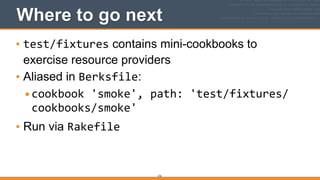
• test/fixtures contains mini-cookbooks to
exercise resource providers
• Aliased in Berksfile:
•cookbook	
  'smoke',	
  path:	
  'test/fixtures/
cookbooks/smoke'	
  
• Run via Rakefile
216
Where to go next
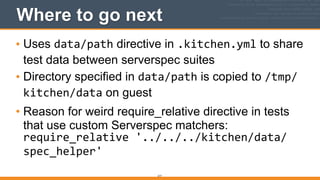
• Uses data/path directive in .kitchen.yml to share
test data between serverspec suites
• Directory specified in data/path is copied to /tmp/
kitchen/data on guest
• Reason for weird require_relative directive in tests
that use custom Serverspec matchers:

require_relative	
  '../../../kitchen/data/
spec_helper'
217
RECAP: Why Test?
• It’s important to find bugs fast

218
Better, Faster, Stronger
• Test Kitchen is an invaluable tool for managing
sandbox environments and truly verifying that a
cookbook produces the intended results
• But it does require spinning up an instance and
performing a full Chef converge, which can take a
long time
• Use Test Kitchen judiciously. The other tools can
provide more limited forms of feedback faster.
219
v2.0.0
Detect Suspicious Cookbook
Code with Foodcritic
220
Feedback on Chef Coding Style
• Foodcritic provides feedback on your Chef coding
style
• It is designed to be used as you are writing Chef
code - how’s that for freaking fast!
• Written by Andrew Crump

http://acrmp.github.com/footcritic
221
Feedback on Chef Coding Style
• Let’s install Foodcritic on your development
workstation so you can give it a spin
• Add Foodcritic to your Gemfile
• Install the app with bundle	
  install
222
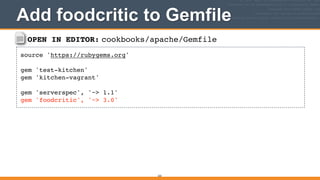
OPEN IN EDITOR: cookbooks/apache/Gemfile
source 'https://rubygems.org'!
!
gem 'test-kitchen'!
gem 'kitchen-vagrant'!
!
gem 'serverspec', '~> 1.1'!
gem 'foodcritic', '~> 3.0'
Add foodcritic to Gemfile
223
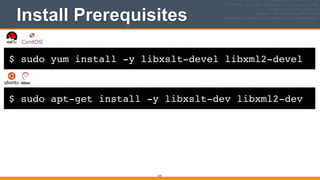
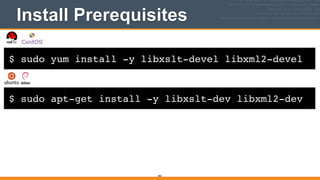
$ sudo yum install -y libxslt-devel libxml2-devel
Install Prerequisites
224
$ sudo apt-get install -y libxslt-dev libxml2-dev
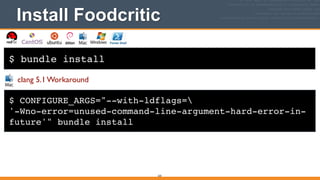
$ bundle install
Install Foodcritic
225
$ CONFIGURE_ARGS="--with-ldflags=!
'-Wno-error=unused-command-line-argument-hard-error-in-
future'" bundle install
clang 5.1 Workaround
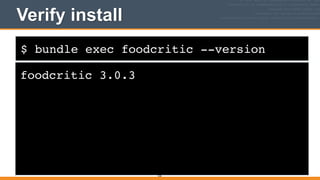
$ bundle exec foodcritic --version
Verify install
foodcritic 3.0.3
226
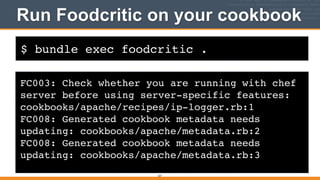
$ bundle exec foodcritic .
Run Foodcritic on your cookbook
227
FC003: Check whether you are running with chef
server before using server-specific features:
cookbooks/apache/recipes/ip-logger.rb:1!
FC008: Generated cookbook metadata needs
updating: cookbooks/apache/metadata.rb:2!
FC008: Generated cookbook metadata needs
updating: cookbooks/apache/metadata.rb:3
228
More feedback!
229
Fast feedback!
Feedback on Chef Coding Style
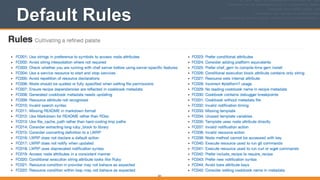
• Foodcritic comes with a set of checks called rules
• Foodcritic rules are documented at http://
acrmp.github.io/foodcritic/
• The default rules are a good start, and you can add
new rules of your own easily
230
Default Rules
231
232
What about the	

FC003 & FC008 issues	

in the apache cookbook?
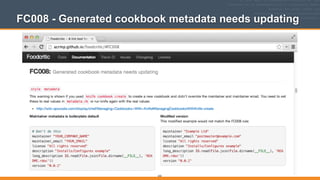
FC008 - Generated cookbook metadata needs updating
233
234
Let’s fix!
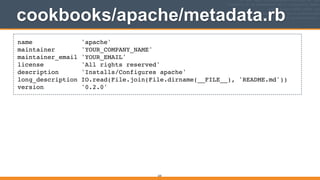
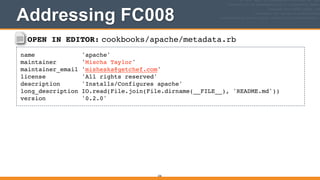
cookbooks/apache/metadata.rb
235
name 'apache'!
maintainer 'YOUR_COMPANY_NAME'!
maintainer_email 'YOUR_EMAIL'!
license 'All rights reserved'!
description 'Installs/Configures apache'!
long_description IO.read(File.join(File.dirname(__FILE__), 'README.md'))!
version '0.2.0'
OPEN IN EDITOR: cookbooks/apache/metadata.rb
name 'apache'!
maintainer 'Mischa Taylor'!
maintainer_email 'misheska@getchef.com'!
license 'All rights reserved'!
description 'Installs/Configures apache'!
long_description IO.read(File.join(File.dirname(__FILE__), 'README.md'))!
version '0.2.0'
236
Addressing FC008
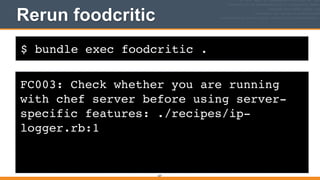
$ bundle exec foodcritic .
Rerun foodcritic
237
FC003: Check whether you are running
with chef server before using server-
specific features: ./recipes/ip-
logger.rb:1
238
Two down,	

one to go!
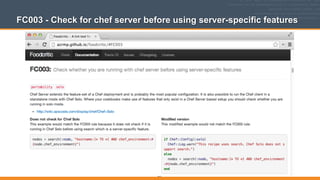
FC003 - Check for chef server before using server-specific features
239
240
Ignoring FC003
• Let’s say, for now, we don’t want to fix ip-­‐
logger.rb, and we’d like to squelch the FC003
check
241
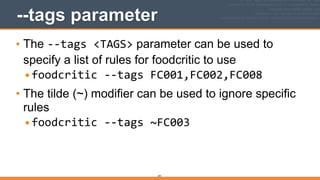
--tags parameter
• The -­‐-­‐tags	
  <TAGS> parameter can be used to
specify a list of rules for foodcritic to use
•foodcritic	
  -­‐-­‐tags	
  FC001,FC002,FC008	
  
• The tilde (~) modifier can be used to ignore specific
rules
•foodcritic	
  -­‐-­‐tags	
  ~FC003
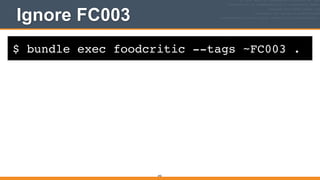
$ bundle exec foodcritic --tags ~FC003 .
Ignore FC003
242
$ bundle exec foodcritic --tags ~FC003 .
Ignore FC003
243
WIN
244
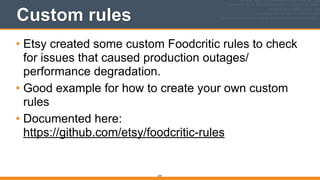
Custom rules
• Etsy created some custom Foodcritic rules to check
for issues that caused production outages/
performance degradation.
• Good example for how to create your own custom
rules
• Documented here:

https://github.com/etsy/foodcritic-rules
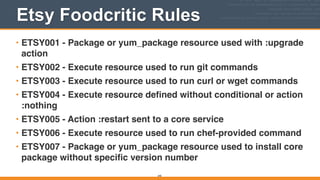
Etsy Foodcritic Rules
• ETSY001 - Package or yum_package resource used with :upgrade
action!
• ETSY002 - Execute resource used to run git commands!
• ETSY003 - Execute resource used to run curl or wget commands!
• ETSY004 - Execute resource defined without conditional or action
:nothing!
• ETSY005 - Action :restart sent to a core service!
• ETSY006 - Execute resource used to run chef-provided command!
• ETSY007 - Package or yum_package resource used to install core
package without specific version number
245
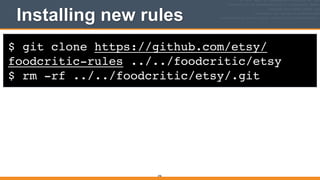
$ git clone https://github.com/etsy/
foodcritic-rules ../../foodcritic/etsy!
$ rm -rf ../../foodcritic/etsy/.git
Installing new rules
246
247
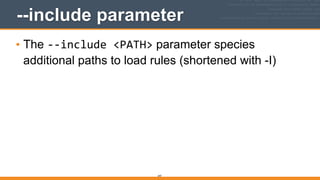
--include parameter
• The -­‐-­‐include	
  <PATH> parameter species
additional paths to load rules (shortened with -I)
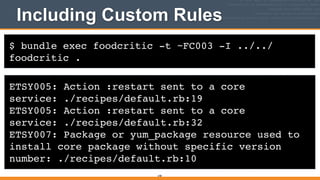
$ bundle exec foodcritic -t ~FC003 -I ../../
foodcritic .
Including Custom Rules
ETSY005: Action :restart sent to a core
service: ./recipes/default.rb:19!
ETSY005: Action :restart sent to a core
service: ./recipes/default.rb:32!
ETSY007: Package or yum_package resource used to
install core package without specific version
number: ./recipes/default.rb:10
248
249
Editor support
• Many popular editors can be configured to run
Foodcritic inside the editor (including Vim, GNU
Emacs and Sublime Text). So you can get feedback
even faster.
v2.0.0
Detect Suspicious Ruby Code
with RuboCop
250
RuboCop - Feedback on Ruby Style
• Many people new to Ruby would like some guidance
on how to write idiomatic Ruby
• Get the same kind of feedback for Ruby using
RuboCop that you get for Chef Code using
Foodcritic (Chef code is Ruby)
251
RuboCop Author
• Written by Bozhidar Batsov:

https://github.com/bbatsov/rubocop
252
RuboCop - Feedback on Ruby Style
• Follows community-driven style guide:

https://github.com/bbatsov/ruby-style-guide
!
• Looks at cookbooks for Ruby best practices, not the
Chef DSL - that’s Foodcritic
253
RuboCop - Feedback on Ruby Style
• Let’s install RuboCop on your development
workstation so you can give it a spin
• Add RuboCop to your Gemfile
• Install the app with bundle	
  install
254
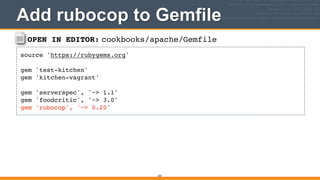
OPEN IN EDITOR: cookbooks/apache/Gemfile
source 'https://rubygems.org'!
!
gem 'test-kitchen'!
gem 'kitchen-vagrant'!
!
gem 'serverspec', '~> 1.1'!
gem 'foodcritic', '~> 3.0'!
gem 'rubocop', '~> 0.20'
Add rubocop to Gemfile
255
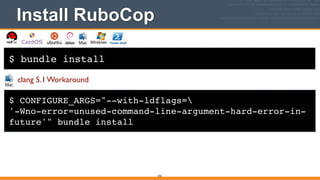
$ bundle install
Install RuboCop
256
$ CONFIGURE_ARGS="--with-ldflags=!
'-Wno-error=unused-command-line-argument-hard-error-in-
future'" bundle install
clang 5.1 Workaround
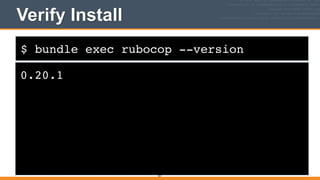
$ bundle exec rubocop --version
Verify Install
0.20.1
257
Running RuboCop
• Just run the rubocop command - it recursively
checks all the *.rb files in all subdirectories
underneath the current directory (excluding
vendor/)
258
$ bundle exec rubocop
Run RuboCop on your cookbook
attributes/default.rb:3:19: C: Prefer single-quoted strings when you don't
need string interpolation or special symbols.!
default["apache"]["sites"]["bears"] = { "port" => 81 }!
^^^^^^^!
attributes/default.rb:3:28: C: Prefer single-quoted strings when you don't
need string interpolation or special symbols.!
default["apache"]["sites"]["bears"] = { "port" => 81 }!
^^^^^^^!
attributes/default.rb:3:41: C: Prefer single-quoted strings when you don't
need string interpolation or special symbols.!
default["apache"]["sites"]["bears"] = { "port" => 81 }!
^^^^^^!
!
7 files inspected, 52 offenses detected
259
rubocop-todo.yml via --auto-gen-config
• rubocop-todo.yml will help generate TODOs for each
item on the offense list
• It also shows you what config setting can be used to
mask each offense, which we’ll need to do for some
of these, because Chef code conventions vary
slightly from the Rubocop community standards
260
$ bundle exec rubocop --auto-gen-config
Generate rubocop-todo.yml
attributes/default.rb:3:28: C: Prefer single-quoted strings when you
don't need string interpolation or special symbols.!
default["apache"]["sites"]["bears"] = { "port" => 81 }!
^^^^^^^!
attributes/default.rb:3:41: C: Prefer single-quoted strings when you
don't need string interpolation or special symbols.!
default["apache"]["sites"]["bears"] = { "port" => 81 }!
^^^^^^!
!
7 files inspected, 52 offenses detected!
Created rubocop-todo.yml.!
Run `rubocop --config rubocop-todo.yml`, or!
add inherit_from: rubocop-todo.yml in a .rubocop.yml file.
261
.rubocop.yml Configures RuboCop
• .rubocop.yml can be used to configure RuboCop
(similar to .kitchen.yml in Test Kitchen)
• We’ll add a settings to ignore things, similar to what
we did for Foodcritic, that don’t make as much sense
for Chef.
• Settings are documented in the RuboCop README:
https://github.com/bbatsov/rubocop/blob/master/
README.md
• Cop is the RuboCop equivalent of a rule
262
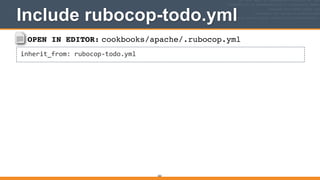
OPEN IN EDITOR: cookbooks/apache/.rubocop.yml
inherit_from:	
  rubocop-­‐todo.yml
Include rubocop-todo.yml
263
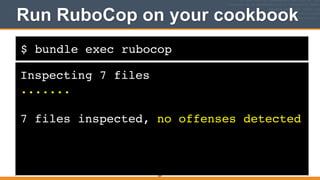
$ bundle exec rubocop
Run RuboCop on your cookbook
Inspecting 7 files!
.......!
!
7 files inspected, no offenses detected
264
Easy peasy
• Wow, now more offenses...not really
265
Match Chef community standards
• First, we’ll move some of the Cops from rubocop-
todo.yml to .rubocop.yml for things that match Chef
community standards (as opposed to the Ruby
community standards)
266
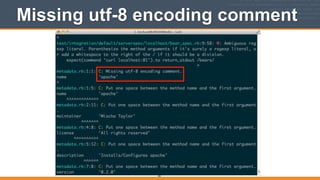
Missing utf-8 encoding comment
267
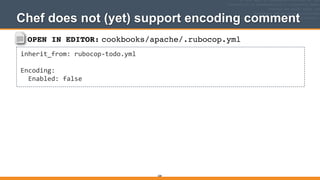
OPEN IN EDITOR: cookbooks/apache/.rubocop.yml
inherit_from:	
  rubocop-­‐todo.yml	
  
!
Encoding:	


  Enabled:	
  false
Chef does not (yet) support encoding comment
268
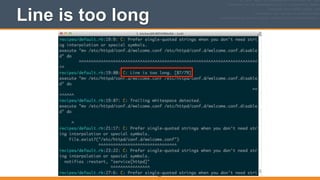
Line is too long
269
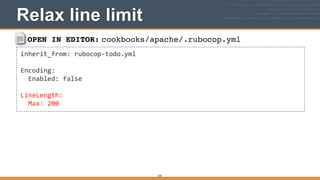
OPEN IN EDITOR: cookbooks/apache/.rubocop.yml
inherit_from:	
  rubocop-­‐todo.yml	
  
!
Encoding:	


  Enabled:	
  false	
  
!
LineLength:	


  Max:	
  200
Relax line limit
270
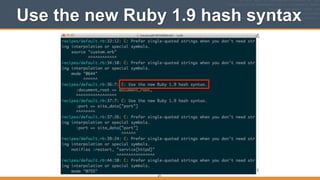
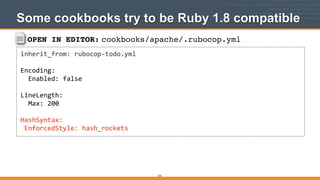
Use the new Ruby 1.9 hash syntax
271
OPEN IN EDITOR: cookbooks/apache/.rubocop.yml
inherit_from:	
  rubocop-­‐todo.yml	
  
!
Encoding:	


  Enabled:	
  false	
  
!
LineLength:	


  Max:	
  200	
  
!
HashSyntax:	
  
	
  EnforcedStyle:	
  hash_rockets
Some cookbooks try to be Ruby 1.8 compatible
272
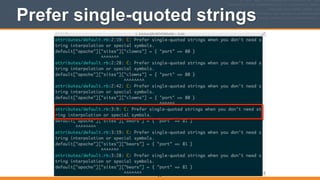
Prefer single-quoted strings
273
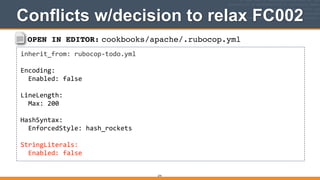
OPEN IN EDITOR: cookbooks/apache/.rubocop.yml
inherit_from:	
  rubocop-­‐todo.yml	
  
!
Encoding:	


  Enabled:	
  false	
  
!
LineLength:	


  Max:	
  200	
  
!
HashSyntax:	


  EnforcedStyle:	
  hash_rockets	
  
!
StringLiterals:	


  Enabled:	
  false
Conflicts w/decision to relax FC002
274
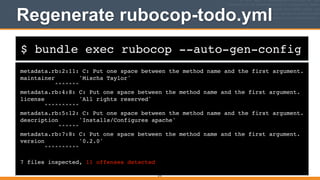
$ bundle exec rubocop --auto-gen-config
Regenerate rubocop-todo.yml
metadata.rb:2:11: C: Put one space between the method name and the first argument.!
maintainer 'Mischa Taylor'!
^^^^^^^!
metadata.rb:4:8: C: Put one space between the method name and the first argument.!
license 'All rights reserved'!
^^^^^^^^^^!
metadata.rb:5:12: C: Put one space between the method name and the first argument.!
description 'Installs/Configures apache'!
^^^^^^!
metadata.rb:7:8: C: Put one space between the method name and the first argument.!
version '0.2.0'!
^^^^^^^^^^!
!
7 files inspected, 11 offenses detected
275
Rubocop Workflow
• Uncomment lines in rubocop-todo.yml
• Fix offenses
• git commit
• Repeat
276
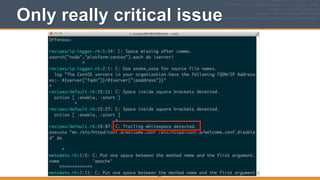
Only really critical issue
277
Trailing whitespace & Git
• Whitespace differences make diffs longer and
diverts focus from more important changes
• Even with Git, trailing whitespace can make merge
conflicts more difficult to resolve
278
279
Editor support
• Many popular editors can be configured to run
RuboCop inside the editor (including Vim, GNU
Emacs and Sublime Text). So you can get feedback
even faster.
• RuboCop includes great docs on editor configuration
(which work for Foodcritic as well): 

https://github.com/bbatsov/rubocop#editor-
integration
v2.0.0
Runnable documentation with
ChefSpec
280
RECAP: Why Not Begin With Testing?
• Finding a bug in something that you can’t execute
is freaking hard!
• While fixing bugs before writing code is cheap,
finding them is expensive

281
What is ChefSpec?
• ChefSpec helps produce runnable documentation.
Its primary purpose is to help document and
organize your code.
• As a side effect, you’ll end up with a set of tests
which can also be used to uncover bugs when
changes are made.
• Plus, your cookbook code will be improved when it
is guided by tests.
282
ChefSpec Authors
• Written by Andrew Crump and Seth Vargo
283
ChefSpec - Runnable Documentation
• Let’s install ChefSpec on your development
workstation so you can give it a spin
• Add ChefSpec to your Gemfile
• Install the app with bundle	
  install
284
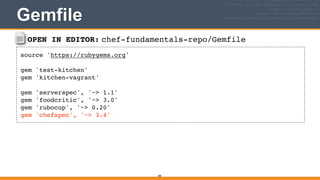
OPEN IN EDITOR: chef-fundamentals-repo/Gemfile
source 'https://rubygems.org'!
!
gem 'test-kitchen'!
gem 'kitchen-vagrant'!
!
gem 'serverspec', '~> 1.1'!
gem 'foodcritic', '~> 3.0'!
gem 'rubocop', '~> 0.20'!
gem 'chefspec', '~> 3.4'
Gemfile
285
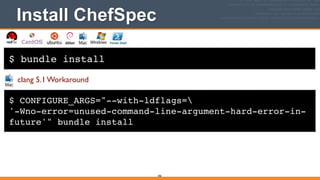
$ bundle install
Install ChefSpec
286
$ CONFIGURE_ARGS="--with-ldflags=!
'-Wno-error=unused-command-line-argument-hard-error-in-
future'" bundle install
clang 5.1 Workaround
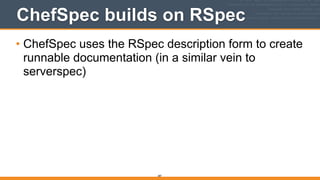
ChefSpec builds on RSpec
• ChefSpec uses the RSpec description form to create
runnable documentation (in a similar vein to
serverspec)
287
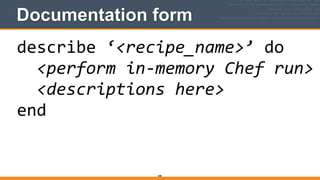
Documentation form
288
describe	
  ‘<recipe_name>’	
  do	


  <perform	
  in-­‐memory	
  Chef	
  run>	


  <descriptions	
  here>	
  
end
Documentation example
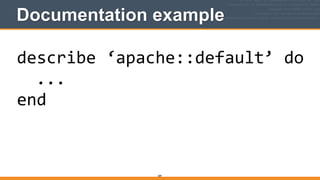
289
describe	
  ‘apache::default’	
  do	


  ...	
  
end
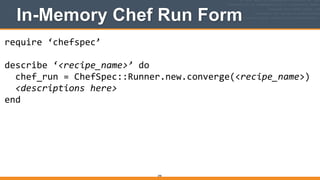
In-Memory Chef Run Form
290
require	
  ‘chefspec’	
  
!
describe	
  ‘<recipe_name>’	
  do	


  chef_run	
  =	
  ChefSpec::Runner.new.converge(<recipe_name>)	


  <descriptions	
  here>	
  
end
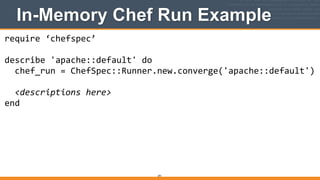
In-Memory Chef Run Example
291
require	
  ‘chefspec’	
  
!
describe	
  'apache::default'	
  do	


  chef_run	
  =	
  ChefSpec::Runner.new.converge('apache::default')	


  <descriptions	
  here>	
  
end
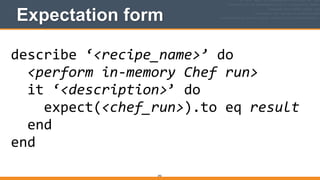
Expectation form
292
describe	
  ‘<recipe_name>’	
  do	


  <perform	
  in-­‐memory	
  Chef	
  run>	


  it	
  ‘<description>’	
  do	


  expect(<chef_run>).to	
  eq	
  result	


  end	
  
end
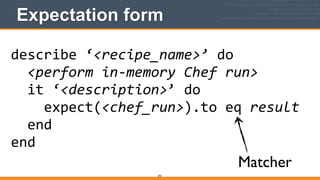
Expectation form
293
describe	
  ‘<recipe_name>’	
  do	


  <perform	
  in-­‐memory	
  Chef	
  run>	


  it	
  ‘<description>’	
  do	


  expect(<chef_run>).to	
  eq	
  result	


  end	
  
end
Matcher
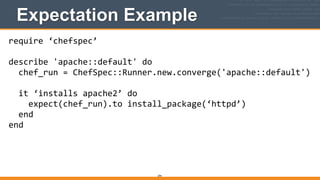
Expectation Example
294
require	
  ‘chefspec’	
  
!
describe	
  'apache::default'	
  do	


  chef_run	
  =	
  ChefSpec::Runner.new.converge('apache::default')	


  it	
  ‘installs	
  apache2’	
  do	


  expect(chef_run).to	
  install_package(‘httpd’)	


  end	
  
end
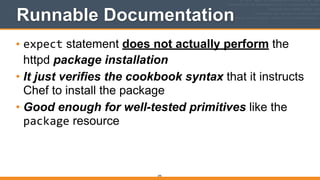
Runnable Documentation
• expect statement does not actually perform the
httpd package installation
• It just verifies the cookbook syntax that it instructs
Chef to install the package
• Good enough for well-tested primitives like the
package resource
295
296
Let’s write some ChefSpec	

tests!
297
Default location for tests
• By default, ChefSpec will look in the spec/directory
for ChefSpec test-related files


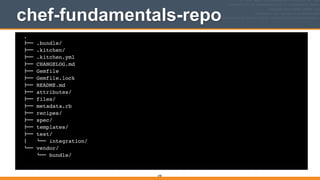
chef-fundamentals-repo
298
.!
"## .bundle/!
"## .kitchen/!
"## .kitchen.yml!
"## CHANGELOG.md!
"## Gemfile!
"## Gemfile.lock!
"## README.md!
"## attributes/!
"## files/!
"## metadata.rb!
"## recipes/!
"## spec/!
"## templates/!
"## test/!
$   %## integration/!
%## vendor/!
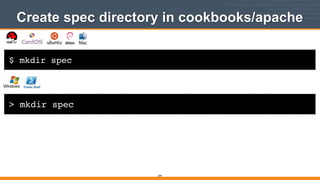
%## bundle/!
$ mkdir spec
Create spec directory in cookbooks/apache
299
> mkdir spec
300
*_spec.rb files
• By convention, ChefSpec expects files with tests to
end in _spec.rb


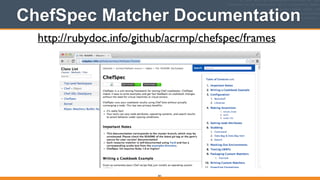
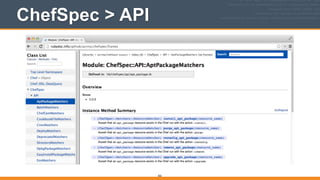
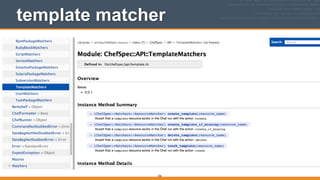
ChefSpec Matcher Documentation
301
http://rubydoc.info/github/acrmp/chefspec/frames
ChefSpec > API
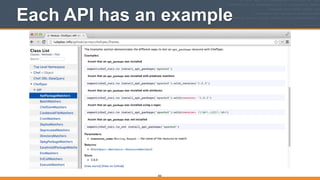
302
Each API has an example
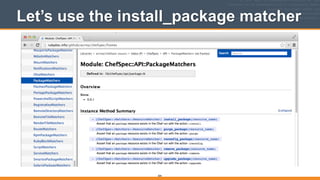
303
Let’s use the install_package matcher
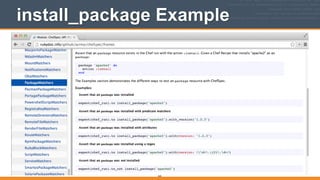
304
install_package Example
305
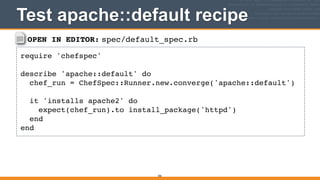
OPEN IN EDITOR: spec/default_spec.rb
require 'chefspec'!
!
describe 'apache::default' do!
chef_run = ChefSpec::Runner.new.converge('apache::default')!
!
it 'installs apache2' do!
expect(chef_run).to install_package('httpd')!
end!
end
Test apache::default recipe
306
307
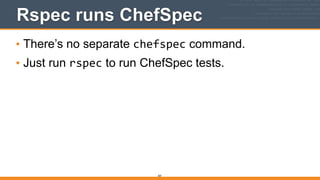
Rspec runs ChefSpec
• There’s no separate chefspec command.
• Just run rspec to run ChefSpec tests.

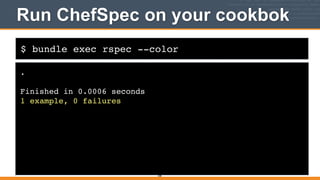
$ bundle exec rspec --color
Run ChefSpec on your cookbok
.!
!
Finished in 0.0006 seconds!
1 example, 0 failures
308
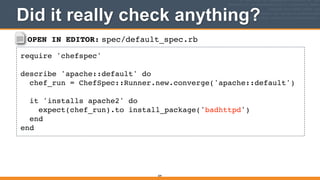
OPEN IN EDITOR: spec/default_spec.rb
require 'chefspec'!
!
describe 'apache::default' do!
chef_run = ChefSpec::Runner.new.converge('apache::default')!
!
it 'installs apache2' do!
expect(chef_run).to install_package('badhttpd')!
end!
end
Did it really check anything?
309
$ bundle exec rspec
Run ChefSpec on your cookbok
F!
!
Failures:!
!
1) apache::default installs apache2!
Failure/Error: expect(chef_run).to install_package('badhttpd')!
expected "package[badhttpd]" with action :install to be in Chef run. Other
package resources:!
!
package[httpd]!
!
# ./spec/default_spec.rb:7:in `block (2 levels) in <top (required)>'!
!
Finished in 0.00044 seconds!
1 example, 1 failure
310
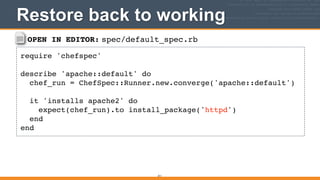
OPEN IN EDITOR: spec/default_spec.rb
require 'chefspec'!
!
describe 'apache::default' do!
chef_run = ChefSpec::Runner.new.converge('apache::default')!
!
it 'installs apache2' do!
expect(chef_run).to install_package('httpd')!
end!
end
Restore back to working
311
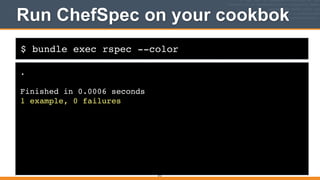
$ bundle exec rspec --color
Run ChefSpec on your cookbok
.!
!
Finished in 0.0006 seconds!
1 example, 0 failures
312
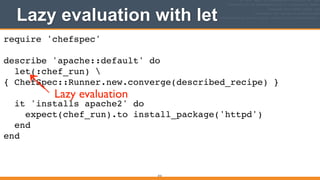
Lazy evaluation with let
313
require 'chefspec'!
!
describe 'apache::default' do!
let(:chef_run) 
{ ChefSpec::Runner.new.converge(described_recipe) }!
!
it 'installs apache2' do!
expect(chef_run).to install_package('httpd')!
end!
end
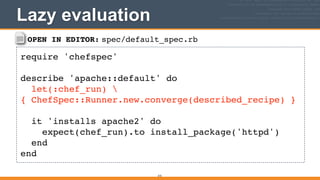
Lazy evaluation
314
described_recipe
• let blocks aren’t evaluated until the first time they
are called
• Also allows ChefSpec to run the described_recipe
macro to evaluate the recipe name

OPEN IN EDITOR: spec/default_spec.rb
require 'chefspec'!
!
describe 'apache::default' do!
let(:chef_run) 
{ ChefSpec::Runner.new.converge(described_recipe) }!
!
it 'installs apache2' do!
expect(chef_run).to install_package('httpd')!
end!
end
Lazy evaluation
315
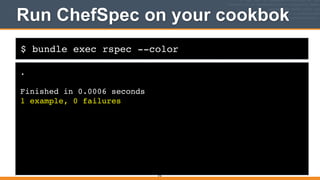
$ bundle exec rspec --color
Run ChefSpec on your cookbok
.!
!
Finished in 0.0006 seconds!
1 example, 0 failures
316
317
ChefSpec Resource Report
• ChefSpec Resource Report can help guide writing
your tests
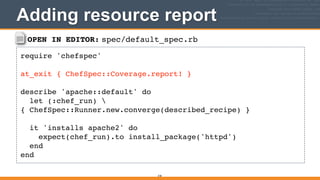
OPEN IN EDITOR: spec/default_spec.rb
require 'chefspec'!
!
at_exit { ChefSpec::Coverage.report! }!
!
describe 'apache::default' do!
let (:chef_run) 
{ ChefSpec::Runner.new.converge(described_recipe) }!
!
it 'installs apache2' do!
expect(chef_run).to install_package('httpd')!
end!
end
Adding resource report
318
$ bundle exec rspec --color
Run ChefSpec on your cookbok
.!
!
Finished in 0.01106 seconds!
1 example, 0 failures!
!
ChefSpec Coverage report generated...!
!
Total Resources: 9!
Touched Resources: 1!
Touch Coverage: 11.11%!
!
Untouched Resources:!
!
service[httpd] /recipes/default.rb:14!
execute[mv /etc/httpd/conf.d/welcome.conf /etc/httpd/conf.d/welcome.conf.disabled] /recipes/default.rb:19!
template[/etc/httpd/conf.d/clowns.conf] /recipes/default.rb:32!
directory[/srv/apache/clowns] /recipes/default.rb:43!
template[/srv/apache/clowns/index.html] /recipes/default.rb:49!
template[/etc/httpd/conf.d/bears.conf] /recipes/default.rb:32!
directory[/srv/apache/bears] /recipes/default.rb:43!
template[/srv/apache/bears/index.html] /recipes/default.rb:49
319
320
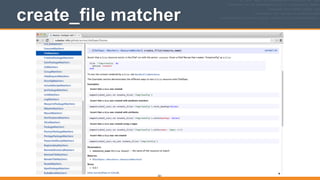
create_file matcher
• Let’s verify that the clowns.conf file gets created
with the create_file matcher
321
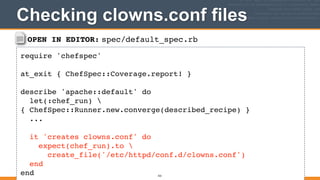
create_file matcher
OPEN IN EDITOR: spec/default_spec.rb
require 'chefspec'!
!
at_exit { ChefSpec::Coverage.report! }!
!
describe 'apache::default' do!
let(:chef_run) 
{ ChefSpec::Runner.new.converge(described_recipe) }!
...!
!
it 'creates clowns.conf' do!
expect(chef_run).to !
create_file('/etc/httpd/conf.d/clowns.conf')!
end!
end
Checking clowns.conf files
322
$ bundle exec rspec --color
Run ChefSpec on your cookbok
F!
!
Failures:!
!
1) apache::default creates clowns.conf!
Failure/Error: expect(chef_run).to create_file('/srv/apache/clowns')!
expected "file[/srv/apache/clowns]" with action :create to be in Chef run. Other file resources:!
!
!
!
# ./spec/default_spec.rb:13:in `block (2 levels) in <top (required)>'!
!
Finished in 0.01903 seconds!
2 examples, 1 failure!
!
Failed examples:!
!
rspec ./spec/default_spec.rb:12 # apache::default creates clowns.conf
323
$ bundle exec rspec --color
Run ChefSpec on your cookbok
F!
!
Failures:!
!
1) apache::default creates clowns.conf!
Failure/Error: expect(chef_run).to create_file('/srv/apache/clowns')!
expected "file[/srv/apache/clowns]" with action :create to be in Chef run. Other file resources:!
!
!
!
# ./spec/default_spec.rb:13:in `block (2 levels) in <top (required)>'!
!
Finished in 0.01903 seconds!
2 examples, 1 failure!
!
Failed examples:!
!
rspec ./spec/default_spec.rb:12 # apache::default creates clowns.conf
324
FAIL
325
ChefSpec == Runnable Documentation
• Remember: ChefSpec is just runnable
documentation
• It isn’t actually performing a Chef run to verify that
clowns.conf was created
• Instead it is just verifying that you told Chef to
create the clowns.conf via the file resource, which
you never did - you used the template resource
326
template matcher
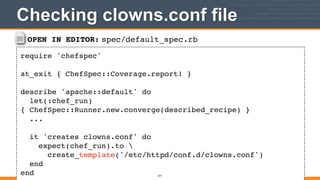
OPEN IN EDITOR: spec/default_spec.rb
require 'chefspec'!
!
at_exit { ChefSpec::Coverage.report! }!
!
describe 'apache::default' do!
let(:chef_run)
{ ChefSpec::Runner.new.converge(described_recipe) }!
...!
!
it 'creates clowns.conf' do!
expect(chef_run).to !
create_template('/etc/httpd/conf.d/clowns.conf')!
end!
end
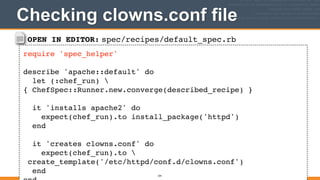
Checking clowns.conf file
327
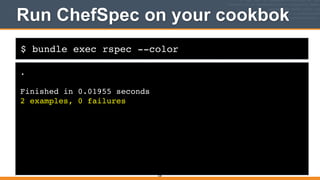
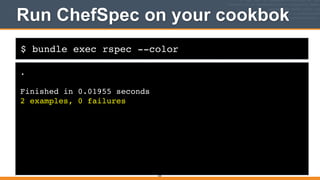
$ bundle exec rspec --color
Run ChefSpec on your cookbok
.!
!
Finished in 0.01955 seconds!
2 examples, 0 failures
328
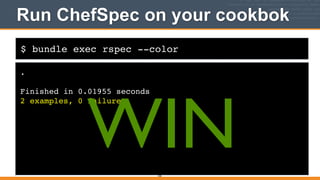
$ bundle exec rspec --color
Run ChefSpec on your cookbok
.!
!
Finished in 0.01955 seconds!
2 examples, 0 failures
329
WIN
330
spec_helper.rb
• Similar to Serverspec, common code can be moved
to a file called spec_helper.rb with ChefSpec
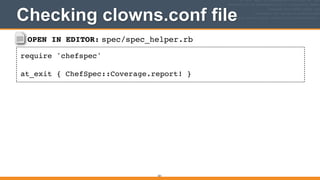
OPEN IN EDITOR: spec/spec_helper.rb
require 'chefspec'!
!
at_exit { ChefSpec::Coverage.report! }
Checking clowns.conf file
331
332
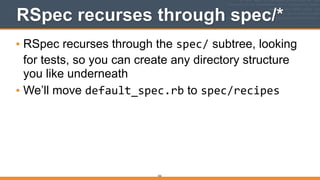
RSpec recurses through spec/*
• RSpec recurses through the spec/ subtree, looking
for tests, so you can create any directory structure
you like underneath
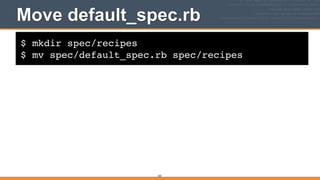
• We’ll move default_spec.rb to spec/recipes
$ mkdir spec/recipes!
$ mv spec/default_spec.rb spec/recipes
Move default_spec.rb
333
OPEN IN EDITOR: spec/recipes/default_spec.rb
require 'spec_helper'!
!
describe 'apache::default' do!
let (:chef_run) 
{ ChefSpec::Runner.new.converge(described_recipe) }!
!
it 'installs apache2' do!
expect(chef_run).to install_package('httpd')!
end!
!
it 'creates clowns.conf' do!
expect(chef_run).to !
create_template('/etc/httpd/conf.d/clowns.conf')!
end!
Checking clowns.conf file
334
$ bundle exec rspec --color
Run ChefSpec on your cookbok
.!
!
Finished in 0.01955 seconds!
2 examples, 0 failures
335
$ bundle exec rspec --color
Run ChefSpec on your cookbok
.!
!
Finished in 0.01955 seconds!
2 examples, 0 failures
336
WIN
337
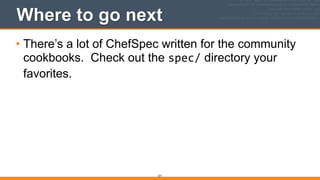
Where to go next
• There’s a lot of ChefSpec written for the community
cookbooks. Check out the spec/ directory your
favorites.
v2.0.0
Continuous Validation with
Guard
338
What is Guard?
• A tool that monitors for filesystem changes and
performs actions (like launching rake tasks)
• Written by Thibaud Guillaume-Gentil
339
Guard install
• Let’s install Guard on your development
workstation so you can give it a spin
• Add guard to your Gemfile
• Install the app with bundle	
  install
340
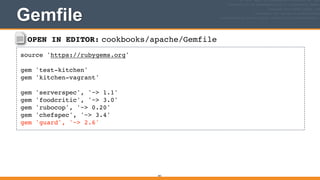
OPEN IN EDITOR: cookbooks/apache/Gemfile
source 'https://rubygems.org'!
!
gem 'test-kitchen'!
gem 'kitchen-vagrant'!
!
gem 'serverspec', '~> 1.1'!
gem 'foodcritic', '~> 3.0'!
gem 'rubocop', '~> 0.20'!
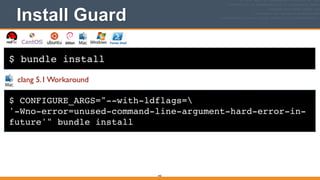
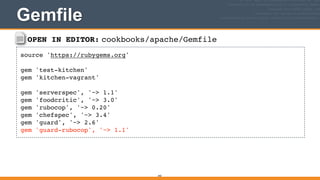
gem 'chefspec', '~> 3.4'!
gem 'guard', '~> 2.6'
Gemfile
341
$ bundle install
Install Guard
342
$ CONFIGURE_ARGS="--with-ldflags=!
'-Wno-error=unused-command-line-argument-hard-error-in-
future'" bundle install
clang 5.1 Workaround
OPEN IN EDITOR: cookbooks/apache/Gemfile
source 'https://rubygems.org'!
!
gem 'test-kitchen'!
gem 'kitchen-vagrant'!
!
gem 'serverspec', '~> 1.1'!
gem 'foodcritic', '~> 3.0'!
gem 'rubocop', '~> 0.20'!
gem 'chefspec', '~> 3.4'!
gem 'guard', '~> 2.6'!
gem 'guard-rubocop', '~> 1.1'
Gemfile
343
$ bundle install
Install guard-rubocop
344
$ CONFIGURE_ARGS="--with-ldflags=!
'-Wno-error=unused-command-line-argument-hard-error-in-
future'" bundle install
clang 5.1 Workaround
$ bundle exec guard init
Create Guardfile
02:39:58 - INFO - Writing new Guardfile to /home/vagrant/
chef-fundamentals-repo/cookbooks/apache/Guardfile!
02:45:32 - INFO - rubocop guard added to Guardfile, feel
free to edit it
345
cookbooks/apache/Guardfile
346
# A sample Guardfile!
# More info at https://github.com/guard/guard#readme!
!
guard :rubocop do!
watch(%r{.+.rb$})!
watch(%r{(?:.+/)?.rubocop.yml$}) { |m| File.dirname(m[0]) }!
end
$ bundle exec guard
Run Guard
02:48:54 - INFO - Guard is now watching at '/home/vagrant/
chef-fundamentals-repo/cookbooks/apache'!
[1] guard(main)>
347
CloudShare Node
348
CloudShare Node
349
$ cd $HOME/chef-fundamentals-repo/cookbooks/apache
In another session
350
And edit some .rb file - upon save, rubocop is
launched!
Stopping guard
[1] guard(main)> quit!
!
19:23:42 - INFO - Bye bye...
351
352
Where to go next
Michael Goetz blog posts:
https://micgo.net/check-yo-self-before-you-wreck-yo-self-with-
foodcritic-chefspec/
Foodcritic and Guard:
Serverspec and Guard:
https://micgo.net/serverspec-guard-and-test-kitchen-testing-
servers-like-a-boss/
353
Where to go next
Michael Goetz blog posts:
ChefSpec and Guard:
https://micgo.net/continuous-chefspec-validation-with-guard/
v2.0.0
Repeating Test Steps with
Rake
354
What is Rake?
• Rake includes a language for expressing the
command line steps needed to create an app
• Perfect for capturing all the commands you’ve
learned in this class so others can run them easily,
or in your continuous integration system (Jenkins,
Bamboo, TeamCity, etc.)
355
Rake Author
• Written by Jim Weirich:

http://rake.rubyforge.org/
356
Rake - Repeatable Test Commands
• Let’s install Rake on your development workstation
so you can give it a spin
• Add rake to your Gemfile
• Install the app with bundle	
  install
357
OPEN IN EDITOR: chef-fundamentals-repo/Gemfile
source 'https://rubygems.org'!
!
gem 'test-kitchen'!
gem 'kitchen-vagrant'!
!
gem 'rake'!
gem 'serverspec', '~> 1.1'!
gem 'foodcritic', '~> 3.0'!
gem 'rubocop', '~> 0.20'!
gem 'chefspec', '~> 3.4'!
gem 'guard', '~> 2.6'!
gem 'guard-rubocop', '~> 1.1'
Gemfile
358
$ bundle install
Install Rake
359
$ CONFIGURE_ARGS="--with-ldflags=!
'-Wno-error=unused-command-line-argument-hard-error-in-
future'" bundle install
clang 5.1 Workaround
Rake - Repeatable Tasks
• Task - expresses command line actions to perform
360
Rake Task Form
361
task :<task_name> do!
<action>!
<action>!
end
Rake - Repeatable Tasks
• Configuration file for rake is a Rakefile
362
Rake - Actions
• Actions are expressed in Ruby syntax
• sh	
  “<command>”	
  runs a shell command:

sh “bundle	
  exec	
  rspec”
363
OPEN IN EDITOR: cookbooks/apache/Rakefile
task :rubocop do!
sh 'bundle exec rubocop'!
end
Rubocop Task
364
$ bundle exec rake rubocop
Execute Rake Task
Inspecting 9 files!
.......!
!
9 files inspected, no offenses detected
365
Task Description
• Every task should have a description which
documents what the task does
• rake	
  -­‐-­‐tasks prints out tasks with descriptions
366
OPEN IN EDITOR: cookbooks/apache/Rakefile
desc 'Run Ruby style checks with Rubocop'!
task :rubocop do!
sh 'bundle exec rubocop'!
end
Rubocop Task
367
$ bundle exec rake --tasks
Execute Rake Task
rake rubocop # Run Ruby style checks with Rubocop
368
Adding Foodcritic
• Let’s add a task for Foocritic next
369
OPEN IN EDITOR: cookbooks/apache/Rakefile
desc 'Run Ruby style checks with Rubocop'!
task :rubocop do!
sh 'bundle exec rubocop'!
end!
!
desc 'Run Chef style checks with Foodcritic'!
task :foodcritic do!
sh 'bundle exec foodcritic -t ~FC003 .'!
end
Foodcritic Task
370
$ bundle exec rake foodcritic
Execute Rake Task
bundle exec foodcritic -t ~FC003 .!
FC011: Missing README in markdown format: spec/README.md:1!
FC031: Cookbook without metadata file: spec/metadata.rb:1!
FC045: Consider setting cookbook name in metadata: spec/
metadata.rb:1
371
$ bundle exec rake foodcritic
Execute Rake Task
bundle exec foodcritic -t ~FC003 .!
FC011: Missing README in markdown format: spec/README.md:1!
FC031: Cookbook without metadata file: spec/metadata.rb:1!
FC045: Consider setting cookbook name in metadata: spec/
metadata.rb:1
372
WAT?
Foodcritic 3.0.3 issue
• Foodcritic is checking spec/ subtree when it
shouldn’t
• Does not expose command line option to exclude
directories:

https://github.com/acrmp/foodcritic/issues/148
• When fixed, this should work:

bundle	
  exec	
  foodcritic	
  -­‐X	
  spec	
  -­‐t	
  ~FC003	
  .

373
OPEN IN EDITOR: cookbooks/apache/Rakefile
desc 'Run Ruby style checks with Rubocop'!
task :rubocop do!
sh 'bundle exec rubocop'!
end!
!
require 'foodcritic'!
desc 'Run Chef style checks with Foodcritic'!
FoodCritic::Rake::LintTask.new(:foodcritic) do |t|!
t.options = {!
tags: ['~FC003'],!
excludes: ['test', 'spec', 'features']!
}!
end
Workaround - Use Ruby
374
Default task
• Rake supports a special task name called default
• default runs when no parameters are supplied to
rake
• default (as well as any other task) can point to a
list of other task names to execute

task	
  :default	
  =>	
  [:foodcritic]
375
OPEN IN EDITOR: cookbooks/apache/Rakefile
task :default => [:rubocop, :foodcritic]!
!
desc 'Run Ruby style checks with Rubocop'!
task :rubocop do!
sh 'bundle exec rubocop'!
end!
!
require 'foodcritic'!
desc 'Run Chef style checks with Foodcritic'!
FoodCritic::Rake::LintTask.new(:foodcritic) do |t|!
t.options = {!
tags: ['~FC003'],!
excludes: ['test', 'spec', 'features' ]!
}!
Foodcritic Task
376
$ bundle exec rake
Execute Rake Task
bundle exec rubocop!
Inspecting 9 files!
.......!
!
7 files inspected, no offenses detected
377
378
Where to go next
Rake Boot Camp
http://cloud.github.com/downloads/jimweirich/RakePresentations/PowerRake.key.pdf
http://www.confreaks.com/videos/899-railsconf2012-basic-rake
Go to http://confreaks.com	

Search for “Basic Rake”
379
Where to go next
Rake Tasks can have tests
http://blog.jayfields.com/2006/11/ruby-testing-rake-tasks.html
v2.0.0
Jenkins
380
What is Jenkins?
• Jenkins is a commonly used, open source
continuous integration system used to build early
and often
• Written by Kohsuke Kawaguchi
381
$ sudo yum install -y libxslt-devel libxml2-devel
Install Prerequisites
382
$ sudo apt-get install -y libxslt-dev libxml2-dev
$ cd $HOME
Home directory - great place for source
383
$ cd %USERPROFILE%
Jenkins cookbook
• Jenkins cookbook - https://github.com/opscode-
cookbooks/jenkins
• Jenkins cookbook is library cookbook
384
Library cookbook
• Popularized by Bryan Berry’s blog post How to Write
Resuable Chef Cookbooks, Gangnam Style
385
Jenkins wrapper cookbook
• Start of our wrapper cookbook:

https://github.com/misheska/test-class-jenkins
386
$ git clone https://github.com/misheska/test-class-jenkins
Grab test-class-jenkins from Github
Cloning into 'test-class-jenkins'...!
remote: Counting objects: 19, done.!
remote: Compressing objects: 100% (16/16), done.!
remote: Total 19 (delta 0), reused 19 (delta 0)!
Unpacking objects: 100% (19/19), done.
387
$ cd test-class-jenkins
test-class-jenkins
388
$ bundle install --path vendor/bundle
Install gems vendored
Fetching gem metadata from https://rubygems.org/.......!
Fetching additional metadata from https://rubygems.org/..!
Resolving dependencies...!
Installing rake (10.2.2)!
Installing addressable (2.3.6)!
Installing ast (1.1.0)!
...!
Installing powerpack (0.0.9)!
Installing rainbow (2.0.0)!
Installing ruby-progressbar (1.4.2)!
Installing rubocop (0.20.1)!
Using bundler (1.5.3)!
Your bundle is complete!!
It was installed into ./vendor/bundle
389
Jenkins PSA
390
391
test-class-jenkins/recipes/default.rb
392
include_recipe 'jenkins::java'!
include_recipe 'jenkins::master'
test-class-jenkins/attributes/default.rb
393
include_attribute 'jenkins::master'
test-class-jenkins/Gemfile
394
source 'https://rubygems.org'!
!
gem 'test-kitchen'!
gem 'kitchen-docker'!
!
gem 'rake'!
gem 'berkshelf', '~> 3.0.0.rc'!
gem 'rubocop', '~> 0.20'!
gem 'foodcritic', '~> 3.0'
test-class-jenkins/.kitchen.yml
395
---!
driver:!
name: docker!
!
provisioner:!
name: chef_solo!
!
platforms:!
- name: centos-6.4!
driver_config:!
forward:!
- 8080:8080!
!
suites:!
- name: default!
run_list:!
- recipe[test-class-jenkins::default]
$ bundle exec kitchen converge
Perform Chef run of Jenkins wrapper
-----> Starting Kitchen (v1.2.1)!
-----> Creating <default-centos-64>...!
Step 0 : FROM centos:6.4!
...!
----> Converging <default-centos-64>...!
Preparing files for transfer!
Resolving cookbook dependencies with Berkshelf
3.0.0.rc1...!
...
396
http://<EXTERNAL_ADDRESS>:8080
397
Check plugins
398
Just defaults
399
jenkins_plugin resource
400
OPEN IN EDITOR: test-class-jenkins/recipes/default.rb
include_recipe 'jenkins::java'!
include_recipe 'jenkins::master'!
!
# Install version 1.13 of the greenballs plugin!
jenkins_plugin 'greenballs' do!
version '1.13'!
end
Install greenballs plugin
401
$ bundle exec kitchen converge
Perform Chef run of Jenkins wrapper
-----> Starting Kitchen (v1.2.1)!
-----> Creating <default-centos-64>...!
Step 0 : FROM centos:6.4!
...!
----> Converging <default-centos-64>...!
Preparing files for transfer!
Resolving cookbook dependencies with Berkshelf
3.0.0.rc1...!
...
402
Greenballs installed
403
jenkins_script resource
404
OPEN IN EDITOR: test-class-jenkins/recipes/default.rb
...!
!
jenkins_script	
  'configure-­‐mailer'	
  do	


  command	
  <<-­‐GROOVY.gsub(/^	
  {4}/,	
  '')	


  jenkins	
  =	
  jenkins.model.Jenkins.getInstance()	


  mailer	
  =	
  jenkins.getDescriptorByType(hudson.tasks.Mailer.DescriptorImpl)	


  mailer.setSmtpHost("smtp.gmail.com")	


  mailer.setUseSsl(true)	


  mailer.setSmtpAuth("smtp",	
  "password")	


  mailer.setReplyToAddress("jenkins@my.com")	


  mailer.save()	


  GROOVY	
  
end	
  
Configure E-mail Notification
405
406
$ bundle exec kitchen converge
Perform Chef run of Jenkins wrapper
-----> Starting Kitchen (v1.2.1)!
-----> Creating <default-centos-64>...!
Step 0 : FROM centos:6.4!
...!
----> Converging <default-centos-64>...!
Preparing files for transfer!
Resolving cookbook dependencies with Berkshelf
3.0.0.rc1...!
...
407
408
jenkins_job resource
409

Testing your-automation-code (vagrant version) v0.2

  • 1.
    v0.0.2 Alex Testing Your AutomationCode Author: Mischa Taylor (@misheska) misheska@getchef.com Presenter: Alex Trull (@AlexanderTrull) alextrull@getchef.com ! Copyright (C) 2014 Chef Software, Inc. 1
  • 2.
  • 3.
    3 You’ve used andwant to bulletproof your so that you are with Spec
  • 4.
    In this class •We’ll add tests to the apache cookbook from the Fundamentals Course • We’ll show you how to run cookbooks in a sandbox environment mirroring production with Test Kitchen • We’ll show you how to detect suspicious cookbook code with Foodcritic & RuboCop • We’ll show you how to produce runnable documentation with ChefSpec
 4
  • 5.
    Using Chef ishalf the battle 5 “Chef is like....
 tests for your infrastructure” -Ezra Zygmuntowicz, Co-Founder EngineYard http://www.akitaonrails.com/2008/6/5/railsconf-2008-brazil-rails-podcast-special-edition#.U0HfiF7Ed-8
  • 6.
    Chef makes thingsmore testable • Chef automates infrastructure in a repeatable fashion 6
  • 7.
    What’s the otherhalf of the battle? 7 “Have a plan” -Adam Jacob, Co-Founder Chef
  • 8.
    There’s no moremagic to testing 8 http://www.flickr.com/photos/dkeats/4128747046/sizes/s/in/photostream/
  • 9.
    You Are TheTesting A-Team When... 9
  • 10.
    Recommended plan • Buildin quality and robustness up front
 10 https://flic.kr/p/8W67ZC
  • 11.
    Otherwise you could... •Verify and validate just before going to production until time runs out. But time always runs out 11 http://mrg.bz/iEr1oj
  • 12.
    Waiting to testwhen it’s “done” 12 Intention: Reality: Build Test Deploy Build T es De ploy We’re late no time to test!
  • 13.
  • 14.
  • 15.
    Bake testing inearlier 15 Shorter cycles, to start testing early as possible: Build Test Deploy Build Test Deploy Build Test Deploy
  • 16.
    Penny saved withtesting 16 Up Front Testing Saves Money https://www.flickr.com/people/68751915@N05/
  • 17.
  • 18.
    Test arrangement • Arrangetests to get feedback fast - at the earliest possible time
 18 seconds minutes hours Foodcritic/Rubocop ChefSpec Serverspec
  • 19.
    Reason for multipletools • Finding a bug in something that you can’t execute is freaking hard! • While fixing bugs before writing code is cheap, finding them is expensive
 19
  • 20.
    The Tools • Eachtool is specialized to give feedback as early as possible during the cookbook authoring process
 20
  • 21.
    What each tooldoes • In your text editor when you type in cookbook code: • Foodcritic analyzes your Chef style • RuboCop analyzes your Ruby coding technique • Before you deploy to a test node: • ChefSpec helps you document and organize your code • After you deploy to a test node: • Serverspec verifies a cookbook behaves as intended 21
  • 22.
  • 23.
    Legend: Do Irun that command on my workstation? $ whoami! i-am-a-workstation This is an example of a command to run on your workstation user@hostname:~$ whoami! i-am-a-chef-node This is an example of a command to run on your target node via SSH. 23
  • 24.
    $ ifconfig Legend: ExampleTerminal Command and Output lo0: flags=8049<UP,LOOPBACK,RUNNING,MULTICAST> mtu 16384! ! options=3<RXCSUM,TXCSUM>! ! inet6 fe80::1%lo0 prefixlen 64 scopeid 0x1! ! inet 127.0.0.1 netmask 0xff000000! ! inet6 ::1 prefixlen 128! gif0: flags=8010<POINTOPOINT,MULTICAST> mtu 1280! stf0: flags=0<> mtu 1280! en0: flags=8863<UP,BROADCAST,SMART,RUNNING,SIMPLEX,MULTICAST> mtu 1500! ! ether 28:cf:e9:1f:79:a3! ! inet6 fe80::2acf:e9ff:fe1f:79a3%en0 prefixlen 64 scopeid 0x4! ! inet 10.100.0.84 netmask 0xffffff00 broadcast 10.100.0.255! ! media: autoselect! ! status: active! p2p0: flags=8843<UP,BROADCAST,RUNNING,SIMPLEX,MULTICAST> mtu 2304! ! ether 0a:cf:e9:1f:79:a3! ! media: autoselect! ! status: inactive! 24
  • 25.
    OPEN IN EDITOR: SAVEFILE! ~/hello_world Hi!! ! I am a friendly file. Legend: Example of editing a file on your workstation 25
  • 26.
    v2.0.0 Workstation Setup -Linux and Mac OS X (VirtualBox) Getting started 26
  • 27.
    Install Chef • InstallChef (if not already installed)
 
 http://www.getchef.com/chef/install 27
  • 28.
  • 29.
  • 30.
  • 31.
    $ curl -Lhttp://www.getchef.com/chef/install.sh | sudo bash Workstation Setup - Mac OS X / Linux % Total % Received % Xferd Average Speed Time Time Time Current! Dload Upload Total Spent Left Speed! 100 13347 100 13347 0 0 12147 0 0:00:01 0:00:01 --:--:-- 12155! Downloading Chef for mac_os_x...! Installing Chef ! installing with sh...! Verifying archive integrity... All good.! Uncompressing The full stack of chef...! Thank you for installing Chef!! ! Checksum compare with shasum succeeded.! Installing Chef ! installing with sh...! Verifying archive integrity... All good.! Uncompressing The full stack of chef 31
  • 32.
    What just happened? •Chef and all of its dependencies installed via an operating system-specific package ("omnibus installer") • Installation includes • The Ruby language - used by Chef • knife - Command line tool for administrators • chef-client - Client application • ohai - System profiler • ...and more 32
  • 33.
    OPEN IN EDITOR:$HOME/.bash_profile export PATH="/opt/chef/embedded/bin:$PATH" Add Chef Client to PATH 33
  • 34.
    $ source $HOME/.bash_profile Makethe profile active 34
  • 35.
    $ which ruby Checkthe PATH setting /opt/chef/embedded/bin/ruby 35
  • 36.
    $ chef-client --version VerifyInstall Chef: 11.12.2 36
  • 37.
    Install Developer Tools •Install Developer Tools to build native extensions 37 http://patshaughnessy.net/2011/10/31/dont-be-terrified-of-building-native-extensions
  • 38.
    Install Developer Tools •Use build-essential cookbook:
 
 https://github.com/opscode-cookbooks/build- essential 38
  • 39.
    $ mkdir /tmp/cookbooks Temporaryarea for cookbook downloads 39
  • 40.
    $ cd /tmp/cookbooks Easiestto go to cookbooks dir 40
  • 41.
    $ knife cookbooksite download build-essential! $ tar xvf build-essential-*.tar.gz Download build-essential cookbook 41
  • 42.
    $ cd /tmp! $sudo chef-client -z -o build-essential Use local mode to run cookbook 42
  • 43.
    $ gcc --version VerifyInstall gcc (GCC) 4.4.7 20120313 (Red Hat 4.4.7-4) 43
  • 44.
    Mac OS Xwill prompt - ignore 44
  • 45.
    $ cd /tmp/cookbooks Easiestto go to cookbooks dir 45
  • 46.
    $ knife cookbooksite download git! $ knife cookbook site download dmg! $ knife cookbook site download windows! $ knife cookbook site download runit! $ knife cookbook site download yum! $ knife cookbook site download yum-epel! $ knife cookbook site download chef_handler Download git cookbook + dependencies 46
  • 47.
    $ tar xvfgit*.tar.gz! $ tar xvf dmg*.tar.gz! $ tar xvf windows*.tar.gz! $ tar xvf runit*.tar.gz! $ tar xvf yum-3*.tar.gz! $ tar xvf yum-epel*.tar.gz! $ tar xvf chef_handler*.tar.gz Extract cookbook archives 47
  • 48.
    $ cd /tmp! $sudo chef-client -z -o git Use local mode to run cookbook 48
  • 49.
    $ git --version VerifyInstall git version 1.8.2.1 49
  • 50.
    $ rm -rf/tmp/cookbooks Keep it neat 50
  • 51.
  • 52.
  • 53.
    v2.0.0 Workstation Setup -Windows (VirtualBox) Getting started 53
  • 54.
    Install Chef • InstallChef (if not already installed)
 http://www.getchef.com/chef/install 54
  • 55.
  • 56.
  • 57.
  • 58.
    > where ruby Checkthe PATH setting 58 PS> get-command ruby
  • 59.
    Check the PATHsetting > C:opscodechefembeddedbinruby.exe 59 Output:
  • 60.
    > chef-client --version VerifyInstall Chef: 11.12.2 60
  • 61.
    Developer Tools -Windows • build-essential cookbook does not currently support Windows. • All the necessary developer tools come packaged with the Omnibus Installer. 61
  • 62.
    > mkdir %TEMP%cookbooks Temporaryarea for cookbook downloads 62 PS> mkdir $env:tempcookbooks
  • 63.
    > cd %TEMP%cookbooks Easiestto go to cookbooks dir 63 PS> cd $env:tempcookbooks
  • 64.
    > knife cookbooksite download build-essential! > knife cookbook site download git! > knife cookbook site download dmg! > knife cookbook site download windows! > knife cookbook site download runit! > knife cookbook site download yum! > knife cookbook site download yum-epel! > knife cookbook site download chef_handler Download git cookbook + dependencies 64
  • 65.
    > tar xvfbuild-essential*.tar.gz! > tar xvf git*.tar.gz! > tar xvf dmg*.tar.gz! > tar xvf windows*.tar.gz! > tar xvf runit*.tar.gz! > tar xvf yum-3*.tar.gz! > tar xvf yum-epel*.tar.gz! > tar xvf chef_handler*.tar.gz Extract cookbook archives 65
  • 66.
    > cd %TEMP%! >chef-client -z -o git Use local mode to run cookbook 66 PS> cd $env:temp! PS> chef-client -z -o git Run As Administrator Run As Administrator
  • 67.
    > git --version VerifyInstall git version 1.8.1.msysgit.1 67
  • 68.
    > rmdir /s%TEMP%cookbooks Keep it neat 68 PS> rm $env:tempcookbooks -Recurse -Force Run As Administrator
  • 69.
  • 70.
  • 71.
  • 72.
  • 73.
    chef-fundamentals-repo • We’re goingto build on the chef-fundamentals- repo created in the Chef Fundamentals training, adding tests:
 
 https://github.com/learnchef/chef-fundamentals-repo/ tree/master/cookbooks/apache 73
  • 74.
    $ cd $HOME Homedirectory - great place for source 74 $ cd %USERPROFILE%
  • 75.
    $ git clonehttps://github.com/learnchef/chef-fundamentals-repo.git Grab the chef-fundamentals repo from GitHub Cloning into 'chef-fundamentals-repo'...! remote: Reusing existing pack: 247, done.! remote: Total 247 (delta 0), reused 0 (delta 0)! Receiving objects: 100% (247/247), 149.52 KiB | 184.00 KiB/s, done.! Resolving deltas: 100% (45/45), done.! Checking connectivity... done.! 75
  • 76.
    $ cd chef-fundamentals-repo chef-fundamentals-repo 76 !""Berksfile! !"" cookbooks/! !"" data_bags/! !"" environments/! !"" .git/! !"" README.md! !"" roles/! #"" Vagrantfile!
  • 77.
    v2.0.0 Reviewing Cookbooks with TestKitchen (Vagrant Version) 77
  • 78.
    Apache Clowns &Bears • We’ll be focusing on the Apache Clowns and Bears cookbook in:
 
 chef-­‐fundamentals-­‐repo/cookbooks/apache 78
  • 79.
    Cookbook Review withTest Kitchen • Test Kitchen is a great environment in which to develop and review cookbooks 79
  • 80.
    Back in myday... • Running a cookbook involved a lot of setup: • Configure workstation • Configure Chef Server • Bootstrap node 80
  • 81.
    No longer achore • Test Kitchen lets you set up sandbox environments in which to run cookbooks right on your Chef development workstation 81
  • 82.
    Supported Environments • TestKitchen supports:
 • Virtual Machines
 • Cloud Instances
 • Metal - Physical Servers
 • Containers (Docker, LXC, etc.)
 82
  • 83.
    Sandbox Benefits • Asandbox environment: • Is a safe place to make mistakes • Easily reset to a clean config • Can simulate production 83
  • 84.
    Virtual Machines vs.Containers 84 Hypervisor/Host OS Guest OS Core OS Guest OS Guest OS App App App App App App Virtual Machines Containers
  • 85.
  • 86.
    Ruby Gem • Agem is a application or supporting library written in ruby, installable with:
 
 86 gem  install
  • 87.
    $ sudo geminstall test-kitchen --no-ri --no-rdoc Install Test Kitchen 87 $ sudo env "PATH=$PATH" ! gem install test-kitchen --no-ri --no-rdoc Run As Administrator > gem install test-kitchen --no-ri --no-rdoc
  • 88.
    Install Test Kitchen 88 Fetching:net-scp-1.1.2.gem (100%)! Fetching: safe_yaml-1.0.2.gem (100%)! Fetching: thor-0.19.1.gem (100%)! Fetching: test-kitchen-1.2.1.gem (100%)! Successfully installed net-scp-1.1.2! Successfully installed safe_yaml-1.0.2! Successfully installed thor-0.19.1! Successfully installed test-kitchen-1.2.1! 4 gems installed! Text Output:
  • 89.
    OPEN IN EDITOR:$HOME/.gemrc gem: --no-ri --no-rdoc Automatically add --no-ri & --no-rdoc 89 or %USERPROFILE%/.gemrc
  • 90.
  • 91.
  • 92.
    Gemfile • A Gemfilecan be used to list all the gems you need for cookbook testing
 
 92
  • 93.
    Gemfile template • TestKitchen can generate a Gemfile template (among other things)
 
 93
  • 94.
    $ kitchen init--create-gemfile create .kitchen.yml! create test/integration/default! create Gemfile! append Gemfile! append Gemfile! You must run ‘bundle install’ to fetch any new gems. Create Gemfile template 94
  • 95.
    Kitchen output onWindows • The strange <-­‐[0m<-­‐33m characters in the Windows output are ANSI escape sequences. 95
  • 96.
    Kitchen output onWindows • ANSICon also adds support for ANSI escape sequences to Windows as a workaround:
 https://github.com/adoxa/ansicon
 Download link:
 http://adoxa.hostmyway.net/ansicon/ 
 96
  • 97.
  • 98.
    $ kitchen init--create-gemfile create .kitchen.yml! create test/integration/default! create Gemfile! append Gemfile! append Gemfile! You must run ‘bundle install’ to fetch any new gems. Create Gemfile template 98
  • 99.
  • 100.
    100 Gemfile is readby: bundle  install to install gems
  • 101.
    101 No need toinstall bundler • Chef install includes the bundler gem • Outside the Chef install, bundler can be installed via: •gem  install  bundler
  • 102.
    $ bundle install--path vendor/bundle Do what Test Kitchen tells you Fetching gem metadata from https://rubygems.org/..........! Fetching gem metadata from https://rubygems.org/..! Installing mixlib-shellout (1.3.0) ! Installing net-ssh (2.8.0) ! Installing net-scp (1.1.2) ! Installing safe_yaml (1.0.1) ! Installing thor (0.19.1) ! Installing test-kitchen (1.2.1) ! Installing kitchen-vagrant (0.14.0) ! Using bundler (1.1.5) ! Your bundle is complete! It was installed into ./vendor/bundle 102
  • 103.
    103 Vendor Everything • Gemschange frequently and sometimes conflict • -­‐-­‐path option passed to bundle  install 
 overrides system gems by installing Gemfile gems locally • Bundler docs recommend using vendor/bundle
  • 104.
    104 If you vendorgems use: bundle  exec to read gems in
 vendor/bunde
  • 105.
    105 Test Kitchen commands •Let’s cover a few essential Test Kitchen commands
  • 106.
    106 kitchen list • kitchen  list prints out a list of sandbox instances defined in .kitchen.yml
  • 107.
    $ bundle execkitchen list kitchen list Instance Driver Provisioner Last Action! default-ubuntu-1204 Vagrant ChefSolo <Not Created>! default-centos-64 Vagrant ChefSolo <Not Created> 107
  • 108.
    108 kitchen create • kitchen  create  <instance_name> spins up a sandbox instance
  • 109.
    $ bundle execkitchen create default-centos-64 kitchen create -----> Starting Kitchen (v1.2.1)! -----> Creating <default-centos-64>...! Bringing machine 'default' up with 'virtualbox' provider...! ==> default: Importing base box 'opscode-centos-6.4'...! ==> default: Matching MAC address for NAT networking..! ...! ==> default: Machine booted and ready!! ==> default: Checking for guest additions in VM...! ==> default: Setting hostname...! Vagrant instance <default-centos-64> created.! Finished creating <default-centos-64> (0m35.40s).! -----> Kitchen is finished. (0m35.65s) 109
  • 110.
    110 kitchen login • kitchen  login  <instance_name> uses ssh to login to the sandbox instance
  • 111.
    kitchen login onWindows • Test Kitchen requires ssh to login to guest VMs • Easiest way to get ssh is to use the Unix command line tools packaged with Git for Windows 111
  • 112.
    kitchen login onWindows • Add the Unix tools to your path • 64-bit: C:Program  Files  (x86)Gitbin • 32-bit: C:Program  FilesGitbin 112
  • 113.
    $ bundle execkitchen login default-centos-64 kitchen login Last login: Mon Nov 25 07:00:52 2013 from 10.0.2.2! [vagrant@default-centos-64 ~]$ cat /etc/redhat-release! CentOS release 6.4 (Final)! [vagrant@default-centos-64 ~]$ exit! logout! Connection to 127.0.0.1 closed.! 113
  • 114.
    114 kitchen destroy • kitchen  destroy  <instance_name> shuts down a sandbox instance and destroys and virtual resources allocated
  • 115.
    $ bundle execkitchen destroy default-centos-64 kitchen destroy -----> Starting Kitchen (v1.2.1)! -----> Destroying <default-centos-64>...! ==> default: Forcing shutdown of VM...! ==> default: Destroying VM and associated drives...! Vagrant instance <default-centos-64> destroyed.! Finished destroying <default-centos-64> (0m3.07s).! -----> Kitchen is finished. (0m3.32s) 115
  • 116.
    116 kitchen  converge performs aChef run in the sandbox instance
  • 117.
    $ bundle execkitchen converge default-centos-64 Perform Chef run -----> Starting Kitchen (v1.2.1)! -----> Creating <default-centos-64>...! Bringing machine 'default' up with 'virtualbox' provider...! ==> default: Box 'opscode-centos-6.4' could not be found. Attempting to find and install...! ...! [2014-03-30T09:09:59+00:00] INFO: Forking chef instance to converge...! Starting Chef Client, version 11.10.4! [2014-03-30T09:09:59+00:00] INFO: *** Chef 11.10.4 ***! [2014-03-30T09:09:59+00:00] INFO: Chef-client pid: 2542! [2014-03-30T09:09:59+00:00] INFO: Setting the run_list to ["recipe[apache::default]"] from JSON! .... 117
  • 118.
    $ bundle execkitchen converge default-centos-64 Perform Chef run -----> Starting Kitchen (v1.2.1)! -----> Creating <default-centos-64>...! Bringing machine 'default' up with 'virtualbox' provider...! ==> default: Box 'opscode-centos-6.4' could not be found. Attempting to find and install...! ...! [2014-03-30T09:09:59+00:00] INFO: Forking chef instance to converge...! Starting Chef Client, version 11.10.4! [2014-03-30T09:09:59+00:00] INFO: *** Chef 11.10.4 ***! [2014-03-30T09:09:59+00:00] INFO: Chef-client pid: 2542! [2014-03-30T09:09:59+00:00] INFO: Setting the run_list to ["recipe[apache::default]"] from JSON! ....! [2014-04-07T02:32:50-04:00] FATAL: Chef::Exceptions::ChildConvergeError: Chef run process exited unsuccessfully (exit code 1)! >>>>>> Converge failed on instance <default-centos-64>.! >>>>>> Please see .kitchen/logs/default-centos-64.log for more details! >>>>>> ------Exception-------! >>>>>> Class: Kitchen::ActionFailed! >>>>>> Message: SSH exited (1) for command: [sudo -E chef-solo --config /tmp/kitchen/solo.rb --json-attributes / tmp/kitchen/dna.json --log_level info]! >>>>>> ----------------------! 118 FAIL
  • 119.
    119 Our first bitof feedback!
  • 120.
  • 121.
    121 Undefined attribute • Whenyou see undefined  method  ‘[]’  for   nil:NilClass it oftentimes means you have an undefined attribute • Let’s see if node["motd"]["company"] is being set
  • 122.
  • 123.
    123 Undefined attribute • Howis ["motd"]["company"] set in the motd cookbook?
  • 124.
  • 125.
    Good cookbooks • Goodcookbooks can be used in isolation • They set reasonable defaults for all attributes used • Test Kitchen is designed to run a cookbook in isolation to give you feedback on attribute use 125
  • 126.
    Test attributes • Wewon’t fix the motd cookbook in this class • Test Kitchen supports injection of test attributes • We’ll supply the correct attribute in the .kitchen.yml configuration file 126
  • 127.
    Default .kitchen.yml 127 ---! driver:! name: vagrant! ! provisioner:! name:chef_solo! ! platforms:! - name: ubuntu-12.04! - name: centos-6.4! ! suites:! - name: default! run_list:! - recipe[apache::default]! attributes:
  • 128.
    ---! driver:! name: vagrant! ! provisioner:! name: chef_solo! ! platforms:! -name: ubuntu-12.04! - name: centos-6.4! ! suites:! - name: default! run_list:! - recipe[apache::default]! attributes:! motd: {company: Chef} cookbooks/apache/.kitchen.yml Set node[“motd”][“company”] (vagrant) 128 OPEN IN EDITOR:
  • 129.
    $ bundle execkitchen converge default-centos-64 Perform Chef run -----> Starting Kitchen (v1.2.1)! -----> Creating <default-centos-64>...! Bringing machine 'default' up with 'virtualbox' provider...! ==> default: Box 'opscode-centos-6.4' could not be found. Attempting to find and install...! ...! [2014-03-30T09:09:59+00:00] INFO: Forking chef instance to converge...! Starting Chef Client, version 11.10.4! [2014-03-30T09:09:59+00:00] INFO: *** Chef 11.10.4 ***! [2014-03-30T09:09:59+00:00] INFO: Chef-client pid: 2542! [2014-03-30T09:09:59+00:00] INFO: Setting the run_list to ["recipe[apache::default]"] from JSON! .... 129
  • 130.
    $ bundle execkitchen converge default-centos-64 Perform Chef run -----> Starting Kitchen (v1.2.1)! -----> Creating <default-centos-64>...! Bringing machine 'default' up with 'virtualbox' provider...! ==> default: Box 'opscode-centos-6.4' could not be found. Attempting to find and install...! ...! [2014-03-30T09:09:59+00:00] INFO: Forking chef instance to converge...! Starting Chef Client, version 11.10.4! [2014-03-30T09:09:59+00:00] INFO: *** Chef 11.10.4 ***! [2014-03-30T09:09:59+00:00] INFO: Chef-client pid: 2542! [2014-03-30T09:09:59+00:00] INFO: Setting the run_list to ["recipe[apache::default]"] from JSON! ....! [2014-04-07T02:40:03-04:00] INFO: Report handlers complete! Chef Client finished, 5/10 resources updated in 2.52587913 seconds! Finished converging <default-centos-64> (0m4.15s).! -----> Kitchen is finished. (0m4.22s) 130 WIN
  • 131.
    Where to gonext • Learning Chef book excerpt was sent to you are part of the class registration. • Chapter 1 covers Test Kitchen and .kitchen.yml format in more detail. • Appendix provides sample .kitchen.yml configs 131
  • 132.
    v2.0.0 Automated Verification in TestKitchen with Serverspec (Vagrant Version) 132
  • 133.
    133 Let’s verify thatthe Apache cookbook actually works by configuring Test Kitchen to allow web browser access by the Chef Development workstation
  • 134.
    OPEN IN EDITOR:cookbooks/apache/.kitchen.yml ---! driver:! name: vagrant! ! provisioner:! name: chef_solo! ! platforms:! - name: centos-6.4! driver_config:! network:! - ["private_network", {ip: "33.33.33.10"}]! ! suites:! - name: default! run_list:! - recipe[apache::default]! attributes:! motd: {company: Chef} Network configuration 134
  • 135.
    $ bundle execkitchen destroy default-centos-64 Network config requires destory -----> Starting Kitchen (v1.2.1)! -----> Destroying <default-centos-64>...! ==> default: Forcing shutdown of VM...! ==> default: Destroying VM and associated drives...! Vagrant instance <default-centos-64> destroyed.! Finished destroying <default-centos-64> (0m3.07s).! -----> Kitchen is finished. (0m3.32s) 135
  • 136.
    $ bundle execkitchen converge default-centos-64 Perform Chef run -----> Starting Kitchen (v1.2.1)! -----> Creating <default-centos-64>...! Bringing machine 'default' up with 'virtualbox' provider...! ==> default: Box 'opscode-centos-6.4' could not be found. Attempting to find and install...! ...! [2014-03-30T09:09:59+00:00] INFO: Forking chef instance to converge...! Starting Chef Client, version 11.10.4! [2014-03-30T09:09:59+00:00] INFO: *** Chef 11.10.4 ***! [2014-03-30T09:09:59+00:00] INFO: Chef-client pid: 2542! [2014-03-30T09:09:59+00:00] INFO: Setting the run_list to ["recipe[apache::default]"] from JSON! .... 136
  • 137.
  • 138.
    Clowns & Bearsin your web browser 138
  • 139.
  • 140.
  • 141.
    Serverspec author • Writtenby Gosuke Miyashita 141
  • 142.
    OPEN IN EDITOR:cookbooks/apache/Gemfile source 'https://rubygems.org'! ! gem 'test-kitchen'! gem 'kitchen-vagrant'! ! gem 'serverspec', '~> 1.1' Add serverspec to Gemfile 142
  • 143.
    OPEN IN EDITOR:cookbooks/apache/Gemfile source 'https://rubygems.org'! ! gem 'test-kitchen'! gem 'kitchen-vagrant'! ! gem ‘serverspec’, ‘~> 1.1’ Add serverspec to Gemfile 143 PessimisticVersion
 Constraint
  • 144.
    Version Constraint 144 • Ifa gem properly follows semantic versioning with its versioning scheme. You can take advantage of this to choose a version constraint to lock down the gem in your application. http://guides.rubygems.org/patterns/#declaring_dependencies
  • 145.
    Semantic Versioning 145 Given aversion number MAJOR.MINOR.PATCH, increment the: 1.MAJOR version when you make incompatible API changes, 2.MINOR version when you add functionality in a backwards- compatible manner, and 3.PATCH version when you make backwards-compatible bug fixes. Additional labels for pre-release and build metadata are available as extensions to the MAJOR.MINOR.PATCH format. http://guides.rubygems.org/patterns/#semantic_versioning
  • 146.
    Versioning Example 146 Let’s saythe following releases of a gem exist: ■Version 2.1.0 — Baseline ■Version 2.2.0 — Introduced some new (backward compatible) features. ■Version 2.2.1 — Removed some bugs ■Version 2.2.2 — Streamlined your code ■Version 2.3.0 — More new features (but still backwards compatible). ■Version 3.0.0 — Reworked the interface. Code written to version 2.x might not work. http://guides.rubygems.org/patterns/#semantic_versioning
  • 147.
    Version Constraint 147 gem 'library','= 2.2.0' Only use version 2.2.0
  • 148.
    Optimistic Version Constraint 148 gem'library', '>= 2.2.0' Assume all changes from 2.x on will work, including 3.0.0 and higher
  • 149.
    Pessimistic Version Constraint 149 gem'library', '>= 2.2.0', ‘< 3.0’ Explicitly exclude any versions that might break your code
  • 150.
    Pessimistic Version Constraint 150 gem'library', '>= 2.2.0', ‘< 3.0’ Shorthand for: Using the twiddle-wakka: gem 'library', '~> 2.2'
  • 151.
    $ bundle install InstallServerspec 151 $ CONFIGURE_ARGS="--with-ldflags=! '-Wno-error=unused-command-line-argument-hard-error-in- future'" bundle install clang 5.1 Workaround
  • 152.
  • 153.
    Documentation form 153 describe  ‘<entity>’  do      <descriptions  here>   end
  • 154.
    Documentation example 154 describe  ‘clowns  site’  do      ...   end
  • 155.
    Description form 155 describe  ‘<entity>’  do      it  ‘<description>’  do            ...      end   end
  • 156.
    Description example 156 describe  ‘clowns  site’  do      it  ‘responds  on  port  80’  do          ...      end   end
  • 157.
    Expectation form 157 describe  ‘<entity>’  do      it  ‘<description>’  do          expect(thing).to  eq  result      end   end
  • 158.
    Expectation form 158 describe  ‘<entity>’  do      it  ‘<description>’  do          expect(thing).to  eq  result      end   end Matcher
  • 159.
    Expectation example 159 describe  ‘clowns  site’  do      it  ‘responds  on  port  80’  do          expect(port  80).to  be_listening  ‘tcp’      end   end
  • 160.
    Expectation form 160 describe  ‘<entity>’  do      it  ‘<description>’  do          expect(thing).to  eq  result      end   end This is new syntax
  • 161.
    Should vs Expect 161 describe  ‘clowns  site’  do      it  ‘responds  on  port  80’  do          expect(port  80).to  be_listening  ‘tcp’      end   end Expect Form One-Liner Should Form describe  ‘clowns  site’  do      describe  port(80)  do          it  {  should  be_listening.with(‘tcp’)  }      end   end
  • 162.
    Expect vs. Should 162 Debateon whether or not to use expect vs. should is epic: http://myronmars.to/n/dev-blog/2012/06/rspecs-new- expectation-syntax ...and pointless. Use whatever makes the most sense to you. There are some technical limitations to the ‘should’ form, but if you stick to the “one-liner should” syntax, they are essentially interchangeable.
  • 163.
    We use ExpectForm 163 Because all the ChefSpec examples are in the expect form
  • 164.
    164 Let’s write someserverspec tests!
  • 165.
    165 Default location fortests • By default, Test Kitchen will look in the test/ integration directory for test-related files • For convenience, Test Kitchen creates this directory when you run kitchen  init


  • 166.
    chef-fundamentals-repo 166 .! "## attributes/! "## .bundle/! "##CHANGELOG.md! "## files/! "## Gemfile! "## Gemfile.lock! "## .kitchen/! "## .kitchen.yml! "## metadata.rb! "## README.md! "## recipes/! "## templates/! "## test/! $   %## integration/! %## vendor/
  • 167.
    167 Suite subdirectory • TestKitchen requires a few more directories underneath test/ integration • First directory name underneath test/integration should match the suite name:
 
 └──  test/
        └──  integration/
                └──  <suite_name>/


  • 168.
    OPEN IN EDITOR:cookbooks/apache/.kitchen.yml ---! driver:! name: vagrant! ! provisioner:! name: chef_solo! ! platforms:! - name: centos-6.4! driver_config:! network:! - ["private_network", {ip: "33.33.33.10"}]! ! suites:! - name: default! run_list:! - recipe[apache::default]! attributes:! motd: {company: Chef} Network configuration 168 Suite name
  • 169.
    169 Suite subdirectory • Oursuite name is default
 
 └──  test/
        └──  integration/
                └──  default/


  • 170.
    170 Busser directory •The nextdirectory level denotes the test plugin, as
 Test Kitchen many different kinds of test plugins. A test
 plugin is called a busser. We’ll be using the busser
 directory called serverspec.
 
 └──  test/
        └──  integration/
                └──  default/
                        └──  serverspec/


  • 171.
    171 Hostname directory •Serverspec supportstesting via SSH, so it requires yet
 another directory level to denote the hostname. We
 won’t be using this capability, so it should be localhost
 
 └──  test/
        └──  integration/
                └──  default/
                        └──  serverspec/
                                └──  localhost/


  • 172.
    172 Hostname directory • NOTE:Use of the localhost directory is optional


  • 173.
    $ mkdir -ptest/integration/default/serverspec Create test directory structure 173 > mkdir testintegrationdefaultserverspec
  • 174.
    174 *_spec.rb files • Byconvention, Test Kitchen expects files with tests to end in _spec.rb
 

  • 175.
    Serverspec expectation form •Every specialized RSpec-based testing library like serverspec has their own special twist on the basic RSpec expectation form 175
  • 176.
    Generic Expectation Form 176 describe  ‘<entity>’  do      it  ‘<description>’  do          expect(thing).to  eq  result      end   end
  • 177.
    Serverspec Command 177 describe  ‘<entity>’  do      it  ‘<description>’  do          expect(command).to  eq  result      end   end thing to expect is called a command in serverspec
  • 178.
    Serverspec commands &matchers • Serverspec has provides a wide variety of matchers for each command • Serverspec commands are well-documented: http:// serverspec.org/resource_types.html 178
  • 179.
  • 180.
  • 181.
    181 Writing your firsttest • Let’s create a serverspec test checking to make sure the clowns web site is active on port 80 • Let’s use the port resource and the be_listening matcher

  • 182.
    Spec for clowns 182 require'serverspec'! ! include Serverspec::Helper::Exec! ! describe 'clowns site' do! it 'responds on port 80' do! expect(port 80).to be_listening 'tcp'! end! end OPEN IN EDITOR: apache/test/integration/default/serverspec/clown_spec.rb
  • 183.
    183 kitchen setup • Beforerunning tests you need to run kitchen   setup • kitchen  setup loads and configures the file necessary to run test plugins on the node • The component that manages Test Kitchen plugins is called Busser

  • 184.
    $ bundle execkitchen setup default-centos-64 kitchen setup -----> Starting Kitchen (v1.2.1)! -----> Setting up <default-centos-64>...! -----> Setting up Busser! Creating BUSSER_ROOT in /tmp/busser! Creating busser binstub! Plugin serverspec installed (version 0.2.6)! -----> Running postinstall for serverspec plugin! Finished setting up <default-centos-64> (0m13.03s).! -----> Kitchen is finished. (0m13.42s) 184
  • 185.
    185 kitchen verify • Thekitchen  verify command will run the tests in your *_spec.rb files in the test/integration tree
  • 186.
    $ bundle execkitchen verify default-centos-64 kitchen verify -----> Starting Kitchen (v1.2.1)! -----> Verifying <default-centos-64>...! Removing /tmp/busser/suites/serverspec! Uploading /tmp/busser/suites/serverspec/localhost/clown_spec.rb (mode=0644)! -----> Running serverspec test suite! /opt/chef/embedded/bin/ruby -I/tmp/busser/suites/serverspec -S /opt/chef/ embedded/bin/rspec /tmp/busser/suites/serverspec/localhost/clown_spec.rb --color -- format documentation! ! clowns site! responds on port 80! ! Finished in 0.02071 seconds! 1 example, 0 failures! Finished verifying <default-centos-64> (0m1.17s).! -----> Kitchen is finished. (0m1.45s) 186
  • 187.
    187 Verifying that thetests work • Did the test actually do anything? Let’s verify this by changing the port to a known incorrect value.
  • 188.
    Replace port 80to 85 188 require 'serverspec'! ! include Serverspec::Helper::Exec! ! describe 'clowns site' do! it 'responds on port 85' do! expect(port 85).to be_listening 'tcp'! end! end OPEN IN EDITOR: apache/test/integration/default/serverspec/clown_spec.rb
  • 189.
    $ bundle execkitchen verify default-centos-64 This should fail -----> Running serverspec test suite! /opt/chef/embedded/bin/ruby -I/tmp/busser/suites/serverspec -S /opt/chef/embedded/bin/rspec /tmp/ busser/suites/serverspec/localhost/clown_spec.rb --color --format documentation! ! clowns site! responds on port 80 (FAILED - 1)! ! Failures:! ! 1) clowns site responds on port 80! Failure/Error: expect(port 85).to be_listening 'tcp'! netstat -tunl | grep -- :85! expected Port "85" to be listening "tcp"! # /tmp/busser/suites/serverspec/localhost/clown_spec.rb:7:in `block (2 levels) in <top (required)>'! ! Finished in 0.005 seconds! 1 example, 1 failure! ... 189
  • 190.
    $ bundle execkitchen verify default-centos-64 This should fail -----> Running serverspec test suite! /opt/chef/embedded/bin/ruby -I/tmp/busser/suites/serverspec -S /opt/chef/embedded/bin/rspec /tmp/ busser/suites/serverspec/localhost/clown_spec.rb --color --format documentation! ! clowns site! responds on port 80 (FAILED - 1)! ! Failures:! ! 1) clowns site responds on port 80! Failure/Error: expect(port 85).to be_listening 'tcp'! netstat -tunl | grep -- :85! expected Port "85" to be listening "tcp"! # /tmp/busser/suites/serverspec/localhost/clown_spec.rb:7:in `block (2 levels) in <top (required)>'! ! Finished in 0.005 seconds! 1 example, 1 failure! ... 190 WIN FAIL
  • 191.
    191 Back to success •Remember to reset the tests back to the original port value so they succeed again!
  • 192.
    Reset back toport 80 192 require 'serverspec'! ! include Serverspec::Helper::Exec! ! describe 'clowns site' do! it 'responds on port 80' do! expect(port 80).to be_listening 'tcp'! end! end OPEN IN EDITOR: apache/test/integration/default/serverspec/clown_spec.rb
  • 193.
    $ bundle execkitchen verify default-centos-64 kitchen verify -----> Starting Kitchen (v1.2.1)! -----> Verifying <default-centos-64>...! Removing /tmp/busser/suites/serverspec! Uploading /tmp/busser/suites/serverspec/localhost/clown_spec.rb (mode=0644)! -----> Running serverspec test suite! /opt/chef/embedded/bin/ruby -I/tmp/busser/suites/serverspec -S /opt/chef/ embedded/bin/rspec /tmp/busser/suites/serverspec/localhost/clown_spec.rb --color -- format documentation! ! clowns site! responds on port 80! ! Finished in 0.02071 seconds! 1 example, 0 failures! Finished verifying <default-centos-64> (0m1.17s).! -----> Kitchen is finished. (0m1.45s) 193
  • 194.
    194 Testing bears • Let’sadd another test to do a similar check for the bears port
  • 195.
    Spec for bears 195 require'serverspec'! ! include Serverspec::Helper::Exec! ! describe 'bears site' do! it 'responds on port 81' do! expect(port 81).to be_listening 'tcp'! end! end OPEN IN EDITOR: apache/test/integration/default/serverspec/bear_spec.rb
  • 196.
    196 No need torun kitchen setup • You only need to run kitchen  setup once per node. (Though it doesn’t hurt to run it more than once).
  • 197.
    $ bundle execkitchen verify default-centos-64 ...! ----> Running serverspec test suite! /opt/chef/embedded/bin/ruby -I/tmp/busser/suites/serverspec -S /opt/chef/ embedded/bin/rspec /tmp/busser/suites/serverspec/localhost/bear_spec.rb /tmp/busser/ suites/serverspec/localhost/clown_spec.rb --color --format documentation! ! bears site! response on port 81! ! clowns site! responds on port 80! ! Finished in 0.00889 seconds! 2 examples, 0 failures! ... 197
  • 198.
    198 Code cleanup • Commoncode can be moved to a file called spec_helper.rb in test/integration/default/ serverspec
  • 199.
    199 Code cleanup • Let’smove common code between clowns & bears to spec_helper.rb
  • 200.
    spec_helper.rb 200 require 'serverspec'! ! include Serverspec::Helper::Exec OPENIN EDITOR: apache/test/integration/default/serverspec/spec_helper.rb
  • 201.
    require spec_helper clowns 201 require'spec_helper'! ! describe 'clowns site' do! it 'responds on port 80' do! expect(port 80).to be_listening 'tcp'! end! end OPEN IN EDITOR: apache/test/integration/default/serverspec/clown_spec.rb
  • 202.
    require spec_helper bears 202 require'spec_helper'! ! describe 'bears site' do! it 'responds on port 81' do! expect(port 81).to be_listening 'tcp'! end! end OPEN IN EDITOR: apache/test/integration/default/serverspec/bear_spec.rb
  • 203.
    $ bundle execkitchen verify default-centos-64 Testing clowns and bears w/spec_helper.rb ...! ----> Running serverspec test suite! /opt/chef/embedded/bin/ruby -I/tmp/busser/suites/serverspec -S /opt/chef/ embedded/bin/rspec /tmp/busser/suites/serverspec/localhost/bear_spec.rb /tmp/busser/ suites/serverspec/localhost/clown_spec.rb --color --format documentation! ! bears site! response on port 81! ! clowns site! responds on port 80! ! Finished in 0.00889 seconds! 2 examples, 0 failures! ... 203
  • 204.
    $ bundle execkitchen verify default-centos-64 Testing clowns and beras ...! ----> Running serverspec test suite! /opt/chef/embedded/bin/ruby -I/tmp/busser/suites/serverspec -S /opt/chef/ embedded/bin/rspec /tmp/busser/suites/serverspec/localhost/bear_spec.rb /tmp/busser/ suites/serverspec/localhost/clown_spec.rb --color --format documentation! ! bears site! response on port 81! ! clowns site! responds on port 80! ! Finished in 0.00889 seconds! 2 examples, 0 failures! ... 204 WIN
  • 205.
    205 Are the websites really working? • While we’ve added checks to verify that the test node is listening on ports 80 and 81, we haven’t verified that users see the right content when they visit these sites. • Let’s use the command resource with the return_stdout matcher to do a simple check with curl to verify that port 80 is clowns and port 81 is bears.
  • 206.
  • 207.
    Check clown content 207 require'spec_helper'! ! describe 'clowns site' do! it 'responds on port 80' do! expect(port 80).to be_listening 'tcp'! end! ! it 'returns clowns in the HTML body' do! expect(command 'curl localhost:80').to return_stdout(/clowns/)! end! end OPEN IN EDITOR: apache/test/integration/default/serverspec/clown_spec.rb
  • 208.
  • 209.
    Check bear content 209 require'spec_helper'! ! describe 'bears site' do! it 'responds on port 81' do! expect(port 81).to be_listening 'tcp'! end! ! it 'returns bears in the HTML body' do! expect(command 'curl localhost:81').to return_stdout(/bears/)! end! end OPEN IN EDITOR: apache/test/integration/default/serverspec/bear_spec.rb
  • 210.
    $ bundle execkitchen verify default-centos-64 Testing for content ...! -----> Running serverspec test suite! /opt/chef/embedded/bin/ruby -I/tmp/busser/suites/serverspec -S /opt/chef/embedded/bin/rspec /tmp/busser/ suites/serverspec/localhost/bear_spec.rb /tmp/busser/suites/serverspec/localhost/clown_spec.rb --color -- format documentation! ! bears site! responds on port 81! returns bears in the HTML body! ! clowns site! responds on port 80! returns clowns in the HTML body! ! Finished in 0.0293 seconds! 4 examples, 0 failures! Finished verifying <default-centos-64> (0m1.73s).! -----> Kitchen is finished. (0m1.79s)! ... 210 WIN
  • 211.
    211 kitchen test • Thekitchen  test command will automate all the previous actions you’ve learned so far into one command. It runs the following commands in sequence: • kitchen  destroy (if necessary) •kitchen  create   •kitchen  converge   •kitchen  setup   •kitchen  verify   •kitchen  destroy
  • 212.
    212 kitchen test • Thekitchen  test command is intended to be used as a final check on a fresh image before committing changes to source control and/or to be used in a Continuous Integration environment like Jenkins.
  • 213.
    $ bundle execkitchen test default-centos-64 kitchen test -----> Starting Kitchen (v1.2.1)! -----> Cleaning up any prior instances of <default-centos-64>! -----> Destroying <default-centos-64>...! 2c46b1a4609dc6a2beaf44e1134638b0a8ac47c9c5a02baee0bdb3df64e7bcdf! 2c46b1a4609dc6a2beaf44e1134638b0a8ac47c9c5a02baee0bdb3df64e7bcdf! Finished destroying <default-centos-64> (0m0.60s).! -----> Testing <default-centos-64>! -----> Creating <default-centos-64>...! ...! Finished in 0.0311 seconds! 4 examples, 0 failures! Finished verifying <default-centos-64> (0m1.71s).! -----> Destroying <default-centos-64>...! d22a8c4db8505f89f7f7e65bca26492f58d5637f9a88763d5eb919d860dade4e! d22a8c4db8505f89f7f7e65bca26492f58d5637f9a88763d5eb919d860dade4e! Finished destroying <default-centos-64> (0m0.47s).! Finished testing <default-centos-64> (0m39.78s).! -----> Kitchen is finished. (0m39.84s) 213
  • 214.
    Where to gonext • Jenkins cookbook is chock full of advanced Serverspec techniques:
 
 https://github.com/opscode-cookbooks/jenkins 214
  • 215.
    Where to gonext • jenkins/test/shared/support contains examples for implementing custom Serverspec matchers used in jenkins/test/integration: •describe  jenkins_job('my-­‐project')  do
    it  {  should  be_a_jenkins_job  }
 end
 215
  • 216.
    Where to gonext • test/fixtures contains mini-cookbooks to exercise resource providers • Aliased in Berksfile: •cookbook  'smoke',  path:  'test/fixtures/ cookbooks/smoke'   • Run via Rakefile 216
  • 217.
    Where to gonext • Uses data/path directive in .kitchen.yml to share test data between serverspec suites • Directory specified in data/path is copied to /tmp/ kitchen/data on guest • Reason for weird require_relative directive in tests that use custom Serverspec matchers:
 require_relative  '../../../kitchen/data/ spec_helper' 217
  • 218.
    RECAP: Why Test? •It’s important to find bugs fast
 218
  • 219.
    Better, Faster, Stronger •Test Kitchen is an invaluable tool for managing sandbox environments and truly verifying that a cookbook produces the intended results • But it does require spinning up an instance and performing a full Chef converge, which can take a long time • Use Test Kitchen judiciously. The other tools can provide more limited forms of feedback faster. 219
  • 220.
  • 221.
    Feedback on ChefCoding Style • Foodcritic provides feedback on your Chef coding style • It is designed to be used as you are writing Chef code - how’s that for freaking fast! • Written by Andrew Crump
 http://acrmp.github.com/footcritic 221
  • 222.
    Feedback on ChefCoding Style • Let’s install Foodcritic on your development workstation so you can give it a spin • Add Foodcritic to your Gemfile • Install the app with bundle  install 222
  • 223.
    OPEN IN EDITOR:cookbooks/apache/Gemfile source 'https://rubygems.org'! ! gem 'test-kitchen'! gem 'kitchen-vagrant'! ! gem 'serverspec', '~> 1.1'! gem 'foodcritic', '~> 3.0' Add foodcritic to Gemfile 223
  • 224.
    $ sudo yuminstall -y libxslt-devel libxml2-devel Install Prerequisites 224 $ sudo apt-get install -y libxslt-dev libxml2-dev
  • 225.
    $ bundle install InstallFoodcritic 225 $ CONFIGURE_ARGS="--with-ldflags=! '-Wno-error=unused-command-line-argument-hard-error-in- future'" bundle install clang 5.1 Workaround
  • 226.
    $ bundle execfoodcritic --version Verify install foodcritic 3.0.3 226
  • 227.
    $ bundle execfoodcritic . Run Foodcritic on your cookbook 227 FC003: Check whether you are running with chef server before using server-specific features: cookbooks/apache/recipes/ip-logger.rb:1! FC008: Generated cookbook metadata needs updating: cookbooks/apache/metadata.rb:2! FC008: Generated cookbook metadata needs updating: cookbooks/apache/metadata.rb:3
  • 228.
  • 229.
  • 230.
    Feedback on ChefCoding Style • Foodcritic comes with a set of checks called rules • Foodcritic rules are documented at http:// acrmp.github.io/foodcritic/ • The default rules are a good start, and you can add new rules of your own easily 230
  • 231.
  • 232.
    232 What about the FC003& FC008 issues in the apache cookbook?
  • 233.
    FC008 - Generatedcookbook metadata needs updating 233
  • 234.
  • 235.
    cookbooks/apache/metadata.rb 235 name 'apache'! maintainer 'YOUR_COMPANY_NAME'! maintainer_email'YOUR_EMAIL'! license 'All rights reserved'! description 'Installs/Configures apache'! long_description IO.read(File.join(File.dirname(__FILE__), 'README.md'))! version '0.2.0'
  • 236.
    OPEN IN EDITOR:cookbooks/apache/metadata.rb name 'apache'! maintainer 'Mischa Taylor'! maintainer_email 'misheska@getchef.com'! license 'All rights reserved'! description 'Installs/Configures apache'! long_description IO.read(File.join(File.dirname(__FILE__), 'README.md'))! version '0.2.0' 236 Addressing FC008
  • 237.
    $ bundle execfoodcritic . Rerun foodcritic 237 FC003: Check whether you are running with chef server before using server- specific features: ./recipes/ip- logger.rb:1
  • 238.
  • 239.
    FC003 - Checkfor chef server before using server-specific features 239
  • 240.
    240 Ignoring FC003 • Let’ssay, for now, we don’t want to fix ip-­‐ logger.rb, and we’d like to squelch the FC003 check
  • 241.
    241 --tags parameter • The-­‐-­‐tags  <TAGS> parameter can be used to specify a list of rules for foodcritic to use •foodcritic  -­‐-­‐tags  FC001,FC002,FC008   • The tilde (~) modifier can be used to ignore specific rules •foodcritic  -­‐-­‐tags  ~FC003
  • 242.
    $ bundle execfoodcritic --tags ~FC003 . Ignore FC003 242
  • 243.
    $ bundle execfoodcritic --tags ~FC003 . Ignore FC003 243 WIN
  • 244.
    244 Custom rules • Etsycreated some custom Foodcritic rules to check for issues that caused production outages/ performance degradation. • Good example for how to create your own custom rules • Documented here:
 https://github.com/etsy/foodcritic-rules
  • 245.
    Etsy Foodcritic Rules •ETSY001 - Package or yum_package resource used with :upgrade action! • ETSY002 - Execute resource used to run git commands! • ETSY003 - Execute resource used to run curl or wget commands! • ETSY004 - Execute resource defined without conditional or action :nothing! • ETSY005 - Action :restart sent to a core service! • ETSY006 - Execute resource used to run chef-provided command! • ETSY007 - Package or yum_package resource used to install core package without specific version number 245
  • 246.
    $ git clonehttps://github.com/etsy/ foodcritic-rules ../../foodcritic/etsy! $ rm -rf ../../foodcritic/etsy/.git Installing new rules 246
  • 247.
    247 --include parameter • The-­‐-­‐include  <PATH> parameter species additional paths to load rules (shortened with -I)
  • 248.
    $ bundle execfoodcritic -t ~FC003 -I ../../ foodcritic . Including Custom Rules ETSY005: Action :restart sent to a core service: ./recipes/default.rb:19! ETSY005: Action :restart sent to a core service: ./recipes/default.rb:32! ETSY007: Package or yum_package resource used to install core package without specific version number: ./recipes/default.rb:10 248
  • 249.
    249 Editor support • Manypopular editors can be configured to run Foodcritic inside the editor (including Vim, GNU Emacs and Sublime Text). So you can get feedback even faster.
  • 250.
    v2.0.0 Detect Suspicious RubyCode with RuboCop 250
  • 251.
    RuboCop - Feedbackon Ruby Style • Many people new to Ruby would like some guidance on how to write idiomatic Ruby • Get the same kind of feedback for Ruby using RuboCop that you get for Chef Code using Foodcritic (Chef code is Ruby) 251
  • 252.
    RuboCop Author • Writtenby Bozhidar Batsov:
 https://github.com/bbatsov/rubocop 252
  • 253.
    RuboCop - Feedbackon Ruby Style • Follows community-driven style guide:
 https://github.com/bbatsov/ruby-style-guide ! • Looks at cookbooks for Ruby best practices, not the Chef DSL - that’s Foodcritic 253
  • 254.
    RuboCop - Feedbackon Ruby Style • Let’s install RuboCop on your development workstation so you can give it a spin • Add RuboCop to your Gemfile • Install the app with bundle  install 254
  • 255.
    OPEN IN EDITOR:cookbooks/apache/Gemfile source 'https://rubygems.org'! ! gem 'test-kitchen'! gem 'kitchen-vagrant'! ! gem 'serverspec', '~> 1.1'! gem 'foodcritic', '~> 3.0'! gem 'rubocop', '~> 0.20' Add rubocop to Gemfile 255
  • 256.
    $ bundle install InstallRuboCop 256 $ CONFIGURE_ARGS="--with-ldflags=! '-Wno-error=unused-command-line-argument-hard-error-in- future'" bundle install clang 5.1 Workaround
  • 257.
    $ bundle execrubocop --version Verify Install 0.20.1 257
  • 258.
    Running RuboCop • Justrun the rubocop command - it recursively checks all the *.rb files in all subdirectories underneath the current directory (excluding vendor/) 258
  • 259.
    $ bundle execrubocop Run RuboCop on your cookbook attributes/default.rb:3:19: C: Prefer single-quoted strings when you don't need string interpolation or special symbols.! default["apache"]["sites"]["bears"] = { "port" => 81 }! ^^^^^^^! attributes/default.rb:3:28: C: Prefer single-quoted strings when you don't need string interpolation or special symbols.! default["apache"]["sites"]["bears"] = { "port" => 81 }! ^^^^^^^! attributes/default.rb:3:41: C: Prefer single-quoted strings when you don't need string interpolation or special symbols.! default["apache"]["sites"]["bears"] = { "port" => 81 }! ^^^^^^! ! 7 files inspected, 52 offenses detected 259
  • 260.
    rubocop-todo.yml via --auto-gen-config •rubocop-todo.yml will help generate TODOs for each item on the offense list • It also shows you what config setting can be used to mask each offense, which we’ll need to do for some of these, because Chef code conventions vary slightly from the Rubocop community standards 260
  • 261.
    $ bundle execrubocop --auto-gen-config Generate rubocop-todo.yml attributes/default.rb:3:28: C: Prefer single-quoted strings when you don't need string interpolation or special symbols.! default["apache"]["sites"]["bears"] = { "port" => 81 }! ^^^^^^^! attributes/default.rb:3:41: C: Prefer single-quoted strings when you don't need string interpolation or special symbols.! default["apache"]["sites"]["bears"] = { "port" => 81 }! ^^^^^^! ! 7 files inspected, 52 offenses detected! Created rubocop-todo.yml.! Run `rubocop --config rubocop-todo.yml`, or! add inherit_from: rubocop-todo.yml in a .rubocop.yml file. 261
  • 262.
    .rubocop.yml Configures RuboCop •.rubocop.yml can be used to configure RuboCop (similar to .kitchen.yml in Test Kitchen) • We’ll add a settings to ignore things, similar to what we did for Foodcritic, that don’t make as much sense for Chef. • Settings are documented in the RuboCop README: https://github.com/bbatsov/rubocop/blob/master/ README.md • Cop is the RuboCop equivalent of a rule 262
  • 263.
    OPEN IN EDITOR:cookbooks/apache/.rubocop.yml inherit_from:  rubocop-­‐todo.yml Include rubocop-todo.yml 263
  • 264.
    $ bundle execrubocop Run RuboCop on your cookbook Inspecting 7 files! .......! ! 7 files inspected, no offenses detected 264
  • 265.
    Easy peasy • Wow,now more offenses...not really 265
  • 266.
    Match Chef communitystandards • First, we’ll move some of the Cops from rubocop- todo.yml to .rubocop.yml for things that match Chef community standards (as opposed to the Ruby community standards) 266
  • 267.
  • 268.
    OPEN IN EDITOR:cookbooks/apache/.rubocop.yml inherit_from:  rubocop-­‐todo.yml   ! Encoding:      Enabled:  false Chef does not (yet) support encoding comment 268
  • 269.
    Line is toolong 269
  • 270.
    OPEN IN EDITOR:cookbooks/apache/.rubocop.yml inherit_from:  rubocop-­‐todo.yml   ! Encoding:      Enabled:  false   ! LineLength:      Max:  200 Relax line limit 270
  • 271.
    Use the newRuby 1.9 hash syntax 271
  • 272.
    OPEN IN EDITOR:cookbooks/apache/.rubocop.yml inherit_from:  rubocop-­‐todo.yml   ! Encoding:      Enabled:  false   ! LineLength:      Max:  200   ! HashSyntax:    EnforcedStyle:  hash_rockets Some cookbooks try to be Ruby 1.8 compatible 272
  • 273.
  • 274.
    OPEN IN EDITOR:cookbooks/apache/.rubocop.yml inherit_from:  rubocop-­‐todo.yml   ! Encoding:      Enabled:  false   ! LineLength:      Max:  200   ! HashSyntax:      EnforcedStyle:  hash_rockets   ! StringLiterals:      Enabled:  false Conflicts w/decision to relax FC002 274
  • 275.
    $ bundle execrubocop --auto-gen-config Regenerate rubocop-todo.yml metadata.rb:2:11: C: Put one space between the method name and the first argument.! maintainer 'Mischa Taylor'! ^^^^^^^! metadata.rb:4:8: C: Put one space between the method name and the first argument.! license 'All rights reserved'! ^^^^^^^^^^! metadata.rb:5:12: C: Put one space between the method name and the first argument.! description 'Installs/Configures apache'! ^^^^^^! metadata.rb:7:8: C: Put one space between the method name and the first argument.! version '0.2.0'! ^^^^^^^^^^! ! 7 files inspected, 11 offenses detected 275
  • 276.
    Rubocop Workflow • Uncommentlines in rubocop-todo.yml • Fix offenses • git commit • Repeat 276
  • 277.
  • 278.
    Trailing whitespace &Git • Whitespace differences make diffs longer and diverts focus from more important changes • Even with Git, trailing whitespace can make merge conflicts more difficult to resolve 278
  • 279.
    279 Editor support • Manypopular editors can be configured to run RuboCop inside the editor (including Vim, GNU Emacs and Sublime Text). So you can get feedback even faster. • RuboCop includes great docs on editor configuration (which work for Foodcritic as well): 
 https://github.com/bbatsov/rubocop#editor- integration
  • 280.
  • 281.
    RECAP: Why NotBegin With Testing? • Finding a bug in something that you can’t execute is freaking hard! • While fixing bugs before writing code is cheap, finding them is expensive
 281
  • 282.
    What is ChefSpec? •ChefSpec helps produce runnable documentation. Its primary purpose is to help document and organize your code. • As a side effect, you’ll end up with a set of tests which can also be used to uncover bugs when changes are made. • Plus, your cookbook code will be improved when it is guided by tests. 282
  • 283.
    ChefSpec Authors • Writtenby Andrew Crump and Seth Vargo 283
  • 284.
    ChefSpec - RunnableDocumentation • Let’s install ChefSpec on your development workstation so you can give it a spin • Add ChefSpec to your Gemfile • Install the app with bundle  install 284
  • 285.
    OPEN IN EDITOR:chef-fundamentals-repo/Gemfile source 'https://rubygems.org'! ! gem 'test-kitchen'! gem 'kitchen-vagrant'! ! gem 'serverspec', '~> 1.1'! gem 'foodcritic', '~> 3.0'! gem 'rubocop', '~> 0.20'! gem 'chefspec', '~> 3.4' Gemfile 285
  • 286.
    $ bundle install InstallChefSpec 286 $ CONFIGURE_ARGS="--with-ldflags=! '-Wno-error=unused-command-line-argument-hard-error-in- future'" bundle install clang 5.1 Workaround
  • 287.
    ChefSpec builds onRSpec • ChefSpec uses the RSpec description form to create runnable documentation (in a similar vein to serverspec) 287
  • 288.
    Documentation form 288 describe  ‘<recipe_name>’  do      <perform  in-­‐memory  Chef  run>      <descriptions  here>   end
  • 289.
  • 290.
    In-Memory Chef RunForm 290 require  ‘chefspec’   ! describe  ‘<recipe_name>’  do      chef_run  =  ChefSpec::Runner.new.converge(<recipe_name>)      <descriptions  here>   end
  • 291.
    In-Memory Chef RunExample 291 require  ‘chefspec’   ! describe  'apache::default'  do      chef_run  =  ChefSpec::Runner.new.converge('apache::default')   
    <descriptions  here>   end
  • 292.
    Expectation form 292 describe  ‘<recipe_name>’  do      <perform  in-­‐memory  Chef  run>      it  ‘<description>’  do          expect(<chef_run>).to  eq  result      end   end
  • 293.
    Expectation form 293 describe  ‘<recipe_name>’  do      <perform  in-­‐memory  Chef  run>      it  ‘<description>’  do          expect(<chef_run>).to  eq  result      end   end Matcher
  • 294.
    Expectation Example 294 require  ‘chefspec’   ! describe  'apache::default'  do      chef_run  =  ChefSpec::Runner.new.converge('apache::default')   
    it  ‘installs  apache2’  do          expect(chef_run).to  install_package(‘httpd’)      end   end
  • 295.
    Runnable Documentation • expectstatement does not actually perform the httpd package installation • It just verifies the cookbook syntax that it instructs Chef to install the package • Good enough for well-tested primitives like the package resource 295
  • 296.
    296 Let’s write someChefSpec tests!
  • 297.
    297 Default location fortests • By default, ChefSpec will look in the spec/directory for ChefSpec test-related files


  • 298.
    chef-fundamentals-repo 298 .! "## .bundle/! "## .kitchen/! "##.kitchen.yml! "## CHANGELOG.md! "## Gemfile! "## Gemfile.lock! "## README.md! "## attributes/! "## files/! "## metadata.rb! "## recipes/! "## spec/! "## templates/! "## test/! $   %## integration/! %## vendor/! %## bundle/!
  • 299.
    $ mkdir spec Createspec directory in cookbooks/apache 299 > mkdir spec
  • 300.
    300 *_spec.rb files • Byconvention, ChefSpec expects files with tests to end in _spec.rb
 

  • 301.
  • 302.
  • 303.
    Each API hasan example 303
  • 304.
    Let’s use theinstall_package matcher 304
  • 305.
  • 306.
    OPEN IN EDITOR:spec/default_spec.rb require 'chefspec'! ! describe 'apache::default' do! chef_run = ChefSpec::Runner.new.converge('apache::default')! ! it 'installs apache2' do! expect(chef_run).to install_package('httpd')! end! end Test apache::default recipe 306
  • 307.
    307 Rspec runs ChefSpec •There’s no separate chefspec command. • Just run rspec to run ChefSpec tests.

  • 308.
    $ bundle execrspec --color Run ChefSpec on your cookbok .! ! Finished in 0.0006 seconds! 1 example, 0 failures 308
  • 309.
    OPEN IN EDITOR:spec/default_spec.rb require 'chefspec'! ! describe 'apache::default' do! chef_run = ChefSpec::Runner.new.converge('apache::default')! ! it 'installs apache2' do! expect(chef_run).to install_package('badhttpd')! end! end Did it really check anything? 309
  • 310.
    $ bundle execrspec Run ChefSpec on your cookbok F! ! Failures:! ! 1) apache::default installs apache2! Failure/Error: expect(chef_run).to install_package('badhttpd')! expected "package[badhttpd]" with action :install to be in Chef run. Other package resources:! ! package[httpd]! ! # ./spec/default_spec.rb:7:in `block (2 levels) in <top (required)>'! ! Finished in 0.00044 seconds! 1 example, 1 failure 310
  • 311.
    OPEN IN EDITOR:spec/default_spec.rb require 'chefspec'! ! describe 'apache::default' do! chef_run = ChefSpec::Runner.new.converge('apache::default')! ! it 'installs apache2' do! expect(chef_run).to install_package('httpd')! end! end Restore back to working 311
  • 312.
    $ bundle execrspec --color Run ChefSpec on your cookbok .! ! Finished in 0.0006 seconds! 1 example, 0 failures 312
  • 313.
    Lazy evaluation withlet 313 require 'chefspec'! ! describe 'apache::default' do! let(:chef_run) { ChefSpec::Runner.new.converge(described_recipe) }! ! it 'installs apache2' do! expect(chef_run).to install_package('httpd')! end! end Lazy evaluation
  • 314.
    314 described_recipe • let blocksaren’t evaluated until the first time they are called • Also allows ChefSpec to run the described_recipe macro to evaluate the recipe name

  • 315.
    OPEN IN EDITOR:spec/default_spec.rb require 'chefspec'! ! describe 'apache::default' do! let(:chef_run) { ChefSpec::Runner.new.converge(described_recipe) }! ! it 'installs apache2' do! expect(chef_run).to install_package('httpd')! end! end Lazy evaluation 315
  • 316.
    $ bundle execrspec --color Run ChefSpec on your cookbok .! ! Finished in 0.0006 seconds! 1 example, 0 failures 316
  • 317.
    317 ChefSpec Resource Report •ChefSpec Resource Report can help guide writing your tests
  • 318.
    OPEN IN EDITOR:spec/default_spec.rb require 'chefspec'! ! at_exit { ChefSpec::Coverage.report! }! ! describe 'apache::default' do! let (:chef_run) { ChefSpec::Runner.new.converge(described_recipe) }! ! it 'installs apache2' do! expect(chef_run).to install_package('httpd')! end! end Adding resource report 318
  • 319.
    $ bundle execrspec --color Run ChefSpec on your cookbok .! ! Finished in 0.01106 seconds! 1 example, 0 failures! ! ChefSpec Coverage report generated...! ! Total Resources: 9! Touched Resources: 1! Touch Coverage: 11.11%! ! Untouched Resources:! ! service[httpd] /recipes/default.rb:14! execute[mv /etc/httpd/conf.d/welcome.conf /etc/httpd/conf.d/welcome.conf.disabled] /recipes/default.rb:19! template[/etc/httpd/conf.d/clowns.conf] /recipes/default.rb:32! directory[/srv/apache/clowns] /recipes/default.rb:43! template[/srv/apache/clowns/index.html] /recipes/default.rb:49! template[/etc/httpd/conf.d/bears.conf] /recipes/default.rb:32! directory[/srv/apache/bears] /recipes/default.rb:43! template[/srv/apache/bears/index.html] /recipes/default.rb:49 319
  • 320.
    320 create_file matcher • Let’sverify that the clowns.conf file gets created with the create_file matcher
  • 321.
  • 322.
    OPEN IN EDITOR:spec/default_spec.rb require 'chefspec'! ! at_exit { ChefSpec::Coverage.report! }! ! describe 'apache::default' do! let(:chef_run) { ChefSpec::Runner.new.converge(described_recipe) }! ...! ! it 'creates clowns.conf' do! expect(chef_run).to ! create_file('/etc/httpd/conf.d/clowns.conf')! end! end Checking clowns.conf files 322
  • 323.
    $ bundle execrspec --color Run ChefSpec on your cookbok F! ! Failures:! ! 1) apache::default creates clowns.conf! Failure/Error: expect(chef_run).to create_file('/srv/apache/clowns')! expected "file[/srv/apache/clowns]" with action :create to be in Chef run. Other file resources:! ! ! ! # ./spec/default_spec.rb:13:in `block (2 levels) in <top (required)>'! ! Finished in 0.01903 seconds! 2 examples, 1 failure! ! Failed examples:! ! rspec ./spec/default_spec.rb:12 # apache::default creates clowns.conf 323
  • 324.
    $ bundle execrspec --color Run ChefSpec on your cookbok F! ! Failures:! ! 1) apache::default creates clowns.conf! Failure/Error: expect(chef_run).to create_file('/srv/apache/clowns')! expected "file[/srv/apache/clowns]" with action :create to be in Chef run. Other file resources:! ! ! ! # ./spec/default_spec.rb:13:in `block (2 levels) in <top (required)>'! ! Finished in 0.01903 seconds! 2 examples, 1 failure! ! Failed examples:! ! rspec ./spec/default_spec.rb:12 # apache::default creates clowns.conf 324 FAIL
  • 325.
    325 ChefSpec == RunnableDocumentation • Remember: ChefSpec is just runnable documentation • It isn’t actually performing a Chef run to verify that clowns.conf was created • Instead it is just verifying that you told Chef to create the clowns.conf via the file resource, which you never did - you used the template resource
  • 326.
  • 327.
    OPEN IN EDITOR:spec/default_spec.rb require 'chefspec'! ! at_exit { ChefSpec::Coverage.report! }! ! describe 'apache::default' do! let(:chef_run) { ChefSpec::Runner.new.converge(described_recipe) }! ...! ! it 'creates clowns.conf' do! expect(chef_run).to ! create_template('/etc/httpd/conf.d/clowns.conf')! end! end Checking clowns.conf file 327
  • 328.
    $ bundle execrspec --color Run ChefSpec on your cookbok .! ! Finished in 0.01955 seconds! 2 examples, 0 failures 328
  • 329.
    $ bundle execrspec --color Run ChefSpec on your cookbok .! ! Finished in 0.01955 seconds! 2 examples, 0 failures 329 WIN
  • 330.
    330 spec_helper.rb • Similar toServerspec, common code can be moved to a file called spec_helper.rb with ChefSpec
  • 331.
    OPEN IN EDITOR:spec/spec_helper.rb require 'chefspec'! ! at_exit { ChefSpec::Coverage.report! } Checking clowns.conf file 331
  • 332.
    332 RSpec recurses throughspec/* • RSpec recurses through the spec/ subtree, looking for tests, so you can create any directory structure you like underneath • We’ll move default_spec.rb to spec/recipes
  • 333.
    $ mkdir spec/recipes! $mv spec/default_spec.rb spec/recipes Move default_spec.rb 333
  • 334.
    OPEN IN EDITOR:spec/recipes/default_spec.rb require 'spec_helper'! ! describe 'apache::default' do! let (:chef_run) { ChefSpec::Runner.new.converge(described_recipe) }! ! it 'installs apache2' do! expect(chef_run).to install_package('httpd')! end! ! it 'creates clowns.conf' do! expect(chef_run).to ! create_template('/etc/httpd/conf.d/clowns.conf')! end! Checking clowns.conf file 334
  • 335.
    $ bundle execrspec --color Run ChefSpec on your cookbok .! ! Finished in 0.01955 seconds! 2 examples, 0 failures 335
  • 336.
    $ bundle execrspec --color Run ChefSpec on your cookbok .! ! Finished in 0.01955 seconds! 2 examples, 0 failures 336 WIN
  • 337.
    337 Where to gonext • There’s a lot of ChefSpec written for the community cookbooks. Check out the spec/ directory your favorites.
  • 338.
  • 339.
    What is Guard? •A tool that monitors for filesystem changes and performs actions (like launching rake tasks) • Written by Thibaud Guillaume-Gentil 339
  • 340.
    Guard install • Let’sinstall Guard on your development workstation so you can give it a spin • Add guard to your Gemfile • Install the app with bundle  install 340
  • 341.
    OPEN IN EDITOR:cookbooks/apache/Gemfile source 'https://rubygems.org'! ! gem 'test-kitchen'! gem 'kitchen-vagrant'! ! gem 'serverspec', '~> 1.1'! gem 'foodcritic', '~> 3.0'! gem 'rubocop', '~> 0.20'! gem 'chefspec', '~> 3.4'! gem 'guard', '~> 2.6' Gemfile 341
  • 342.
    $ bundle install InstallGuard 342 $ CONFIGURE_ARGS="--with-ldflags=! '-Wno-error=unused-command-line-argument-hard-error-in- future'" bundle install clang 5.1 Workaround
  • 343.
    OPEN IN EDITOR:cookbooks/apache/Gemfile source 'https://rubygems.org'! ! gem 'test-kitchen'! gem 'kitchen-vagrant'! ! gem 'serverspec', '~> 1.1'! gem 'foodcritic', '~> 3.0'! gem 'rubocop', '~> 0.20'! gem 'chefspec', '~> 3.4'! gem 'guard', '~> 2.6'! gem 'guard-rubocop', '~> 1.1' Gemfile 343
  • 344.
    $ bundle install Installguard-rubocop 344 $ CONFIGURE_ARGS="--with-ldflags=! '-Wno-error=unused-command-line-argument-hard-error-in- future'" bundle install clang 5.1 Workaround
  • 345.
    $ bundle execguard init Create Guardfile 02:39:58 - INFO - Writing new Guardfile to /home/vagrant/ chef-fundamentals-repo/cookbooks/apache/Guardfile! 02:45:32 - INFO - rubocop guard added to Guardfile, feel free to edit it 345
  • 346.
    cookbooks/apache/Guardfile 346 # A sampleGuardfile! # More info at https://github.com/guard/guard#readme! ! guard :rubocop do! watch(%r{.+.rb$})! watch(%r{(?:.+/)?.rubocop.yml$}) { |m| File.dirname(m[0]) }! end
  • 347.
    $ bundle execguard Run Guard 02:48:54 - INFO - Guard is now watching at '/home/vagrant/ chef-fundamentals-repo/cookbooks/apache'! [1] guard(main)> 347
  • 348.
  • 349.
  • 350.
    $ cd $HOME/chef-fundamentals-repo/cookbooks/apache Inanother session 350 And edit some .rb file - upon save, rubocop is launched!
  • 351.
    Stopping guard [1] guard(main)>quit! ! 19:23:42 - INFO - Bye bye... 351
  • 352.
    352 Where to gonext Michael Goetz blog posts: https://micgo.net/check-yo-self-before-you-wreck-yo-self-with- foodcritic-chefspec/ Foodcritic and Guard: Serverspec and Guard: https://micgo.net/serverspec-guard-and-test-kitchen-testing- servers-like-a-boss/
  • 353.
    353 Where to gonext Michael Goetz blog posts: ChefSpec and Guard: https://micgo.net/continuous-chefspec-validation-with-guard/
  • 354.
  • 355.
    What is Rake? •Rake includes a language for expressing the command line steps needed to create an app • Perfect for capturing all the commands you’ve learned in this class so others can run them easily, or in your continuous integration system (Jenkins, Bamboo, TeamCity, etc.) 355
  • 356.
    Rake Author • Writtenby Jim Weirich:
 http://rake.rubyforge.org/ 356
  • 357.
    Rake - RepeatableTest Commands • Let’s install Rake on your development workstation so you can give it a spin • Add rake to your Gemfile • Install the app with bundle  install 357
  • 358.
    OPEN IN EDITOR:chef-fundamentals-repo/Gemfile source 'https://rubygems.org'! ! gem 'test-kitchen'! gem 'kitchen-vagrant'! ! gem 'rake'! gem 'serverspec', '~> 1.1'! gem 'foodcritic', '~> 3.0'! gem 'rubocop', '~> 0.20'! gem 'chefspec', '~> 3.4'! gem 'guard', '~> 2.6'! gem 'guard-rubocop', '~> 1.1' Gemfile 358
  • 359.
    $ bundle install InstallRake 359 $ CONFIGURE_ARGS="--with-ldflags=! '-Wno-error=unused-command-line-argument-hard-error-in- future'" bundle install clang 5.1 Workaround
  • 360.
    Rake - RepeatableTasks • Task - expresses command line actions to perform 360
  • 361.
    Rake Task Form 361 task:<task_name> do! <action>! <action>! end
  • 362.
    Rake - RepeatableTasks • Configuration file for rake is a Rakefile 362
  • 363.
    Rake - Actions •Actions are expressed in Ruby syntax • sh  “<command>”  runs a shell command:
 sh “bundle  exec  rspec” 363
  • 364.
    OPEN IN EDITOR:cookbooks/apache/Rakefile task :rubocop do! sh 'bundle exec rubocop'! end Rubocop Task 364
  • 365.
    $ bundle execrake rubocop Execute Rake Task Inspecting 9 files! .......! ! 9 files inspected, no offenses detected 365
  • 366.
    Task Description • Everytask should have a description which documents what the task does • rake  -­‐-­‐tasks prints out tasks with descriptions 366
  • 367.
    OPEN IN EDITOR:cookbooks/apache/Rakefile desc 'Run Ruby style checks with Rubocop'! task :rubocop do! sh 'bundle exec rubocop'! end Rubocop Task 367
  • 368.
    $ bundle execrake --tasks Execute Rake Task rake rubocop # Run Ruby style checks with Rubocop 368
  • 369.
    Adding Foodcritic • Let’sadd a task for Foocritic next 369
  • 370.
    OPEN IN EDITOR:cookbooks/apache/Rakefile desc 'Run Ruby style checks with Rubocop'! task :rubocop do! sh 'bundle exec rubocop'! end! ! desc 'Run Chef style checks with Foodcritic'! task :foodcritic do! sh 'bundle exec foodcritic -t ~FC003 .'! end Foodcritic Task 370
  • 371.
    $ bundle execrake foodcritic Execute Rake Task bundle exec foodcritic -t ~FC003 .! FC011: Missing README in markdown format: spec/README.md:1! FC031: Cookbook without metadata file: spec/metadata.rb:1! FC045: Consider setting cookbook name in metadata: spec/ metadata.rb:1 371
  • 372.
    $ bundle execrake foodcritic Execute Rake Task bundle exec foodcritic -t ~FC003 .! FC011: Missing README in markdown format: spec/README.md:1! FC031: Cookbook without metadata file: spec/metadata.rb:1! FC045: Consider setting cookbook name in metadata: spec/ metadata.rb:1 372 WAT?
  • 373.
    Foodcritic 3.0.3 issue •Foodcritic is checking spec/ subtree when it shouldn’t • Does not expose command line option to exclude directories:
 https://github.com/acrmp/foodcritic/issues/148 • When fixed, this should work:
 bundle  exec  foodcritic  -­‐X  spec  -­‐t  ~FC003  .
 373
  • 374.
    OPEN IN EDITOR:cookbooks/apache/Rakefile desc 'Run Ruby style checks with Rubocop'! task :rubocop do! sh 'bundle exec rubocop'! end! ! require 'foodcritic'! desc 'Run Chef style checks with Foodcritic'! FoodCritic::Rake::LintTask.new(:foodcritic) do |t|! t.options = {! tags: ['~FC003'],! excludes: ['test', 'spec', 'features']! }! end Workaround - Use Ruby 374
  • 375.
    Default task • Rakesupports a special task name called default • default runs when no parameters are supplied to rake • default (as well as any other task) can point to a list of other task names to execute
 task  :default  =>  [:foodcritic] 375
  • 376.
    OPEN IN EDITOR:cookbooks/apache/Rakefile task :default => [:rubocop, :foodcritic]! ! desc 'Run Ruby style checks with Rubocop'! task :rubocop do! sh 'bundle exec rubocop'! end! ! require 'foodcritic'! desc 'Run Chef style checks with Foodcritic'! FoodCritic::Rake::LintTask.new(:foodcritic) do |t|! t.options = {! tags: ['~FC003'],! excludes: ['test', 'spec', 'features' ]! }! Foodcritic Task 376
  • 377.
    $ bundle execrake Execute Rake Task bundle exec rubocop! Inspecting 9 files! .......! ! 7 files inspected, no offenses detected 377
  • 378.
    378 Where to gonext Rake Boot Camp http://cloud.github.com/downloads/jimweirich/RakePresentations/PowerRake.key.pdf http://www.confreaks.com/videos/899-railsconf2012-basic-rake Go to http://confreaks.com Search for “Basic Rake”
  • 379.
    379 Where to gonext Rake Tasks can have tests http://blog.jayfields.com/2006/11/ruby-testing-rake-tasks.html
  • 380.
  • 381.
    What is Jenkins? •Jenkins is a commonly used, open source continuous integration system used to build early and often • Written by Kohsuke Kawaguchi 381
  • 382.
    $ sudo yuminstall -y libxslt-devel libxml2-devel Install Prerequisites 382 $ sudo apt-get install -y libxslt-dev libxml2-dev
  • 383.
    $ cd $HOME Homedirectory - great place for source 383 $ cd %USERPROFILE%
  • 384.
    Jenkins cookbook • Jenkinscookbook - https://github.com/opscode- cookbooks/jenkins • Jenkins cookbook is library cookbook 384
  • 385.
    Library cookbook • Popularizedby Bryan Berry’s blog post How to Write Resuable Chef Cookbooks, Gangnam Style 385
  • 386.
    Jenkins wrapper cookbook •Start of our wrapper cookbook:
 https://github.com/misheska/test-class-jenkins 386
  • 387.
    $ git clonehttps://github.com/misheska/test-class-jenkins Grab test-class-jenkins from Github Cloning into 'test-class-jenkins'...! remote: Counting objects: 19, done.! remote: Compressing objects: 100% (16/16), done.! remote: Total 19 (delta 0), reused 19 (delta 0)! Unpacking objects: 100% (19/19), done. 387
  • 388.
  • 389.
    $ bundle install--path vendor/bundle Install gems vendored Fetching gem metadata from https://rubygems.org/.......! Fetching additional metadata from https://rubygems.org/..! Resolving dependencies...! Installing rake (10.2.2)! Installing addressable (2.3.6)! Installing ast (1.1.0)! ...! Installing powerpack (0.0.9)! Installing rainbow (2.0.0)! Installing ruby-progressbar (1.4.2)! Installing rubocop (0.20.1)! Using bundler (1.5.3)! Your bundle is complete!! It was installed into ./vendor/bundle 389
  • 390.
  • 391.
  • 392.
  • 393.
  • 394.
    test-class-jenkins/Gemfile 394 source 'https://rubygems.org'! ! gem 'test-kitchen'! gem'kitchen-docker'! ! gem 'rake'! gem 'berkshelf', '~> 3.0.0.rc'! gem 'rubocop', '~> 0.20'! gem 'foodcritic', '~> 3.0'
  • 395.
    test-class-jenkins/.kitchen.yml 395 ---! driver:! name: docker! ! provisioner:! name: chef_solo! ! platforms:! -name: centos-6.4! driver_config:! forward:! - 8080:8080! ! suites:! - name: default! run_list:! - recipe[test-class-jenkins::default]
  • 396.
    $ bundle execkitchen converge Perform Chef run of Jenkins wrapper -----> Starting Kitchen (v1.2.1)! -----> Creating <default-centos-64>...! Step 0 : FROM centos:6.4! ...! ----> Converging <default-centos-64>...! Preparing files for transfer! Resolving cookbook dependencies with Berkshelf 3.0.0.rc1...! ... 396
  • 397.
  • 398.
  • 399.
  • 400.
  • 401.
    OPEN IN EDITOR:test-class-jenkins/recipes/default.rb include_recipe 'jenkins::java'! include_recipe 'jenkins::master'! ! # Install version 1.13 of the greenballs plugin! jenkins_plugin 'greenballs' do! version '1.13'! end Install greenballs plugin 401
  • 402.
    $ bundle execkitchen converge Perform Chef run of Jenkins wrapper -----> Starting Kitchen (v1.2.1)! -----> Creating <default-centos-64>...! Step 0 : FROM centos:6.4! ...! ----> Converging <default-centos-64>...! Preparing files for transfer! Resolving cookbook dependencies with Berkshelf 3.0.0.rc1...! ... 402
  • 403.
  • 404.
  • 405.
    OPEN IN EDITOR:test-class-jenkins/recipes/default.rb ...! ! jenkins_script  'configure-­‐mailer'  do      command  <<-­‐GROOVY.gsub(/^  {4}/,  '')          jenkins  =  jenkins.model.Jenkins.getInstance()          mailer  =  jenkins.getDescriptorByType(hudson.tasks.Mailer.DescriptorImpl)          mailer.setSmtpHost("smtp.gmail.com")          mailer.setUseSsl(true)          mailer.setSmtpAuth("smtp",  "password")          mailer.setReplyToAddress("jenkins@my.com")          mailer.save()      GROOVY   end   Configure E-mail Notification 405
  • 406.
  • 407.
    $ bundle execkitchen converge Perform Chef run of Jenkins wrapper -----> Starting Kitchen (v1.2.1)! -----> Creating <default-centos-64>...! Step 0 : FROM centos:6.4! ...! ----> Converging <default-centos-64>...! Preparing files for transfer! Resolving cookbook dependencies with Berkshelf 3.0.0.rc1...! ... 407
  • 408.
  • 409.