Chef Jumpstart
Introductions
• Kimball Johnson
• Customer Architect
• Background in Development and Operations, working in
Financial, Academic and Public Sectors.
• Chef user for 7 years, Chef Employee for 3, also used
other systems.
• Other interests include embedded hardware
development and reading and computer games.
• Favorite Text Editor is VSCode, for it’s multiplatform
support and it’s ever expanding feature set.
Over to you!
• Spend the next 15 minutes introducing yourself to your partner on the
table, and others in the room you don’t know
• Everyone here are you colleagues for the day, if you get stuck, work
together.
• Myself, Gavin, Larry, and Nicole are all here to help too.
Expectations
• You will leave this class with a basic understanding of Chef's core
components, architecture, commonly used tools, and basic
troubleshooting methods
• You bring with you your own domain expertise and problems. Chef is
a framework for solving those problems. Our job is to teach you how
to express solutions to your problems with Chef.
• We will be covering the basics of a wide range of topics, after the
class we will share resources for further study.
What is Chef?
• A set of tools that are able to be used on multiple platforms and in
numerous configurations.
• Focused around Infrastructure Automation
• Built on the concept of Convergent Architecture
• A language to describe how your systems should look
• The implementation to actually get it there!
Chef Building Blocks - Resources
• A resource is a statement of configuration policy.
• It describes the desired state of an element of your infrastructure and
the steps needed to bring that item to the desired state.
• All built in resources are documented at
https://docs.chef.io/resources.html
Example Resources
• package – install software on your system, from package repository
• file - create or manage a file on the system
• directory – create or manage a directory on the system
• service – start, stop and manage services on the system
• registry_key – manage Windows™ registry entries
• user – Manage users on the system
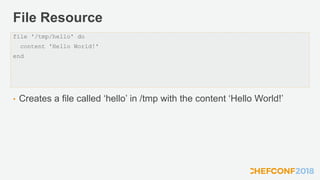
File Resource
• Creates a file called ‘hello’ in /tmp with the content ‘Hello World!’
file '/tmp/hello' do
content 'Hello World!'
end
Lets Try it!
• We have a Lab environment provided by Strigo
• Lab details removed for slide upload
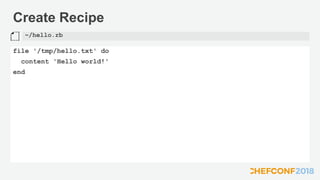
Create Recipe
file '/tmp/hello.txt' do
content 'Hello world!'
end
~/hello.rb
Chef Client
• chef-client is an agent that runs locally on every node that is under
management by Chef.
• When a chef-client is run, it will perform all of the steps that are
required to bring the node into the expected state.
• By default chef-client will contact a Chef Server and ask it for the
recipes to run for the given node.
• Let's start out by overriding this with local mode
Run Chef Client in Local Mode
Converging 1 resources
Recipe: @recipe_files::/Users/kimball/hello.rb
* file[/tmp/hello] action create
- create new file /tmp/hello
- update content in file /tmp/hello from none to 7f83b1
--- /tmp/hello 2018-05-15 16:03:23.659272552 +0100
+++ /tmp/.chef-hello20180515-43912-1rkvise 2018-05-15 16:03:23.658781075 +0100
@@ -1 +1,2 @@
+Hello World!
Running handlers:
Running handlers complete
Chef Client finished, 1/1 resources updated in 04 seconds
$ chef-client --local-mode hello.rb
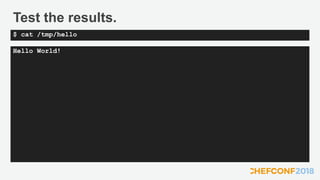
Test the results.
Hello World!
$ cat /tmp/hello
Discussion
• What will happen if we run chef-client again?
• What will happen if we change the content of the file (and run chef
again)
• What will happen if we change the permissions on the file?
Test and Repair
• chef-client takes action only when it needs to. Think of it as test and
repair.
• Chef looks at the current state of each resource and takes action only
when that resource differs from the recipe.
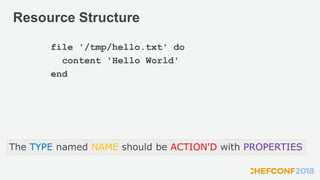
Resource Structure
file '/tmp/hello.txt' do
content 'Hello World'
end
The TYPE named NAME should be ACTION'D with PROPERTIES
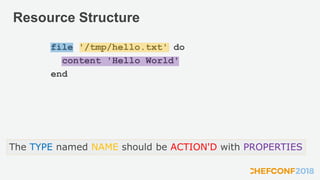
Resource Structure
file '/tmp/hello.txt' do
content 'Hello World'
end
The TYPE named NAME should be ACTION'D with PROPERTIES
But what about the Action?
• Every resource has a default action
• Lets look at the documentation to see the default for 'file'
• https://docs.chef.io/resources.html
Discussion Review
• What will happen if we run chef-client again?
• What will happen if we change the content of the file (and run chef
again)
• What will happen if we change the permissions on the file?
o We can answer this now, so we should be explicit
Experiment
• Update file resource and set the mode, and the action to ':create'
• Change the permissions and run again
• Change the content and run again
• Update the file resource and set the action to ':create_if_missing'
• Change the content and run again
Discussion
• What is a resource?
• How did the example resource we wrote describe the desired state of
an element of our infrastructure? What did it not describe?
• What does it mean for a resource to be a statement of configuration
policy?
Break Time
• Stretch your legs, back in 15 minutes!
Discussion
• What else might we want to do with chef?
• Any limitations we can think of to how we have used it so far?
• What about testing?
Cookbooks
• Single Recipes alone are limited, we need other files to go along with
them
• You may need to put in place config files, and putting the content in
the properties would be unwieldy
• Also, as this is code, we should have tests!
• We package all this up together in a cookbook
Cookbooks
• A Chef cookbook is the fundamental unit of configuration and policy
distribution.
• Each cookbook defines a scenario, such as everything needed to
install and configure MySQL, and then it contains all of the
components that are required to support that scenario.
• They are documented here: http://docs.chef.io/cookbooks.html
Webserver
• Let's build a web server!
• We are going to use an approach known as Test Driven Development
• To make it easy, I have written the tests for you
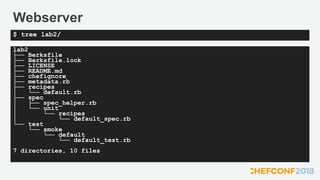
• But first, lets examine the cookbook
Webserver
lab2
├── Berksfile
├── Berksfile.lock
├── LICENSE
├── README.md
├── chefignore
├── metadata.rb
├── recipes
│ └── default.rb
├── spec
│ ├── spec_helper.rb
│ └── unit
│ └── recipes
│ └── default_spec.rb
└── test
└── smoke
└── default
└── default_test.rb
7 directories, 10 files
$ tree lab2/
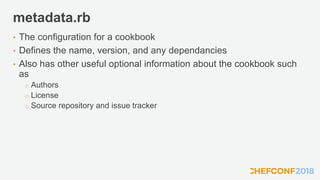
metadata.rb
• The configuration for a cookbook
• Defines the name, version, and any dependancies
• Also has other useful optional information about the cookbook such
as
o Authors
o License
o Source repository and issue tracker
README
• Optional, but highly recommended
• Should explain to others how to use your cookbook
Tests
• Two types of test
o Integration Test
• Usually InSpec, tests the results of the cookbook running are what you expect
o Unit tests
• Uses ChefSpec, tests the logic of the cookbook is correct
• Both types of test are useful, but we will focus on the Integration
Tests today
• Don't worry, I have written all the tests for you, you are going to make
them pass!
Discussion
• How would we go about testing cookbooks?
Test Kitchen
• Test Kitchen provides a method to create temporary test machine and
run your cookbooks and tests on them.
• There is 3 main stages
o Create – Creates the temporary machine for you
o Converge – Installs and runs chef-client with your cookbook
o Verify – Runs your tests
• The command 'kitchen test' does all three (and cleans up)
• You should run your tests before deploying your cookbooks!
Test Driven Development
• Create and run tests, before creating your implementation
o This helps hone your implementation to just the requirements
• You should always run your tests first, and see the failure
o This proves the tests are valid when they do pass.
• Your implementation should be as simple as possible to pass the test
o You can always refactor later.
Run the tests
$ cd ~/lab2
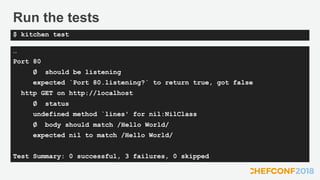
Run the tests
…
Port 80
∅ should be listening
expected `Port 80.listening?` to return true, got false
http GET on http://localhost
∅ status
undefined method `lines' for nil:NilClass
∅ body should match /Hello World/
expected nil to match /Hello World/
Test Summary: 0 successful, 3 failures, 0 skipped
$ kitchen test
Tests fail, so What's Next?
• We need to implement the cookbook
• What is needed to make a webserver?
• What do we need to put in our recipe?
Recipe Requirements
• We need a webserver installed
• It needs to be running, and start up when we reboot
• There needs to be a webpage that includes the content 'Hello World!'
• Where is the default webpage stored?
• What resources do we think we need?
Edit the recipe
package 'httpd' do
action :install
end
file '/var/www/html/index.html' do
content '<h1>Hello World!</h1>'
end
service 'httpd' do
action [:enabled, :start]
end
~/lab2/recipes/default.rb
Run the tests
…
Port 80
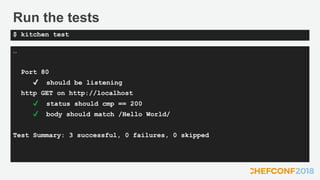
✔ should be listening
http GET on http://localhost
✔ status should cmp == 200
✔ body should match /Hello World/
Test Summary: 3 successful, 0 failures, 0 skipped
$ kitchen test
Discussion
• So, what have we learnt?
• How does running the tests first help?
• How does test kitchen help?
Break Time
• Stretch your legs, back in 15 minutes!
Refactoring
• Okay, something more complex
• We are going to assume the requirements have changed, so need to
refactor our code.
• The tests have been updated, so we start by running them.
Run the tests
$ cd ~/lab3
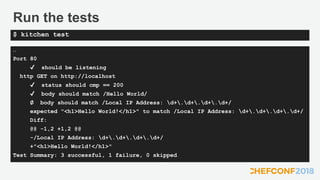
Run the tests
…
Port 80
✔ should be listening
http GET on http://localhost
✔ status should cmp == 200
✔ body should match /Hello World/
∅ body should match /Local IP Address: d+.d+.d+.d+/
expected "<h1>Hello World!</h1>" to match /Local IP Address: d+.d+.d+.d+/
Diff:
@@ -1,2 +1,2 @@
-/Local IP Address: d+.d+.d+.d+/
+"<h1>Hello World!</h1>"
Test Summary: 3 successful, 1 failure, 0 skipped
$ kitchen test
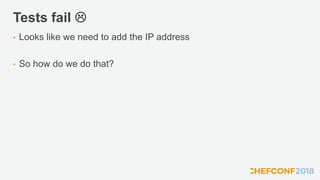
Tests fail 
• Looks like we need to add the IP address
• So how do we do that?
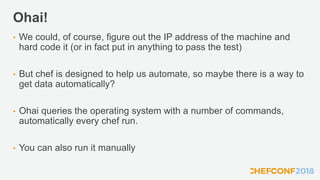
Ohai!
• We could, of course, figure out the IP address of the machine and
hard code it (or in fact put in anything to pass the test)
• But chef is designed to help us automate, so maybe there is a way to
get data automatically?
• Ohai queries the operating system with a number of commands,
automatically every chef run.
• You can also run it manually
Lets experiment again
…….
$ ohai
Okay, that's a lot
of data
Something more specific maybe?
[
"172.20.1.43"
]
$ ohai ipaddress
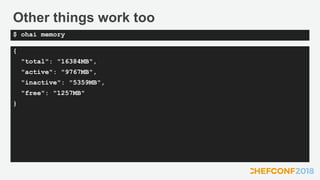
Other things work too
{
"total": "16384MB",
"active": "9767MB",
"inactive": "5359MB",
"free": "1257MB"
}
$ ohai memory
The 'node' object
• So, we know the data is there, but how can we use it?
• chef-client puts everything from ohai into the node object
• This is a ruby structure like a Hash (actually a Mash
https://www.rubydoc.info/gems/chef/Mash)
• Think of it like a dictionary of data
• http://docs.chef.io/nodes.html#attributes
The 'node' object
node
ipaddress hostname memory
total
cpu
0
mhz
...
"IPADDRESS: #{node['ipaddress']}"
What was that #{node['ipaddress']} stuff?
• Ruby has a feature called 'String interpolation'
• This allows you to build up a string, and replace parts with variables
o It only works if you use double quotes " not single quotes '
• For example:
apple_count = 4
puts "I have #{apple_count} apples"
I have 4 apples
Lets do it!
• What do we need to change in our recipe?
• Where is the contents of the webpage created?
• How do we apply what we just learnt?
So the changes to the recipe
package 'httpd'
file '/var/www/html/index.html' do
content "<h1>Hello World!</h1>
Local IP Address: #{node['ipaddress']}"
end
service 'httpd' do
action [:enable, :start]
end
~/lab3/recipes/default.rb
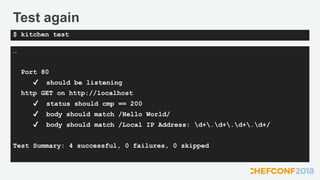
Test again
…
Port 80
✔ should be listening
http GET on http://localhost
✔ status should cmp == 200
✔ body should match /Hello World/
✔ body should match /Local IP Address: d+.d+.d+.d+/
Test Summary: 4 successful, 0 failures, 0 skipped
$ kitchen test
It works, but…
• The change to the recipe was quite messy
• Our web page is only 2 lines long, but what if it was 50?
• What if we need double quotes in the content?
• We need a better way!
What else is there?
• Lets take a look at the docs again
• The note on https://docs.chef.io/resource_file.html refers to other
resources
o cookbook_file
o remote_file
o template
• 'Use the template resource to create a file based on a template in a
cookbook’s /templates directory' This sounds like what we want.
Templates
• https://docs.chef.io/resource_template.html
• A cookbook template is an Embedded Ruby (ERB) template that is
used to generate files … Templates may contain Ruby expressions
and statements and are a great way to...
• Use the template resource to add cookbook templates to recipes;
place the corresponding Embedded Ruby (ERB) template in a
cookbook’s /templates directory.
Templates
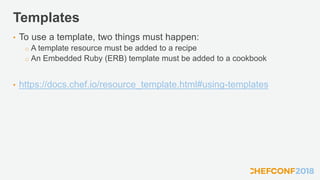
• To use a template, two things must happen:
o A template resource must be added to a recipe
o An Embedded Ruby (ERB) template must be added to a cookbook
• https://docs.chef.io/resource_template.html#using-templates
Embedded Ruby
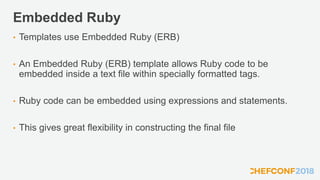
• Templates use Embedded Ruby (ERB)
• An Embedded Ruby (ERB) template allows Ruby code to be
embedded inside a text file within specially formatted tags.
• Ruby code can be embedded using expressions and statements.
• This gives great flexibility in constructing the final file
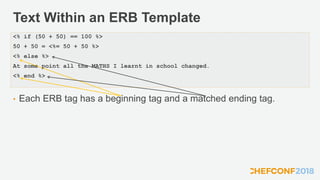
Text Within an ERB Template
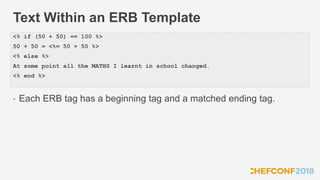
• Each ERB tag has a beginning tag and a matched ending tag.
<% if (50 + 50) == 100 %>
50 + 50 = <%= 50 + 50 %>
<% else %>
At some point all the MATHS I learnt in school changed.
<% end %>
Text Within an ERB Template
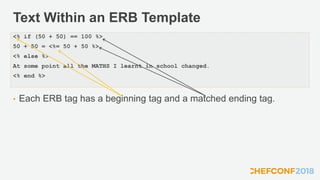
• Each ERB tag has a beginning tag and a matched ending tag.
<% if (50 + 50) == 100 %>
50 + 50 = <%= 50 + 50 %>
<% else %>
At some point all the MATHS I learnt in school changed.
<% end %>
Text Within an ERB Template
• Each ERB tag has a beginning tag and a matched ending tag.
<% if (50 + 50) == 100 %>
50 + 50 = <%= 50 + 50 %>
<% else %>
At some point all the MATHS I learnt in school changed.
<% end %>
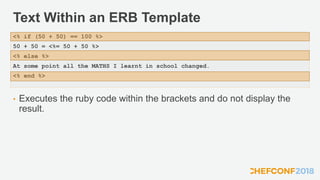
Text Within an ERB Template
• Executes the ruby code within the brackets and do not display the
result.
<% if (50 + 50) == 100 %>
50 + 50 = <%= 50 + 50 %>
<% else %>
At some point all the MATHS I learnt in school changed.
<% end %>
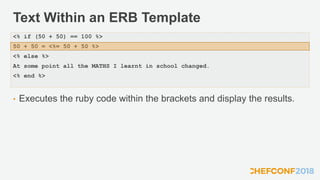
Text Within an ERB Template
• Executes the ruby code within the brackets and display the results.
<% if (50 + 50) == 100 %>
50 + 50 = <%= 50 + 50 %>
<% else %>
At some point all the MATHS I learnt in school changed.
<% end %>
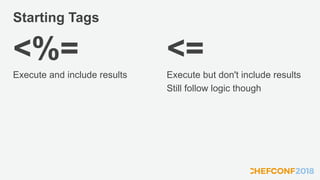
Starting Tags
<%=
Execute and include results
<=
Execute but don't include results
Still follow logic though
So, refactoring
• Remember, we can make changes to our code, as we have good
tests.
• If the tests still pass after we made the change, we didn't introduce
regressions
• Let's first create the template for our webpage
• We can use the utility 'chef' to get it in the right place
Chef utility
• The chef utility that comes with the Chef Development Kit is there to
aid you in creating good cookbooks.
• It has a number of generators to put files you need in the right place,
and in some cases with pre generated content
• https://docs.chef.io/ctl_chef.html
• We want 'chef generate template'
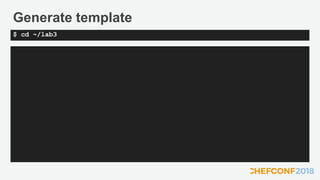
Generate template
$ cd ~/lab3
Generate template
Recipe: code_generator::template
* directory[/Users/kimball/code/git/chefconf2018/lab3/templates] action
create
- create new directory
/Users/kimball/code/git/chefconf2018/lab3/templates
*
template[/Users/kimball/code/git/chefconf2018/lab3/templates/index.html.e
rb] action create
- create new file
/Users/kimball/code/git/chefconf2018/lab3/templates/index.html.erb
- update content in file
/Users/kimball/code/git/chefconf2018/lab3/templates/index.html.erb from
none to e3b0c4
(diff output suppressed by config)
$ chef generate template index.html
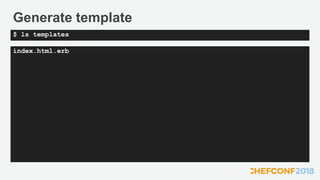
Generate template
index.html.erb
$ ls templates
Generate Templates
• Notice .erb was added to the name we gave
• This denotes it is an Embedded Ruby file, as discussed
• The file is empty, we need to add the content
Web page Template
<body>
<h1>Hello World</h1>
<p>Some details about the system:
<ul>
<li>Local IP Address: <%= node['ipaddress'] %></li>
</ul>
</p>
</body>
~/lab3/templates/index.html.erb
Update the Recipe
• So, we have a template, what's next?
• From our previous discussion, we also need a template resource in
the recipe.
• We can convert the file resource we already have easily
o We just need to replace the content parameter with a source parameter so
chef-client can find the template
o And change it's type to 'template'
Update the recipe
package 'httpd'
template '/var/www/html/index.html' do
source 'index.html.erb'
end
service 'httpd' do
action [:enable, :start]
end
~/lab3/recipes/default.rb
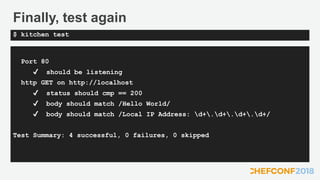
Finally, test again
Port 80
✔ should be listening
http GET on http://localhost
✔ status should cmp == 200
✔ body should match /Hello World/
✔ body should match /Local IP Address: d+.d+.d+.d+/
Test Summary: 4 successful, 0 failures, 0 skipped
$ kitchen test
Discussion
• So, what have we learnt?
• How do we get data about the system?
• How can we put that in the outputted files?
• How do the tests help us refactor?
Lunch!
• We have an hour, take it and come back refreshed!
Managing Production
• So far we have tested our cookbooks, but only on temporary
machines
• We need a way to manage our production machines
• Just running chef-client like we we did at the start isn't going to scale
• We need some central management
Chef Server
• The Chef Server gives us a centralised way to manage our servers
o We call them nodes
• We can put all our cookbooks on there, and define what the nodes
should run
o This is known as the runlist
• The nodes then save all their ohai data to the server, which allows
other nodes to use that data
Chef Server
• Servers need to be added to the chef server to be under it's control
• This is a process called 'bootstrapping'
• There are a number of ways to do it, but I have done it for you
• We can find out information about the chef server with the 'knife'
command
More Experiments
$ cd ~/lab4/chef-repo
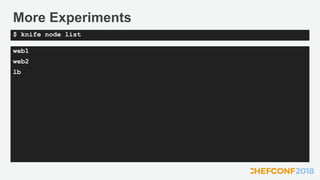
More Experiments
web1
web2
lb
$ knife node list
More Experiments
$ knife node show web1
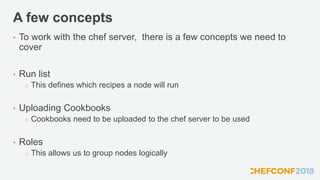
A few concepts
• To work with the chef server, there is a few concepts we need to
cover
• Run list
o This defines which recipes a node will run
• Uploading Cookbooks
o Cookbooks need to be uploaded to the chef server to be used
• Roles
o This allows us to group nodes logically
Run list
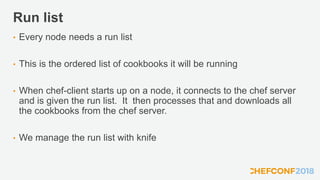
• Every node needs a run list
• This is the ordered list of cookbooks it will be running
• When chef-client starts up on a node, it connects to the chef server
and is given the run list. It then processes that and downloads all
the cookbooks from the chef server.
• We manage the run list with knife
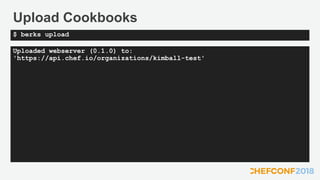
Uploading Cookbooks
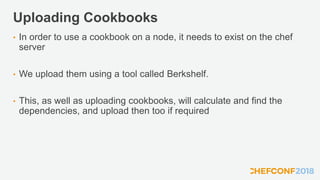
• In order to use a cookbook on a node, it needs to exist on the chef
server
• We upload them using a tool called Berkshelf.
• This, as well as uploading cookbooks, will calculate and find the
dependencies, and upload then too if required
Upload cookbooks
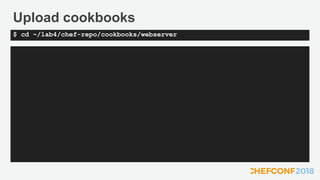
$ cd ~/lab4/chef-repo/cookbooks/webserver
Upload Cookbooks
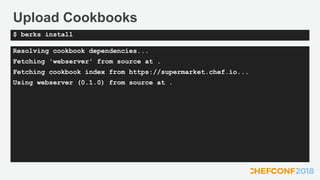
Resolving cookbook dependencies...
Fetching 'webserver' from source at .
Fetching cookbook index from https://supermarket.chef.io...
Using webserver (0.1.0) from source at .
$ berks install
Upload Cookbooks
Uploaded webserver (0.1.0) to:
'https://api.chef.io/organizations/kimball-test'
$ berks upload
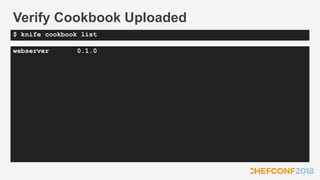
Verify Cookbook Uploaded
webserver 0.1.0
$ knife cookbook list
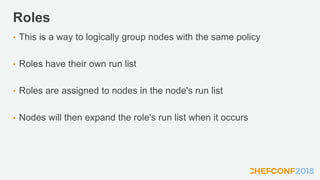
Roles
• This is a way to logically group nodes with the same policy
• Roles have their own run list
• Roles are assigned to nodes in the node's run list
• Nodes will then expand the role's run list when it occurs
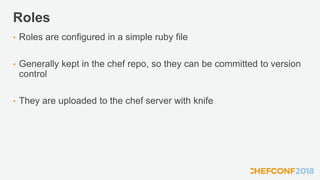
Roles
• Roles are configured in a simple ruby file
• Generally kept in the chef repo, so they can be committed to version
control
• They are uploaded to the chef server with knife
Webserver Role
name 'web'
description 'Web Server'
run_list 'recipe[webserver]'
~/lab4/chef-repo/roles/web.rb
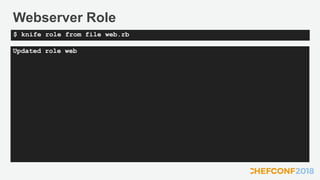
Webserver Role
Updated role web
$ knife role from file web.rb
Roles
• Now we have a role, we can assign it to our servers
• This is done in the run list, also managed with knife
• As a property of the node, the command is part of knife node
Set Run list
** NODE COMMANDS **
knife node bulk delete REGEX (options)
knife node create NODE (options)
knife node delete [NODE [NODE]] (options)
knife node edit NODE (options)
knife node environment set NODE ENVIRONMENT
knife node from file FILE (options)
knife node list (options)
knife node run_list add [NODE] [ENTRY [ENTRY]] (options)
knife node run_list remove [NODE] [ENTRY [ENTRY]] (options)
knife node run_list set NODE ENTRIES (options)
knife node show NODE (options)
knife node status [<node> <node> ...]
$ knife node help
Set Run list
web1:
run_list: role[web]
$ knife node run list set web1 'role[web]'
Set Run list
web2:
run_list: role[web]
$ knife node run list set web2 'role[web]'
Run chef-client
• Normally in production, chef-client would be setup to run
automatically on a schedule
• We need to run it manually, but sshing to a number of nodes
manually is cumbersome
• Knife has a utility to help here too!
Knife SSH
• Knife SSH will allow us to select a set of nodes to connect to, and run
a command on them all
• The syntax for searching is based on matching a key value pair
• For this case we want to use 'role:web' to match all nodes that have
the web role assigned.
• Further info on searching: https://docs.chef.io/chef_search.html
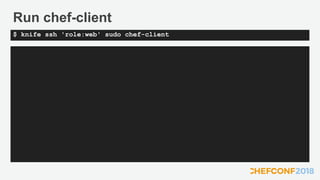
Run chef-client
$ knife ssh 'role:web' sudo chef-client
Lets test our websites
• We need to connect with a web browser to the nodes
• But we need to IP address for that
• Thankfully chef knows what it is, we can view with knife node show
Get the IP
Node Name: web
Environment: chef
FQDN: ip-172-31-4-154.eu-west-1.compute.internal
IP: 54.154.78.193
Run List: role[web]
Roles: web
Recipes: webserver, webserver::default
Platform: centos 7.4.1708
Tags:
$ knife node show web1
Discussion
• What is the role of the chef server?
• What is knife used for?
• How does the server know what to run?
• What is a role?
• What is Berkshelf?
Break Time
• Stretch your legs, back in 15 minutes!
Load Balancer
• Now we have our webservers working in production lets get a load
balancer in front of them
• But this seems a common task, so rather than write the cookbook
ourselves, we are going to go to the community
• There is a huge collection of cookbooks shared at
https://supermarket.chef.io
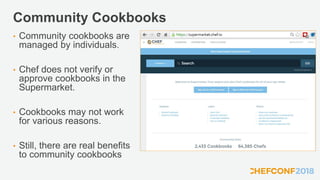
Community Cookbooks
• Community cookbooks are
managed by individuals.
• Chef does not verify or
approve cookbooks in the
Supermarket.
• Cookbooks may not work
for various reasons.
• Still, there are real benefits
to community cookbooks
Haproxy
• We are going to use the HAProxy loadbalancer
• There is a very good community cookbook for this, maintained by the
souschef community
• It adds new resources to chef to use in your recipies
• Alas, it doesn't have great documentation, it has good examples
though
Wrapper Cookbooks
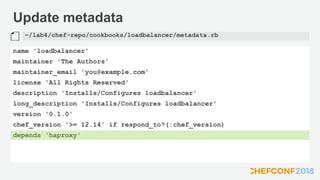
• To take advantage of the community cookbook we are going to create
a wrapper.
• This is just a normal cookbook, like the webserver one we have, but
with a dependency declared in the metadata
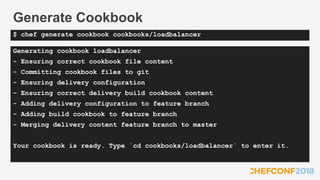
• To create the new cookbook we are going to use the chef generate
command again
Generate Cookbook
$ cd ~/lab4/chef-repo
Generate Cookbook
Generating cookbook loadbalancer
- Ensuring correct cookbook file content
- Committing cookbook files to git
- Ensuring delivery configuration
- Ensuring correct delivery build cookbook content
- Adding delivery configuration to feature branch
- Adding build cookbook to feature branch
- Merging delivery content feature branch to master
Your cookbook is ready. Type `cd cookbooks/loadbalancer` to enter it.
$ chef generate cookbook cookbooks/loadbalancer
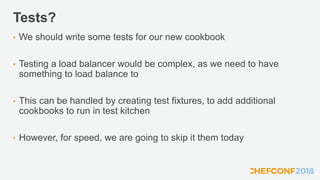
Tests?
• We should write some tests for our new cookbook
• Testing a load balancer would be complex, as we need to have
something to load balance to
• This can be handled by creating test fixtures, to add additional
cookbooks to run in test kitchen
• However, for speed, we are going to skip it them today
Update metadata
name 'loadbalancer'
maintainer 'The Authors'
maintainer_email 'you@example.com'
license 'All Rights Reserved'
description 'Installs/Configures loadbalancer'
long_description 'Installs/Configures loadbalancer'
version '0.1.0'
chef_version '>= 12.14' if respond_to?(:chef_version)
depends 'haproxy'
~/lab4/chef-repo/cookbooks/loadbalancer/metadata.rb
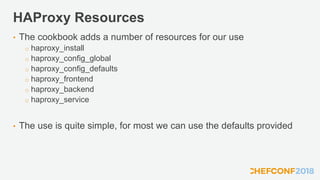
HAProxy Resources
• The cookbook adds a number of resources for our use
o haproxy_install
o haproxy_config_global
o haproxy_config_defaults
o haproxy_frontend
o haproxy_backend
o haproxy_service
• The use is quite simple, for most we can use the defaults provided
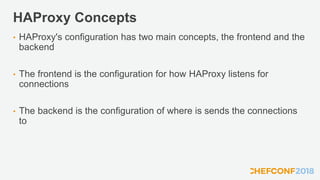
HAProxy Concepts
• HAProxy's configuration has two main concepts, the frontend and the
backend
• The frontend is the configuration for how HAProxy listens for
connections
• The backend is the configuration of where is sends the connections
to
Load balancer recipe
haproxy_install 'package'
haproxy_config_global ''
haproxy_config_defaults ''
haproxy_frontend 'http-in' do
default_backend 'servers'
end
haproxy_backend 'servers' do
server ?????
notifies :restart, 'haproxy_service[haproxy]', :immediately
end
haproxy_service 'haproxy'
~/lab4/chef-repo/cookbooks/recipes/default.rb
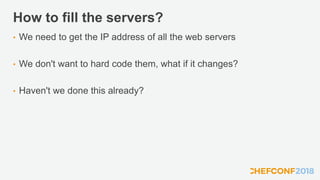
How to fill the servers?
• We need to get the IP address of all the web servers
• We don't want to hard code them, what if it changes?
• Haven't we done this already?
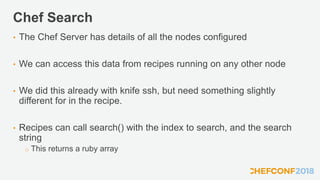
Chef Search
• The Chef Server has details of all the nodes configured
• We can access this data from recipes running on any other node
• We did this already with knife ssh, but need something slightly
different for in the recipe.
• Recipes can call search() with the index to search, and the search
string
o This returns a ruby array
Load balancer recipe
…
servers = []
webnodes = search('node','role:web')
webnodes.each_with_index do |w,n|
servers.push("server#{n} #{w['cloud']['public_ipv4']}:80 maxconn 32")
end
haproxy_backend 'servers' do
server servers
notifies :restart, 'haproxy_service[haproxy]', :immediately
end
…
~/lab4/chef-repo/cookbooks/recipes/default.rb
Upload the cookbook
$ cd ~/lab4/chef-repo/cookbooks/loadbalancer
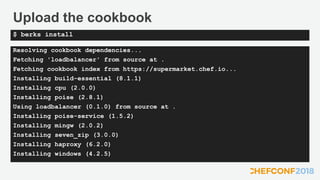
Upload the cookbook
Resolving cookbook dependencies...
Fetching 'loadbalancer' from source at .
Fetching cookbook index from https://supermarket.chef.io...
Installing build-essential (8.1.1)
Installing cpu (2.0.0)
Installing poise (2.8.1)
Using loadbalancer (0.1.0) from source at .
Installing poise-service (1.5.2)
Installing mingw (2.0.2)
Installing seven_zip (3.0.0)
Installing haproxy (6.2.0)
Installing windows (4.2.5)
$ berks install
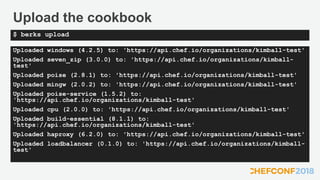
Upload the cookbook
Uploaded windows (4.2.5) to: 'https://api.chef.io/organizations/kimball-test'
Uploaded seven_zip (3.0.0) to: 'https://api.chef.io/organizations/kimball-
test'
Uploaded poise (2.8.1) to: 'https://api.chef.io/organizations/kimball-test'
Uploaded mingw (2.0.2) to: 'https://api.chef.io/organizations/kimball-test'
Uploaded poise-service (1.5.2) to:
'https://api.chef.io/organizations/kimball-test'
Uploaded cpu (2.0.0) to: 'https://api.chef.io/organizations/kimball-test'
Uploaded build-essential (8.1.1) to:
'https://api.chef.io/organizations/kimball-test'
Uploaded haproxy (6.2.0) to: 'https://api.chef.io/organizations/kimball-test'
Uploaded loadbalancer (0.1.0) to: 'https://api.chef.io/organizations/kimball-
test'
$ berks upload
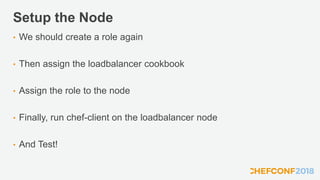
Setup the Node
• We should create a role again
• Then assign the loadbalancer cookbook
• Assign the role to the node
• Finally, run chef-client on the loadbalancer node
• And Test!
Loadbalancer Role
name 'lb'
description 'Loadbalancer'
run_list 'recipe[loadbalancer]'
~/lab4/chef-repo/roles/lb.rb
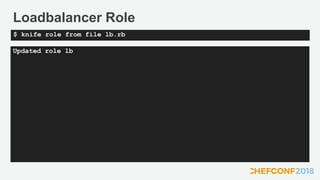
Loadbalancer Role
Updated role lb
$ knife role from file lb.rb
Set Run list
lb:
run_list: role[lb]
$ knife node run list set lb 'role[lb]'
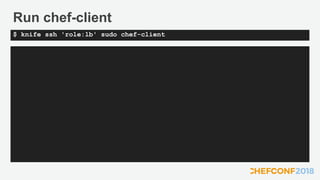
Run chef-client
$ knife ssh 'role:lb' sudo chef-client
Lets test our load balancer
• We need to connect with a web browser to the loadbalancer
• We can use knife to get the IP address again
• If we refresh we should see the IP address change, as we round-
robin between the webservers
Get the IP
Node Name: lb
Environment: chef
FQDN: ip-172-31-4-154.eu-west-1.compute.internal
IP: 54.154.78.193
Run List: role[lb]
Roles: lb
Recipes: loadbalancer, loadbalancer::default
Platform: centos 7.4.1708
Tags:
$ knife node show lb
Discussion
• Anything to discuss from the day?
©2017 Chef Software Inc.
Chef Jumpstart

Chef Jumpstart

  • 2.
  • 3.
    Introductions • Kimball Johnson •Customer Architect • Background in Development and Operations, working in Financial, Academic and Public Sectors. • Chef user for 7 years, Chef Employee for 3, also used other systems. • Other interests include embedded hardware development and reading and computer games. • Favorite Text Editor is VSCode, for it’s multiplatform support and it’s ever expanding feature set.
  • 4.
    Over to you! •Spend the next 15 minutes introducing yourself to your partner on the table, and others in the room you don’t know • Everyone here are you colleagues for the day, if you get stuck, work together. • Myself, Gavin, Larry, and Nicole are all here to help too.
  • 5.
    Expectations • You willleave this class with a basic understanding of Chef's core components, architecture, commonly used tools, and basic troubleshooting methods • You bring with you your own domain expertise and problems. Chef is a framework for solving those problems. Our job is to teach you how to express solutions to your problems with Chef. • We will be covering the basics of a wide range of topics, after the class we will share resources for further study.
  • 6.
    What is Chef? •A set of tools that are able to be used on multiple platforms and in numerous configurations. • Focused around Infrastructure Automation • Built on the concept of Convergent Architecture • A language to describe how your systems should look • The implementation to actually get it there!
  • 7.
    Chef Building Blocks- Resources • A resource is a statement of configuration policy. • It describes the desired state of an element of your infrastructure and the steps needed to bring that item to the desired state. • All built in resources are documented at https://docs.chef.io/resources.html
  • 8.
    Example Resources • package– install software on your system, from package repository • file - create or manage a file on the system • directory – create or manage a directory on the system • service – start, stop and manage services on the system • registry_key – manage Windows™ registry entries • user – Manage users on the system
  • 9.
    File Resource • Createsa file called ‘hello’ in /tmp with the content ‘Hello World!’ file '/tmp/hello' do content 'Hello World!' end
  • 10.
    Lets Try it! •We have a Lab environment provided by Strigo • Lab details removed for slide upload
  • 11.
    Create Recipe file '/tmp/hello.txt'do content 'Hello world!' end ~/hello.rb
  • 12.
    Chef Client • chef-clientis an agent that runs locally on every node that is under management by Chef. • When a chef-client is run, it will perform all of the steps that are required to bring the node into the expected state. • By default chef-client will contact a Chef Server and ask it for the recipes to run for the given node. • Let's start out by overriding this with local mode
  • 13.
    Run Chef Clientin Local Mode Converging 1 resources Recipe: @recipe_files::/Users/kimball/hello.rb * file[/tmp/hello] action create - create new file /tmp/hello - update content in file /tmp/hello from none to 7f83b1 --- /tmp/hello 2018-05-15 16:03:23.659272552 +0100 +++ /tmp/.chef-hello20180515-43912-1rkvise 2018-05-15 16:03:23.658781075 +0100 @@ -1 +1,2 @@ +Hello World! Running handlers: Running handlers complete Chef Client finished, 1/1 resources updated in 04 seconds $ chef-client --local-mode hello.rb
  • 14.
    Test the results. HelloWorld! $ cat /tmp/hello
  • 15.
    Discussion • What willhappen if we run chef-client again? • What will happen if we change the content of the file (and run chef again) • What will happen if we change the permissions on the file?
  • 16.
    Test and Repair •chef-client takes action only when it needs to. Think of it as test and repair. • Chef looks at the current state of each resource and takes action only when that resource differs from the recipe.
  • 17.
    Resource Structure file '/tmp/hello.txt'do content 'Hello World' end The TYPE named NAME should be ACTION'D with PROPERTIES
  • 18.
    Resource Structure file '/tmp/hello.txt'do content 'Hello World' end The TYPE named NAME should be ACTION'D with PROPERTIES
  • 19.
    But what aboutthe Action? • Every resource has a default action • Lets look at the documentation to see the default for 'file' • https://docs.chef.io/resources.html
  • 20.
    Discussion Review • Whatwill happen if we run chef-client again? • What will happen if we change the content of the file (and run chef again) • What will happen if we change the permissions on the file? o We can answer this now, so we should be explicit
  • 21.
    Experiment • Update fileresource and set the mode, and the action to ':create' • Change the permissions and run again • Change the content and run again • Update the file resource and set the action to ':create_if_missing' • Change the content and run again
  • 22.
    Discussion • What isa resource? • How did the example resource we wrote describe the desired state of an element of our infrastructure? What did it not describe? • What does it mean for a resource to be a statement of configuration policy?
  • 23.
    Break Time • Stretchyour legs, back in 15 minutes!
  • 24.
    Discussion • What elsemight we want to do with chef? • Any limitations we can think of to how we have used it so far? • What about testing?
  • 25.
    Cookbooks • Single Recipesalone are limited, we need other files to go along with them • You may need to put in place config files, and putting the content in the properties would be unwieldy • Also, as this is code, we should have tests! • We package all this up together in a cookbook
  • 26.
    Cookbooks • A Chefcookbook is the fundamental unit of configuration and policy distribution. • Each cookbook defines a scenario, such as everything needed to install and configure MySQL, and then it contains all of the components that are required to support that scenario. • They are documented here: http://docs.chef.io/cookbooks.html
  • 27.
    Webserver • Let's builda web server! • We are going to use an approach known as Test Driven Development • To make it easy, I have written the tests for you • But first, lets examine the cookbook
  • 28.
    Webserver lab2 ├── Berksfile ├── Berksfile.lock ├──LICENSE ├── README.md ├── chefignore ├── metadata.rb ├── recipes │ └── default.rb ├── spec │ ├── spec_helper.rb │ └── unit │ └── recipes │ └── default_spec.rb └── test └── smoke └── default └── default_test.rb 7 directories, 10 files $ tree lab2/
  • 29.
    metadata.rb • The configurationfor a cookbook • Defines the name, version, and any dependancies • Also has other useful optional information about the cookbook such as o Authors o License o Source repository and issue tracker
  • 30.
    README • Optional, buthighly recommended • Should explain to others how to use your cookbook
  • 31.
    Tests • Two typesof test o Integration Test • Usually InSpec, tests the results of the cookbook running are what you expect o Unit tests • Uses ChefSpec, tests the logic of the cookbook is correct • Both types of test are useful, but we will focus on the Integration Tests today • Don't worry, I have written all the tests for you, you are going to make them pass!
  • 32.
    Discussion • How wouldwe go about testing cookbooks?
  • 33.
    Test Kitchen • TestKitchen provides a method to create temporary test machine and run your cookbooks and tests on them. • There is 3 main stages o Create – Creates the temporary machine for you o Converge – Installs and runs chef-client with your cookbook o Verify – Runs your tests • The command 'kitchen test' does all three (and cleans up) • You should run your tests before deploying your cookbooks!
  • 34.
    Test Driven Development •Create and run tests, before creating your implementation o This helps hone your implementation to just the requirements • You should always run your tests first, and see the failure o This proves the tests are valid when they do pass. • Your implementation should be as simple as possible to pass the test o You can always refactor later.
  • 35.
    Run the tests $cd ~/lab2
  • 36.
    Run the tests … Port80 ∅ should be listening expected `Port 80.listening?` to return true, got false http GET on http://localhost ∅ status undefined method `lines' for nil:NilClass ∅ body should match /Hello World/ expected nil to match /Hello World/ Test Summary: 0 successful, 3 failures, 0 skipped $ kitchen test
  • 37.
    Tests fail, soWhat's Next? • We need to implement the cookbook • What is needed to make a webserver? • What do we need to put in our recipe?
  • 38.
    Recipe Requirements • Weneed a webserver installed • It needs to be running, and start up when we reboot • There needs to be a webpage that includes the content 'Hello World!' • Where is the default webpage stored? • What resources do we think we need?
  • 39.
    Edit the recipe package'httpd' do action :install end file '/var/www/html/index.html' do content '<h1>Hello World!</h1>' end service 'httpd' do action [:enabled, :start] end ~/lab2/recipes/default.rb
  • 40.
    Run the tests … Port80 ✔ should be listening http GET on http://localhost ✔ status should cmp == 200 ✔ body should match /Hello World/ Test Summary: 3 successful, 0 failures, 0 skipped $ kitchen test
  • 41.
    Discussion • So, whathave we learnt? • How does running the tests first help? • How does test kitchen help?
  • 42.
    Break Time • Stretchyour legs, back in 15 minutes!
  • 43.
    Refactoring • Okay, somethingmore complex • We are going to assume the requirements have changed, so need to refactor our code. • The tests have been updated, so we start by running them.
  • 44.
    Run the tests $cd ~/lab3
  • 45.
    Run the tests … Port80 ✔ should be listening http GET on http://localhost ✔ status should cmp == 200 ✔ body should match /Hello World/ ∅ body should match /Local IP Address: d+.d+.d+.d+/ expected "<h1>Hello World!</h1>" to match /Local IP Address: d+.d+.d+.d+/ Diff: @@ -1,2 +1,2 @@ -/Local IP Address: d+.d+.d+.d+/ +"<h1>Hello World!</h1>" Test Summary: 3 successful, 1 failure, 0 skipped $ kitchen test
  • 46.
    Tests fail  •Looks like we need to add the IP address • So how do we do that?
  • 47.
    Ohai! • We could,of course, figure out the IP address of the machine and hard code it (or in fact put in anything to pass the test) • But chef is designed to help us automate, so maybe there is a way to get data automatically? • Ohai queries the operating system with a number of commands, automatically every chef run. • You can also run it manually
  • 48.
    Lets experiment again ……. $ohai Okay, that's a lot of data
  • 49.
    Something more specificmaybe? [ "172.20.1.43" ] $ ohai ipaddress
  • 50.
    Other things worktoo { "total": "16384MB", "active": "9767MB", "inactive": "5359MB", "free": "1257MB" } $ ohai memory
  • 51.
    The 'node' object •So, we know the data is there, but how can we use it? • chef-client puts everything from ohai into the node object • This is a ruby structure like a Hash (actually a Mash https://www.rubydoc.info/gems/chef/Mash) • Think of it like a dictionary of data • http://docs.chef.io/nodes.html#attributes
  • 52.
    The 'node' object node ipaddresshostname memory total cpu 0 mhz ... "IPADDRESS: #{node['ipaddress']}"
  • 53.
    What was that#{node['ipaddress']} stuff? • Ruby has a feature called 'String interpolation' • This allows you to build up a string, and replace parts with variables o It only works if you use double quotes " not single quotes ' • For example: apple_count = 4 puts "I have #{apple_count} apples" I have 4 apples
  • 54.
    Lets do it! •What do we need to change in our recipe? • Where is the contents of the webpage created? • How do we apply what we just learnt?
  • 55.
    So the changesto the recipe package 'httpd' file '/var/www/html/index.html' do content "<h1>Hello World!</h1> Local IP Address: #{node['ipaddress']}" end service 'httpd' do action [:enable, :start] end ~/lab3/recipes/default.rb
  • 56.
    Test again … Port 80 ✔should be listening http GET on http://localhost ✔ status should cmp == 200 ✔ body should match /Hello World/ ✔ body should match /Local IP Address: d+.d+.d+.d+/ Test Summary: 4 successful, 0 failures, 0 skipped $ kitchen test
  • 57.
    It works, but… •The change to the recipe was quite messy • Our web page is only 2 lines long, but what if it was 50? • What if we need double quotes in the content? • We need a better way!
  • 58.
    What else isthere? • Lets take a look at the docs again • The note on https://docs.chef.io/resource_file.html refers to other resources o cookbook_file o remote_file o template • 'Use the template resource to create a file based on a template in a cookbook’s /templates directory' This sounds like what we want.
  • 59.
    Templates • https://docs.chef.io/resource_template.html • Acookbook template is an Embedded Ruby (ERB) template that is used to generate files … Templates may contain Ruby expressions and statements and are a great way to... • Use the template resource to add cookbook templates to recipes; place the corresponding Embedded Ruby (ERB) template in a cookbook’s /templates directory.
  • 60.
    Templates • To usea template, two things must happen: o A template resource must be added to a recipe o An Embedded Ruby (ERB) template must be added to a cookbook • https://docs.chef.io/resource_template.html#using-templates
  • 61.
    Embedded Ruby • Templatesuse Embedded Ruby (ERB) • An Embedded Ruby (ERB) template allows Ruby code to be embedded inside a text file within specially formatted tags. • Ruby code can be embedded using expressions and statements. • This gives great flexibility in constructing the final file
  • 62.
    Text Within anERB Template • Each ERB tag has a beginning tag and a matched ending tag. <% if (50 + 50) == 100 %> 50 + 50 = <%= 50 + 50 %> <% else %> At some point all the MATHS I learnt in school changed. <% end %>
  • 63.
    Text Within anERB Template • Each ERB tag has a beginning tag and a matched ending tag. <% if (50 + 50) == 100 %> 50 + 50 = <%= 50 + 50 %> <% else %> At some point all the MATHS I learnt in school changed. <% end %>
  • 64.
    Text Within anERB Template • Each ERB tag has a beginning tag and a matched ending tag. <% if (50 + 50) == 100 %> 50 + 50 = <%= 50 + 50 %> <% else %> At some point all the MATHS I learnt in school changed. <% end %>
  • 65.
    Text Within anERB Template • Executes the ruby code within the brackets and do not display the result. <% if (50 + 50) == 100 %> 50 + 50 = <%= 50 + 50 %> <% else %> At some point all the MATHS I learnt in school changed. <% end %>
  • 66.
    Text Within anERB Template • Executes the ruby code within the brackets and display the results. <% if (50 + 50) == 100 %> 50 + 50 = <%= 50 + 50 %> <% else %> At some point all the MATHS I learnt in school changed. <% end %>
  • 67.
    Starting Tags <%= Execute andinclude results <= Execute but don't include results Still follow logic though
  • 68.
    So, refactoring • Remember,we can make changes to our code, as we have good tests. • If the tests still pass after we made the change, we didn't introduce regressions • Let's first create the template for our webpage • We can use the utility 'chef' to get it in the right place
  • 69.
    Chef utility • Thechef utility that comes with the Chef Development Kit is there to aid you in creating good cookbooks. • It has a number of generators to put files you need in the right place, and in some cases with pre generated content • https://docs.chef.io/ctl_chef.html • We want 'chef generate template'
  • 70.
  • 71.
    Generate template Recipe: code_generator::template *directory[/Users/kimball/code/git/chefconf2018/lab3/templates] action create - create new directory /Users/kimball/code/git/chefconf2018/lab3/templates * template[/Users/kimball/code/git/chefconf2018/lab3/templates/index.html.e rb] action create - create new file /Users/kimball/code/git/chefconf2018/lab3/templates/index.html.erb - update content in file /Users/kimball/code/git/chefconf2018/lab3/templates/index.html.erb from none to e3b0c4 (diff output suppressed by config) $ chef generate template index.html
  • 72.
  • 73.
    Generate Templates • Notice.erb was added to the name we gave • This denotes it is an Embedded Ruby file, as discussed • The file is empty, we need to add the content
  • 74.
    Web page Template <body> <h1>HelloWorld</h1> <p>Some details about the system: <ul> <li>Local IP Address: <%= node['ipaddress'] %></li> </ul> </p> </body> ~/lab3/templates/index.html.erb
  • 75.
    Update the Recipe •So, we have a template, what's next? • From our previous discussion, we also need a template resource in the recipe. • We can convert the file resource we already have easily o We just need to replace the content parameter with a source parameter so chef-client can find the template o And change it's type to 'template'
  • 76.
    Update the recipe package'httpd' template '/var/www/html/index.html' do source 'index.html.erb' end service 'httpd' do action [:enable, :start] end ~/lab3/recipes/default.rb
  • 77.
    Finally, test again Port80 ✔ should be listening http GET on http://localhost ✔ status should cmp == 200 ✔ body should match /Hello World/ ✔ body should match /Local IP Address: d+.d+.d+.d+/ Test Summary: 4 successful, 0 failures, 0 skipped $ kitchen test
  • 78.
    Discussion • So, whathave we learnt? • How do we get data about the system? • How can we put that in the outputted files? • How do the tests help us refactor?
  • 79.
    Lunch! • We havean hour, take it and come back refreshed!
  • 80.
    Managing Production • Sofar we have tested our cookbooks, but only on temporary machines • We need a way to manage our production machines • Just running chef-client like we we did at the start isn't going to scale • We need some central management
  • 81.
    Chef Server • TheChef Server gives us a centralised way to manage our servers o We call them nodes • We can put all our cookbooks on there, and define what the nodes should run o This is known as the runlist • The nodes then save all their ohai data to the server, which allows other nodes to use that data
  • 82.
    Chef Server • Serversneed to be added to the chef server to be under it's control • This is a process called 'bootstrapping' • There are a number of ways to do it, but I have done it for you • We can find out information about the chef server with the 'knife' command
  • 83.
    More Experiments $ cd~/lab4/chef-repo
  • 84.
  • 85.
  • 86.
    A few concepts •To work with the chef server, there is a few concepts we need to cover • Run list o This defines which recipes a node will run • Uploading Cookbooks o Cookbooks need to be uploaded to the chef server to be used • Roles o This allows us to group nodes logically
  • 87.
    Run list • Everynode needs a run list • This is the ordered list of cookbooks it will be running • When chef-client starts up on a node, it connects to the chef server and is given the run list. It then processes that and downloads all the cookbooks from the chef server. • We manage the run list with knife
  • 88.
    Uploading Cookbooks • Inorder to use a cookbook on a node, it needs to exist on the chef server • We upload them using a tool called Berkshelf. • This, as well as uploading cookbooks, will calculate and find the dependencies, and upload then too if required
  • 89.
    Upload cookbooks $ cd~/lab4/chef-repo/cookbooks/webserver
  • 90.
    Upload Cookbooks Resolving cookbookdependencies... Fetching 'webserver' from source at . Fetching cookbook index from https://supermarket.chef.io... Using webserver (0.1.0) from source at . $ berks install
  • 91.
    Upload Cookbooks Uploaded webserver(0.1.0) to: 'https://api.chef.io/organizations/kimball-test' $ berks upload
  • 92.
    Verify Cookbook Uploaded webserver0.1.0 $ knife cookbook list
  • 93.
    Roles • This isa way to logically group nodes with the same policy • Roles have their own run list • Roles are assigned to nodes in the node's run list • Nodes will then expand the role's run list when it occurs
  • 94.
    Roles • Roles areconfigured in a simple ruby file • Generally kept in the chef repo, so they can be committed to version control • They are uploaded to the chef server with knife
  • 95.
    Webserver Role name 'web' description'Web Server' run_list 'recipe[webserver]' ~/lab4/chef-repo/roles/web.rb
  • 96.
    Webserver Role Updated roleweb $ knife role from file web.rb
  • 97.
    Roles • Now wehave a role, we can assign it to our servers • This is done in the run list, also managed with knife • As a property of the node, the command is part of knife node
  • 98.
    Set Run list **NODE COMMANDS ** knife node bulk delete REGEX (options) knife node create NODE (options) knife node delete [NODE [NODE]] (options) knife node edit NODE (options) knife node environment set NODE ENVIRONMENT knife node from file FILE (options) knife node list (options) knife node run_list add [NODE] [ENTRY [ENTRY]] (options) knife node run_list remove [NODE] [ENTRY [ENTRY]] (options) knife node run_list set NODE ENTRIES (options) knife node show NODE (options) knife node status [<node> <node> ...] $ knife node help
  • 99.
    Set Run list web1: run_list:role[web] $ knife node run list set web1 'role[web]'
  • 100.
    Set Run list web2: run_list:role[web] $ knife node run list set web2 'role[web]'
  • 101.
    Run chef-client • Normallyin production, chef-client would be setup to run automatically on a schedule • We need to run it manually, but sshing to a number of nodes manually is cumbersome • Knife has a utility to help here too!
  • 102.
    Knife SSH • KnifeSSH will allow us to select a set of nodes to connect to, and run a command on them all • The syntax for searching is based on matching a key value pair • For this case we want to use 'role:web' to match all nodes that have the web role assigned. • Further info on searching: https://docs.chef.io/chef_search.html
  • 103.
    Run chef-client $ knifessh 'role:web' sudo chef-client
  • 104.
    Lets test ourwebsites • We need to connect with a web browser to the nodes • But we need to IP address for that • Thankfully chef knows what it is, we can view with knife node show
  • 105.
    Get the IP NodeName: web Environment: chef FQDN: ip-172-31-4-154.eu-west-1.compute.internal IP: 54.154.78.193 Run List: role[web] Roles: web Recipes: webserver, webserver::default Platform: centos 7.4.1708 Tags: $ knife node show web1
  • 106.
    Discussion • What isthe role of the chef server? • What is knife used for? • How does the server know what to run? • What is a role? • What is Berkshelf?
  • 107.
    Break Time • Stretchyour legs, back in 15 minutes!
  • 108.
    Load Balancer • Nowwe have our webservers working in production lets get a load balancer in front of them • But this seems a common task, so rather than write the cookbook ourselves, we are going to go to the community • There is a huge collection of cookbooks shared at https://supermarket.chef.io
  • 109.
    Community Cookbooks • Communitycookbooks are managed by individuals. • Chef does not verify or approve cookbooks in the Supermarket. • Cookbooks may not work for various reasons. • Still, there are real benefits to community cookbooks
  • 110.
    Haproxy • We aregoing to use the HAProxy loadbalancer • There is a very good community cookbook for this, maintained by the souschef community • It adds new resources to chef to use in your recipies • Alas, it doesn't have great documentation, it has good examples though
  • 111.
    Wrapper Cookbooks • Totake advantage of the community cookbook we are going to create a wrapper. • This is just a normal cookbook, like the webserver one we have, but with a dependency declared in the metadata • To create the new cookbook we are going to use the chef generate command again
  • 112.
    Generate Cookbook $ cd~/lab4/chef-repo
  • 113.
    Generate Cookbook Generating cookbookloadbalancer - Ensuring correct cookbook file content - Committing cookbook files to git - Ensuring delivery configuration - Ensuring correct delivery build cookbook content - Adding delivery configuration to feature branch - Adding build cookbook to feature branch - Merging delivery content feature branch to master Your cookbook is ready. Type `cd cookbooks/loadbalancer` to enter it. $ chef generate cookbook cookbooks/loadbalancer
  • 114.
    Tests? • We shouldwrite some tests for our new cookbook • Testing a load balancer would be complex, as we need to have something to load balance to • This can be handled by creating test fixtures, to add additional cookbooks to run in test kitchen • However, for speed, we are going to skip it them today
  • 115.
    Update metadata name 'loadbalancer' maintainer'The Authors' maintainer_email 'you@example.com' license 'All Rights Reserved' description 'Installs/Configures loadbalancer' long_description 'Installs/Configures loadbalancer' version '0.1.0' chef_version '>= 12.14' if respond_to?(:chef_version) depends 'haproxy' ~/lab4/chef-repo/cookbooks/loadbalancer/metadata.rb
  • 116.
    HAProxy Resources • Thecookbook adds a number of resources for our use o haproxy_install o haproxy_config_global o haproxy_config_defaults o haproxy_frontend o haproxy_backend o haproxy_service • The use is quite simple, for most we can use the defaults provided
  • 117.
    HAProxy Concepts • HAProxy'sconfiguration has two main concepts, the frontend and the backend • The frontend is the configuration for how HAProxy listens for connections • The backend is the configuration of where is sends the connections to
  • 118.
    Load balancer recipe haproxy_install'package' haproxy_config_global '' haproxy_config_defaults '' haproxy_frontend 'http-in' do default_backend 'servers' end haproxy_backend 'servers' do server ????? notifies :restart, 'haproxy_service[haproxy]', :immediately end haproxy_service 'haproxy' ~/lab4/chef-repo/cookbooks/recipes/default.rb
  • 119.
    How to fillthe servers? • We need to get the IP address of all the web servers • We don't want to hard code them, what if it changes? • Haven't we done this already?
  • 120.
    Chef Search • TheChef Server has details of all the nodes configured • We can access this data from recipes running on any other node • We did this already with knife ssh, but need something slightly different for in the recipe. • Recipes can call search() with the index to search, and the search string o This returns a ruby array
  • 121.
    Load balancer recipe … servers= [] webnodes = search('node','role:web') webnodes.each_with_index do |w,n| servers.push("server#{n} #{w['cloud']['public_ipv4']}:80 maxconn 32") end haproxy_backend 'servers' do server servers notifies :restart, 'haproxy_service[haproxy]', :immediately end … ~/lab4/chef-repo/cookbooks/recipes/default.rb
  • 122.
    Upload the cookbook $cd ~/lab4/chef-repo/cookbooks/loadbalancer
  • 123.
    Upload the cookbook Resolvingcookbook dependencies... Fetching 'loadbalancer' from source at . Fetching cookbook index from https://supermarket.chef.io... Installing build-essential (8.1.1) Installing cpu (2.0.0) Installing poise (2.8.1) Using loadbalancer (0.1.0) from source at . Installing poise-service (1.5.2) Installing mingw (2.0.2) Installing seven_zip (3.0.0) Installing haproxy (6.2.0) Installing windows (4.2.5) $ berks install
  • 124.
    Upload the cookbook Uploadedwindows (4.2.5) to: 'https://api.chef.io/organizations/kimball-test' Uploaded seven_zip (3.0.0) to: 'https://api.chef.io/organizations/kimball- test' Uploaded poise (2.8.1) to: 'https://api.chef.io/organizations/kimball-test' Uploaded mingw (2.0.2) to: 'https://api.chef.io/organizations/kimball-test' Uploaded poise-service (1.5.2) to: 'https://api.chef.io/organizations/kimball-test' Uploaded cpu (2.0.0) to: 'https://api.chef.io/organizations/kimball-test' Uploaded build-essential (8.1.1) to: 'https://api.chef.io/organizations/kimball-test' Uploaded haproxy (6.2.0) to: 'https://api.chef.io/organizations/kimball-test' Uploaded loadbalancer (0.1.0) to: 'https://api.chef.io/organizations/kimball- test' $ berks upload
  • 125.
    Setup the Node •We should create a role again • Then assign the loadbalancer cookbook • Assign the role to the node • Finally, run chef-client on the loadbalancer node • And Test!
  • 126.
    Loadbalancer Role name 'lb' description'Loadbalancer' run_list 'recipe[loadbalancer]' ~/lab4/chef-repo/roles/lb.rb
  • 127.
    Loadbalancer Role Updated rolelb $ knife role from file lb.rb
  • 128.
    Set Run list lb: run_list:role[lb] $ knife node run list set lb 'role[lb]'
  • 129.
    Run chef-client $ knifessh 'role:lb' sudo chef-client
  • 130.
    Lets test ourload balancer • We need to connect with a web browser to the loadbalancer • We can use knife to get the IP address again • If we refresh we should see the IP address change, as we round- robin between the webservers
  • 131.
    Get the IP NodeName: lb Environment: chef FQDN: ip-172-31-4-154.eu-west-1.compute.internal IP: 54.154.78.193 Run List: role[lb] Roles: lb Recipes: loadbalancer, loadbalancer::default Platform: centos 7.4.1708 Tags: $ knife node show lb
  • 132.
    Discussion • Anything todiscuss from the day?
  • 133.

Editor's Notes

  • #134 https://learn.chef.io/#/