CHEF, VAGRANT
AND FRIENDS
AUTOMATING YOUR ENVIRONMENTS
@benmcrae
• Software engineer
• CompareTheMarket.com
• Travelling & listening to music
• Coffee / real ale drinker
YOU?
MASTER CHEFS
SOFTWARE!
CONFIGURATION
MANAGEMENT
Chef can automate how you
configure, deploy and scale
your servers and applications.
GETTING
STARTED
Installing Chef 11
!
Chef Omnibus (Linux, OS X, Windows)
Chef DK (April 2014, v0.1.0) (Bundled software)
Gem (Ruby 1.9.3 recommended)
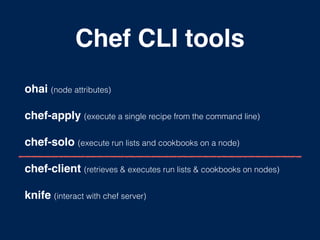
Chef CLI tools
ohai (node attributes)
chef-apply (execute a single recipe from the command line)
chef-solo (execute run lists and cookbooks on a node)
chef-client (retrieves & executes run lists & cookbooks on nodes)
knife (interact with chef server)
INFRASTRUCTURE
AS CODE
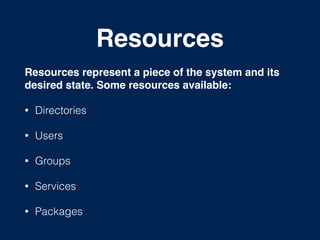
Resources
Resources represent a piece of the system and its
desired state. Some resources available:!
• Directories
• Users
• Groups
• Services
• Packages
Resource Syntax
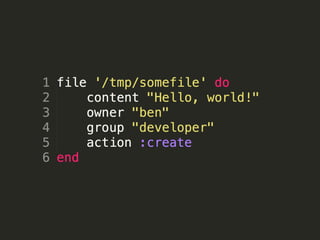
A resource is a Ruby block with four components:
• A type
• A name
• One (or more) attributes (with values)
• One (or more) actions
Recipe
Recipes are what you write to install and configure
things on your machine.!
• Authored using a Ruby DSL
• Made from multiple resources
• Can include other recipes
• Single responsibility in purpose
• Belongs to a Cookbook
Recipe DSL
A Ruby DSL, with specific methods to write
chef recipes and resource blocks.
Common Ruby syntax can be used with the
Recipe DSL methods. if / case statements…
FIRST RECIPE
Ingredients
• Using chef-apply and a single recipe
• Create a new developer user on the system
• Install Git using the OS package manager
• Create a .gitconfig file for the developer user
stage-1
https://github.com/benmcrae/ddd-chef-examples/tree/master/stage-1
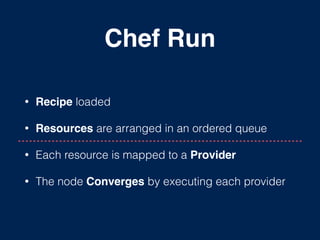
Chef Run
• Recipe loaded
• Resources are arranged in an ordered queue
• Each resource is mapped to a Provider!
• The node Converges by executing each provider
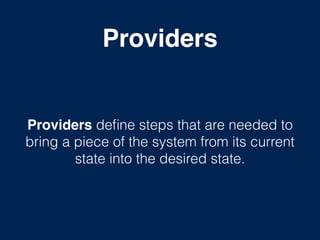
Providers
Providers define steps that are needed to
bring a piece of the system from its current
state into the desired state.
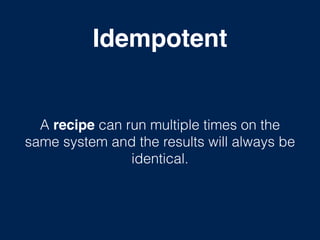
Idempotent
A recipe can run multiple times on the
same system and the results will always be
identical.
RETROSPECTIVE
Outcomes
• Poor single responsibility
• Use better suited resources e.g. template / file
• Fixed values could be swapped for attributes
Next Steps
1. Create cookbook from existing recipe
2. Refactor outcomes from retrospective
FIRST COOKBOOK
Cookbook
A cookbook defines a scenario, such as
everything needed to install and configure
Apache and the resources that support it.
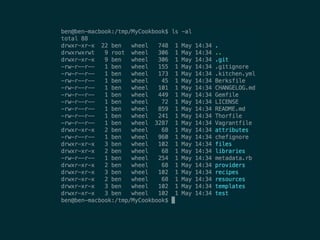
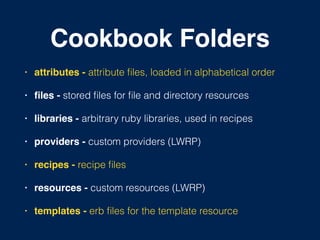
Cookbook Folders
• attributes - attribute files, loaded in alphabetical order!
• files - stored files for file and directory resources!
• libraries - arbitrary ruby libraries, used in recipes!
• providers - custom providers (LWRP)!
• recipes - recipe files!
• resources - custom resources (LWRP)!
• templates - erb files for the template resource
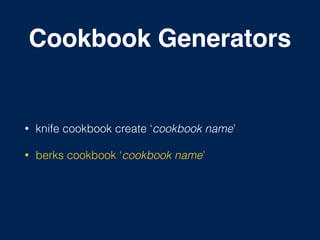
Cookbook Generators
• knife cookbook create ‘cookbook name’
• berks cookbook ‘cookbook name’
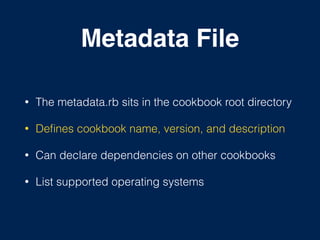
Metadata File
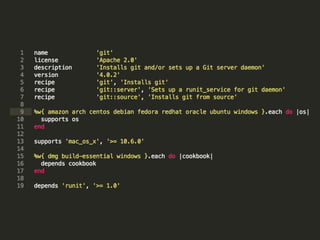
• The metadata.rb sits in the cookbook root directory
• Defines cookbook name, version, and description
• Can declare dependencies on other cookbooks
• List supported operating systems
REFACTOR
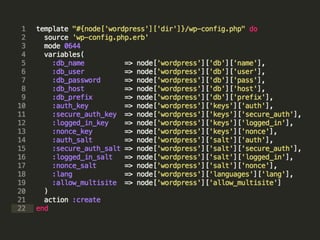
Template Resource
• Uses ERB (Embedded Ruby) files
• Supports variables and hashes in templates
• Multi nested folders designed to support
distributing files across platforms
• Best practice: set variables using attributes
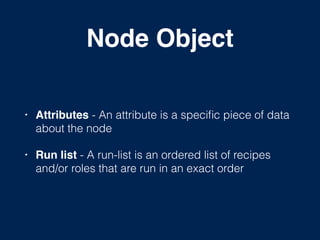
Node Object
• Attributes - An attribute is a specific piece of data
about the node!
• Run list - A run-list is an ordered list of recipes
and/or roles that are run in an exact order
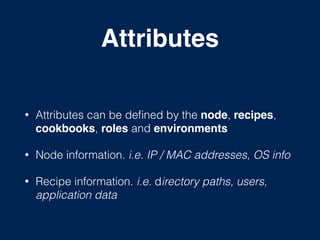
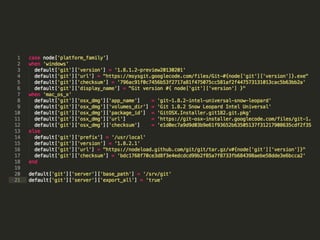
Attributes
!
• Attributes can be defined by the node, recipes,
cookbooks, roles and environments!
• Node information. i.e. IP / MAC addresses, OS info
• Recipe information. i.e. directory paths, users,
application data
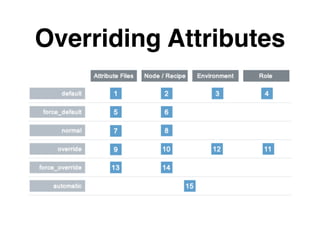
Overriding Attributes
Ohai
Ohai is a CLI tool that is used to detect attributes on a node!
• Platform details
• Network usage
• Memory usage
• Processor usage
Run List
• A run-list defines all of the configuration settings
that are necessary for a node to converge
• An ordered list of roles and/or recipes that are run
in an exact order
chef-solo
• chef-solo allows using cookbooks on nodes without
using Chef server
• Cookbooks & dependencies must be on the node
• Limited in functionality compared to chef-server
• Requires configuration; run-list and attributes
stage-2
https://github.com/benmcrae/ddd-chef-examples/tree/master/stage-2
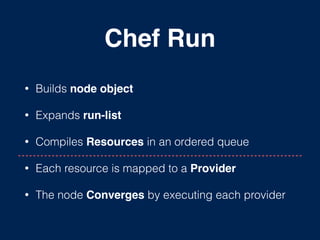
Chef Run
• Builds node object!
• Expands run-list
• Compiles Resources in an ordered queue
• Each resource is mapped to a Provider!
• The node Converges by executing each provider
RETROSPECTIVE
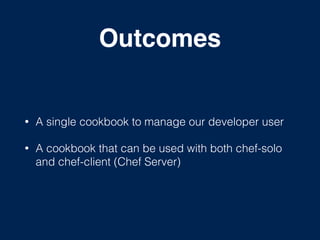
Outcomes
• A single cookbook to manage our developer user
• A cookbook that can be used with both chef-solo
and chef-client (Chef Server)
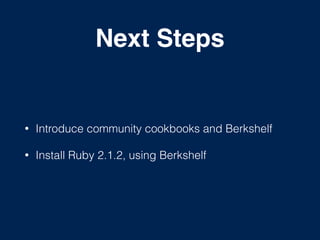
Next Steps
• Introduce community cookbooks and Berkshelf
• Install Ruby 2.1.2, using Berkshelf
COMMUNITY
COOKBOOKS
Community Cookbooks
• An online Open Source cookbook repository,
maintained and used by the chef community.
• Trusted cookbooks can be downloaded from -
http://community.opscode.com
• Cookbook dependencies are not automatically
downloaded. This must be done by looking through
the cookbook metadata file, and manually
downloading listed cookbooks.
Berkshelf
• The cookbook dependency manager
• gem install berkshelf
• Used to maintain cookbooks on your Chef Server
• Written by Jamie Windsor, and Seth Vargo
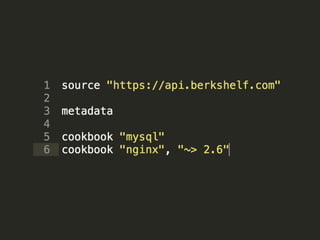
Berksfile
• Lives in the root directory of the Cookbook
• Lists each cookbook name, and version (optional)
which your cookbook depends on
• Ability to read cookbook dependencies from
metadata.rb file
• Traverses over other cookbook dependencies
stage-3
https://github.com/benmcrae/ddd-chef-examples/tree/master/stage-3
RETROSPECTIVE
Outcomes
• Implemented a community cookbook with the aid of
Berkshelf.
• Applied our knowledge of attributes to other
cookbooks.
Next Steps
• Provision the node automatically with chef-solo and
Vagrant.
• Create a new recipe to git clone our ruby app into
the developer home directory.
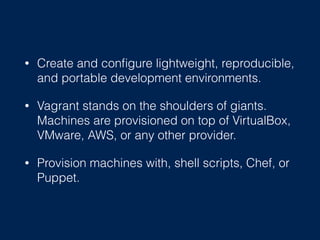
• Create and configure lightweight, reproducible,
and portable development environments.
• Vagrant stands on the shoulders of giants.
Machines are provisioned on top of VirtualBox,
VMware, AWS, or any other provider.
• Provision machines with, shell scripts, Chef, or
Puppet.
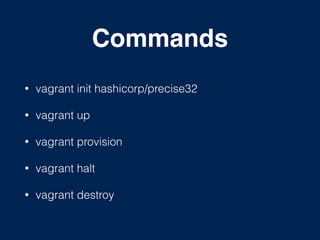
Commands
• vagrant init hashicorp/precise32
• vagrant up
• vagrant provision
• vagrant halt
• vagrant destroy
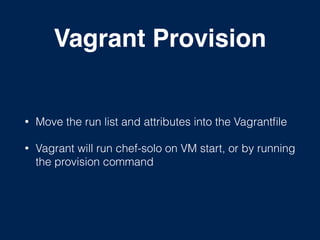
Vagrant Provision
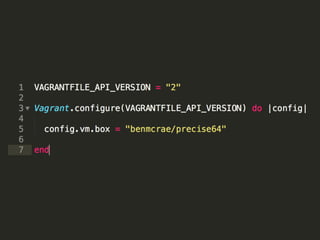
• Move the run list and attributes into the Vagrantfile
• Vagrant will run chef-solo on VM start, or by running
the provision command
Git Resource
• Manage source control resources that exist in a git
repository
• Functionality for revision and branching control
• Offers both export and syncing abilities
stage-4
https://github.com/benmcrae/ddd-chef-examples/tree/master/stage-4
RETROSPECTIVE
Outcomes
• Used Vagrant to run chef-solo and setup our node
• Established our cookbook development workflow
• Finished cookbook
VAGRANT CONT.
More Features
• Full support for both Linux and Windows guest’s
• Mount directories using either NFS, SMB or Rsync
• Multi machine environments
• Network support - port forwarding, private networks
Vagrant Cloud
• Share a link to your web server to a teammate
across the country
• Community collection of fully baked box images
• Distribute versionable private environments to your
team
Share / Connect
• Share SSH access to other vagrant users
• Share the whole machine as a local entity to other
vagrant users
Vagrant Plugins
• vagrant plugin install <plugin_name>
• vagrant-sahara (operate in a sandbox environment)
• vagrant-proxy (define http and https proxies)
Chef Reading
• Test-Driven Infrastructure with Chef, 2nd Edition

- Steven Nelson-Smith
• Chef Infrastructure Automation Cookbook 

- Matthias Marschall
• Learning Chef (Released Sep 2014)

- Seth Vargo, Mischa Taylor
• https://learnchef.opscode.com/
Vagrant Reading
• Vagrant: Up and Running - Mitchell Hashimoto
• http://docs.vagrantup.com/
• http://www.vagrantup.com/blog.html
THANK YOU

Chef, Vagrant and Friends

  • 1.
  • 2.
    @benmcrae • Software engineer •CompareTheMarket.com • Travelling & listening to music • Coffee / real ale drinker
  • 3.
  • 4.
  • 5.
  • 7.
    Chef can automatehow you configure, deploy and scale your servers and applications.
  • 9.
  • 10.
    Installing Chef 11 ! ChefOmnibus (Linux, OS X, Windows) Chef DK (April 2014, v0.1.0) (Bundled software) Gem (Ruby 1.9.3 recommended)
  • 11.
    Chef CLI tools ohai(node attributes) chef-apply (execute a single recipe from the command line) chef-solo (execute run lists and cookbooks on a node) chef-client (retrieves & executes run lists & cookbooks on nodes) knife (interact with chef server)
  • 12.
  • 13.
    Resources Resources represent apiece of the system and its desired state. Some resources available:! • Directories • Users • Groups • Services • Packages
  • 15.
    Resource Syntax A resourceis a Ruby block with four components: • A type • A name • One (or more) attributes (with values) • One (or more) actions
  • 16.
    Recipe Recipes are whatyou write to install and configure things on your machine.! • Authored using a Ruby DSL • Made from multiple resources • Can include other recipes • Single responsibility in purpose • Belongs to a Cookbook
  • 17.
    Recipe DSL A RubyDSL, with specific methods to write chef recipes and resource blocks. Common Ruby syntax can be used with the Recipe DSL methods. if / case statements…
  • 18.
  • 19.
    Ingredients • Using chef-applyand a single recipe • Create a new developer user on the system • Install Git using the OS package manager • Create a .gitconfig file for the developer user
  • 20.
  • 21.
    Chef Run • Recipeloaded • Resources are arranged in an ordered queue • Each resource is mapped to a Provider! • The node Converges by executing each provider
  • 22.
    Providers Providers define stepsthat are needed to bring a piece of the system from its current state into the desired state.
  • 23.
    Idempotent A recipe canrun multiple times on the same system and the results will always be identical.
  • 24.
  • 25.
    Outcomes • Poor singleresponsibility • Use better suited resources e.g. template / file • Fixed values could be swapped for attributes
  • 26.
    Next Steps 1. Createcookbook from existing recipe 2. Refactor outcomes from retrospective
  • 27.
  • 28.
    Cookbook A cookbook definesa scenario, such as everything needed to install and configure Apache and the resources that support it.
  • 30.
    Cookbook Folders • attributes- attribute files, loaded in alphabetical order! • files - stored files for file and directory resources! • libraries - arbitrary ruby libraries, used in recipes! • providers - custom providers (LWRP)! • recipes - recipe files! • resources - custom resources (LWRP)! • templates - erb files for the template resource
  • 31.
    Cookbook Generators • knifecookbook create ‘cookbook name’ • berks cookbook ‘cookbook name’
  • 32.
    Metadata File • Themetadata.rb sits in the cookbook root directory • Defines cookbook name, version, and description • Can declare dependencies on other cookbooks • List supported operating systems
  • 34.
  • 35.
    Template Resource • UsesERB (Embedded Ruby) files • Supports variables and hashes in templates • Multi nested folders designed to support distributing files across platforms • Best practice: set variables using attributes
  • 37.
    Node Object • Attributes- An attribute is a specific piece of data about the node! • Run list - A run-list is an ordered list of recipes and/or roles that are run in an exact order
  • 38.
    Attributes ! • Attributes canbe defined by the node, recipes, cookbooks, roles and environments! • Node information. i.e. IP / MAC addresses, OS info • Recipe information. i.e. directory paths, users, application data
  • 40.
  • 41.
    Ohai Ohai is aCLI tool that is used to detect attributes on a node! • Platform details • Network usage • Memory usage • Processor usage
  • 42.
    Run List • Arun-list defines all of the configuration settings that are necessary for a node to converge • An ordered list of roles and/or recipes that are run in an exact order
  • 43.
    chef-solo • chef-solo allowsusing cookbooks on nodes without using Chef server • Cookbooks & dependencies must be on the node • Limited in functionality compared to chef-server • Requires configuration; run-list and attributes
  • 44.
  • 45.
    Chef Run • Buildsnode object! • Expands run-list • Compiles Resources in an ordered queue • Each resource is mapped to a Provider! • The node Converges by executing each provider
  • 46.
  • 47.
    Outcomes • A singlecookbook to manage our developer user • A cookbook that can be used with both chef-solo and chef-client (Chef Server)
  • 48.
    Next Steps • Introducecommunity cookbooks and Berkshelf • Install Ruby 2.1.2, using Berkshelf
  • 49.
  • 50.
    Community Cookbooks • Anonline Open Source cookbook repository, maintained and used by the chef community. • Trusted cookbooks can be downloaded from - http://community.opscode.com • Cookbook dependencies are not automatically downloaded. This must be done by looking through the cookbook metadata file, and manually downloading listed cookbooks.
  • 51.
    Berkshelf • The cookbookdependency manager • gem install berkshelf • Used to maintain cookbooks on your Chef Server • Written by Jamie Windsor, and Seth Vargo
  • 52.
    Berksfile • Lives inthe root directory of the Cookbook • Lists each cookbook name, and version (optional) which your cookbook depends on • Ability to read cookbook dependencies from metadata.rb file • Traverses over other cookbook dependencies
  • 54.
  • 55.
  • 56.
    Outcomes • Implemented acommunity cookbook with the aid of Berkshelf. • Applied our knowledge of attributes to other cookbooks.
  • 57.
    Next Steps • Provisionthe node automatically with chef-solo and Vagrant. • Create a new recipe to git clone our ruby app into the developer home directory.
  • 59.
    • Create andconfigure lightweight, reproducible, and portable development environments. • Vagrant stands on the shoulders of giants. Machines are provisioned on top of VirtualBox, VMware, AWS, or any other provider. • Provision machines with, shell scripts, Chef, or Puppet.
  • 60.
    Commands • vagrant inithashicorp/precise32 • vagrant up • vagrant provision • vagrant halt • vagrant destroy
  • 62.
    Vagrant Provision • Movethe run list and attributes into the Vagrantfile • Vagrant will run chef-solo on VM start, or by running the provision command
  • 63.
    Git Resource • Managesource control resources that exist in a git repository • Functionality for revision and branching control • Offers both export and syncing abilities
  • 64.
  • 65.
  • 66.
    Outcomes • Used Vagrantto run chef-solo and setup our node • Established our cookbook development workflow • Finished cookbook
  • 67.
  • 68.
    More Features • Fullsupport for both Linux and Windows guest’s • Mount directories using either NFS, SMB or Rsync • Multi machine environments • Network support - port forwarding, private networks
  • 69.
    Vagrant Cloud • Sharea link to your web server to a teammate across the country • Community collection of fully baked box images • Distribute versionable private environments to your team
  • 70.
    Share / Connect •Share SSH access to other vagrant users • Share the whole machine as a local entity to other vagrant users
  • 71.
    Vagrant Plugins • vagrantplugin install <plugin_name> • vagrant-sahara (operate in a sandbox environment) • vagrant-proxy (define http and https proxies)
  • 72.
    Chef Reading • Test-DrivenInfrastructure with Chef, 2nd Edition
 - Steven Nelson-Smith • Chef Infrastructure Automation Cookbook 
 - Matthias Marschall • Learning Chef (Released Sep 2014)
 - Seth Vargo, Mischa Taylor • https://learnchef.opscode.com/
  • 73.
    Vagrant Reading • Vagrant:Up and Running - Mitchell Hashimoto • http://docs.vagrantup.com/ • http://www.vagrantup.com/blog.html
  • 74.