Approach to Information Problem-Solving Introducing
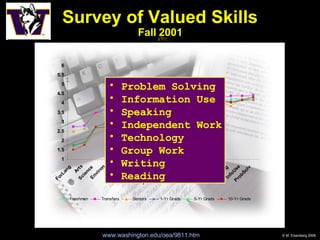
Survey of Valued Skills Fall 2001 www.washington.edu/oea/9811.htm   Problem Solving Information Use Speaking Independent Work Technology Group Work Writing Reading
“ To be information literate, a person must be able  to recognize when information is needed  and have the ability  to locate, evaluate, and use effectively  the needed information.” American Library Association, 1989 Information Literacy
A Widely Recognized Need
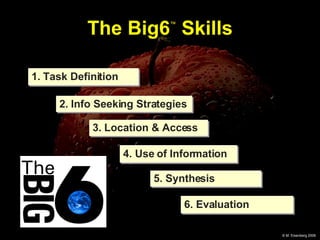
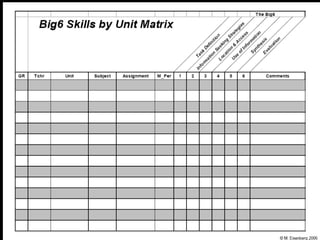
The Big6 ™  Skills 1. Task Definition 2. Info Seeking Strategies 3. Location & Access 4. Use of Information 5. Synthesis 6. Evaluation
 
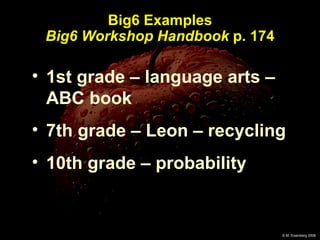
Big6 Examples Big6 Workshop Handbook  p. 174 1st grade – language arts – ABC book 7th grade – Leon – recycling 10th grade – probability
The Big6 Example (p. 174): 7th Grade Social Studies Leon -  Recycling project Short paper and oral presentation on the problems and solutions regarding recycling of one type of waste.
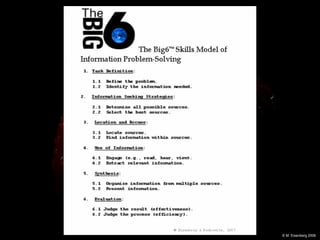
Task Definition 1.1 Define the problem 1.2  Identify the information  needed types of information
Information Seeking Strategies 2.1 Determine all possible  sources 2.2 Select the best sources brainstorm & narrow
Lesson:  Info Seeking Strategy Criteria easy to use available current affordable fun on the topic (valid) reliable/authoritative accurate precise complete
Location & Access 3.1  Locate sources 3.2  Find information within  sources index
Use of Information 4.1 Engage (read, hear, view) 4.2 Extract relevant, quality information relevance
Synthesis 5.1 Organize 5.2 Present medium & message
Evaluation 6.1 Judge the result 6.2 Judge the process effective & efficient
 
For the Very Young (preK – 1) The Super 3 Example:  Making a picture of signs of Spring
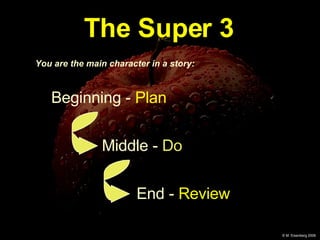
The Super 3 You are the main character in a story: Beginning -  Plan   Middle -  Do End -  Review
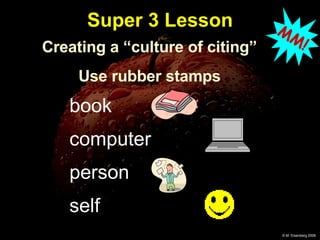
Super 3 Lesson book computer person self Creating a “culture of citing” Use rubber stamps MM!
Summary – The Big6 Approach Themes of the Big6
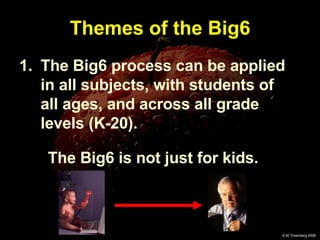
Themes of the Big6 The Big6 process can be applied in all subjects, with students of all ages, and across all grade levels (K-20). The Big6 is not just for kids.
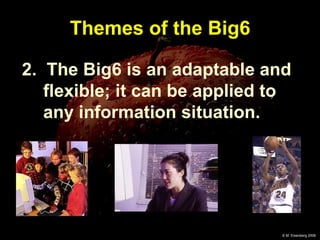
Themes of the Big6 2.  The Big6 is an adaptable and flexible; it can be applied to any information situation.
Themes of the Big6 3. Technology skills take on meaning  within  the Big6 process.
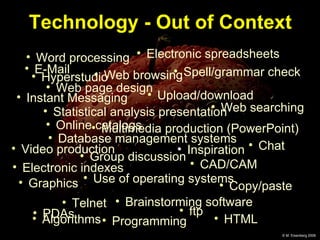
Technology - Out of Context Multimedia production (PowerPoint) ftp Programming Instant Messaging HTML Telnet Algorithms Video production E-Mail   Word processing Group discussion Use of operating systems Statistical analysis presentation Database management systems CAD/CAM Copy/paste Web page design Graphics Chat Web browsing Electronic indexes Web searching Online catalogs Electronic spreadsheets Upload/download Spell/grammar check Brainstorming software PDAs Inspiration Hyperstudio
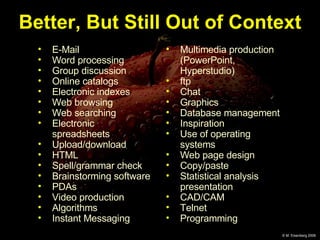
E-Mail  Word processing Group discussion Online catalogs Electronic indexes Web browsing Web searching Electronic spreadsheets Upload/download HTML Spell/grammar check Brainstorming software PDAs Video production Algorithms Instant Messaging Multimedia production (PowerPoint, Hyperstudio) ftp Chat Graphics Database management Inspiration Use of operating systems Web page design Copy/paste Statistical analysis presentation CAD/CAM Telnet Programming Better, But Still Out of Context
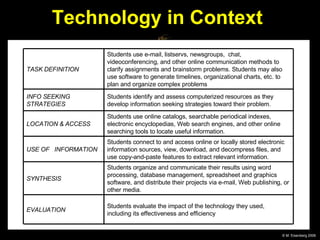
Technology in Context  Students evaluate the impact of the technology they used, including its effectiveness and efficiency EVALUATION Students organize and communicate their results using word processing, database management, spreadsheet and graphics software, and distribute their projects via e-mail, Web publishing, or other media. SYNTHESIS Students connect to and access online or locally stored electronic information sources, view, download, and decompress files, and use copy-and-paste features to extract relevant information. USE OF  INFORMATION Students use online catalogs, searchable periodical indexes, electronic encyclopedias, Web search engines, and other online searching tools to locate useful information. LOCATION & ACCESS Students identify and assess computerized resources as they develop information seeking strategies toward their problem.  INFO SEEKING STRATEGIES Students use e-mail, listservs, newsgroups,  chat, videoconferencing, and other online communication methods to clarify assignments and brainstorm problems. Students may also use software to generate timelines, organizational charts, etc. to plan and organize complex problems TASK DEFINITION
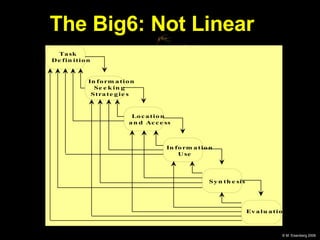
Themes of the Big6 4. Using the Big6 is not always a linear, step-by-step process.
The Big6: Not Linear
Themes of the Big6 5. The Big6 process is  necessary  and  sufficient  for solving problems and completing tasks.
Themes of the Big6 7. The Big6 is an ideal approach for integrating information literacy learning with all subject area curricula at all grade levels.
The key is… Context! Teaching and Learning the Big6
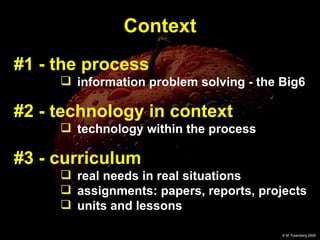
#1 - the process information problem solving - the Big6 #2 - technology in context technology within the process #3 - curriculum   real needs in real situations  assignments: papers, reports, projects units and lessons Context
 
In Closing…
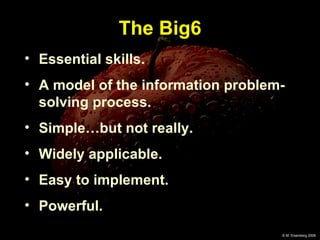
The Big6 Essential skills. A model of the information problem-solving process. Simple…but not really. Widely applicable. Easy to implement. Powerful.
Thanks for listening!
www.big6.org All Big6 resources available from: Linworth 800-786-5017 [email_address]

Introducing The Big6

  • 1.
    Approach to InformationProblem-Solving Introducing
  • 2.
    Survey of ValuedSkills Fall 2001 www.washington.edu/oea/9811.htm Problem Solving Information Use Speaking Independent Work Technology Group Work Writing Reading
  • 3.
    “ To beinformation literate, a person must be able to recognize when information is needed and have the ability to locate, evaluate, and use effectively the needed information.” American Library Association, 1989 Information Literacy
  • 4.
  • 5.
    The Big6 ™ Skills 1. Task Definition 2. Info Seeking Strategies 3. Location & Access 4. Use of Information 5. Synthesis 6. Evaluation
  • 6.
  • 7.
    Big6 Examples Big6Workshop Handbook p. 174 1st grade – language arts – ABC book 7th grade – Leon – recycling 10th grade – probability
  • 8.
    The Big6 Example(p. 174): 7th Grade Social Studies Leon - Recycling project Short paper and oral presentation on the problems and solutions regarding recycling of one type of waste.
  • 9.
    Task Definition 1.1Define the problem 1.2 Identify the information needed types of information
  • 10.
    Information Seeking Strategies2.1 Determine all possible sources 2.2 Select the best sources brainstorm & narrow
  • 11.
    Lesson: InfoSeeking Strategy Criteria easy to use available current affordable fun on the topic (valid) reliable/authoritative accurate precise complete
  • 12.
    Location & Access3.1 Locate sources 3.2 Find information within sources index
  • 13.
    Use of Information4.1 Engage (read, hear, view) 4.2 Extract relevant, quality information relevance
  • 14.
    Synthesis 5.1 Organize5.2 Present medium & message
  • 15.
    Evaluation 6.1 Judgethe result 6.2 Judge the process effective & efficient
  • 16.
  • 17.
    For the VeryYoung (preK – 1) The Super 3 Example: Making a picture of signs of Spring
  • 18.
    The Super 3You are the main character in a story: Beginning - Plan Middle - Do End - Review
  • 19.
    Super 3 Lessonbook computer person self Creating a “culture of citing” Use rubber stamps MM!
  • 20.
    Summary – TheBig6 Approach Themes of the Big6
  • 21.
    Themes of theBig6 The Big6 process can be applied in all subjects, with students of all ages, and across all grade levels (K-20). The Big6 is not just for kids.
  • 22.
    Themes of theBig6 2. The Big6 is an adaptable and flexible; it can be applied to any information situation.
  • 23.
    Themes of theBig6 3. Technology skills take on meaning within the Big6 process.
  • 24.
    Technology - Outof Context Multimedia production (PowerPoint) ftp Programming Instant Messaging HTML Telnet Algorithms Video production E-Mail Word processing Group discussion Use of operating systems Statistical analysis presentation Database management systems CAD/CAM Copy/paste Web page design Graphics Chat Web browsing Electronic indexes Web searching Online catalogs Electronic spreadsheets Upload/download Spell/grammar check Brainstorming software PDAs Inspiration Hyperstudio
  • 25.
    E-Mail Wordprocessing Group discussion Online catalogs Electronic indexes Web browsing Web searching Electronic spreadsheets Upload/download HTML Spell/grammar check Brainstorming software PDAs Video production Algorithms Instant Messaging Multimedia production (PowerPoint, Hyperstudio) ftp Chat Graphics Database management Inspiration Use of operating systems Web page design Copy/paste Statistical analysis presentation CAD/CAM Telnet Programming Better, But Still Out of Context
  • 26.
    Technology in Context Students evaluate the impact of the technology they used, including its effectiveness and efficiency EVALUATION Students organize and communicate their results using word processing, database management, spreadsheet and graphics software, and distribute their projects via e-mail, Web publishing, or other media. SYNTHESIS Students connect to and access online or locally stored electronic information sources, view, download, and decompress files, and use copy-and-paste features to extract relevant information. USE OF INFORMATION Students use online catalogs, searchable periodical indexes, electronic encyclopedias, Web search engines, and other online searching tools to locate useful information. LOCATION & ACCESS Students identify and assess computerized resources as they develop information seeking strategies toward their problem. INFO SEEKING STRATEGIES Students use e-mail, listservs, newsgroups, chat, videoconferencing, and other online communication methods to clarify assignments and brainstorm problems. Students may also use software to generate timelines, organizational charts, etc. to plan and organize complex problems TASK DEFINITION
  • 27.
    Themes of theBig6 4. Using the Big6 is not always a linear, step-by-step process.
  • 28.
  • 29.
    Themes of theBig6 5. The Big6 process is necessary and sufficient for solving problems and completing tasks.
  • 30.
    Themes of theBig6 7. The Big6 is an ideal approach for integrating information literacy learning with all subject area curricula at all grade levels.
  • 31.
    The key is…Context! Teaching and Learning the Big6
  • 32.
    #1 - theprocess information problem solving - the Big6 #2 - technology in context technology within the process #3 - curriculum real needs in real situations assignments: papers, reports, projects units and lessons Context
  • 33.
  • 34.
  • 35.
    The Big6 Essentialskills. A model of the information problem-solving process. Simple…but not really. Widely applicable. Easy to implement. Powerful.
  • 36.
  • 37.
    www.big6.org All Big6resources available from: Linworth 800-786-5017 [email_address]