Internet Technology
Prepared by Prem Sahu
Internet
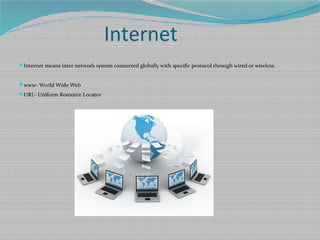
Internet means inter network system connected globally with specific protocol through wired or wireless.
www- World Wide Web
URL- Uniform Resource Locator
How to access Internet
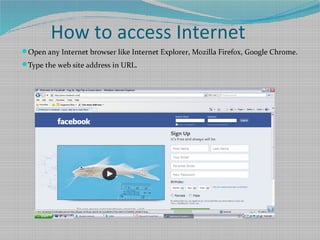
Open any Internet browser like Internet Explorer, Mozilla Firefox, Google Chrome.
Type the web site address in URL.
Intranet
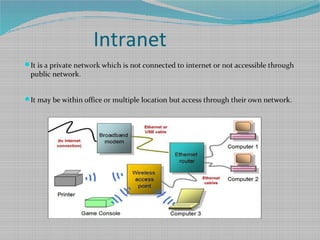
It is a private network which is not connected to internet or not accessible through
public network.
It may be within office or multiple location but access through their own network.
Extranet
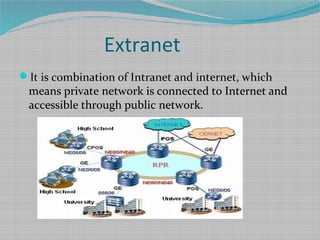
It is combination of Intranet and internet, which
means private network is connected to Internet and
accessible through public network.
Internet Browser
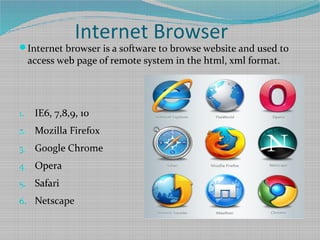
Internet browser is a software to browse website and used to
access web page of remote system in the html, xml format.
1. IE6, 7,8,9, 10
2. Mozilla Firefox
3. Google Chrome
4. Opera
5. Safari
6. Netscape
Spam
A mail is sent to number of people or group which is
generally sent for marketing or publicity which may
contains virus or code which can use for steal or
damage computer.
You can find spam option in your mail. Whenever
anybody send a mail to multiple users it will go to
spam folder.
Delete the spam mail without opening it.
Malware, Spyware and phishing
Malware: Malicious Software: It is program or code which is used to
damage or corrupt the computer system. It is harmful for our system.
Use anti-malware or antivirus software to protect system from malware
code or program.
Spyware: It is program or code which is used to gather and steal your
system information without your knowledge.
Generally it came through internet and gather information from browsing
history for hacking purpose
Phishing: Phishing means search for secret information of user through
internet which can cause personal inconvenience to user
Hackers use this to gather information about online transaction through
credit, debit card or net banking
Block websites
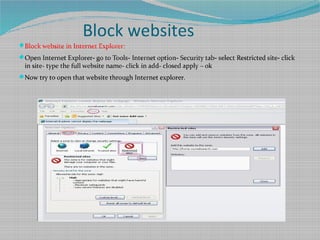
Block website in Internet Explorer:
Open Internet Explorer- go to Tools- Internet option- Security tab- select Restricted site- click
in site- type the full website name- click in add- closed apply – ok
Now try to open that website through Internet explorer.
Delete browsing history
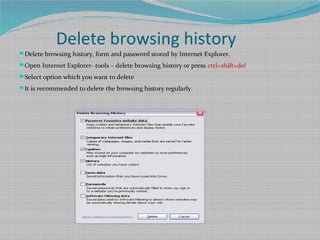
Delete browsing history, form and password stored by Internet Explorer.
Open Internet Explorer- tools – delete browsing history or press ctrl+shift+del
Select option which you want to delete
It is recommended to delete the browsing history regularly.
Social Networking
www.facebook.com
www.twitter.com
www.orkut.com
www.linkedin.com
Search Engine
www.google.com
www.yahoo.com
www.bing.com
Mail Site
www.gmail.com
www.yahoonail.com
www.rediffmail.com
www.hotmail.com
Railway Sites
www.indianrailway.gov.in
www.irctc.in
www.erail.ocm
www.yatra.com
www.makemytrip.com
Computer Related Site
www.wikipedia.org
www.filehippo.com
www.technet.microsoft.com
www.hp.com
www.intel.com

Internet