Interactive White Boards Rachel Jeffares
What is an IWB?
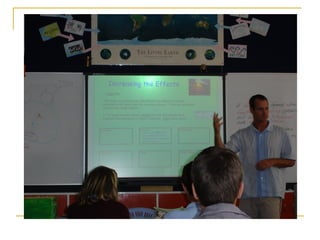
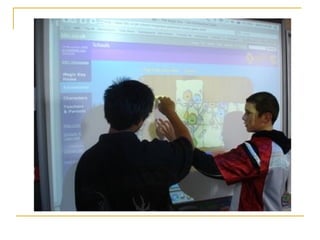
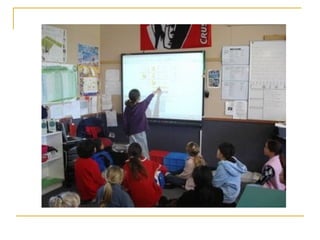
An  interactive   whiteboard  is a large, touch-sensitive board which is connected to a digital projector and a computer. The projector displays the image from the computer screen on the board. The computer can then be controlled by touching the board, either directly or with a special pen.
 
How can it be used? Capturing images and text from a range of sources. Emphasising text, spotlight or reveal tool allows focus or revealing of different areas of the screen Annotating and modifying by adding text and moving items around Linking information with hyperlinks between files, programs and internet sites Storing any activity that was completed during the IWB lesson, in the form of flipchart pages. With the IWB the learners are able to create artefacts that can be reused later to support further learning.
 
Pros  Increase student motivation & engagement Cater to variety of learning styles Scaffold learning Provide effective feedback Promote active participation Great Teacher tool kit
 
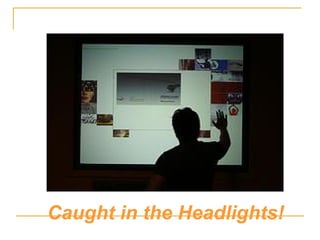
Caught in the Headlights!
Cons  Information overload (faster paced highly visual lessons) Substitution mentality – still ‘chalk & talk’ Students as spectators  Template thinking (use of provided resources) Expensive
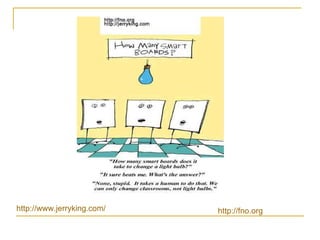
http:// www.jerryking.com /  http:// fno.org
“ It’s not what you’ve got it’s what you do with it!” Recommendations: Ongoing Professional Development Changing pedagogical practise Collaboration Ongoing critical reflection

Interactive White Boards

  • 1.
    Interactive White BoardsRachel Jeffares
  • 2.
  • 3.
    An interactive whiteboard is a large, touch-sensitive board which is connected to a digital projector and a computer. The projector displays the image from the computer screen on the board. The computer can then be controlled by touching the board, either directly or with a special pen.
  • 4.
  • 5.
    How can itbe used? Capturing images and text from a range of sources. Emphasising text, spotlight or reveal tool allows focus or revealing of different areas of the screen Annotating and modifying by adding text and moving items around Linking information with hyperlinks between files, programs and internet sites Storing any activity that was completed during the IWB lesson, in the form of flipchart pages. With the IWB the learners are able to create artefacts that can be reused later to support further learning.
  • 6.
  • 7.
    Pros Increasestudent motivation & engagement Cater to variety of learning styles Scaffold learning Provide effective feedback Promote active participation Great Teacher tool kit
  • 8.
  • 9.
    Caught in theHeadlights!
  • 10.
    Cons Informationoverload (faster paced highly visual lessons) Substitution mentality – still ‘chalk & talk’ Students as spectators Template thinking (use of provided resources) Expensive
  • 11.
  • 12.
    “ It’s notwhat you’ve got it’s what you do with it!” Recommendations: Ongoing Professional Development Changing pedagogical practise Collaboration Ongoing critical reflection