Keeping up with our Kids OnlineRachel Roberts
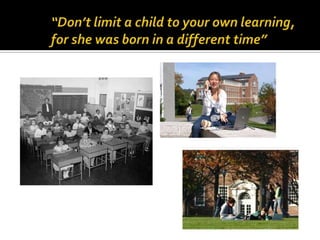
“Don’t limit a child to your own learning, for she was born in a different time”
What are kids doing?TxtingGamingChattingIMBebo, Facebook, MySpaceSkypeCreating & publishing – VideosFile Sharing
What Technologies?CellphonesCamerasComputersGame stationsIpods
IssuesCyberbullyingSexual PredatorsInappropriate materialDigital FootprintSecurity ThreatsMarketingIdentity Theft
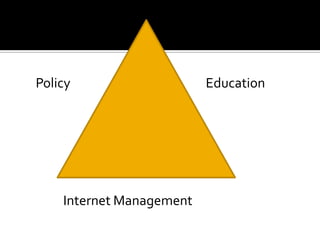
EducationPolicyInternet Management
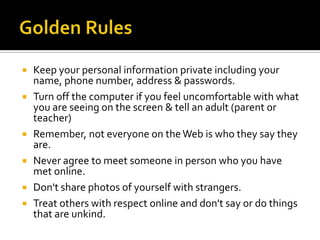
Golden Rules Keep your personal information private including your name, phone number, address & passwords.  Turn off the computer if you feel uncomfortable with what you are seeing on the screen & tell an adult (parent or teacher) Remember, not everyone on the Web is who they say they are. Never agree to meet someone in person who you have met online. Don't share photos of yourself with strangers. Treat others with respect online and don't say or do things that are unkind.
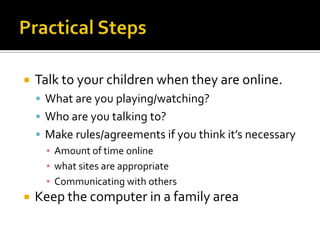
Practical StepsTalk to your children when they are online. What are you playing/watching?Who are you talking to?Make rules/agreements if you think it’s necessaryAmount of time onlinewhat sites are appropriateCommunicating with othersKeep the computer in a family area
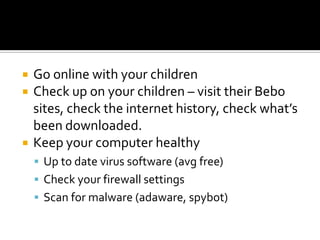
Go online with your children Check up on your children – visit their Bebo sites, check the internet history, check what’s been downloaded.Keep your computer healthyUp to date virus software (avg free)Check your firewall settingsScan for malware (adaware, spybot)
Developing positive values & attitudes is key  “Cybercitizenship”http://www.netsafe.org.nz

Netsafety Parents

  • 1.
    Keeping up withour Kids OnlineRachel Roberts
  • 2.
    “Don’t limit achild to your own learning, for she was born in a different time”
  • 3.
    What are kidsdoing?TxtingGamingChattingIMBebo, Facebook, MySpaceSkypeCreating & publishing – VideosFile Sharing
  • 4.
  • 6.
    IssuesCyberbullyingSexual PredatorsInappropriate materialDigitalFootprintSecurity ThreatsMarketingIdentity Theft
  • 7.
  • 8.
    Golden Rules Keepyour personal information private including your name, phone number, address & passwords. Turn off the computer if you feel uncomfortable with what you are seeing on the screen & tell an adult (parent or teacher) Remember, not everyone on the Web is who they say they are. Never agree to meet someone in person who you have met online. Don't share photos of yourself with strangers. Treat others with respect online and don't say or do things that are unkind.
  • 9.
    Practical StepsTalk toyour children when they are online. What are you playing/watching?Who are you talking to?Make rules/agreements if you think it’s necessaryAmount of time onlinewhat sites are appropriateCommunicating with othersKeep the computer in a family area
  • 10.
    Go online withyour children Check up on your children – visit their Bebo sites, check the internet history, check what’s been downloaded.Keep your computer healthyUp to date virus software (avg free)Check your firewall settingsScan for malware (adaware, spybot)
  • 11.
    Developing positive values& attitudes is key “Cybercitizenship”http://www.netsafe.org.nz