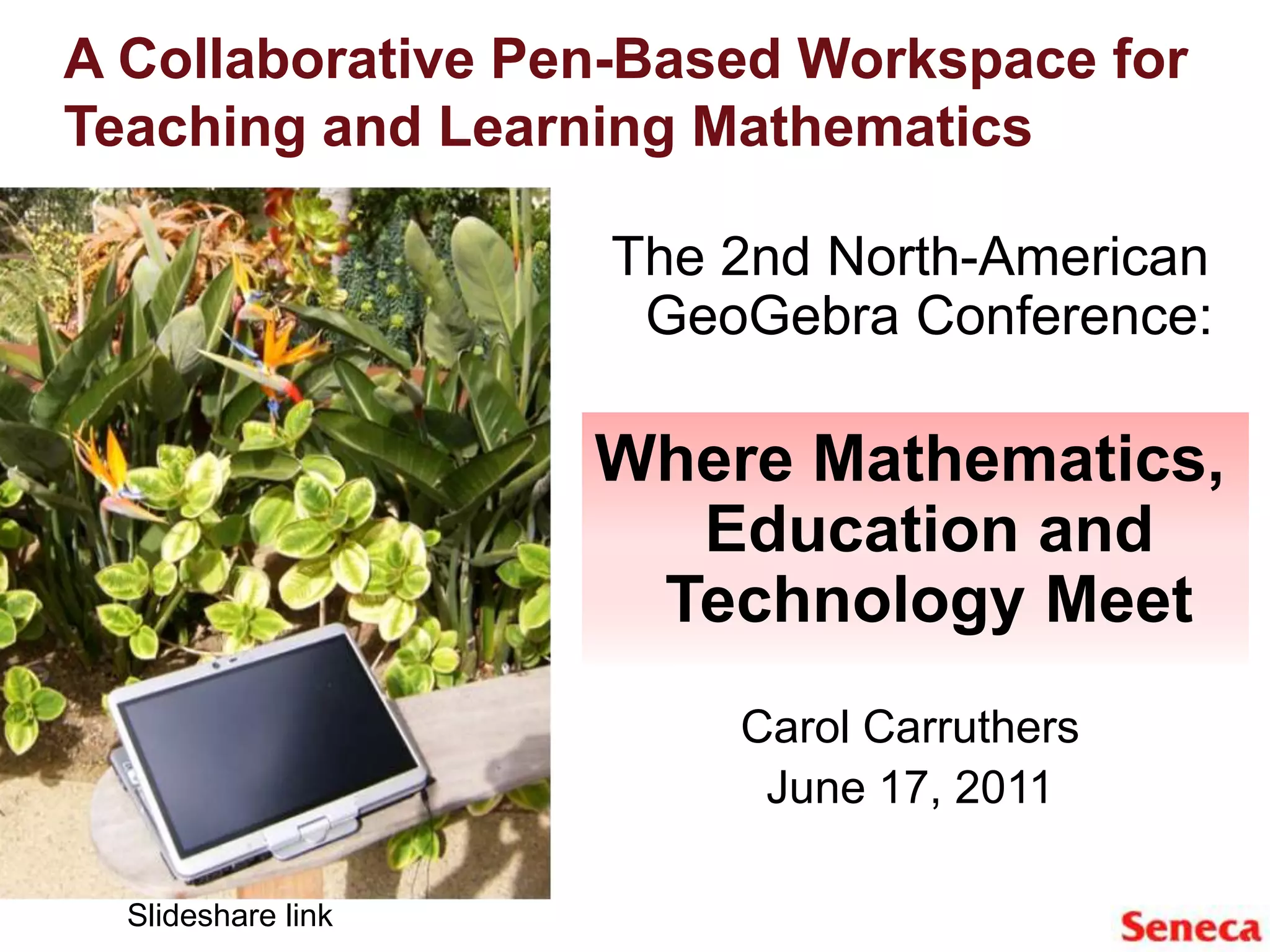
A Collaborative Pen-Based Workspace for Teaching and Learning MathematicsThe 2nd North-American GeoGebra Conference:Where Mathematics, Education and Technology MeetCarol CarruthersJune 17, 2011Slideshare link
Presentation OutlineWhy foundational mathematics?A teaching collaborative – methodologyTechnology for math teaching/learningPen based tablet pc’s/DyKnow workspaceTwo-way synchronous communication – advantages and disadvantages
Foundational Mathematics/ Teaching Collaborative How was it developed? Who takes it?Teaching collaborative – multiple disciplines and experiences/LMSTechnology integration - tablets/online textbook/learning objectsStudent-centered community learning
Technology for Math Teaching/LearningHardware:2008 Higher Education HP Technology for Teaching Grant (21 CompaqTablet PC’s)Fall 2010 additional 40 seat tablet labJan 2011 second campus location 25 seat tablet labSoftware:Initial purchase, DyKnow Vision Grant, DyKnow video contest winner A 2011 Seneca Innovation Grant RecipientAdditional funding by FASET and ACS
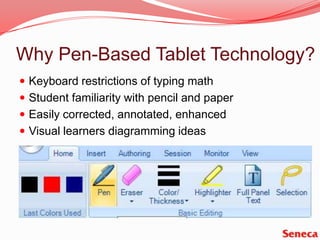
Why Pen-Based Tablet Technology?Keyboard restrictions of typing mathStudent familiarity with pencil and paperEasily corrected, annotated, enhancedVisual learners diagramming ideas
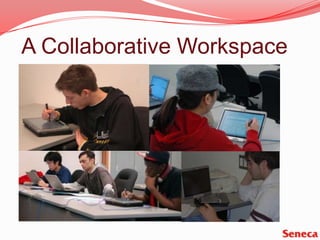
A Collaborative Workspace
Innovation in Teaching MethodologyInteractive focus activityConcept developmentCollaborative practiceApplication Reflection of learning
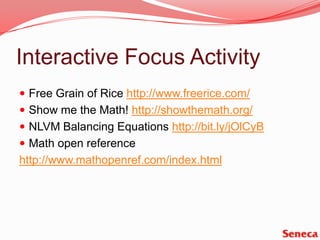
Interactive Focus ActivityFree Grain of Rice http://www.freerice.com/Show me the Math! http://showthemath.org/NLVM Balancing Equations http://bit.ly/jOlCyBMath open referencehttp://www.mathopenref.com/index.html
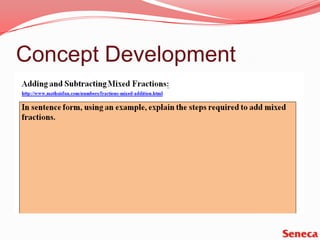
Concept Development
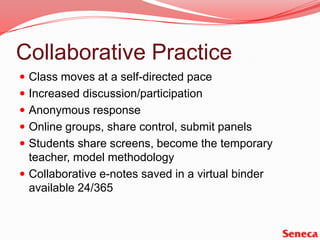
Collaborative PracticeClass moves at a self-directed paceIncreased discussion/participationAnonymous responseOnline groups, share control, submit panelsStudents share screens, become the temporary teacher, model methodologyCollaborative e-notes saved in a virtual binder available 24/365
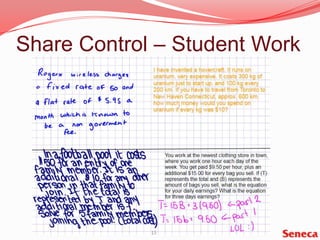
Share Control – Student Work
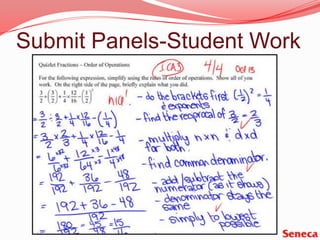
Submit Panels-Student Work
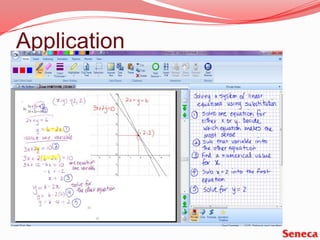
Application
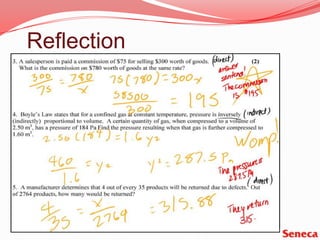
Reflection
Technological HurdlesTablet PCs Consistent wireless internet connectionTime constraints/benefitsStylus vs. pen and virtual binder vs. paper“…they (tablets) could be a very distracting because it  (takes) your mind away off lectures…when lectures becomes boring I tend to go on websites which is the worst thing I can do …”
Student Response“…I actually did my work and it was done right and organized which helped for studying.”“…I tend to pay attention more thus doing better in work and tests”“…students can share answers anonymously, we can correct each other’s work.” “I found that the shy students were more comfortable participating through the tablet and shared control in dyknow than standing up and speaking”.
More InformationHP Technology for Teaching Granthttp://www.hp.com/hpinfo/socialinnovation/us/programs/tech_teaching/hied_global.htmlSeneca’s HP website/Carol’s bloghttp://open.senecac.on.ca/HPtabletproject/https://teachmathwithtech.wordpress.com/DyKnow  softwarehttp://www.dyknow.com/Student videoshttp://www.youtube.com/watch?v=il-k65CFqpEhttp://www.youtube.com/watch?v=Hd7BsEF1x6g
Special Thanks to:The Applied Science and Technology Fundamentals (AST) and  MTH 148 students

Geo gebra carruthers june 17, 2011

  • 1.
    A Collaborative Pen-BasedWorkspace for Teaching and Learning MathematicsThe 2nd North-American GeoGebra Conference:Where Mathematics, Education and Technology MeetCarol CarruthersJune 17, 2011Slideshare link
  • 2.
    Presentation OutlineWhy foundationalmathematics?A teaching collaborative – methodologyTechnology for math teaching/learningPen based tablet pc’s/DyKnow workspaceTwo-way synchronous communication – advantages and disadvantages
  • 3.
    Foundational Mathematics/ TeachingCollaborative How was it developed? Who takes it?Teaching collaborative – multiple disciplines and experiences/LMSTechnology integration - tablets/online textbook/learning objectsStudent-centered community learning
  • 4.
    Technology for MathTeaching/LearningHardware:2008 Higher Education HP Technology for Teaching Grant (21 CompaqTablet PC’s)Fall 2010 additional 40 seat tablet labJan 2011 second campus location 25 seat tablet labSoftware:Initial purchase, DyKnow Vision Grant, DyKnow video contest winner A 2011 Seneca Innovation Grant RecipientAdditional funding by FASET and ACS
  • 5.
    Why Pen-Based TabletTechnology?Keyboard restrictions of typing mathStudent familiarity with pencil and paperEasily corrected, annotated, enhancedVisual learners diagramming ideas
  • 6.
  • 7.
    Innovation in TeachingMethodologyInteractive focus activityConcept developmentCollaborative practiceApplication Reflection of learning
  • 8.
    Interactive Focus ActivityFreeGrain of Rice http://www.freerice.com/Show me the Math! http://showthemath.org/NLVM Balancing Equations http://bit.ly/jOlCyBMath open referencehttp://www.mathopenref.com/index.html
  • 9.
  • 10.
    Collaborative PracticeClass movesat a self-directed paceIncreased discussion/participationAnonymous responseOnline groups, share control, submit panelsStudents share screens, become the temporary teacher, model methodologyCollaborative e-notes saved in a virtual binder available 24/365
  • 12.
    Share Control –Student Work
  • 13.
  • 14.
  • 15.
  • 16.
    Technological HurdlesTablet PCsConsistent wireless internet connectionTime constraints/benefitsStylus vs. pen and virtual binder vs. paper“…they (tablets) could be a very distracting because it (takes) your mind away off lectures…when lectures becomes boring I tend to go on websites which is the worst thing I can do …”
  • 17.
    Student Response“…I actuallydid my work and it was done right and organized which helped for studying.”“…I tend to pay attention more thus doing better in work and tests”“…students can share answers anonymously, we can correct each other’s work.” “I found that the shy students were more comfortable participating through the tablet and shared control in dyknow than standing up and speaking”.
  • 18.
    More InformationHP Technologyfor Teaching Granthttp://www.hp.com/hpinfo/socialinnovation/us/programs/tech_teaching/hied_global.htmlSeneca’s HP website/Carol’s bloghttp://open.senecac.on.ca/HPtabletproject/https://teachmathwithtech.wordpress.com/DyKnow softwarehttp://www.dyknow.com/Student videoshttp://www.youtube.com/watch?v=il-k65CFqpEhttp://www.youtube.com/watch?v=Hd7BsEF1x6g
  • 19.
    Special Thanks to:TheApplied Science and Technology Fundamentals (AST) and MTH 148 students