Technology-Based 21st
Century
Classroom Design
Jami Anderson, Rachelle Bayers, Lorraine Cadena, &
Nicole Smith
AET 531
Professor Lynn Moksvold
June 2, 2014
Introduction
Team A designed a classroom setting that is functional, comfortable
and technology-rich to allow the instructor opportunity to utilize tools
that will enrich and enhance the learner’s experience. The learners will
be given opportunity to witness the benefit and understand the value
of how technology can impact their learning success.
By allowing students to have more freedom and liberty to establish
comfort in their own work space, Team A designed a classroom that
provides students the opportunity to sit in small focus group, hands-on
and collaborative group areas with other students. These specialized
areas encourages discussion, dialogue and collaboration as a means to
develop peer relationships, but also provides avenues to gain
information, guidance and perspective from one another to enhance
learning.
Preferred Tech Tools
Our classroom design incorporates a number of different technology tools
such as Wi-Fi, Bluetooth wireless tablets, desktops, projectors and screen,
a plasma TV, clickers, speakers and microphones; however, four types of
technology equipment that would best benefit adult students during
course instruction include:
•The Instructor PC
•Interactive Whiteboard
•LCD Big Screen TV
•Clickers
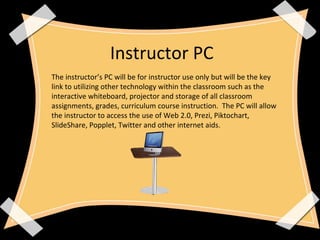
The instructor’s PC will be for instructor use only but will be the key
link to utilizing other technology within the classroom such as the
interactive whiteboard, projector and storage of all classroom
assignments, grades, curriculum course instruction. The PC will allow
the instructor to access the use of Web 2.0, Prezi, Piktochart,
SlideShare, Popplet, Twitter and other internet aids.
Instructor PC
Interactive Whiteboard (IWB)
The interactive whiteboard is a unique tool that we anticipate to increase in
popularity over the years. The IWB is a large display board, mounted to the
wall that will connect to the instructor’s PC. This tool is ideal for professional
and work group type classrooms as it captures topics written, has hand
writing recognition, capability to display animation, visuals and save any
notes used. The IWB allows the instructor to sit and give instruction as
opposed to standing in front of the class like a traditional white board with
his/her back to the students.
LCD Big Screen TV
It is anticipated that our classroom will be watching different videos, movies
or Skyping with alternative global institutions. For clarity and better visual,
the LCD will be of great benefit to the classroom. LCD’s offer less glare when
light hits the screen.
Clickers
• Clickers actively engage students during the entire class period.
• Clickers gauge the students level of understanding of the material
being presented.
• Clickers provide prompt feedback to student questions.
The anonymity of responding with a clicker guarantees near or total
participation. Clickers help students to actively engage in the learning
process, which helps the student to develop a more solid, integrated
and useful understanding of concepts and their interrelationships and
applicability (Martyn, 2007).
Collaborative Work
Environment
Hands-on Work Environment
Focused Work Environment
Roll Around Cart with
Projector and Interactive
Whiteboard Equipment
Instructor’s PC
Wall One
Wall Two
Interactive Whiteboard Projector Screen
Wall Three
Course Calendar of Events
60 inch LCD TV- wall mounted
Wall Four
Summary and Purpose for Design
Different seating options are available such as roll-about chairs and
yoga balls for students and instructors to utilize. The instructor does
not have a formal office, nor a designated work space.
The purpose of this is to make sure that the instructor works his/her
way around the room, interacting with students, observing their
learning and providing feedback and additional instruction upon
necessity. Ideally, this creates an environment that eliminates division
from the learner and instructor.
Using technology as an enhancer is the best way to help students reach
their highest potential. The combination of old methods and new
methods in teaching and learning can only allow for educational
experiences to grow, and allow teachers to provide the best services
possible to their students.
References
• Martyn, M. (2007). Clickers in the classroom: An active learning
approach. Retrieved June 1, 2014 from
http://www.educause.edu/ero/article/clickers-classroom-active-
learning-approach

Technology Based 21st Century Classroom

  • 1.
    Technology-Based 21st Century Classroom Design JamiAnderson, Rachelle Bayers, Lorraine Cadena, & Nicole Smith AET 531 Professor Lynn Moksvold June 2, 2014
  • 2.
    Introduction Team A designeda classroom setting that is functional, comfortable and technology-rich to allow the instructor opportunity to utilize tools that will enrich and enhance the learner’s experience. The learners will be given opportunity to witness the benefit and understand the value of how technology can impact their learning success. By allowing students to have more freedom and liberty to establish comfort in their own work space, Team A designed a classroom that provides students the opportunity to sit in small focus group, hands-on and collaborative group areas with other students. These specialized areas encourages discussion, dialogue and collaboration as a means to develop peer relationships, but also provides avenues to gain information, guidance and perspective from one another to enhance learning.
  • 3.
    Preferred Tech Tools Ourclassroom design incorporates a number of different technology tools such as Wi-Fi, Bluetooth wireless tablets, desktops, projectors and screen, a plasma TV, clickers, speakers and microphones; however, four types of technology equipment that would best benefit adult students during course instruction include: •The Instructor PC •Interactive Whiteboard •LCD Big Screen TV •Clickers
  • 4.
    The instructor’s PCwill be for instructor use only but will be the key link to utilizing other technology within the classroom such as the interactive whiteboard, projector and storage of all classroom assignments, grades, curriculum course instruction. The PC will allow the instructor to access the use of Web 2.0, Prezi, Piktochart, SlideShare, Popplet, Twitter and other internet aids. Instructor PC
  • 5.
    Interactive Whiteboard (IWB) Theinteractive whiteboard is a unique tool that we anticipate to increase in popularity over the years. The IWB is a large display board, mounted to the wall that will connect to the instructor’s PC. This tool is ideal for professional and work group type classrooms as it captures topics written, has hand writing recognition, capability to display animation, visuals and save any notes used. The IWB allows the instructor to sit and give instruction as opposed to standing in front of the class like a traditional white board with his/her back to the students.
  • 6.
    LCD Big ScreenTV It is anticipated that our classroom will be watching different videos, movies or Skyping with alternative global institutions. For clarity and better visual, the LCD will be of great benefit to the classroom. LCD’s offer less glare when light hits the screen.
  • 7.
    Clickers • Clickers activelyengage students during the entire class period. • Clickers gauge the students level of understanding of the material being presented. • Clickers provide prompt feedback to student questions. The anonymity of responding with a clicker guarantees near or total participation. Clickers help students to actively engage in the learning process, which helps the student to develop a more solid, integrated and useful understanding of concepts and their interrelationships and applicability (Martyn, 2007).
  • 8.
    Collaborative Work Environment Hands-on WorkEnvironment Focused Work Environment Focused Work Environment Roll Around Cart with Projector and Interactive Whiteboard Equipment Instructor’s PC
  • 9.
  • 10.
  • 11.
  • 12.
    60 inch LCDTV- wall mounted Wall Four
  • 13.
    Summary and Purposefor Design Different seating options are available such as roll-about chairs and yoga balls for students and instructors to utilize. The instructor does not have a formal office, nor a designated work space. The purpose of this is to make sure that the instructor works his/her way around the room, interacting with students, observing their learning and providing feedback and additional instruction upon necessity. Ideally, this creates an environment that eliminates division from the learner and instructor. Using technology as an enhancer is the best way to help students reach their highest potential. The combination of old methods and new methods in teaching and learning can only allow for educational experiences to grow, and allow teachers to provide the best services possible to their students.
  • 14.
    References • Martyn, M.(2007). Clickers in the classroom: An active learning approach. Retrieved June 1, 2014 from http://www.educause.edu/ero/article/clickers-classroom-active- learning-approach