Use of
Technology in
the Education
Harit Thakar(120110120010)
Communication skills
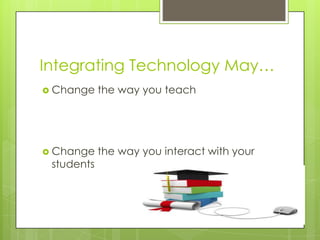
Integrating Technology May…
 Change the way you teach
 Change the way you interact with your
students
Planning the How
 Use students as
computer helpers
 Get help
 Steal!
 Use scaffolds
 Task cards
 Checklists
 Templates
Planning the How
 Develop a system
for using the
computer
 Assign learning
groups
 Create a
homepage with
agendas and links
 Use “class buddies”
to update
computers users
who miss classwork
Use of Tablet Computers in education
 Rapidly changing the way educators are
providing students with quality instruction.

 More and more companies are developing
tablets, i.e., the Android Tablet, the Kindle Fire
 Convenient due to size and portability.
 Thousands of applications for learning
Can Be Used..!!
Uses of Tablets and
Applications
 Students can track their assignments, take
notes, do research, and study for tests.
 School counselors can use applications
for note taking, tracking student records,
and research.
 Both teachers and counselors can benefit
from the portability of the tablet.
Applications for Learning
 Many applications are free and others are
very reasonably priced..

 The applications expand learning inside
and outside of the classroom and range
from interactive lessons, to study aids, to
productivity tools.
Integration
 Examine current unit or activity for ways to
add technology
 Rewrite the lesson unit to identify changes
due to technology
 Prepare materials and create schedule
Ideas…
 Use computer group work to teach
cooperative learning skills
 Have ongoing “personal” projects that
children can work on for short periods of
time throughout the year(write in journal
or add to a web page)
 Take or make a quiz
 Complete or make a puzzle
Ideas…
 Group or class e-mail letter
 Class database
 Enter group info into spreadsheet and
graph
 Electronic worksheets
 Reading database
 Class calendar
 Add a label
Ideas…
 Use commercial software
 Find time for exploration and creativity
 Chart information in a table
 Collaborate on a banner
 Model using the computer as a tool
 Use a picture to illlustrate a topic
Thank You..!!

Useoftechfinal 130506224209-phpapp01

  • 1.
    Use of Technology in theEducation Harit Thakar(120110120010) Communication skills
  • 2.
    Integrating Technology May… Change the way you teach  Change the way you interact with your students
  • 3.
    Planning the How Use students as computer helpers  Get help  Steal!  Use scaffolds  Task cards  Checklists  Templates
  • 4.
    Planning the How Develop a system for using the computer  Assign learning groups  Create a homepage with agendas and links  Use “class buddies” to update computers users who miss classwork
  • 5.
    Use of TabletComputers in education  Rapidly changing the way educators are providing students with quality instruction.   More and more companies are developing tablets, i.e., the Android Tablet, the Kindle Fire  Convenient due to size and portability.  Thousands of applications for learning Can Be Used..!!
  • 6.
    Uses of Tabletsand Applications  Students can track their assignments, take notes, do research, and study for tests.  School counselors can use applications for note taking, tracking student records, and research.  Both teachers and counselors can benefit from the portability of the tablet.
  • 7.
    Applications for Learning Many applications are free and others are very reasonably priced..   The applications expand learning inside and outside of the classroom and range from interactive lessons, to study aids, to productivity tools.
  • 8.
    Integration  Examine currentunit or activity for ways to add technology  Rewrite the lesson unit to identify changes due to technology  Prepare materials and create schedule
  • 9.
    Ideas…  Use computergroup work to teach cooperative learning skills  Have ongoing “personal” projects that children can work on for short periods of time throughout the year(write in journal or add to a web page)  Take or make a quiz  Complete or make a puzzle
  • 10.
    Ideas…  Group orclass e-mail letter  Class database  Enter group info into spreadsheet and graph  Electronic worksheets  Reading database  Class calendar  Add a label
  • 11.
    Ideas…  Use commercialsoftware  Find time for exploration and creativity  Chart information in a table  Collaborate on a banner  Model using the computer as a tool  Use a picture to illlustrate a topic
  • 12.