
An Overview of Information
Technology
Aakriti Sood
Karishma Dadoo
Kunal Agrawal
Shelly Tage
Swati Goyal
Introduction
• Information Technology deals with the use of
electronic computers and computer software to
convert, store, protect, process, transmit and
securely retrieve information.
• Today IT encompasses various functions which
include:
Data Management
Networking
Engineering Computer Hardware
Software designing
.
. ( and the list goes on)
Backbone of IT: The Computers
• A computer is a machine that manipulates data according to a
set of instructions.
• The two principal characteristics of a computer are:
1. It responds to a specific set of instructions in a well-
defined manner.
2. It can execute a prerecorded list of instructions.
• On a broad scale a computer has two parts:
Hardware
Software
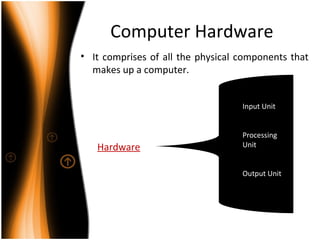
Computer Hardware
• It comprises of all the physical components that
makes up a computer.
Hardware
Input Unit
Processing
Unit
Output Unit
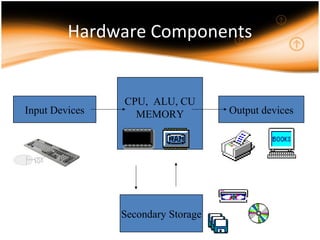
Hardware Components
Input Devices
CPU, ALU, CU
MEMORY Output devices
Secondary Storage
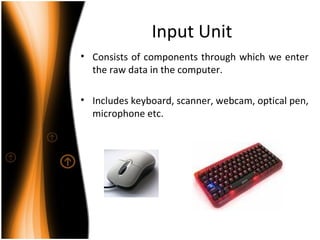
Input Unit
• Consists of components through which we enter
the raw data in the computer.
• Includes keyboard, scanner, webcam, optical pen,
microphone etc.
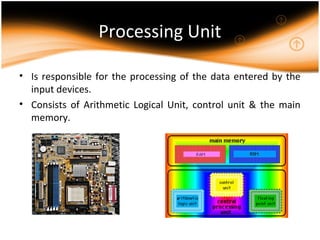
Processing Unit
• Is responsible for the processing of the data entered by the
input devices.
• Consists of Arithmetic Logical Unit, control unit & the main
memory.
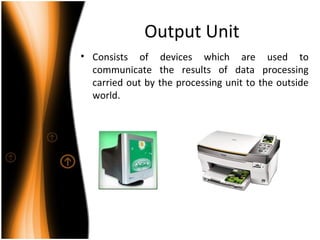
Output Unit
• Consists of devices which are used to
communicate the results of data processing
carried out by the processing unit to the outside
world.
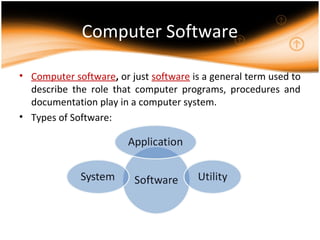
Computer Software
• Computer software, or just software is a general term used to
describe the role that computer programs, procedures and
documentation play in a computer system.
• Types of Software:
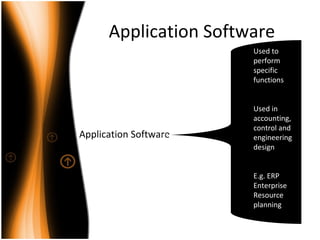
Application Software
Used to
perform
specific
functions
Used in
accounting,
control and
engineering
design
E.g. ERP
Enterprise
Resource
planning
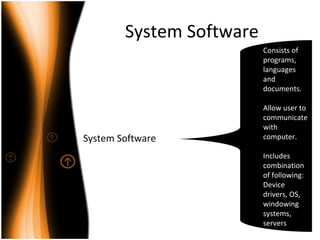
System Software
System Software
Consists of
programs,
languages
and
documents.
Allow user to
communicate
with
computer.
Includes
combination
of following:
Device
drivers, OS,
windowing
systems,
servers
Utility Software
Utility Software
Borderline
case
between
system and
application
software
Used as a
specific tool
or for
developing a
package.
E.g. Antivirus
software
Managing Data: Database
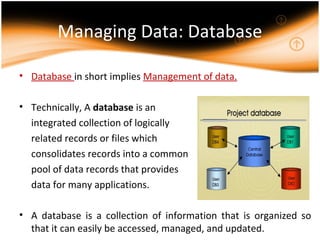
• Database in short implies Management of data.
• Technically, A database is an
integrated collection of logically
related records or files which
consolidates records into a common
pool of data records that provides
data for many applications.
• A database is a collection of information that is organized so
that it can easily be accessed, managed, and updated.
Database Management
System
• Database Management System (DBMS) is a set of
computer programs that controls the creation,
maintenance and the use of the database of an
organization and its end users.
• It allows organizations to place control of
organization-wide database development in the
hands of database administrators (DBAs) and
other specialists.
• E.g. Oracle 8i, 9i,
• MS Access,
• IBM DB2
Operating System
• An operating system (commonly abbreviated as either OS or
O/S) is an interface between hardware and user.
• An OS is responsible for the management and coordination of
activities and the sharing of the resources of the computer.
• Major Operating systems:
Microsoft Windows
Red Hat Linux
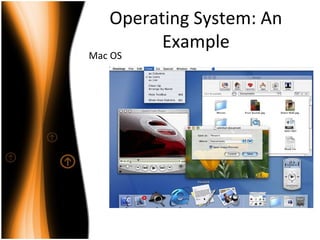
Mac OS
Operating System: An
Example
Mac OS
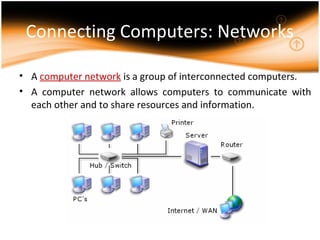
Connecting Computers: Networks
• A computer network is a group of interconnected computers.
• A computer network allows computers to communicate with
each other and to share resources and information.
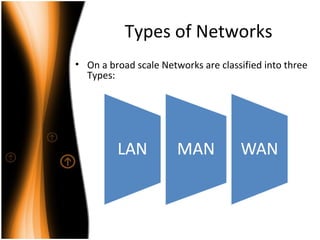
Types of Networks
• On a broad scale Networks are classified into three
Types:
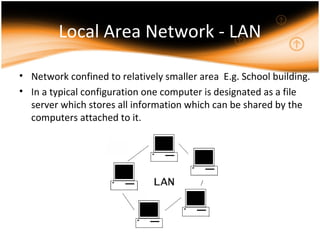
Local Area Network - LAN
• Network confined to relatively smaller area E.g. School building.
• In a typical configuration one computer is designated as a file
server which stores all information which can be shared by the
computers attached to it.
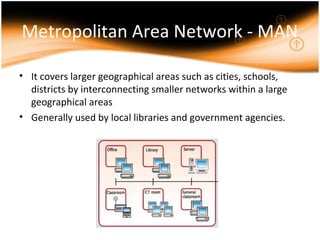
Metropolitan Area Network - MAN
• It covers larger geographical areas such as cities, schools,
districts by interconnecting smaller networks within a large
geographical areas
• Generally used by local libraries and government agencies.
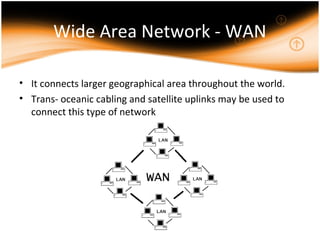
Wide Area Network - WAN
• It connects larger geographical area throughout the world.
• Trans- oceanic cabling and satellite uplinks may be used to
connect this type of network
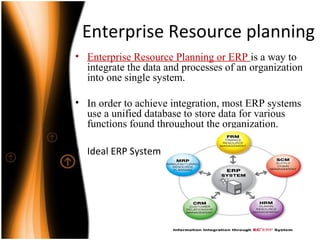
Enterprise Resource planning
• Enterprise Resource Planning or ERP is a way to
integrate the data and processes of an organization
into one single system.
• In order to achieve integration, most ERP systems
use a unified database to store data for various
functions found throughout the organization.
• Ideal ERP System
Advantages of ERP
• A totally integrated system.
• The ability to streamline different processes and workflows.
• The ability to easily share data across various departments in an
organization.
• Improved efficiency and productivity levels.
• Better tracking and forecasting.
• Lower costs.
• Improved customer service.
Disadvantages of ERP
• Customization in many situations is limited.
• The need to reengineer business processes.
• ERP systems can be cost prohibitive to install and run.
• Technical support can be shoddy.
• ERP's may be too rigid for specific organizations that are either
new or want to move in a new direction in the near future.
Thank You

Information Technology

  • 1.
    An Overview ofInformation Technology Aakriti Sood Karishma Dadoo Kunal Agrawal Shelly Tage Swati Goyal
  • 2.
    Introduction • Information Technologydeals with the use of electronic computers and computer software to convert, store, protect, process, transmit and securely retrieve information. • Today IT encompasses various functions which include: Data Management Networking Engineering Computer Hardware Software designing . . ( and the list goes on)
  • 3.
    Backbone of IT:The Computers • A computer is a machine that manipulates data according to a set of instructions. • The two principal characteristics of a computer are: 1. It responds to a specific set of instructions in a well- defined manner. 2. It can execute a prerecorded list of instructions. • On a broad scale a computer has two parts: Hardware Software
  • 4.
    Computer Hardware • Itcomprises of all the physical components that makes up a computer. Hardware Input Unit Processing Unit Output Unit
  • 5.
    Hardware Components Input Devices CPU,ALU, CU MEMORY Output devices Secondary Storage
  • 6.
    Input Unit • Consistsof components through which we enter the raw data in the computer. • Includes keyboard, scanner, webcam, optical pen, microphone etc.
  • 7.
    Processing Unit • Isresponsible for the processing of the data entered by the input devices. • Consists of Arithmetic Logical Unit, control unit & the main memory.
  • 8.
    Output Unit • Consistsof devices which are used to communicate the results of data processing carried out by the processing unit to the outside world.
  • 9.
    Computer Software • Computersoftware, or just software is a general term used to describe the role that computer programs, procedures and documentation play in a computer system. • Types of Software:
  • 10.
    Application Software Application Software Usedto perform specific functions Used in accounting, control and engineering design E.g. ERP Enterprise Resource planning
  • 11.
    System Software System Software Consistsof programs, languages and documents. Allow user to communicate with computer. Includes combination of following: Device drivers, OS, windowing systems, servers
  • 12.
    Utility Software Utility Software Borderline case between systemand application software Used as a specific tool or for developing a package. E.g. Antivirus software
  • 13.
    Managing Data: Database •Database in short implies Management of data. • Technically, A database is an integrated collection of logically related records or files which consolidates records into a common pool of data records that provides data for many applications. • A database is a collection of information that is organized so that it can easily be accessed, managed, and updated.
  • 14.
    Database Management System • DatabaseManagement System (DBMS) is a set of computer programs that controls the creation, maintenance and the use of the database of an organization and its end users. • It allows organizations to place control of organization-wide database development in the hands of database administrators (DBAs) and other specialists. • E.g. Oracle 8i, 9i, • MS Access, • IBM DB2
  • 15.
    Operating System • Anoperating system (commonly abbreviated as either OS or O/S) is an interface between hardware and user. • An OS is responsible for the management and coordination of activities and the sharing of the resources of the computer. • Major Operating systems: Microsoft Windows Red Hat Linux Mac OS
  • 16.
  • 17.
    Connecting Computers: Networks •A computer network is a group of interconnected computers. • A computer network allows computers to communicate with each other and to share resources and information.
  • 18.
    Types of Networks •On a broad scale Networks are classified into three Types:
  • 19.
    Local Area Network- LAN • Network confined to relatively smaller area E.g. School building. • In a typical configuration one computer is designated as a file server which stores all information which can be shared by the computers attached to it.
  • 20.
    Metropolitan Area Network- MAN • It covers larger geographical areas such as cities, schools, districts by interconnecting smaller networks within a large geographical areas • Generally used by local libraries and government agencies.
  • 21.
    Wide Area Network- WAN • It connects larger geographical area throughout the world. • Trans- oceanic cabling and satellite uplinks may be used to connect this type of network
  • 22.
    Enterprise Resource planning •Enterprise Resource Planning or ERP is a way to integrate the data and processes of an organization into one single system. • In order to achieve integration, most ERP systems use a unified database to store data for various functions found throughout the organization. • Ideal ERP System
  • 23.
    Advantages of ERP •A totally integrated system. • The ability to streamline different processes and workflows. • The ability to easily share data across various departments in an organization. • Improved efficiency and productivity levels. • Better tracking and forecasting. • Lower costs. • Improved customer service.
  • 24.
    Disadvantages of ERP •Customization in many situations is limited. • The need to reengineer business processes. • ERP systems can be cost prohibitive to install and run. • Technical support can be shoddy. • ERP's may be too rigid for specific organizations that are either new or want to move in a new direction in the near future.
  • 25.