WEBPROG1 – Web Programming 1 (HTML)                                                         Prelim Period
                                                                                             Handout #4


HTML Lists
     There are 3 different types of lists. Use <ol> for ordered lists, <ul> for unordered lists, and <dl> for
definition lists. Use the type and start attributes to fine tune your lists accordingly.

    •     <ul> - unordered list; bullets
    •     <ol> - ordered list; numbers
    •     <dl> - definition list; dictionary


HTML Ordered Lists

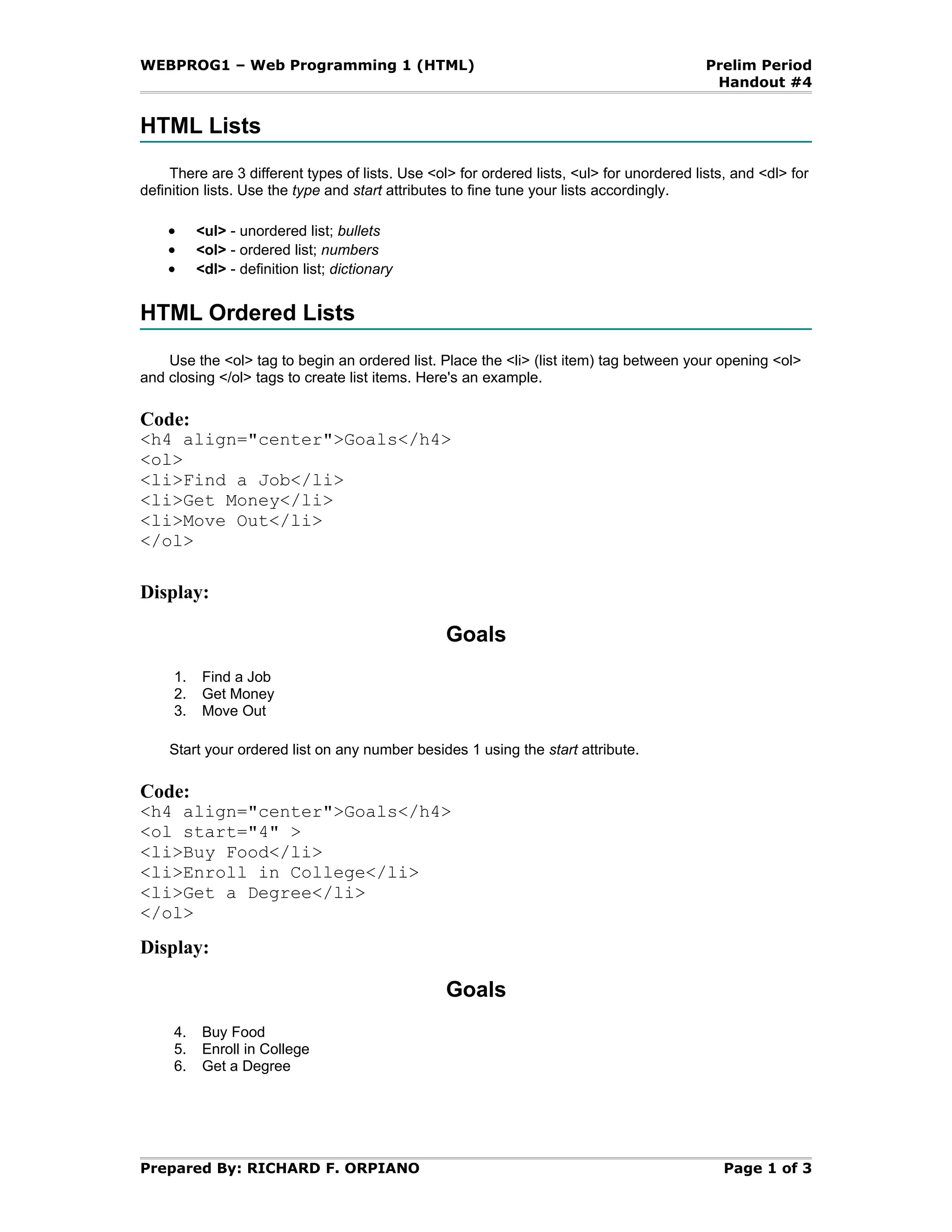
    Use the <ol> tag to begin an ordered list. Place the <li> (list item) tag between your opening <ol>
and closing </ol> tags to create list items. Here's an example.

Code:
<h4 align="center">Goals</h4>
<ol>
<li>Find a Job</li>
<li>Get Money</li>
<li>Move Out</li>
</ol>

Display:

                                                 Goals
     1.    Find a Job
     2.    Get Money
     3.    Move Out

    Start your ordered list on any number besides 1 using the start attribute.

Code:
<h4 align="center">Goals</h4>
<ol start="4" >
<li>Buy Food</li>
<li>Enroll in College</li>
<li>Get a Degree</li>
</ol>
Display:

                                                 Goals
     4.    Buy Food
     5.    Enroll in College
     6.    Get a Degree


Prepared By: RICHARD F. ORPIANO                                                                Page 1 of 3
WEBPROG1 – Web Programming 1 (HTML)                                                      Prelim Period
                                                                                          Handout #4


HTML Ordered Lists Continued
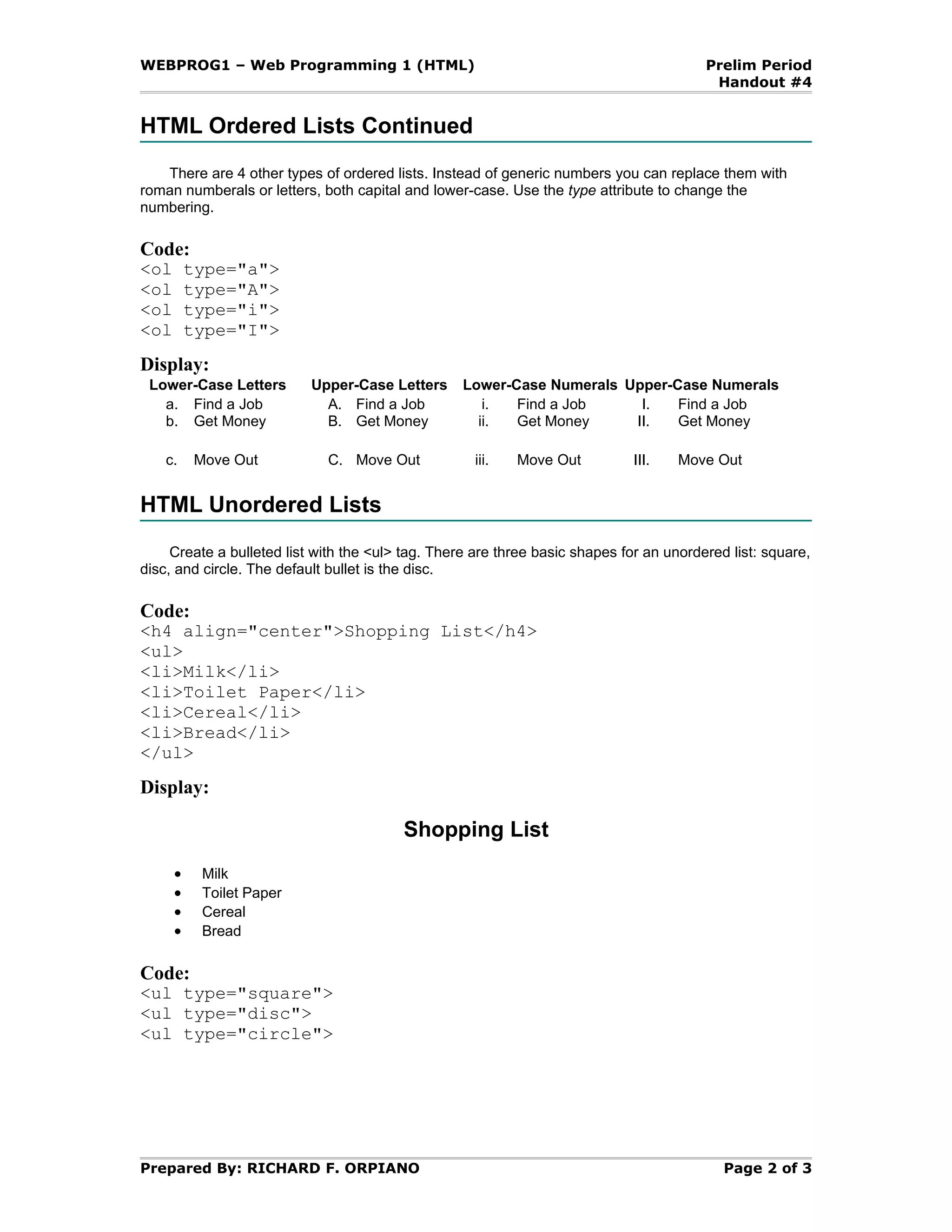
   There are 4 other types of ordered lists. Instead of generic numbers you can replace them with
roman numberals or letters, both capital and lower-case. Use the type attribute to change the
numbering.

Code:
<ol       type="a">
<ol       type="A">
<ol       type="i">
<ol       type="I">
Display:
 Lower-Case Letters        Upper-Case Letters      Lower-Case Numerals Upper-Case Numerals
   a. Find a Job             A. Find a Job            i.  Find a Job     I.   Find a Job
   b. Get Money              B. Get Money            ii.  Get Money     II.   Get Money

    c.    Move Out           C. Move Out            iii.   Move Out           III.   Move Out


HTML Unordered Lists
     Create a bulleted list with the <ul> tag. There are three basic shapes for an unordered list: square,
disc, and circle. The default bullet is the disc.

Code:
<h4 align="center">Shopping List</h4>
<ul>
<li>Milk</li>
<li>Toilet Paper</li>
<li>Cereal</li>
<li>Bread</li>
</ul>
Display:

                                         Shopping List
      •    Milk
      •    Toilet Paper
      •    Cereal
      •    Bread

Code:
<ul type="square">
<ul type="disc">
<ul type="circle">


Prepared By: RICHARD F. ORPIANO                                                             Page 2 of 3
WEBPROG1 – Web Programming 1 (HTML)                                                      Prelim Period
                                                                                          Handout #4


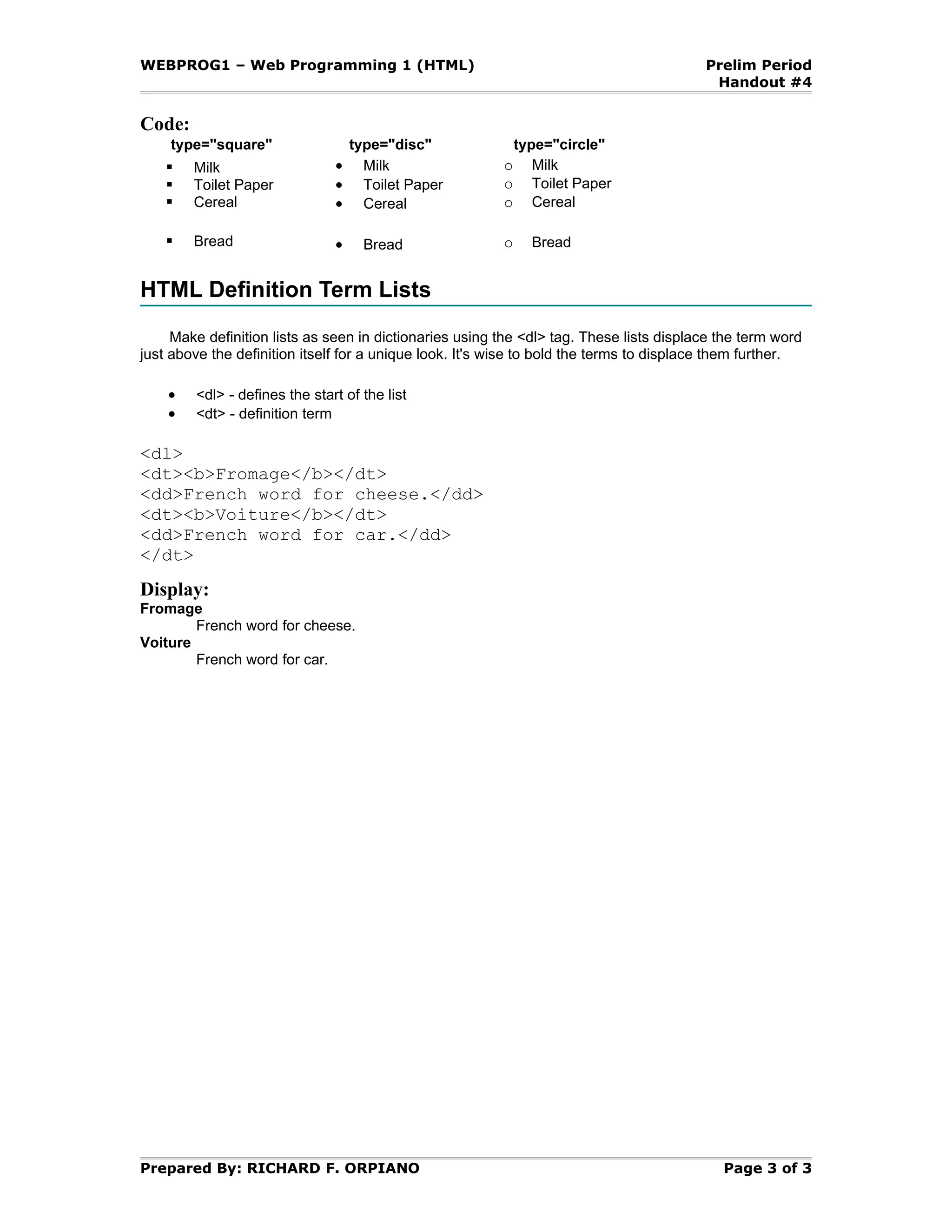
Code:
     type="square"                 type="disc"               type="circle"
     Milk                     •     Milk                o      Milk
     Toilet Paper             •     Toilet Paper        o      Toilet Paper
     Cereal                   •     Cereal              o      Cereal

       Bread                  •     Bread               o     Bread


HTML Definition Term Lists
     Make definition lists as seen in dictionaries using the <dl> tag. These lists displace the term word
just above the definition itself for a unique look. It's wise to bold the terms to displace them further.

    •   <dl> - defines the start of the list
    •   <dt> - definition term

<dl>
<dt><b>Fromage</b></dt>
<dd>French word for cheese.</dd>
<dt><b>Voiture</b></dt>
<dd>French word for car.</dd>
</dt>
Display:
Fromage
        French word for cheese.
Voiture
        French word for car.


Prepared By: RICHARD F. ORPIANO                                                             Page 3 of 3

Handout4 lists

  • 1.
    WEBPROG1 – WebProgramming 1 (HTML) Prelim Period Handout #4 HTML Lists There are 3 different types of lists. Use <ol> for ordered lists, <ul> for unordered lists, and <dl> for definition lists. Use the type and start attributes to fine tune your lists accordingly. • <ul> - unordered list; bullets • <ol> - ordered list; numbers • <dl> - definition list; dictionary HTML Ordered Lists Use the <ol> tag to begin an ordered list. Place the <li> (list item) tag between your opening <ol> and closing </ol> tags to create list items. Here's an example. Code: <h4 align="center">Goals</h4> <ol> <li>Find a Job</li> <li>Get Money</li> <li>Move Out</li> </ol> Display: Goals 1. Find a Job 2. Get Money 3. Move Out Start your ordered list on any number besides 1 using the start attribute. Code: <h4 align="center">Goals</h4> <ol start="4" > <li>Buy Food</li> <li>Enroll in College</li> <li>Get a Degree</li> </ol> Display: Goals 4. Buy Food 5. Enroll in College 6. Get a Degree Prepared By: RICHARD F. ORPIANO Page 1 of 3
  • 2.
    WEBPROG1 – WebProgramming 1 (HTML) Prelim Period Handout #4 HTML Ordered Lists Continued There are 4 other types of ordered lists. Instead of generic numbers you can replace them with roman numberals or letters, both capital and lower-case. Use the type attribute to change the numbering. Code: <ol type="a"> <ol type="A"> <ol type="i"> <ol type="I"> Display: Lower-Case Letters Upper-Case Letters Lower-Case Numerals Upper-Case Numerals a. Find a Job A. Find a Job i. Find a Job I. Find a Job b. Get Money B. Get Money ii. Get Money II. Get Money c. Move Out C. Move Out iii. Move Out III. Move Out HTML Unordered Lists Create a bulleted list with the <ul> tag. There are three basic shapes for an unordered list: square, disc, and circle. The default bullet is the disc. Code: <h4 align="center">Shopping List</h4> <ul> <li>Milk</li> <li>Toilet Paper</li> <li>Cereal</li> <li>Bread</li> </ul> Display: Shopping List • Milk • Toilet Paper • Cereal • Bread Code: <ul type="square"> <ul type="disc"> <ul type="circle"> Prepared By: RICHARD F. ORPIANO Page 2 of 3
  • 3.
    WEBPROG1 – WebProgramming 1 (HTML) Prelim Period Handout #4 Code: type="square" type="disc" type="circle"  Milk • Milk o Milk  Toilet Paper • Toilet Paper o Toilet Paper  Cereal • Cereal o Cereal  Bread • Bread o Bread HTML Definition Term Lists Make definition lists as seen in dictionaries using the <dl> tag. These lists displace the term word just above the definition itself for a unique look. It's wise to bold the terms to displace them further. • <dl> - defines the start of the list • <dt> - definition term <dl> <dt><b>Fromage</b></dt> <dd>French word for cheese.</dd> <dt><b>Voiture</b></dt> <dd>French word for car.</dd> </dt> Display: Fromage French word for cheese. Voiture French word for car. Prepared By: RICHARD F. ORPIANO Page 3 of 3