Ordered Lists
Ordered List
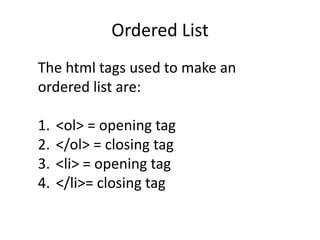
The html tags used to make an
ordered list are:
1. <ol> = opening tag
2. </ol> = closing tag
3. <li> = opening tag
4. </li>= closing tag
Ordered List
An ordered list is a list of items with
numbers in front of it. Some things
need to be done in a specific order.
The next slide is an example of an
ordered list.
Ordered List
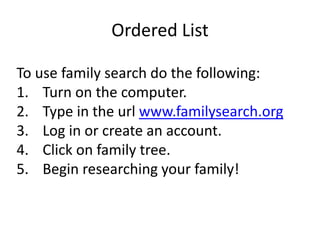
To use family search do the following:
1. Turn on the computer.
2. Type in the url www.familysearch.org
3. Log in or create an account.
4. Click on family tree.
5. Begin researching your family!
Ordered List
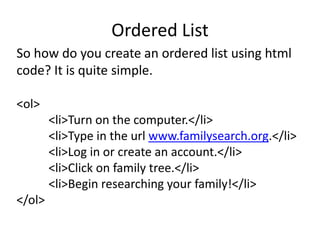
So how do you create an ordered list using html
code? It is quite simple.
<ol>
<li>Turn on the computer.</li>
<li>Type in the url www.familysearch.org.</li>
<li>Log in or create an account.</li>
<li>Click on family tree.</li>
<li>Begin researching your family!</li>
</ol>
Ordered List
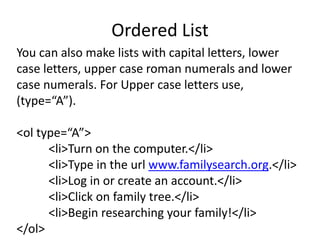
You can also make lists with capital letters, lower
case letters, upper case roman numerals and lower
case numerals. For Upper case letters use,
(type=“A”).
<ol type=“A”>
<li>Turn on the computer.</li>
<li>Type in the url www.familysearch.org.</li>
<li>Log in or create an account.</li>
<li>Click on family tree.</li>
<li>Begin researching your family!</li>
</ol>
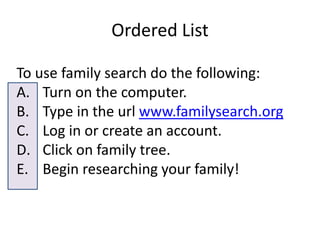
Ordered List
To use family search do the following:
A. Turn on the computer.
B. Type in the url www.familysearch.org
C. Log in or create an account.
D. Click on family tree.
E. Begin researching your family!
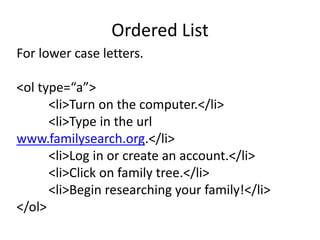
Ordered List
For lower case letters.
<ol type=“a”>
<li>Turn on the computer.</li>
<li>Type in the url
www.familysearch.org.</li>
<li>Log in or create an account.</li>
<li>Click on family tree.</li>
<li>Begin researching your family!</li>
</ol>
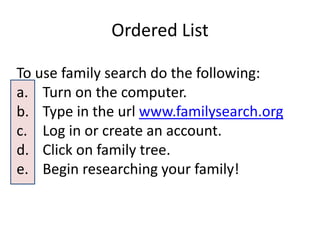
Ordered List
To use family search do the following:
a. Turn on the computer.
b. Type in the url www.familysearch.org
c. Log in or create an account.
d. Click on family tree.
e. Begin researching your family!
Ordered List
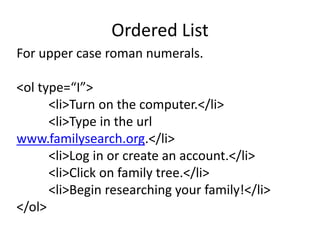
For upper case roman numerals.
<ol type=“I”>
<li>Turn on the computer.</li>
<li>Type in the url
www.familysearch.org.</li>
<li>Log in or create an account.</li>
<li>Click on family tree.</li>
<li>Begin researching your family!</li>
</ol>
Ordered List
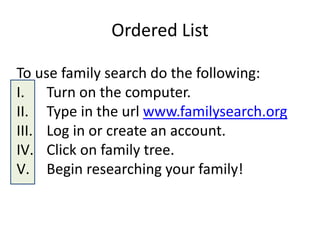
To use family search do the following:
I. Turn on the computer.
II. Type in the url www.familysearch.org
III. Log in or create an account.
IV. Click on family tree.
V. Begin researching your family!
Ordered List
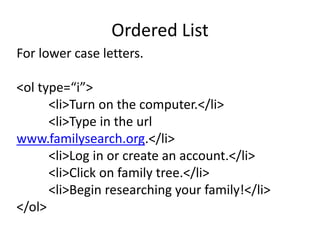
For lower case letters.
<ol type=“i”>
<li>Turn on the computer.</li>
<li>Type in the url
www.familysearch.org.</li>
<li>Log in or create an account.</li>
<li>Click on family tree.</li>
<li>Begin researching your family!</li>
</ol>
Ordered List
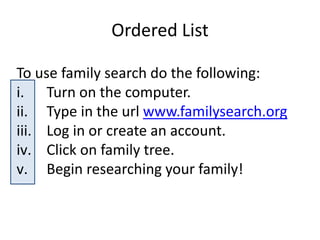
To use family search do the following:
i. Turn on the computer.
ii. Type in the url www.familysearch.org
iii. Log in or create an account.
iv. Click on family tree.
v. Begin researching your family!
Ordered List
A good website for ordered, unordered,
description and nested lists.
http://www.w3schools.com/html/html_li
sts.asp
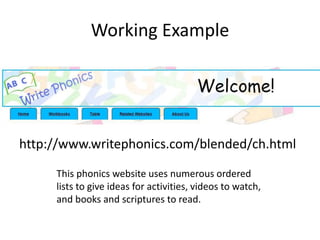
Working Example
http://www.writephonics.com/blended/ch.html
This phonics website uses numerous ordered
lists to give ideas for activities, videos to watch,
and books and scriptures to read.

Ordered lists

  • 1.
  • 2.
    Ordered List The htmltags used to make an ordered list are: 1. <ol> = opening tag 2. </ol> = closing tag 3. <li> = opening tag 4. </li>= closing tag
  • 3.
    Ordered List An orderedlist is a list of items with numbers in front of it. Some things need to be done in a specific order. The next slide is an example of an ordered list.
  • 4.
    Ordered List To usefamily search do the following: 1. Turn on the computer. 2. Type in the url www.familysearch.org 3. Log in or create an account. 4. Click on family tree. 5. Begin researching your family!
  • 5.
    Ordered List So howdo you create an ordered list using html code? It is quite simple. <ol> <li>Turn on the computer.</li> <li>Type in the url www.familysearch.org.</li> <li>Log in or create an account.</li> <li>Click on family tree.</li> <li>Begin researching your family!</li> </ol>
  • 6.
    Ordered List You canalso make lists with capital letters, lower case letters, upper case roman numerals and lower case numerals. For Upper case letters use, (type=“A”). <ol type=“A”> <li>Turn on the computer.</li> <li>Type in the url www.familysearch.org.</li> <li>Log in or create an account.</li> <li>Click on family tree.</li> <li>Begin researching your family!</li> </ol>
  • 7.
    Ordered List To usefamily search do the following: A. Turn on the computer. B. Type in the url www.familysearch.org C. Log in or create an account. D. Click on family tree. E. Begin researching your family!
  • 8.
    Ordered List For lowercase letters. <ol type=“a”> <li>Turn on the computer.</li> <li>Type in the url www.familysearch.org.</li> <li>Log in or create an account.</li> <li>Click on family tree.</li> <li>Begin researching your family!</li> </ol>
  • 9.
    Ordered List To usefamily search do the following: a. Turn on the computer. b. Type in the url www.familysearch.org c. Log in or create an account. d. Click on family tree. e. Begin researching your family!
  • 10.
    Ordered List For uppercase roman numerals. <ol type=“I”> <li>Turn on the computer.</li> <li>Type in the url www.familysearch.org.</li> <li>Log in or create an account.</li> <li>Click on family tree.</li> <li>Begin researching your family!</li> </ol>
  • 11.
    Ordered List To usefamily search do the following: I. Turn on the computer. II. Type in the url www.familysearch.org III. Log in or create an account. IV. Click on family tree. V. Begin researching your family!
  • 12.
    Ordered List For lowercase letters. <ol type=“i”> <li>Turn on the computer.</li> <li>Type in the url www.familysearch.org.</li> <li>Log in or create an account.</li> <li>Click on family tree.</li> <li>Begin researching your family!</li> </ol>
  • 13.
    Ordered List To usefamily search do the following: i. Turn on the computer. ii. Type in the url www.familysearch.org iii. Log in or create an account. iv. Click on family tree. v. Begin researching your family!
  • 14.
    Ordered List A goodwebsite for ordered, unordered, description and nested lists. http://www.w3schools.com/html/html_li sts.asp
  • 15.
    Working Example http://www.writephonics.com/blended/ch.html This phonicswebsite uses numerous ordered lists to give ideas for activities, videos to watch, and books and scriptures to read.